EEvlarSoft

QRCoder

Make a QR code for a link, a home network or a business contact, add your logo and colors, and know it will scan before it goes on a poster.

Buy for $2.99
One payment. No subscription.
14-day money-back guarantee.
3.0
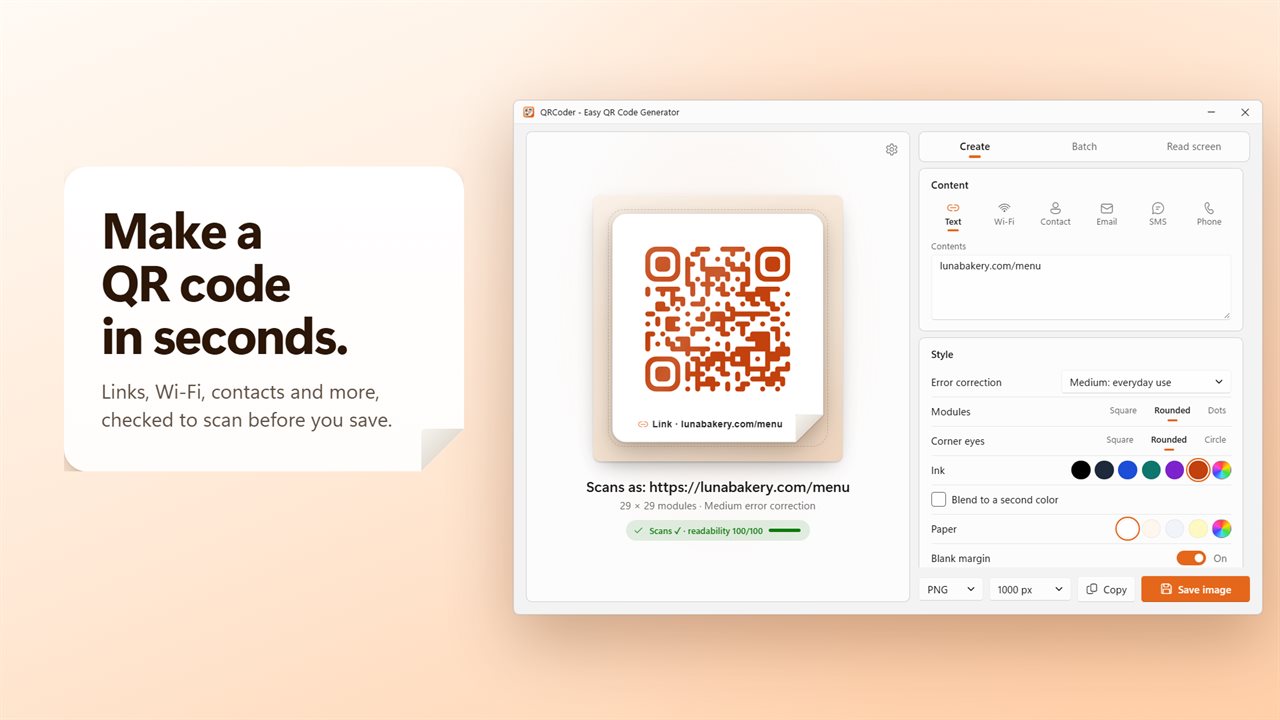
Make a QR code in seconds, checked to scan before you save it.
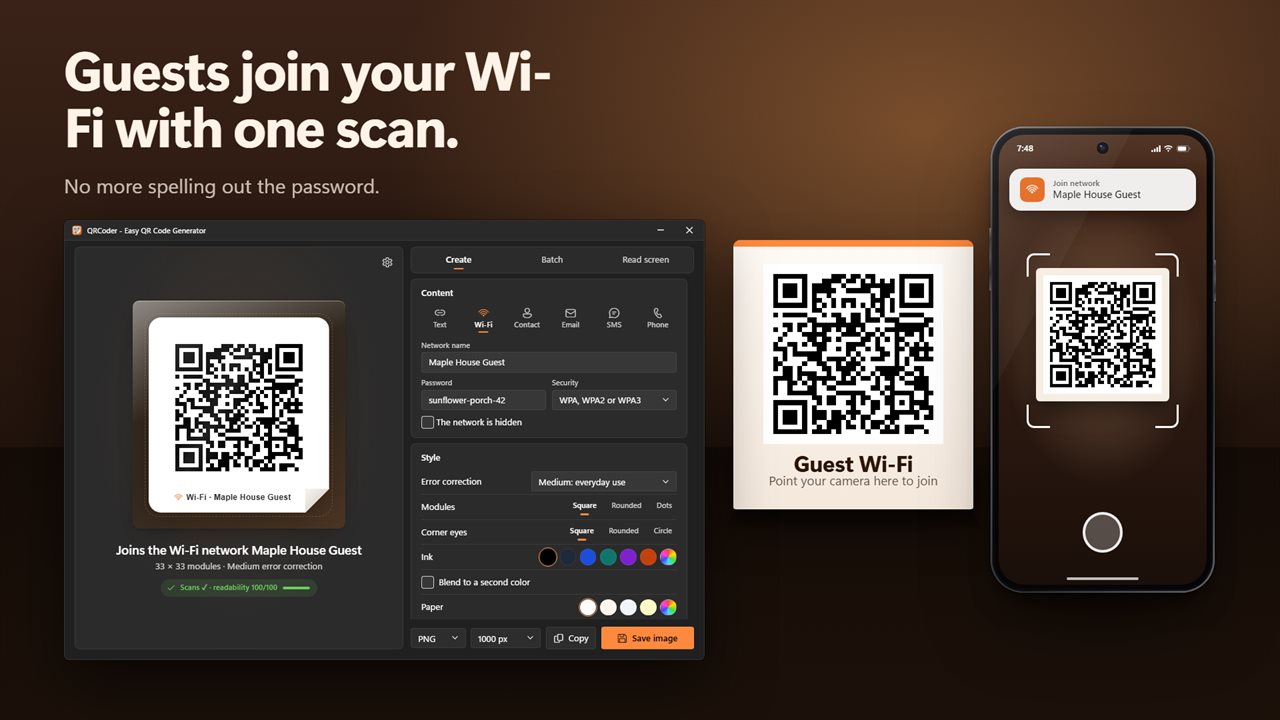
Guests join your Wi-Fi with one scan.
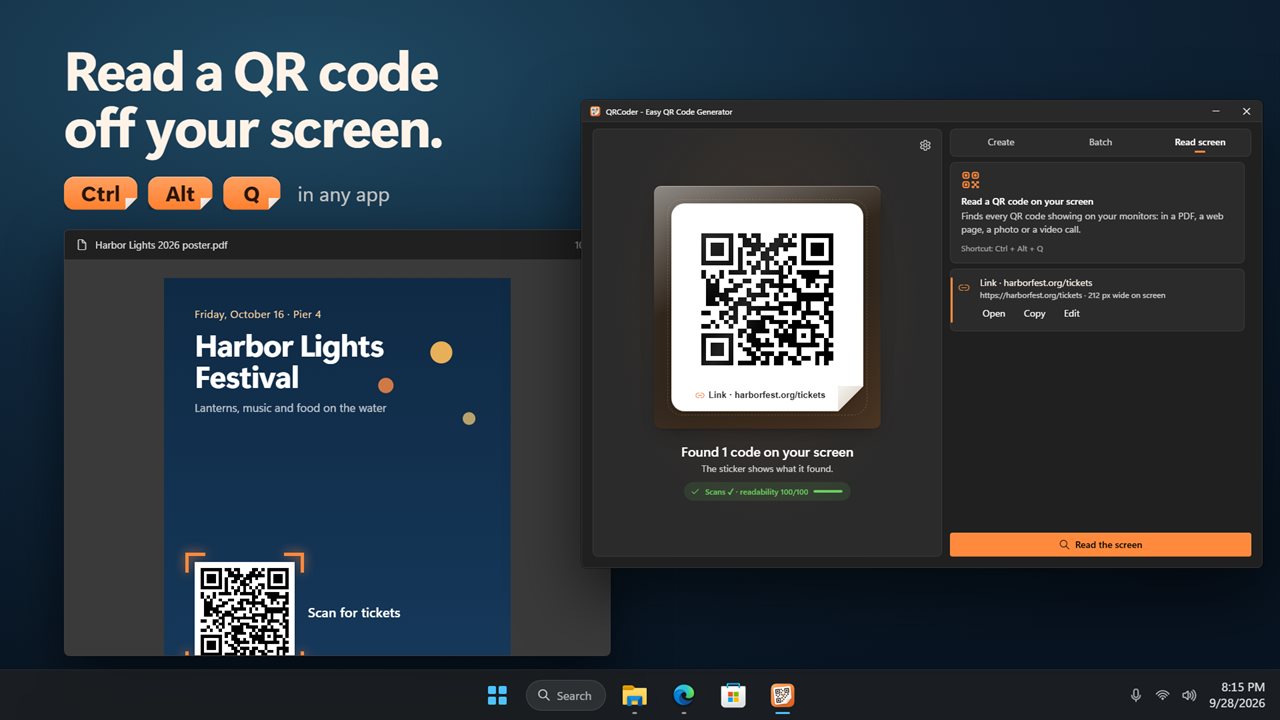
Read a QR code off your screen, from any app.
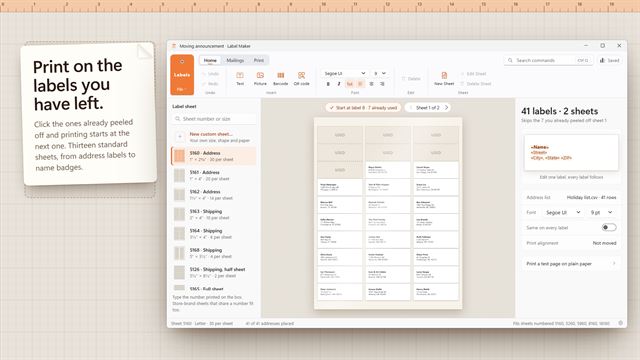
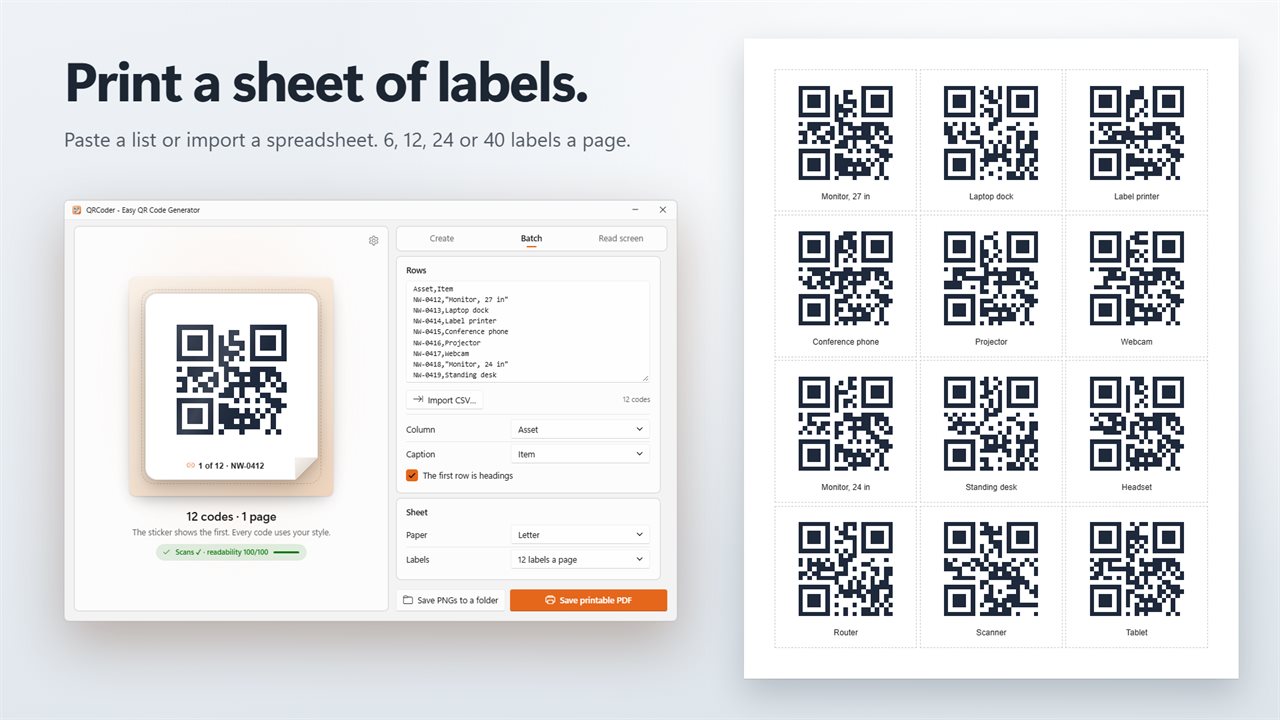
Print a sheet of labels from a list or a spreadsheet.
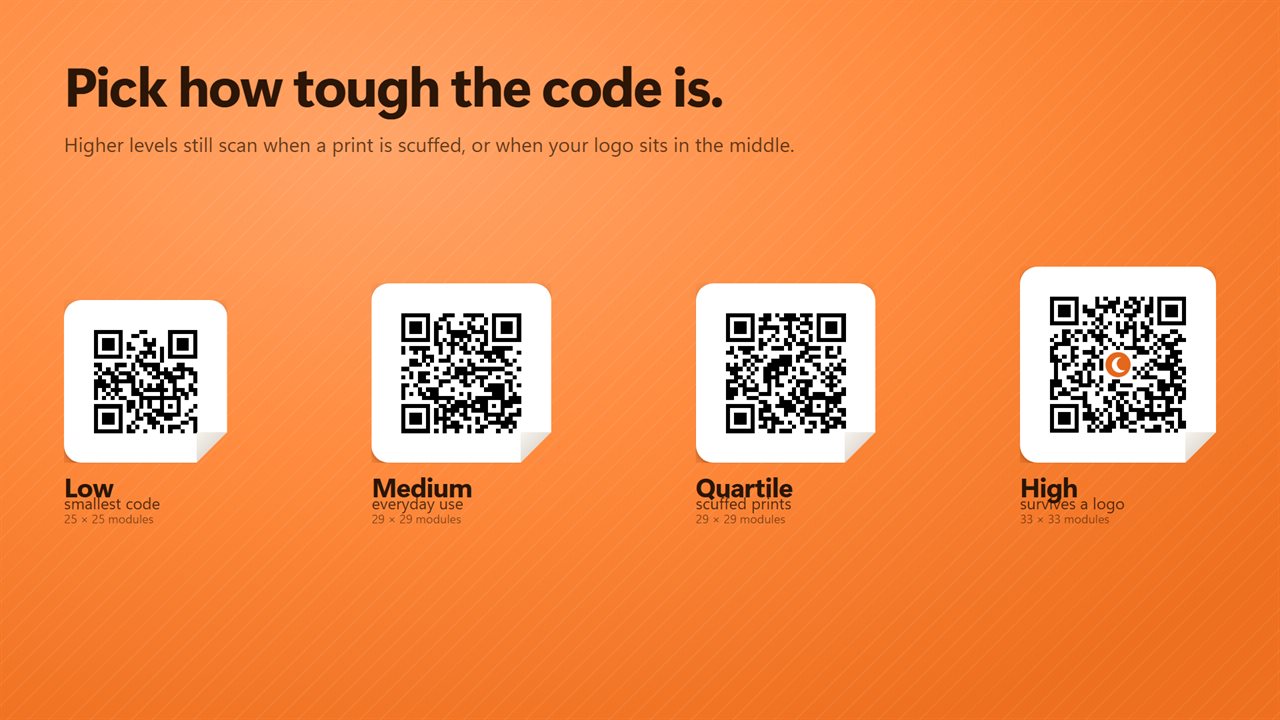
Four levels of error correction. High survives a logo.
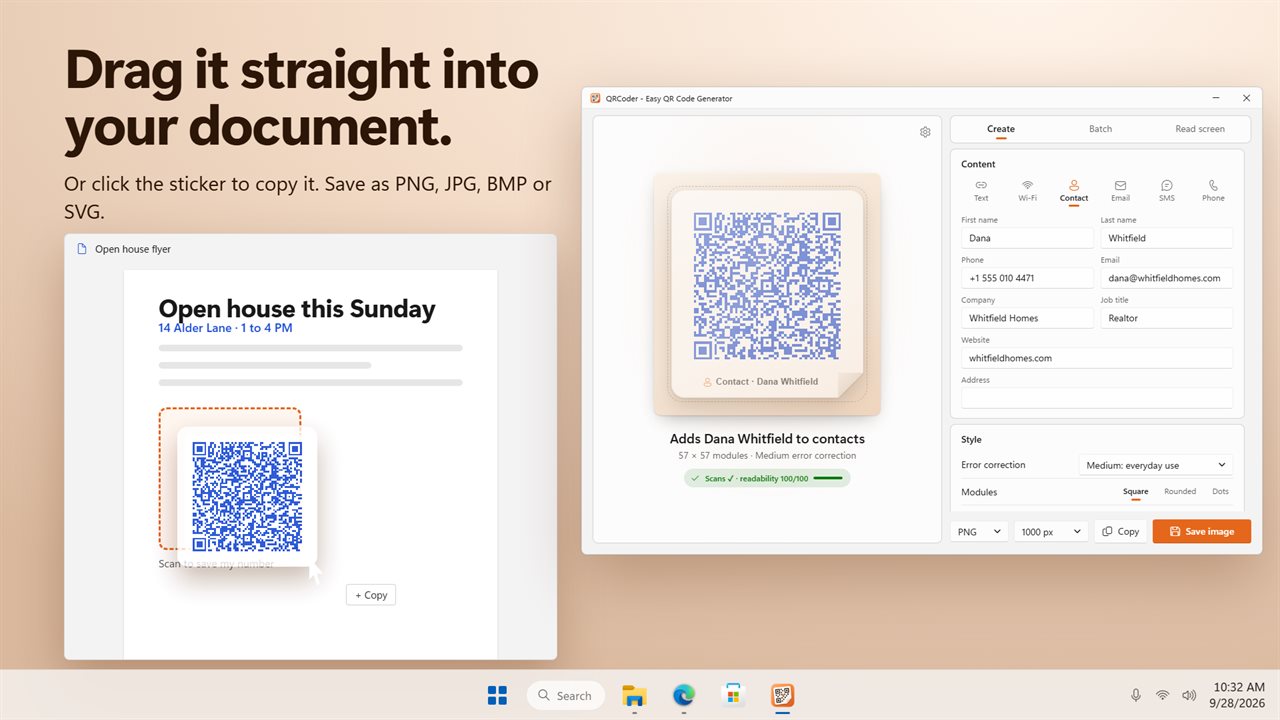
Drag the code straight into your document.
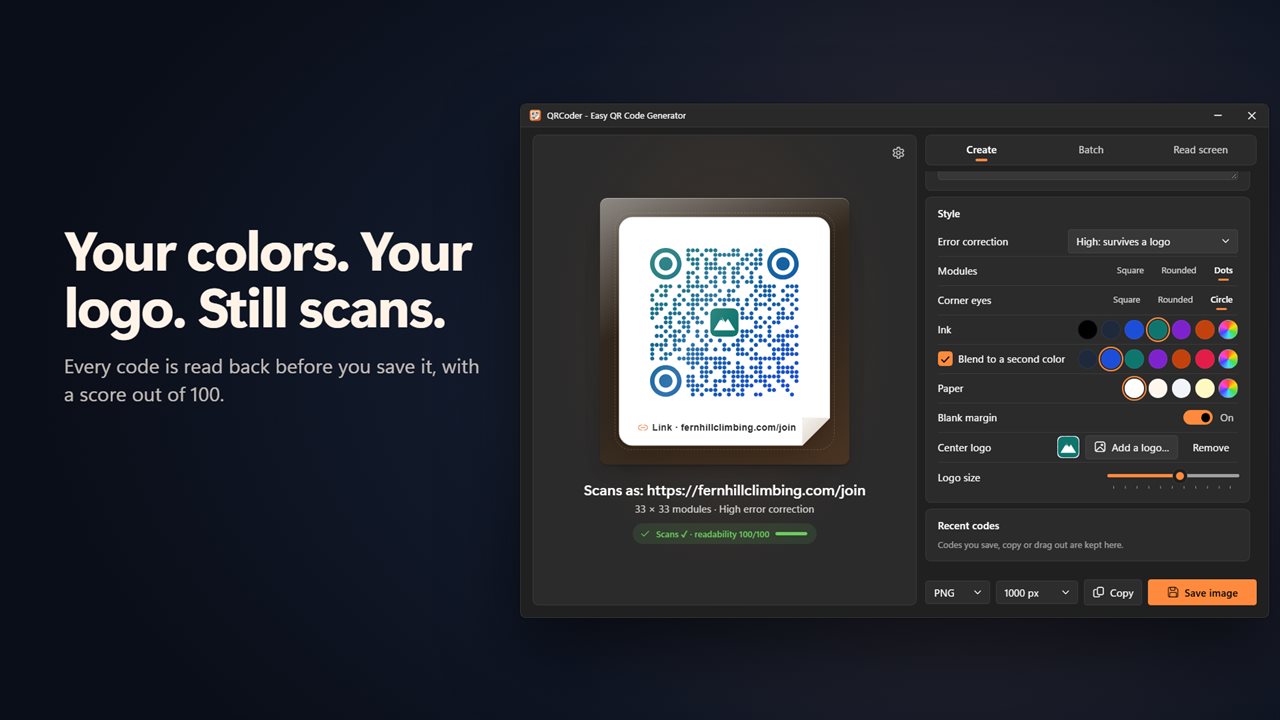
Your colors, your shapes, your logo. Still checked to scan.

Make a QR code in seconds, checked to scan before you save it.

190,000+downloads of EvlarSoft apps
Signed by EvlarSoftVerified US publisher
14-day money-backNo questions asked
Updates includedNo upgrade fees

A QR code maker that tests the code before you print it

The usual way to find out a QR code does not scan is after a thousand flyers have been printed. QRCoder is a QR code maker that checks first. As soon as you type, it reads the code back three ways: at full size, at a small size, and blurred and faded the way a hurried phone photo sees it. Each code is scored for readability from 0 to 100, and when something is wrong it names the reason, such as ink and paper colors that are too similar, ink lighter than its background, or a logo that covers too much.

Codes are made on your PC. A static QR code holds its content in the pattern itself, so there is no redirect service in between and nothing to expire or stop working later.

When the code looks right, click it to copy, drag it into an email, a document or a folder, or use Save image.

How to make a QR code

SVG is the right choice for signs and print shops, since it scales to any size without blurring. For screens and documents, a 1000-pixel PNG is usually plenty.

  • Under Create, pick the kind of code: Text (for links and any text), Wi-Fi, Contact, Email, SMS or Phone.
  • Fill in the fields. Typing just a domain such as mysite.org turns it into a working link for you.
  • Open Style to choose modules (Square, Rounded or Dots), Corner eyes (Square, Rounded or Circle), colors, and optionally Add a logo….
  • Watch the scan check, and fix whatever it flags.
  • Pick a Format (PNG, JPG, BMP or SVG) and a Size, then Save image.

Wi-Fi QR code generator for guests

Writing a network password on a card invites typos. With a Wi-Fi code, visitors join by pointing their phone camera at it. Enter the Network name and Password, choose a Security setting of WPA, WPA2 or WPA3, WEP (older routers) or None, open network, and tick The network is hidden if your router does not broadcast its name. Print it for a guest room, a meeting room or a café counter.

Contact codes work the same way for business cards and name badges: name, number, email, company, role, website and address land in the scanner's address book with one scan.

QR code with a logo that still scans

A logo in the middle of a QR code physically blocks part of the pattern; the code survives only because of error correction, the spare data every QR code carries. QRCoder offers four levels, Low, Medium, Quartile and High, and switches to High while a logo is in place. Use Logo size to find the largest mark the scan check is still happy with.

Bulk QR code generator and label sheets

For asset tags, product labels, raffle tickets or event badges, open Batch. Type or paste one code per line, or use Import CSV… for a spreadsheet export, and choose which Column becomes the code and which becomes its Caption. Up to 2000 rows are used.

The batch becomes a printable PDF of labels, Letter or A4 paper, from 6 large labels a page to 40 small ones, or saves each code as a separate PNG in a folder.
What QRCoder can do

  • Six code typesText and links, Wi-Fi, contacts, email, SMS and phone calls
  • A scan test and 0 to 100 readability score on every code
  • Clear warnings for weak contrast, reversed colors and oversized logos
  • Custom module and corner-eye shapes, colors and a two-color blend
  • Logo in the center with adjustable size
  • PNG, JPG, BMP and SVG output from 500 to 4000 pixels
  • Batches of up to 2000 codes from a list or CSV
  • Label sheets with 6, 12, 24 or 40 labels a page
  • Read screen finds QR codes shown on any of your monitors
  • Your twelve most recent codes, one click away

What's new in 2.0.3

  • New: Wi-Fi, contact, email, text message and phone codes
  • New: every code is checked to scan, with a readability score
  • New: your colors, module and eye shapes, and a logo in the middle
  • New: four levels of error correction
  • New: print sheets of labels from a list or a spreadsheet
  • New: read a QR code on your screen, from any app with a shortcut
  • New: drag a code into any app, and keep your last twelve codes
  • New: save as PNG, JPG, BMP or SVG, up to 4000 pixels

Questions

Anything else? Ask us

Can QRCoder make a QR code that joins my Wi-Fi?

Yes. Enter the network name and password and pick WPA, WPA2 or WPA3, WEP for older routers, or an open network, and tick the box if the network is hidden. Guests scan it with their phone camera to join.

How do I know the code will scan, especially with a logo on it?

Every code is read back by the app before you save it, at full size, small, and blurred and faded like a poor photo, and you get a readability score. If it fails, it says whether the colors are too close, the ink is lighter than the paper, or the logo is too big. High error correction is the level meant for codes with a logo.

Can I make many QR codes at once from a spreadsheet?

Yes. Paste a list with one code per line, or import a CSV, TSV or TXT file, and pick which column becomes the code and which the caption. The first 2000 rows are used, and you can print them as a PDF label sheet on Letter or A4 with 6, 12, 24 or 40 labels a page, or save each one as its own PNG in a folder.

What file formats and sizes can I save?

PNG, JPG, BMP or SVG, at 500, 1000, 2000, 3000 or 4000 pixels. You can also click the code to copy it, or drag it into a document, an email or a folder as a PNG.

Can it read a QR code from a photo file or my webcam?

No. It reads QR codes that are showing on your screen, on every monitor, so open the photo or PDF first and then read the screen. Dropping an image onto the app uses it as the logo in the middle of your code instead.

Is there a shortcut to read a QR code from any app?

Yes, once you turn it on. It is Ctrl+Alt+Q unless you pick another, and the app tells you if another program already holds that shortcut. The QRCoder window gets out of the way while it looks, then lists what it found so you can open the link, copy the text or Wi-Fi password, or edit the code.

Do QR codes made here expire?

No. QRCoder makes static codes: the link or text is stored in the pattern itself, with no tracking service in between, so a printed code keeps working for as long as its content does.

How do I scan a QR code on my laptop screen?

Leave the code visible in its PDF, web page or photo, then switch QRCoder to Read screen. It looks for codes on every monitor at once, so you do not need a phone or a webcam, and offers to open the link or copy the text it finds.

What size should I save a QR code for printing?

Save as SVG for print, because it stays sharp at any size. If the printer needs a picture file, a PNG at 3000 or 4000 pixels is large enough for posters.

Which versions of Windows does it run on?

Windows 10 (version 1809 or later) and Windows 11.

Is it a subscription?

No. QRCoder is a one-time purchase of $2.99, and updates are included.

How do I get it?

Buy it on this page and your license key arrives by email. If the button says Notify me, QRCoder is not on sale here yet; leave your email and we will tell you when it is.

Prefer widgets? The QR Generator widget on WidgetSpark does a similar job, alongside over 100 other desktop widgets in one app.