EEvlarSoft

ImageScaler

Type the pixel size you need and every picture in the list shows the dimensions it will really come out at, before you resize a single one.

Buy for $3.89
One payment. No subscription.
14-day money-back guarantee.
3.0
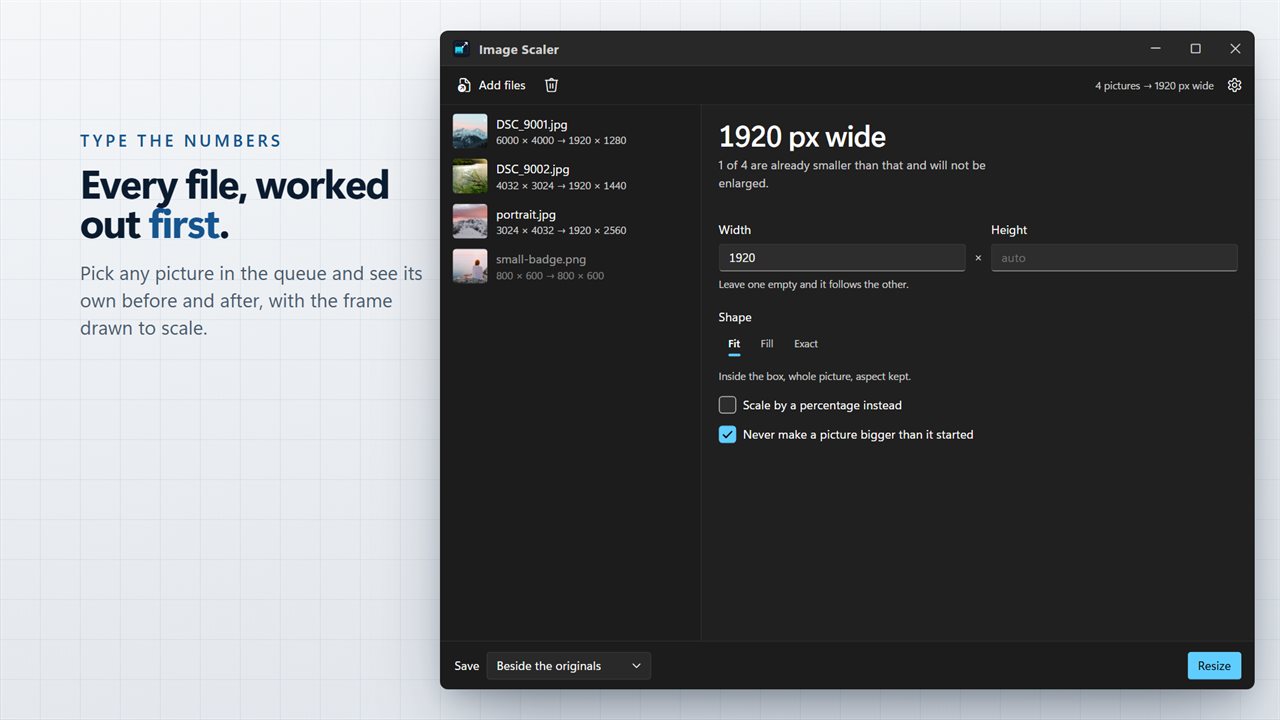
Type the numbers and every file is worked out first.
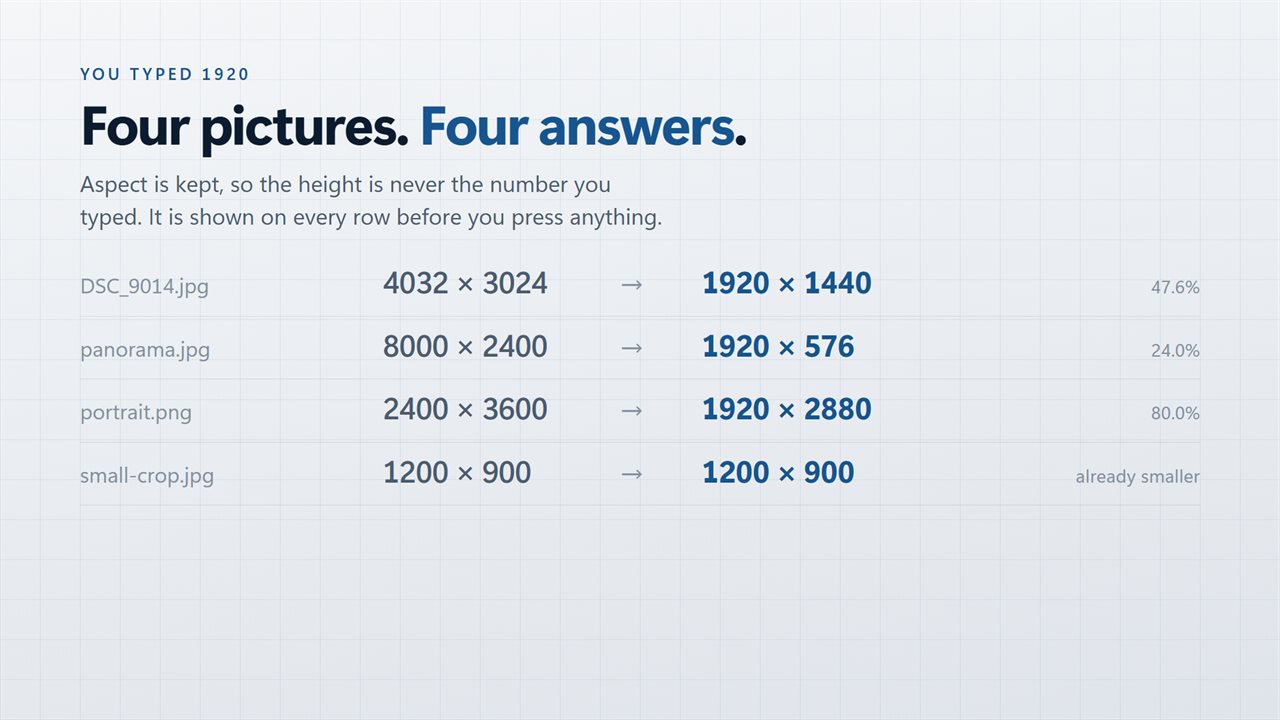
You typed 1920; four pictures get four answers.
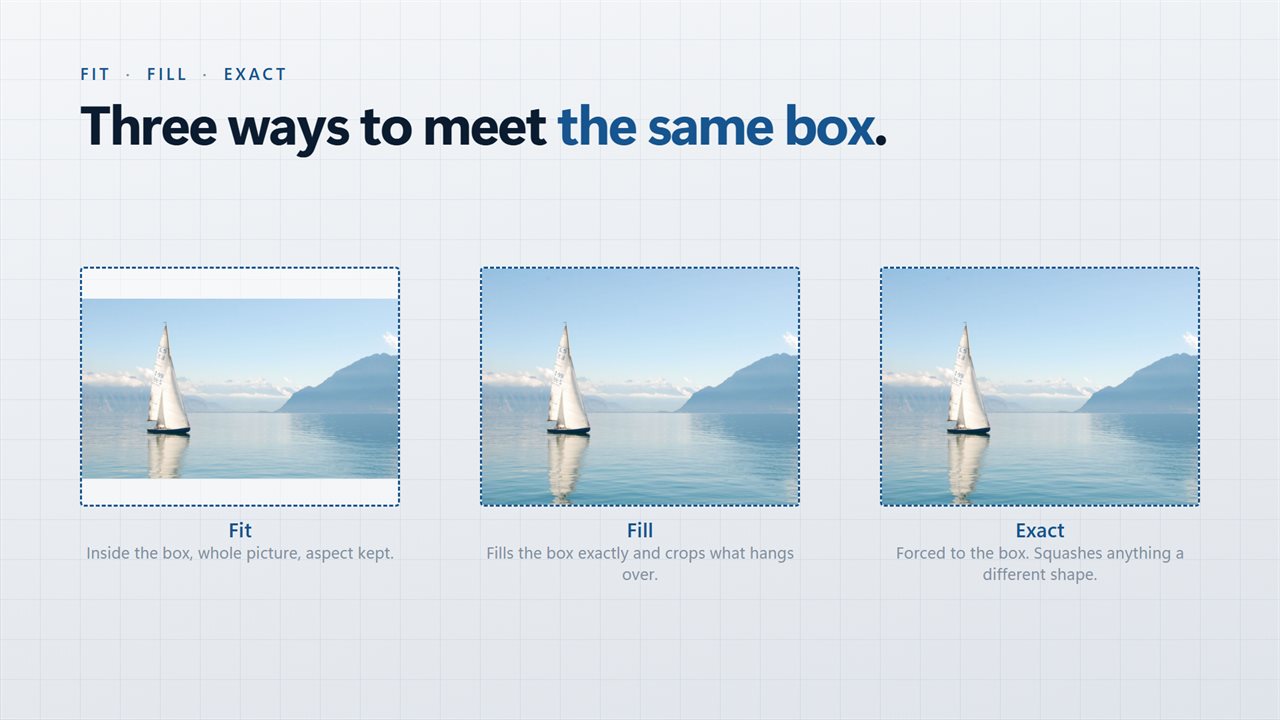
Fit, fill or exact — three ways to meet the same box.
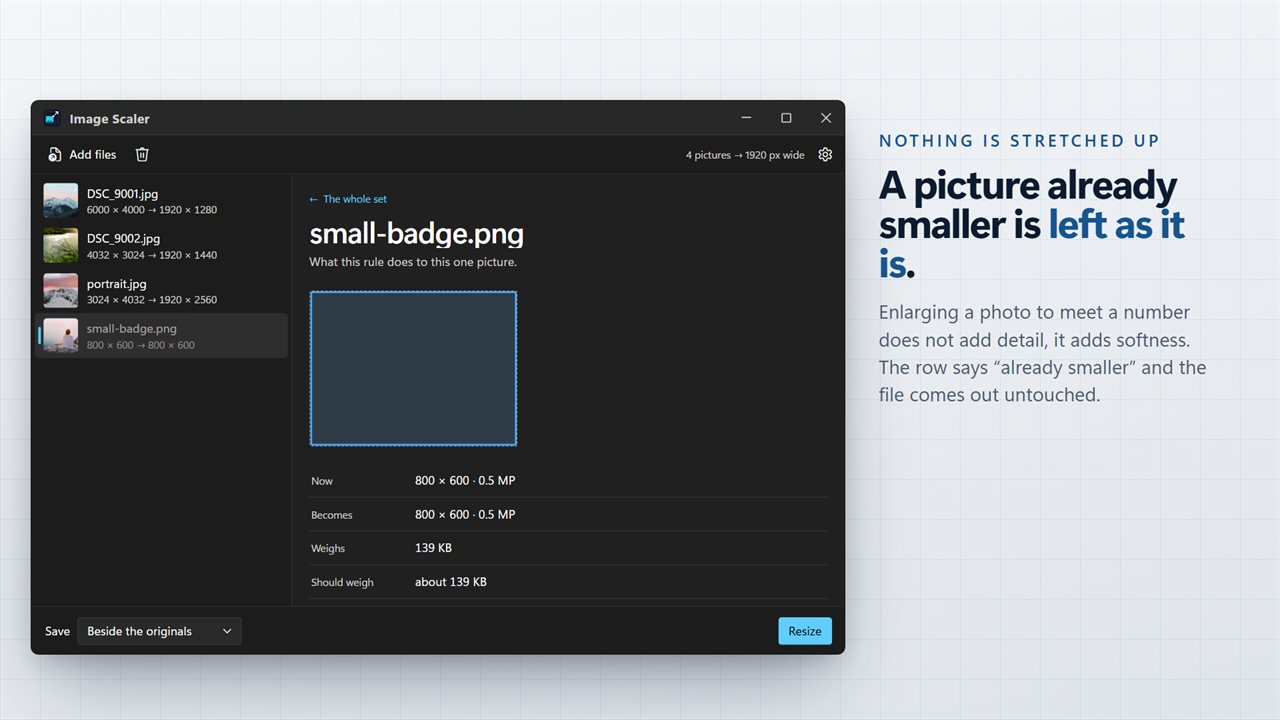
A picture already smaller is left as it is; nothing is stretched up.
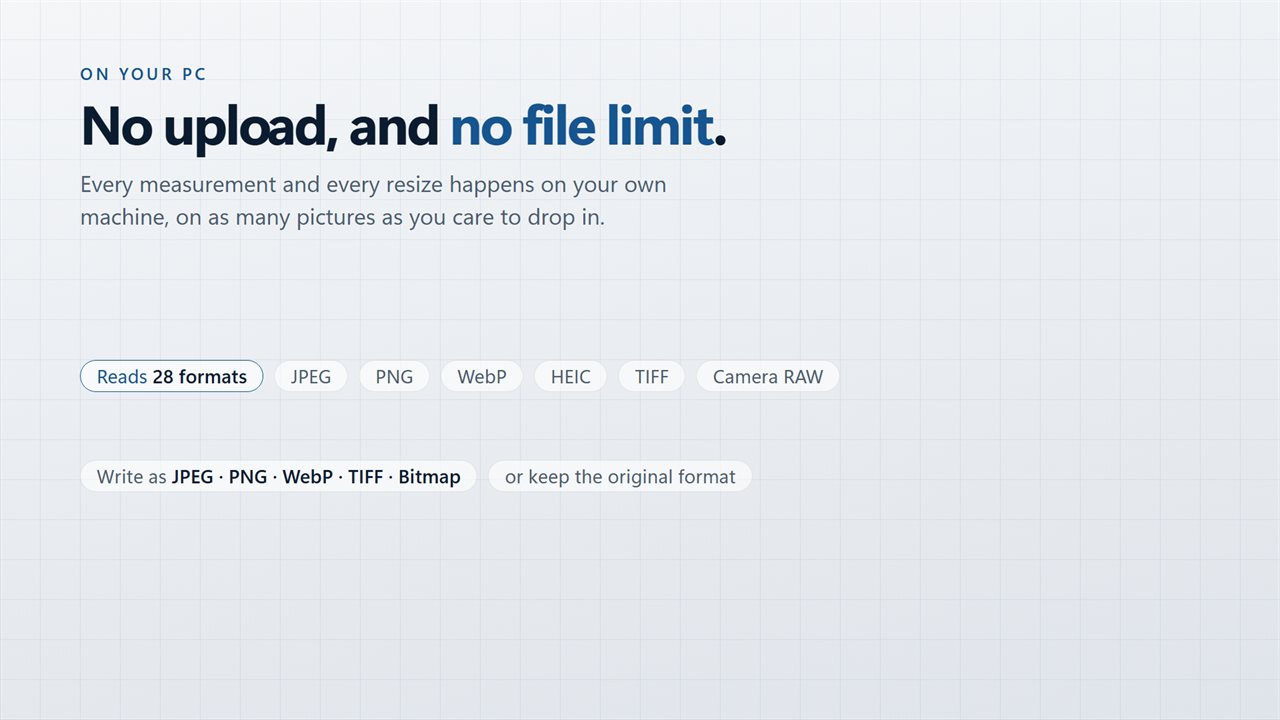
No upload, and no file limit.

Type the numbers and every file is worked out first.

190,000+downloads of EvlarSoft apps
Signed by EvlarSoftVerified US publisher
14-day money-backNo questions asked
Updates includedNo upgrade fees

Change image size by the numbers, not by guesswork

When you change image size for a website, a print shop or an upload form, the number you type is rarely the number every file ends up with. Pictures come in different shapes, so a box of 1920 by 1080 means something different for a portrait phone shot than for a wide landscape.

ImageScaler does that arithmetic up front. Enter a Width, a Height or both, and each row in the list changes to read like "4032 × 3024 → 1920 × 1440". Click a file and its detail pane spells out Now, Becomes, Weighs, Should weigh and Format for that one picture, with the old and new sizes drawn to scale against each other.

It opens set to a width of 1920 pixels with the height left on auto, which is a sensible screen size for most photos. Change it, press Resize, and the whole batch follows the same rule.

How to resize an image without stretching it

Stretching happens when a picture is forced into a box of a different shape. The Shape control gives you three ways to deal with a box, and the note under it explains each as you pick:

  • Fit scales the whole picture until it sits inside the box, keeping its proportions. Leave one side empty and it follows the other.
  • Fill covers the box completely and trims what hangs over, keeping the center. The detail pane tells you roughly what share of the picture survives the crop.
  • Exact forces the picture to the box regardless of shape. Use it only when the source already has the right proportions.

Scale an image by percentage instead of pixels

Sometimes the target is relative: half size for a quick preview, a quarter for thumbnails. Tick Scale by a percentage instead and the width and height boxes give way to a slider from 5% to 400%, moving in steps of 5.

Never make a picture bigger than it started is on by default. With it on, a small picture in a Fit or percentage batch keeps its own size instead of turning soft from upscaling, and the header tells you how many files that applies to before you run.

Resize an image to 1920x1080 and other fixed sizes

For a wallpaper, a video frame or a slide, type 1920 and 1080 and choose Fill. Every picture comes out at exactly that size, filled edge to edge, whatever shape it started. For a site that asks for images no wider than a limit, type only the width and keep Fit.

Width and height each accept up to 30,000 pixels. If you choose Fill or Exact with one side missing, a warning appears before the run instead of a list of failed files after it.

Features

  • Per-file preview of the output dimensions before resizing
  • Detail pane with current and new megapixels, current size and an estimated new file size
  • Fit, Fill and Exact shape modes, with Fill cropping from the center
  • Percentage slider from 5% to 400%
  • Optional guard against enlarging small pictures, on by default
  • Reads 26 image types, including JPEG, PNG, WebP, HEIC, TIFF, PSD and EXR
  • Write as Same as the original, JPEG, PNG, WebP, TIFF or Bitmap
  • Saves beside the source, into a folder you choose, or over the originals

Where exact sizes matter

Product photos for a web store

Store templates often want every image at one fixed size. Fill gives you identical dimensions across a mixed batch.

Images for a document or slide deck

Camera photos at 12 megapixels bloat a file for no visible gain. A width of 1600 or so is plenty for a screen.

Upload forms with a size limit

Check the Becomes line against the form's rule before you resize, rather than finding out on upload.

Questions

Anything else? Ask us

Does it keep the aspect ratio when I resize to a set width?

Yes. Type only a width or only a height and the other side follows, so every picture keeps its shape. Each row in the list shows the size that file will come out at before you start.

What is the difference between Fit, Fill and Exact?

Fit makes the whole picture fit inside the width and height you typed. Fill covers the box exactly and crops the edges that hang over, keeping the center. Exact forces the picture to the box and squashes anything that is a different shape. Fill and Exact need both a width and a height.

Will it enlarge small pictures?

No, not by default. Never make a picture bigger than it started is on, so in Fit or percentage mode a picture already smaller than the target is left at its own size. That option does not hold back Fill or Exact, which always produce the box you typed.

Can I resize by a percentage instead of pixels?

Yes. Tick Scale by a percentage instead and use the slider, which runs from 5% to 400% in steps of 5. Width and height of up to 30,000 pixels can be typed in pixel mode.

What happens to the original files and their metadata?

By default each resized copy is saved beside its original with "(resized)" added to the name, or you can save into another folder or replace the originals. The copies keep their color profile but not their EXIF, XMP or IPTC data, so GPS location and camera details are not carried over.

Can it resize animated GIFs or HEIC photos?

Only partly. An animated GIF is resized from its first frame and comes out as a still picture. HEIC and HEIF photos can be read but not written, so choose JPEG, PNG, WebP, TIFF or Bitmap under Write as.

How do I find out an image's size in pixels?

Add it to ImageScaler. Each row lists the picture's current width × height, and clicking it shows the size in megapixels as well.

Does resizing reduce the file size?

Usually, when you make a picture smaller. The detail pane gives an estimate under Should weigh, and after the run each row shows the size before and after.

Can I resize to an exact width and height without cropping?

Only if the picture already has those proportions. Otherwise choose Fit to keep the whole picture inside the box, Fill to crop to the box, or Exact to stretch it.

Which versions of Windows does it run on?

Windows 10 (version 1809 or later) and Windows 11.

Is it a subscription?

No. ImageScaler is a one-time purchase of $3.89, and updates are included.

How do I get it?

Buy it on this page and your license key arrives by email. If the button says Notify me, ImageScaler is not on sale here yet; leave your email and we will tell you when it is.