EEvlarSoft

Label Maker

Design labels for envelopes, jars, parcels and name badges on the sheet number printed on your box, and fill them from an address list in one go.

Buy for $9.99
One payment. No subscription.
14-day money-back guarantee.
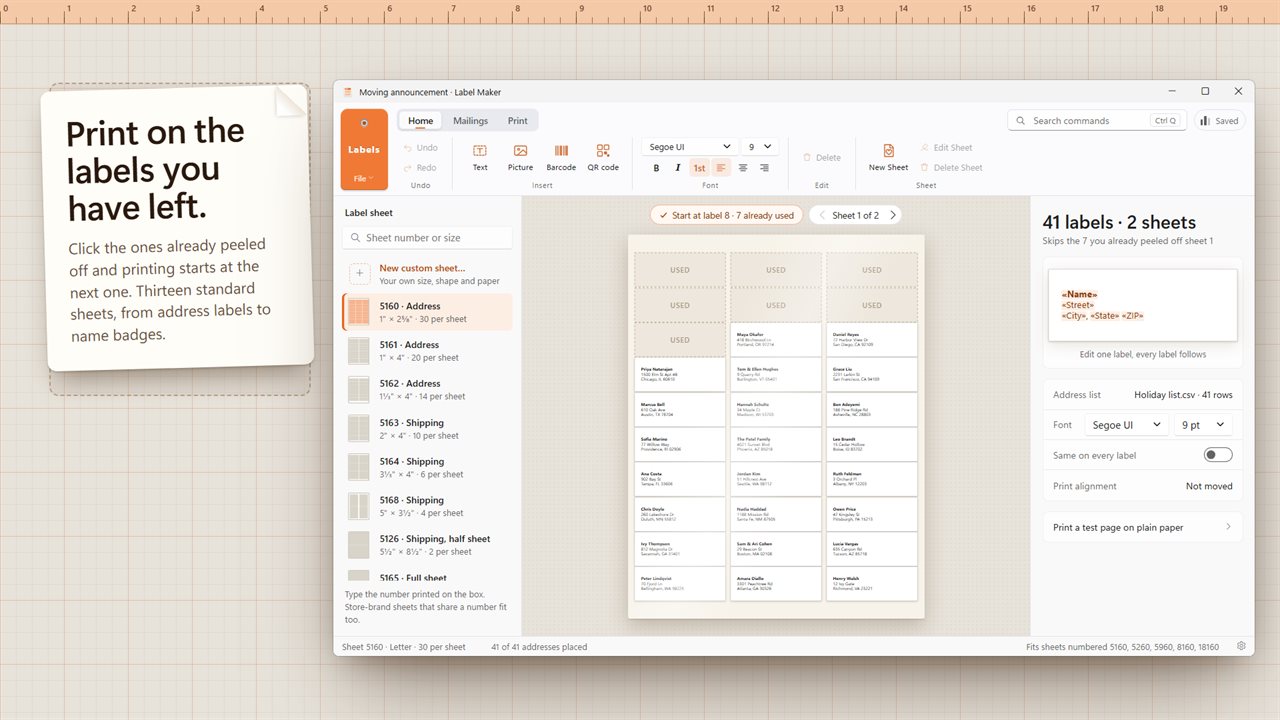
Print on the labels you have left: click the ones already peeled off and printing starts at the next one.
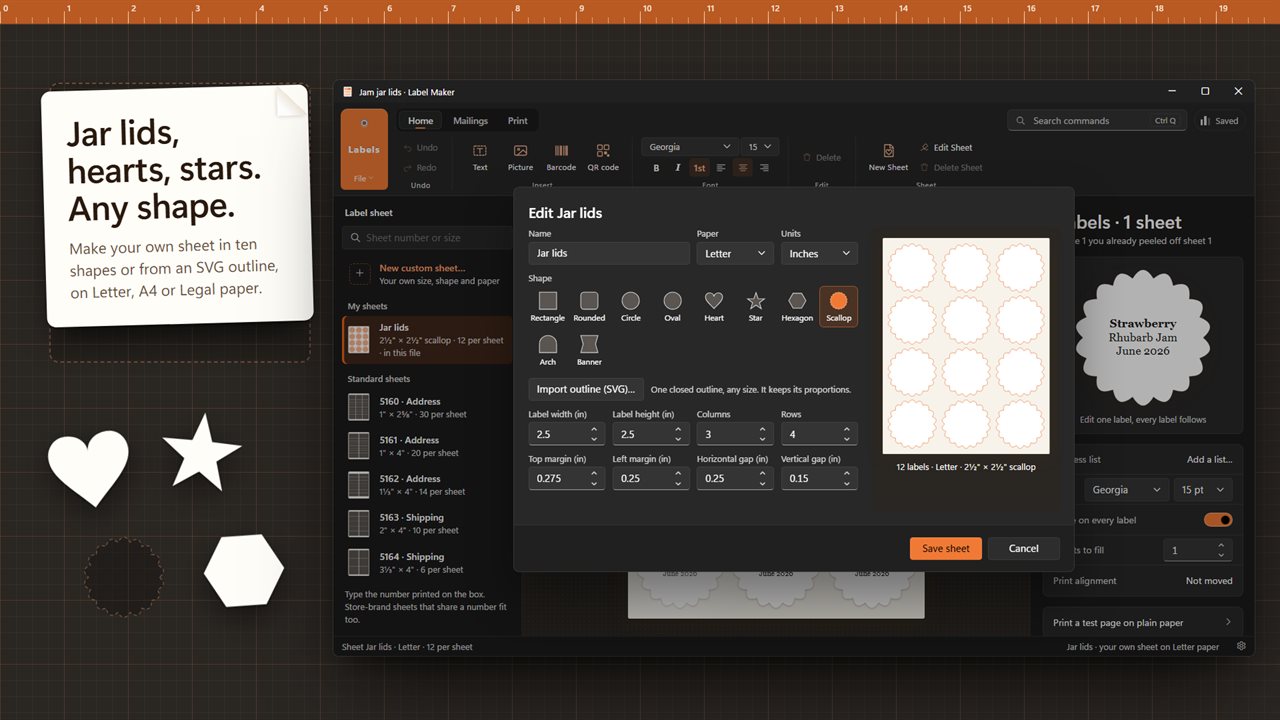
Make your own sheet in ten shapes or from an SVG outline, on Letter, A4 or Legal paper.
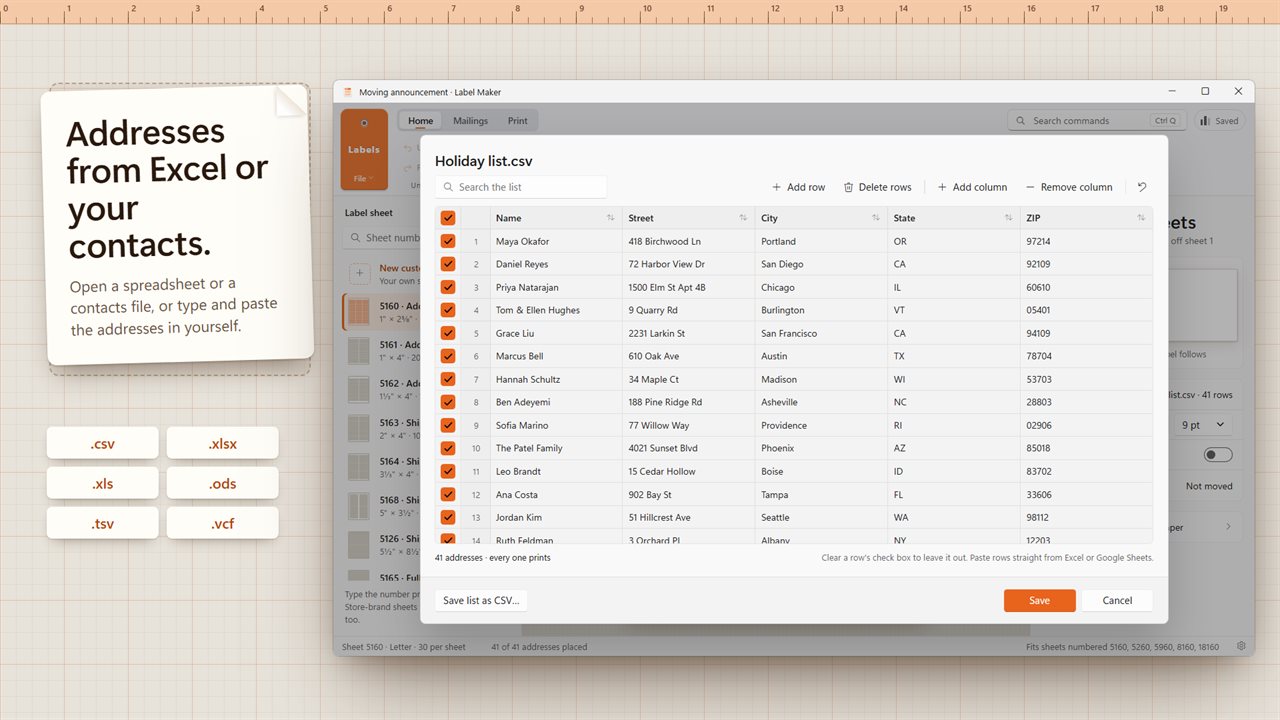
Open addresses from Excel, OpenDocument, CSV or your contacts, or type them in.
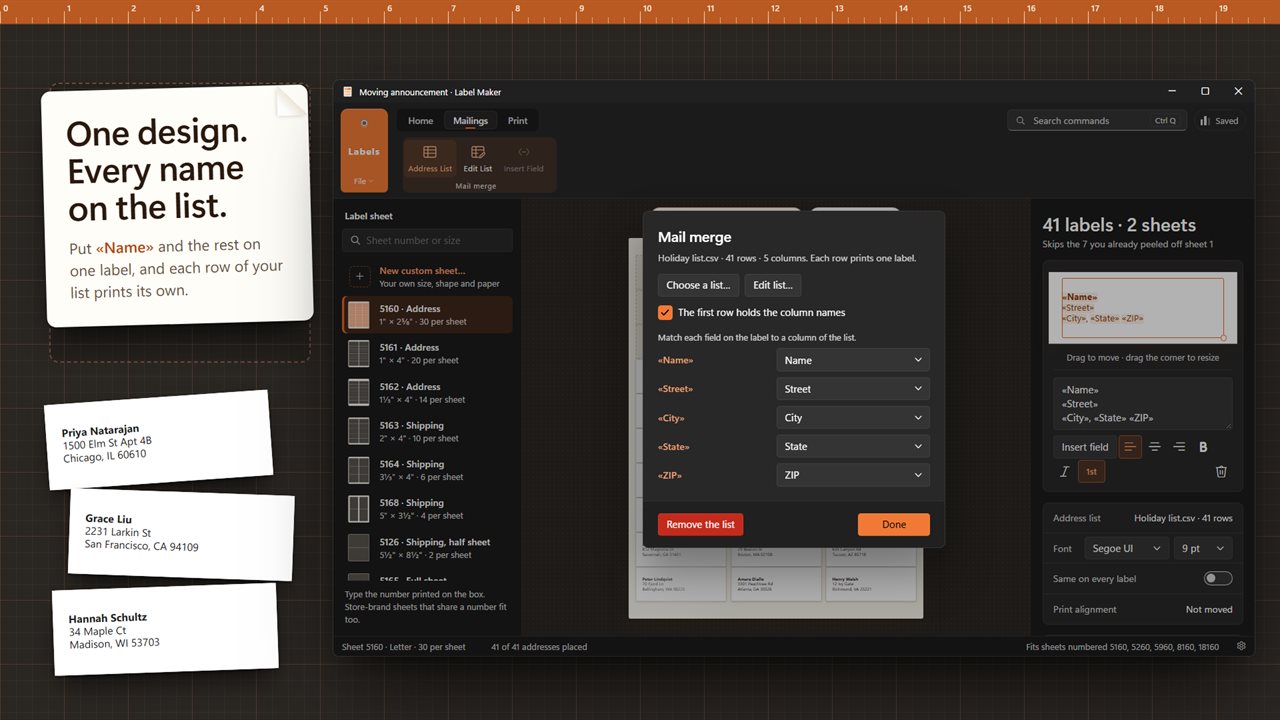
Mail merge: one design, and every row of your list prints its own label.
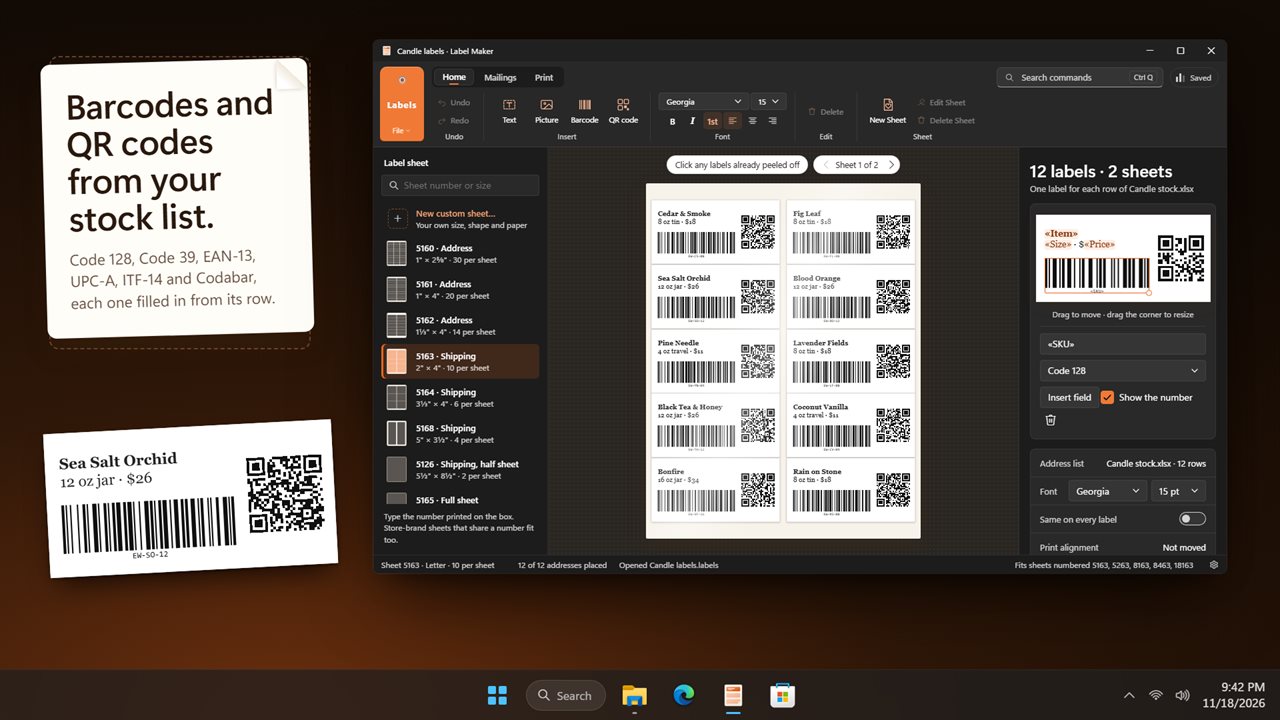
Barcodes and QR codes filled in from your stock list.
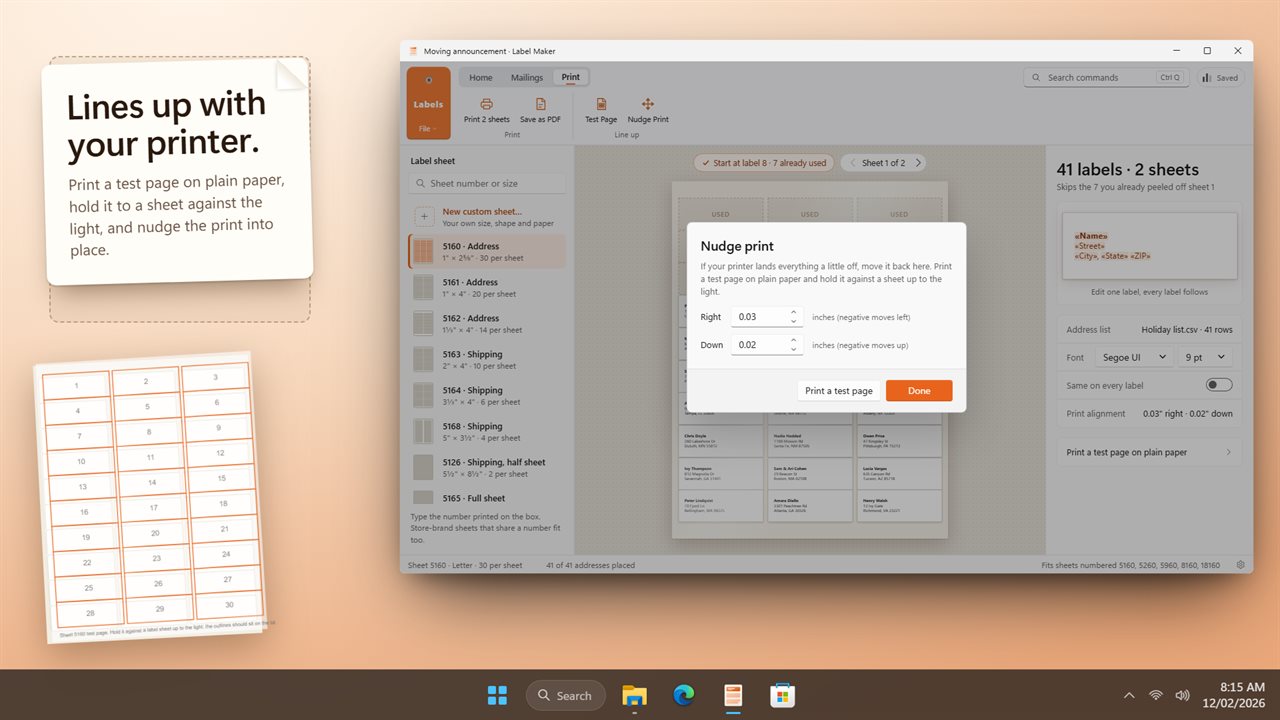
A test page and print nudge line the print up with your sheets.

Print on the labels you have left: click the ones already peeled off and printing starts at the next one.

190,000+downloads of EvlarSoft apps
Signed by EvlarSoftVerified US publisher
14-day money-backNo questions asked
Updates includedNo upgrade fees

A label maker for the sheets in your desk drawer

A plastic label maker prints one strip at a time. A label maker for your PC prints a full sheet of mailing labels on the inkjet or laser you already own, and it is far quicker for a holiday card list, a wedding guest list or a box of product jars.

Label Maker opens on a sheet picker. Type the number from the packet, such as 5160, 5163 or 22807, and the matching layout comes up; each built-in sheet also lists the other product numbers that share its layout. Thirteen US Letter layouts are included: address labels at 30, 20 and 14 to a sheet, shipping labels at 4 × 2, 4 × 3⅓ and 3½ × 5 inches plus a half sheet, a full-sheet label, return address labels at 80 and 60 to a sheet, 2 inch round labels, name badges and business cards.

Design one label and the rest follow. Choose Same on every label for a run of identical stickers, or One label per address to fill each one from a list.

How to make mailing labels from Excel

There is no separate merge wizard to step through. The list sits next to the design:

  • On the Mailings tab, choose Address List and open an .xlsx, .xls, .ods, .csv, .tsv or .txt file, or a .vcf contacts export.
  • Pick a text line on the label and use Insert Field to drop in a column, such as «Name», «Street» or «City».
  • Open Edit List to sort A to Z or Z to A, fix a typo, add a column or untick anyone who should not get a label.
  • Press Print… (Ctrl+P), or Save as PDF… to send the sheets to a print shop.

Print on a partly used label sheet

Half a sheet of address labels left from last time is not waste. In the preview, click each label already peeled off and it is marked as used; Shift+click a label to start printing from it. Only the first sheet is affected, and every sheet after it prints in full. Click a used spot again to bring it back.

Custom label templates in any shape

If your stock is not one of the built-in layouts, New Sheet makes your own on Letter, A4 or Legal paper, in inches or millimeters. Give it a name, the label size, rows, columns, margins and gaps, and the preview redraws as you type. If the labels would overlap or run past the page edge, you are told by how much and which number to shrink.

Beyond plain and rounded rectangles there are circles and ovals, stars and hearts, hexagons, scalloped edges, arches and banners. For a die-cut sticker, Import a label outline takes a single closed SVG path at any size and keeps its proportions.
On each label

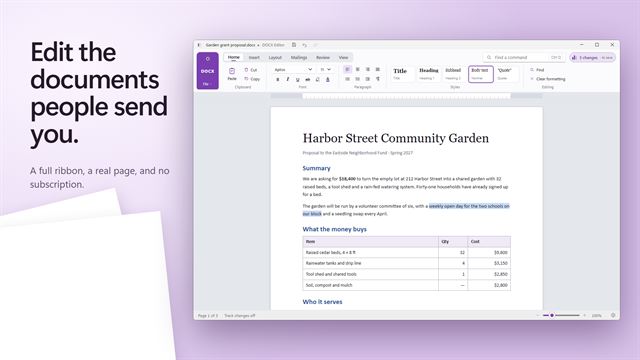
  • Lines of text with font, size, bold, italic, alignment and Bold the first line
  • Pictures and logos you can drag to move and resize from the corner
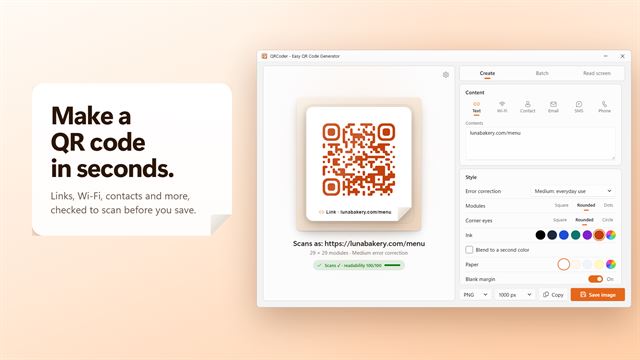
  • QR codes and barcodes in six symbologies (UPC-A, EAN-13, ITF-14, Codabar, Code 39 and Code 128), each fed from a list column if you like
  • Test Page prints the label outlines on plain paper to check alignment
  • Nudge Print shifts the whole printout to correct a printer that lands off, and remembers it
  • Save keeps the design and its address list together in one .labels file
  • Save list as CSV for reusing the addresses elsewhere
  • Search commands to find any ribbon button by name

What people print

Holiday and wedding mail

Open the guest spreadsheet, merge names and addresses onto 30-up sheets, and add a matching return address label run.

Small-batch products

Put a logo and a product line on round jar labels, with a barcode filled in from each row of a stock list.

Events and classrooms

Print name badges from a sign-up list, or folder and shelf labels for a whole classroom.

Questions

Anything else? Ask us

Which label sheets does it support?

It has 13 standard US Letter sheets built in, including 30-up address labels (5160), shipping, return address, round labels, name badges and business cards. Each one lists the other sheet numbers it fits, so you can search by the number printed on your box.

Can I print on a sheet that is already partly used?

Yes. Click the labels already peeled off and they are skipped, or Shift+click a label to start printing there. The skipped spots apply to the first sheet only; later sheets print full.

Can I make my own label size or shape?

Yes. Set the size, rows, columns, margins and gaps in inches or millimeters on Letter, A4 or Legal paper, in rectangle, rounded, circle, oval, heart, star, hexagon, scallop, arch or banner shapes, or import an SVG outline. The app warns you if the labels would overlap or run off the page.

Can I print address labels from an Excel spreadsheet?

Yes. It opens .xlsx, .xls, .ods, .csv, .tsv and .txt lists and .vcf contact files, or you can type rows or paste them from a spreadsheet. Put fields such as «Name» and «City» on the label and every row prints its own; cells are read as formatted text, so ZIP codes keep their leading zeros.

Can it print barcodes and QR codes?

Yes. Barcodes come in Code 128, Code 39, EAN-13, UPC-A, ITF-14 and Codabar, alongside QR codes, and each can take its value from a column in your list so every label gets its own code.

What if my printer prints the labels slightly off?

Print the test page on plain paper, hold it against a label sheet up to the light, and nudge the print left, right, up or down. The nudge is remembered and applied to every print, but not to a saved PDF.

What is a 5160 label?

It is the common US address label layout: 30 labels per Letter sheet, in 3 columns and 10 rows, each 2⅝ inches wide and 1 inch tall. Several other sheet numbers, such as 5960, 8160 and 18160, use the same layout.

Can I use A4 label sheets?

Yes, as a sheet you define. The built-in layouts are all US Letter, so for A4 stock choose New Sheet, set the paper to A4 and enter the label size, rows, columns, margins and gaps from the packet in millimeters. It is saved for next time.

How do I make return address labels?

Pick sheet 5167, 80 small labels to a page, or 5195, 60 slightly taller ones. Choose Same on every label, type your name and address once, and print: the whole sheet fills with the same label.

Which versions of Windows does it run on?

Windows 10 (version 1809 or later) and Windows 11.

Is it a subscription?

No. Label Maker is a one-time purchase of $9.99, and updates are included.

How do I get it?

Buy it on this page and your license key arrives by email. If the button says Notify me, Label Maker is not on sale here yet; leave your email and we will tell you when it is.