EEvlarSoft

PEF Viewer and Converter

See your Pentax PEF raw photos on a Windows PC, check how many shots the body has taken, and save the set as JPG or TIFF.

Buy for $1.99
One payment. No subscription.
14-day money-back guarantee.
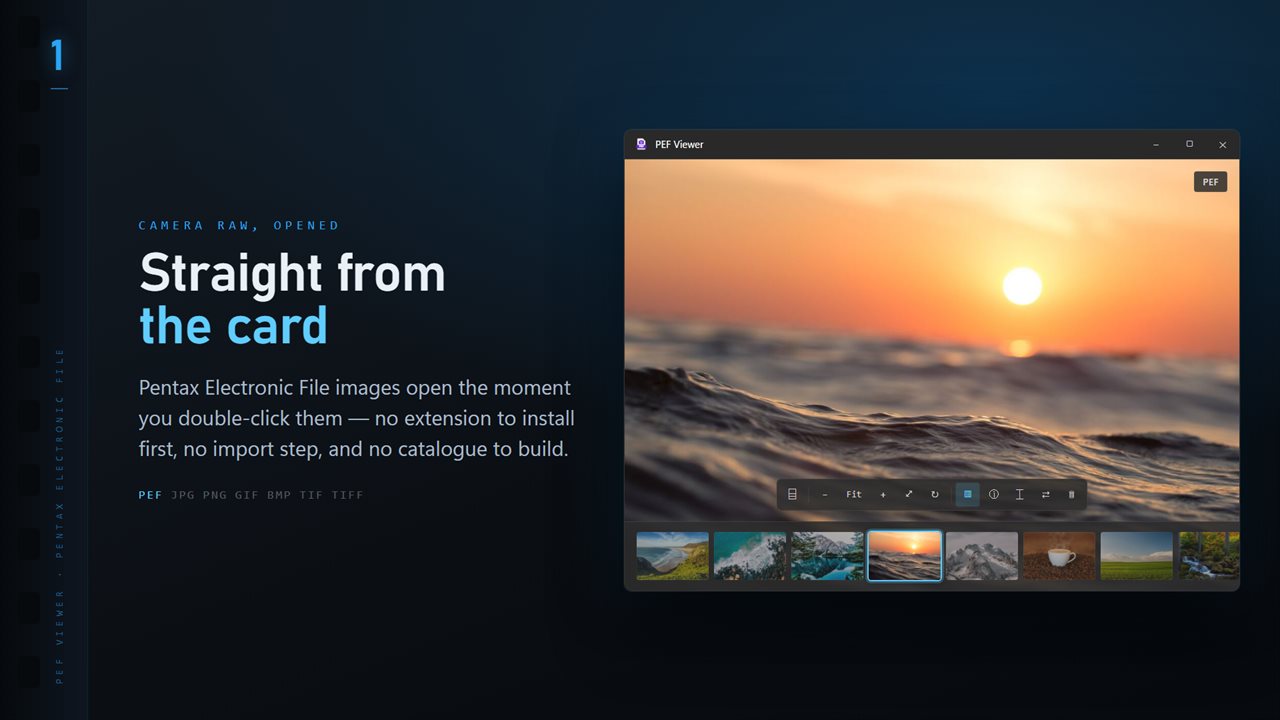
PEF files open the moment you double-click them, with the whole folder along the bottom.
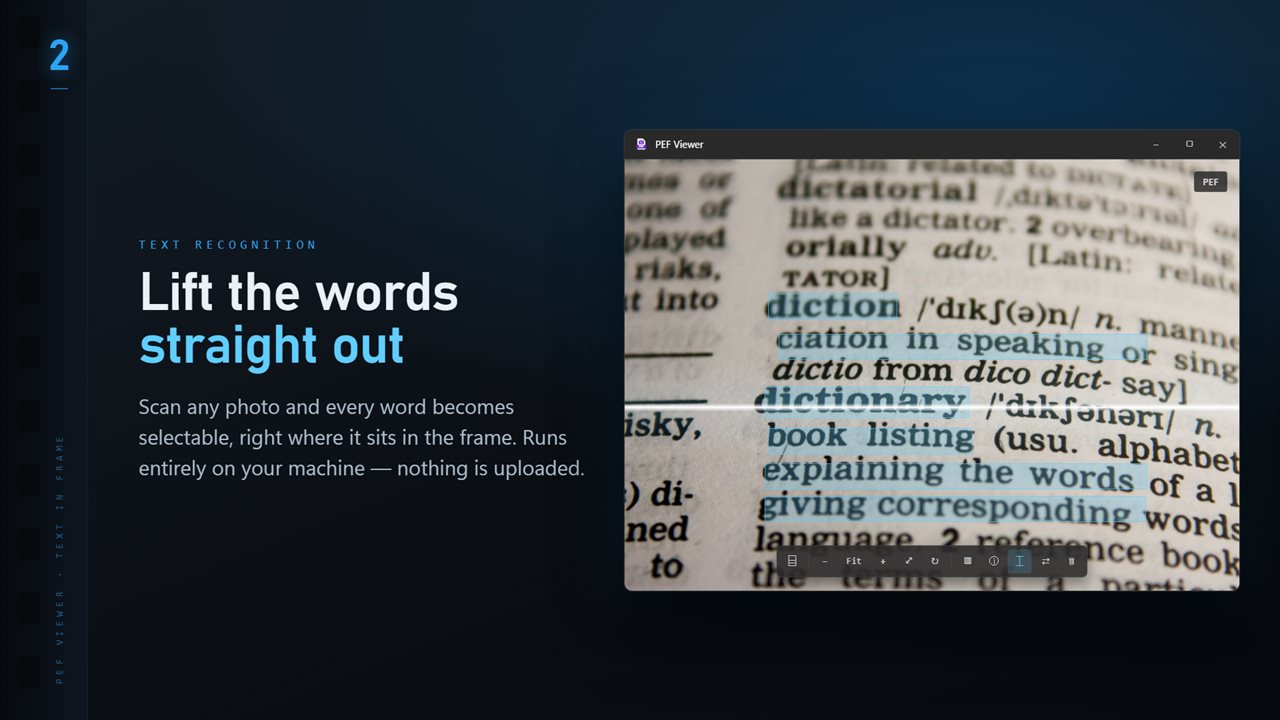
Scan any image and every word becomes selectable, right where it sits.
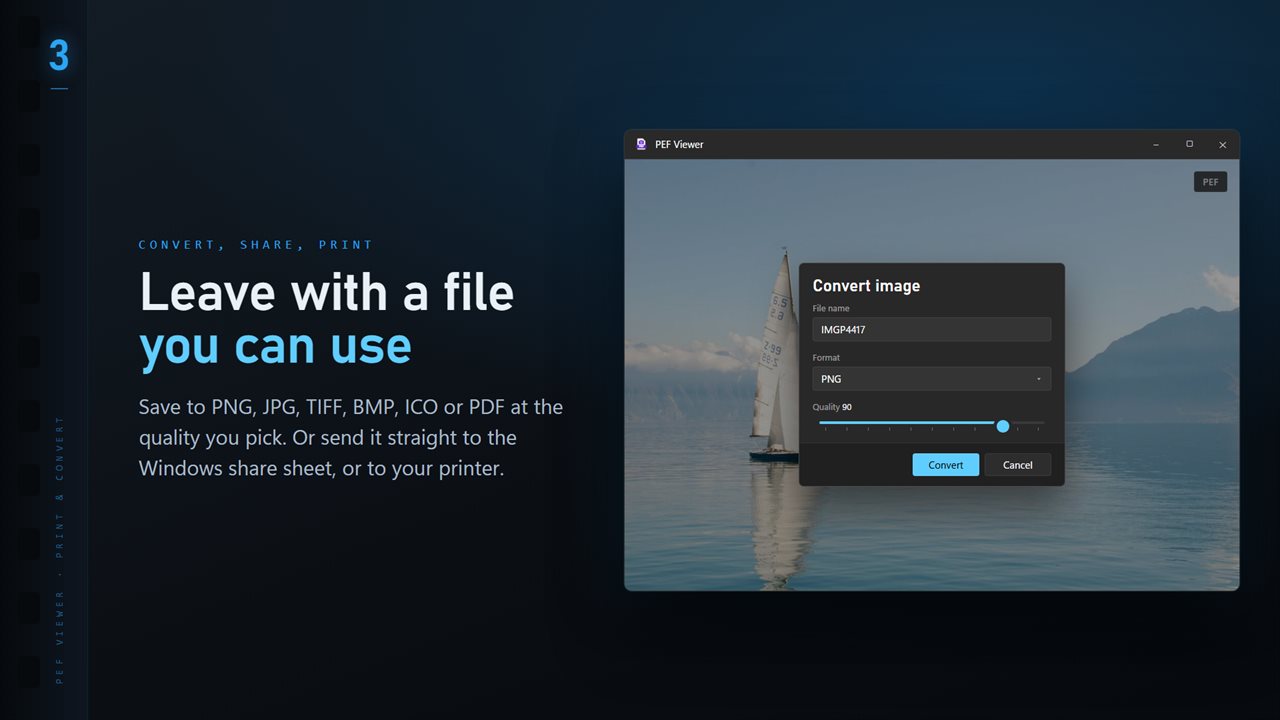
Save to PNG, JPG, TIFF, BMP, ICO or PDF at the quality you pick.
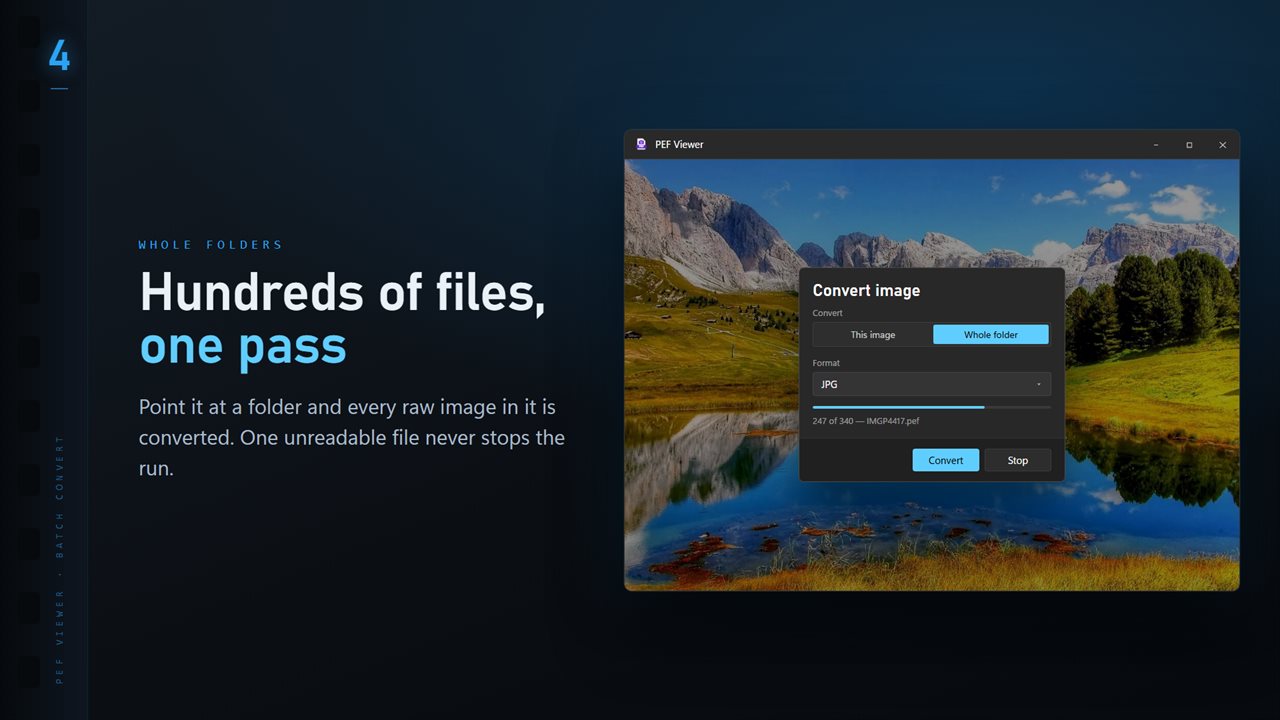
Convert a whole folder in one pass. One unreadable file never stops the run.
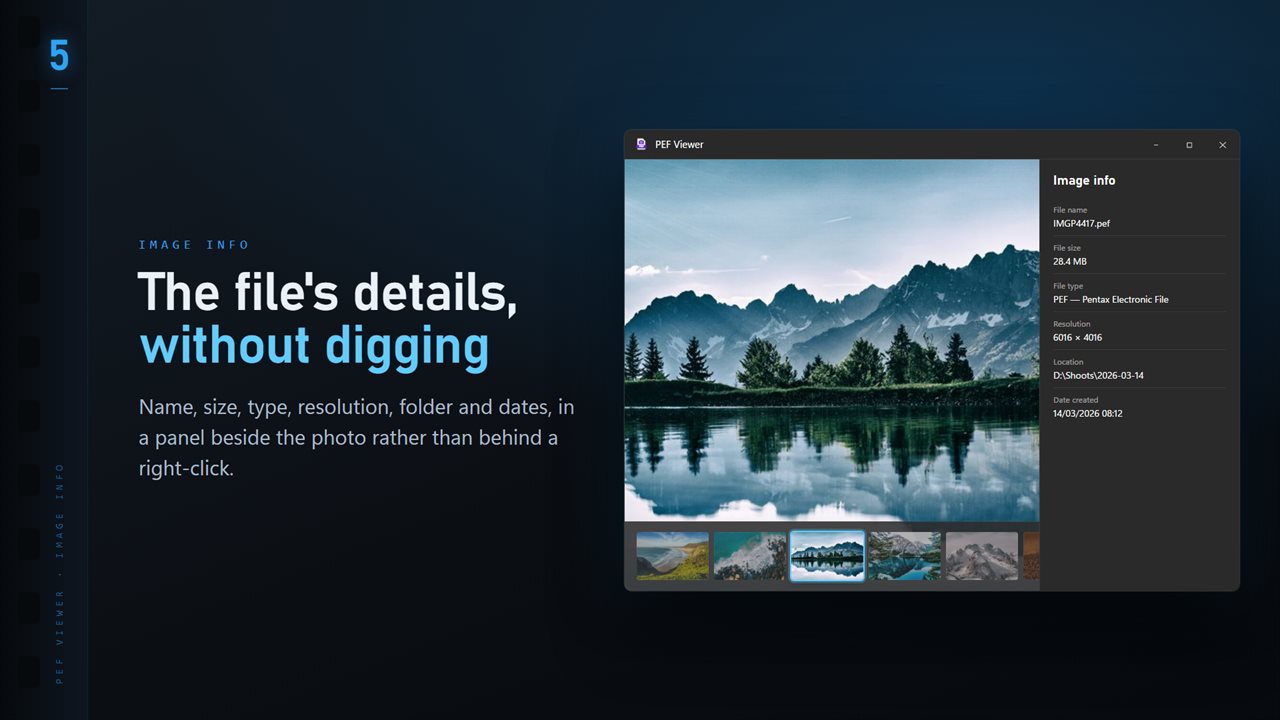
Name, size, type, resolution and dates, in a panel beside the image.
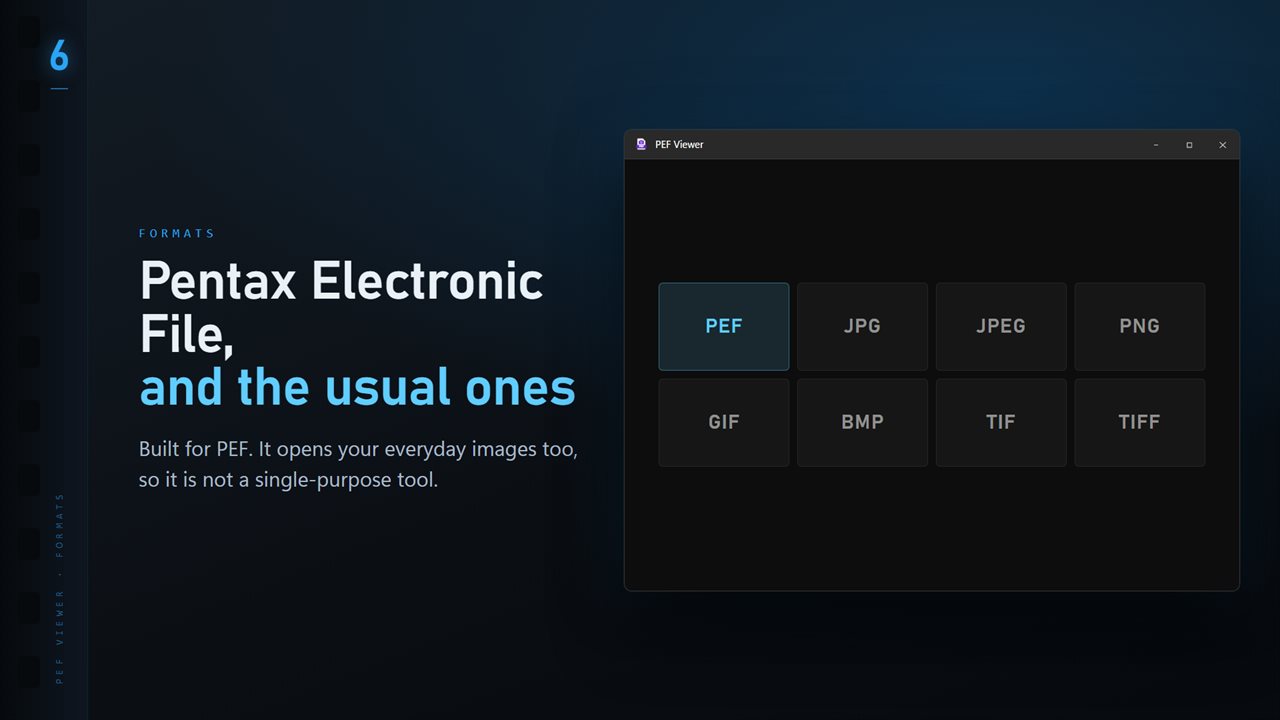
PEF plus the everyday formats: JPG, PNG, GIF, BMP and TIFF.

PEF Viewer and Converter in 25 seconds

PEF Viewer and Converter trailer
190,000+downloads of EvlarSoft apps
Signed by EvlarSoftVerified US publisher
14-day money-backNo questions asked
Updates includedNo upgrade fees

A PEF file viewer for Pentax shooters on Windows

PEF, the Pentax Electronic File, is the raw format Pentax K-mount bodies record when set to PEF rather than DNG. Windows does not decode it unaided, so a card of PEF files can show up as plain icons in Explorer and fail to open in the default photo app.

This PEF file viewer opens them on a double-click once it is the default for .pef. Dragging a file in or pressing Ctrl+O works as well, and the shot appears without any import or catalog step.

Pentax files usually include a large JPEG rendered by the camera. When it covers at least 90% of the sensor, it is shown right away. Otherwise the sensor data is developed with LibRaw, so even a file with only a tiny preview opens at full resolution.

How to check a Pentax shutter count from a PEF

Buying or selling a used K-1 or K-3 Mark III comes down to one number. With the optional Professional Pack, Shutter count reads how many times the camera has fired from any PEF it shot, when the body records a count that ExifTool can read.

For the K-1, K-1 Mark II and K-3 Mark III, the app also shows that figure as a share of the 300,000-shot rating Pentax publishes for those bodies. Take one fresh frame, open it, and you have the answer without sending the camera anywhere.

Turn PEF raws into JPG or TIFF

Open a photo, pick Convert image from the More menu, then choose This image or Whole folder. JPG suits sharing and the web; TIFF and PNG suit editing and print. The Quality slider covers 50 to 100.

If a file with the same name already exists in the destination, Existing files decides whether to Skip it, Keep both or Replace it. Conversion develops the raw data first and uses the camera's JPEG only if that fails, and the folder's subfolders are not touched.

Reviewing a Pentax shoot

T shows a thumbnail ribbon of the folder and the arrow keys step through it. Zoom with the plus and minus keys, drag to pan, and press F to fit again. Settings choose whether the arrow keys go round at the end of the folder, and whether Delete asks before sending a file to the Recycle Bin.

The Professional Pack's Focus & Keep groups frames shot close together, scores them for sharpness and lets you keep or reject with K and X. Compare shows up to four frames zoomed in step.

What PEF Viewer does

  • Opens Pentax .pef raw files with a double-click, drag and drop or Ctrl+O
  • Large camera JPEG shown at once, or full LibRaw development when there is none
  • Converts one PEF or a whole folder to JPG, TIFF, PNG, BMP, ICO or PDF
  • Shutter count, with rated-life share for the K-1, K-1 Mark II and K-3 Mark III (Professional Pack)
  • Burst culling by sharpness with K, X and U (Professional Pack)
  • Exposure and lens data in the info panel
  • Optional wrap-around stepping at the end of a folder
  • Ratings saved to a same-name .xmp file, leaving the PEF unchanged

When a PEF viewer helps

Checking a used body

Ask the seller for one untouched PEF and read the shutter count before money changes hands.

Quick looks on a laptop

Browse a day of K-3 Mark III frames on a travel laptop that has no raw editor installed.

Sending proofs

Turn a folder of PEFs into JPGs at quality 85 for a client or family album, keeping the raws for later editing.

What's new in 1.0.8

  • 11 Looks: one-click color styles with a strength slider. Save a copy as a new JPG; the original is never changed
  • New Settings page: light or dark, what sits behind the photo, how photos open, and more
  • The title bar shows the name of the photo you are looking at
  • The Open dialog starts on all images

Questions

Anything else? Ask us

Does PEF Viewer open Pentax DNG files too?

No. It opens Pentax PEF files plus JPG, PNG, GIF, BMP and TIFF. DNG files from a Pentax body need a DNG viewer.

How does it display a PEF file?

If the PEF carries an embedded JPEG at least 90% of the sensor's size, that preview is shown, which is the fast path. Otherwise ImageMagick develops the raw data with LibRaw.

Can it read the shutter count from a Pentax PEF?

Yes, with the optional Professional Pack, when the camera records a count ExifTool can read. For the K-1, K-1 Mark II and K-3 Mark III it also shows how much of the 300,000-shot rating has been used.

Can I convert PEF to JPG or TIFF?

Yes. One file, or every image in the open file's folder, converts to PNG, JPG, TIFF, BMP, ICO or PDF. Conversion develops the raw data first and uses the embedded JPEG only if that fails.

Does it show the camera settings from a PEF?

Yes. The info panel shows the camera, lens, shutter speed, aperture, ISO and focal length read by ExifTool, next to the file name, size, pixel dimensions and dates.

Where are star ratings for PEF files saved?

In an XMP file with the same name beside the PEF, the way Lightroom keeps them, so the PEF itself is not rewritten. Ratings and color labels need the optional Professional Pack.

Should I shoot PEF or DNG on my Pentax?

Both are raw. PEF is Pentax's own format; DNG is the openly documented alternative many Pentax bodies can record instead, and more third-party software reads it without an update. If you shoot PEF, this viewer is built for exactly those files.

How many shutter actuations is too many for a Pentax?

There is no hard cutoff. Pentax rates the K-1, K-1 Mark II and K-3 Mark III at 300,000 shots, so a body at 30,000 has used about a tenth of that. A rating is an average, not a guarantee, so read the count as a sign of wear rather than a deadline.

Which versions of Windows does it run on?

Windows 10 (version 1809 or later) and Windows 11.

Is it a subscription?

No. PEF Viewer and Converter is a one-time purchase of $1.99, and updates are included.

How do I get it?

Buy it on this page and your license key arrives by email. If the button says Notify me, PEF Viewer and Converter is not on sale here yet; leave your email and we will tell you when it is.