EEvlarSoft

RAF Image Viewer and Converter

Open Fujifilm RAF raw files on Windows without an import step, step through a card's worth of shots, and save JPG or TIFF copies when you need them.

Buy for $2.99
One payment. No subscription.
14-day money-back guarantee.
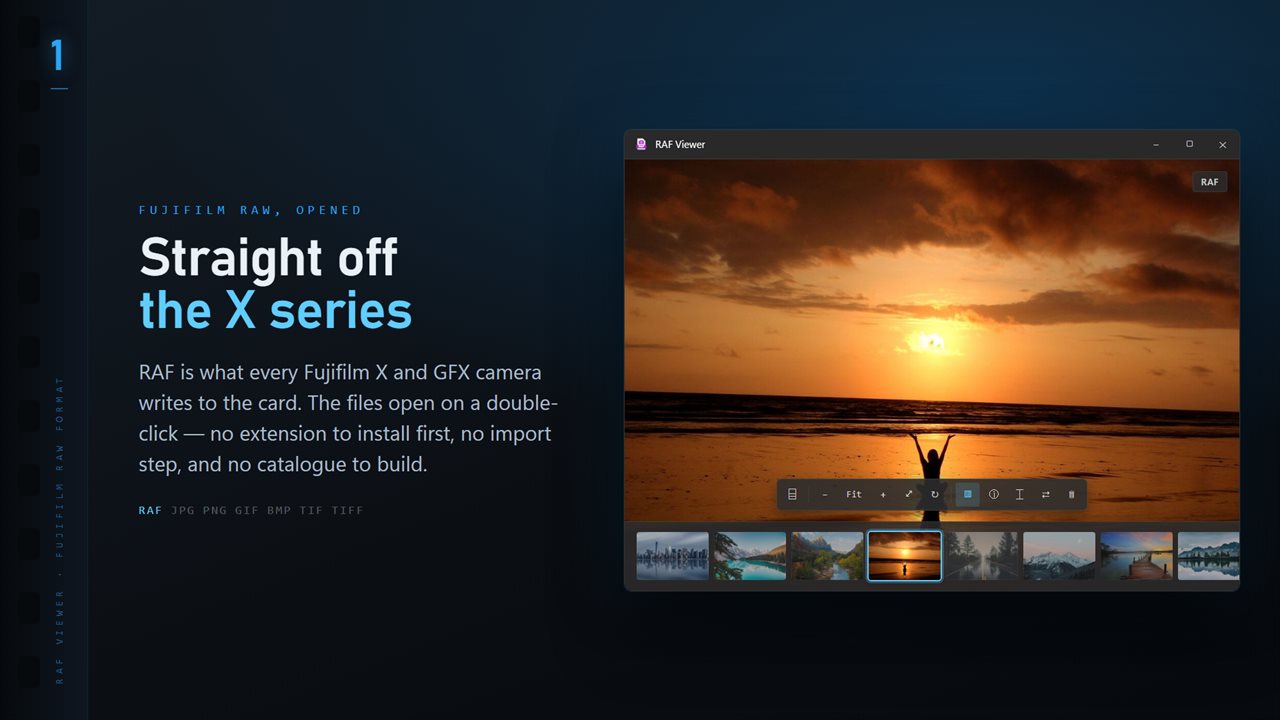
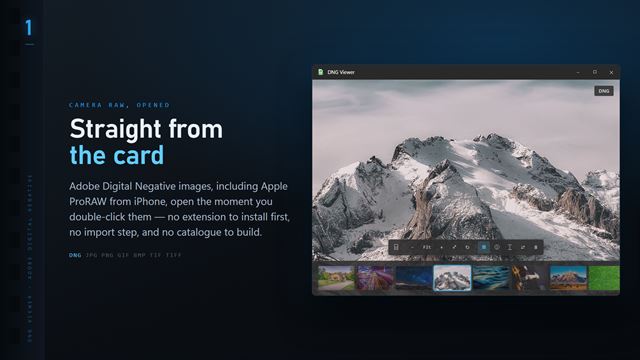
RAF files open the moment you double-click them, with the whole folder along the bottom.
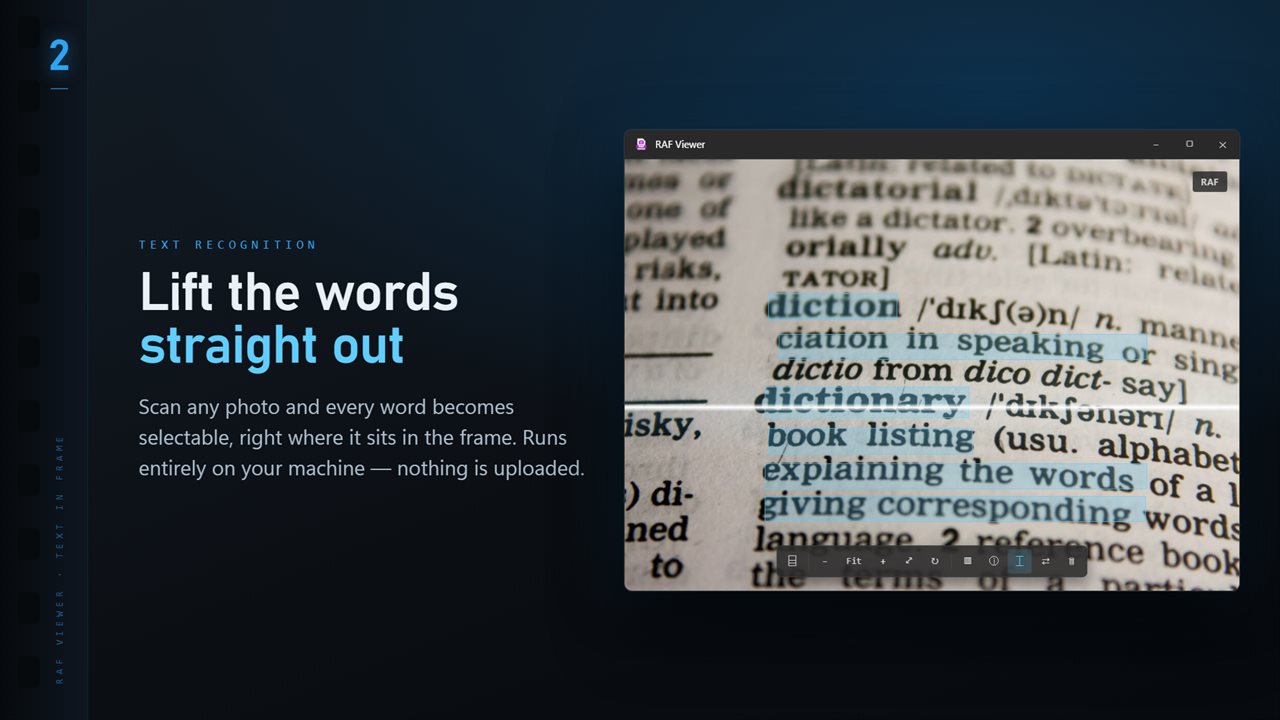
Scan any image and every word becomes selectable, right where it sits.
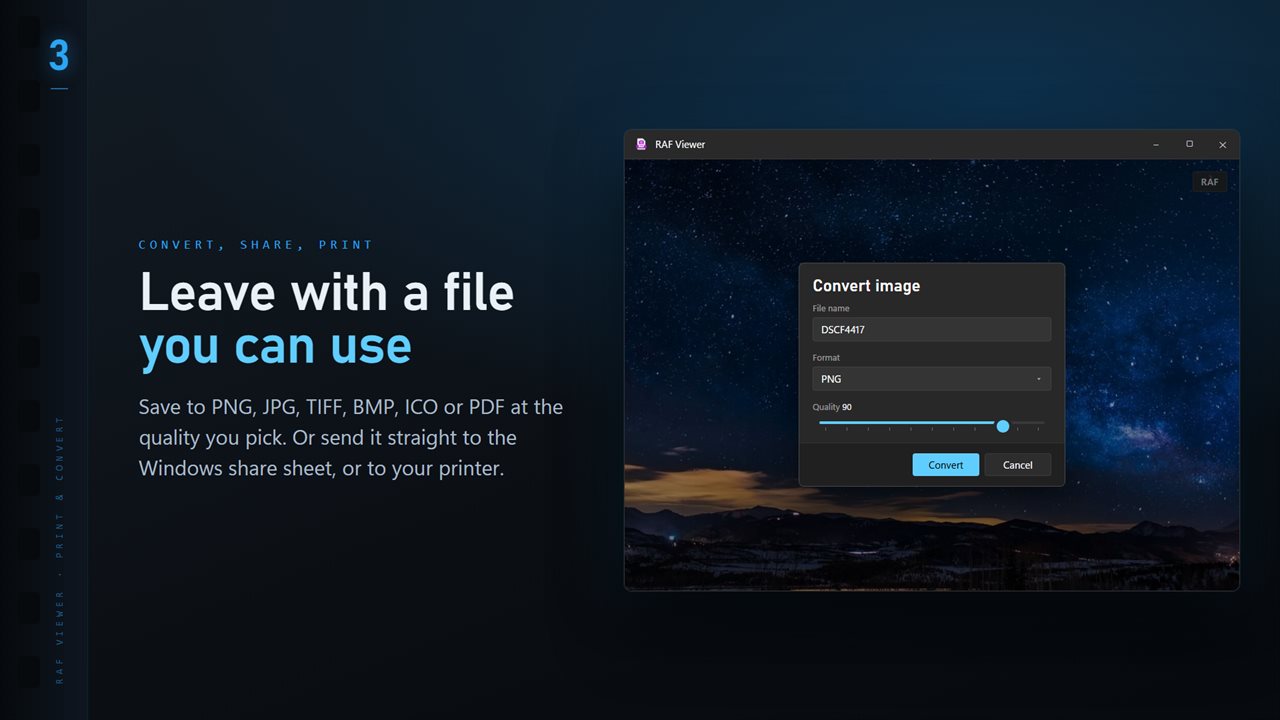
Save to PNG, JPG, TIFF, BMP, ICO or PDF at the quality you pick.
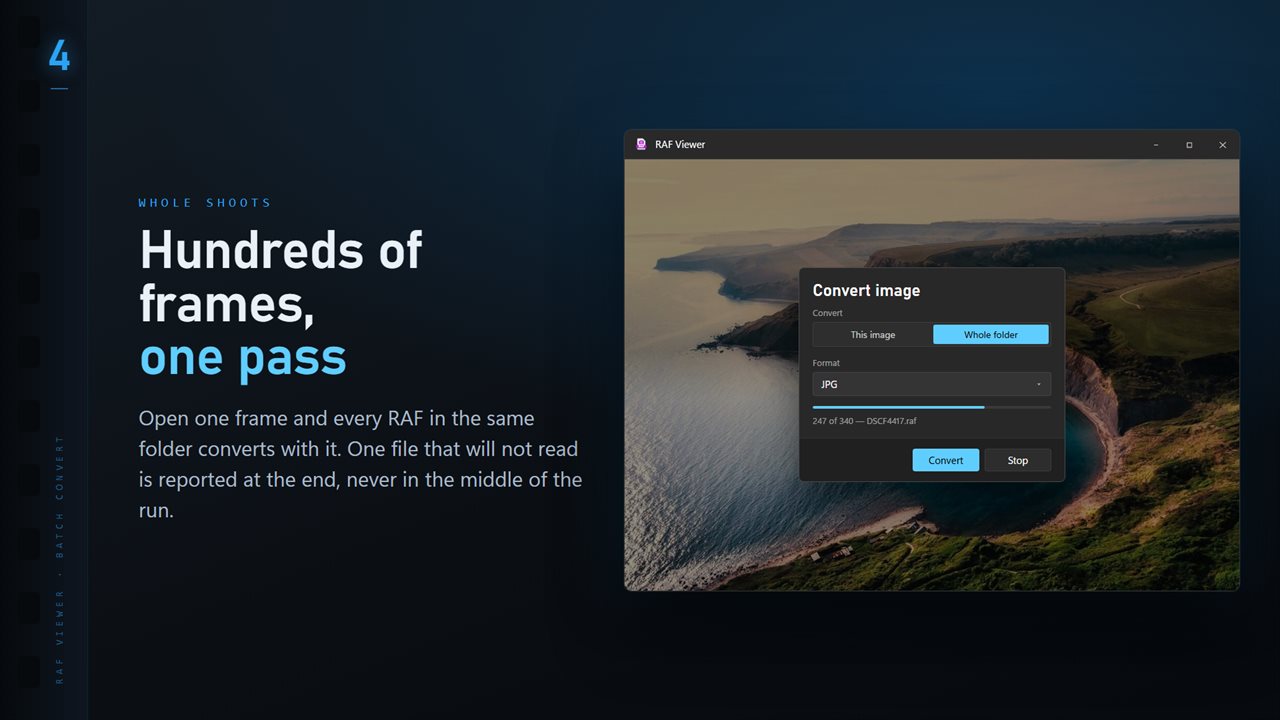
Convert a whole folder in one pass. One unreadable file never stops the run.
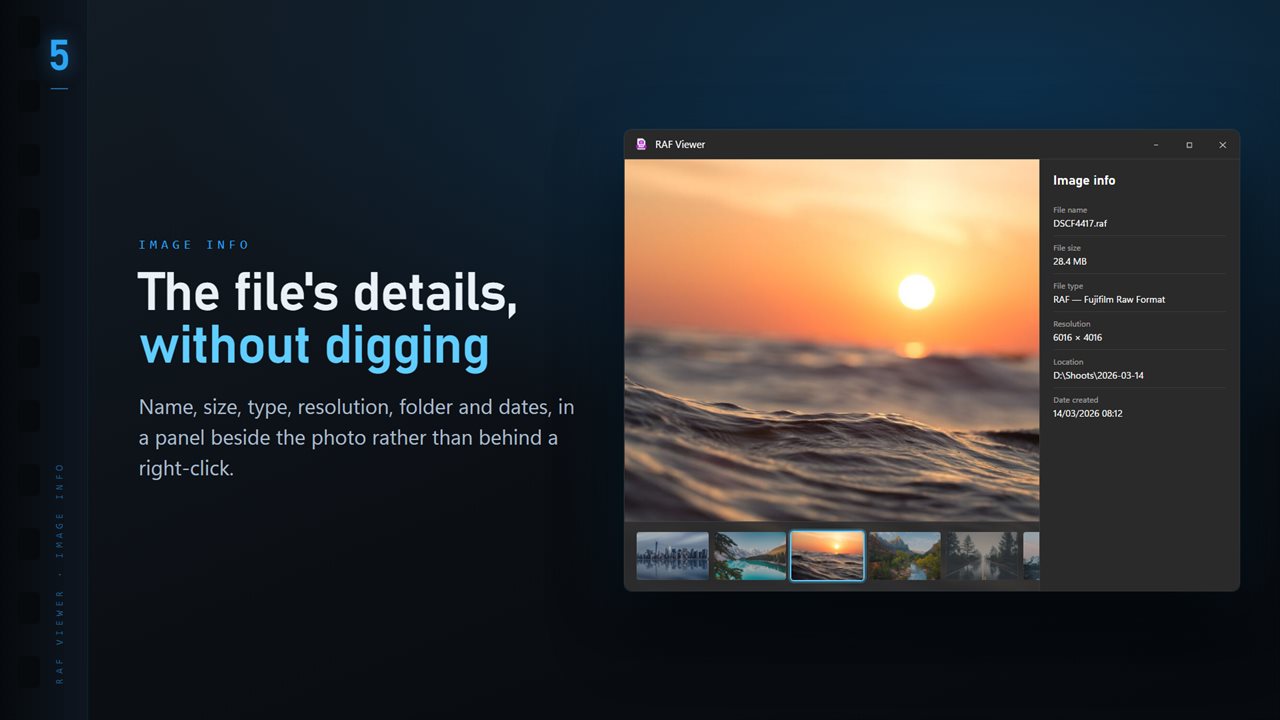
Name, size, type, resolution and dates, in a panel beside the image.
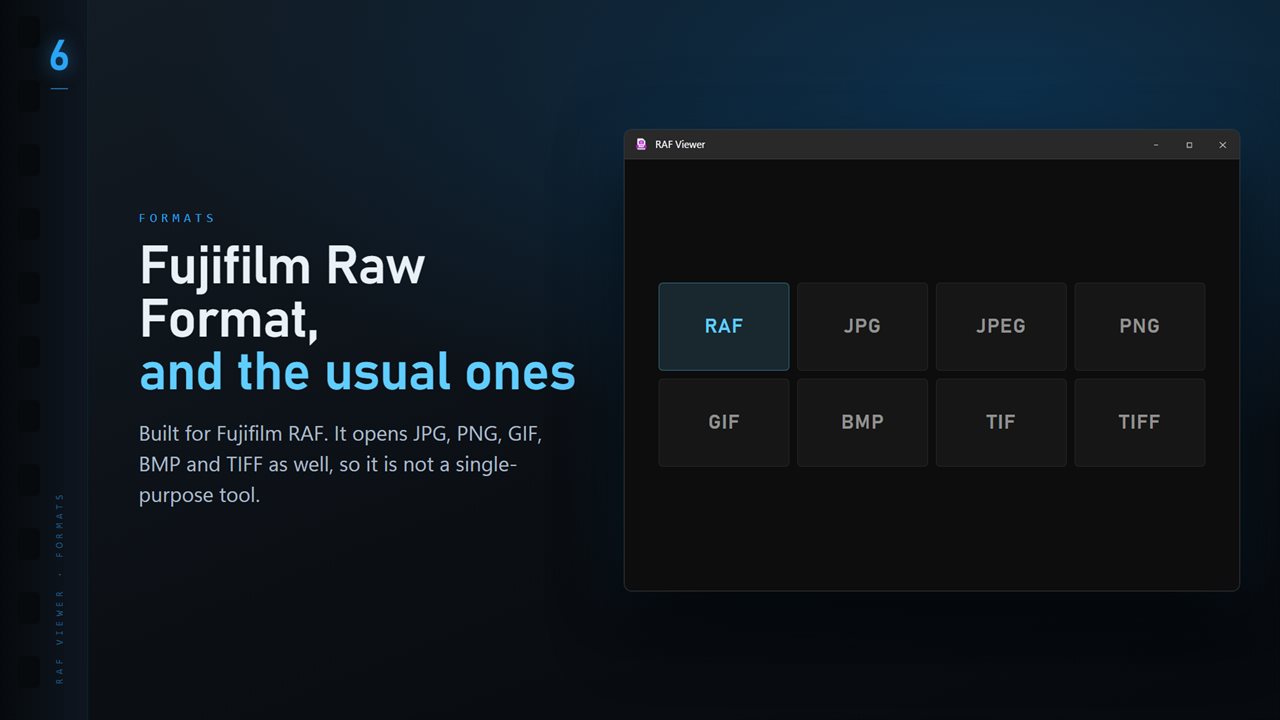
RAF plus the everyday formats: JPG, PNG, GIF, BMP and TIFF.

RAF Image Viewer and Converter in 25 seconds

RAF Image Viewer and Converter trailer
190,000+downloads of EvlarSoft apps
Signed by EvlarSoftVerified US publisher
14-day money-backNo questions asked
Updates includedNo upgrade fees

A RAF file viewer for Fujifilm photographers on Windows

RAF is the raw format every Fujifilm X-series and GFX camera writes. Windows treats it as an unknown file, and the usual alternatives are a full photo editor that wants to import everything into a catalog first, or a codec that handles some cameras and not others. If you just want to see what is on the card, both are slow.

RAF Viewer is a RAF file viewer and nothing heavier. Point it at a file and the raw data is developed and on screen, with the rest of the folder one arrow key away. There is no library, no import and no sidecar folder created behind your back.

Because the raw data is developed by the LibRaw engine rather than by the camera, the colors are a neutral starting point, not your chosen film simulation. That is a plain picture of what the sensor recorded, which is what you want when judging exposure and focus.

Reviewing a Fujifilm shoot quickly

Open the first frame, then press T for the folder ribbon so every shot sits in a thumbnail strip along the bottom. The arrow keys move through the set, I opens the info panel with the camera, lens and exposure read from the file, and the Delete key sends a miss to the Recycle Bin after a confirmation.

Press 0 for 100% to check critical focus on an eye, then F to fit the frame again. The scroll wheel zooms around the point under the pointer, so you can push in on exactly the spot you care about.

Culling bursts with the Professional Pack

Fujifilm bodies shoot fast, and a single moment can leave twenty near-identical frames. The optional Professional Pack adds tools aimed at that:

  • Focus & Keep groups frames taken close together into bursts, finds the sharpest of each, and lets you mark the rest with K to keep, X to reject or U to clear. Rejects can then be set aside into a Rejects folder; nothing is deleted.
  • Compare, on C, shows up to four frames side by side, zoomed together.
  • Ratings: 1 to 5 for stars and 6 to 9 for red, yellow, green and blue labels, kept in an XMP sidecar beside the RAF so other editors see them.
  • Shutter count and Focus point (P) for files that record them, Map for geotagged frames, and Edit details for title, caption, copyright and keywords.

Convert RAF to JPG or TIFF

Click Convert on the command bar, set Format to JPG for sharing or TIFF for further editing elsewhere, and set Quality between 50 and 100. Switch Convert to Whole folder to process the full shoot into a folder you choose, skipping, keeping or replacing any files already there. The RAF files are only read, so the originals stay exactly as the camera wrote them.

What RAF Viewer does for Fujifilm files

  • Develops Fujifilm RAF raw files for viewing, no import or catalog
  • Camera, lens and exposure in the info panel
  • Folder ribbon and arrow-key browsing through a whole card
  • 100% zoom on 0 for checking focus, fit on F
  • Exports to JPG, TIFF, PNG, BMP, PDF or ICO, singly or per folder
  • Delete sends rejected shots to the Recycle Bin
  • Optional packBurst culling, compare, ratings, shutter count and focus point

When a light RAF viewer is the right tool

Straight after a shoot

Copy the card, open the first frame and sweep through it. Throw out the misses before any editor sees them.

Shooting RAF only

If you turned off in-camera JPGs to save card space, this is how you still see and share pictures on a PC without editing every frame.

Sending proofs

Convert a folder to JPG at a modest quality and send a client the full set to choose from.

What's new in 1.0.4

  • 11 Looks: one-click color styles with a strength slider. Save a copy as a new JPG; the original is never changed
  • New Settings page: light or dark, what sits behind the photo, how photos open, and more
  • The title bar shows the name of the photo you are looking at
  • The Open dialog starts on all images

Questions

Anything else? Ask us

Does RAF Viewer show the camera's JPEG preview or develop the raw data?

It develops the raw data. A RAF is not built like a TIFF, so the app's fast embedded-preview path never applies to it, and every RAF is developed by the LibRaw library inside the bundled ImageMagick, both on screen and when converting.

Will a converted RAF keep my Fujifilm film simulation?

No. The raw data is developed by LibRaw, which has no film simulations, so colors will not match the Classic Chrome or Velvia look of the camera's own JPEG. If you want that look, use the JPEG your camera saved.

Can I batch convert RAF files to JPG or TIFF?

Yes. One file, or every image in the open file's folder, converts to PNG, JPG, TIFF, BMP, ICO or PDF in a folder you pick. Subfolders are not included, and you choose whether existing files are skipped, kept beside the new ones or replaced.

Does RAF Viewer change my original RAF files?

No. Viewing and converting only read the RAF. Star ratings, color labels and edited details are written to an XMP file with the same name beside it, the way Lightroom keeps them, and Delete sends the file to the Recycle Bin.

Can it read the shutter count from a Fujifilm camera?

Yes, with the optional Professional Pack, when ExifTool finds a shutter count in the file, or the image count Fujifilm records when there is none. For the X-T3, X-T4 and X-H2S it also shows how much of Fujifilm's published shutter rating has been used.

Can it show where my Fujifilm focused?

Yes, with the optional Professional Pack, for files that record the focus pixel. It draws a box on the photo where autofocus locked, and P turns it on and off.

Why do my RAF files look different from the camera's JPEG?

The camera applies its film simulation, sharpening and noise reduction to the JPEG. A raw developer starts from the sensor data without those choices, so colors and contrast look plainer.

Can I open RAF files from GFX cameras?

GFX bodies also save in RAF, and RAF Viewer opens them the same way, as long as the bundled LibRaw engine recognizes that camera model.

Which versions of Windows does it run on?

Windows 10 (version 1809 or later) and Windows 11.

Is it a subscription?

No. RAF Image Viewer and Converter is a one-time purchase of $2.99, and updates are included.

How do I get it?

Buy it on this page and your license key arrives by email. If the button says Notify me, RAF Image Viewer and Converter is not on sale here yet; leave your email and we will tell you when it is.