EEvlarSoft

ARW Viewer and Converter

Open Sony ARW files on Windows the moment you double-click them, step through a whole shoot with the arrow keys, and turn the keepers into JPG.

Buy for $2.49
One payment. No subscription.
14-day money-back guarantee.
3.5
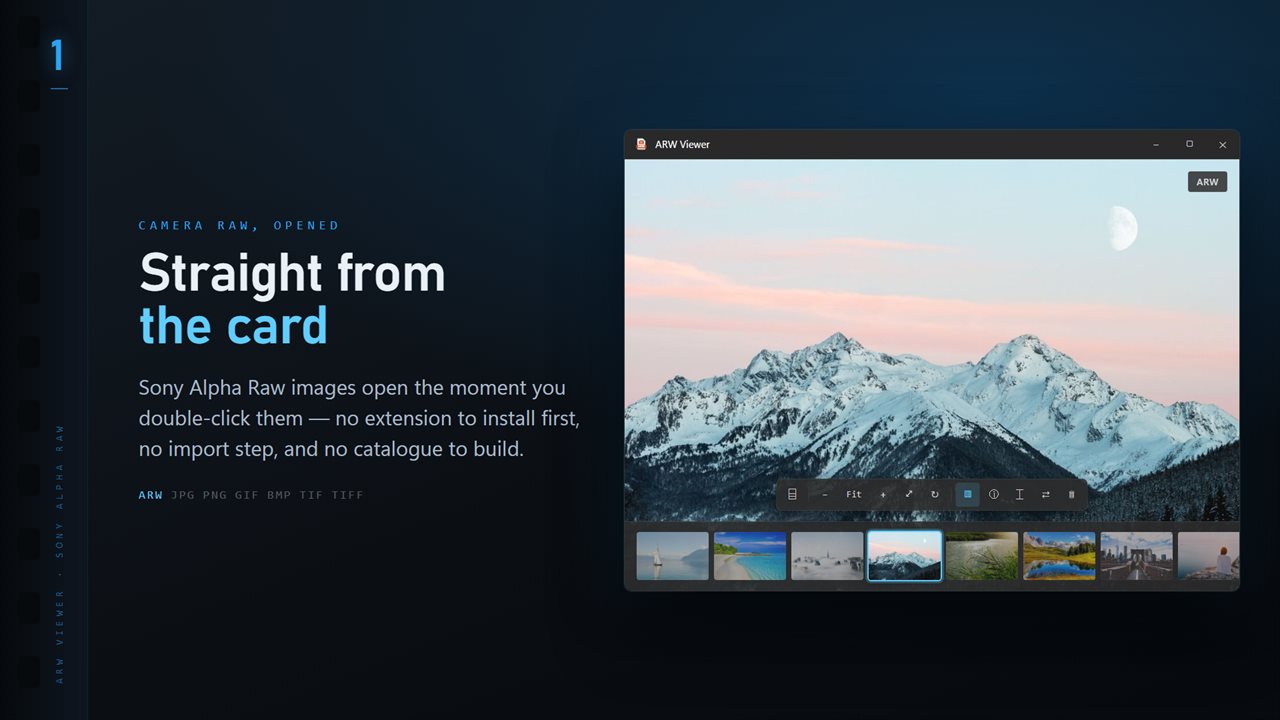
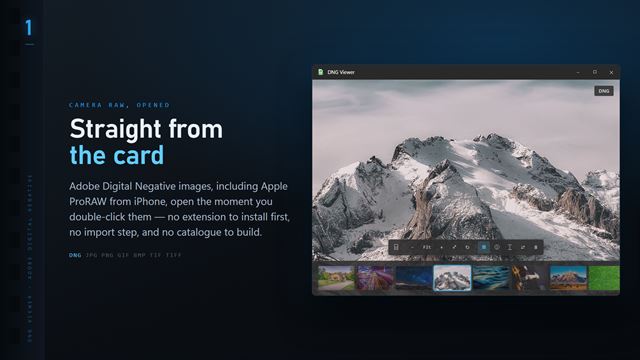
ARW files open the moment you double-click them, with the whole folder along the bottom.
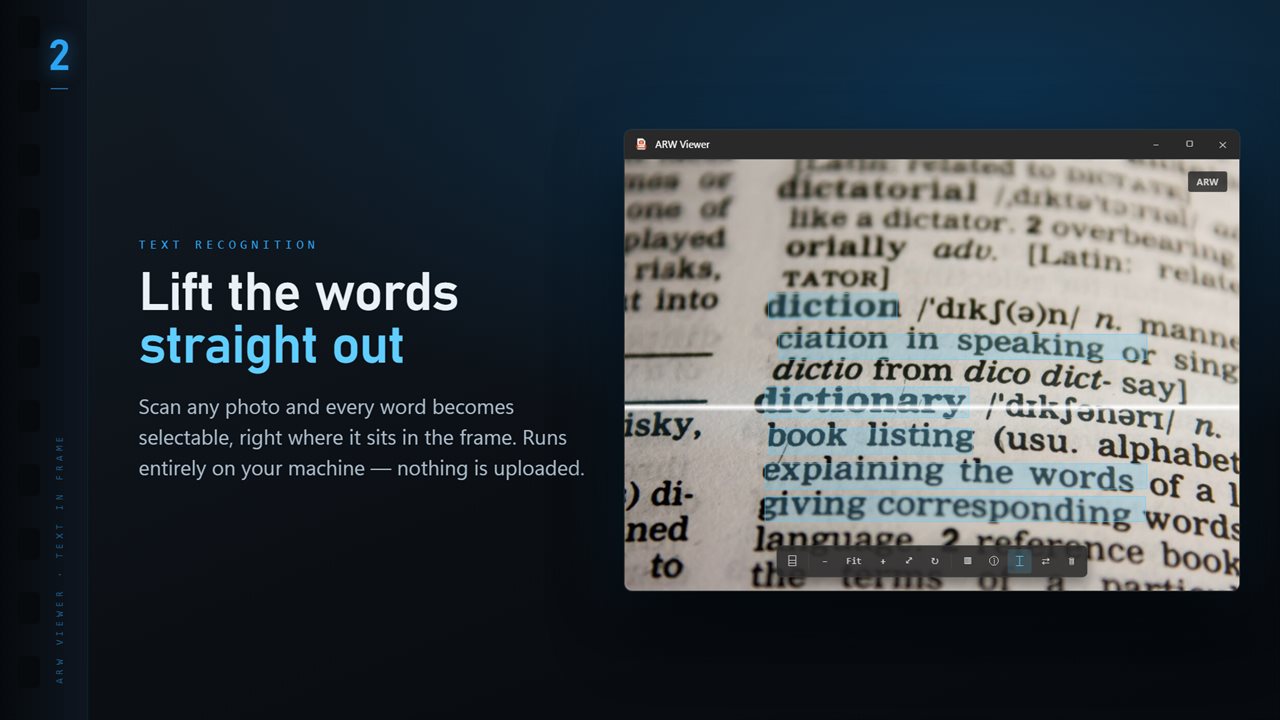
Scan any image and every word becomes selectable, right where it sits.
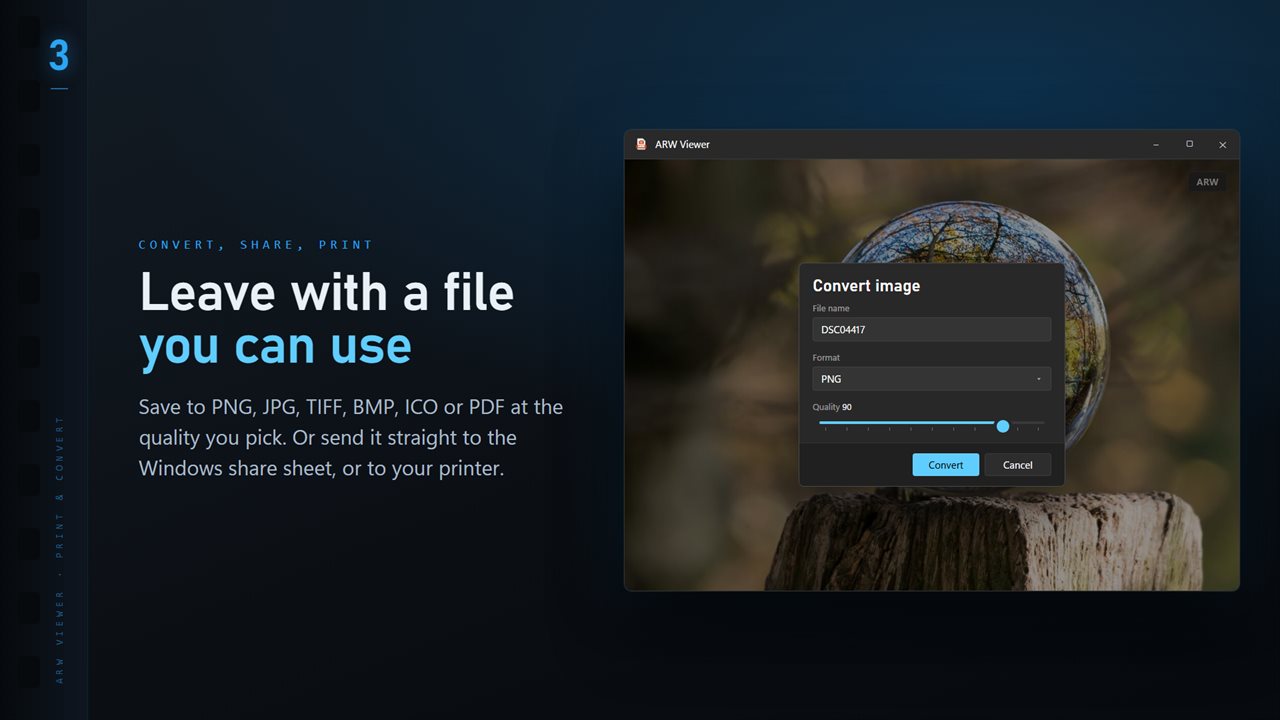
Save to PNG, JPG, TIFF, BMP, ICO or PDF at the quality you pick.
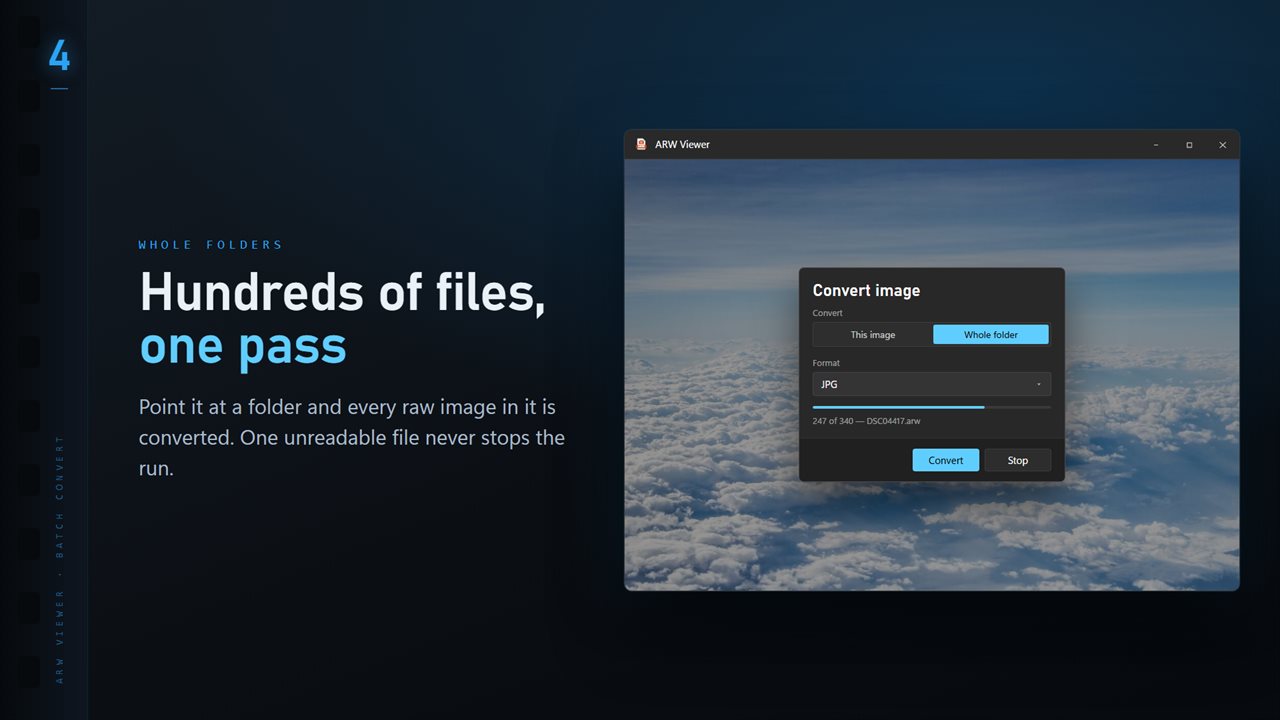
Convert a whole folder in one pass. One unreadable file never stops the run.
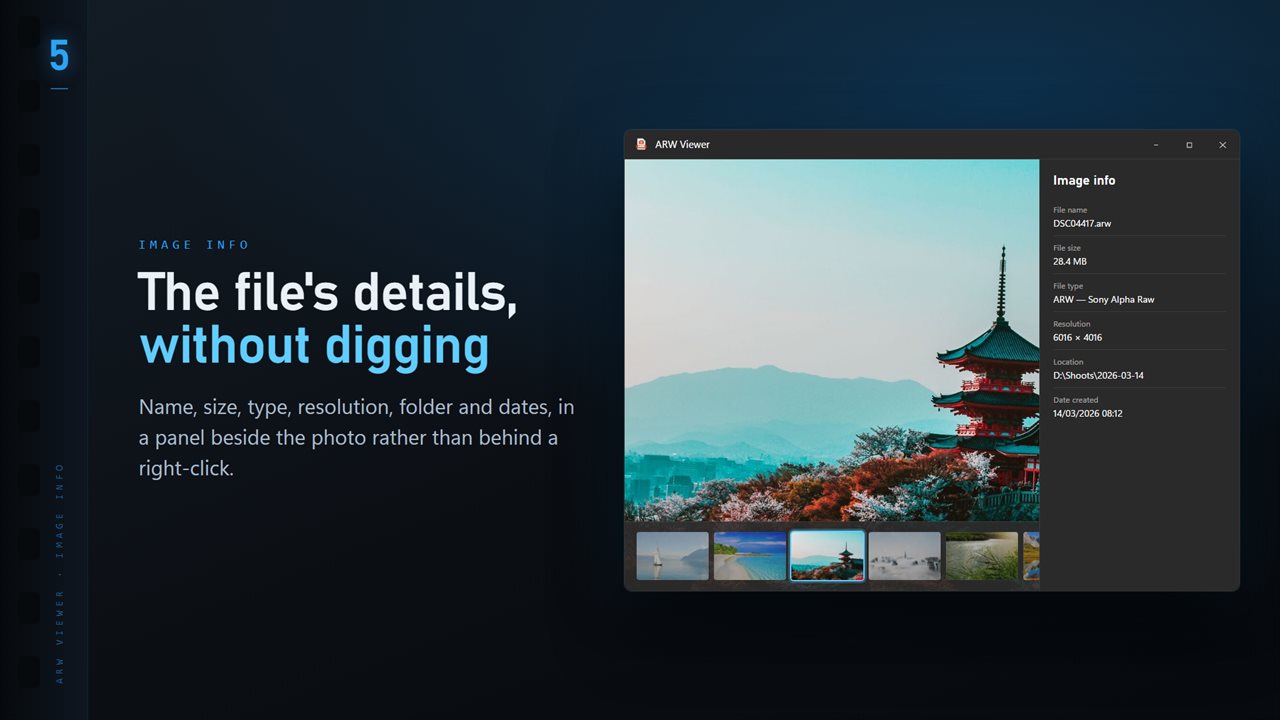
Name, size, type, resolution and dates, in a panel beside the image.
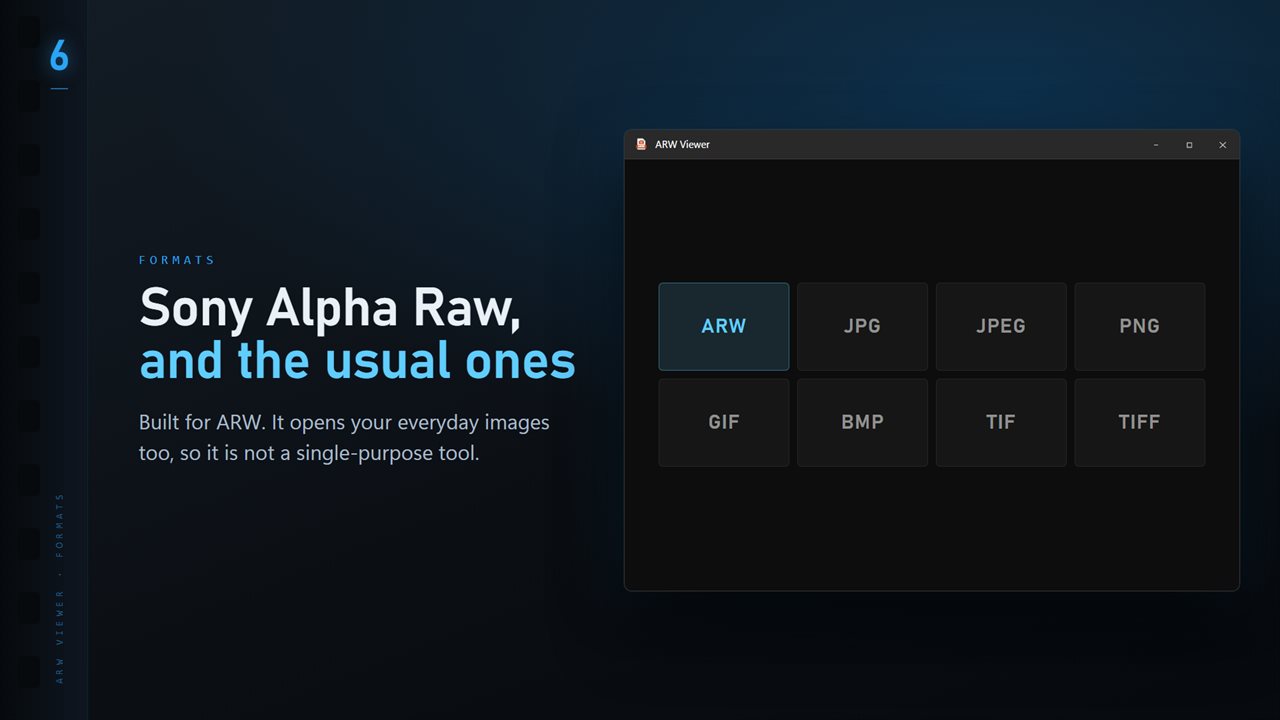
ARW plus the everyday formats: JPG, PNG, GIF, BMP and TIFF.

ARW Viewer and Converter in 25 seconds

ARW Viewer and Converter trailer
190,000+downloads of EvlarSoft apps
Signed by EvlarSoftVerified US publisher
14-day money-backNo questions asked
Updates includedNo upgrade fees

Why you need an ARW viewer on Windows

An ARW file is the RAW format Sony's Alpha, RX and ZV cameras write: the sensor data as captured, plus a full-size JPEG preview the camera renders at the same moment. Windows does not always know what to do with one, so a card full of ARWs can show up as blank icons or open to an error. An ARW viewer fixes that without asking you to import anything into a catalog.

This one shows that embedded preview straight from the file whenever it is at least 90% of the sensor's size, which on most Sony bodies it is. That is why even a high-resolution ARW appears without a long developing wait. When a file only carries a small preview, the viewer develops the raw data itself instead of showing you a blurry thumbnail.

The picture fills a dark window with nothing in the way. Press I for the info panel, T for a ribbon of every other photo in the folder, and the left and right arrow keys to move through the shoot.

How to convert ARW to JPG, one photo or a folder

Choose Convert image from the menu. You can save just the photo on screen, or switch to the whole folder and convert every image in it in one run. The formats are PNG, JPG, TIFF, BMP, ICO and PDF, with a quality setting for the lossy ones.

For a folder run, decide what happens when a converted file already exists: skip it, keep both, or replace it. Conversion develops the sensor data rather than copying the camera's preview, so the result reflects the full raw file; the embedded JPEG is used only if developing fails. Your ARW files are opened read-only and never rewritten.

Reading Sony camera settings, focus and shutter count

The info panel lists the camera model, lens, shutter speed, aperture, ISO and focal length alongside file name, size, resolution, folder and dates, so you can see at a glance which shots were taken at 1/30 s and which at 1/1000 s.

Two Sony-specific readouts come with the optional Professional Pack. Show focus point, on the P key, draws a box where autofocus locked, which tells you instantly whether a soft image missed focus or simply moved. Shutter count reads the actuation figure the camera records, and for the A7 III, A7R II, A7R III, A7R IV, A9, A1, A6400 and A6600 it shows how much of Sony's rated shutter life has been used. That is worth checking before buying a used body.

Culling a Sony shoot quickly

Press F to fit the photo to the window and the plus and minus keys to zoom in on eyes or fine detail; R rotates, H and V flip. Delete sends a reject to the Recycle Bin, so a mistake is recoverable.

The menu also offers Looks, eleven color styles such as Vivid, Golden hour, Teal & amber and Noir, each with a strength slider. A look never touches the ARW; Save a copy writes it out as a new JPG for sharing. With the Pack, star ratings and color labels are saved to an XMP sidecar beside each ARW, which editing software that reads sidecars can pick up.
ARW Viewer at a glance

  • Opens Sony ARW files from double-click, with the full-size embedded preview shown first
  • Develops the raw data when a file's own preview is too small
  • Keyboard browsing through the folder, plus a folder ribbon on T
  • Zoom, fit, rotate and flip from the keyboard
  • Info panel with camera, lens, shutter speed, aperture, ISO and focal length
  • Converts one photo or a whole folder to PNG, JPG, TIFF, BMP, ICO or PDF
  • Eleven Looks with a strength slider, saved as a separate JPG
  • Copy path, Show in Explorer, Open with, Share and Print from the menu

Who it is for

Sony shooters who just want to look

Check a card's worth of ARWs on a laptop without starting a full editing suite or building a catalog.

Sending quick JPGs

Convert the best frames of a session to JPG for a client preview, a family chat or a social post.

Buying a used Sony body

Open a test shot from the camera to read its shutter count before you hand over the money.

What's new in 1.3.12

  • 11 Looks: one-click color styles with a strength slider. Save a copy as a new JPG; the original is never changed
  • New Settings page: light or dark, what sits behind the photo, how photos open, and more
  • The title bar shows the name of the photo you are looking at
  • The Open dialog starts on all images

Questions

Anything else? Ask us

Does ARW Viewer develop the raw data or show the camera's embedded JPEG?

On screen it shows the JPEG preview your Sony camera stored inside the ARW, read straight out of the file, when that preview is at least 90% of the sensor's size. If the file only carries a smaller preview, the raw data is developed instead, by ImageMagick using LibRaw.

Can I convert ARW files to JPG or TIFF?

Yes. One file or a whole folder converts to PNG, JPG, TIFF, BMP, ICO or PDF at a quality you choose, and a folder run can skip, keep both or replace files that already exist. Conversion develops the raw sensor data first and falls back to the embedded JPEG only if that fails.

Does ARW Viewer change my original ARW files?

No. Viewing and converting only read the ARW, and Looks are saved as a new JPG. Star ratings, color labels and edited details are written to an XMP file with the same name beside the ARW, the way Lightroom keeps them, and Delete sends the file to the Recycle Bin.

Does it show the camera settings from a Sony ARW?

Yes. The info panel shows the camera, lens, shutter speed, aperture, ISO and focal length read from the file by ExifTool, next to the file name, size, pixel dimensions, folder and dates.

Can it show where my Sony camera focused?

Yes, with the optional Professional Pack. It reads the focus location Sony records in the ARW and draws a box on the photo where autofocus locked, which P turns on and off.

Can it read the shutter count from an ARW file?

Yes, with the optional Professional Pack, when the camera records a count ExifTool can read. For the ILCE-7M3, ILCE-7RM2, ILCE-7RM3, ILCE-7RM4, ILCE-9, ILCE-1, ILCE-6400 and ILCE-6600 it also shows how much of Sony's published shutter rating has been used.

What is an ARW file?

ARW stands for Sony Alpha Raw, the RAW image format Sony cameras save. It holds unprocessed sensor data plus a JPEG preview, and it needs a RAW-aware program to open.

Can I open other image types in ARW Viewer?

Yes. Besides ARW it also opens JPG, PNG, GIF, BMP and TIFF files, so mixed folders can be browsed in one window.

Why does my ARW look different in an editor?

On screen the viewer shows the camera's own JPEG rendering, with Sony's color and picture profile applied. A raw editor starts from the sensor data with its own defaults, so colors and contrast can differ.

Which versions of Windows does it run on?

Windows 10 (version 1809 or later) and Windows 11.

Is it a subscription?

No. ARW Viewer and Converter is a one-time purchase of $2.49, and updates are included.

How do I get it?

Buy it on this page and your license key arrives by email. If the button says Notify me, ARW Viewer and Converter is not on sale here yet; leave your email and we will tell you when it is.