EEvlarSoft

WebPage Screenshot Grabber

Take a full page screenshot of any web address, from the header to the footer, as one long image or a single PDF sheet, without pop-ups covering the content.

Buy for $1.99
One payment. No subscription.
14-day money-back guarantee.
4.0
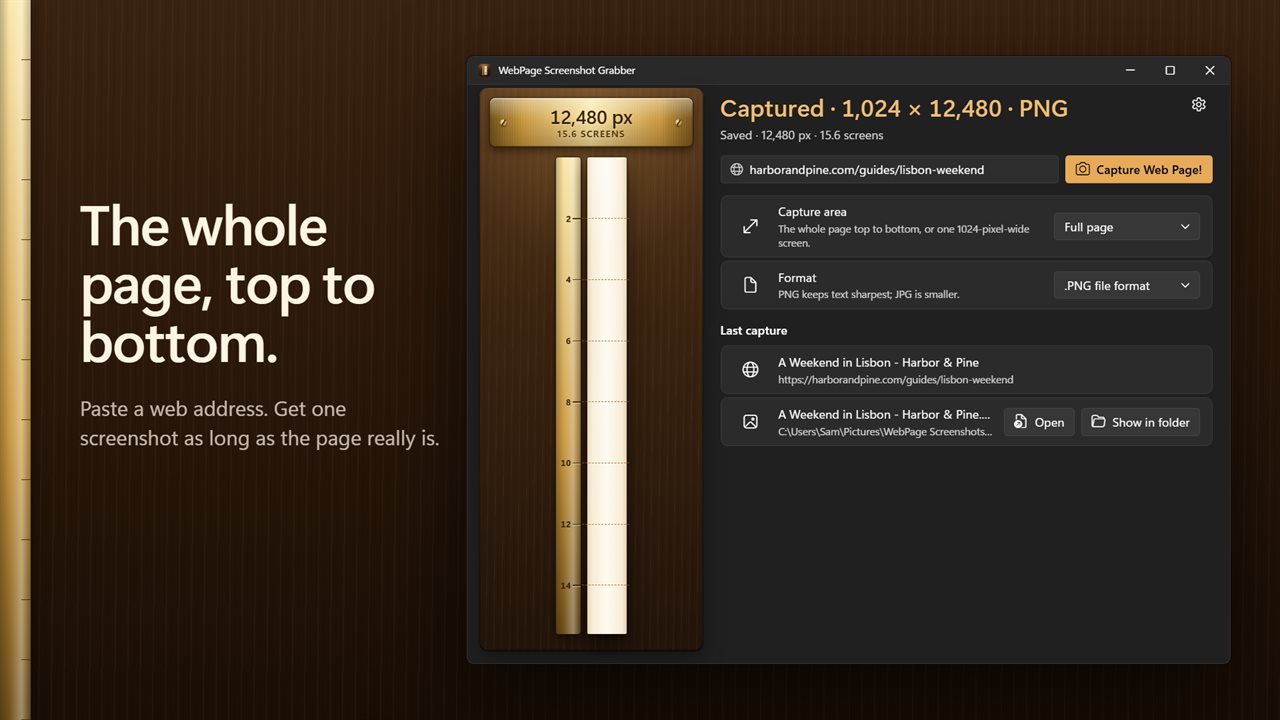
One long screenshot of the whole page, top to bottom.
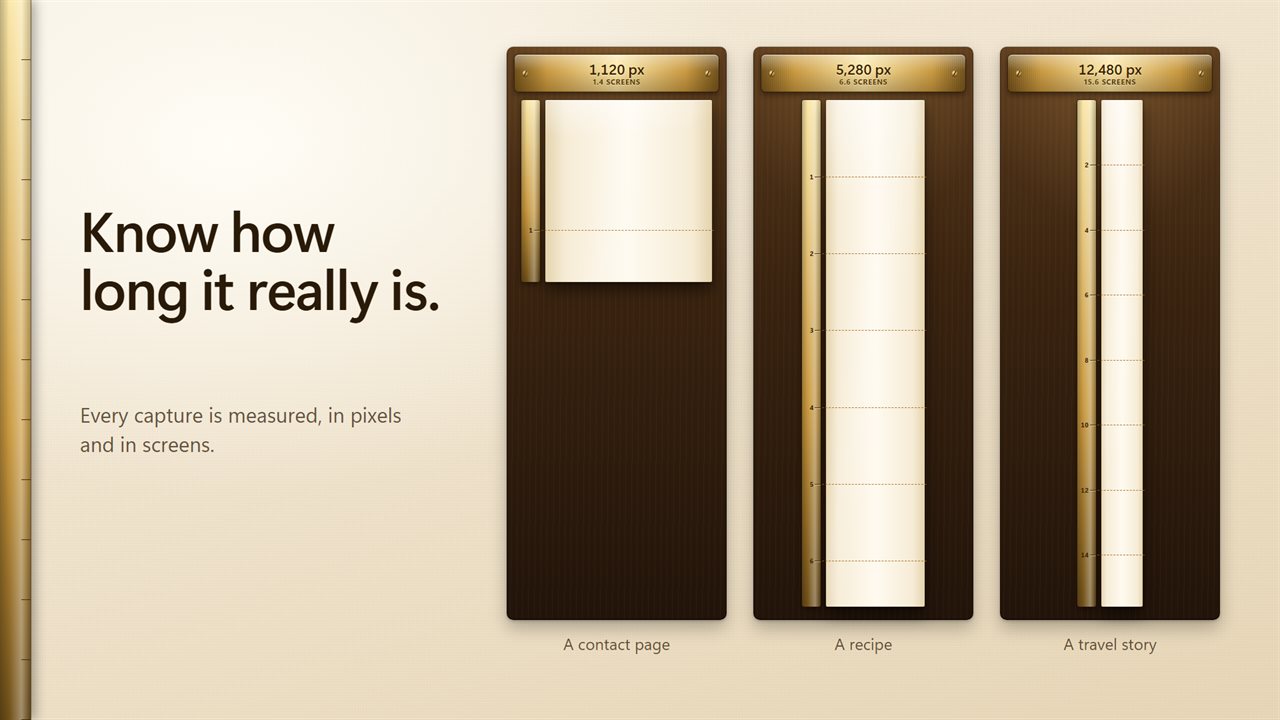
Every capture is measured, in pixels and in screens.
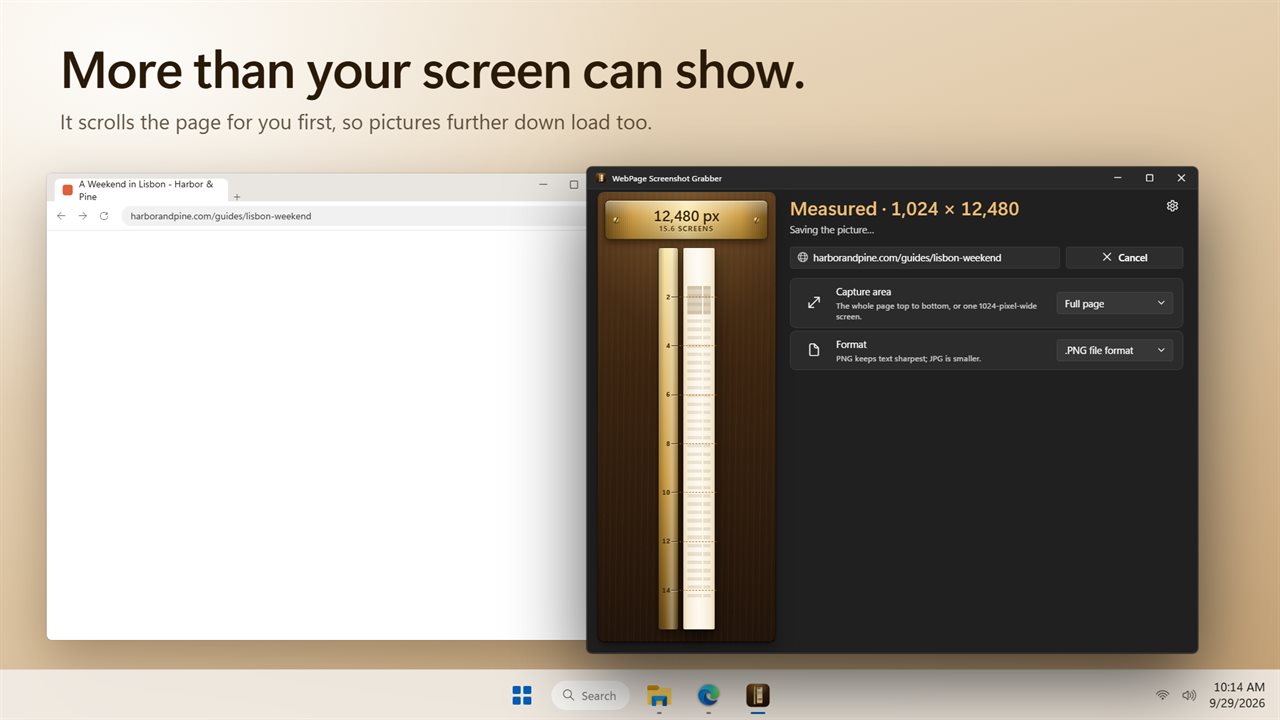
It scrolls the page first, so pictures further down load too.
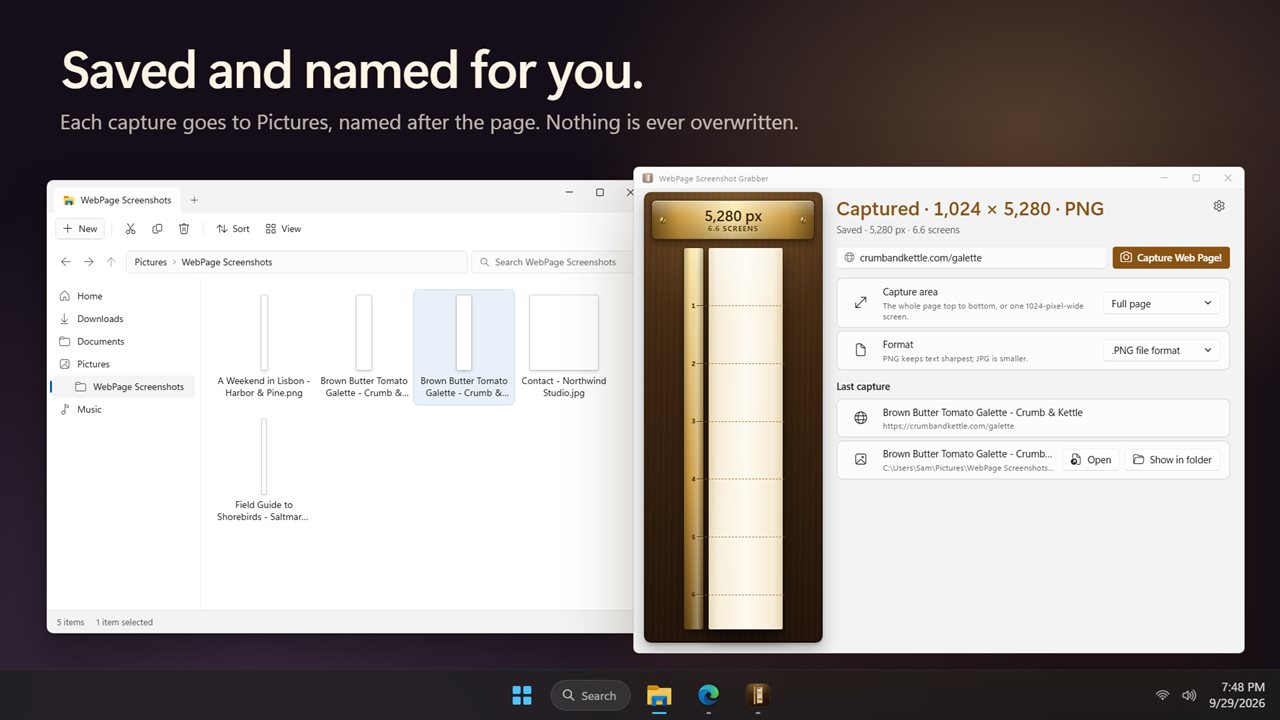
Saved to Pictures and named after the page. Nothing is overwritten.
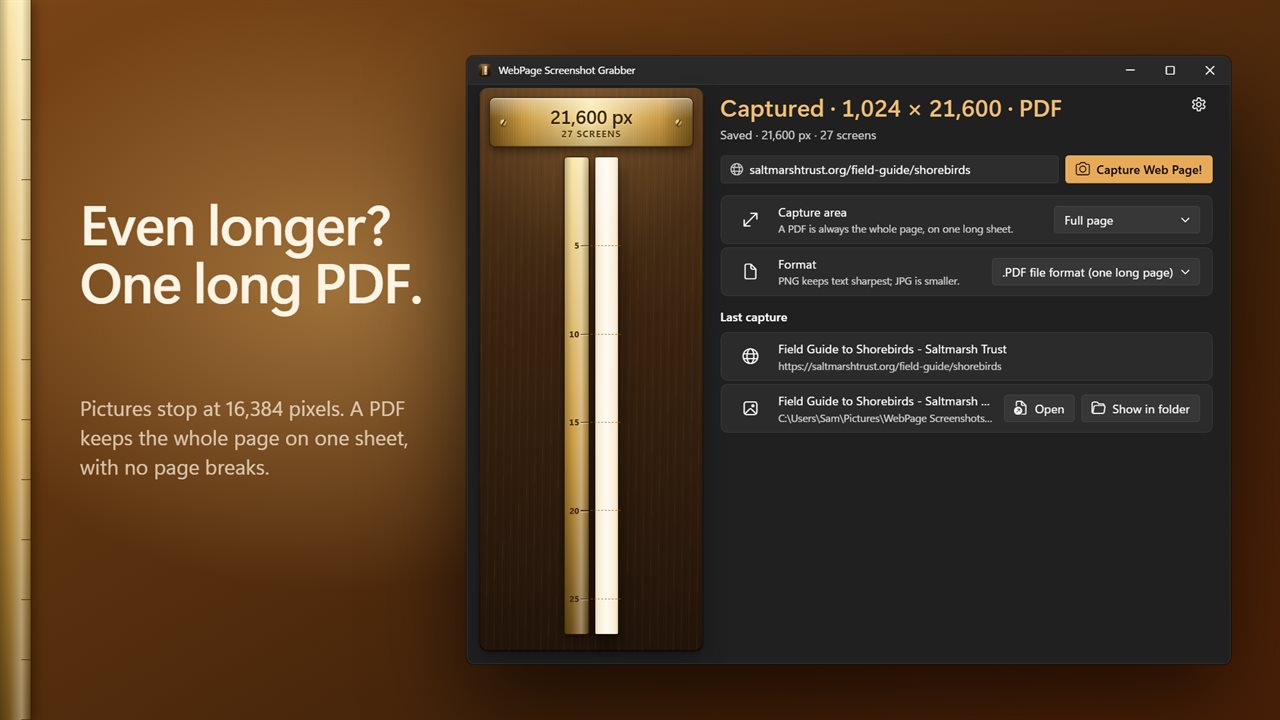
Longer than a picture allows? Save one long PDF.
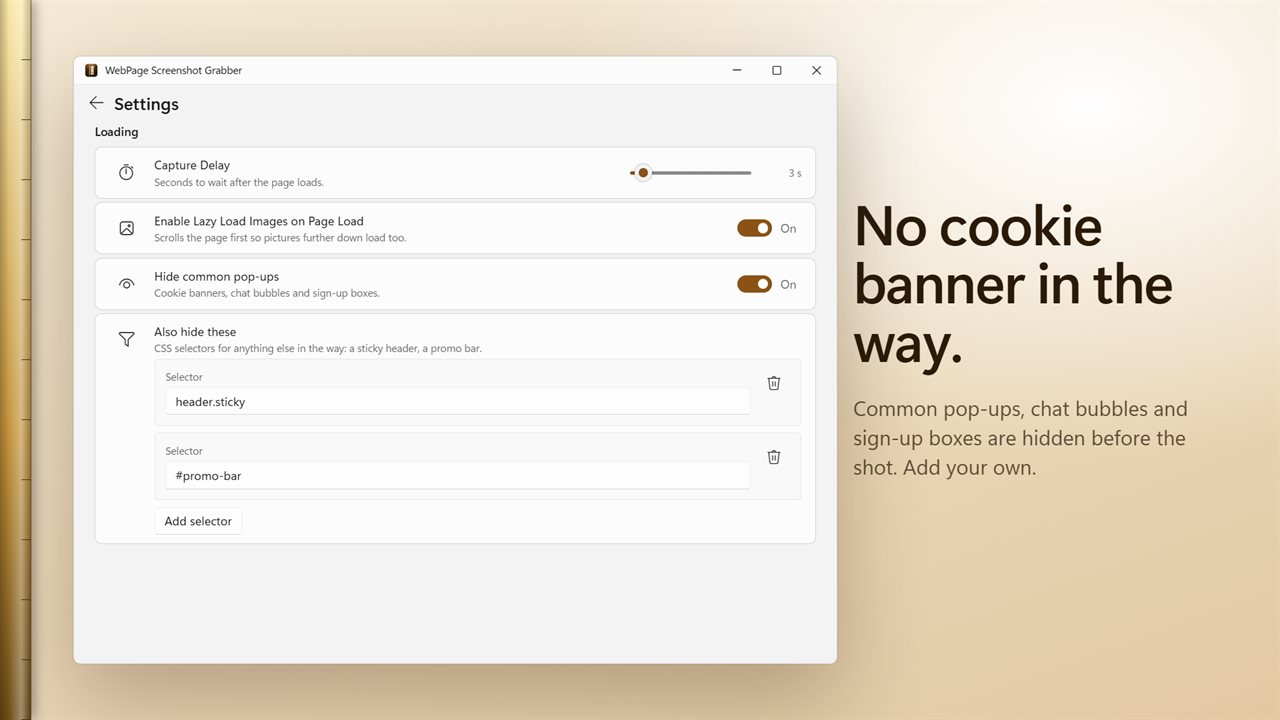
Cookie banners, chat bubbles and sign-up boxes stay out of the shot.

One long screenshot of the whole page, top to bottom.

190,000+downloads of EvlarSoft apps
Signed by EvlarSoftVerified US publisher
14-day money-backNo questions asked
Updates includedNo upgrade fees

A full page screenshot without scrolling and stitching

Press Print Screen on a long article and you get the first screenful. The usual workarounds are scrolling capture tools that stitch frames together, which repeat sticky headers in every slice and miss anything that loads late, or a browser's own capture, which still records the cookie notice sitting over the text.

WebPage Screenshot Grabber takes a different route. It opens the page in a hidden browser window at a width you set, scrolls through it once so lazy-loaded pictures arrive, removes common overlays, then renders the full height as a single image. There is no stitching, so nothing repeats and nothing is cut at a seam.

When it finishes, the result appears as one tall strip drawn to scale, marked at every screen height, with a plate reading something like 12,480 px, 15.6 screens. That tells you at a glance how long the page really is.

How to screenshot an entire webpage

Screenshots are saved to Pictures\WebPage Screenshots unless you choose another folder under Save to, and each file is named after the page. Capturing the same page twice keeps both.

  • Paste an address into Web Page URL. A plain example.com is fine.
  • Choose Full page under Capture area, or Visible area for a single screen.
  • Pick PNG, JPG or PDF under Format.
  • Press Capture Web Page! and wait for the strip to fill in. Click it to open the file, or use Show in folder.

Long screenshot as PNG, JPG or one-sheet PDF

Pick the format by what the capture is for. A PDF lays the whole page on one continuous sheet with no page breaks, so a long help article, a set of terms or a forum thread stays in one piece and its text stays selectable for anyone who opens it. That makes it the right choice for keeping a complete record.

PNG keeps text sharpest for design feedback. JPG is smaller and fine for sending a quick reference to a colleague.

Capturing a website without cookie banners and chat bubbles

Hide common pop-ups is on by default and clears widely used consent banners, chat launchers and newsletter boxes before the capture. If a site has its own sticky bar or promo strip, open Also hide these, type its CSS selector, such as header.sticky or #promo-bar, and press Add selector. The rule applies to every capture after that.

For pages that keep shifting after load, add a Capture Delay. Rendering Media Type switches between the screen layout and the printed one, and Enable Javascript on Page Load can be turned off to grab the page as it arrives from the server, before any script rearranges it. User Agent (Optional) lets you pose as another browser when a site serves different markup to each.

Features

  • Full-height capture rendered in one pass, with no stitched seams
  • Visible area option for a single screen
  • PNG, JPG, or a PDF on one continuous sheet
  • Scale strip showing the capture's length in pixels and screens
  • Automatic hiding of common consent banners, chat bubbles and sign-up boxes
  • Your own CSS selectors to hide anything else
  • Lazy-load scroll, an optional capture delay and an optional custom user agent
  • Settings from the earlier WebPage Screenshot app carried over

When a full-length capture matters

Keeping a record

Save a product page, a policy or a news article exactly as it stood on the day, as a PDF that holds the whole thing.

Design and QA feedback

Hand a developer one PNG of the full page at a chosen width and mark it up, instead of a pile of partial screenshots.

Portfolios and case studies

Show a finished site from top to bottom without a consent dialog or chat widget in the middle of it.

What's new in 2.0.3

  • New: see how long a page really is, in pixels and screens, beside a strip of the whole capture
  • New: save a very long page as one PDF sheet with no page breaks
  • New: common cookie banners, chat bubbles and sign-up boxes are hidden before the shot, and you can add your own
  • New: type just example.com and it works
  • New: captures are saved and named for you, and never overwrite an earlier one
  • New: stop a capture at any time
  • New: light and dark themes
  • JPG files are now real JPGs
  • Your settings carry over

Questions

Anything else? Ask us

How long a web page can WebPage Screenshot Grabber capture as a picture?

A PNG or JPG stops at 16,384 pixels long, and the app tells you when a page ran past that. For longer pages, save as PDF instead.

Does the PDF split the page across several sheets?

No. The whole page goes on one long sheet with no page breaks. A page taller than about 200 inches, roughly 19,000 pixels, is scaled down to fit that sheet, so text on very long pages comes out smaller.

Can it remove cookie banners and chat pop-ups from the screenshot?

Yes. Hide common pop-ups removes the banners of widely used cookie consent tools, chat bubbles and sign-up boxes before the shot. For anything else, such as a sticky header, add its CSS selector to the hide list.

Why are pictures lower down the page missing?

Many sites only load pictures as you scroll to them. The app scrolls the page first so they load, and you can add a wait of up to 60 seconds after loading for pages that are slow to settle.

Can I capture a page I am signed in to?

No. Every capture opens the page in a fresh browser profile with no cookies or sign-ins, so you get what a visitor who is not signed in would see.

Can I choose the width the page is captured at?

Yes. Set the page width anywhere from 180 to 3000 pixels; it is 1024 unless you change it. You can also capture the page as it would print, or with JavaScript turned off.

How do I take a scrolling screenshot on Windows 11?

For a web page, paste its address into WebPage Screenshot Grabber, choose Full page and press Capture Web Page!. The app renders the whole length itself, so you do not have to scroll.

Why does a sticky header not repeat down the screenshot?

Because the page is rendered once at full height rather than captured in scrolled slices and stitched, a fixed header appears only where the page puts it.

Which versions of Windows does it run on?

Windows 10 (version 1809 or later) and Windows 11.

Is it a subscription?

No. WebPage Screenshot Grabber is a one-time purchase of $1.99, and updates are included.

How do I get it?

Buy it on this page and your license key arrives by email. If the button says Notify me, WebPage Screenshot Grabber is not on sale here yet; leave your email and we will tell you when it is.