
EEvlarSoft

PICT Image Viewer and Converter

Open old Mac PICT pictures on a Windows PC, then turn them into PNG, JPG, TIFF or PDF files that every other program accepts.

Buy for $1.99
One payment. No subscription.
14-day money-back guarantee.
3.0
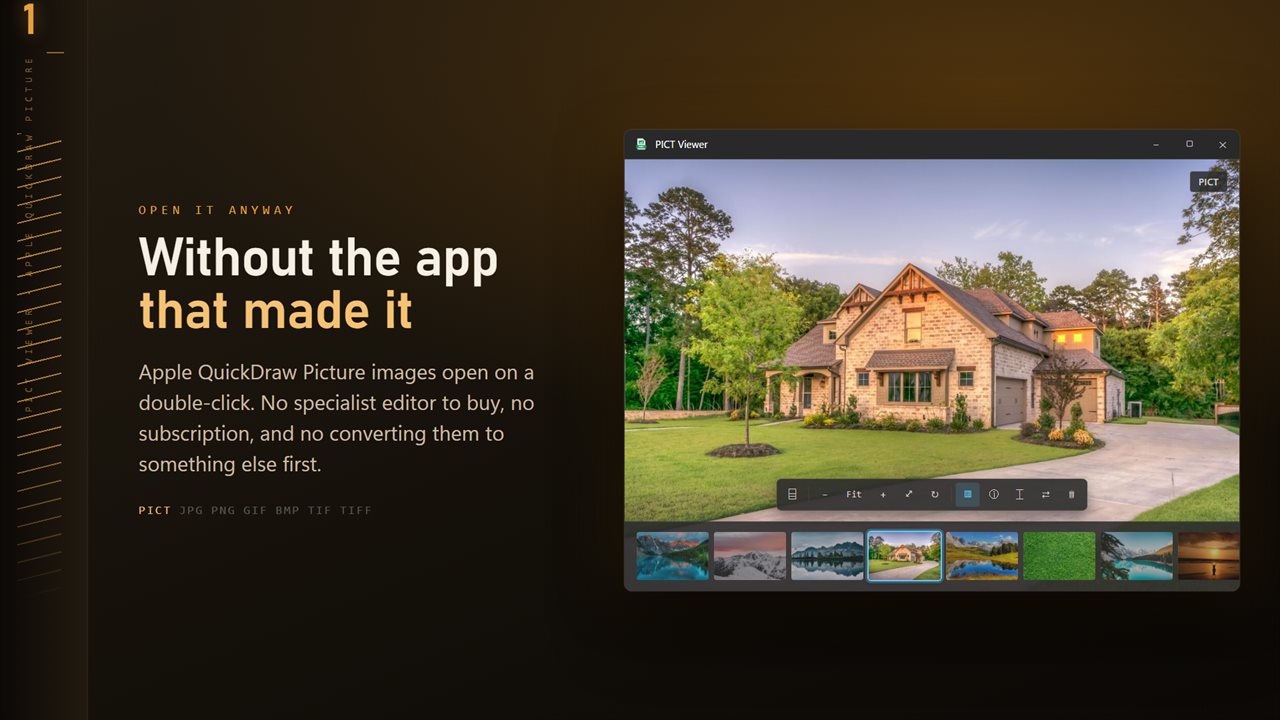
PICT files open without the app that made them.
Scan any image and every word becomes selectable, right where it sits.
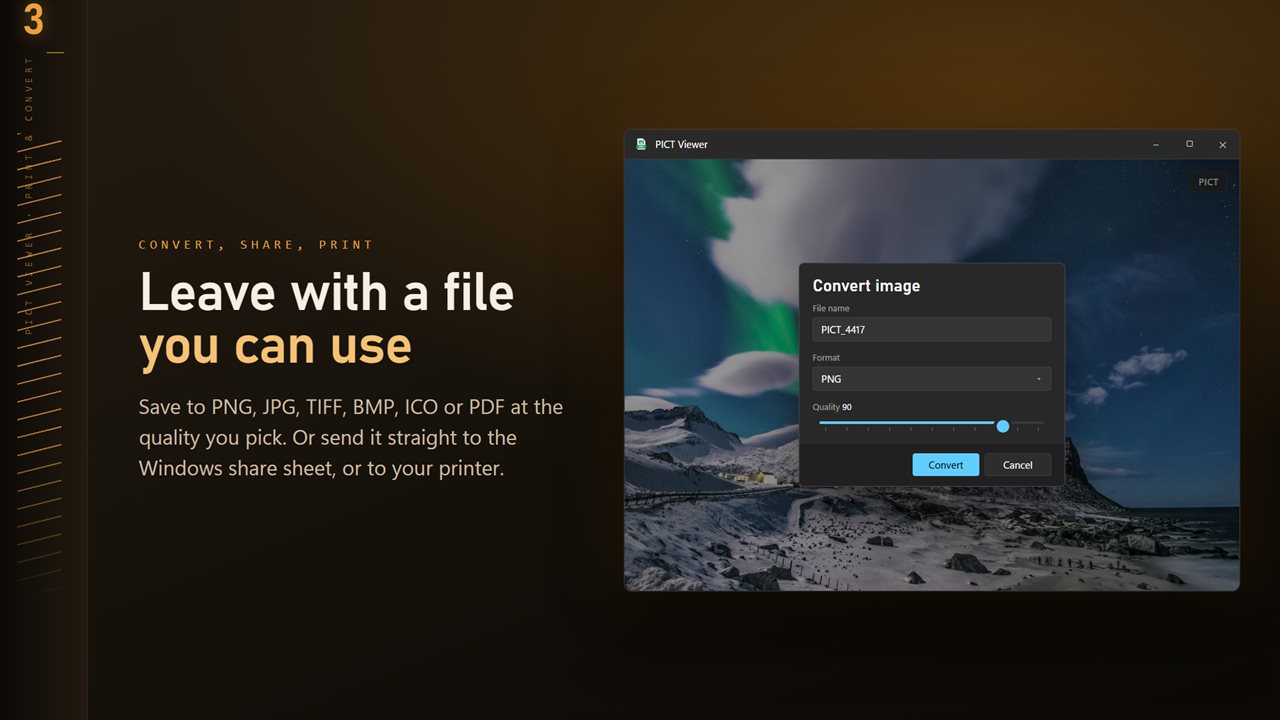
Save to PNG, JPG, TIFF, BMP, ICO or PDF at the quality you pick.
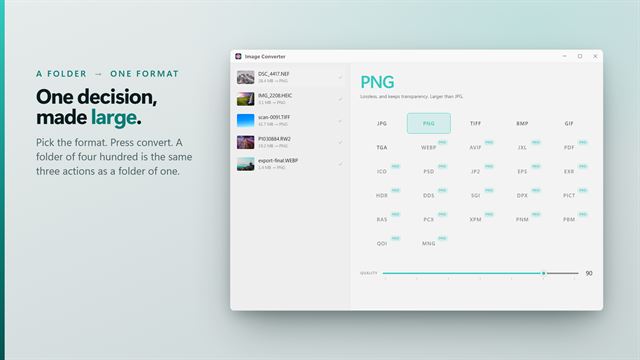
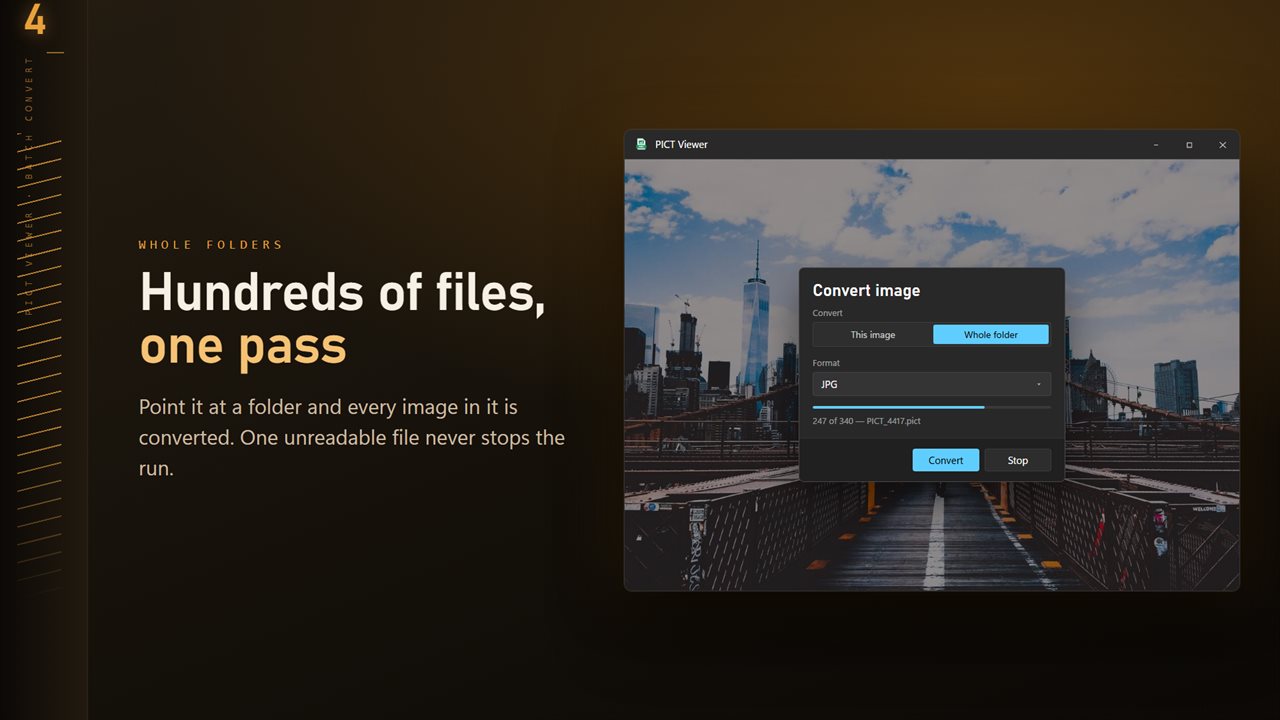
Convert a whole folder in one pass. One unreadable file never stops the run.
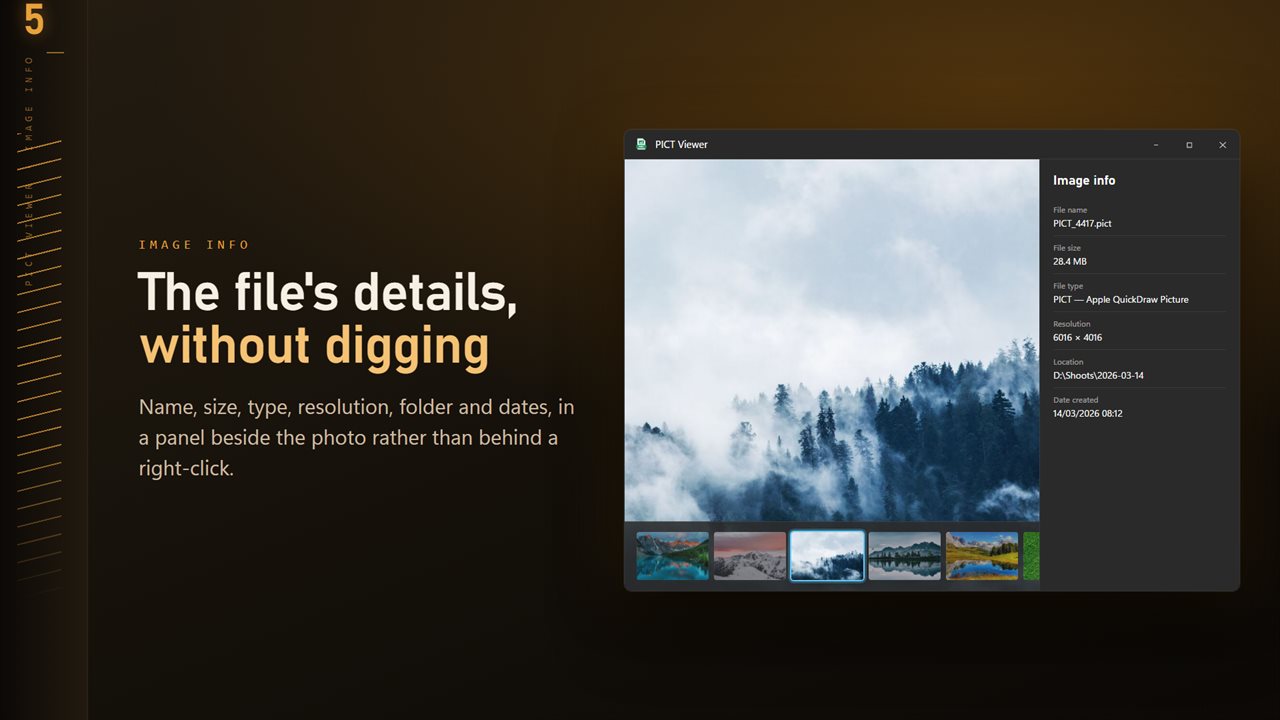
Name, size, type, resolution and dates, in a panel beside the image.
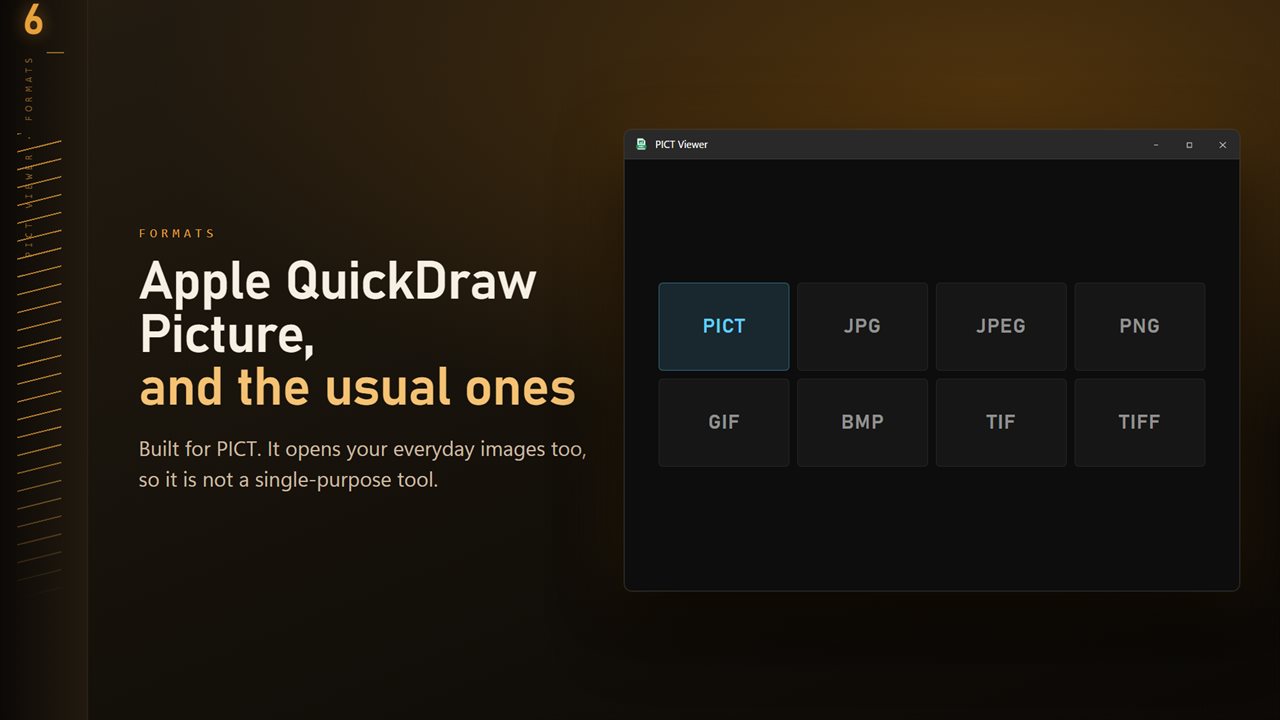
PICT plus the everyday formats: JPG, PNG, GIF, BMP and TIFF.

PICT Image Viewer and Converter in 25 seconds

PICT Image Viewer and Converter trailer
190,000+downloads of EvlarSoft apps
Signed by EvlarSoftVerified US publisher
14-day money-backNo questions asked
Updates includedNo upgrade fees

A PICT viewer for pictures that came from an old Mac

PICT was the native picture format of the classic Mac OS, built on Apple's QuickDraw graphics system. From 1984 until Mac OS X moved to PDF, it was what Mac programs saved when you copied a picture, exported a chart or scanned a page, so archives from that era are full of them. A PICT viewer is the missing piece on Windows, where neither Photos nor Paint can read the file.

The gap has grown. Recent Windows releases of Office no longer render PICT, so pictures inside old documents and decks can turn into empty boxes, and loose .pict files on a backup drive simply refuse to open.

PICT Viewer carries its own decoder. Make it the default app for .pict and .pct and a double-click shows the picture, or press Ctrl+O and pick a file. From there you can zoom, check its details and save a modern copy without touching the original.

How to convert PICT to PNG or JPG

Click Convert on the command bar, or choose Convert image from the right-click menu. The dialog asks four things, in this order:

  • Convert: This image, or Whole folder to process everything the app can open beside it.
  • File name for a single image, or Existing files for a folder run: Skip, Keep both or Replace.
  • Format: PNG, JPG, BMP, PDF, ICO or TIFF.
  • Quality, a slider from 50 to 100 that starts at 90.

Which format to choose for an old PICT

PNG is the safest archive copy. It is lossless, so flat-color illustrations, screenshots of old software and clip art keep their hard edges exactly as drawn. Choose JPG only for photographs, where the smaller file matters more than perfect edges.

TIFF suits scans you plan to print or hand to a publisher. PDF wraps the picture in a document you can attach to an email or file alongside paperwork, and ICO turns a small Mac graphic into a Windows icon.

If you are rescuing a whole folder from a backup drive, run it once to PNG and keep the PICT originals next to the copies. The new files open everywhere, and nothing is lost if you later need the source.

Viewing PICT images on Windows 11 and 10

Old Mac graphics are often small, so the zoom range matters. It runs from 5% up to 3200%, with plus and minus on the keyboard, 0 for actual size and F to fit the window. R rotates, H and V flip, and the left and right arrow keys move to the next picture in the folder.

Press T for the folder ribbon, a strip of thumbnails along the bottom of the window, and I for the info panel with the file's resolution, size, location and dates. Delete sends the picture to the Recycle Bin after a confirmation. Right-click for Copy path, Show in Explorer, Open in Paint, Share or Print.

What PICT Viewer does

  • Reads Apple QuickDraw pictures saved as .pict or .pct
  • Also shows JPG, PNG, GIF, BMP and TIFF from the same folder
  • Saves copies as PNG, JPG, BMP, PDF, ICO or TIFF
  • Whole folder conversion with Skip, Keep both or Replace for clashes
  • Zoom from 5% to 3200% with keyboard shortcuts for every view
  • Folder ribbon of thumbnails and an info panel beside the image
  • Scan for text turns words in a scanned picture into copyable text
  • Eleven Looks, from Noir to Golden hour, saved as a separate JPG
  • Settings for Appearance, Open photos at and Behind the photo

Where PICT files turn up

Archived Mac backups

Zip disks, CDs and old hard drives copied from a Power Mac carry folders of PICT artwork. Open one, then convert the folder to PNG in a single run.

Documents that lost their pictures

When an old Word or PowerPoint file shows an empty box where a picture was, the original .pict often still sits in the project folder. Save it as PNG and insert that instead.

Clip art and scanned collections

Nineties clip art discs and scanner software shipped their output as PICT. Browse a disc with the arrow keys and keep only what you need.

What's new in 1.0.10

  • 11 Looks: one-click color styles with a strength slider. Save a copy as a new JPG; the original is never changed
  • New Settings page: light or dark, what sits behind the image, how images open, and more
  • The title bar shows the name of the image you are looking at
  • The Open dialog starts on all images

Questions

Anything else? Ask us

Can I open old Mac PICT files on Windows?

Yes. PICT Viewer opens Apple QuickDraw Picture files with a copy of ImageMagick bundled inside the app, so no Mac software or QuickTime is needed.

Does it open both .pict and .pct files?

Yes. Both extensions are registered, so either kind opens on a double-click once PICT Viewer is the default app for them.

Can I convert PICT files to PNG or JPG?

Yes. A PICT converts to PNG, JPG, TIFF, BMP, ICO or PDF at a quality you choose. The original PICT is left as it is.

Can I convert a whole folder of old PICT files at once?

Yes. Batch mode converts every image in the open file's folder into a folder you pick, without going into subfolders. Files it cannot read are counted and reported at the end rather than stopping the run.

Can it read text from a scanned PICT image?

Yes. Text recognition uses the OCR engine built into Windows, in the languages you have installed, and the recognized words become selectable text you can copy.

Why won't Windows open my PICT file?

Windows has no built-in reader for Apple's QuickDraw format, and recent Windows releases of Office have stopped rendering it too. You need a viewer that brings its own PICT decoder, which PICT Viewer does.

What is the difference between .pict and .pct?

Nothing in the image itself. Both are the same QuickDraw Picture format, and .pct is the three-letter extension used where longer extensions were not allowed. PICT Viewer opens both.

Can I print a PICT file without converting it first?

Yes. Right-click the picture and choose Print, or Share to send it through the Windows share sheet.

Which versions of Windows does it run on?

Windows 10 (version 1809 or later) and Windows 11.

Is it a subscription?

No. PICT Image Viewer and Converter is a one-time purchase of $1.99, and updates are included.

How do I get it?

Buy it on this page and your license key arrives by email. If the button says Notify me, PICT Image Viewer and Converter is not on sale here yet; leave your email and we will tell you when it is.