EEvlarSoft

Card Maker

Make your own greeting cards, invitations, certificates, banners and calendars on your PC, and print them on ordinary Letter paper.

Buy for $7.99
One payment. No subscription.
14-day money-back guarantee.
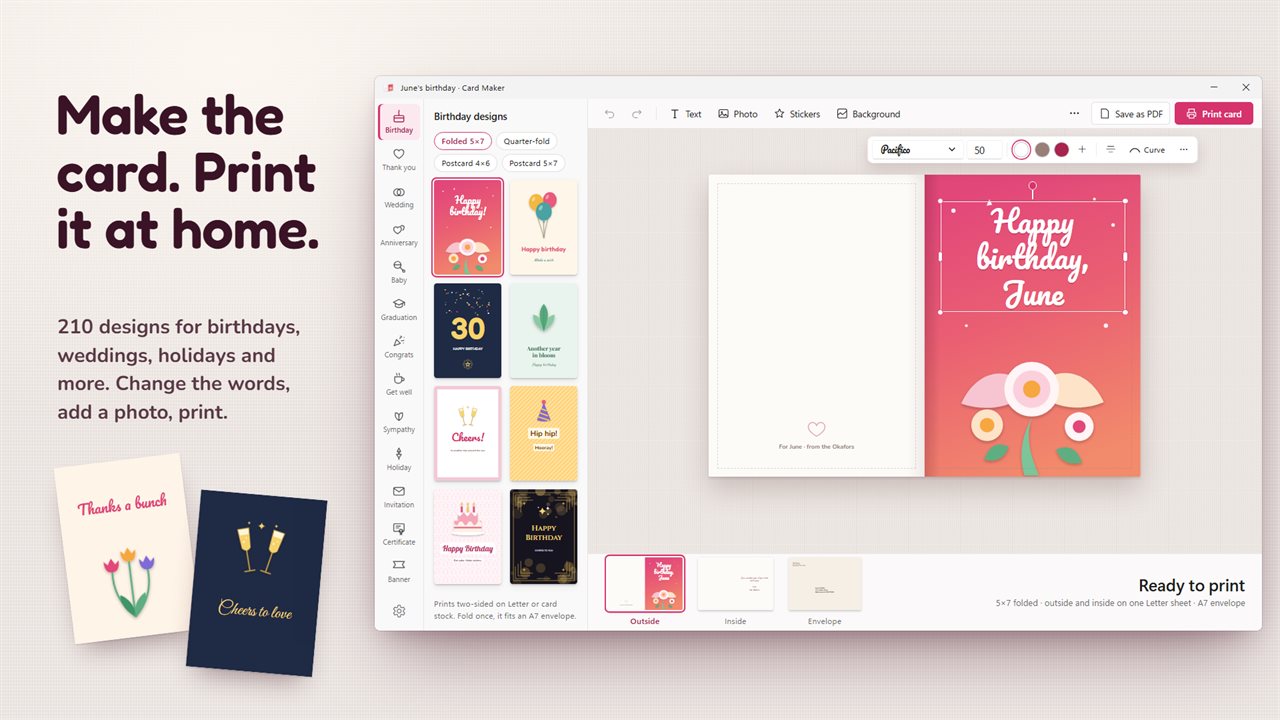
Pick a design, change the words and print the card at home.
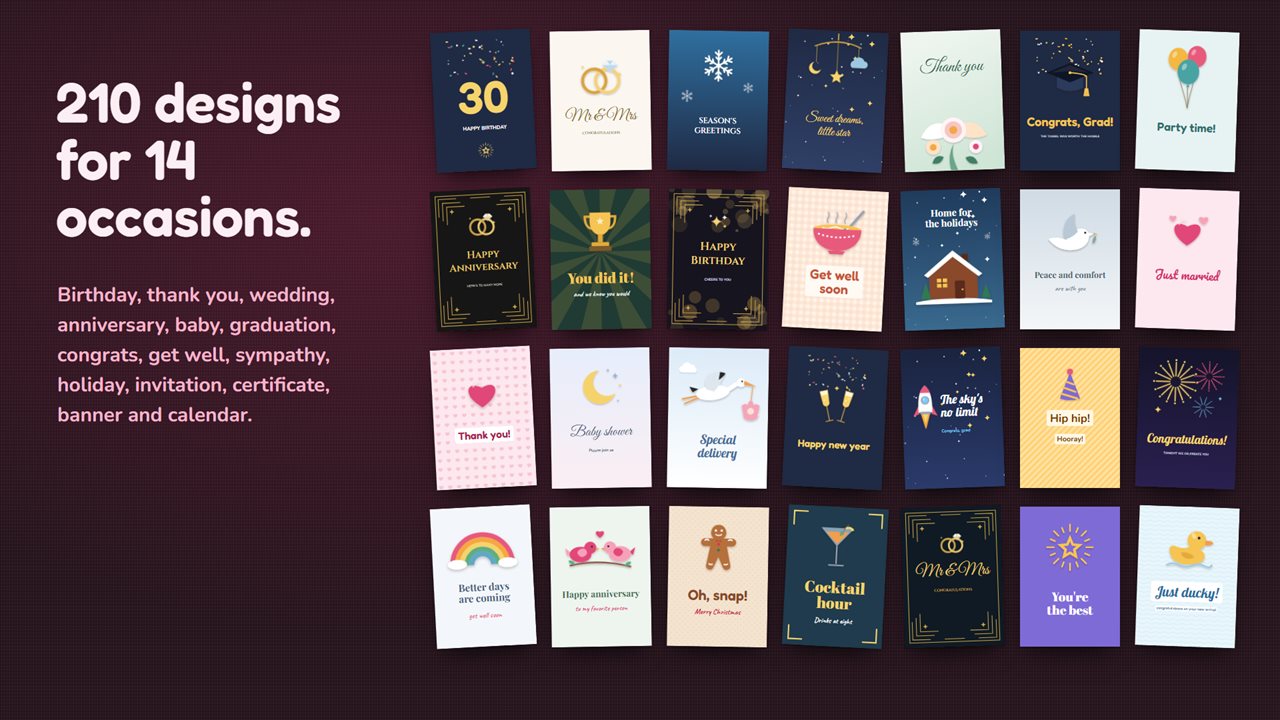
210 designs for 14 occasions, from birthdays and weddings to holidays.
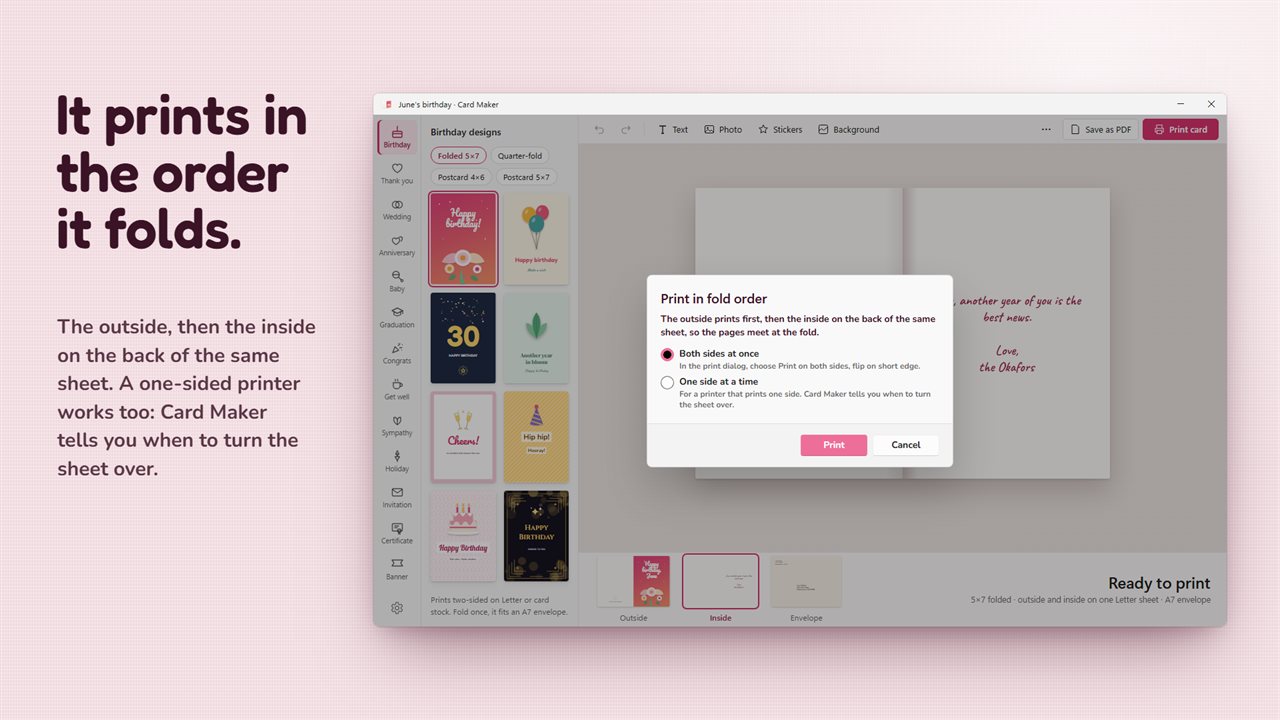
Folded cards print in fold order, on a two-sided printer or one side at a time.
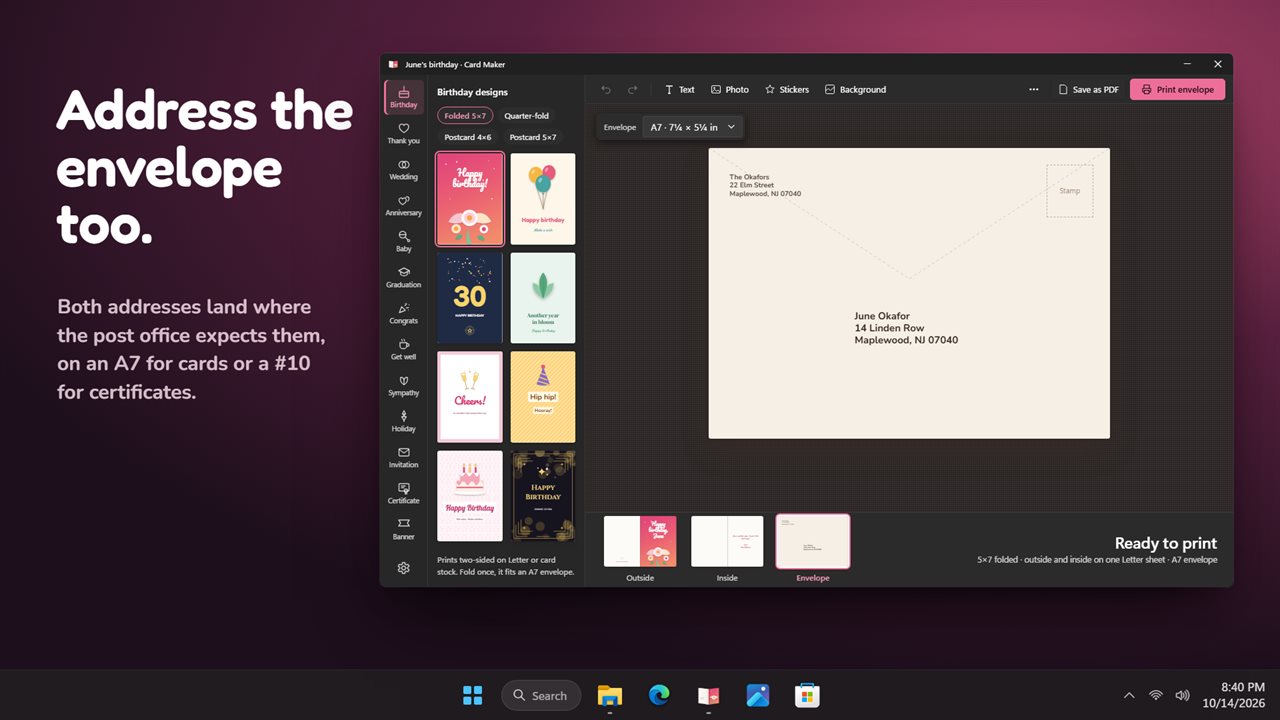
A matching envelope with both addresses in place.
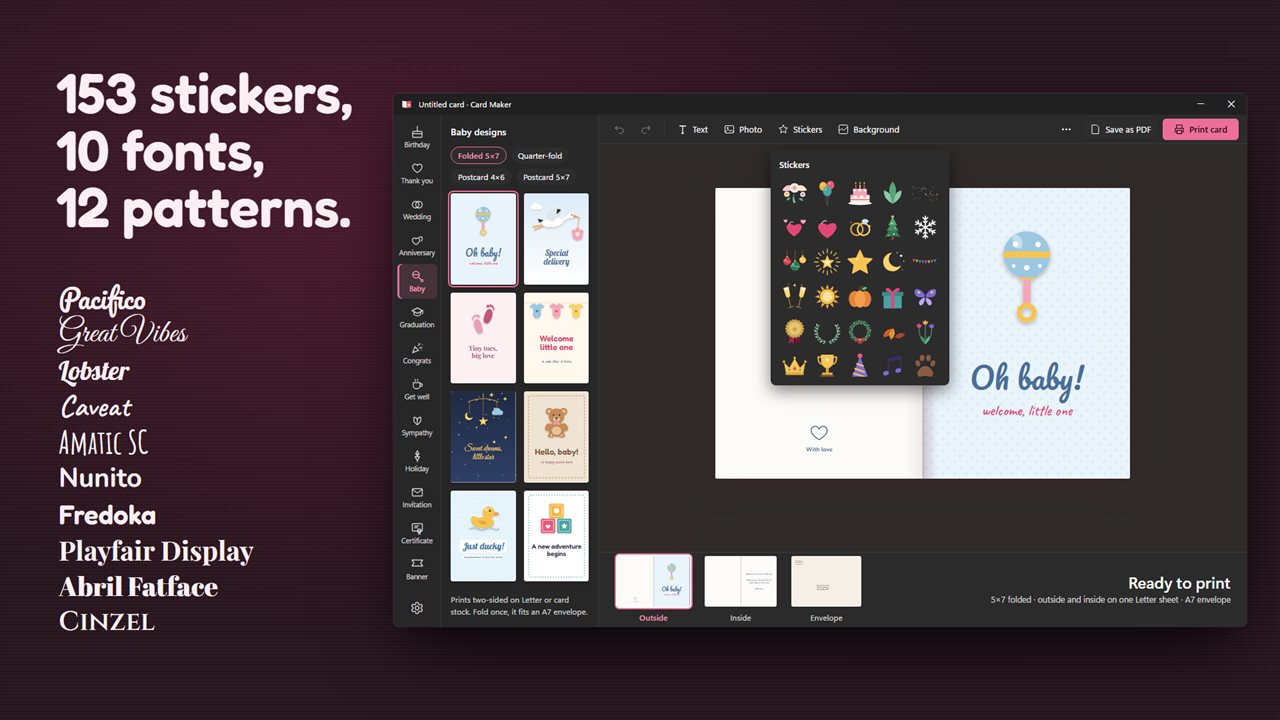
153 stickers, 12 patterns and every font on your PC.
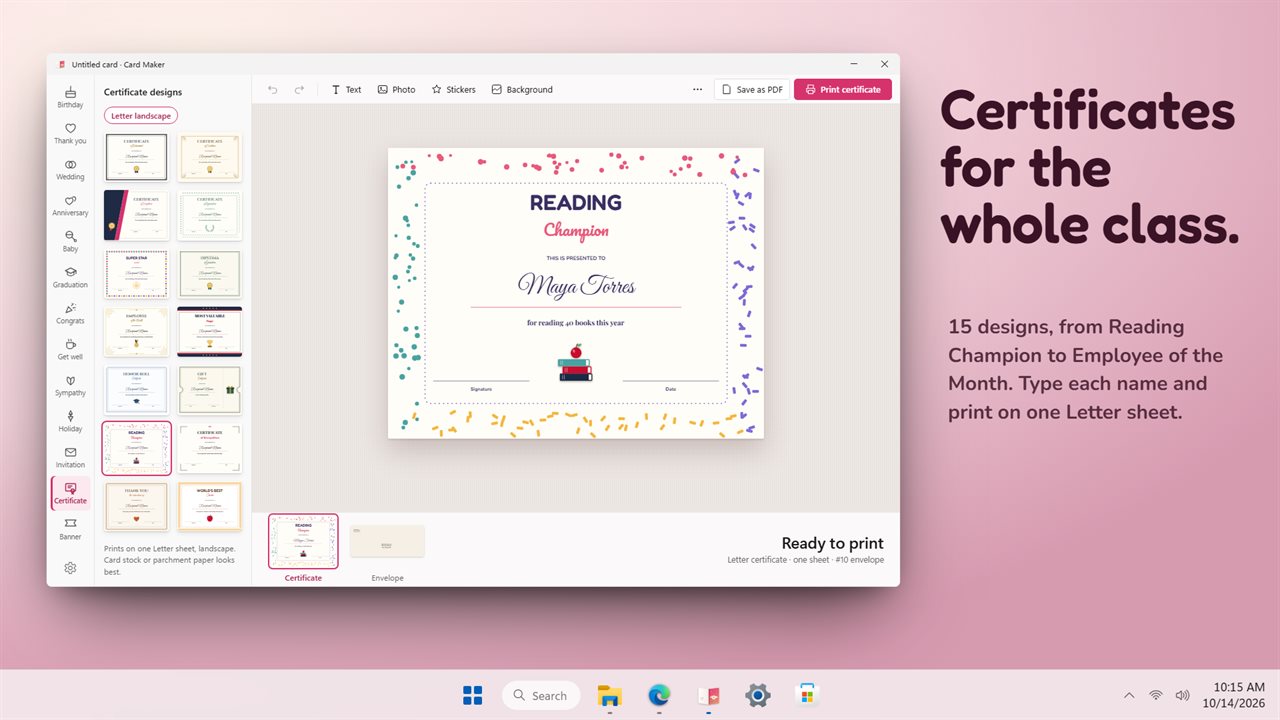
Certificates for classrooms and offices, on one Letter sheet.
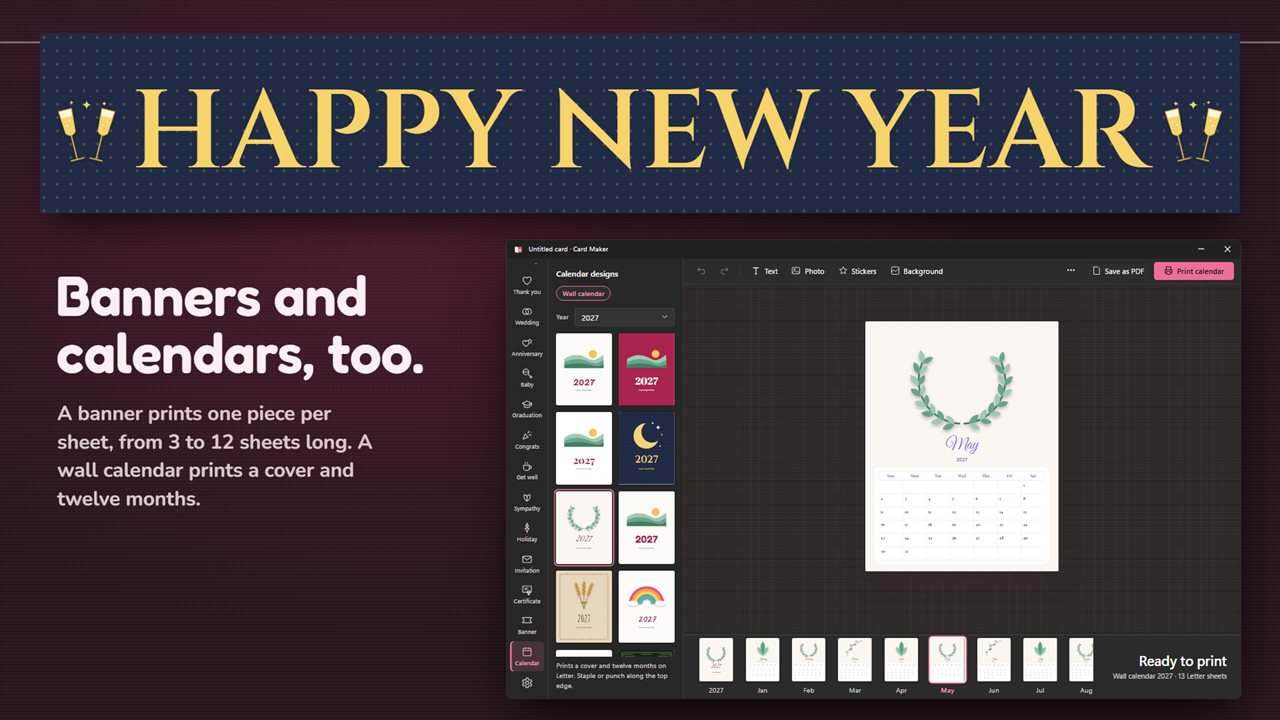
Banners from 3 to 12 sheets, and wall calendars with a cover and twelve months.

Pick a design, change the words and print the card at home.

190,000+downloads of EvlarSoft apps
Signed by EvlarSoftVerified US publisher
14-day money-backNo questions asked
Updates includedNo upgrade fees

A greeting card maker that gets the printing right

Designing a card is the easy half. The trouble starts at the printer: the inside comes out upside down, the message lands on the wrong panel, or half the greeting disappears into the fold. Card Maker is a greeting card maker built around that last step, so what you design on screen is what you hold after folding.

Start by choosing an occasion and a design. There are 210 to pick from across 14 occasions, from birthday, thank you, wedding and baby to get well, sympathy and holiday, plus invitations, certificates, banners and wall calendars. Every word on the design is yours to change, and if you switch to another design halfway through, the text you already typed moves across with you.

Cards come as a folded 5×7, a quarter-fold, or a 4×6 or 5×7 postcard. Everything prints on US Letter sheets, which is what most home printers already hold.

How to print a folded card at home

A folded 5×7 has an outside, with the back and The front side by side, and an inside with Inside left and Inside right. Card Maker places them on the two sides of one Letter sheet so they line up when you fold it in half.

If your printer prints both sides, there is nothing to work out. If it does not, print the first side and Card Maker stops to tell you exactly how to put the sheet back in: printed side down and turned along the short or the long edge. Then it prints the other side.

Before anything reaches the printer, Check the fold looks for text that crosses the fold or runs off the edge and warns you, so a name is never split across the crease. Prefer to print somewhere else? Save as PDF produces a file you can take to a print shop.

Make your own birthday card with photos, stickers and fonts

Use Add text, Add photo and Add sticker to build on top of a design. Photos can be cropped, rotated, given a Frame or Border and set to Rounded, Circle or Square corners, and you drag a picture to reposition it inside its frame. JPG, PNG, WebP, GIF and BMP files are accepted.

There are 153 stickers, each with an Art color you can change, and 12 background patterns alongside plain colors and gradients. Text can follow a Curve, and the font list starts with the bundled card fonts and then shows every font installed on your PC. Guides snap objects to the center and to the fold, and Arrange, Align, Duplicate and Nudge handle the fiddly placement.

Certificate maker, banner maker and calendar maker in one

Beyond cards, the same editor handles three bigger print jobs.

Certificates use a Letter landscape sheet, with 15 designs for awards at school, on a team or at work. Banners print one piece per page in landscape with trim marks, from 3 to 12 sheets long, ready to tape into one long strip. Wall calendars print a cover and twelve months for last year, this year or either of the next two, with weeks starting Sunday or Monday.

Cards and certificates also get a matching envelope, A7 for cards and #10 for certificates, with the recipient and return addresses set in the right places.
What you can make and print

  • 210 designs across 14 occasions, all editable
  • Folded 5×7, quarter-fold, 4×6 and 5×7 postcard formats
  • Two-sided printing in fold order, with guided manual duplex
  • Check the fold warnings for text on the crease or off the page
  • Photos with crop, rotate, frames, borders and rounded corners
  • 153 stickers, 12 patterns, gradients and curved text
  • Bundled card fonts plus every font on your PC
  • Matching A7 and #10 envelopes with both addresses placed
  • Certificates, banners of 3 to 12 sheets, and wall calendars
  • Print, Save as PDF, or keep the project as a .card file

Cards people make with it

A last-minute birthday card

Pick a birthday design, change the name and message, drop in a photo and print it on plain paper before the party.

Certificates for a whole class

Set up one award, save it as a .card file, then change the name and print again for every student.

Party signage and invitations

Print matching invitations with envelopes, then a multi-sheet banner in the same colors to hang on the day.

Questions

Anything else? Ask us

Will the inside of a folded card come out the right way up?

Yes. A folded 5x7 card prints the outside on one side of a Letter sheet and the inside on the other, placed so they line up when you fold it. Without a two-sided printer, print one side and Card Maker tells you to put the sheet back printed side down, turned over along its short or long edge, before it prints the other.

Can I print on A4 paper?

No. Every card, certificate, banner and calendar is laid out on US Letter sheets, and there is no A4 setting. Envelopes are A7 (7¼ × 5¼ in) for cards and #10 (9½ × 4⅛ in) for certificates.

Can I add my own photos, and are they saved with the card?

Yes. It takes JPG, PNG, WebP, GIF and BMP pictures, and stores them inside the .card file, so the card opens with its photos later. Large pictures are scaled down to 2600 pixels on the long side, which is still more than a card needs in print.

Can I use fonts I have installed?

Yes. The ten card fonts that come with the app are listed first, and every font installed on your PC follows them in the font list.

How long can a banner be?

From 3 to 12 Letter sheets: 3, 4, 5, 6, 7, 8, 10 or 12. Each sheet prints one piece in landscape with trim marks, and you tape the pieces together in order.

Which years can I make a calendar for?

Last year, this year and the next two. A calendar prints a cover and twelve months on Letter, and weeks can start on Sunday or Monday.

How do I make a photo card?

Pick a design, choose Add photo and select a JPG, PNG, WebP, GIF or BMP picture. Drag the picture inside its frame to choose what shows, then crop, rotate or round the corners before you print.

What is a quarter-fold card?

A card printed on one side of a single sheet and folded twice, into quarters. It needs no two-sided printing, which makes it the simplest format for any printer.

Can I save a card and print more copies later?

Yes. Save card keeps the project as a .card file, photos included, and Open… brings it back exactly as you left it.

Which versions of Windows does it run on?

Windows 10 (version 1809 or later) and Windows 11.

Is it a subscription?

No. Card Maker is a one-time purchase of $7.99, and updates are included.

How do I get it?

Buy it on this page and your license key arrives by email. If the button says Notify me, Card Maker is not on sale here yet; leave your email and we will tell you when it is.