EEvlarSoft

SRW Image Viewer and Converter

Open SRW raw photos from Samsung NX cameras on a current Windows PC and turn an old archive into JPG or TIFF files that will keep opening.

Buy for $1.99
One payment. No subscription.
14-day money-back guarantee.
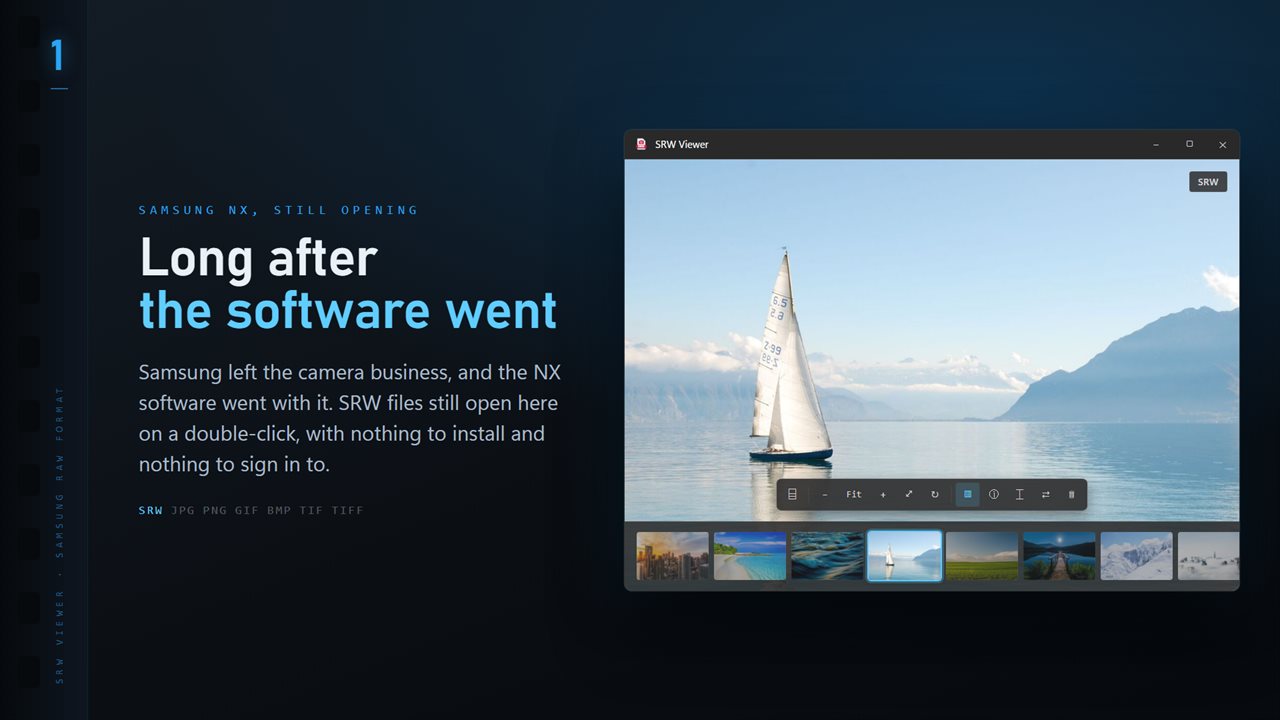
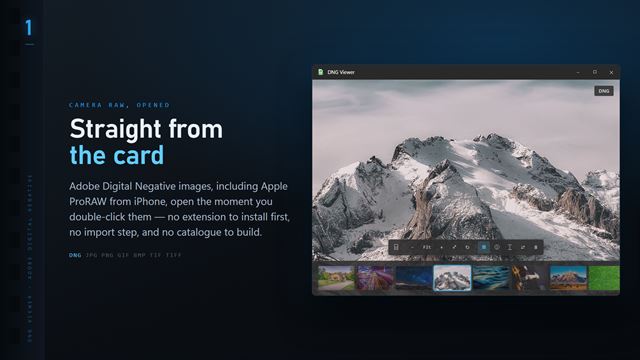
SRW files open the moment you double-click them, with the whole folder along the bottom.
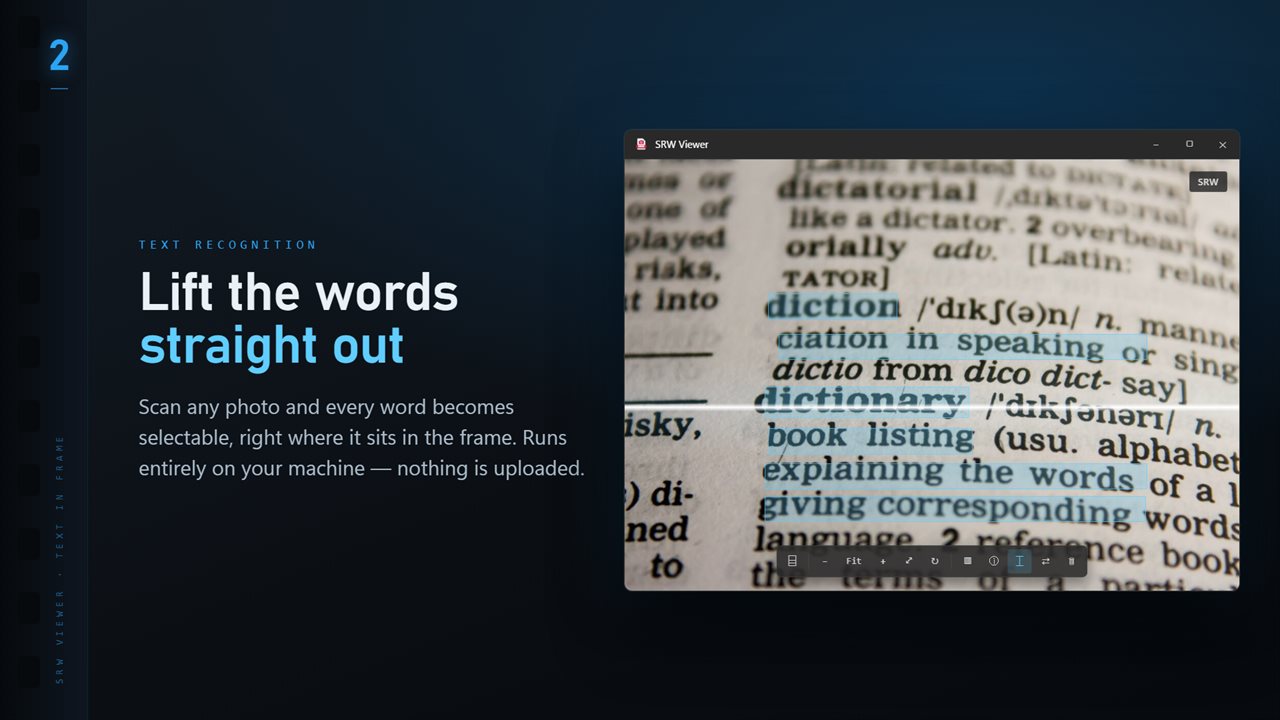
Scan any image and every word becomes selectable, right where it sits.
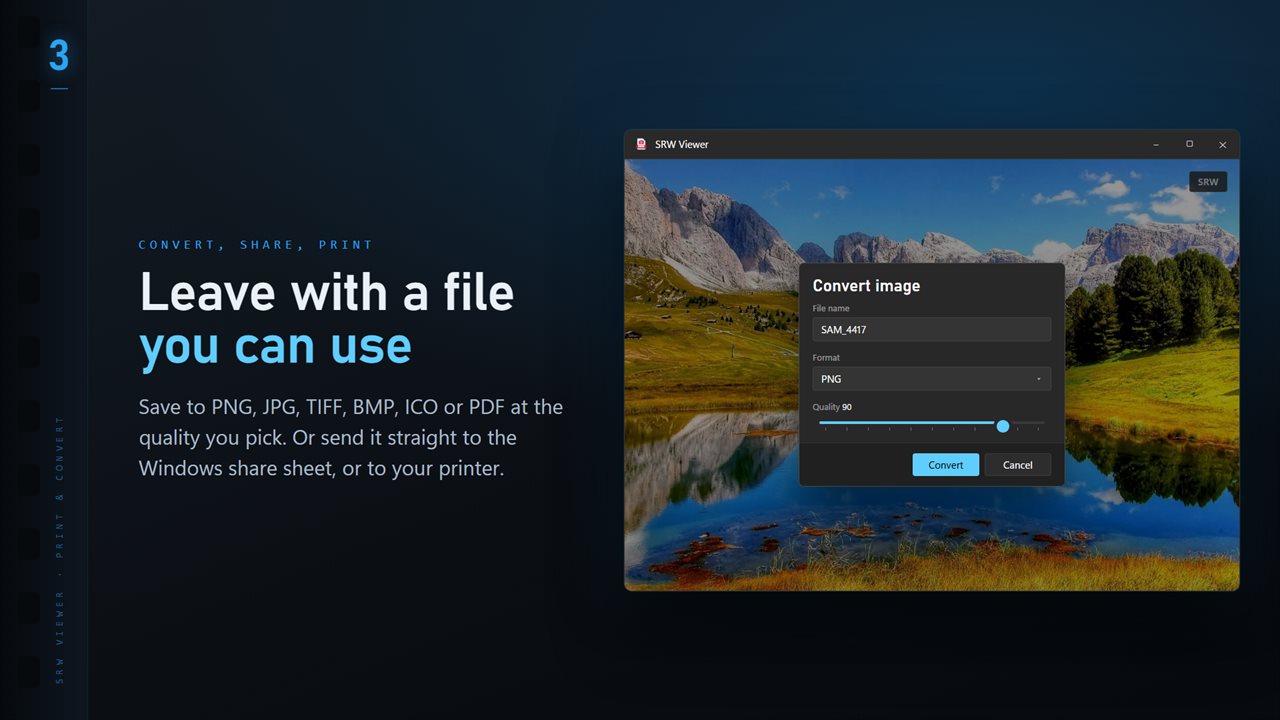
Save to PNG, JPG, TIFF, BMP, ICO or PDF at the quality you pick.
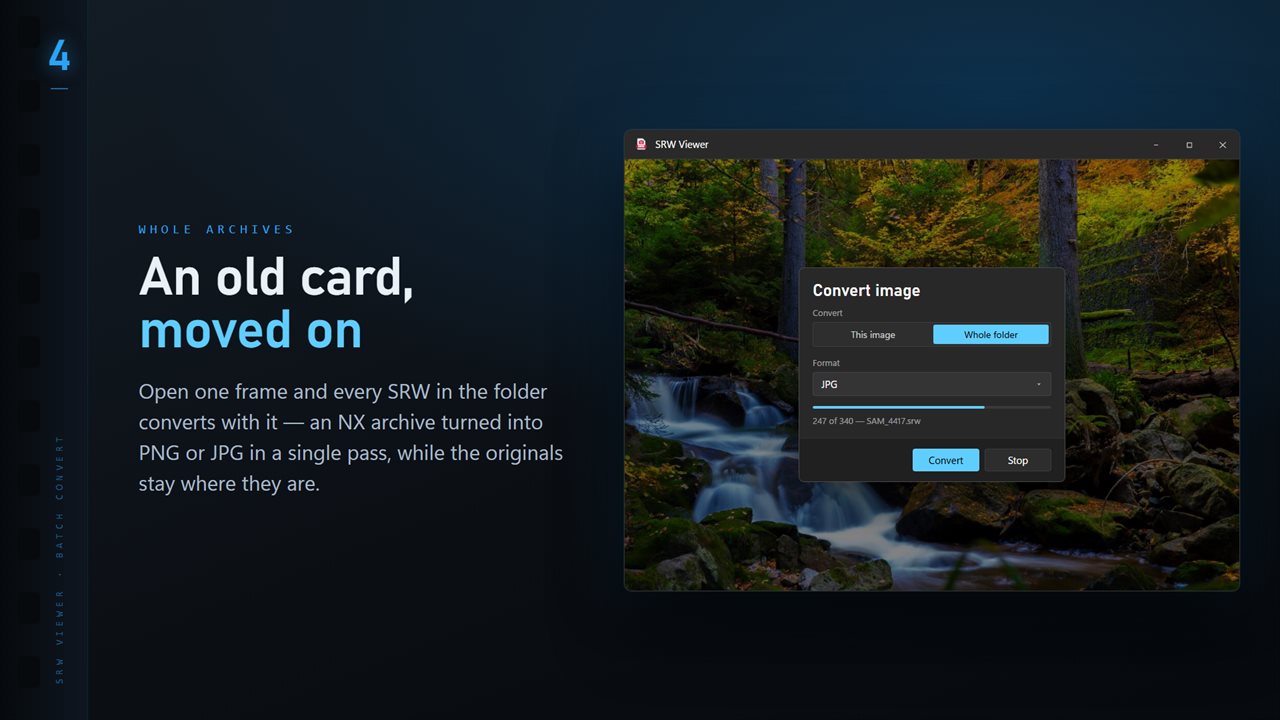
Convert a whole folder in one pass. One unreadable file never stops the run.
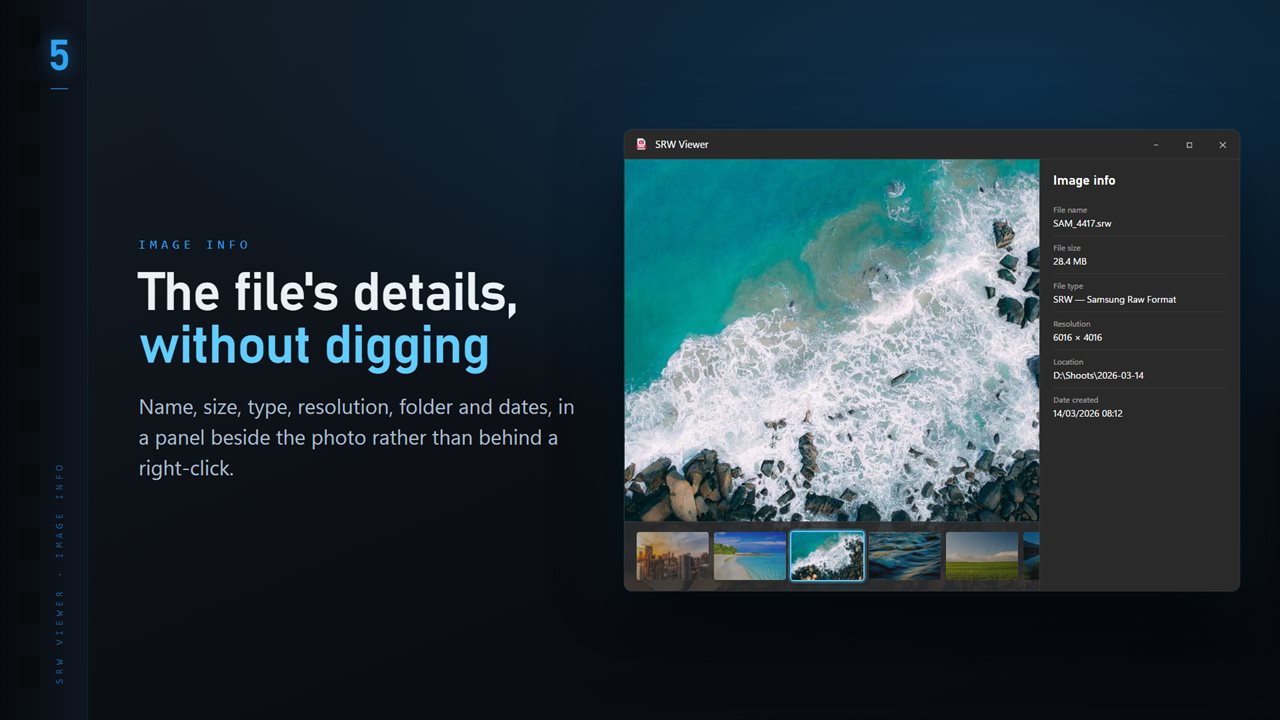
Name, size, type, resolution and dates, in a panel beside the image.
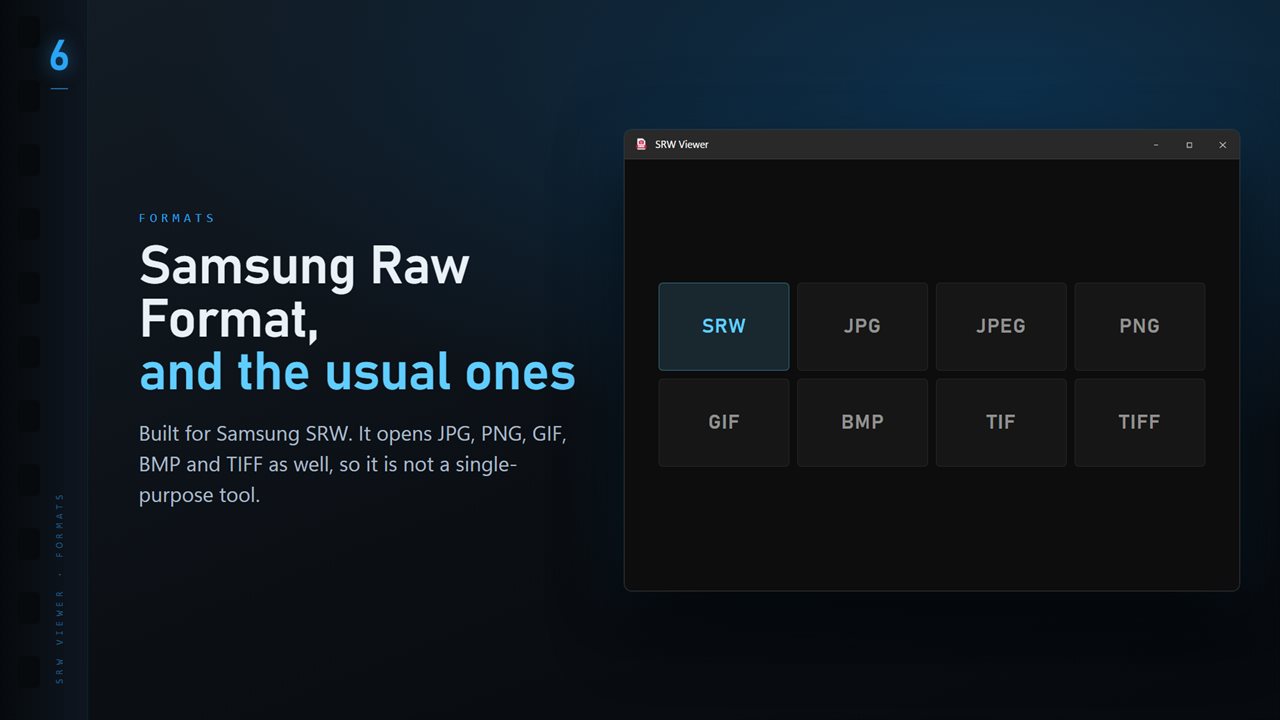
SRW plus the everyday formats: JPG, PNG, GIF, BMP and TIFF.

SRW Image Viewer and Converter in 25 seconds

SRW Image Viewer and Converter trailer
190,000+downloads of EvlarSoft apps
Signed by EvlarSoftVerified US publisher
14-day money-backNo questions asked
Updates includedNo upgrade fees

How to open SRW files now that the cameras are gone

SRW is the raw format of Samsung's NX system and its advanced compacts. Samsung left the camera business around 2016, and the software that came in the box has not kept pace with Windows since. If you shot NX for years, the result is a drive full of raw files that Windows lists by name but will not show.

SRW Viewer is a simple way to open SRW files again. Set it as the default for .srw and a double-click shows the photo. When the file carries a large enough preview from the camera, that appears straight away; otherwise the LibRaw engine inside the app develops the raw data.

Since nothing new will ever be added to this format, the sensible long-term step is to keep the raw files and also make copies in a format that opens anywhere. The app does both: it never alters the SRW, and it converts a whole folder in one run.

Convert an NX archive to JPG or TIFF

Open one SRW from the folder, click Convert on the command bar, and set Convert to Whole folder. JPG gives small files for sharing and phones; TIFF keeps full quality for printing or later editing in any program. Set Quality from 50 to 100, choose where the copies go, and decide what Existing files does if you run the same folder twice: Skip, Keep both or Replace.

A run only covers the folder you opened, not the folders inside it, so an archive sorted by date is converted one folder at a time. Damaged or unreadable files are counted and reported at the end, and the rest still convert.

Expect the copies to look a little different from the JPEGs the camera saved at the time. A developed raw file starts from the sensor data without Samsung's in-camera color and sharpening, so it is often flatter but holds more highlight and shadow detail to work with later.

Browsing years of Samsung raw photos

Old archives are big, so moving through them should be fast. The left and right arrow keys step through a folder, T shows the thumbnail ribbon along the bottom, and I opens a panel with the camera, lens and exposure each photo was taken with. Press Delete to send a duplicate or a miss to the Recycle Bin.

With the optional Professional Pack you can also find the sharpest frame in each burst, compare up to four shots at once, add stars and color labels saved to an XMP sidecar, edit titles and keywords, and see geotagged photos on a map.

What SRW Viewer offers NX owners

  • Opens Samsung Raw Format (.srw) files on Windows 11 and 10
  • Shows the camera's own preview when it is close to full size
  • Develops the raw data with LibRaw for everything else and for conversion
  • Folder conversion to JPG, TIFF, PNG, BMP, PDF or ICO
  • Camera, lens and exposure details for each shot
  • Arrow keys, folder ribbon and Delete for fast sorting
  • Never writes to the SRW files themselves

Typical reasons to open SRW files

Rescuing a photo archive

Copy the backup drive, open each year's folder and convert it to JPG so the pictures survive the next PC upgrade.

Still shooting NX

Plenty of NX1 and NX500 bodies are still in use. Review a fresh card on a new laptop without hunting for decade-old software.

Inherited or second-hand files

A relative's hard drive or a used camera's card turns up .srw files. See what is there before deciding what to keep.

What's new in 1.0.4

  • 11 Looks: one-click color styles with a strength slider. Save a copy as a new JPG; the original is never changed
  • New Settings page: light or dark, what sits behind the photo, how photos open, and more
  • The title bar shows the name of the photo you are looking at
  • The Open dialog starts on all images

Questions

Anything else? Ask us

Can I still open Samsung NX SRW files on Windows?

Yes. SRW Viewer reads Samsung Raw Format with the LibRaw library inside its own bundled copy of ImageMagick, so no Samsung software or extra codec is needed.

Does SRW Viewer develop the raw data or show the embedded preview?

On screen it shows the JPEG preview stored inside the SRW when that preview is at least 90% of the sensor's size. Otherwise, and whenever you convert, LibRaw develops the raw data, with the embedded JPEG used only if that fails.

Can I batch convert a folder of SRW files to JPG?

Yes. Every image in the open file's folder converts to PNG, JPG, TIFF, BMP, ICO or PDF in a folder you pick, without going into subfolders. Files it cannot read are counted and reported at the end rather than stopping the run.

Does SRW Viewer change my original SRW files?

No. Viewing and converting only read the SRW. Star ratings, color labels and edited details are written to an XMP file with the same name beside it, and Delete sends the file to the Recycle Bin.

Can it show the shutter count or focus point from a Samsung camera?

No. SRW Viewer has neither, with or without the Professional Pack. It does show the camera, lens, shutter speed, aperture, ISO and focal length read from the file by ExifTool.

What camera makes SRW files?

Samsung's NX interchangeable-lens cameras, such as the NX1, NX500 and NX300, and some of its advanced compact cameras. Samsung phones save raw photos as DNG instead.

Should I convert my SRW files to DNG or JPG?

Keep the SRW originals either way. For copies that open everywhere, convert to JPG for sharing or TIFF for full quality. SRW Viewer does not write DNG.

Which versions of Windows does it run on?

Windows 10 (version 1809 or later) and Windows 11.

Is it a subscription?

No. SRW Image Viewer and Converter is a one-time purchase of $1.99, and updates are included.

How do I get it?

Buy it on this page and your license key arrives by email. If the button says Notify me, SRW Image Viewer and Converter is not on sale here yet; leave your email and we will tell you when it is.