EEvlarSoft

DNG Viewer and Converter

Open DNG photos from your iPhone, Android phone, drone or camera on a Windows PC, see the shooting data, and save JPG copies of a whole folder.

Buy for $2.49
One payment. No subscription.
14-day money-back guarantee.
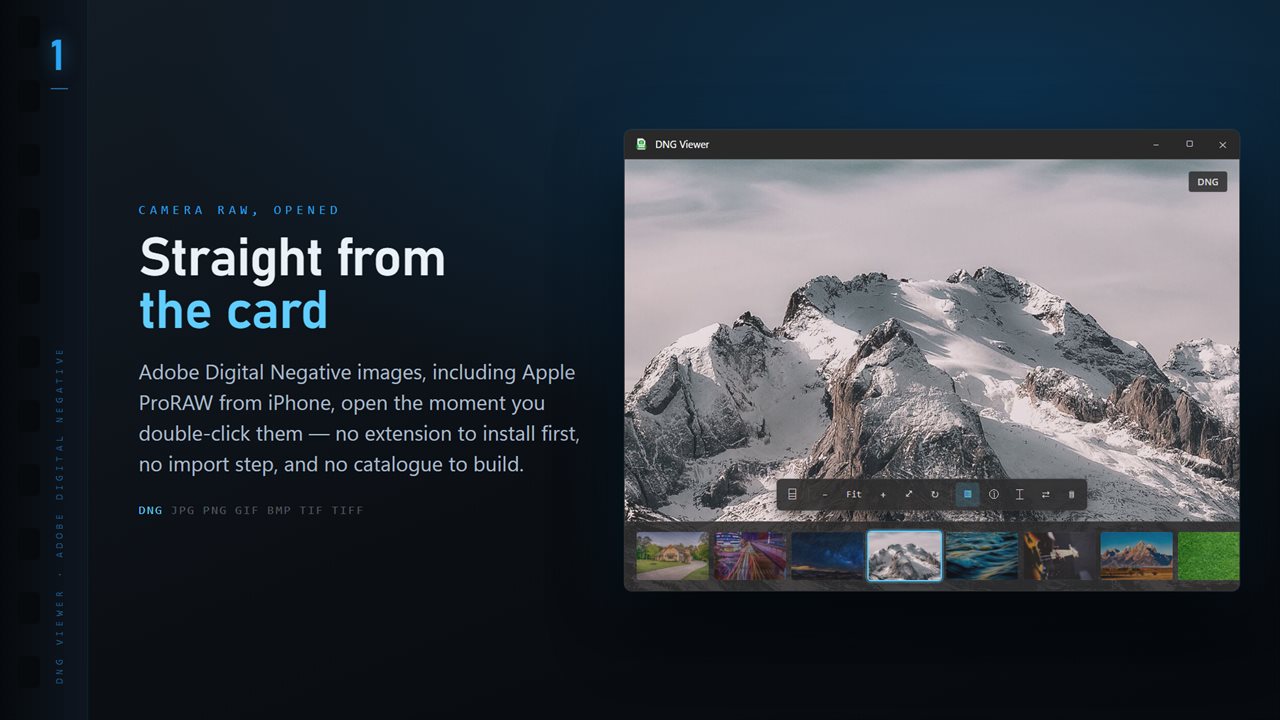
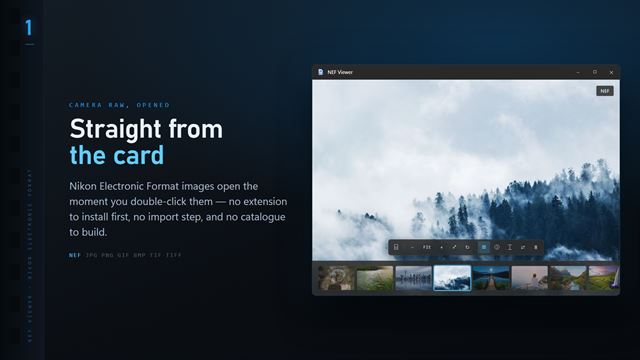
DNG files open the moment you double-click them, with the whole folder along the bottom.
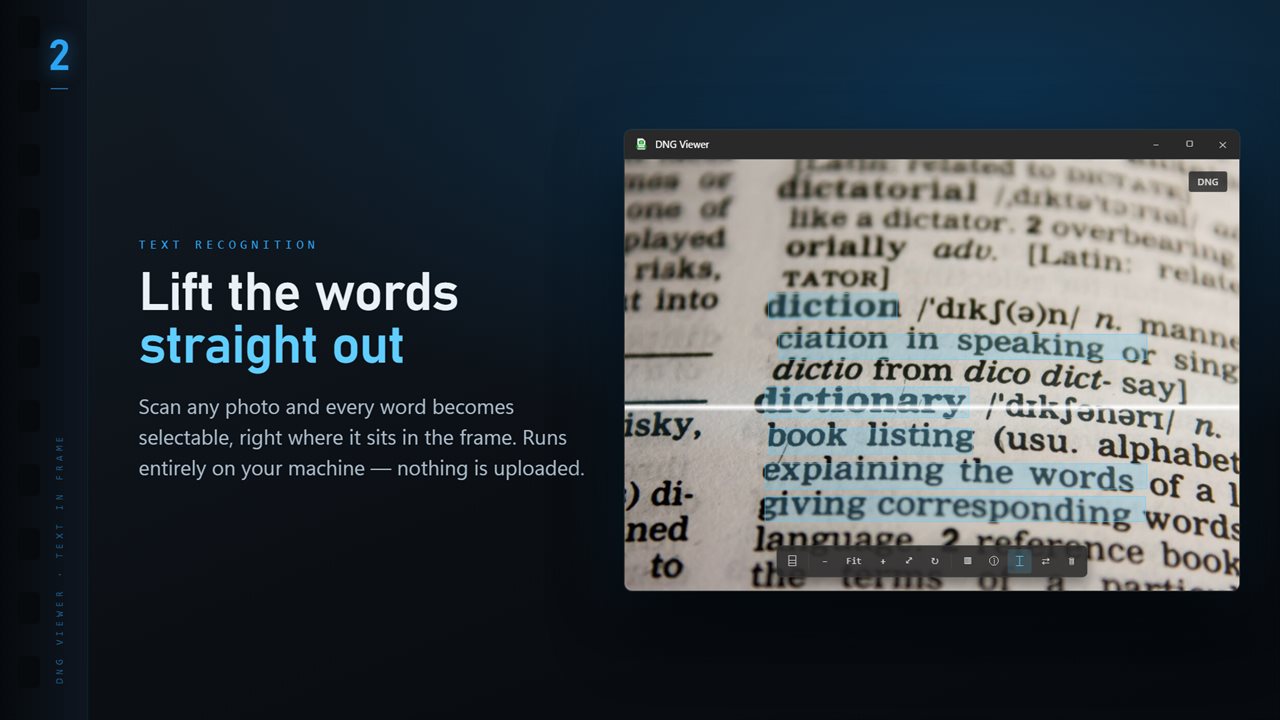
Scan any image and every word becomes selectable, right where it sits.
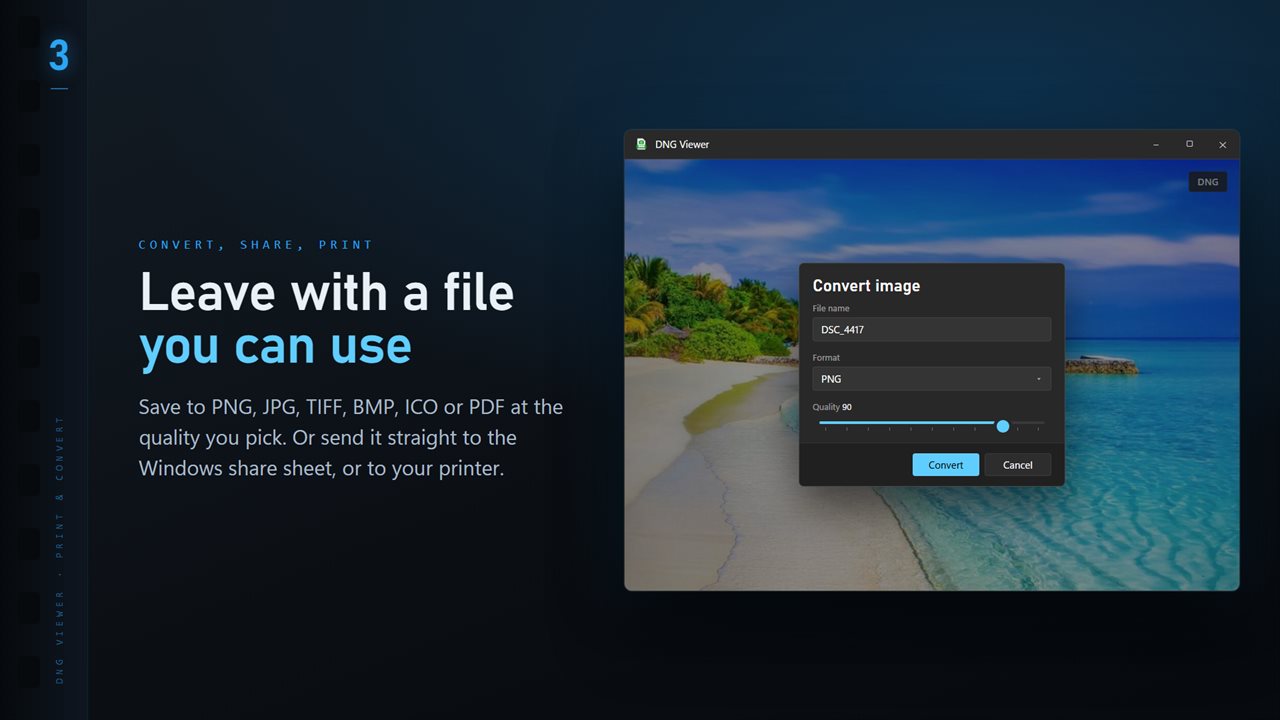
Save to PNG, JPG, TIFF, BMP, ICO or PDF at the quality you pick.
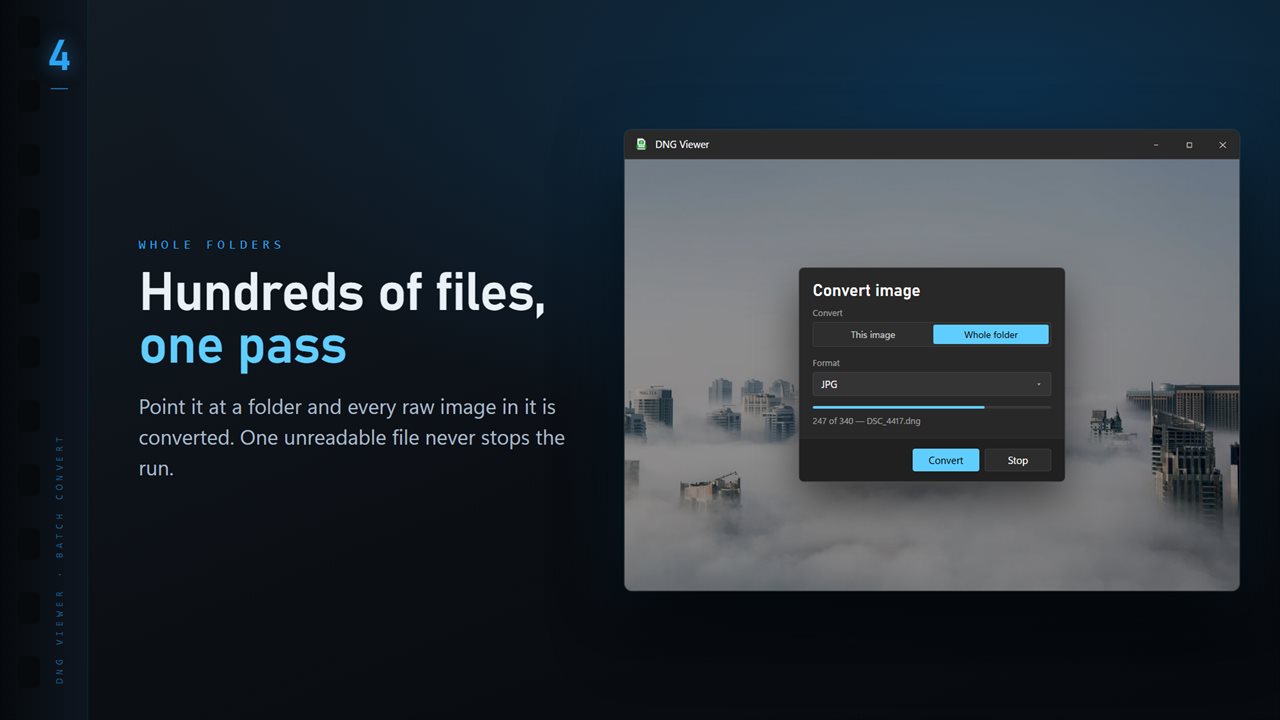
Convert a whole folder in one pass. One unreadable file never stops the run.
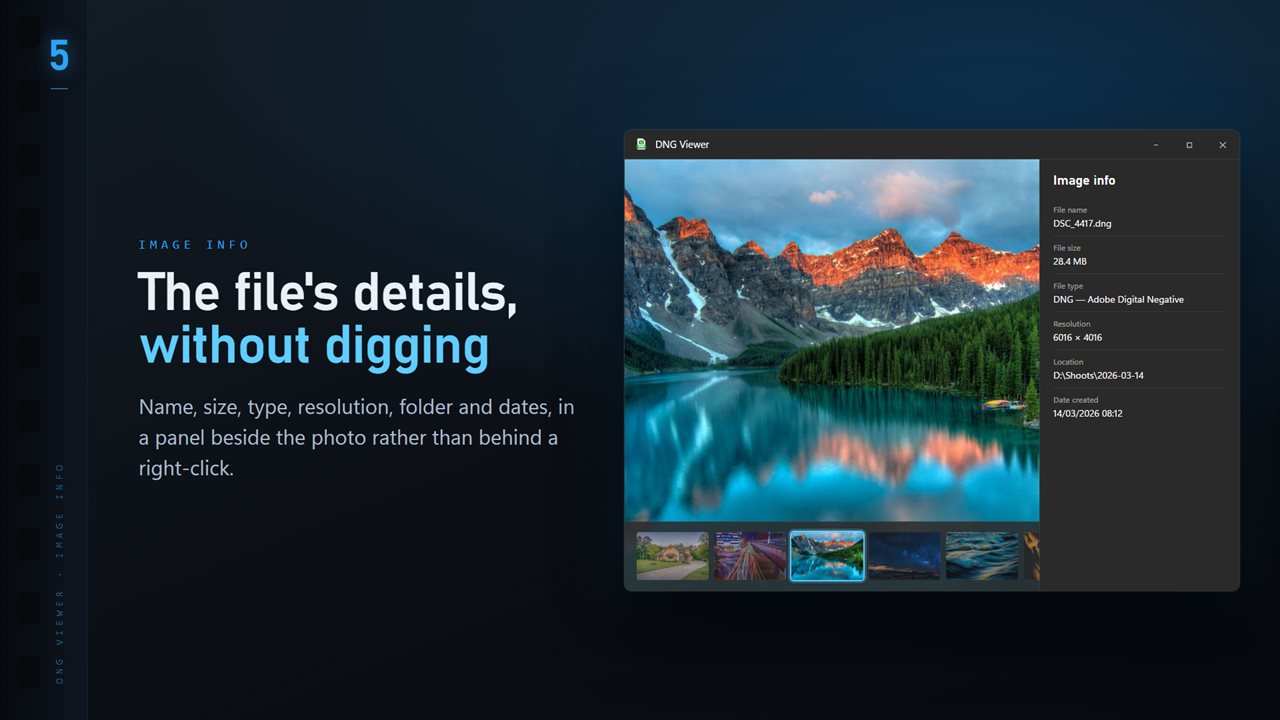
Name, size, type, resolution and dates, in a panel beside the image.
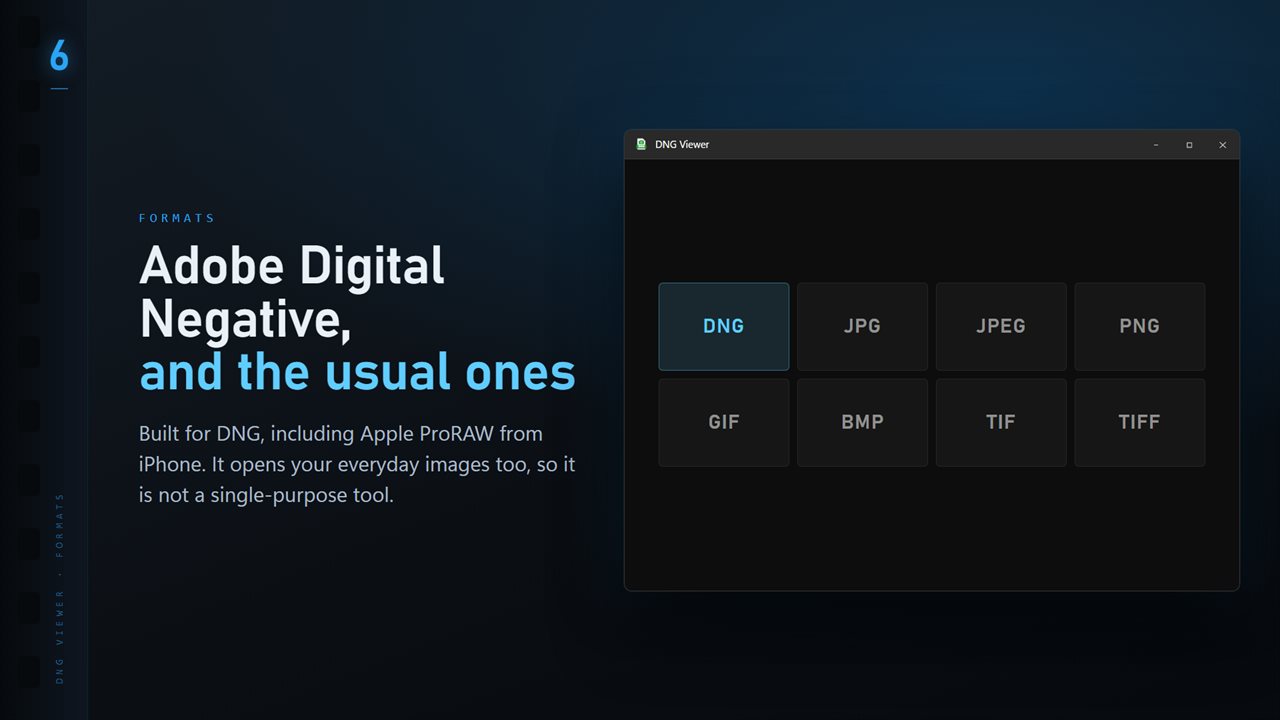
DNG plus the everyday formats: JPG, PNG, GIF, BMP and TIFF.

DNG Viewer and Converter in 25 seconds

DNG Viewer and Converter trailer
190,000+downloads of EvlarSoft apps
Signed by EvlarSoftVerified US publisher
14-day money-backNo questions asked
Updates includedNo upgrade fees

A DNG viewer for the raw files your phone and camera make

DNG, Adobe's Digital Negative, is the open raw format that many cameras, phones and drones write, and it is what an iPhone writes when you shoot in ProRAW. Copy those files to a PC and they may open as a soft thumbnail or not at all, depending on which raw codecs Windows happens to have.

This DNG viewer opens them directly. Make it the default app for .dng and a double-click brings the photo up; dragging a file onto the window or pressing Ctrl+O works too. Nothing gets imported or indexed, so a single file you were sent opens as fast as one from your own shoot.

Many DNGs carry a small preview that looks fine as a thumbnail and poor on a big screen. The app only uses an embedded preview when it is nearly full size; otherwise it develops the sensor data with LibRaw, so you judge the real photo rather than a 1024-pixel stand-in.

How to view iPhone ProRAW photos on Windows

Move the files off the phone in their original form, by cable or through a cloud folder set to keep originals, not an export that turns them into JPEGs. ProRAW files keep the .dng extension, so once they are in a Windows folder they open here like any other DNG.

Press T to show the folder ribbon and the rest of the set lines up as thumbnails along the bottom. The arrow keys move through it, I opens the info panel with the camera, lens, shutter speed, aperture, ISO and focal length, and F fits the frame back to the window after you zoom in with plus.

Convert DNG to JPG, TIFF or PNG

Open the More menu and choose Convert image. Switch the scope to Whole folder to process every image in that folder, then pick the Format and the Quality, which runs from 50 to 100 and starts at 90.

Existing files decides what happens to a name that is already taken: Skip, Keep both or Replace. Subfolders are left alone, and a damaged file is counted in the closing summary rather than halting the run.

  • JPG for phones, messages and websites
  • TIFF or PNG when the photo is going on to an editor or a printer
  • PDF, BMP or ICO for the odd job that needs them

Ratings that stay inside the DNG

Most raw formats need a separate .xmp file for star ratings. DNG has room for them in the file itself, and with the optional Professional Pack that is where stars and color labels go, without changing the file's modified date. Compare then shows up to four frames side by side and zooms them together, which is the quickest way to pick between near-identical shots. When a cull with Focus & Keep is finished, the rejected frames can be moved into a Rejects folder beside the rest; nothing is deleted.
What the DNG viewer handles

  • Adobe Digital Negative files from cameras, phones and drones, including Apple ProRAW
  • Near-full-size embedded previews shown at once; small previews skipped in favor of LibRaw
  • Batch conversion of a folder to JPG, PNG, TIFF, BMP, ICO or PDF
  • Camera, lens and exposure settings read by ExifTool in the info panel
  • Thumbnail ribbon with T and arrow-key navigation
  • Text recognition on any open image using the Windows OCR engine
  • Choice of near black, mid gray or white behind the photo for judging exposure
  • Share and Print straight from the More menu

What's new in 1.0.12

  • 11 Looks: one-click color styles with a strength slider. Save a copy as a new JPG; the original is never changed
  • New Settings page: light or dark, what sits behind the photo, how photos open, and more
  • The title bar shows the name of the photo you are looking at
  • The Open dialog starts on all images

Questions

Anything else? Ask us

Does DNG Viewer develop the raw data or show the preview stored in the DNG?

It shows the JPEG preview stored inside the DNG only when that preview is at least 90% of the sensor's size. The small previews many DNG files carry, such as a 1024 pixel one, are skipped, and the raw data is developed by ImageMagick using LibRaw instead.

Can I batch convert DNG files to JPG or TIFF?

Yes. Every image in the folder converts to PNG, JPG, TIFF, BMP, ICO or PDF at a quality you choose, into a folder you pick. Conversion develops the raw data rather than reusing the embedded preview, and a file that fails is reported at the end without stopping the run.

Does it have exposure or white balance controls for raw files?

No. It is a viewer and converter, not a raw editor. The only color changes are 11 preset Looks with a strength slider, saved as a new JPG.

Where are star ratings saved for a DNG?

With the optional Professional Pack, stars and color labels are written as XMP inside the DNG itself, where Lightroom, Bridge and Capture One read them. The file's modified date is kept. Other raw formats get a separate .xmp file instead, but a DNG holds its own.

Can it pick the sharpest shot from a burst of DNGs?

Yes, with the optional Professional Pack. Frames taken within the burst gap, 1.5 seconds unless you change it, are grouped and scored for sharpness, and K, X and U mark keep, reject or clear. Rejected frames move to a Rejects folder beside the others, and nothing is deleted.

Does it show camera settings from a DNG?

Yes. The info panel shows the camera, lens, shutter speed, aperture, ISO and focal length read from the file by ExifTool, next to the file name, size, pixel dimensions and dates.

Is a DNG file a raw file?

Yes. A DNG holds the sensor data before any processing, like a camera maker's own raw format, but in an openly documented container. Phones, drones and some cameras write it directly, and other raw files can be converted to it.

Can I open iPhone ProRAW photos on Windows?

Yes, once the .dng files are on the PC. DNG Viewer opens them like any other DNG, shows the shooting data when you press I, and can save JPG copies of the whole folder in one run.

Which versions of Windows does it run on?

Windows 10 (version 1809 or later) and Windows 11.

Is it a subscription?

No. DNG Viewer and Converter is a one-time purchase of $2.49, and updates are included.

How do I get it?

Buy it on this page and your license key arrives by email. If the button says Notify me, DNG Viewer and Converter is not on sale here yet; leave your email and we will tell you when it is.