EEvlarSoft

DCR Viewer and Converter

Double-click a Kodak DCR file and see the photo, then save it, or every DCR beside it, as a JPG, TIFF or PNG that any program will take.

Buy for $1.99
One payment. No subscription.
14-day money-back guarantee.
3.0
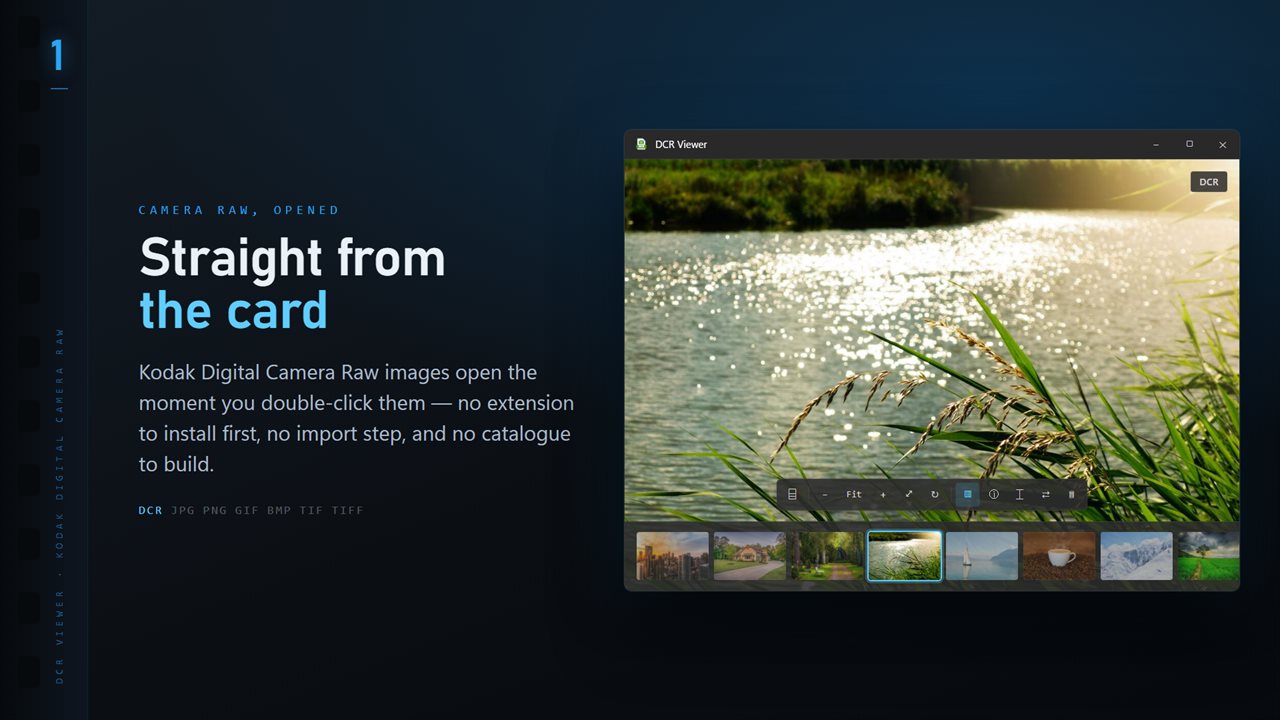
DCR files open the moment you double-click them, with the whole folder along the bottom.
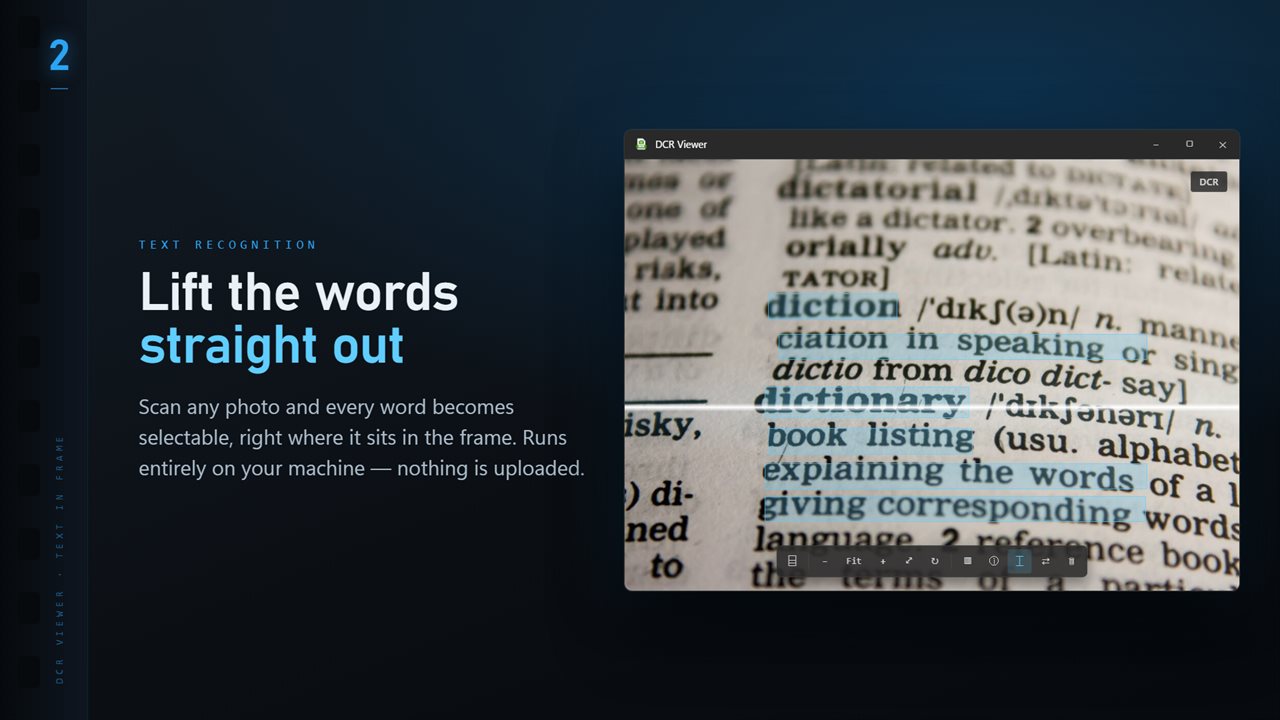
Scan any image and every word becomes selectable, right where it sits.
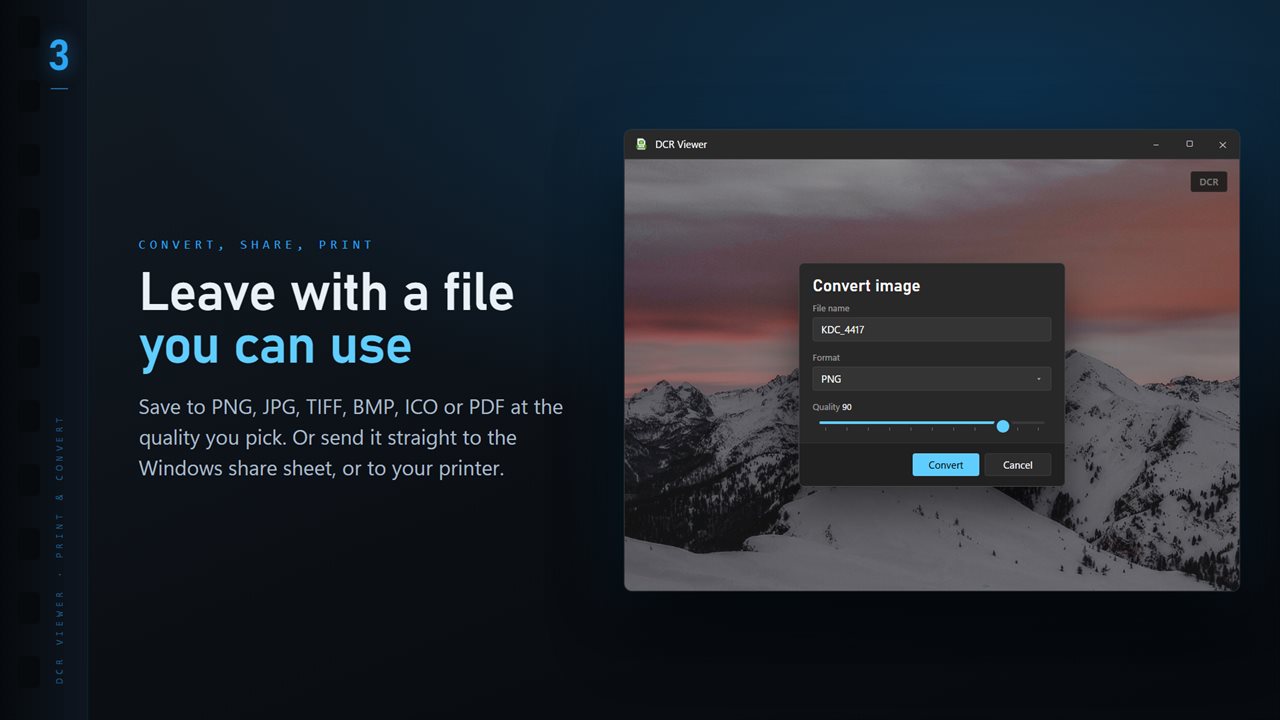
Save to PNG, JPG, TIFF, BMP, ICO or PDF at the quality you pick.
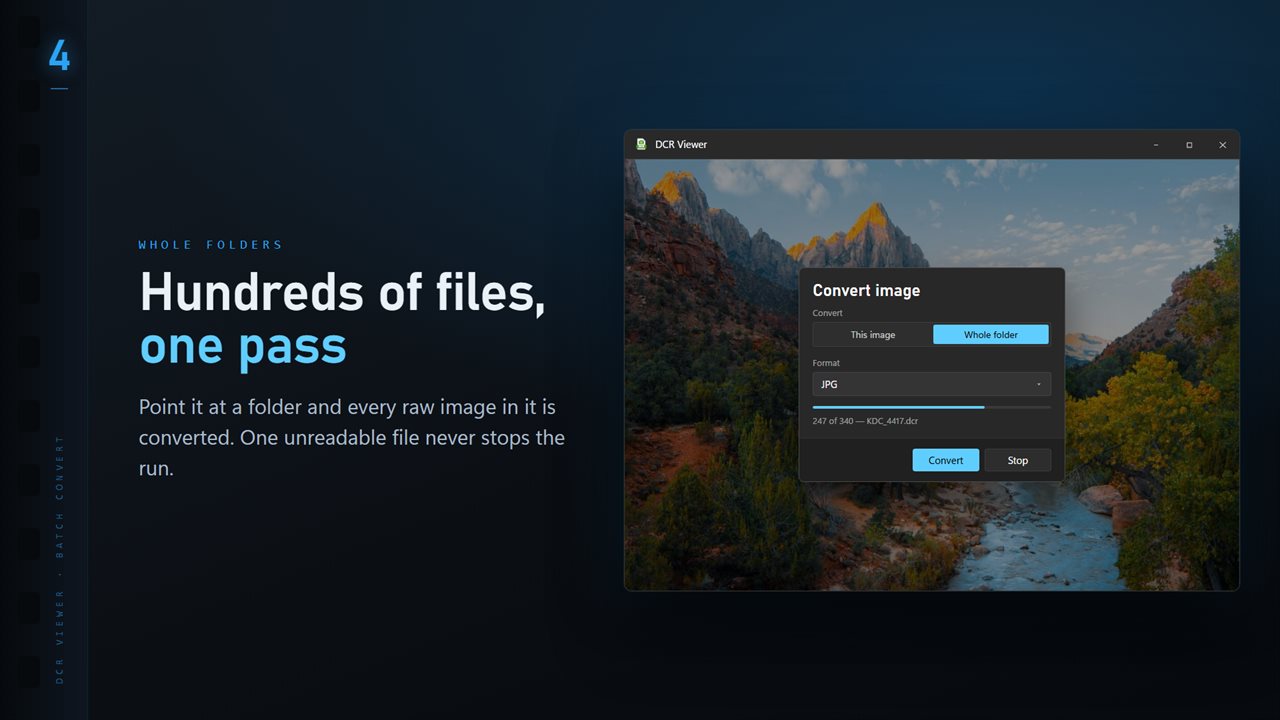
Convert a whole folder in one pass. One unreadable file never stops the run.
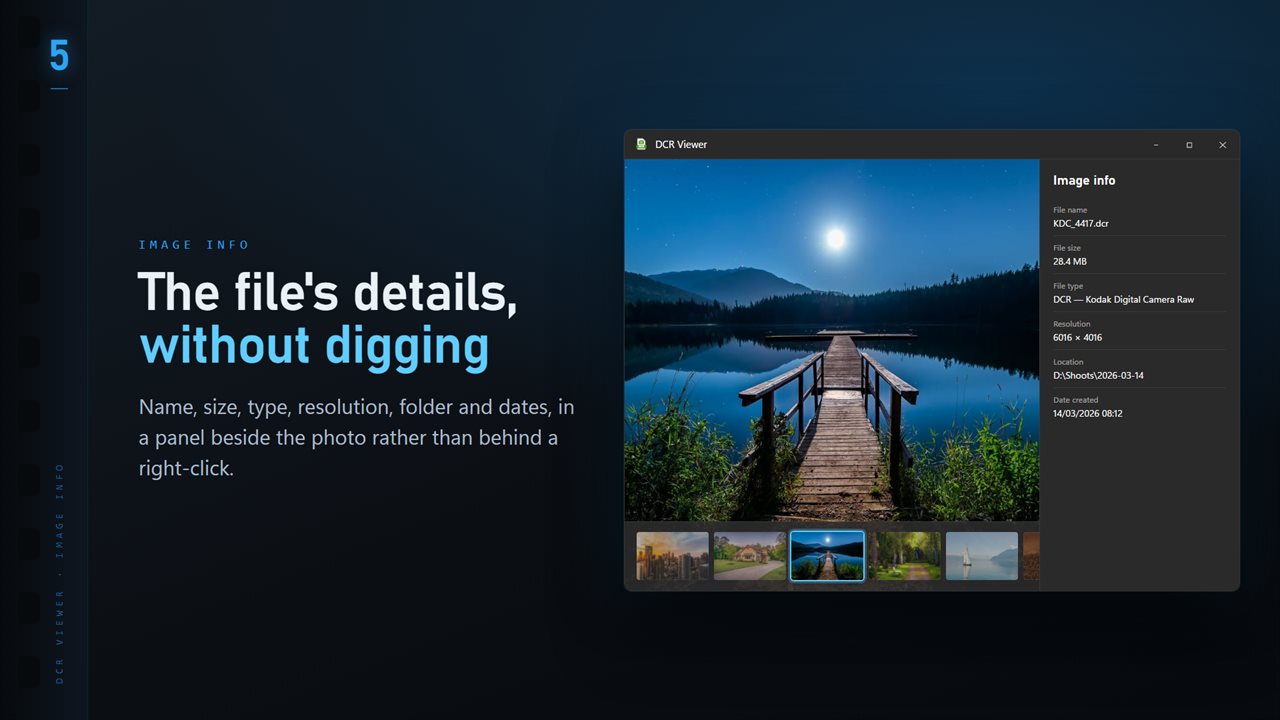
Name, size, type, resolution and dates, in a panel beside the image.
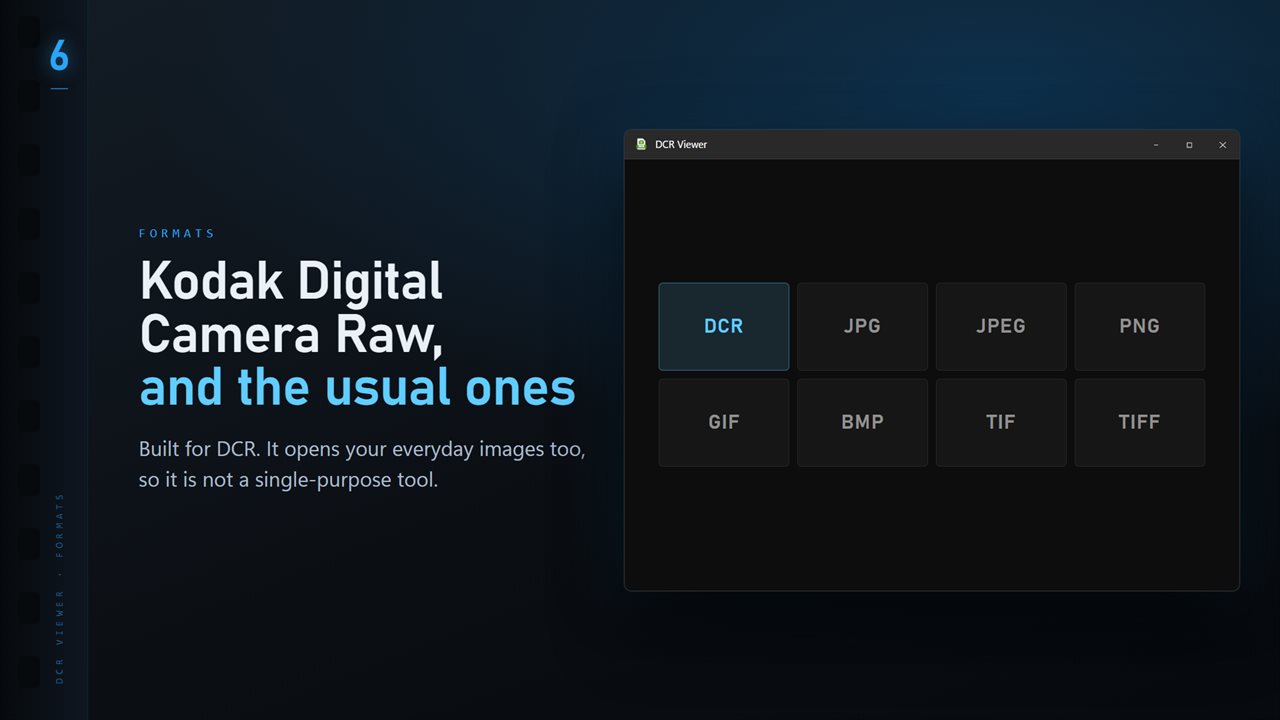
DCR plus the everyday formats: JPG, PNG, GIF, BMP and TIFF.

DCR Viewer and Converter in 25 seconds

DCR Viewer and Converter trailer
190,000+downloads of EvlarSoft apps
Signed by EvlarSoftVerified US publisher
14-day money-backNo questions asked
Updates includedNo upgrade fees

How to open a DCR file when nothing on your PC recognizes it

A DCR file is a Kodak camera raw image. Kodak's professional DCS bodies wrote them, and many people now meet them on an old memory card, a backup drive or a relative's photo archive, long after the software that came with the camera stopped running. Double-click one on a current PC and, more often than not, nothing useful opens.

DCR Viewer is a small Windows app that opens the file directly. Set it as the default for .dcr and a double-click shows the picture, or drag a file onto the window, or press Ctrl+O. There is no library to import into and nothing to catalog first.

When a DCR carries a large embedded JPEG, that is what appears, so the photo is on screen quickly. When it does not, the sensor data is developed with LibRaw instead, which takes a little longer on a big file but gives you the full picture rather than a thumbnail.

Convert DCR to JPG or TIFF, one photo or a whole card

Old raw files are only useful once they are in a format the rest of your software accepts. Open any DCR, choose Convert image from the More menu, and decide whether the conversion covers This image or the Whole folder.

Pick a Format, set Quality between 50 and 100 for a JPG, and choose what happens under Existing files: Skip, Keep both or Replace. A folder run converts the images in that folder, not its subfolders, and a file that will not decode is counted as failed in the closing summary instead of stopping the run.

  • TIFF suits an archive or a print shop, where a large file matters less than keeping detail.
  • JPG at 85 to 90 is a sensible size for email, sharing or a family photo site.
  • ICO and PDF are there too, for an icon or a one-page document; BMP and ICO skip the quality slider.

Kodak raw photos and the shooting data inside them

Press I to open the info panel. Next to the file name, size, pixel dimensions, folder and dates, it lists the camera, lens, shutter speed, aperture, ISO and focal length read from the file. For a box of unlabeled images that is often the quickest way to work out which camera and which year they came from.

Press T for the folder ribbon, a strip of thumbnails along the bottom, and use the arrow keys to step through a shoot. The plus and minus keys zoom, F fits the photo back to the window, R rotates, and H and V flip it.

Sorting an old DCR archive

The optional Professional Pack adds tools for working through a large set. Compare puts up to four frames side by side and zooms them together. Focus & Keep groups bursts, scores each frame for sharpness, and lets you mark keepers and rejects with K, X and U. Stars and color labels are saved in a matching .xmp file, and an edit panel writes a title, caption, keywords and copyright for each photo.

What DCR Viewer does

  • Opens .dcr Kodak raw files with a double-click, drag and drop or Ctrl+O
  • Shows a large embedded preview instantly, or develops the raw data with LibRaw
  • Converts one file or a whole folder to JPG, TIFF, PNG, BMP, ICO or PDF
  • Quality slider from 50 to 100, plus Skip, Keep both or Replace for existing files
  • Info panel with camera, lens, exposure and ISO alongside file details
  • Folder ribbon of thumbnails and arrow-key stepping through the folder
  • Scan for text reads words in an image with the OCR engine built into Windows
  • Eleven Looks with a Strength slider, kept as a separate JPG via Save a copy

Who opens DCR files today

Recovering family photos

A drive full of DCR files from an early digital camera becomes a folder of JPGs that phones, TVs and photo sites accept.

Archiving a working collection

Photographers who shot Kodak DCS bodies convert their raws to TIFF so the images outlive any one program.

Checking what a file is

The info panel shows the camera and exposure, so you can identify a stray DCR before deciding whether to keep it.

What's new in 1.0.15

  • 11 Looks: one-click color styles with a strength slider. Save a copy as a new JPG; the original is never changed
  • New Settings page: light or dark, what sits behind the photo, how photos open, and more
  • The title bar shows the name of the photo you are looking at
  • The Open dialog starts on all images

Questions

Anything else? Ask us

Can DCR Viewer open raw files from old Kodak digital cameras?

Yes, files saved with the .dcr extension, plus JPG, PNG, GIF, BMP and TIFF. Other Kodak raw extensions such as KDC are not opened.

Why does a DCR file sometimes take a moment to appear?

If the DCR carries a JPEG preview at least 90% of the sensor's size, that preview is shown straight from the file. If it does not, the raw data is developed by ImageMagick using LibRaw, which takes longer on a large file.

Can I convert DCR files to JPG or TIFF?

Yes. One file or a whole folder converts to PNG, JPG, TIFF, BMP, ICO or PDF at a quality you choose. A folder run keeps going past unreadable files, lists them at the end and can be stopped partway.

Does it change my original DCR files?

No. Viewing and converting only read the DCR, and Looks are saved as a new JPG. With the Professional Pack, star ratings and color labels go into an XMP file with the same name beside the DCR, and Delete sends a file to the Recycle Bin.

Can I read text in an image, such as a scanned page?

Yes. Text recognition uses the OCR engine built into Windows and runs on your PC, and large images are scaled down to the engine's limit rather than refused.

Can Windows open DCR files without extra software?

Not reliably. File Explorer and the built-in photo app need a raw codec, and support for older Kodak models varies. A dedicated viewer such as DCR Viewer opens the file directly.

Should I convert DCR files to TIFF or JPG?

TIFF for anything you plan to edit or print, because it keeps more detail at the cost of a much larger file. JPG for sharing, email and photo sites, where smaller files load faster.

What does the Delete key do to a DCR file?

It moves the file to the Recycle Bin. A setting called Ask before deleting controls whether you are asked to confirm first.

Which versions of Windows does it run on?

Windows 10 (version 1809 or later) and Windows 11.

Is it a subscription?

No. DCR Viewer and Converter is a one-time purchase of $1.99, and updates are included.

How do I get it?

Buy it on this page and your license key arrives by email. If the button says Notify me, DCR Viewer and Converter is not on sale here yet; leave your email and we will tell you when it is.