EEvlarSoft

Exif Eraser

Find out which of your photos reveal where you were, then remove metadata from photos in bulk while the picture itself stays exactly as it was.

Buy for $1.99
One payment. No subscription.
14-day money-back guarantee.
3.7
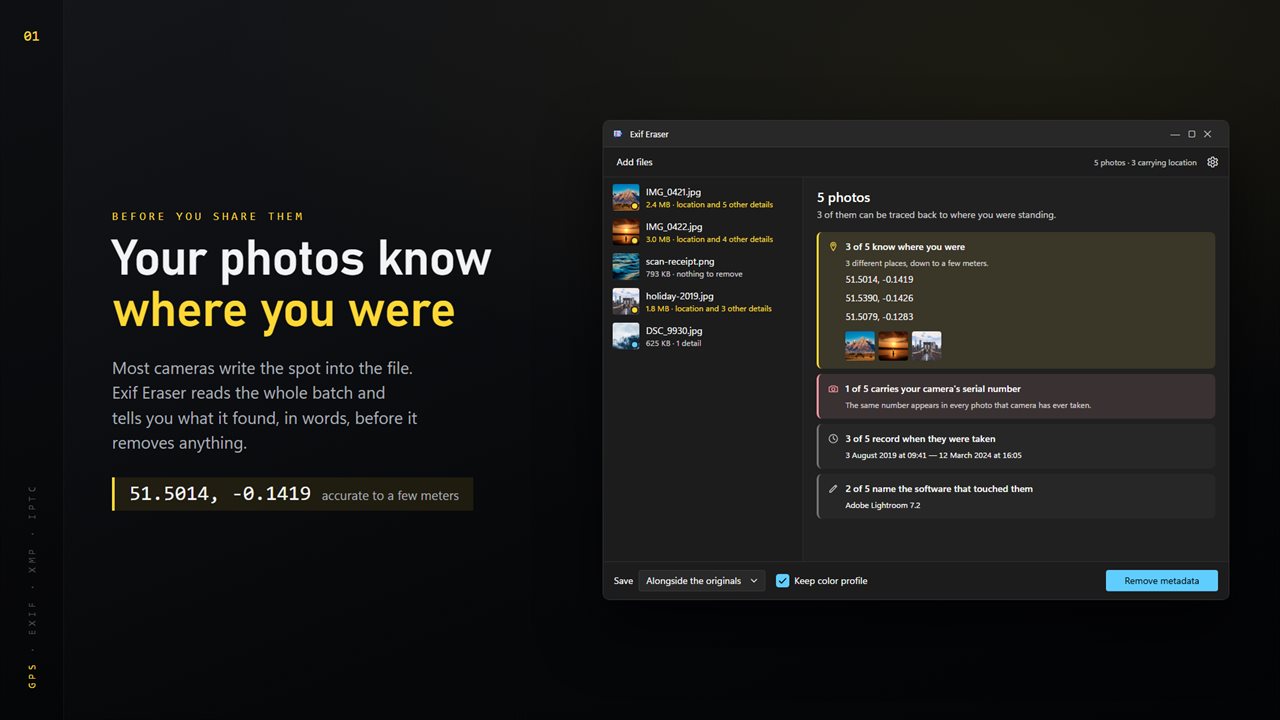
See what the whole batch gives away — location first, in plain English.
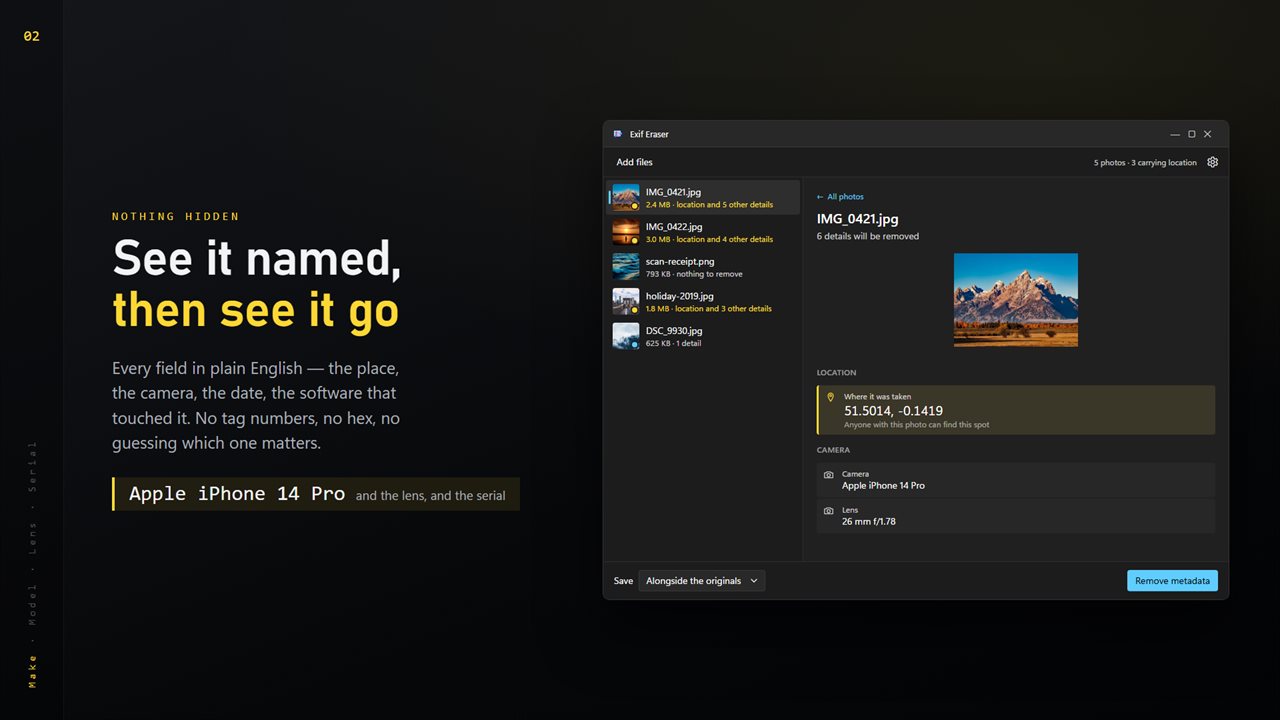
Every field named: the place, the camera, the lens, the date.
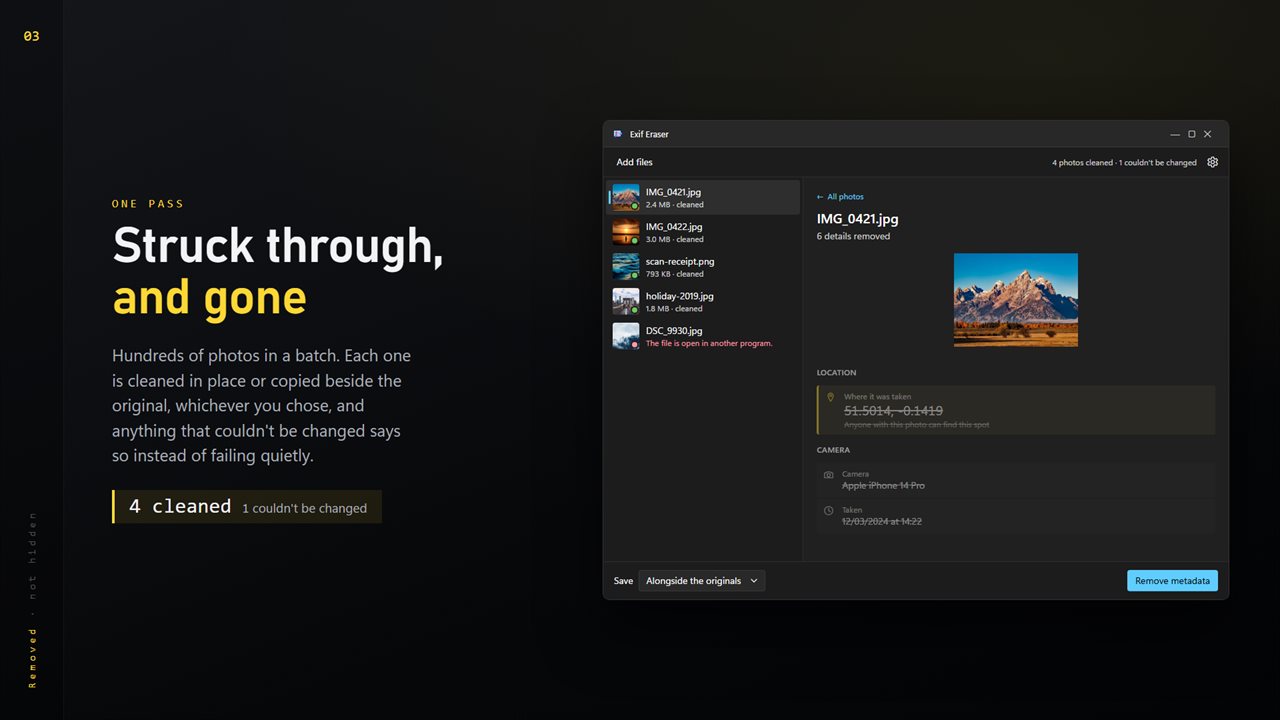
Struck through and gone. Anything that could not be changed says so.
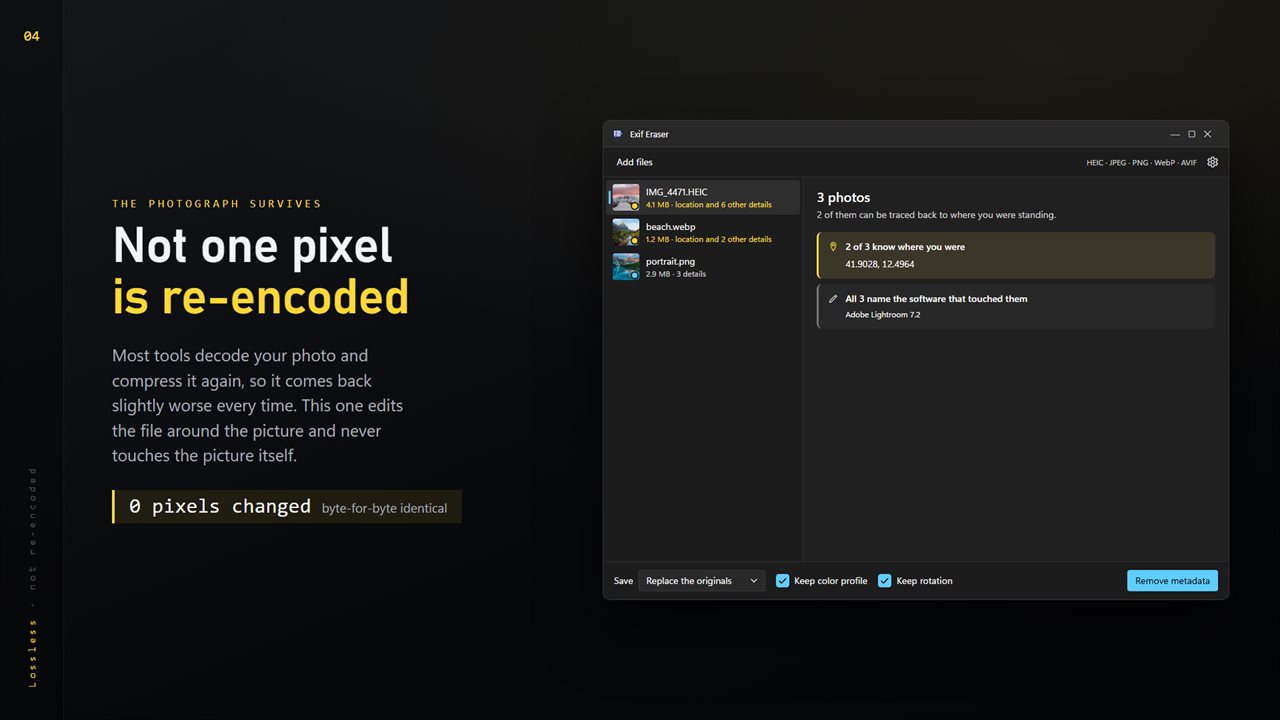
Never re-encoded — the photograph comes back untouched. HEIC included.
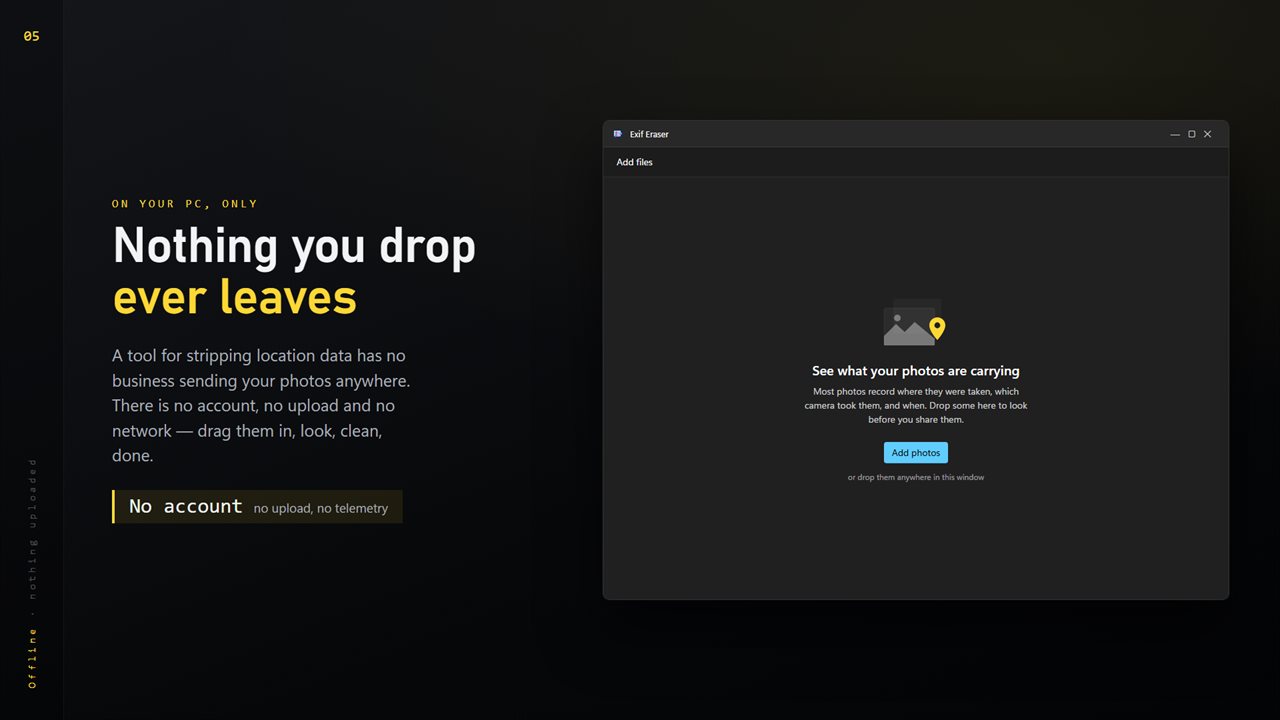
No account, no upload, no server processing. Everything happens on your PC.

See what the whole batch gives away — location first, in plain English.

190,000+downloads of EvlarSoft apps
Signed by EvlarSoftVerified US publisher
14-day money-backNo questions asked
Updates includedNo upgrade fees

Why remove metadata from photos before you share them

If you want to remove metadata from photos, the reason is usually one field: location. A phone writes the GPS position into nearly every shot, so a picture of your new couch posted to a marketplace can point a stranger to your front door. Camera model, the exact time and the editing app ride along too.

Exif Eraser starts by reading, not deleting. Add a batch and it tells you, in sentences, what the set gives away: how many of the pictures carry coordinates and how many distinct places they point to, which camera and lens took them, whether the camera's serial number is in there, the range of dates, and the software that last edited them. Thumbnails of the photos carrying location sit right under that card, so you can tell at a glance which ones matter.

Then one button, Remove metadata, cleans the whole batch.

How to remove location from photos on Windows

  • Click Add photos, or drag pictures or a folder anywhere into the window.
  • Read the summary under What these photos contain. Location is listed first; click any thumbnail to see that one photo's fields.
  • Pick where results go next to Save: Alongside the originals, To another folder, or Replace the originals.
  • Leave Keep color profile and Keep rotation ticked unless you want those gone as well.
  • Click Remove metadata. Each field is struck through once it has been removed, and any file that could not be changed says so in the list.

Remove EXIF data without losing quality

Many metadata tools work by opening the image, throwing the tags away and saving a brand new file. That save is a fresh compression, so every pass costs a little detail. Exif Eraser never opens the picture at all. It copies the file and leaves out the metadata blocks, so in a JPEG everything from the start of the image data onward is the same byte for byte.

That is also why HEIC works here. Phones shoot HEIC and HEIF by default, and a tool that has to re-save the image can only handle formats it knows how to write. Splicing the container avoids the problem, and the cleaned file keeps its original format and extension.

What the built-in Windows option can miss

File Explorer offers Remove Properties and Personal Information on the Details tab of a file's Properties. It is fine for a few common fields, but how much it removes depends on the format, and XMP and IPTC data can survive. Those two matter because XMP can repeat the GPS position in XML and IPTC holds its own location record. Exif Eraser removes XMP from every format it accepts and IPTC from JPEG, alongside the EXIF block.

What Exif Eraser does

  • Reads a whole batch first and summarizes location, camera, serial number, dates and editing software
  • Counts how many distinct places the photos point to
  • Strips EXIF, XMP and, in JPEG, the IPTC record
  • Edits the file container and never recompresses the image
  • Accepts JPEG, PNG, WebP, HEIC, HEIF, AVIF and JPEG XL
  • Three save modesNext to the originals, a separate folder, or in place
  • OptionalKeep the color profile and the rotation flag
  • Drag and drop photos or whole folders

When people reach for it

Selling something online

Listing photos taken at home carry your home's coordinates. Clean them before they go up.

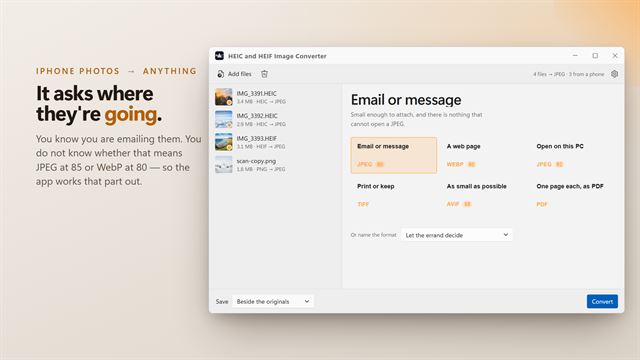
Sending a set from an iPhone

HEIC shots copied to a PC keep their GPS tags. Strip a whole folder while keeping the HEIC format.

Publishing on a blog or portfolio

Drop the camera serial number and editing history from images before they reach a public page.

What's new in 2.0.4

  • The icon now appears on its own in the taskbar, in Alt+Tab and in the title bar, the way it was drawn

Questions

Anything else? Ask us

Does removing EXIF data reduce photo quality?

No. It edits the file around the picture and never decodes or recompresses the image, so the image data is copied as it was. Running it again on the same photo leaves the picture unchanged.

Does it remove GPS location stored in XMP, not just EXIF?

Yes. XMP can carry the same coordinates as EXIF, so it is removed from every format the app accepts. In JPEG files the IPTC record, which has its own location fields, is removed as well.

Which file types does it work on?

JPEG, PNG, WebP, HEIC, HEIF, AVIF and JPEG XL (JXL). TIFF, GIF, BMP and camera RAW files are not accepted.

What happens to my original photos?

By default they are left alone and a cleaned copy is saved beside each one with "(cleaned)" added to the name. You can also save the copies to another folder, or choose Replace the originals, which swaps each original for its cleaned version once that version has been written.

Will my photos stay the right way up after cleaning?

Yes, with Keep rotation on, which is the default. The rotation setting is written back on its own, without the rest of the EXIF data. Keep color profile, also on by default, leaves the color profile in JPEG, PNG and WebP files so they look the same.

Does it show what a photo contains before removing it?

Yes. It lists the location, camera, lens, serial number, dates and editing software it finds in each photo's EXIF data, and sums them up for the whole batch. Location that is stored only in XMP or IPTC is still removed, but it is not shown in that list.

Does removing metadata make the photo file smaller?

A little. The cleaned file loses the bytes the metadata blocks took up and nothing else, so a phone photo usually shrinks by a few kilobytes. The image data itself is copied unchanged.

Can I remove metadata from a whole folder of photos at once?

Yes. Drag the folder into the window or add many photos together; one click of Remove metadata processes the full batch.

Why does the app point out the camera serial number?

A serial number is the same in every photo a camera takes, so it can link pictures you shared separately back to one device. The app gives it its own warning card.

Which versions of Windows does it run on?

Windows 10 (version 1809 or later) and Windows 11.

Is it a subscription?

No. Exif Eraser is a one-time purchase of $1.99, and updates are included.

How do I get it?

Buy it on this page and your license key arrives by email. If the button says Notify me, Exif Eraser is not on sale here yet; leave your email and we will tell you when it is.