EEvlarSoft

Favicon Downloader & Generator

Pull every favicon and touch icon from any website, see each one at its real pixel size, and save the sizes you need. Or turn your own logo into a full set.

Buy for $2.99
One payment. No subscription.
14-day money-back guarantee.
5.0
Every icon a website has, drawn where it will be used.
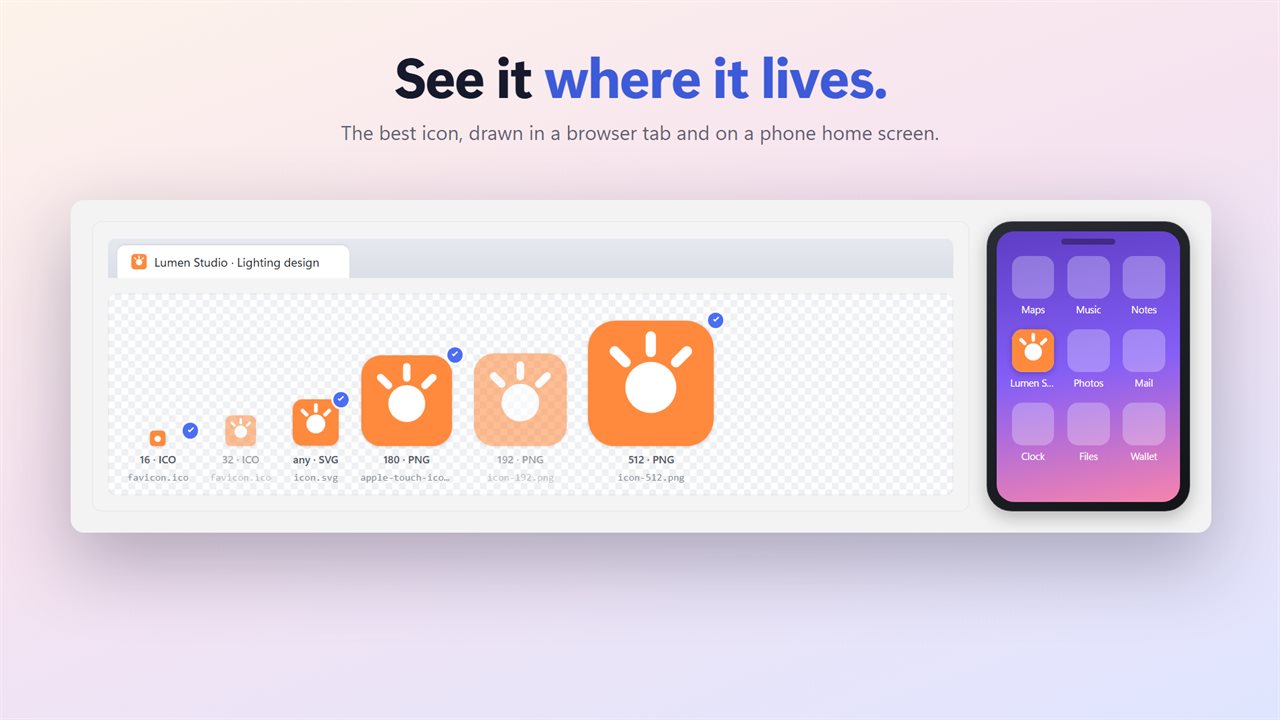
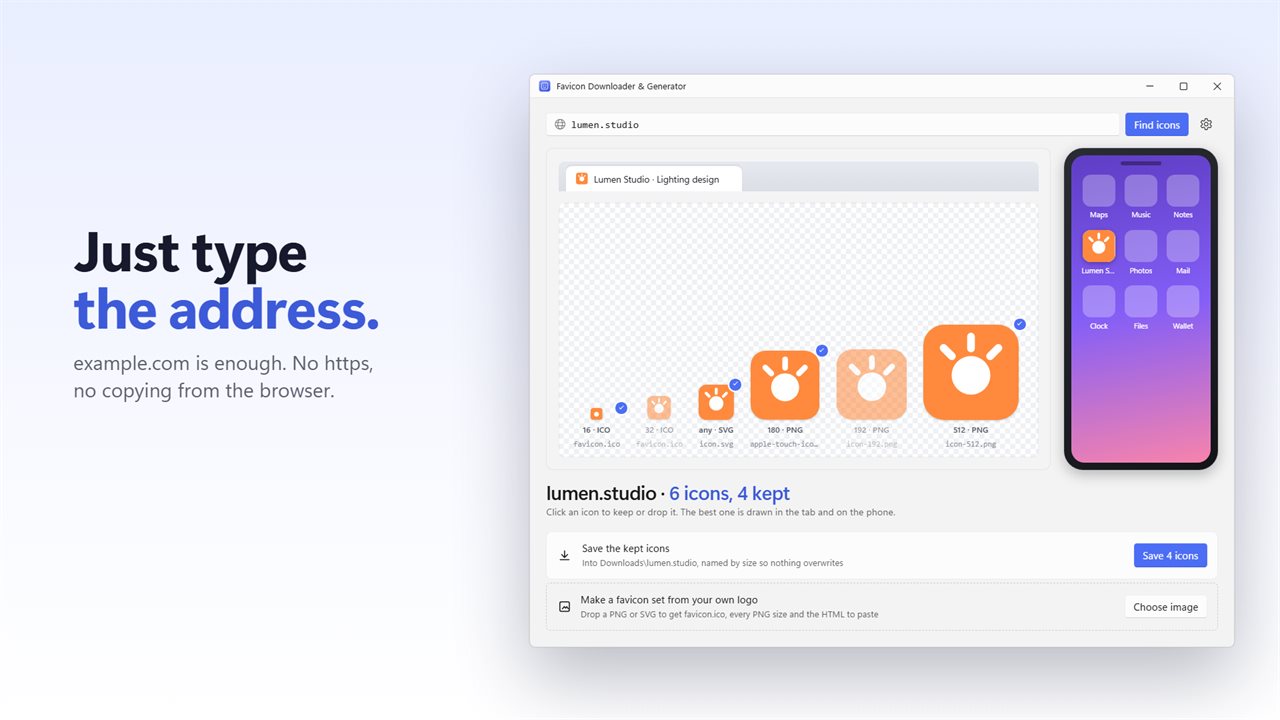
See the best icon in a browser tab and on a phone home screen.
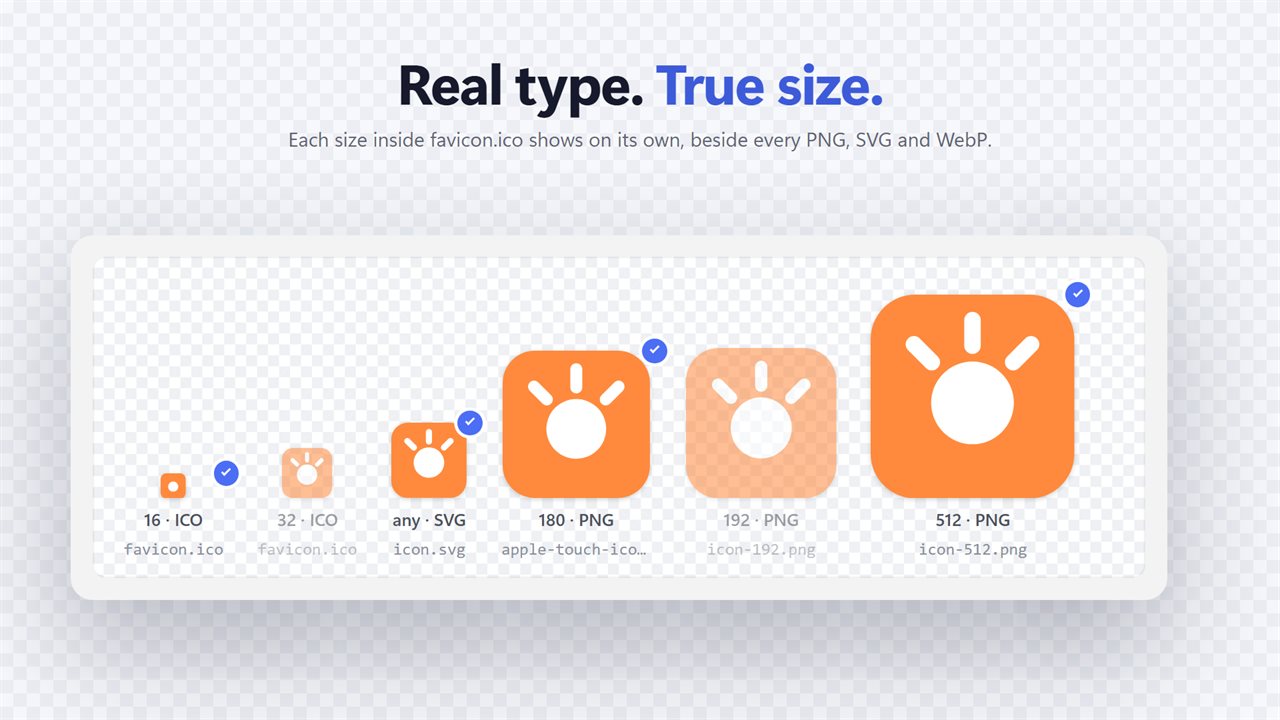
Every size, with its real type and true pixel size.
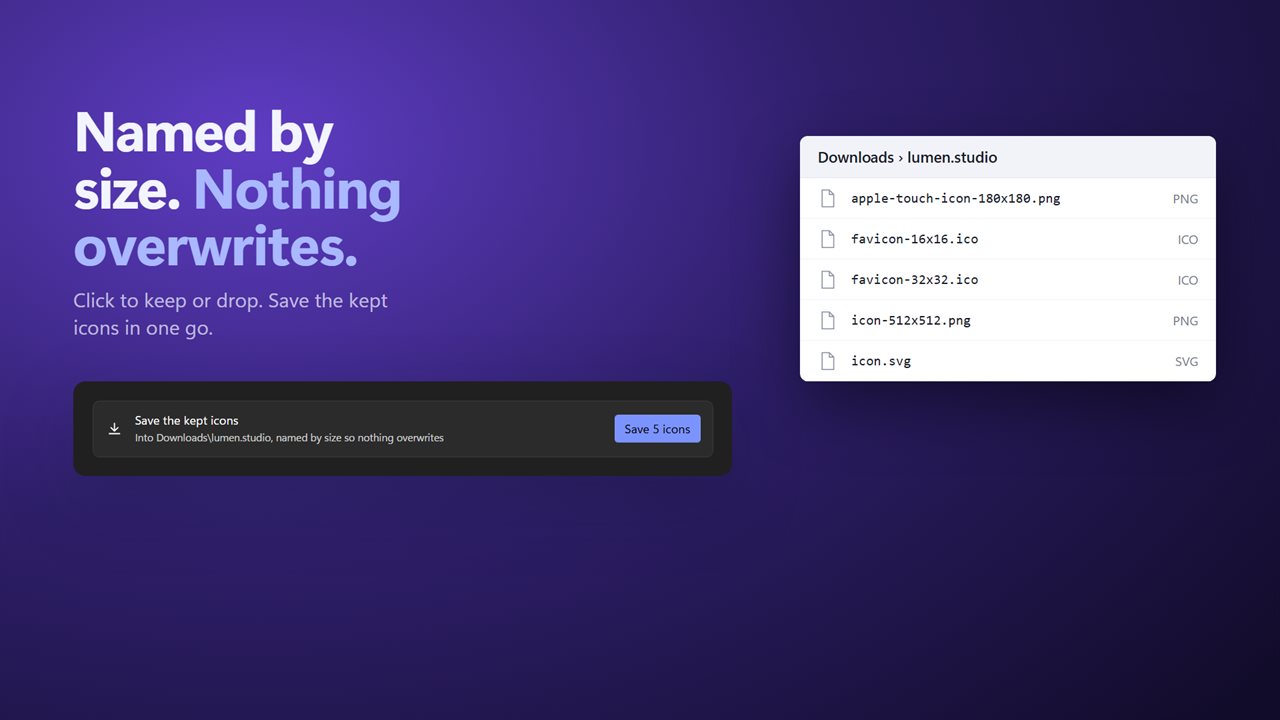
Click to keep. Files are named by size, so nothing overwrites.
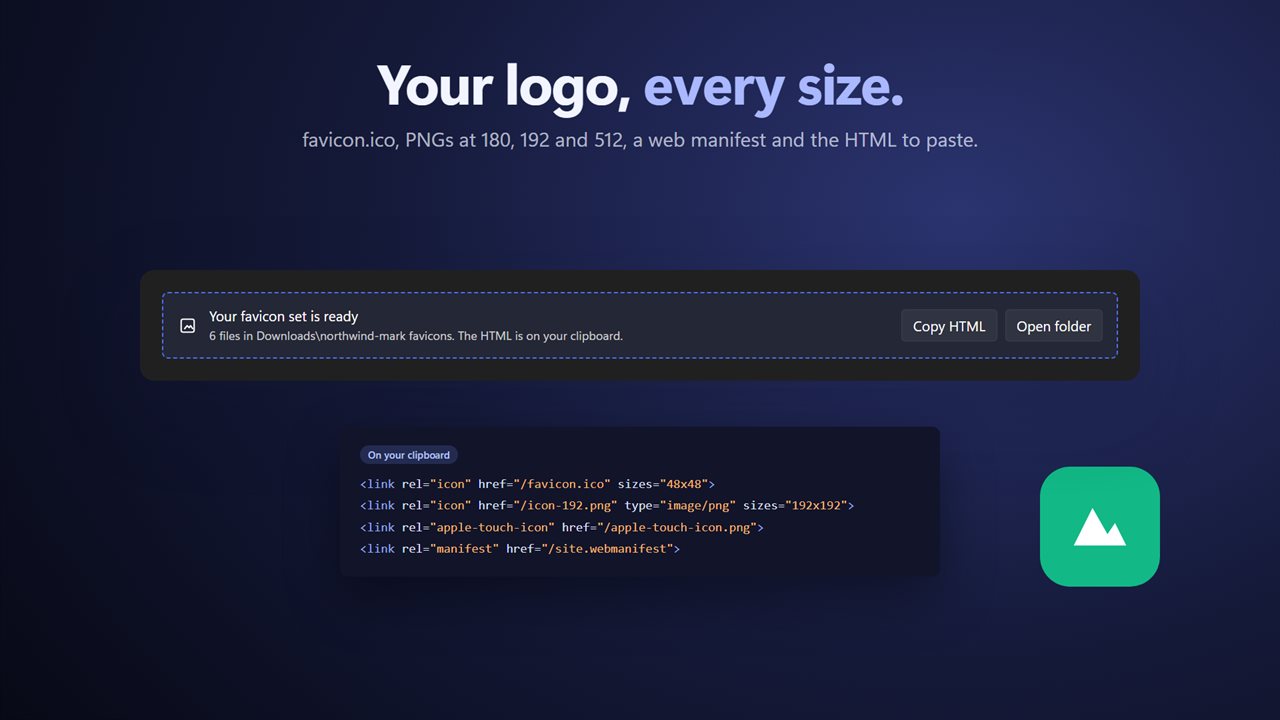
Make a full favicon set from your own logo.
Type example.com. No https needed.

Every icon a website has, drawn where it will be used.

190,000+downloads of EvlarSoft apps
Signed by EvlarSoftVerified US publisher
14-day money-backNo questions asked
Updates includedNo upgrade fees

A favicon downloader that finds every icon, not just favicon.ico

Most sites carry far more than one icon. There is the classic /favicon.ico, often holding three or four sizes inside it, plus PNG icons declared in the page, a large home-screen icon for phones, a monochrome pinned-tab SVG and a set listed in the web manifest. A favicon downloader that grabs only the first match hands you the 16 pixel version when you wanted the 512.

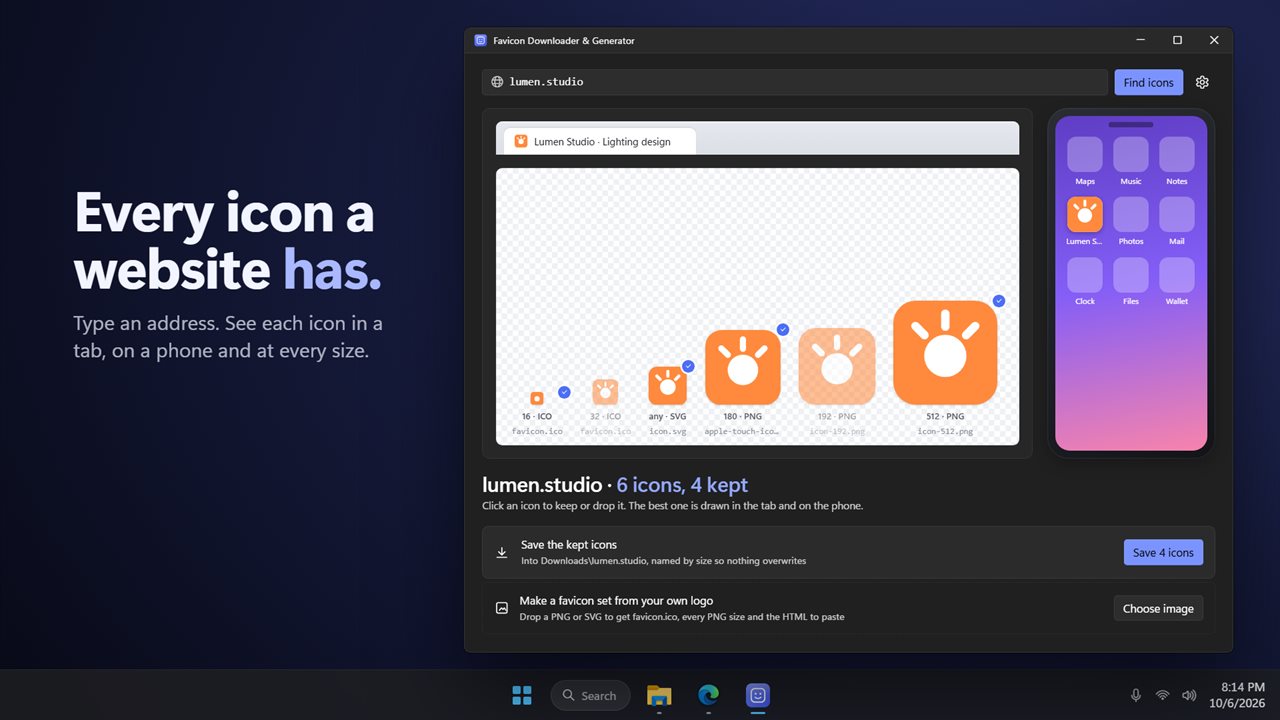
Type an address like example.com into the box and click Find icons; the https part is optional. Favicon Downloader & Generator reads the page as the server sends it, follows its icon links and its web manifest, and checks /favicon.ico as well. Each result is labeled with the format its bytes actually are, which is not always what the file name claims, and with its measured width and height, biggest at the top.

Every icon is drawn at its actual size on a transparency grid, so a white logo on a transparent background does not vanish into the page. The best one is also previewed sitting in a mock browser tab and as a tile among phone apps, the two places a favicon really lives.

How to get the favicon from a website and save it

Five steps, from a bare address to a folder of named files.

  • Type the site's address and press Find icons.
  • Browse the results. Each size packed into a favicon.ico appears as its own entry.
  • Click an icon to drop it, and click again to keep it. Everything starts out kept.
  • Click Save icons. Files are named by type and size, such as apple-touch-icon-180x180.png, so two sizes never overwrite each other.
  • By default they land in Downloads in a folder named after the website. Set Save icons to Ask every time in Settings to pick a folder instead, and Open the folder after saving shows them in File Explorer.

Favicon generator: PNG to favicon, with the HTML written for you

The lower half of the window works the other way round. Under Make a favicon set from your own logo, click Choose image or drop in a PNG, SVG, JPEG or WebP logo, and the app writes a complete set into a new folder: favicon.ico containing 16, 32 and 48 pixel sizes, a 180 pixel apple-touch-icon.png, icon-192.png and icon-512.png, and a site.webmanifest file.

It also writes the HTML link tags that tie them together, saves them as favicon-snippet.html in the same folder and puts them on your clipboard. Paste them into the head of your page, upload the files to your site root, and the favicon is done. Copy HTML puts the snippet back on the clipboard later, and Open folder jumps straight to the files.

Favicon sizes, and why seeing them at true size matters

Browsers pick from what a site offers: 16 or 32 pixels for a tab, 180 pixels for an iPhone home screen, 192 and 512 pixels for Android and installed web apps. Looking at a site's set side by side at real size is a quick favicon checker for your own site, too. You can see at once whether you are missing a large size, serving a blurry upscaled PNG, or relying on an .ico with only one size inside.
Features

  • Plain addresses work, with https tried first and http as a fallback
  • Reads icon and shortcut icon links, touch icons, pinned-tab icons, manifest icons and /favicon.ico
  • Splits favicon.ico into its separate sizes
  • Shows each icon's true format and pixel dimensions, largest first
  • Actual-size previews on a transparency grid, plus tab and home-screen mockups
  • Keep or drop icons with a click and save them all at once
  • Size-based file names that never overwrite
  • Builds a favicon set from your logoMulti-size .ico, PNGs, manifest and HTML
  • Copies the HTML snippet to your clipboard
  • Warns when a bitmap logo is under 512 px and the largest size has to be enlarged

Who uses it

Web designers auditing a client site

Check which icon sizes the current site actually serves before a redesign, and save the originals for reference.

Building dashboards and link pages

Collect crisp, large icons for bookmarks, start pages or documentation instead of stretching a 16 pixel favicon.

Launching a new site

Turn a square logo into every file a modern site needs, then paste the generated tags and move on.

What's new in 2.0.2

  • Plain addresses like example.com now work
  • Finds every icon: Apple touch icons, pinned tab icons, the web manifest and every size inside favicon.ico
  • Shows each icon's real type and true size
  • See the best icon in a browser tab and on a phone home screen
  • Saved files get unique names, so nothing overwrites
  • The window no longer freezes while it searches
  • New: make a favicon set from your own logo

Questions

Anything else? Ask us

Do I have to type https:// before the website address?

No. A plain address like example.com works. The app tries a secure https connection first and falls back to http if the site has none.

Which icons does it look for on a website?

It reads the page's icon and shortcut icon links, Apple touch icons, Safari pinned tab icons, the Windows tile image, every icon in the web manifest, and /favicon.ico. It checks up to 32 icon addresses per site and drops exact duplicates.

Can it pull the separate sizes out of a favicon.ico?

Yes. Each size inside a favicon.ico is listed on its own, and saving one writes it as its own single-size .ico file named by its size, such as favicon-32x32.ico.

Where are the downloaded icons saved, and can they overwrite each other?

By default they go to a folder named after the website inside Downloads, or you can choose Ask every time in Settings. Files are named by type and size, and a name that already exists gets a number added, so nothing is overwritten.

What do I get when I make a favicon set from my own logo?

A new folder in Downloads holding favicon.ico with 16, 32 and 48 pixel sizes, apple-touch-icon.png at 180, icon-192.png, icon-512.png, site.webmanifest and an HTML snippet, which is also copied to your clipboard. The logo can be PNG, SVG, JPEG or WebP up to 20 MB; a non-square logo is centered on a transparent square, and a raster logo under 512 pixels is enlarged for the largest size, which the app tells you.

Will it find icons that a site adds with JavaScript or shows only after you sign in?

No. It reads the page as the server first sends it, without running scripts or signing in, so icons added later by a script or kept behind a login are not found. /favicon.ico is always checked.

What size should a favicon be?

There is no single size. A complete set covers 16, 32 and 48 pixels inside favicon.ico for browser tabs, 180 pixels for the iOS home screen, and 192 and 512 pixels for Android and installed web apps. That is exactly what the generator writes from your logo.

What if a website has no favicon?

If the page names no icon and there is no /favicon.ico, the app tells you so. In that case browsers show a blank page icon for the site too.

Can I make a favicon from a JPG?

Yes. The generator takes PNG, JPEG, WebP or SVG. Start from a square image at least 512 pixels wide; a smaller bitmap still works, but the app tells you its 512 pixel icon was enlarged. A JPEG has no transparency, so its background stays in every size.

Which versions of Windows does it run on?

Windows 10 (version 1809 or later) and Windows 11.

Is it a subscription?

No. Favicon Downloader & Generator is a one-time purchase of $2.99, and updates are included.

How do I get it?

Buy it on this page and your license key arrives by email. If the button says Notify me, Favicon Downloader & Generator is not on sale here yet; leave your email and we will tell you when it is.