An EXIF remover made for the whole folder, not one photo
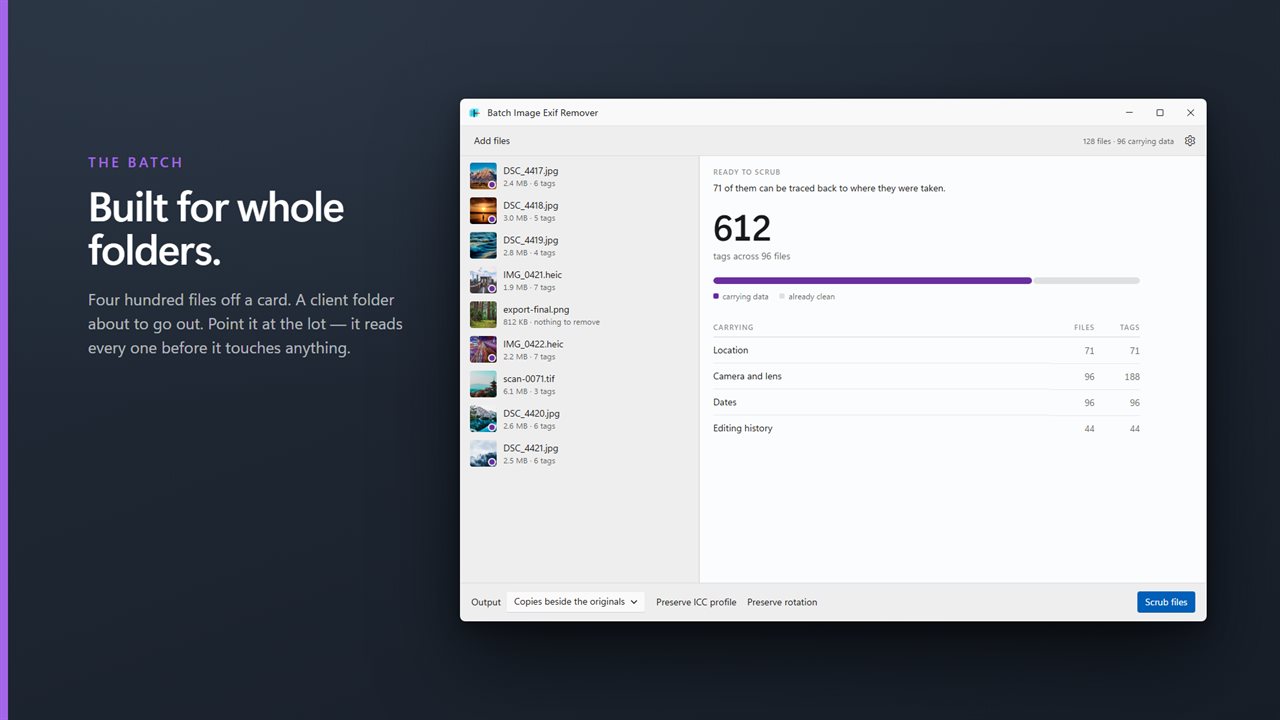
Most people reach for an EXIF remover at a particular moment: a memory card of shoot photos is going to a client, a set of product images is about to be uploaded, or a batch of phone pictures is headed for a forum or a marketplace listing. In each case the job is hundreds of files, and the worry is the same: did the location really come off every one of them?
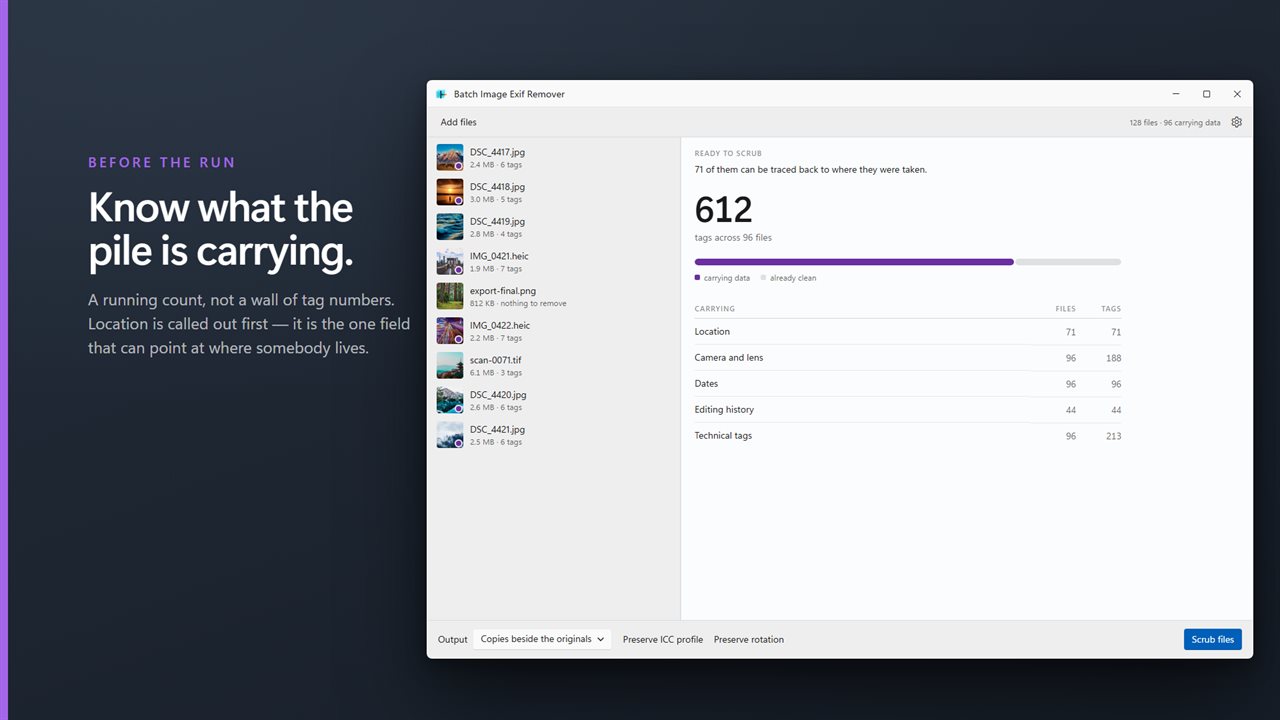
Batch Image Exif Remover is built for that scale. Add a folder and it reads every file before changing anything, then tallies what the batch is carrying under Location, Camera and lens, Dates, Editing history and Technical tags, with a count of files and tags for each. Location is listed first because it is the field that can lead someone to a home address.
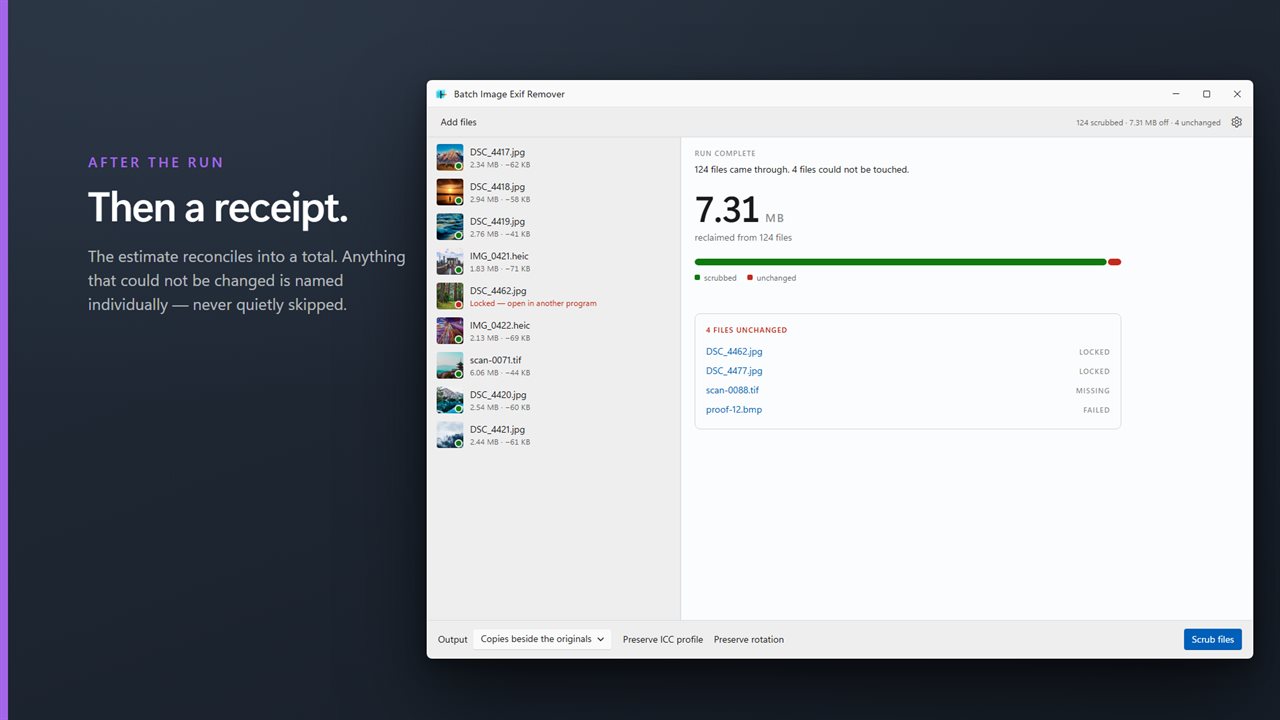
Press Scrub files and the same panel turns into a receipt. It shows how many files were scrubbed, how much data was taken off in total, and names every file that was left unchanged, marked Locked, Missing or Failed, so nothing slips through unnoticed.
Strip EXIF data without recompressing your photos
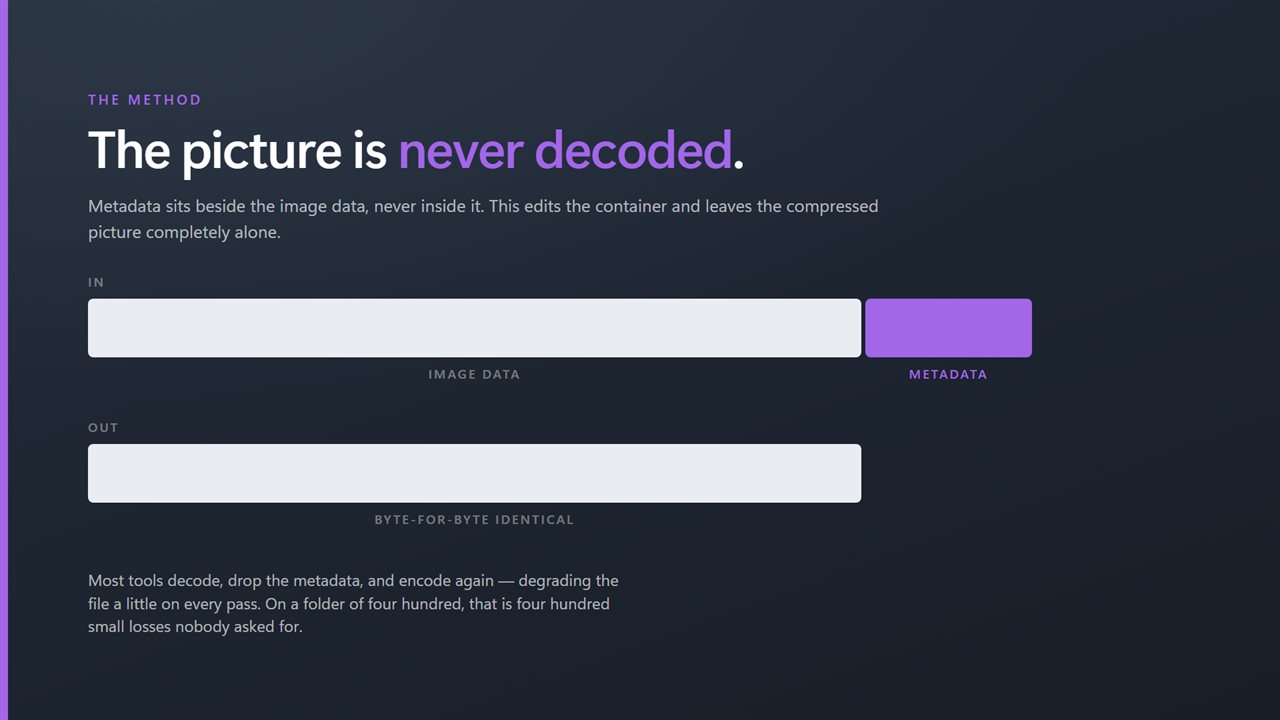
The common shortcut is to load the photo like an editor would, discard the tags, and export a new file. That second save re-encodes the photo, and with JPEG every re-encode loses a little quality. Run a folder through such a tool twice and you have degraded it twice.
This app works on the file's structure instead. The metadata sits in its own blocks next to the compressed picture, so it removes those blocks and copies the image data across untouched, without ever decoding it. The photo that comes back looks identical because it is identical; only the data you asked to remove is gone. Scrubbing the same file a second time changes nothing further.
Remove GPS location from EXIF, XMP and IPTC
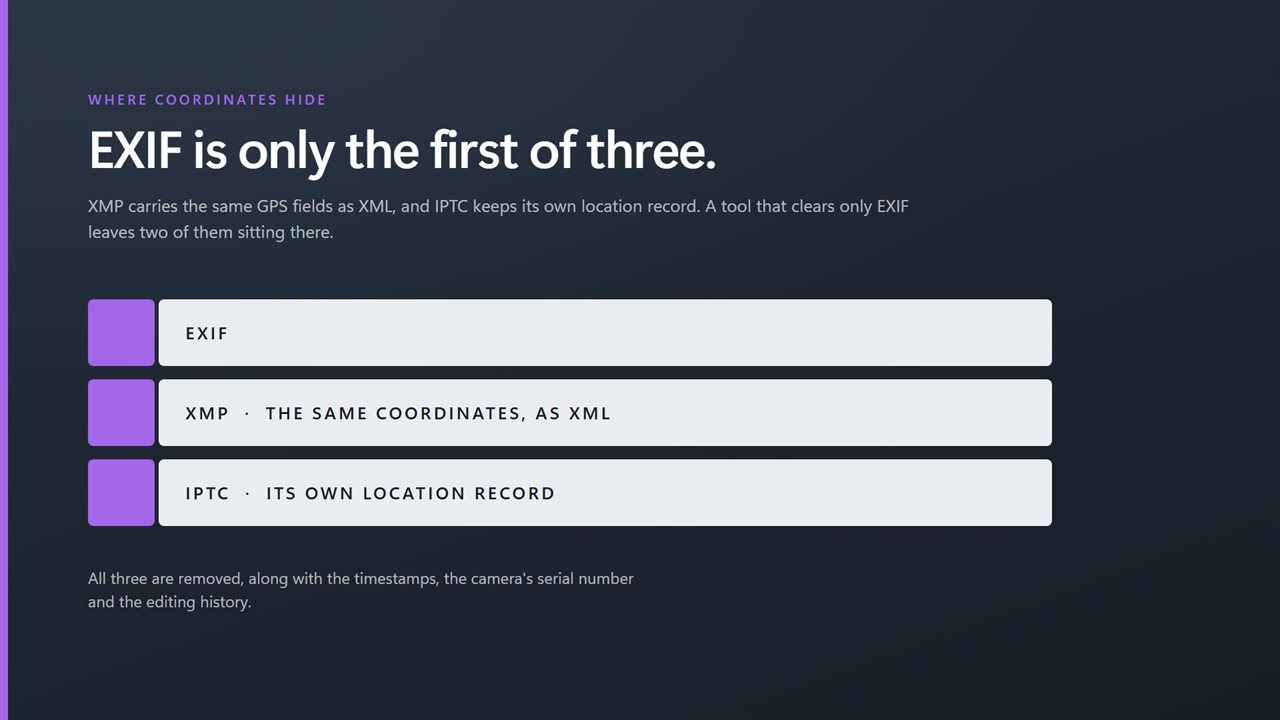
Location does not live only in EXIF. XMP, an XML block many editors and phones write, can carry the same latitude and longitude, and IPTC has its own location fields used by photo agencies and newsrooms. A tool that clears only EXIF can leave coordinates behind in the others.
Here XMP is cleared in every supported format, and the IPTC record is removed from JPEG files, which is where it normally appears. Selecting a file shows each tag it carries, grouped the same way as the summary, with any field you chose to keep labeled Kept.
Clean HEIC photos from an iPhone, and the usual web formats
iPhones and many Android phones save pictures as HEIC or HEIF, and those files carry the same GPS and camera tags as a JPEG. This app cleans HEIC and HEIF alongside JPEG, PNG, WebP, AVIF and TIFF, editing each container directly rather than converting the photo to another format. GIF and BMP files can be added but are reported as failed, since the app cannot remove metadata from them.