EEvlarSoft

Distraction-Free Writer

A distraction-free writing app that hides everything but the page, lights only the sentence you're on, and keeps a daily word goal in view.

Buy for $2.99
One payment. No subscription.
14-day money-back guarantee.
5.0
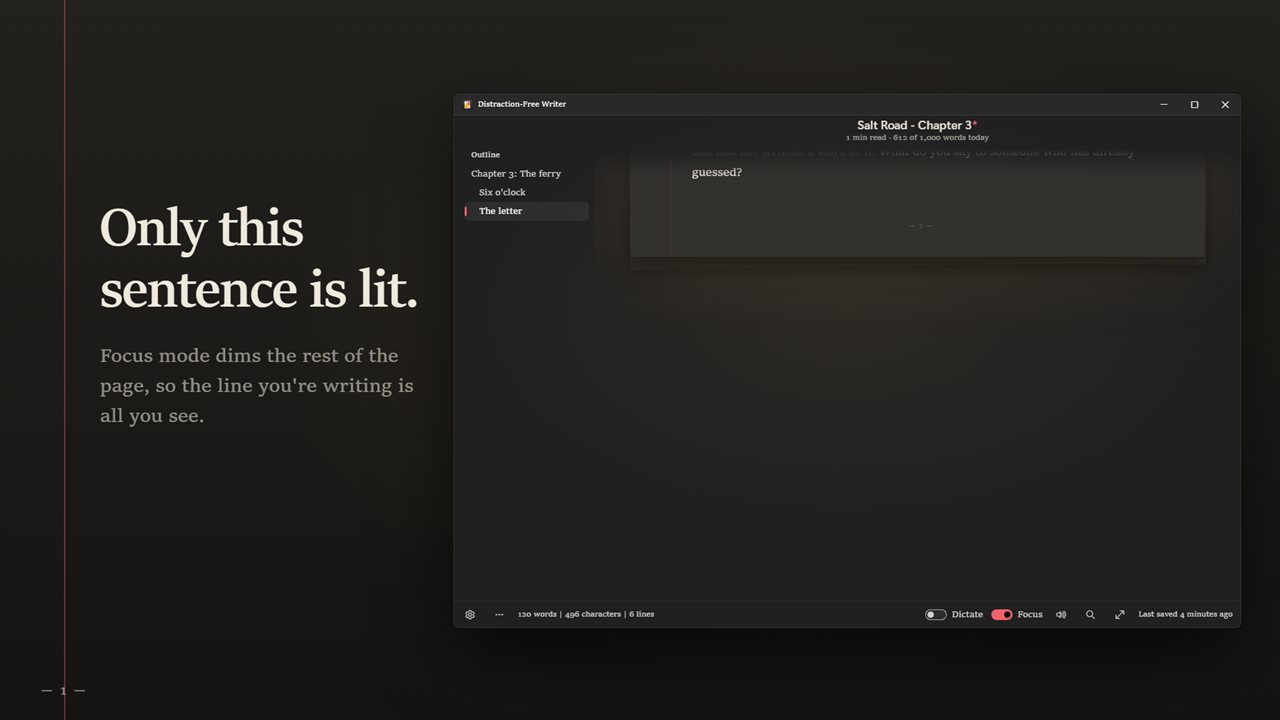
Focus mode keeps only the sentence you are writing lit.
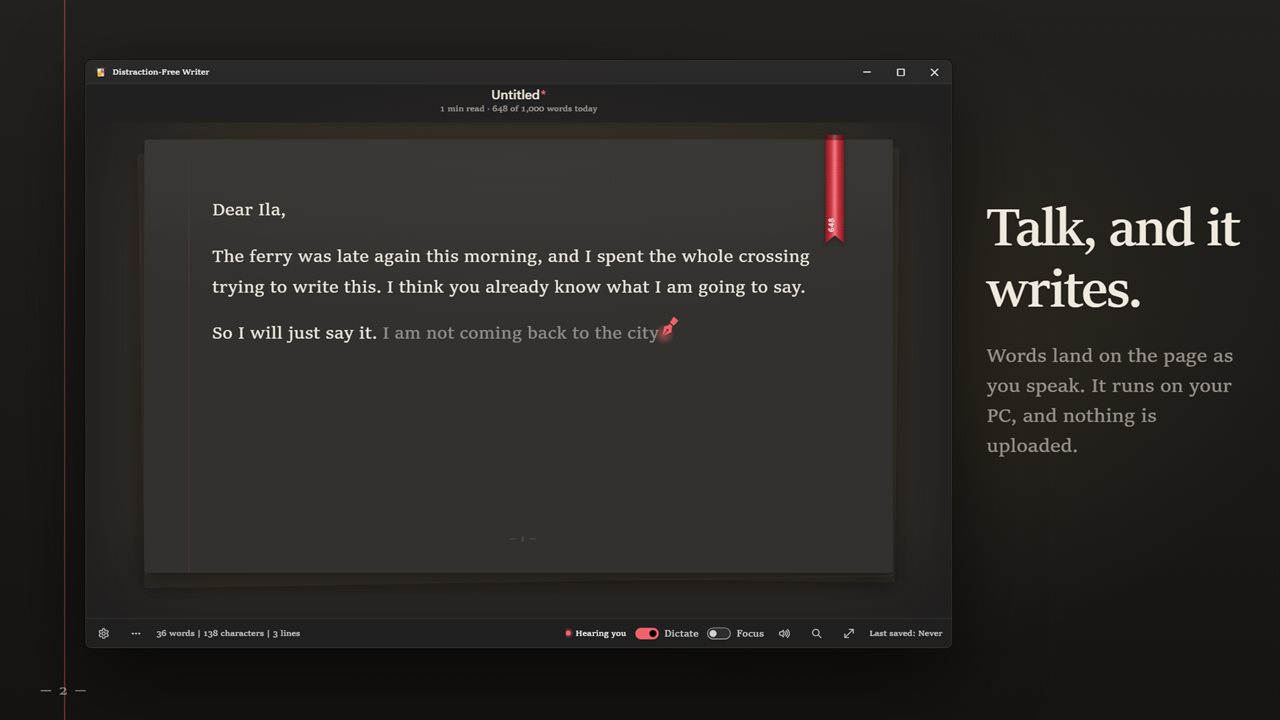
Dictate, and your words land on the page. It runs on your PC.
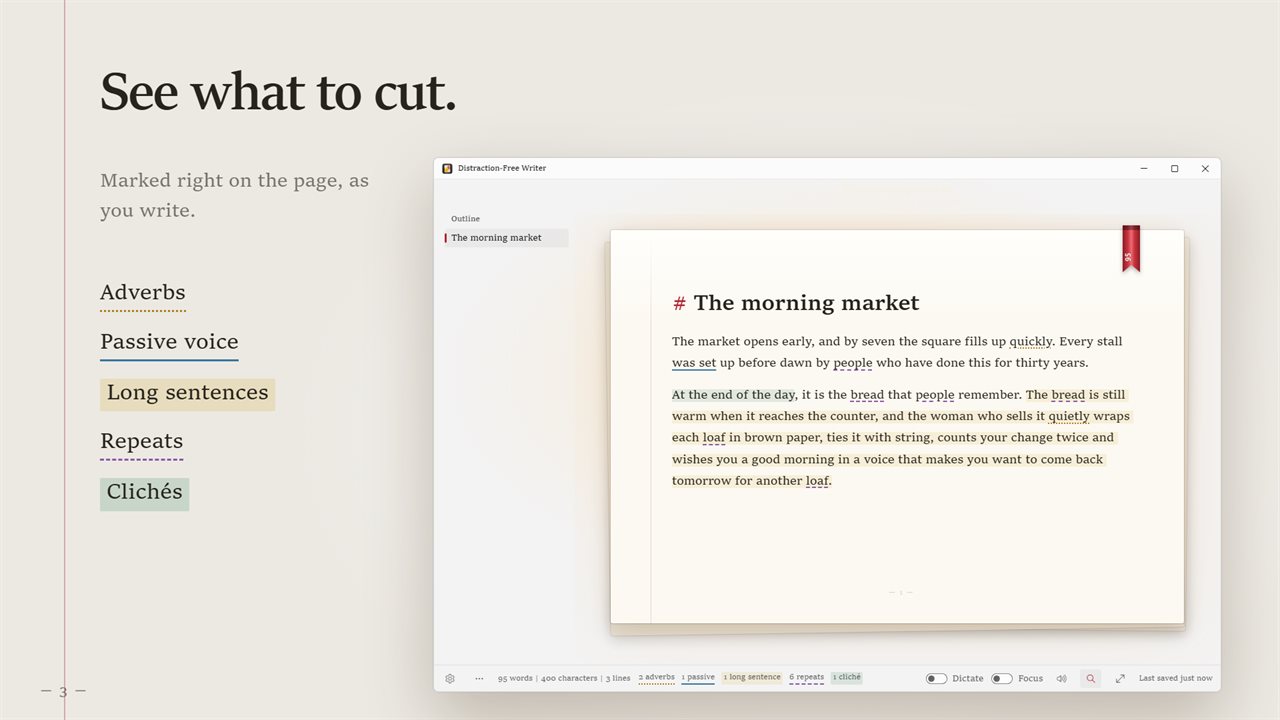
The style lens marks adverbs, passive voice, long sentences, repeats and clichés.
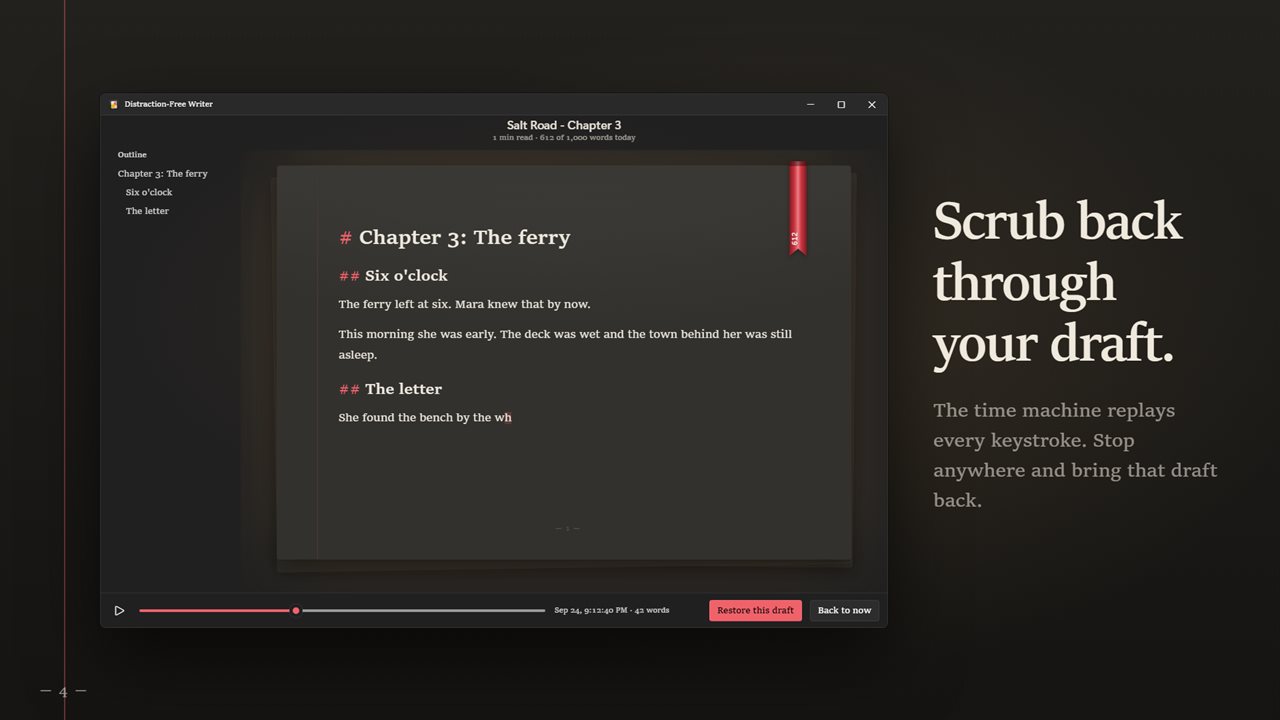
The time machine scrubs back through your draft, keystroke by keystroke.
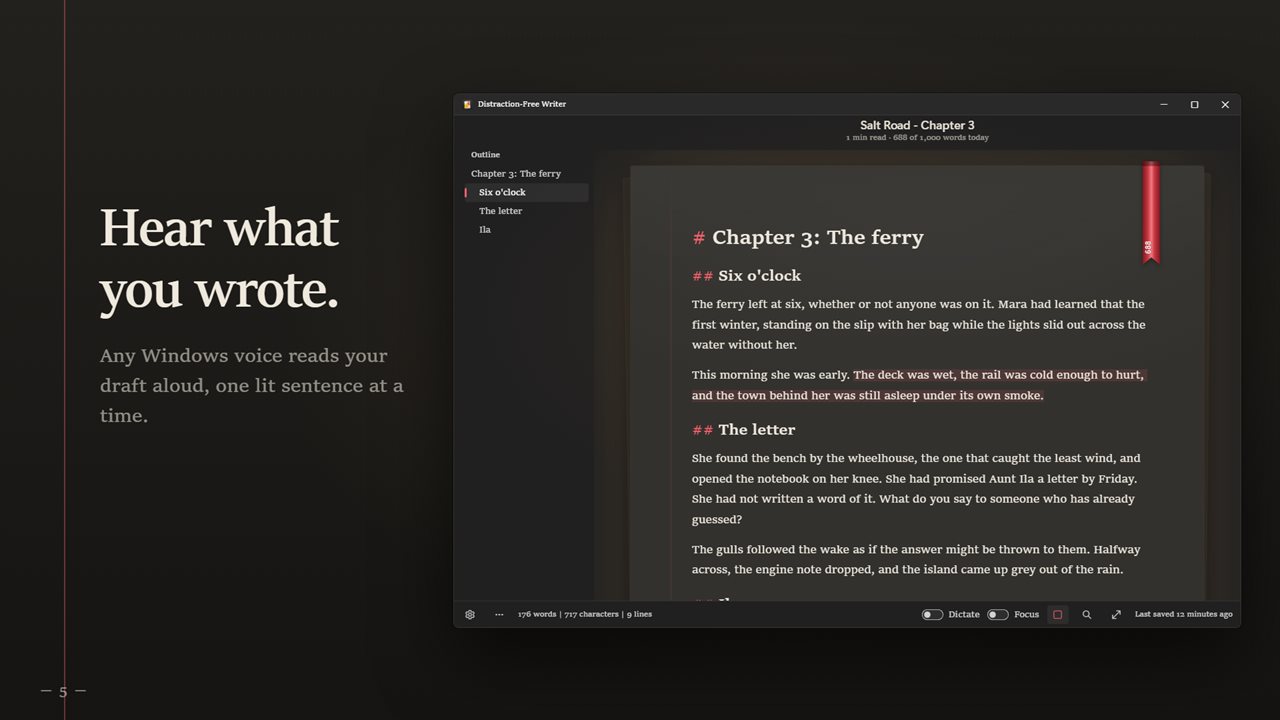
Hear your draft read aloud in any Windows voice.
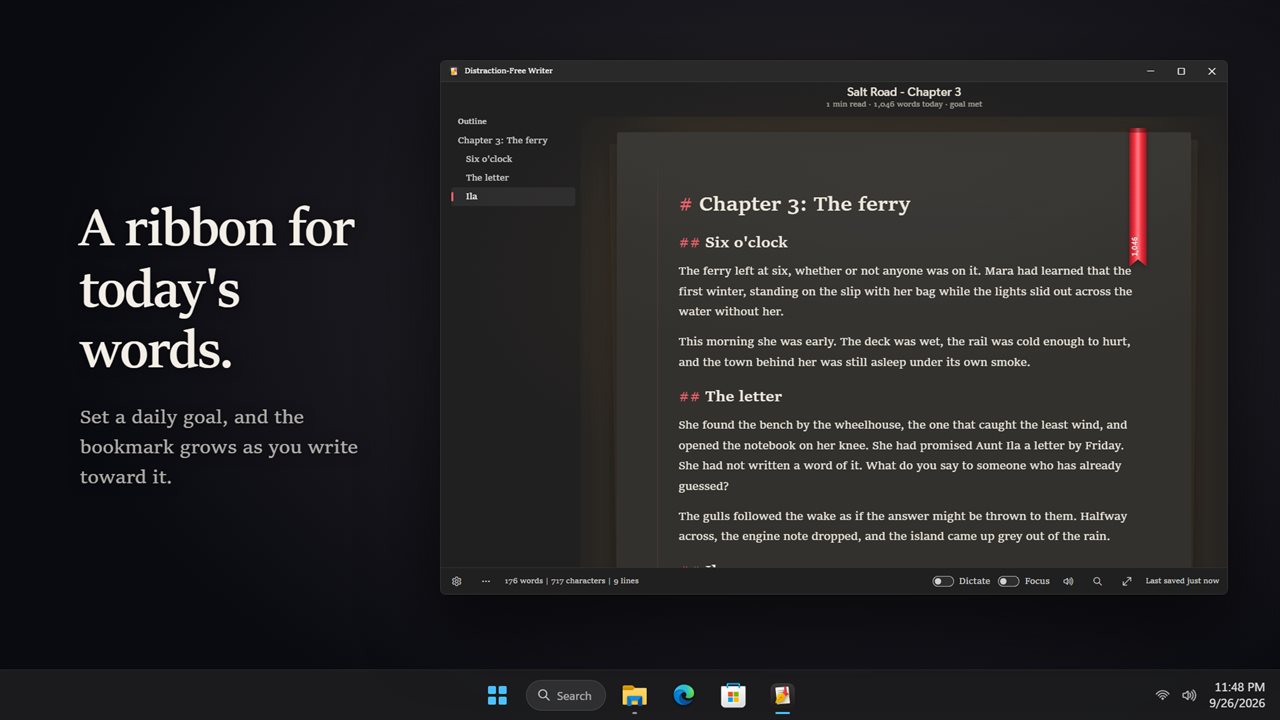
A bookmark ribbon grows toward today's word goal.
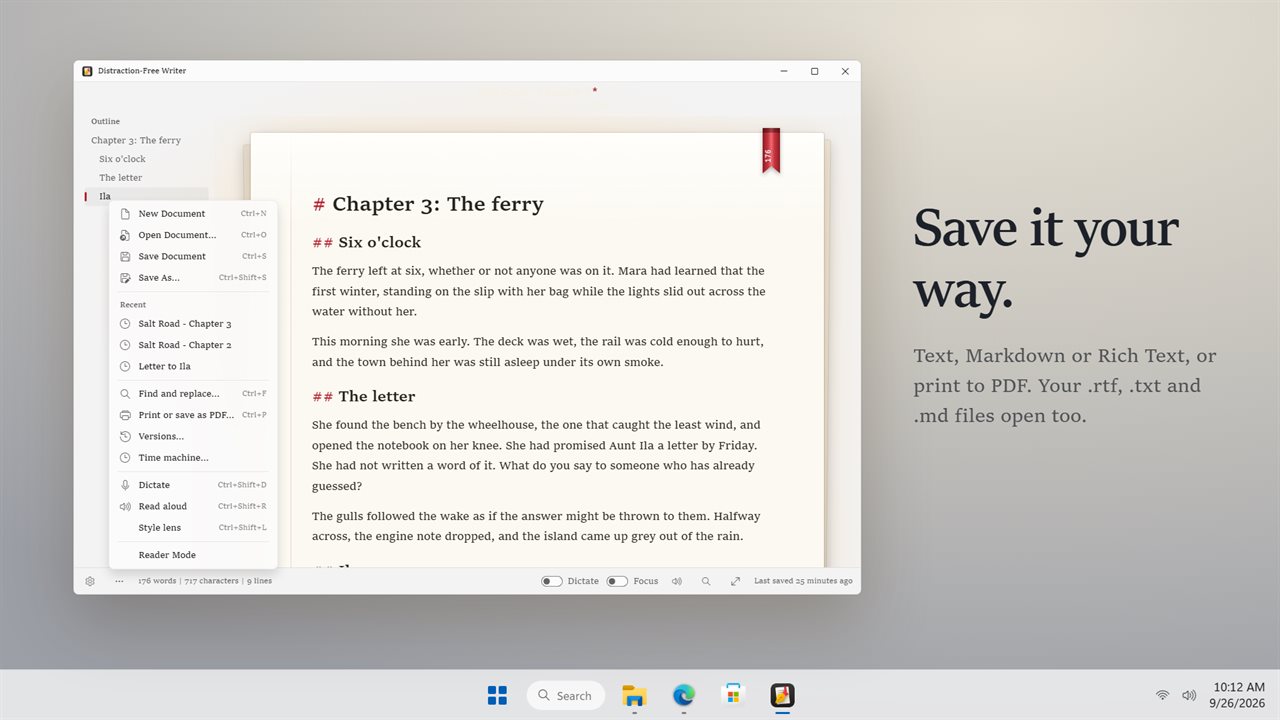
Save as text, Markdown or Rich Text, or print to PDF.

Distraction-Free Writer in 33 seconds

Distraction-Free Writer trailer
190,000+downloads of EvlarSoft apps
Signed by EvlarSoftVerified US publisher
14-day money-backNo questions asked
Updates includedNo upgrade fees

What a distraction-free writing app should take away

A distraction-free writing app earns the name by what it removes. Distraction-Free Writer has no formatting toolbar, no sidebar of panels and no notifications. There is a page in a calm typeface, a title, and a word count that fades while your fingers are moving and returns when you touch the mouse.

Focus goes further. Switch it on and the page dims except for the sentence under your cursor; pick The current paragraph in Settings to widen that to a block. Typewriter scrolling keeps your working line at eye level in the center, so you never end up typing along the bottom edge of the screen.

Behind the page you can set a scene to write in: rain on glass, a glowing hearth, fireflies on a warm evening, or café lights. Every scene carries a matching soundtrack with a Room volume slider. It is optional, and the page works just as well against plain light or dark.

Writing sprints and word goals that keep you moving

Choose a Sprint length of 5, 10, 15, 25 or 45 minutes, and a slim timer bar tracks it above the text while a tally of new words climbs next to it. A word sprint like this is the oldest trick for getting past a blank screen, because it trades quality for momentum on purpose.

Keep going mode adds a gentle push: pause for a few seconds and your current line starts to disappear, then snaps back the instant you type. Nothing is erased. For the longer view, pick a Daily word goal from 250 to 3,000 words and a silk marker in the margin lengthens as you close in on it. Your ribbons lays out twelve weeks of history, a ribbon for each writing day, topped by your streak.

Novel writing software features, without the clutter

Long projects need a few structural tools, and they are here in a quiet form. Start any line with # and it becomes a heading, and every heading is listed in an outline next to the text; click one to jump there.

The style lens, toggled with Ctrl+Shift+L, marks adverbs, passive voice, repeated words, clichés and sentences longer than 20, 25, 30 or 40 words, your choice, then totals each kind in the status line along the bottom. Read aloud, on Ctrl+Shift+R, speaks the draft in a Windows voice and lights each sentence as it goes, which catches the slips your eyes skip.

Draft first, edit later. Keep the lens off during a sprint, when every flag is a reason to stop, and switch it on for the second pass, when stopping is the point.

Version history and a replay of how the draft grew

Keep versions files a copy of the document at intervals under Versions, so last Tuesday's opening paragraph is still there after you rewrite it.

Time machine goes further and replays the document one keypress at a time. Scrub back to the moment before a cut you regret and restore it; the present text is kept alongside, so restoring never costs you today's work. At the end of a good session, Save today as a timelapse turns it into a short clip of the words arriving.
Settings you can tune

  • Four typefacesBook (Sitka), Classic (Segoe UI), Georgia and Typewriter (Cascadia Mono)
  • Text sized 12 to 36 points, three line spacings (Snug, Airy, Double) and three page widths
  • Focus on the current sentence or the current paragraph
  • Fade everything else while I type, which hides the chrome until the mouse moves
  • Read time and word counter, each switchable
  • Save to the file as I type, off unless you turn it on
  • Works with .txt, .md and .rtf files in both directions
  • Print, or print to PDF, from the menu with Ctrl+P

Who writes here

Novelists chasing a word count

Set a 1,500-word goal, run three 25-minute sprints, and let the streak on the shelf keep the habit going through a month-long challenge.

Bloggers and essayists

Draft in Markdown with # headings, run the style lens before publishing, and save the .md straight into your site's folder.

Students on a deadline

Turn on Focus and a rainy room, put the phone in a drawer, and get a first draft down before worrying about polish.

What's new in 2.1.0

  • New: the room. Rain on the window, a fireplace, a summer night or a corner café behind the page, with its sound
  • New: writing sprints from 5 to 45 minutes. In Keep going mode the line you stop on fades until you write again
  • New: your ribbons, a shelf of every day you wrote, with your streak
  • New: save today's writing as a 20-second timelapse video

Questions

Anything else? Ask us

Which file types does Distraction-Free Writer open and save?

It opens .txt, .md and .rtf files, by Open or by dropping one on the window, and saves as text, Markdown or Rich Text. You can also print, or print to PDF.

Does it keep bold and italics from an RTF file?

No. It is a plain-text writer, so an RTF file opens as plain text and its bold, italics and colors are dropped. Saving as .rtf writes your text in the typeface and size you chose.

What happens to my writing if I close without saving?

Your draft is kept on the PC as you type and comes back the next time you open the app. With Keep versions on, which is the default, a copy is also kept every five minutes, up to the last 40, and any of them can be restored.

Can it save to my file automatically as I type?

Yes, if you turn on Save to the file as I type in Settings. It is off by default, and it only works once the document has been saved to a file.

Does dictation work offline?

Yes. Dictation is in English and runs on your PC. Turn it on with Ctrl+Shift+D, and say "new paragraph", "comma", "period" or "question mark" to punctuate, "scratch that" to take back the last phrase, or "stop dictation" to stop.

What kind of file is the timelapse video?

A 20-second MP4 video of today's writing playing back, or WebM on a PC that cannot record MP4. You choose where to save it.

What is focus mode in a writing app?

It dims everything except the text you are working on. Here that is the current sentence by default, or the current paragraph if you choose it in Settings.

What is a writing sprint?

A short, timed burst of writing where the only goal is to keep adding words. This app times sprints from five to forty-five minutes long and counts your new words as you go.

How many words a day should I write?

Whatever you can keep up. The goal presets run 250, 500, 750, 1,000, 1,667, 2,000 and 3,000 words; 1,667 a day is the pace that reaches 50,000 words in 30 days.

Which versions of Windows does it run on?

Windows 10 (version 1809 or later) and Windows 11.

Is it a subscription?

No. Distraction-Free Writer is a one-time purchase of $2.99, and updates are included.

How do I get it?

Buy it on this page and your license key arrives by email. If the button says Notify me, Distraction-Free Writer is not on sale here yet; leave your email and we will tell you when it is.