EEvlarSoft
One payment, no subscription

Family Tree Gallery

Build your family history on your own PC: add relatives one by one or open a GEDCOM file, then explore it as a portrait wall, fan chart, timeline and more.

Buy for $7.99
One payment. No subscription.
14-day money-back guarantee.
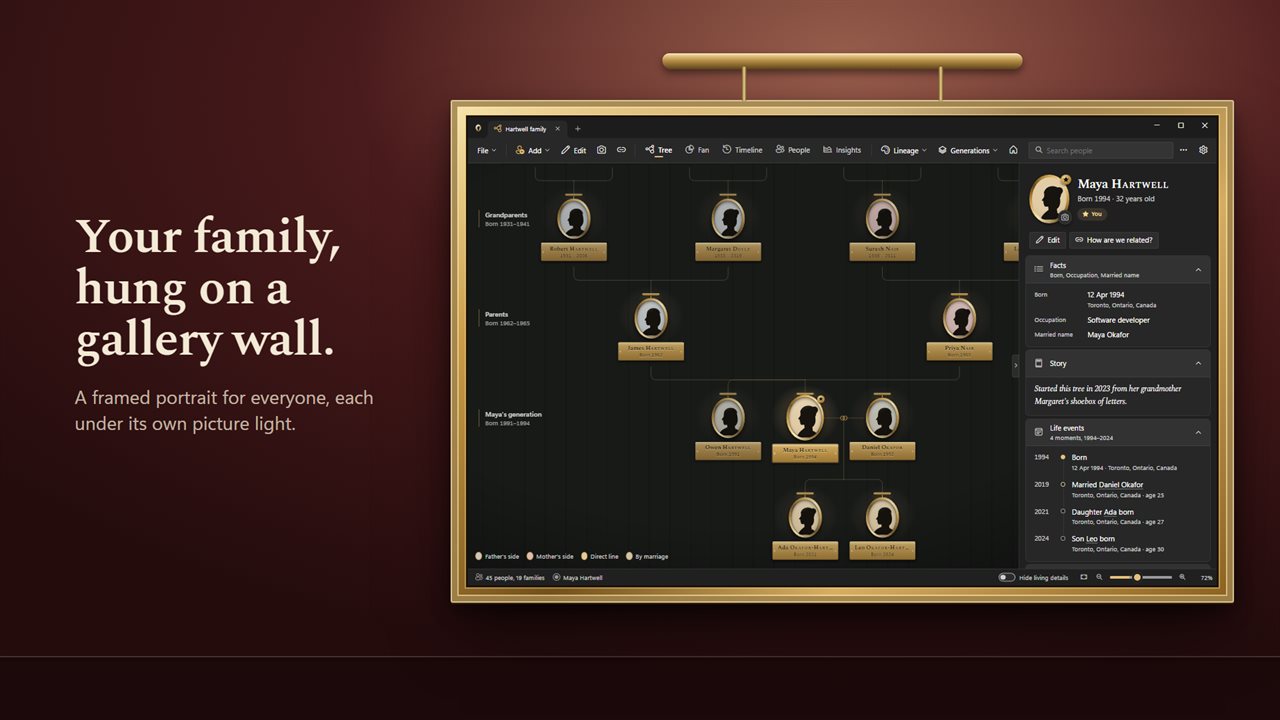
Your family, hung on a gallery wall.
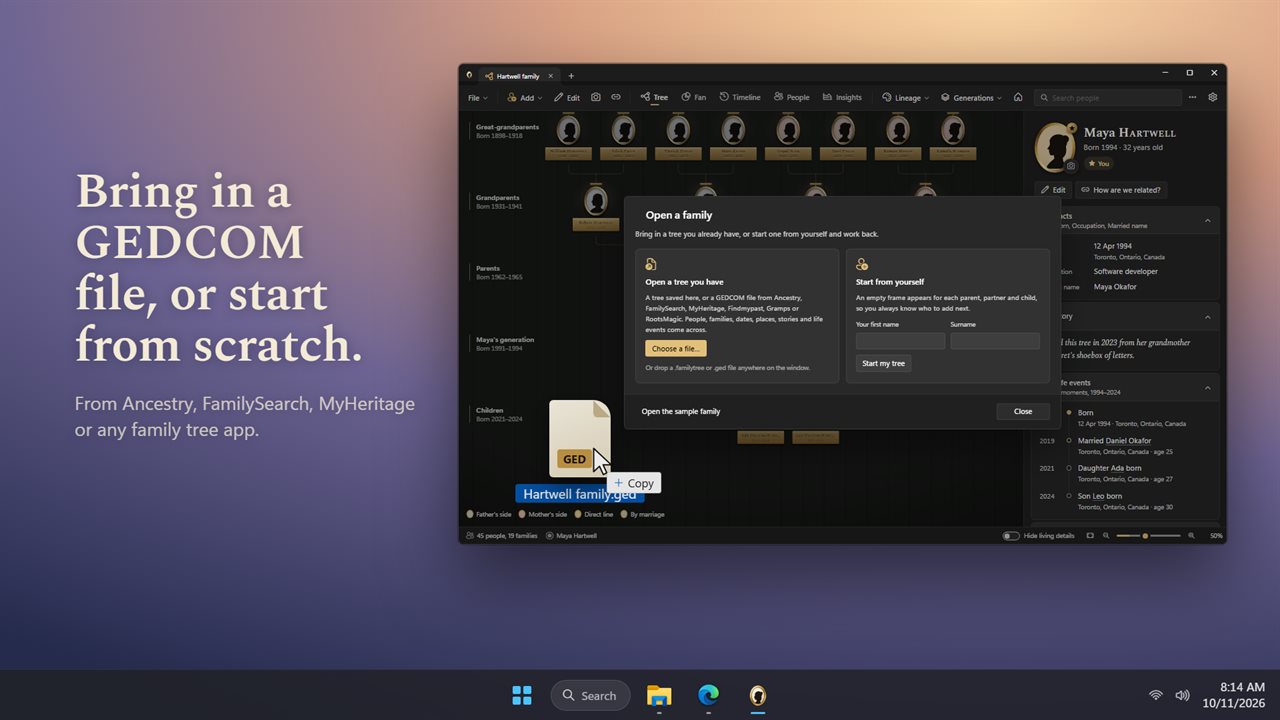
Bring in a GEDCOM file, or start from scratch.
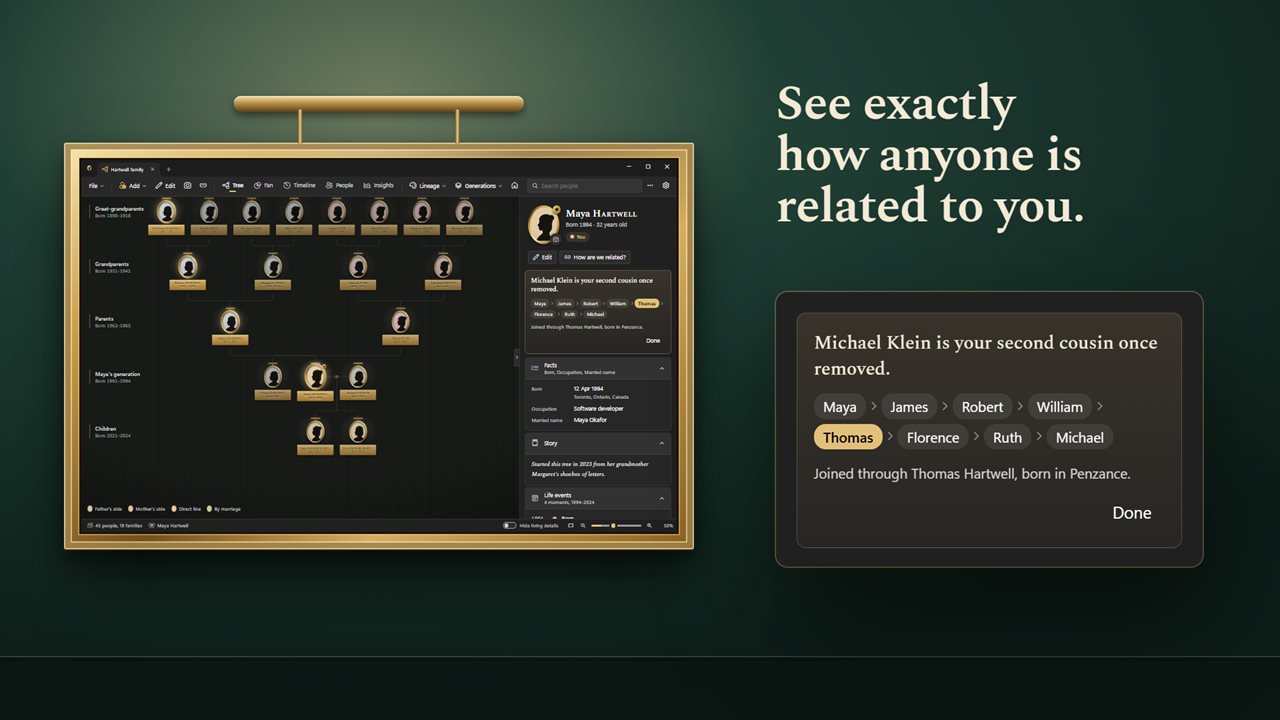
See exactly how anyone is related to you.
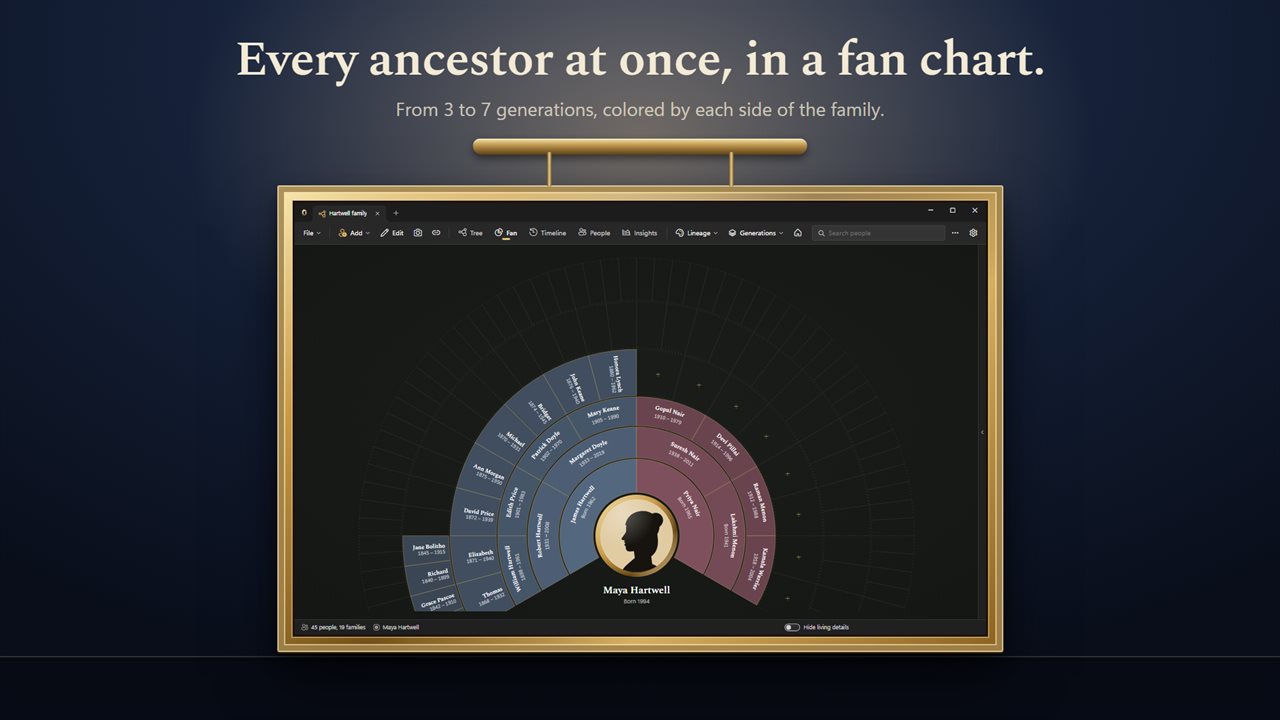
Every ancestor at once, in a fan chart.
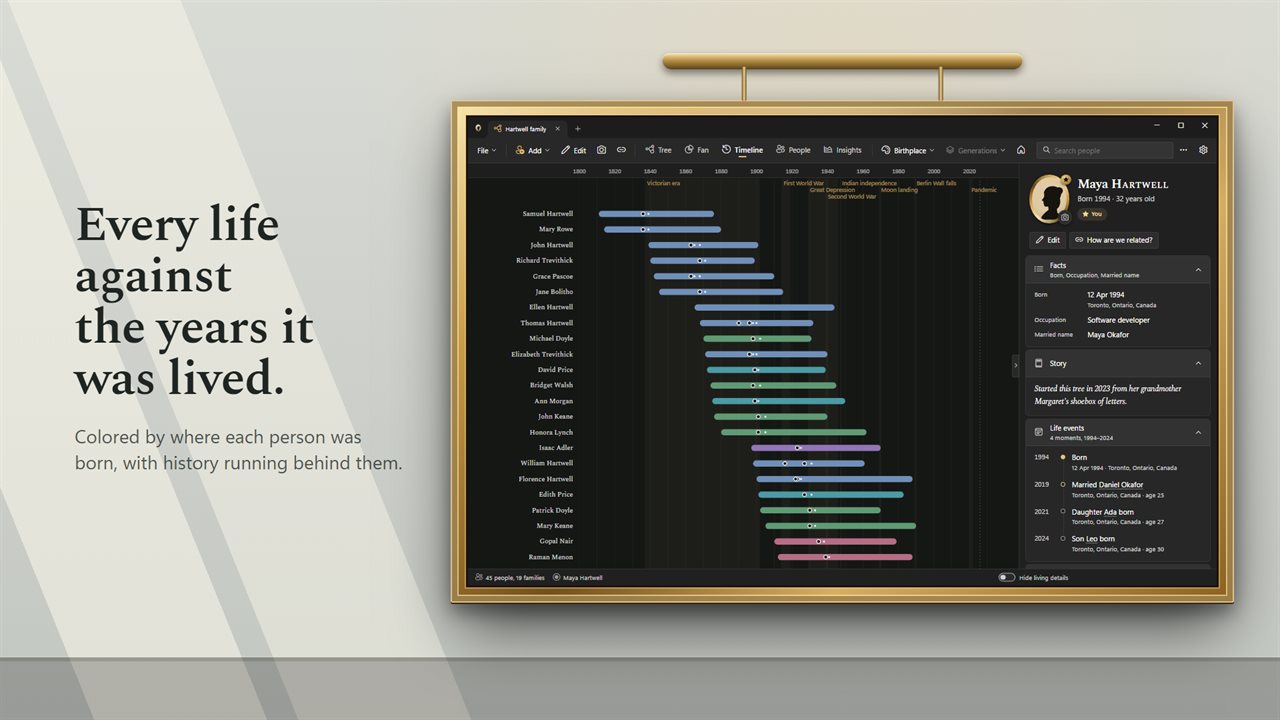
Every life against the years it was lived.
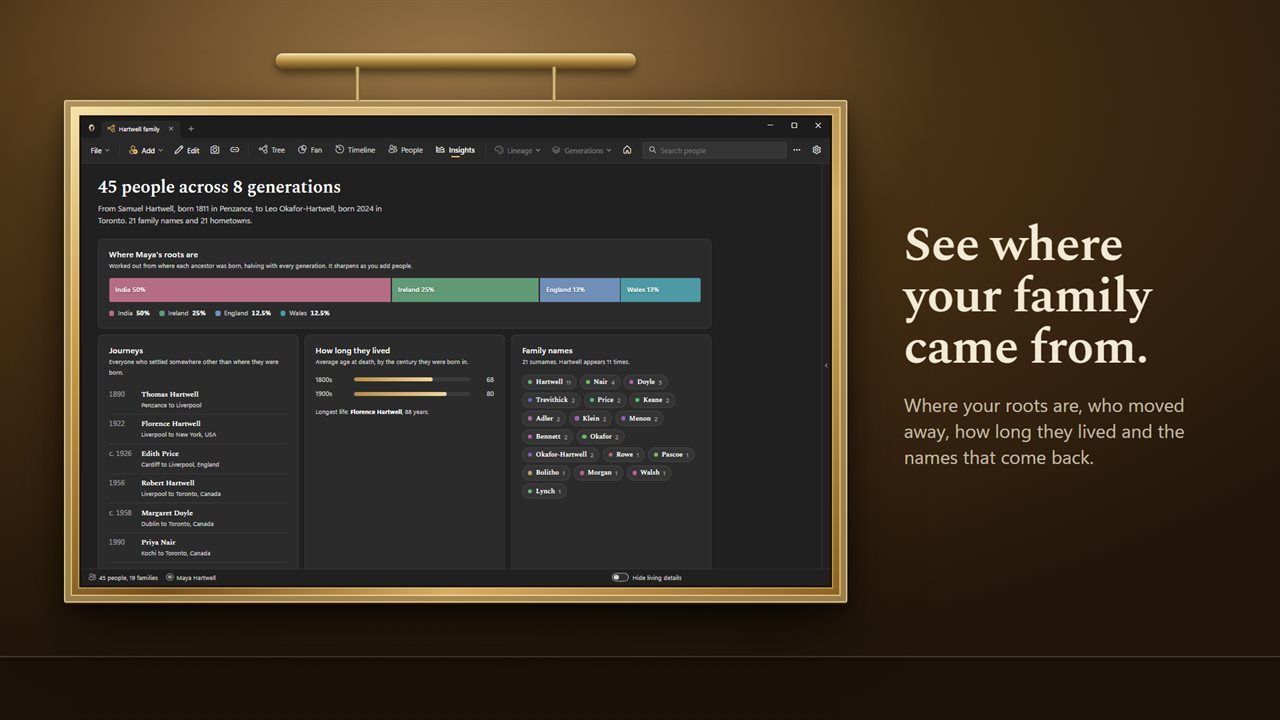
See where your family came from.
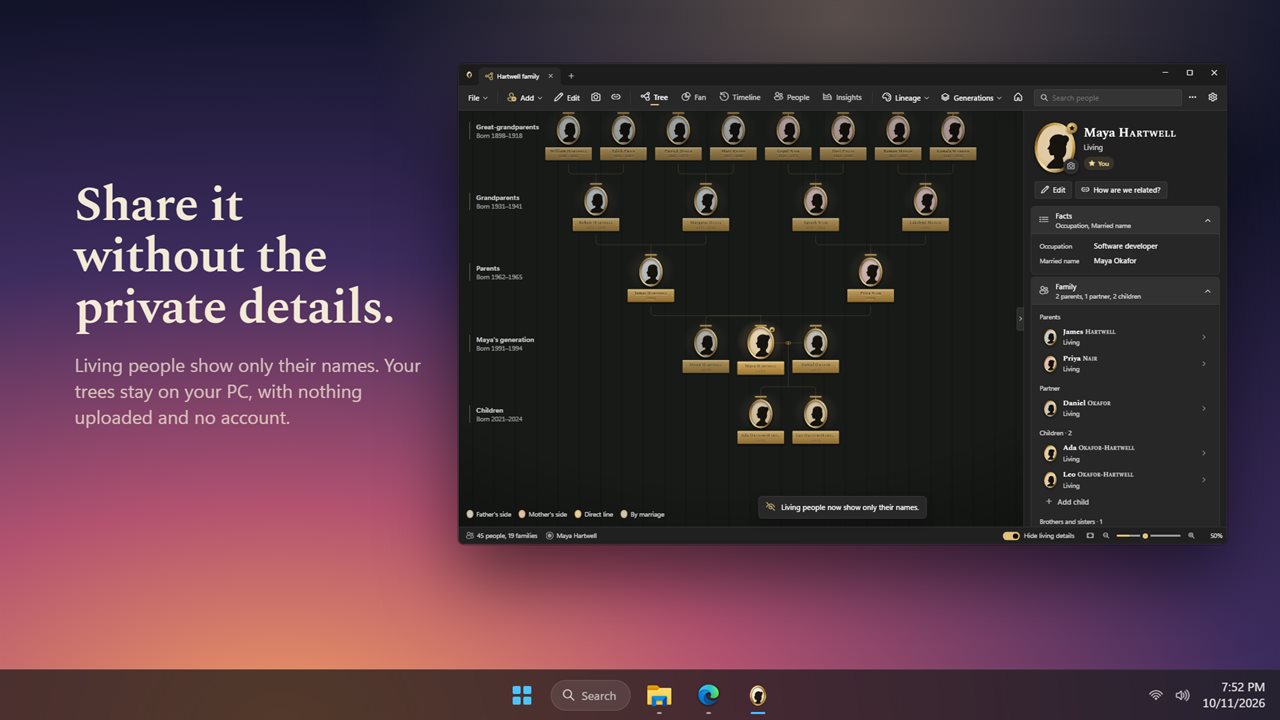
Share it without the private details.

Your family, hung on a gallery wall.

190,000+downloads of EvlarSoft apps
Signed by EvlarSoftVerified US publisher
14-day money-backNo questions asked
Updates includedNo upgrade fees

Family tree software for Windows that keeps your research on your PC

Most family tree software for Windows asks you to choose between a desktop database that looks like a spreadsheet and a website that keeps your research behind a login. Family Tree Gallery is a desktop program, and each tree you make is a single .familytree file in a folder you choose, saved as you work.

The main view is a gallery wall. Every person has a framed portrait with a picture light above it, and the person you are looking at sits in the middle with their parents above and children below. Click any frame to walk to that relative. The Generations button sets how far the wall reaches: from Parents up to several greats of grandparents, and down from None to Great-grandchildren.

Starting from nothing is as quick as typing a name. Select someone and use Add father, Add mother, Add partner, Add child or Add brother or sister, and the new frame appears in its place on the wall. Each person carries a name, a surname at birth, a married name, dates and places of birth and death, an occupation, a photo and a free-text Story.

How to open a GEDCOM file and keep working from it

GEDCOM is the plain-text format every genealogy program and website can export. If you already have research somewhere else, export a .ged file there, then choose Import a GEDCOM file under Your trees. The whole family lands on the wall at once, with births, deaths, marriages, occupations, notes and life events such as Emigrated, Naturalized, Military service and Census.

Going the other way, Export this tree as GEDCOM writes a file any other family tree program can open, so a tree you build here is never locked to this app. Several trees can be open side by side in tabs, and Undo and Redo cover your edits.

A cousin calculator built into the tree

Working out what to call a parent's cousin's grandchild is the kind of problem that sends people searching for a relationship chart. Here you choose How are we related?, click a second person, and the app names the link in words: a great-aunt, a half-brother, a second cousin once removed, or an in-law by marriage. It also highlights, on the wall, the chain of relatives that joins the two.

Pick This is me on your own portrait and the whole tree reads from your point of view. The People list gains a Relationship to you column, and the wall is labeled Centered on you.

Genealogy fan chart, timeline and family statistics

Beyond the wall, four more views answer different questions. Switch with the bar at the top or Ctrl+1 to Ctrl+5.

  • Fan: every direct ancestor on a single half-circle, from 3 to 7 generations, so gaps in your research show up as empty wedges.
  • Timeline: each life drawn as a bar across the years, set against eras and events from the Victorian era and both World Wars to the Moon landing. Hover a year to see who was alive and how old they were.
  • People: a sortable table of everyone in the tree that filters as you type.
  • Insights: where your roots lie, who settled far from their birthplace, average lifespan by century of birth, the most common surnames, first names that recur across generations, and the occupations on record.

Features at a glance

  • A gallery wall of framed portraits you walk through generation by generation
  • One-click Add father, mother, partner, child, or brother or sister
  • GEDCOM import from .ged and .gedcom files, and GEDCOM 5.5.1 export
  • Relationship finder that names cousins, removals, half-relations and in-laws
  • Fan chart of 3 to 7 generations of ancestors
  • Timeline with historical eras and a who-was-alive readout
  • Insights on birthplaces, migration, lifespans, surnames, first names and jobs
  • Color the portraits by Lineage, Surname or Birthplace
  • Hide details of living people for screenshots you plan to share
  • Several trees open in tabs, each saved as a file on your PC

Who it suits

Starting a family history from scratch

Begin with yourself, add parents and grandparents from memory, then fill in dates and photos as relatives send them.

Researchers with an existing GEDCOM

Bring a tree in from another service to see it as a fan chart and timeline, spot missing ancestors, and export it back when you are done.

Sharing the story with family

Turn on privacy so living relatives appear by name only, color by lineage, and take a screenshot of the wall for a reunion or a group chat.

Questions

Anything else? Ask us

Can I import a GEDCOM file from Ancestry, FamilySearch or MyHeritage?

Yes. It opens .ged and .gedcom files and brings in names, birth, christening, death and burial details, life events, occupations, notes, marriages and divorces. Photos and source citations in the file are not brought in. Anyone with no death record born within the last 105 years is treated as living.

Does the GEDCOM export include photos and sources?

No. It writes a GEDCOM 5.5.1 file in UTF-8 with people, families, dates, places, events, occupations and notes. Photos and source citations stay out of it.

How are my family trees saved?

Each tree is a .familytree file on your PC that saves as you work, and several can be open in tabs. Other family tree apps cannot open that file, so use GEDCOM export to move a tree elsewhere. Undo goes back up to 60 changes, not counting photos.

Can it tell me how two people are related?

Yes. Pick two people and it names the relationship, from parents and great-grandparents to half-siblings, nieces and cousins of any degree and removal, and in-laws by marriage. Mark yourself with This is me and every relationship reads from you.

Does privacy mode hide living people in a GEDCOM export?

No. Privacy mode hides living people's photos, places and events on screen, so a screenshot shows only their names. A GEDCOM export still includes everyone's full details.

What pictures can I add as portraits?

JPG, JPEG, PNG, WebP, GIF, BMP, AVIF and JFIF. Each photo is cropped to the portrait frame and stored small inside the tree file, so a large tree stays quick to open.

What is a GEDCOM file?

GEDCOM, short for Genealogical Data Communication, is a text format for family tree data that almost every genealogy program can read and write. Family Tree Gallery imports .ged and .gedcom files and exports GEDCOM 5.5.1.

Can I color the wall to tell family lines apart?

Yes. Color the portraits by Lineage, Surname or Birthplace, and a legend explains the colors: in Lineage that means Father's side, Mother's side, Direct line and By marriage.

Is there a keyboard shortcut for each view?

Yes. Ctrl+1 opens the Tree, Ctrl+2 the Fan, Ctrl+3 the Timeline, Ctrl+4 People and Ctrl+5 Insights.

Which versions of Windows does it run on?

Windows 10 (version 1809 or later) and Windows 11.

Is it a subscription?

No. Family Tree Gallery is a one-time purchase of $7.99, and updates are included.

How do I get it?

Buy it on this page and your license key arrives by email. If the button says Notify me, Family Tree Gallery is not on sale here yet; leave your email and we will tell you when it is.