EEvlarSoft

ePub Reader

Read EPUB books on your Windows PC as a real two-page spread, with a cover library, highlights, bookmarks and your page saved every time it turns.

Buy for $3.99
One payment. No subscription.
14-day money-back guarantee.
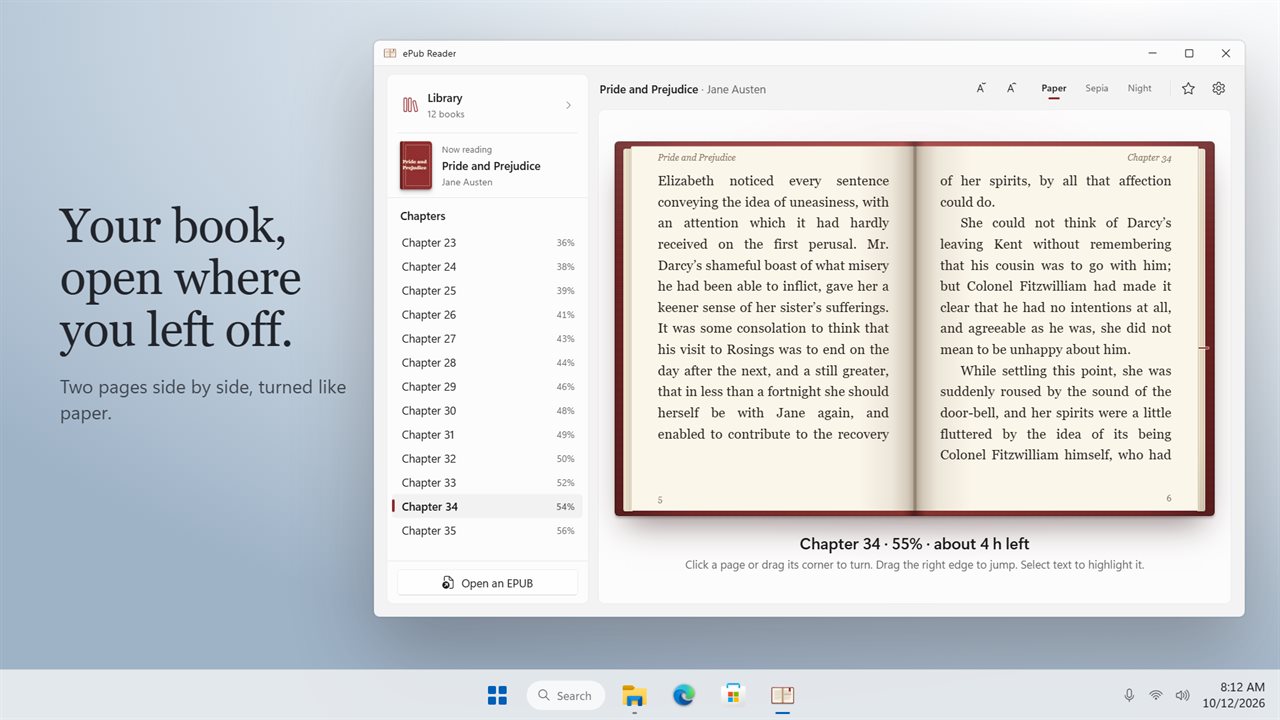
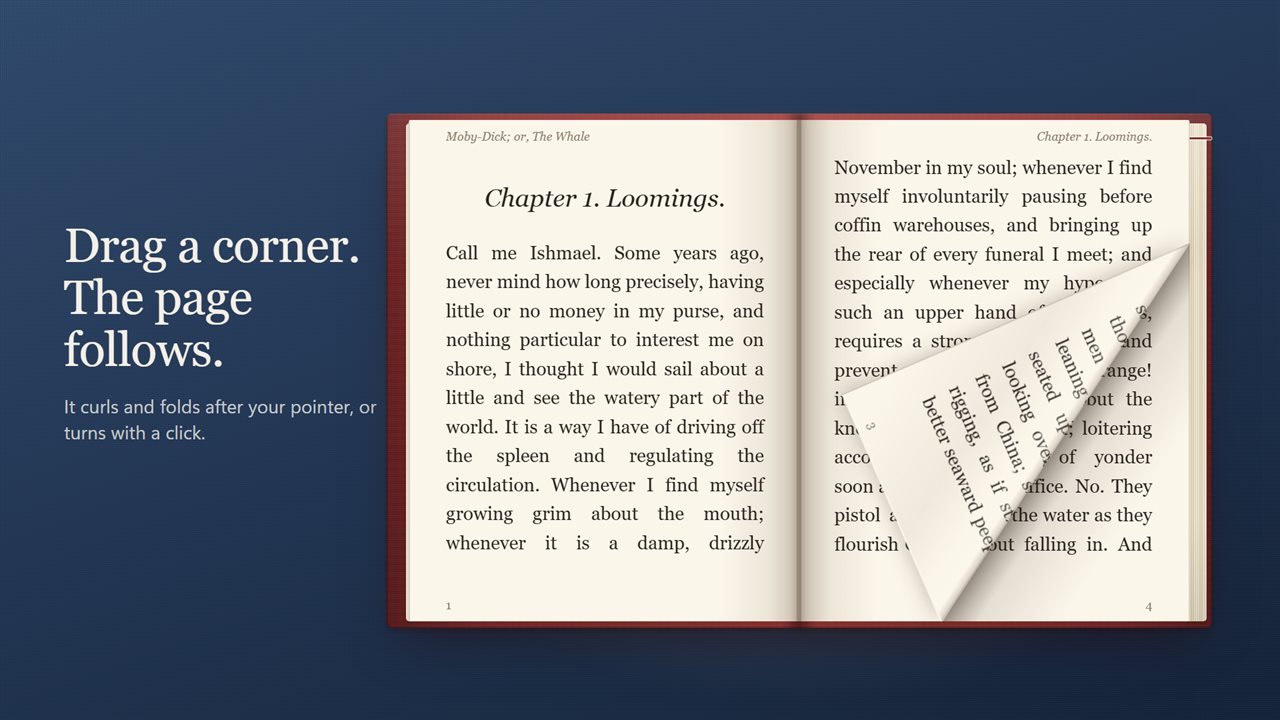
Your book as two pages side by side, open where you left off.
Drag a page corner and it curls after your pointer, or click to turn.
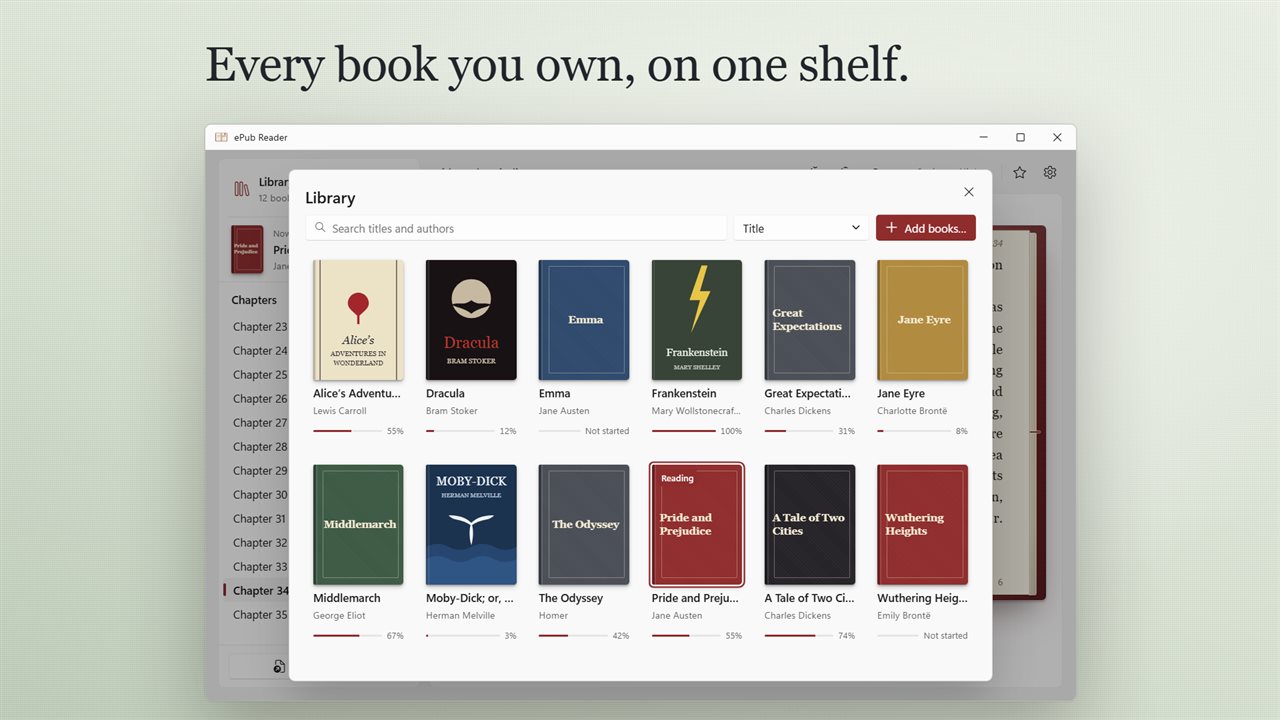
Your library, with each book's cover and how far you have read.
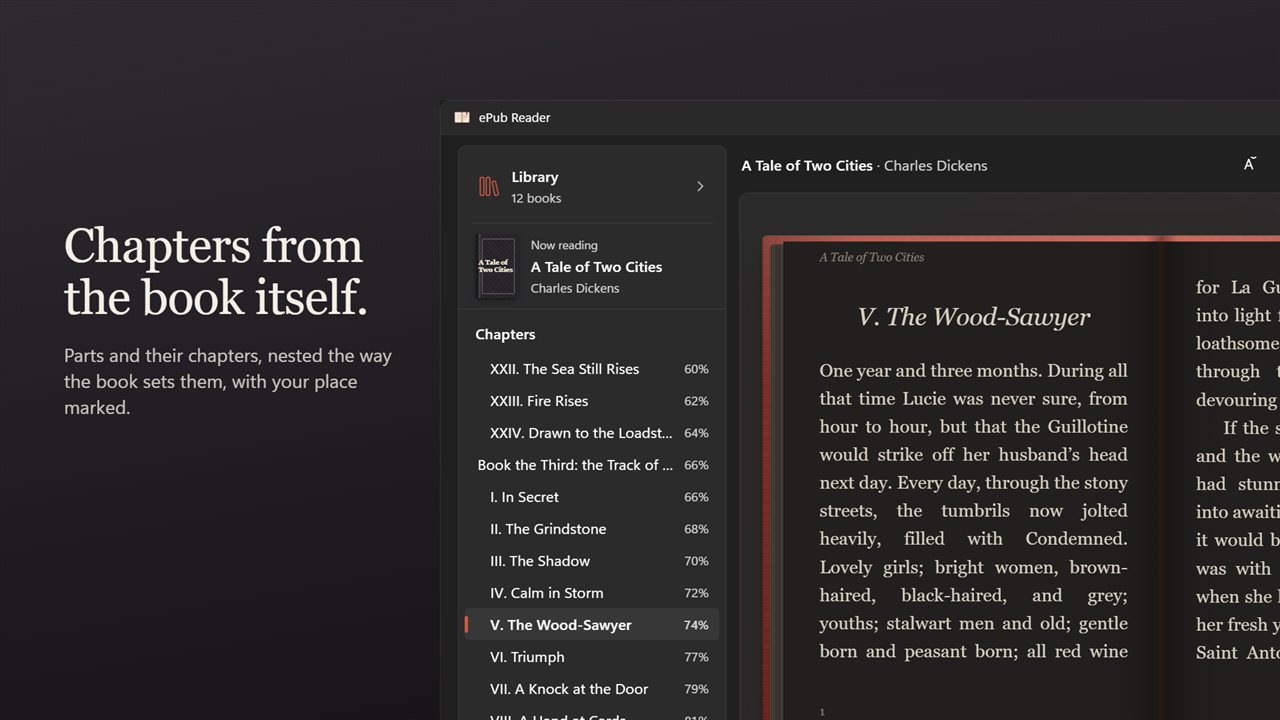
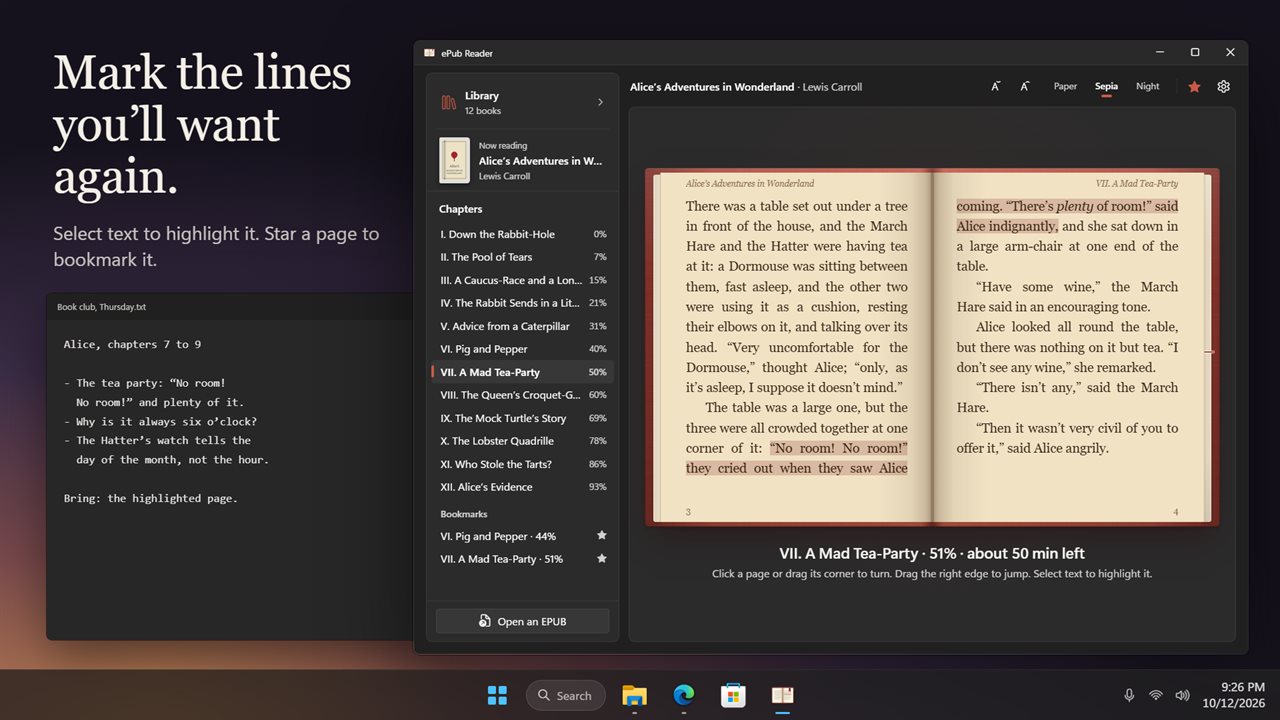
Chapters from the book's own contents, nested, with your place marked.
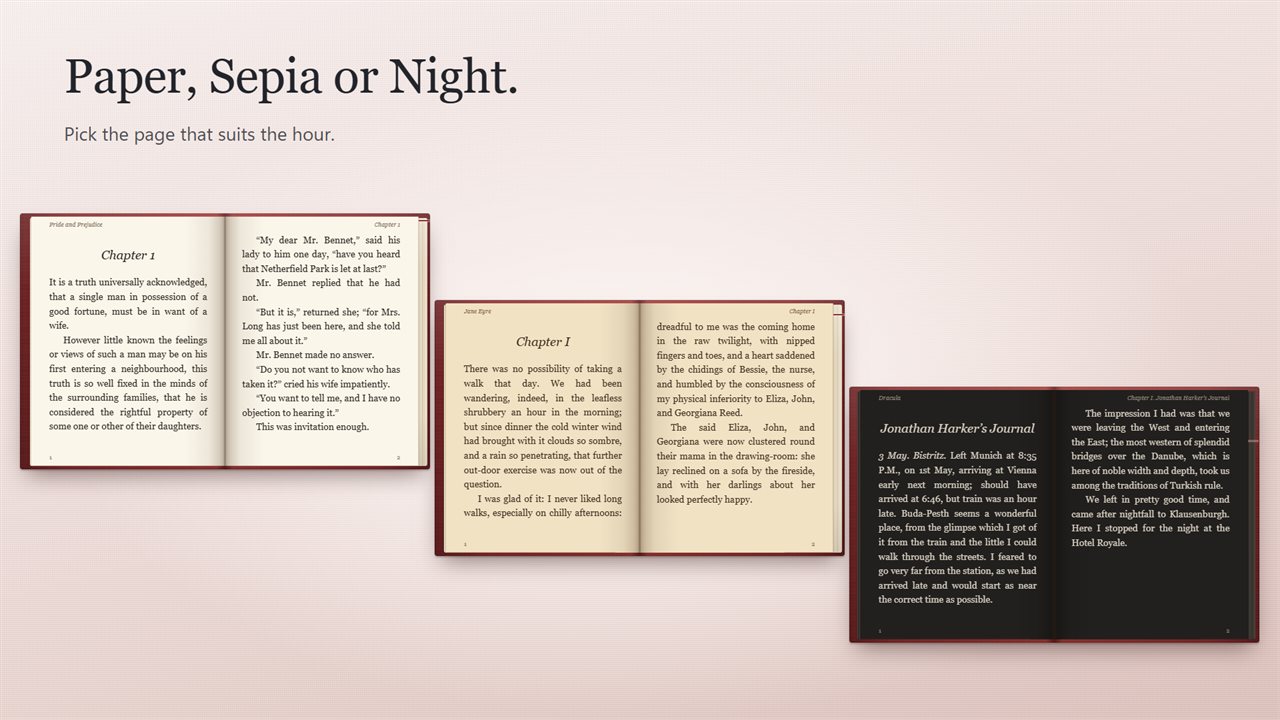
Paper, Sepia and Night pages.
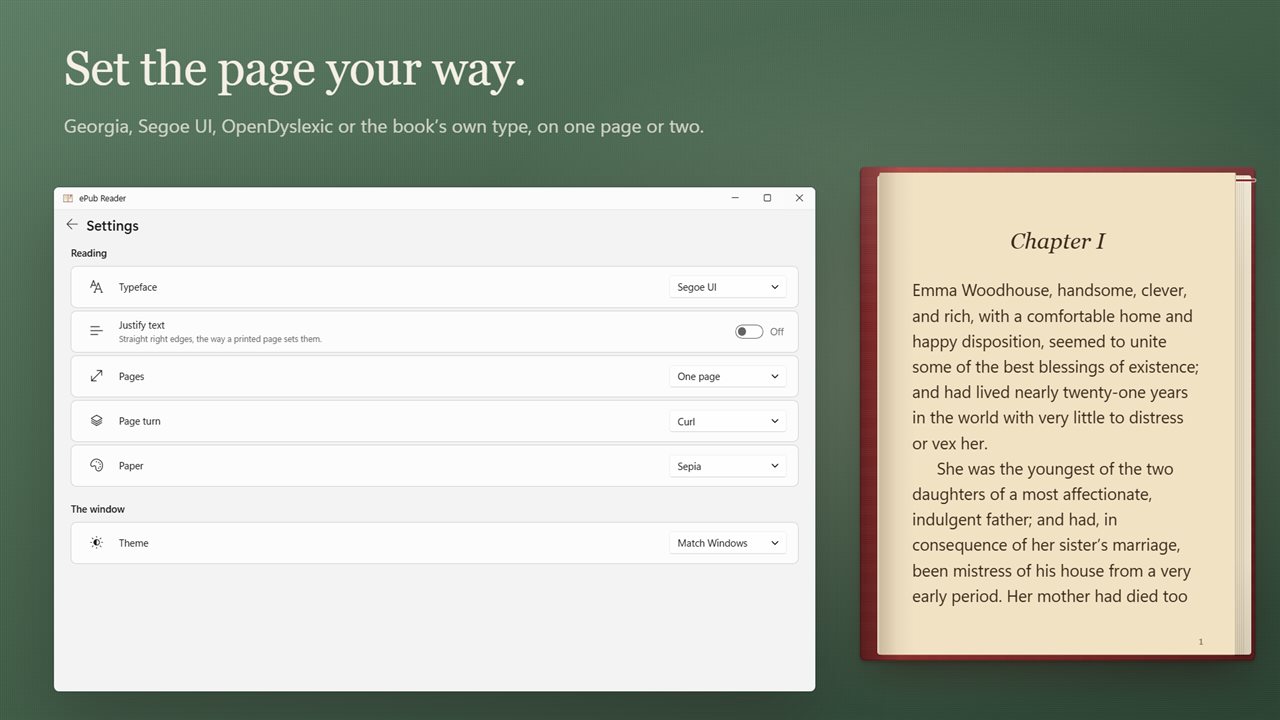
Choose the typeface, one page or two, and how pages turn.
Select text to highlight it, and bookmark a page with the star.

Your book as two pages side by side, open where you left off.

190,000+downloads of EvlarSoft apps
Signed by EvlarSoftVerified US publisher
14-day money-backNo questions asked
Updates includedNo upgrade fees

An EPUB reader for Windows that feels like holding a book

Windows has no EPUB reader of its own anymore, so a downloaded .epub file just sits in your Downloads folder until you install one. ePub Reader is an EPUB reader for Windows 11 and Windows 10 built for the reading itself: the book fills the window as a left and right page, the corner curls under your pointer when you drag it, and the edges of the page block thin out on one side and thicken on the other as you progress.

Every book you open is copied into the app's own library folder and shown on a shelf of covers with a percentage beside each one. Move or delete the original file and the book still opens, on the exact page where you stopped.

It reads standard .epub files without copy protection. That covers public-domain classics, books bought from DRM-free shops, and EPUBs you exported yourself.

How to open an EPUB file on Windows

There are three ways in, and all of them land on the page you last read:

  • Click Open an EPUB, or the closed book shown in an empty window, and pick the file.
  • Drag an .epub from File Explorer and drop it anywhere on the window.
  • Double-click the file in File Explorer. The app registers itself as a viewer for .epub, so you can also right-click a book, choose Open with, and set it as the default.

A library that remembers every book

Press Ctrl+L, or click Library, and your shelf slides over the page you are reading. Type in the search box to filter by title or author, and use Sort by to order the shelf by Title, Author, Recently added or Recently read.

Add books… takes several files in one go, and dropping a batch onto the open library adds all of them. Opening a book you already have keeps a single copy rather than a duplicate. Select a cover and press Delete to take it off the shelf; only the library's copy is removed, never your original.

Change the font, page color and layout of an ebook

The gear opens Settings, where the reading options live on their own page:

  • Typeface: Georgia, Segoe UI, OpenDyslexic, or the book's own font.
  • Text size from 12 to 30 px, stepped with the smaller and larger buttons under the book.
  • Justify text for straight right edges like a printed page, or turn it off for a ragged right margin.
  • Pages: two side by side, or a single column for narrow windows.
  • Page turn: Curl, Slide, or None if you prefer an instant change.
  • Paper: Paper, Sepia or Night, with a separate Light, Dark or Match Windows theme for the window around it.

Turning pages, highlights and bookmarks

Click a page to turn it, or drag its corner and let go when the fold is far enough over. The Right and Left arrow keys and Page Down and Page Up turn pages too. To skip ahead, drag along the right edge of the book; a tip shows how far through you will land.

Select a passage and it is highlighted at once; click the highlight to clear it. The star marks the current page, and every bookmark appears under Bookmarks at the end of the chapter list, which itself is built from the book's table of contents with parts and their chapters nested. Highlights and bookmarks are saved with the book in your library.

Below the book a status line shows the chapter, your percentage, and an estimate such as "about 25 min left". It begins at 250 words a minute and adjusts to how quickly you actually turn pages, so the figure gets closer to your real pace the more you read.
What you get

  • Two-page spread or single page, chosen in Settings
  • Curl, Slide or no page-turn animation
  • Your position saved whenever the page changes
  • Cover shelf with search, four sort orders and reading progress per book
  • Nested chapter list from the book's table of contents, with your current chapter marked
  • Text highlights and page bookmarks stored per book
  • OpenDyslexic among four typeface choices, sizes 12 to 30 px
  • Paper, Sepia and Night page colors plus light and dark window themes
  • Time-left estimate that learns your reading speed
  • Opens from a button, drag and drop, or a double-click on any .epub

Who reads with it

Project Gutenberg and public-domain readers

Download the EPUB edition of a classic, double-click it, and it joins the shelf with its cover. Come back a week later and it opens mid-chapter.

Readers with dyslexia

Switch the typeface to OpenDyslexic, raise the size, turn off justification for even word spacing, and pick Sepia to soften the contrast.

Late-night reading on a laptop

Night pages and a dark window keep the screen dim, and the arrow keys turn pages without reaching for the touchpad.

Questions

Anything else? Ask us

Does it open MOBI, AZW, PDF or DRM-protected books?

No. It opens only .epub files, and it has no way to unlock DRM, so books bought with copy protection will not read. DRM-free EPUB files work.

Does it remember the page I was on?

Yes. Your place is saved every time the page changes, so a book opens where you stopped, whether you open it from the library or by double-clicking it in File Explorer.

What happens to my EPUB file when I add it to the library?

A copy is kept in the app's own library folder, so the book still opens if you move or delete the original. Opening the same book twice keeps one copy, and removing a book from the library deletes only that copy.

Can I change the font and text size?

Yes. Choose Georgia, Segoe UI, OpenDyslexic or the book's own typeface, at 12 to 30 px, with justified or ragged-right text. Pages come in Paper, Sepia or Night.

Can I read one page at a time instead of two?

Yes. Switch between two pages side by side and one page in Settings. The page turn can be a curl, a slide or no animation.

How does it work out the reading time left?

It starts at 250 words a minute and adjusts to how fast you actually turn pages, then shows about how long is left in the book.

Does Windows 11 have a built-in EPUB reader?

No. Microsoft Edge used to open EPUB files but that support was removed, and Windows 11 ships with nothing that reads them. You need a separate reader such as this one.

How do I make EPUB files open in ePub Reader by default?

Right-click any .epub file in File Explorer, choose Open with, then Choose another app, select ePub Reader and tick Always use this app. After that a double-click opens the book on your saved page.

Is there a dark mode for reading EPUB books on a PC?

Yes. In Settings, set Paper to Night for dark pages with light text, and set Theme to Dark so the window around the book matches. Sepia is the in-between option for softer contrast.

Which versions of Windows does it run on?

Windows 10 (version 1809 or later) and Windows 11.

Is it a subscription?

No. ePub Reader is a one-time purchase of $3.99, and updates are included.

How do I get it?

Buy it on this page and your license key arrives by email. If the button says Notify me, ePub Reader is not on sale here yet; leave your email and we will tell you when it is.