EEvlarSoft
No upload. Files stay on your PC

PDF to PPTX Converter

Convert a PDF to PowerPoint on your PC and get slides with text you can click into and edit, not a flat picture of each page.

Buy for $1.99
One payment. No subscription.
14-day money-back guarantee.
5.0
Every PDF page becomes a slide you can edit.
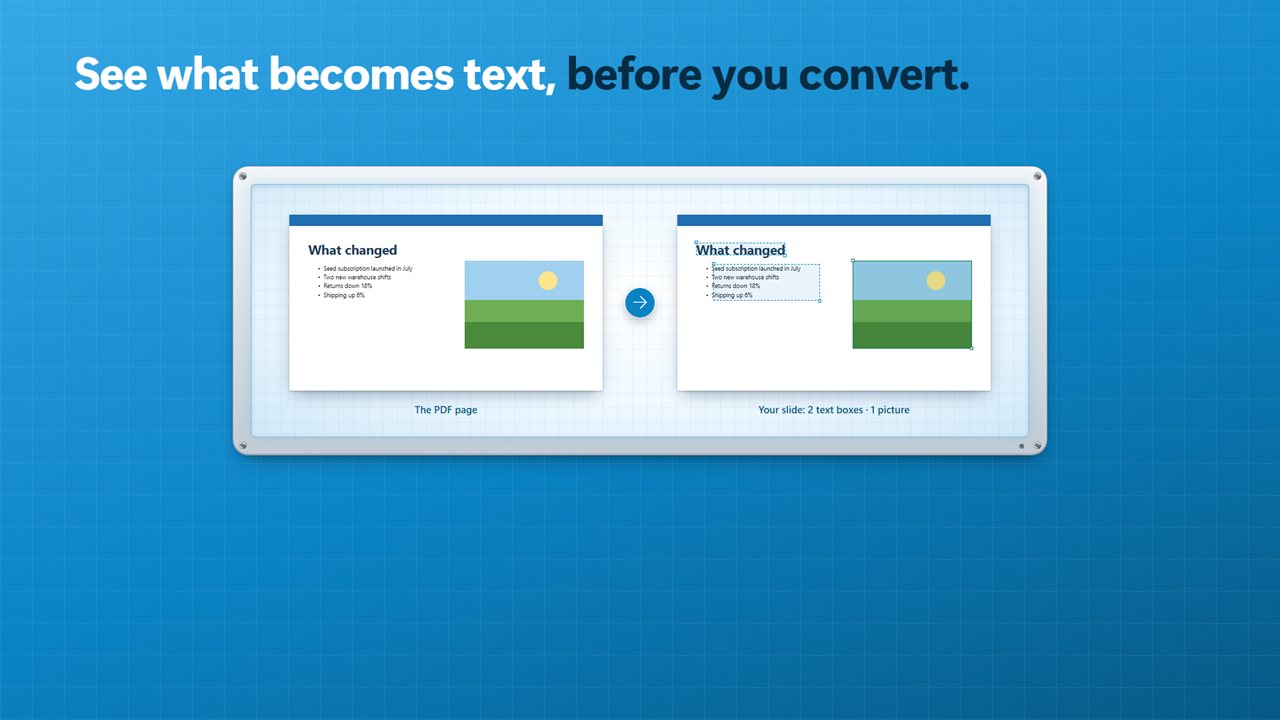
See which parts become text before you convert.
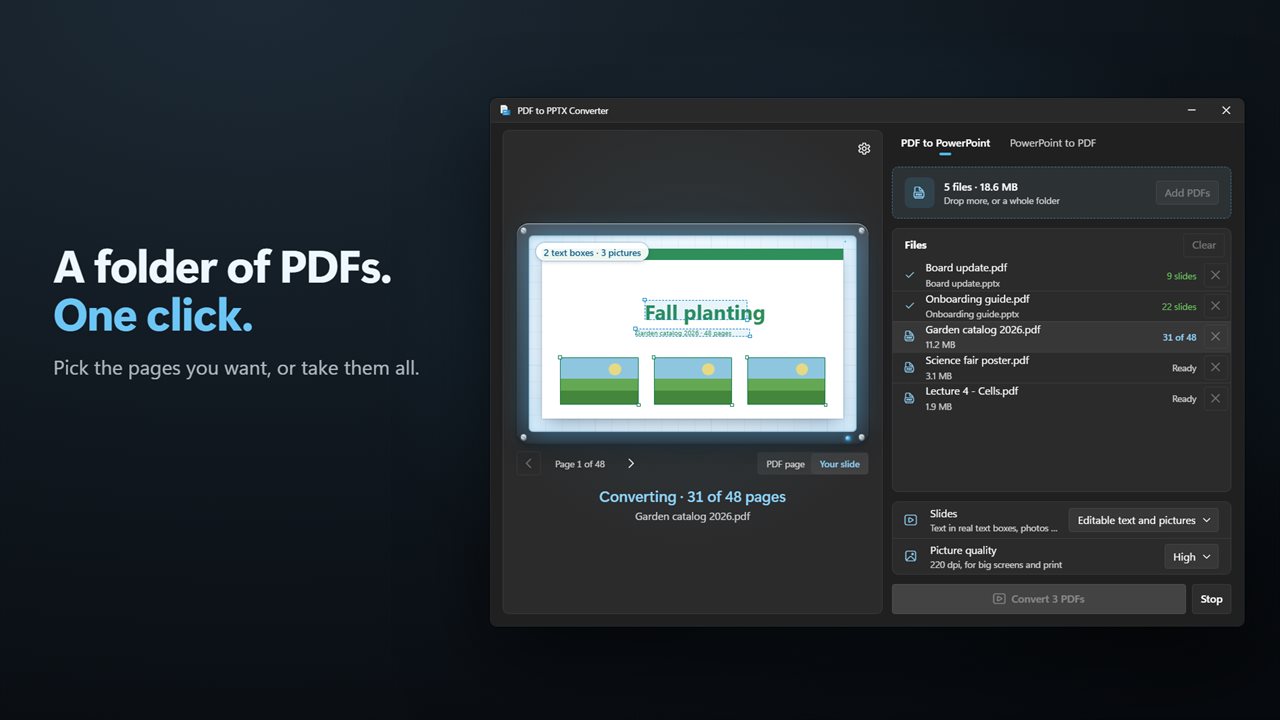
Convert a whole folder of PDFs at once.
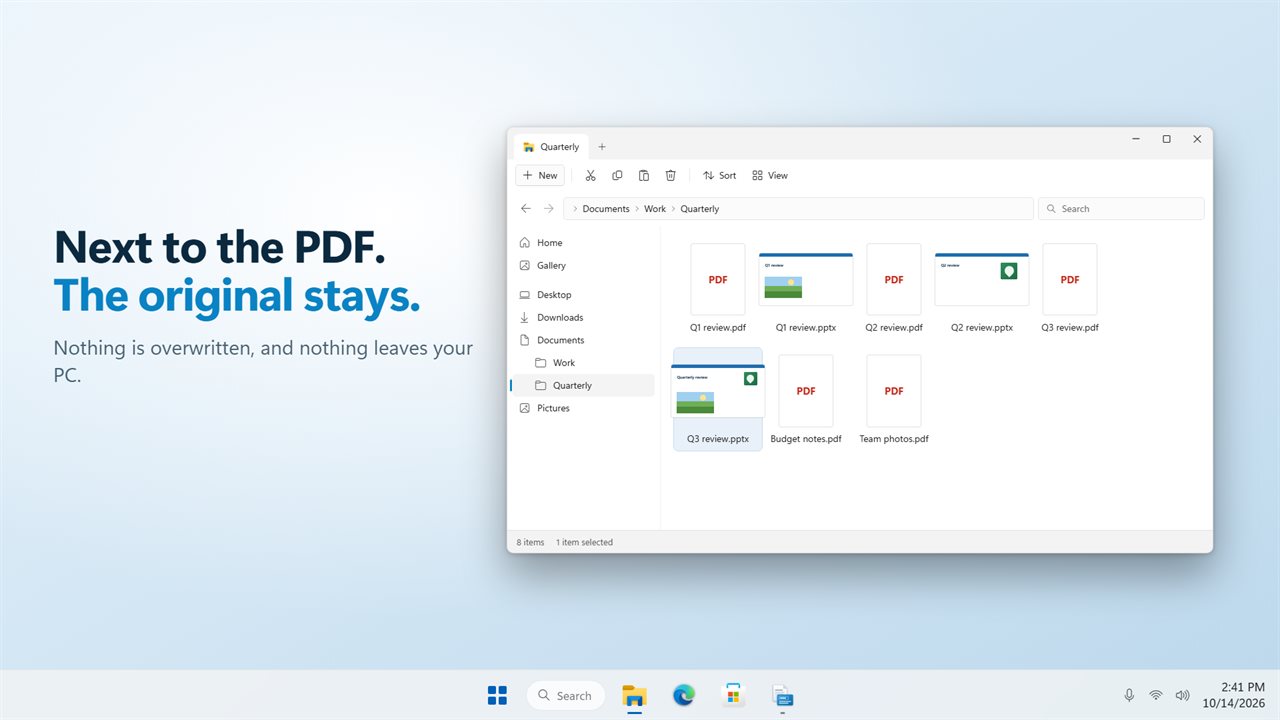
Saved beside the PDF. The original stays as it is.
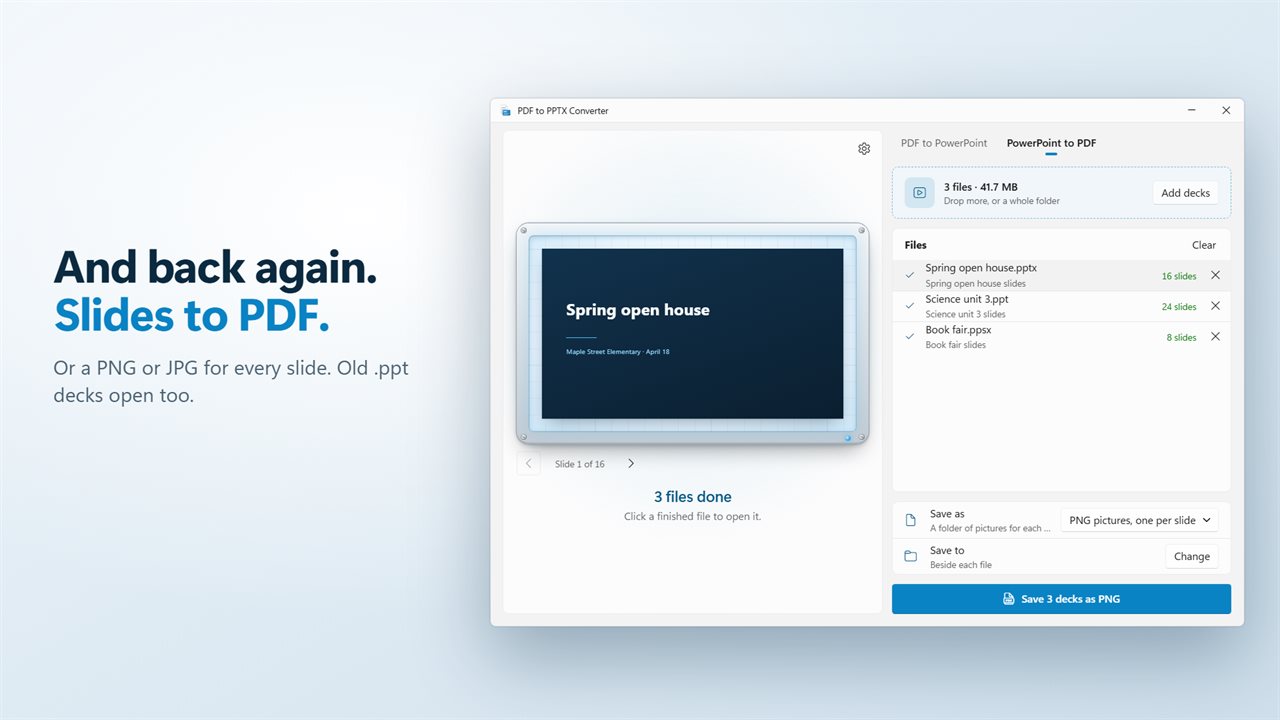
And back again: slides to PDF or pictures.
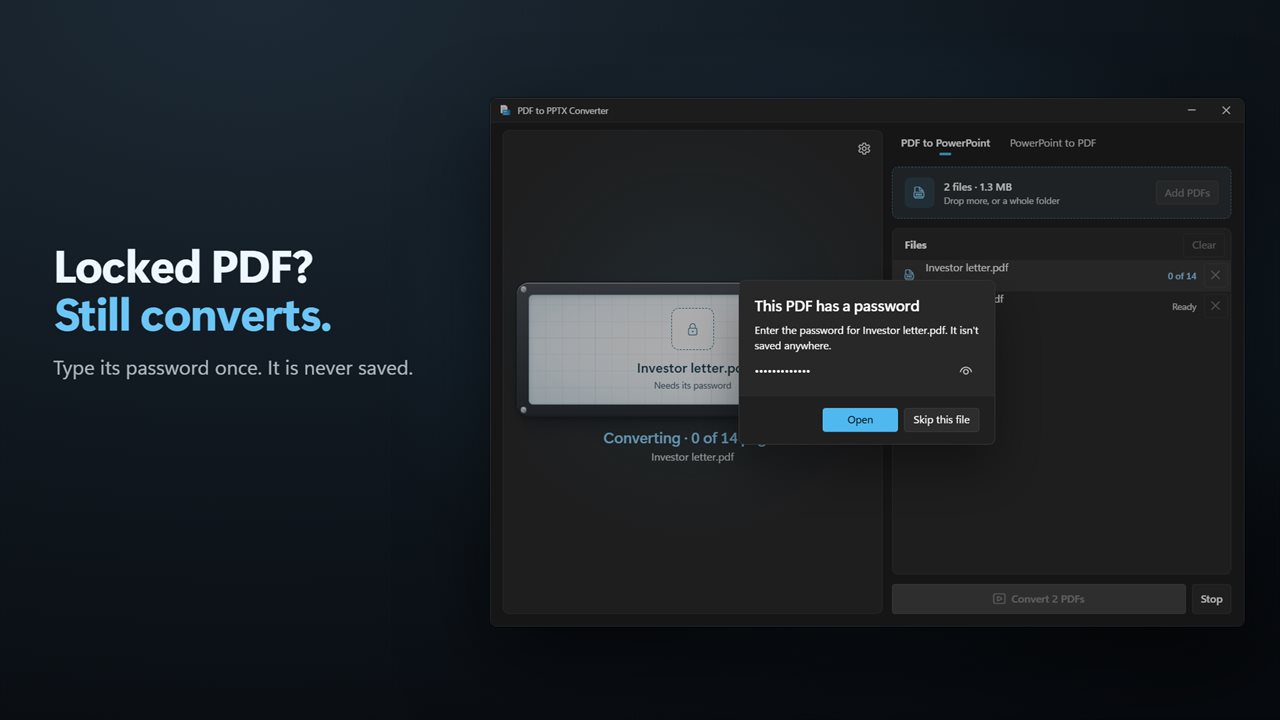
Password-protected PDFs convert too.

Every PDF page becomes a slide you can edit.

190,000+downloads of EvlarSoft apps
Signed by EvlarSoftVerified US publisher
14-day money-backNo questions asked
Updates includedNo upgrade fees

A PDF to PowerPoint converter that keeps the text editable

Most people who look for a PDF to PowerPoint converter want one thing: to open the result, click a heading and change it. Many converters cannot do that. They paste a picture of each page onto a slide, so the deck looks right but every word is frozen. The quick test is to click a line of text in PowerPoint. If you get a cursor, the converter did its job. If the whole slide selects as one image, it did not.

PDF to PPTX Converter passes that test in its default mode, Editable text and pictures. Each PDF page becomes one slide. Words arrive as text boxes in the same position, with their font, size and color, and the lines of a paragraph stay together in one box so a sentence edits as a sentence. Photos and logos are placed as separate pictures you can drag, resize or swap. Rules, shapes and page backgrounds sit behind everything as a single layer.

Run that test before you commit to a batch. Open one PDF, flip the preview between PDF page and Your slide, and read the hint underneath. A page that is really a scan says so there, before any file is written, so you know which slides will come out editable and which will not.

How to convert a PDF to PowerPoint, step by step

Start on the PDF to PowerPoint tab at the top of the window.

  • Drop a PDF on the light box, click it to browse, or use Add PDFs. A whole folder works too.
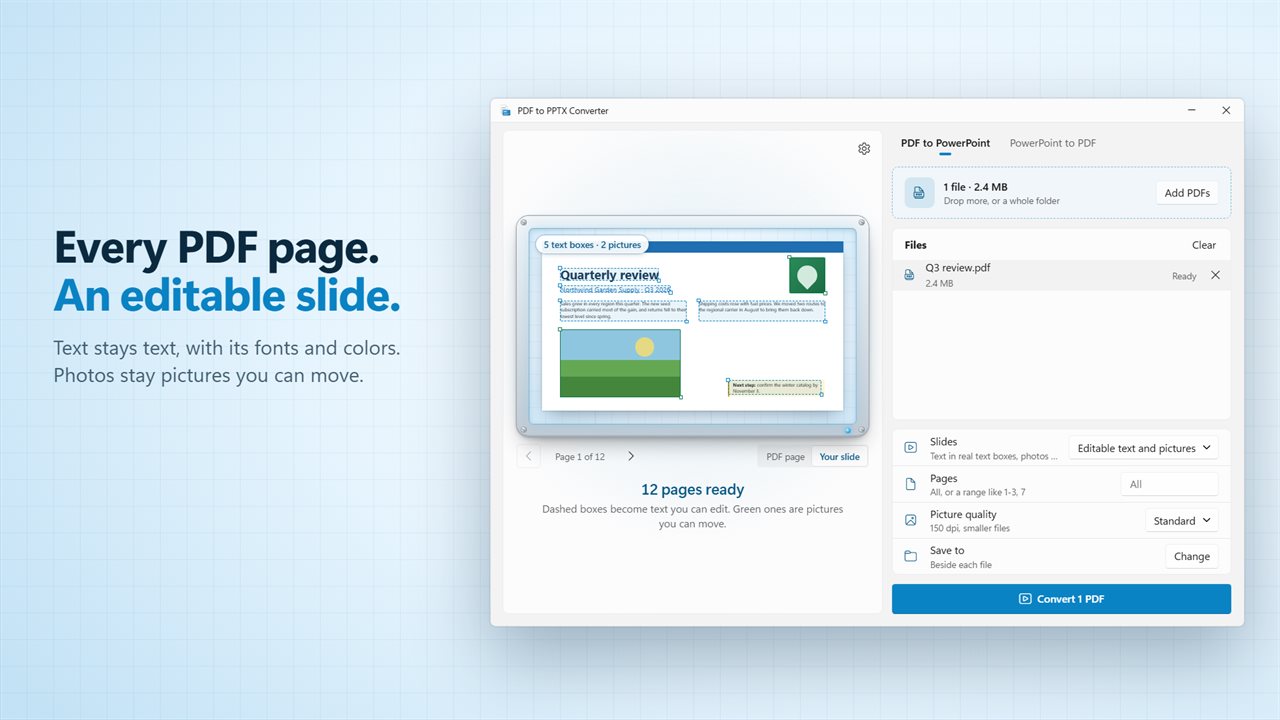
  • Look at the preview. Dashed boxes mark what will become editable text and green boxes mark pictures, with a count of each. Toggle between PDF page and Your slide to compare.
  • Under Pages, leave it blank for all of them or type a range like 1-3, 7.
  • Pick a Picture quality: Standard is 150 dpi for smaller files, High is 220 dpi for big screens and print.
  • Choose where the decks go under Save to, or keep Beside each file, then press Convert.

PDF to PPTX when the layout matters more than editing

Some PDFs are designed pieces, such as a brochure or a poster, where you care about every pixel and only want to present it. For those, switch the mode to Pictures of each page. Every slide is an exact image of its page, and the page's words are copied into the speaker notes so the deck can still be searched.

Scanned pages, rotated pages and pages with no readable text always come across this way, whatever mode you chose. The app does not run text recognition on a scan, so nothing is guessed at or garbled, and the slide still drops into any deck.

Save PowerPoint as PDF, with notes, or as JPG and PNG slides

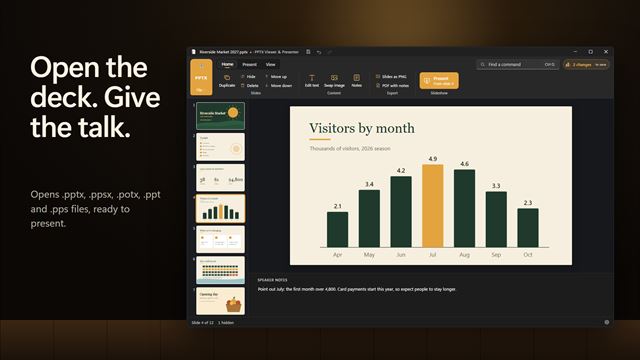
The PowerPoint to PDF tab runs the other direction. Add .pptx, .ppt, .pps or .ppsx decks, then choose PDF, PNG pictures, one per slide, or JPG pictures, one per slide under Save as. For a PDF, the Speaker notes switch prints each slide with its notes underneath, which is the version presenters usually want for handouts.

Both directions accept many files at once and report each one as it finishes. New files never replace old ones: if a name is taken, a number is added instead. Turn on Open the folder in Settings and File Explorer opens on the results when a batch is done.
What the converter handles

  • Editable text and pictures modeText boxes with original fonts, sizes and colors
  • Paragraph lines grouped into a single text box
  • Photos and logos as separate, movable pictures
  • Pictures of each page mode, with page text in the speaker notes
  • A preview that marks text boxes and pictures before you convert
  • Page ranges such as 1-3, 7
  • Standard (150 dpi) or High (220 dpi) picture quality
  • Batch conversion from files or a dropped folder
  • PowerPoint decks out to PDF, with optional speaker notes, or to PNG or JPG per slide
  • Light, dark or Match Windows theme

Who converts PDFs to slides

Teachers reusing a handout

Turn last year's PDF worksheet into slides, then update dates and questions in place instead of retyping them.

Staff with only the PDF

When the original deck is lost and only an exported PDF remains, rebuild an editable presentation from it in one pass.

Presenters making handouts

Save the finished deck as a PDF with speaker notes under each slide, or as a folder of JPGs to post or email.

What's new in 2.0.2

  • New: turn PDFs into PowerPoint slides, with the text in real text boxes you can edit
  • New: photos and logos come across as pictures you can move
  • New: see which parts become text before you convert
  • New: convert only the pages you want, and many PDFs at once
  • New: password-protected PDFs ask for their password
  • New: open PowerPoint 97-2003 decks (.ppt and .pps)
  • New: slide pictures go into a folder of their own, one per deck

Questions

Anything else? Ask us

Will the text in my PDF be editable in PowerPoint?

Yes, in the default Editable text and pictures mode. Text comes across as real text boxes with its size, color, bold and italic, and lines of the same paragraph share one box. Photos and logos become separate pictures, and lines, shapes and backgrounds sit behind them as one picture.

What happens to scanned or rotated pages?

They come across as one picture of the page, so they look exactly like the PDF but their text cannot be edited. The same goes for any page with no readable text. When a page brought in as a picture does have text, that text goes in the slide's speaker notes.

Do I need PowerPoint installed to convert?

No. The conversion engine is built into the app, so it writes .pptx files without PowerPoint. You only need PowerPoint, or another app that opens .pptx files, to edit the result.

Can it convert password-protected PDFs?

Yes. It asks for the password when a PDF needs one, and keeps it only in memory while the app is open. It is never saved.

Can I convert a whole folder of PDFs, and what happens to the originals?

Yes. Dropping a folder adds the PDFs directly inside it, though not those in subfolders. Each deck is saved beside its PDF or in a folder you choose, the original is left as it is, and a number such as (2) is added rather than replacing an existing file.

Can it turn PowerPoint slides into a PDF or pictures?

Yes. It opens .pptx, .ppt, .pps, .ppsx, .pptm and .potx files and saves them as a PDF, with or without speaker notes, or as one PNG or JPG picture per slide in a folder of their own.

How can I tell if a converted slide is editable?

Before converting, the preview draws dashed boxes around the text that will be editable and shows a count of text boxes. After converting, click the text in PowerPoint: a blinking cursor means it is a real text box.

Can I convert only some pages of a PDF?

Yes. Type the pages in the Pages box, for example 1-3, 7. Leave it empty to convert every page.

What picture quality should I choose?

Standard renders pictures at 150 dpi and keeps the deck small. High uses 220 dpi, which looks sharper on large displays and in print.

Which versions of Windows does it run on?

Windows 10 (version 1809 or later) and Windows 11.

Is it a subscription?

No. PDF to PPTX Converter is a one-time purchase of $1.99, and updates are included.

How do I get it?

Buy it on this page and your license key arrives by email. If the button says Notify me, PDF to PPTX Converter is not on sale here yet; leave your email and we will tell you when it is.