EEvlarSoft

Word Counter Widget

A word counter that lives on your Windows desktop: highlight or copy text in any program and its word and character count appears on screen.

Buy for $2.99
One payment. No subscription.
14-day money-back guarantee.
4.0
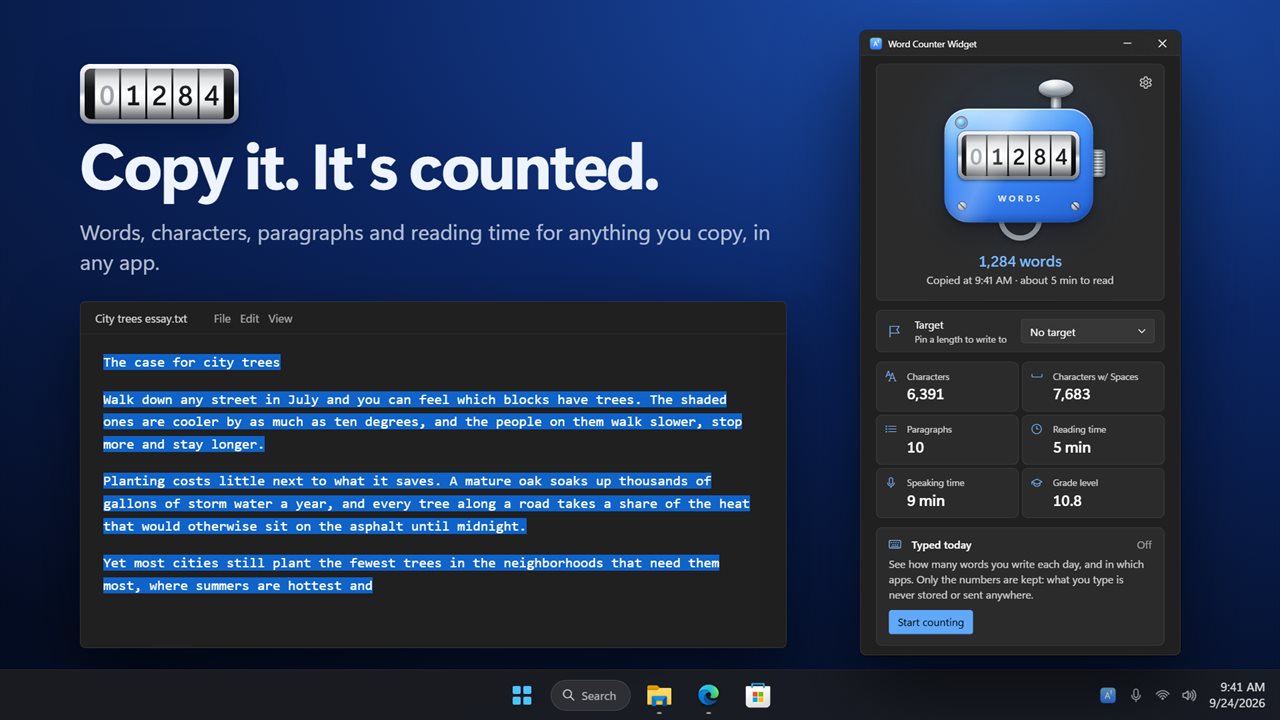
Copy any text and the count is waiting.
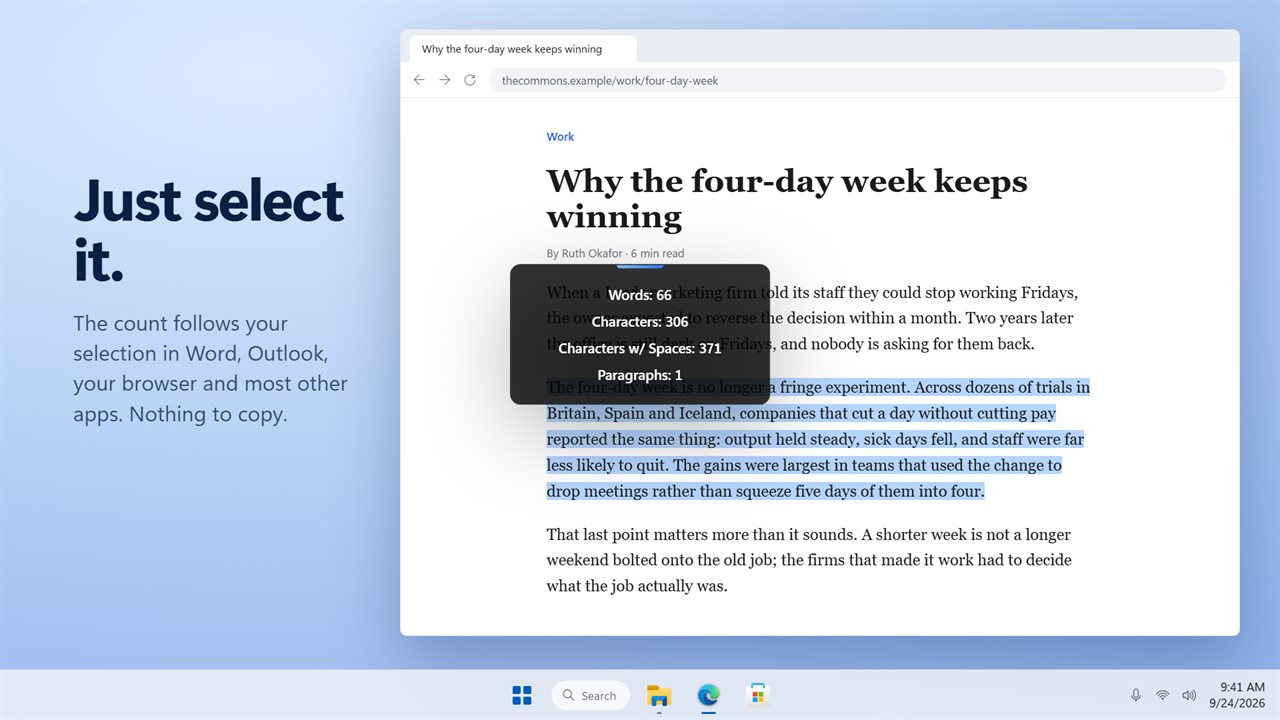
Just select it. The count appears, with nothing to copy.
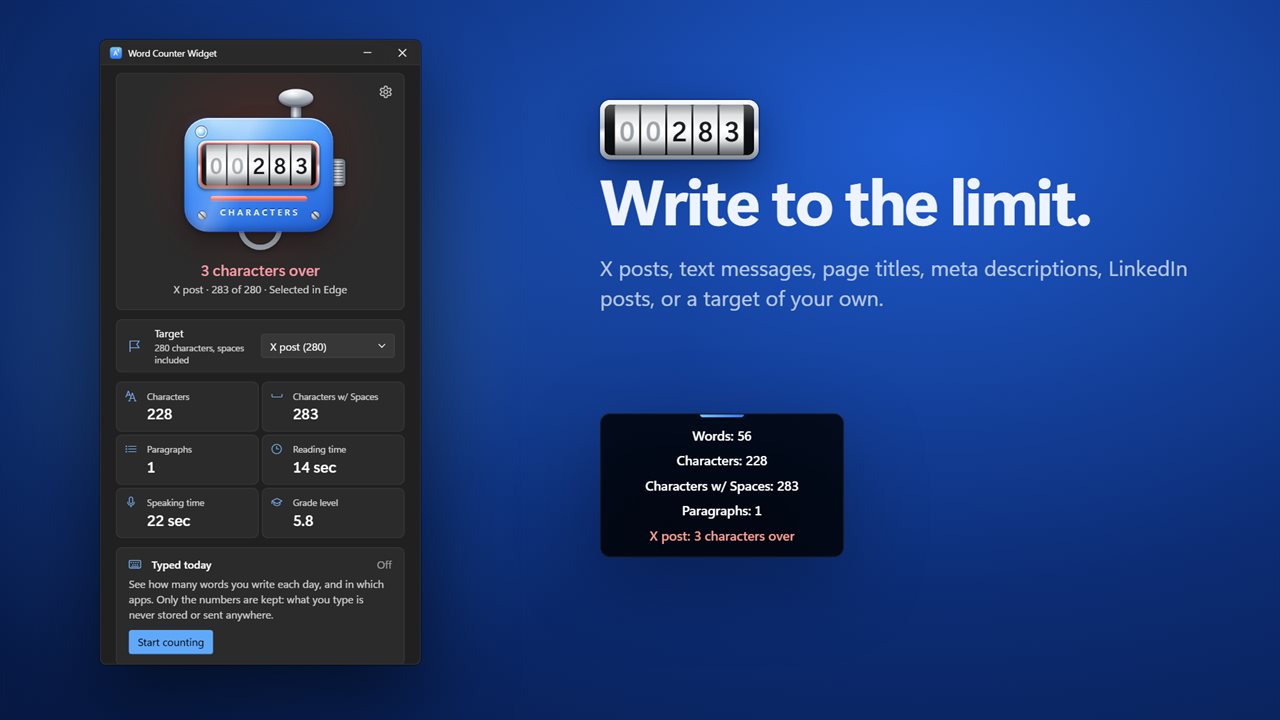
Write to a limit, and see when you go over.
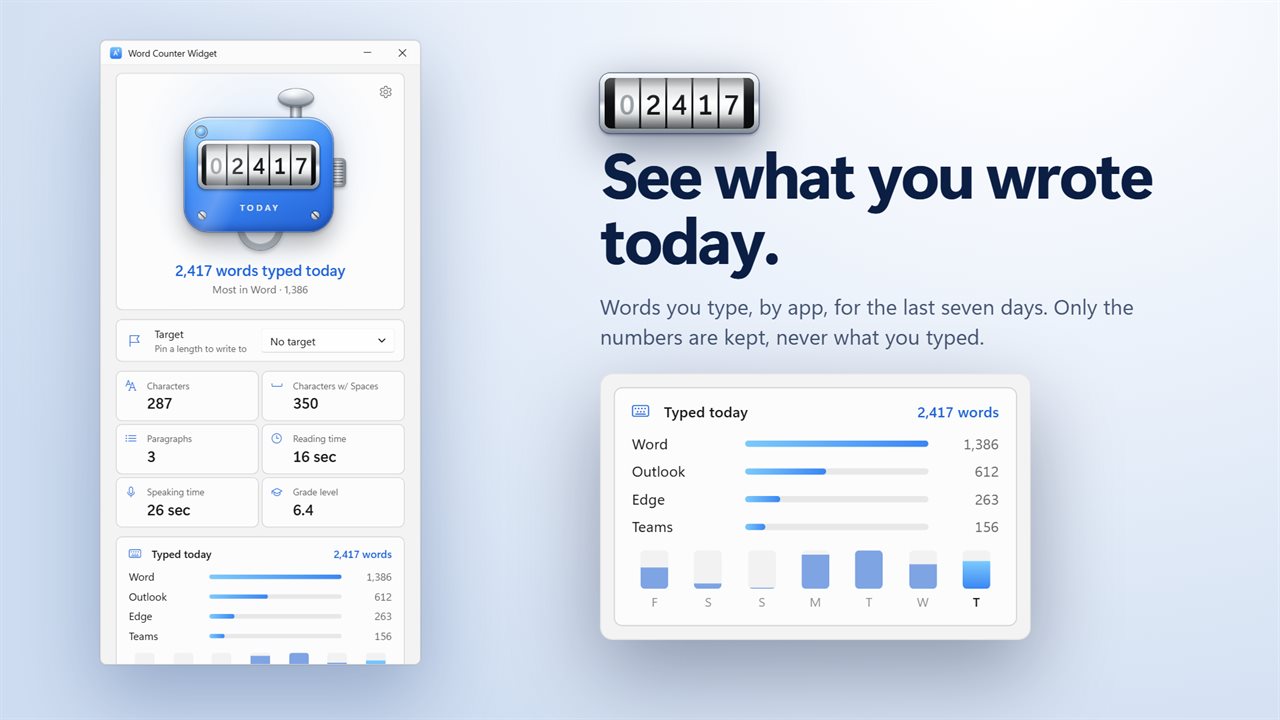
Words you typed today, by app. Only the numbers are kept.
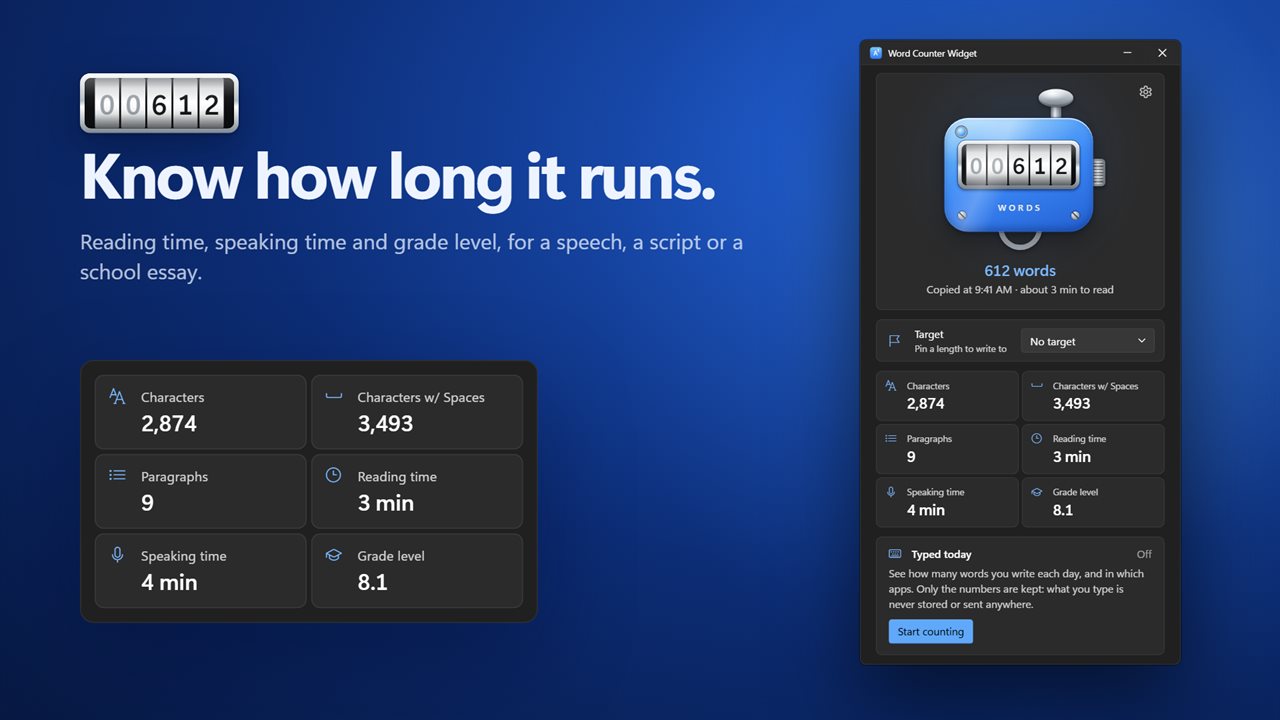
Reading time, speaking time and grade level.
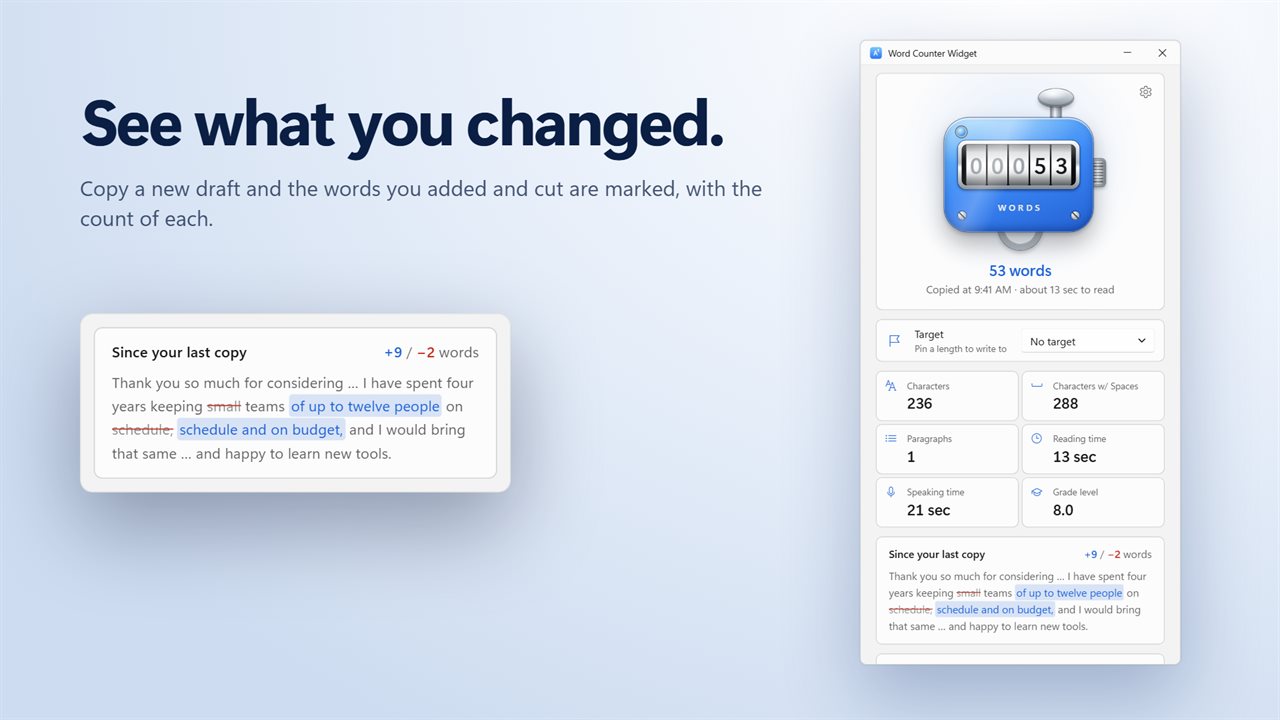
Copy a new draft and see what you changed.
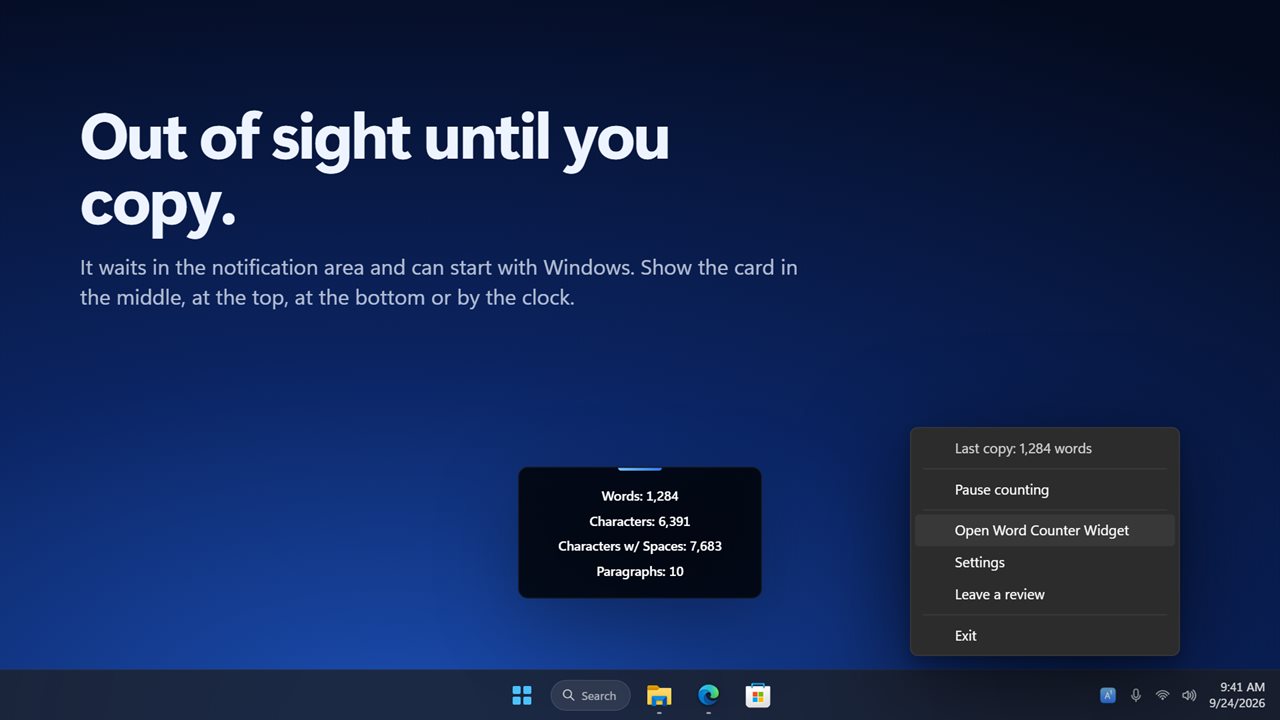
Waits in the notification area. Put the card where you like.

Copy any text and the count is waiting.

190,000+downloads of EvlarSoft apps
Signed by EvlarSoftVerified US publisher
14-day money-backNo questions asked
Updates includedNo upgrade fees

A word counter that comes to your text

Most word counter tools are web pages. You copy the paragraph, switch to a browser tab, paste it into a box, read the number and switch back. Do that twenty times while trimming an abstract or a cover letter and the counting takes longer than the editing.

Word Counter Widget reverses the trip. It sits in the notification area and watches for two things: text you copy, and text you select. Highlight a passage in a document, an email, a browser page or a chat window, hold still for a moment, and a small card shows the words, characters, characters with spaces and paragraphs. The card never steals focus and lets clicks pass through it, so the selection you were working on stays highlighted.

Selection counting relies on Windows UI Automation, which most mainstream apps support. Where an app does not expose its text that way, copying it still works.

Character counter for posts, texts, titles and meta descriptions

Under Write to a length, pin the limit you are writing to and the counter switches from a plain total to the room you have left. The presets cover a 280-character social post, a 160-character text message, a 155-character meta description, a 60-character page title and a 3,000-character professional network post. Your own target can be set in words or in characters, such as 1,500 words for an essay.

Go over and the readout flips from, say, 12 characters left to 9 characters over, on the card as well as in the window, so you know exactly how much to cut. For SEO work that saves a round trip to a separate length checker every time you rewrite a title.

Words to minutes: reading time and speaking time

Every count carries two time estimates. Speaking time assumes 150 words a minute, a comfortable pace for a talk or a video script. Reading time uses the Reading speed you set, anywhere from 150 to 400 words a minute; it starts at 238, a typical adult silent-reading rate. Select a draft speech and you know whether it runs three minutes or six before you rehearse it.

English passages of ten words or more also get a Flesch-Kincaid grade level, the school grade at which the text reads comfortably. It is a quick check on whether a support article or a letter is pitched where you meant it.

How to count words in apps without a built-in counter

Plenty of places you write have no counter at all: a web form, a messaging app, a content management system, an email reply. With Count what I select on, highlighting the text is all it takes. Count what I copy covers anything else. Copy a revised draft of that passage and the card marks the words you added and the words you cut, which is handy when an editor asks for 200 fewer.

The window keeps your five most recent copies with their counts, so you can compare an old version against a new one without pasting either anywhere.
What it counts and shows

  • Words, characters, characters with spaces and paragraphs
  • Live counts for selected text as well as copied text
  • An on-screen card in small, medium or large, placed top, middle, bottom or near the notification area
  • Show the card on every screen or only the screen with the pointer
  • Reading time, speaking time and Flesch-Kincaid grade level
  • Preset and custom length targets that show how much room is left, or how far over you are
  • Added and cut words between two copies of a draft
  • Optional Words typed today tally by app for seven days, off by default, numbers only

Who keeps it running

Students

Check a section of an essay against its word limit without leaving the document, and see the grade level of the prose.

Marketers and SEO writers

Write page titles, meta descriptions and social copy to length in whatever editor or CMS you use.

Speakers and video creators

Select a script and get its speaking time straight away, then cut until it fits the slot.

What's new in 2.0.4

  • New: select text in most apps and see the count live, with nothing to copy
  • New: reading time, speaking time and grade level for every count
  • New: write to a limit for X posts, text messages, page titles and more, or set your own
  • New: see the words you added and cut since your last copy
  • New: count the words you type each day, by app. Only the numbers are kept
  • New: choose where the card appears, its size and how long it stays up
  • If it started with Windows before, it still does

Questions

Anything else? Ask us

Do I have to copy text to count it?

No. In Word, Outlook, browsers and most other apps, selecting text is enough, and the count follows the selection as it changes. It reads the selection through Windows UI Automation, so an app that does not expose its text that way still needs a copy.

Will the count match X's 280-character limit exactly?

Not always. It counts every character, spaces included, while X counts links and some characters such as emoji differently. Use it as a close guide for X, and an exact one for plain-text limits like page titles.

Does it count Chinese or Japanese text correctly?

Characters, yes. Words are split on spaces, so text written without spaces between words counts as very few words.

Does the typing tally record what I type?

No. It is off until you turn it on, and then it keeps only the number of words per app per day, for the last seven days. Password boxes are skipped.

Will it read passwords copied from my password manager?

No. Copies that password managers mark as private are not read. Your last five copies are listed with their counts, and that list is cleared when you exit.

How is the grade level worked out?

It uses the Flesch-Kincaid grade level for English text, shown once the text has at least 10 words. Speaking time assumes 150 words a minute, and you can set reading speed from 150 to 400.

How many words is a 5-minute speech?

At the 150 words a minute the app uses for speaking time, about 750 words. Select your script and the card shows its speaking time directly.

Can I stop it counting for a while?

Yes. Pause counting from the notification-area icon, and resume the same way. Count what I copy and Count what I select can also be switched off separately.

Which versions of Windows does it run on?

Windows 10 (version 1809 or later) and Windows 11.

Is it a subscription?

No. Word Counter Widget is a one-time purchase of $2.99, and updates are included.

How do I get it?

Buy it on this page and your license key arrives by email. If the button says Notify me, Word Counter Widget is not on sale here yet; leave your email and we will tell you when it is.