EEvlarSoft

Lorem Ipsum Maker

Make lorem ipsum or real-language filler text by the word, sentence or paragraph, or sized to fit a character limit, then copy it in one click.

Buy for $1.99
One payment. No subscription.
14-day money-back guarantee.
5.0
Placeholder text, set on a page and ready to copy.
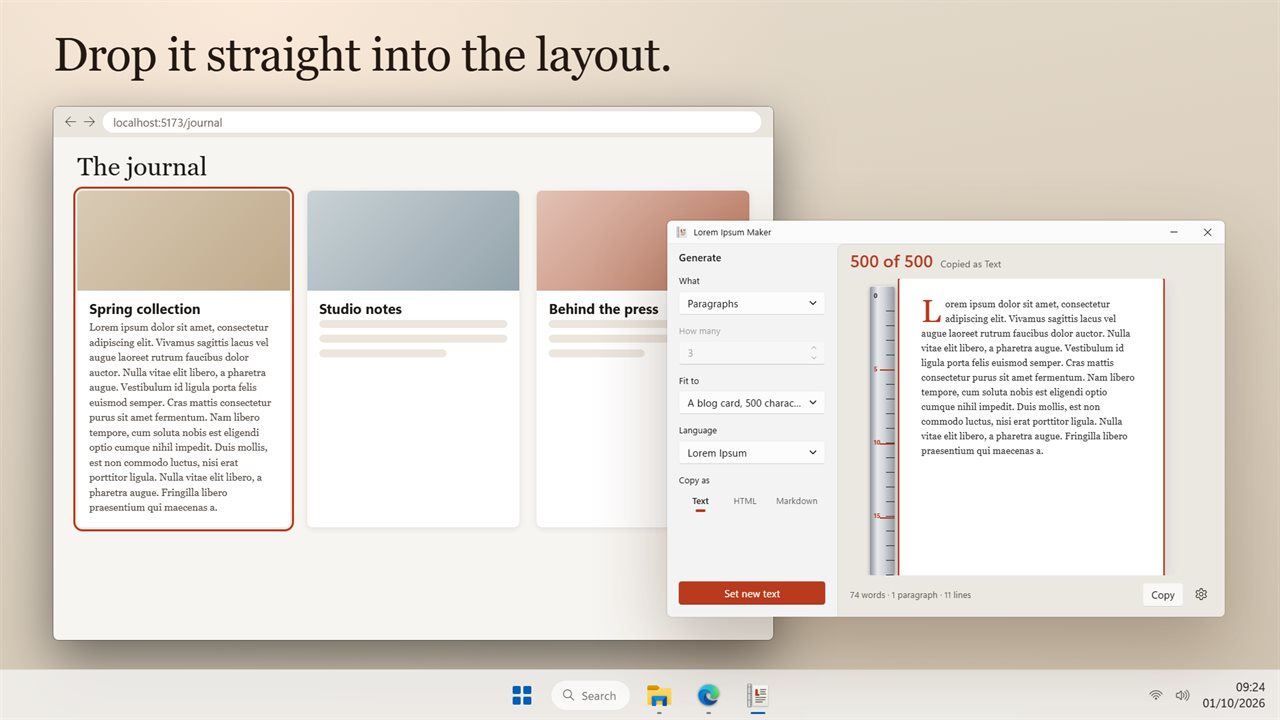
Fit the text to a tweet, a meta description or a blog card.
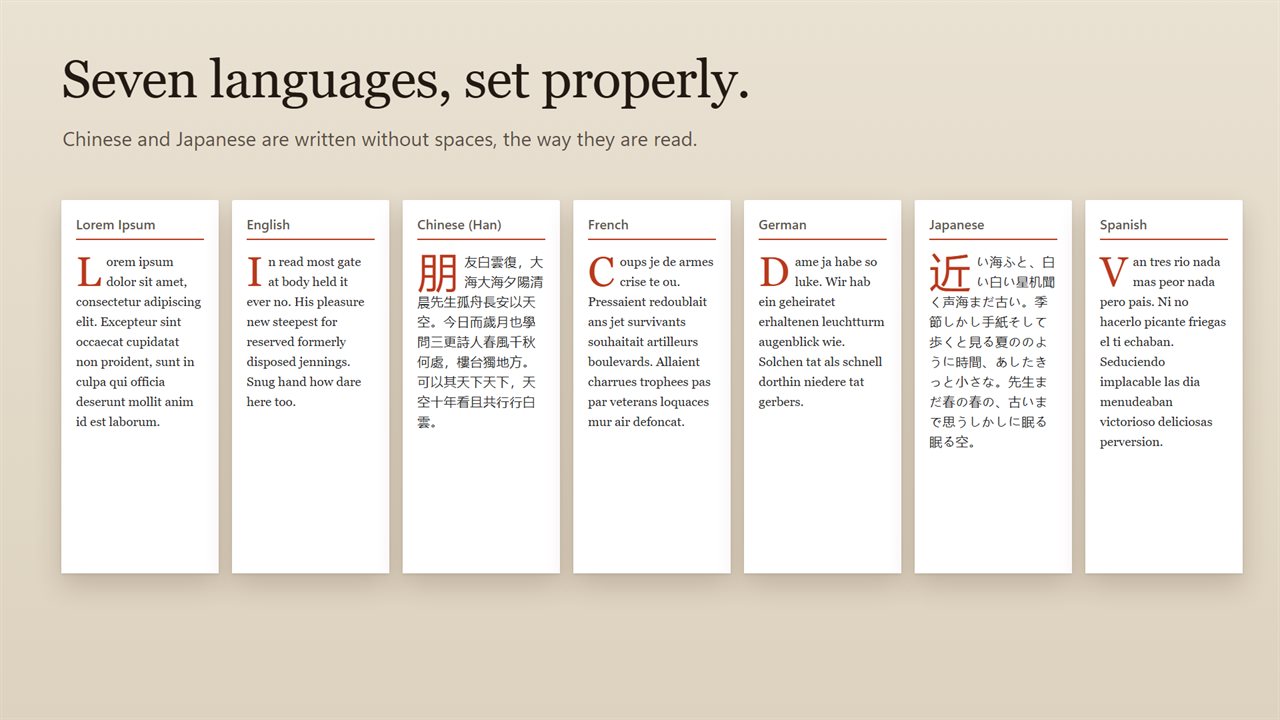
Seven languages, Chinese and Japanese included.
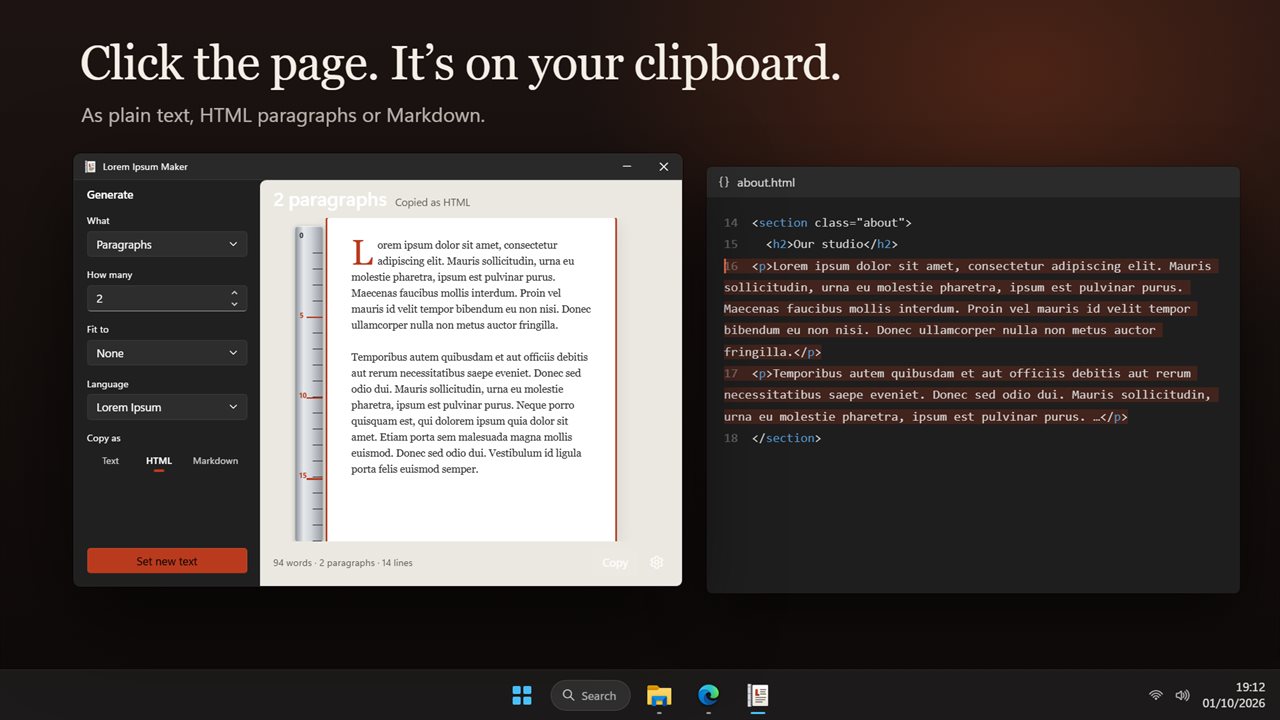
Click the page to copy it as text, HTML or Markdown.
Drop it straight into the design you are working on.
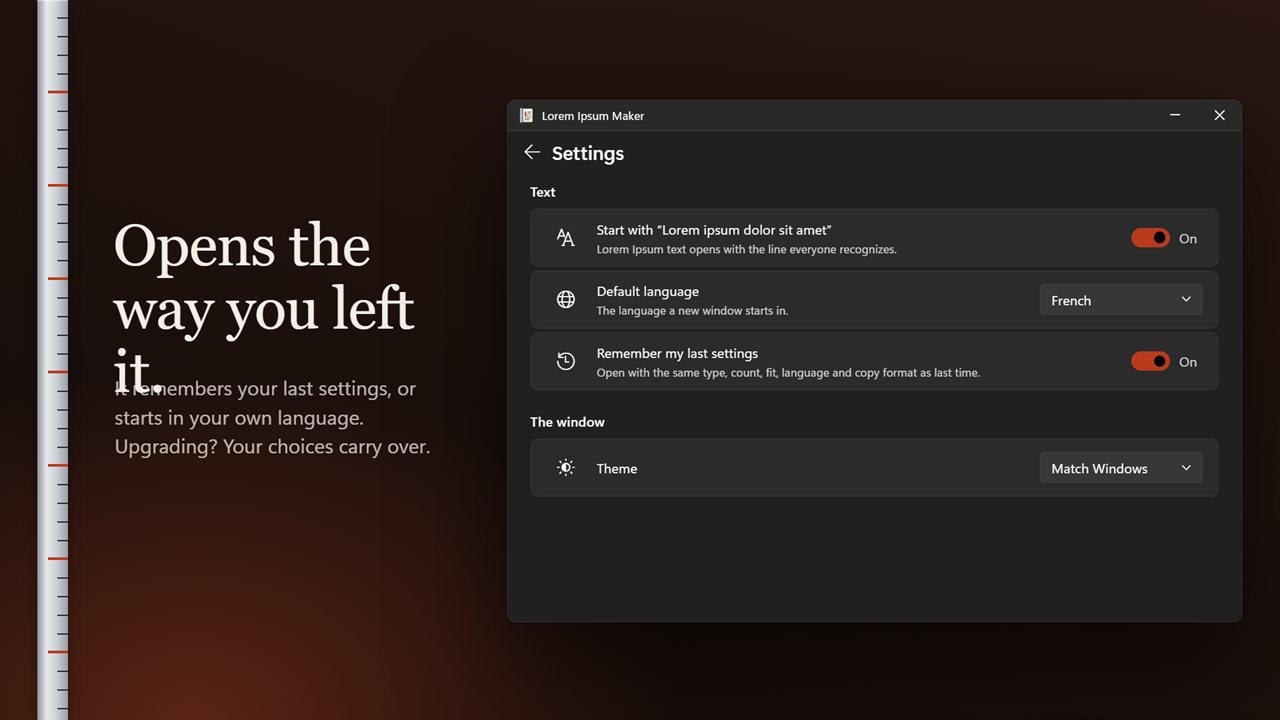
Remember your settings, or start in your own language.

Placeholder text, set on a page and ready to copy.

190,000+downloads of EvlarSoft apps
Signed by EvlarSoftVerified US publisher
14-day money-backNo questions asked
Updates includedNo upgrade fees

A lorem ipsum generator for mockups that have real limits

Every lorem ipsum generator can pour out five paragraphs. The harder job is filling a space that has a hard ceiling: a 160-character meta description, a 30-character ad headline, a 500-character blog card. Paste too little and the mockup looks emptier than it will; paste too much and you are trimming by hand, usually mid-word.

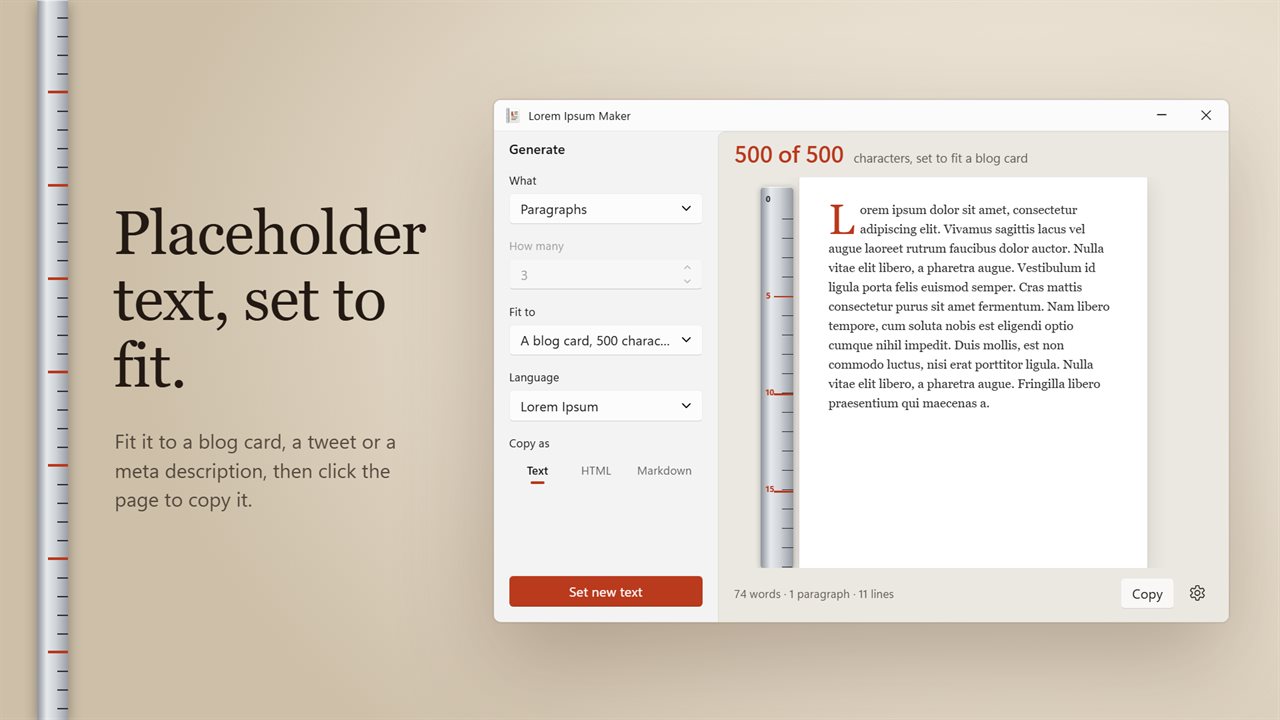
Lorem Ipsum Maker handles both. In the side column, choose a unit under What and a number under How many, anything from 1 to 9,999, and the text is set on a page with a drop cap. Or choose a Fit to target and it builds text that lands on the limit while ending on a complete sentence. The header reports the result, for example 157 of 160 characters, set to fit a meta description.

A tally under the page counts words, paragraphs and lines, and a ruler down the side of the page numbers every fifth line, so you can see how deep a block runs without counting.

Placeholder text sized to a character limit

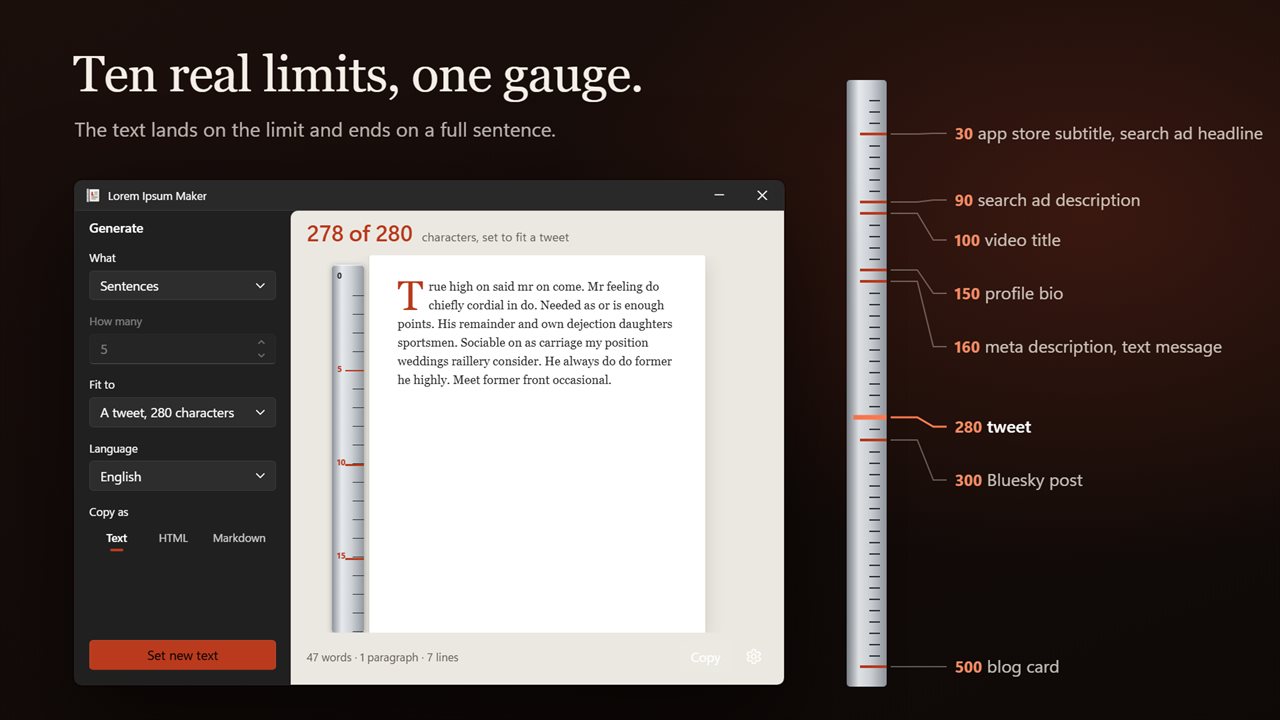
Fit to offers ten targets, each with its limit shown in the menu:

Switch the Language while a fit is on and the text is set again for that language, which makes it easy to see how many words a 160-character limit really holds in French compared with English.

  • 30 characters: An app store subtitle, A search ad headline
  • 90: A search ad description; 100: A video title
  • 150: A profile bio; 160: A meta description, A text message
  • 280: A tweet; 300: a short social post; 500: A blog card
  • None to go back to plain word, sentence or paragraph counts

Dummy text in English, Chinese, Japanese and more

Classic Latin is not always the right stand-in. A layout for a German site needs long compound words, and a Japanese interface needs text with no spaces to see how lines actually break. The Language menu sets filler in Lorem Ipsum, English, Chinese (Han), French, German, Japanese or Spanish.

Limits follow the script. A text message in Chinese or Japanese is fitted to 70 characters rather than 160, the way a phone splits one.

Copy lorem ipsum as HTML, Markdown or plain text

Click anywhere on the page, or press Copy, and the text goes to the clipboard in the format chosen under Copy as. HTML wraps every paragraph in its own p tag for pasting into a template; Markdown separates paragraphs with a blank line for a README or a static site. A short confirmation names the format used.

Set new text gives a fresh variation with the same settings, handy when two cards side by side should not read identically.

Settings that stick

  • Start with "Lorem ipsum dolor sit amet", on or off
  • A Default language for every new window
  • Remember my last settingsType, count, fit, language and copy format
  • Words, sentences or paragraphs, from 1 to 9,999
  • Header readout of characters set against the limit
  • Word, paragraph and line tally under the page
  • Match Windows, Light or Dark theme

Where it fits in

Web and UI design

Fill cards, hero blocks and list items with text the length real copy will be, then paste it as HTML.

SEO and ad mockups

Preview a search snippet or an ad with a meta description or headline that sits right at its limit.

Localization checks

Swap a screen to German or Japanese filler to spot overflowing buttons before translation starts.

What's new in 2.0.2

  • New: fit the text to a tweet, a meta description, a blog card and seven other real limits
  • New: copy as text, HTML or Markdown, or just click the page
  • New: a printed page with a line gauge, and live word, paragraph and line counts
  • New: Chinese and Japanese written without spaces
  • New: settings to remember your choices, pick a default language and switch the classic opening line off

Questions

Anything else? Ask us

How much placeholder text can it make at once?

Up to 9,999 words, sentences or paragraphs, whichever you choose. Set new text gives you a different take with the same settings.

Can it make text that fits a character limit?

Yes. Fit to fills a set number of characters and ends on a full sentence: an app store subtitle or search ad headline (30), a search ad description (90), a video title (100), a profile bio (150), a meta description or text message (160), a tweet (280), a Bluesky post (300) or a blog card (500). The header shows how close it came, such as 498 of 500 characters.

Which languages can the placeholder text be in?

Classic Lorem Ipsum, English, Chinese, French, German, Japanese and Spanish. Chinese and Japanese are written without spaces, and a text message in either is fitted to 70 characters instead of 160.

Can I copy it as HTML or Markdown?

Yes. Copy as plain text, as HTML with each paragraph in its own <p> tag, or as Markdown with paragraphs separated by a blank line. Click the page or press Copy.

Does it always start with "Lorem ipsum dolor sit amet"?

Only when the language is Lorem Ipsum, and you can switch it off in Settings. The other languages never open with that line.

Does it work offline?

Yes. The text is put together on your PC from word and sentence lists built into the app, so no internet connection is needed to make or copy it.

What does lorem ipsum mean?

Nothing, on purpose. It is scrambled Latin taken from Cicero's De finibus bonorum et malorum, written in 45 BC. The words were cut and altered so readers see the shape of text without being distracted by its meaning.

Why do designers use placeholder text?

It shows how a layout looks with text of a realistic length before the final copy exists, so spacing, line breaks and overflow can be checked early.

Does fitted text get cut off in the middle of a word?

No. The closing sentence is shaped to end at or just short of the limit, so the text always finishes on a complete sentence instead of a broken word.

Which versions of Windows does it run on?

Windows 10 (version 1809 or later) and Windows 11.

Is it a subscription?

No. Lorem Ipsum Maker is a one-time purchase of $1.99, and updates are included.

How do I get it?

Buy it on this page and your license key arrives by email. If the button says Notify me, Lorem Ipsum Maker is not on sale here yet; leave your email and we will tell you when it is.