EEvlarSoft
No upload. Files stay on your PC

Quick PDF Compressor

Compress a PDF to 2MB, 5MB or 10MB by choosing the limit you were given, then let the app find the lightest compression that meets it.

Buy for $2.99
One payment. No subscription.
14-day money-back guarantee.
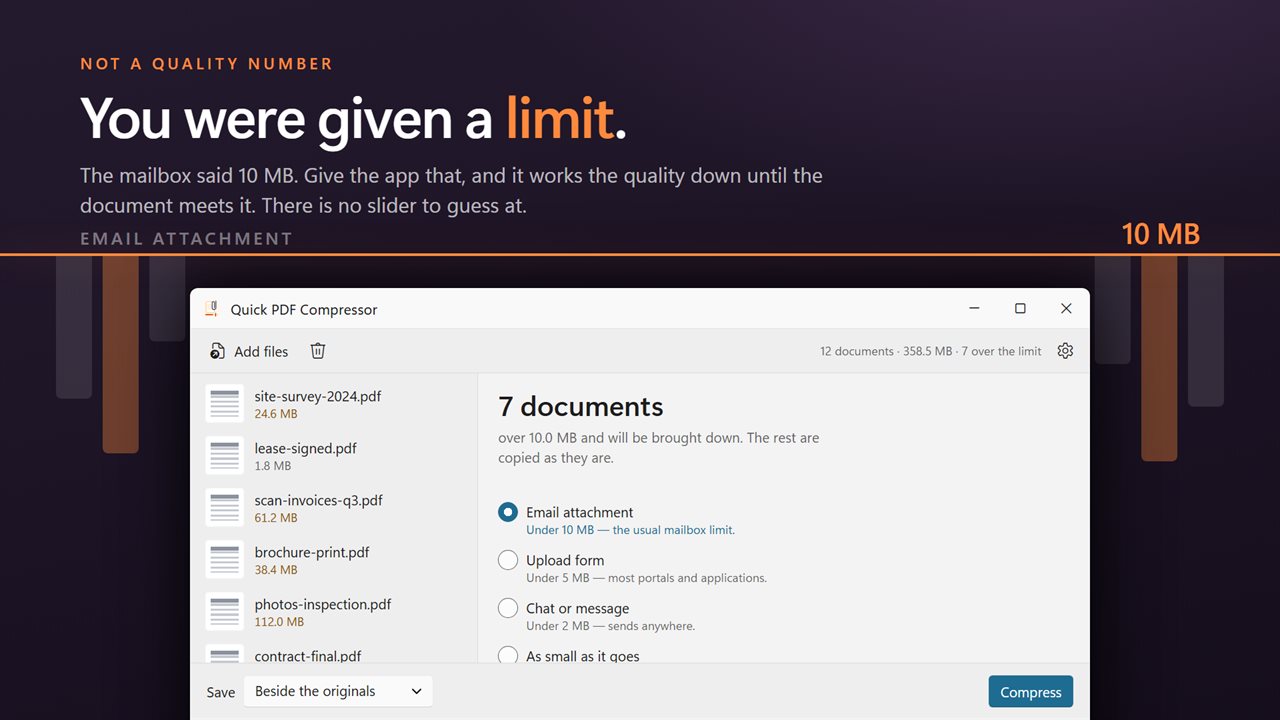
You were not given a quality number. You were given a limit. Start there.
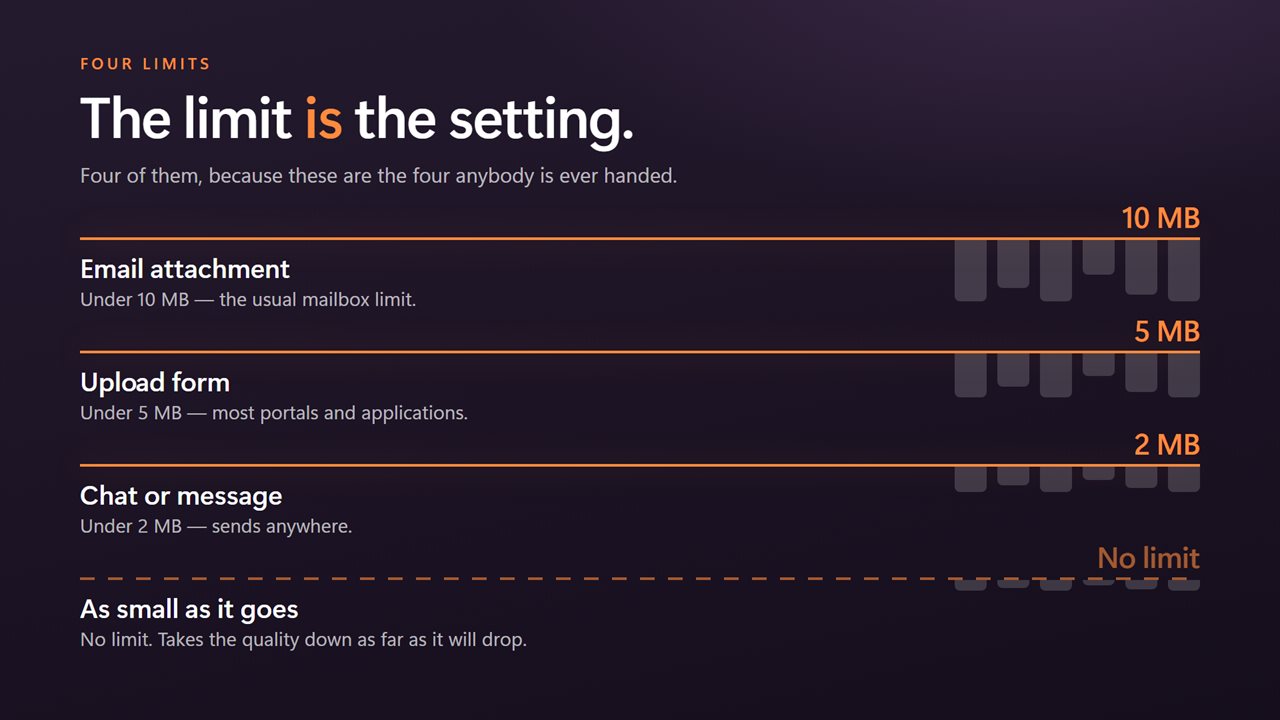
Under 10 MB for email, 5 MB for upload forms, 2 MB for chat — or as small as it goes.
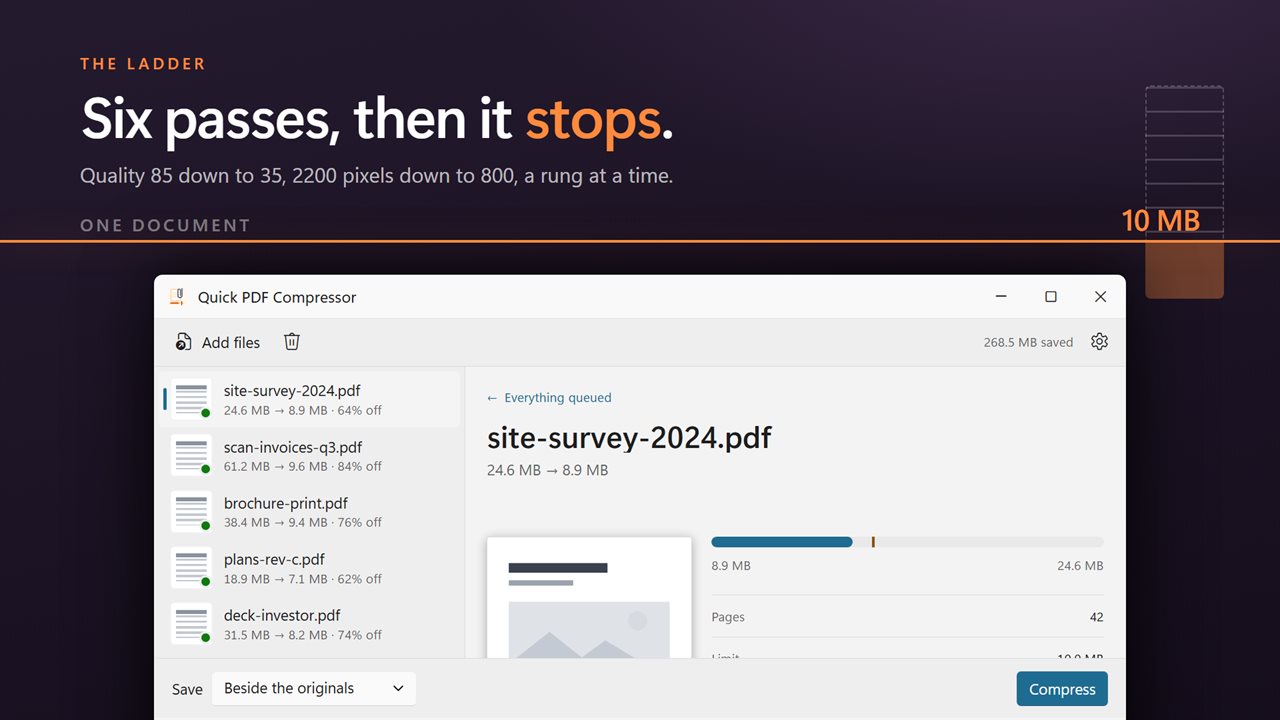
It works the quality down the ladder itself until the document actually meets the limit.
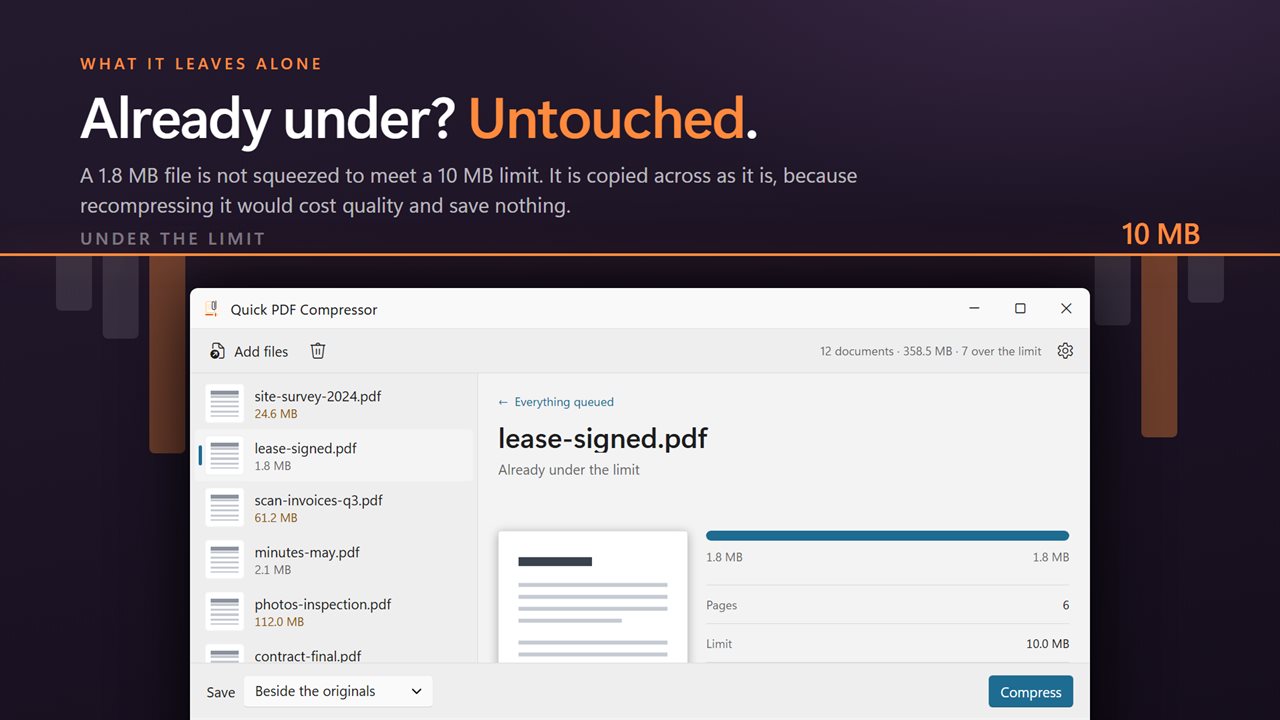
Documents already under the limit are marked and left alone.
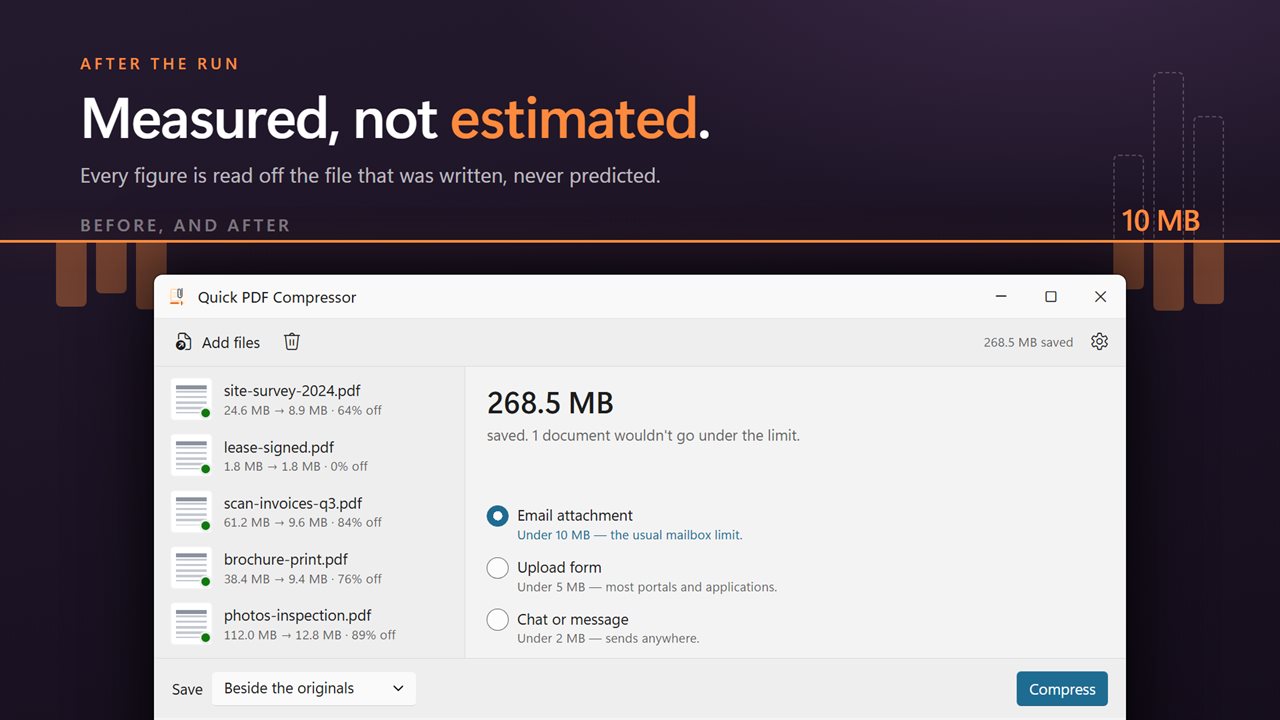
Before and after, read against the target you picked. Measured, not estimated.
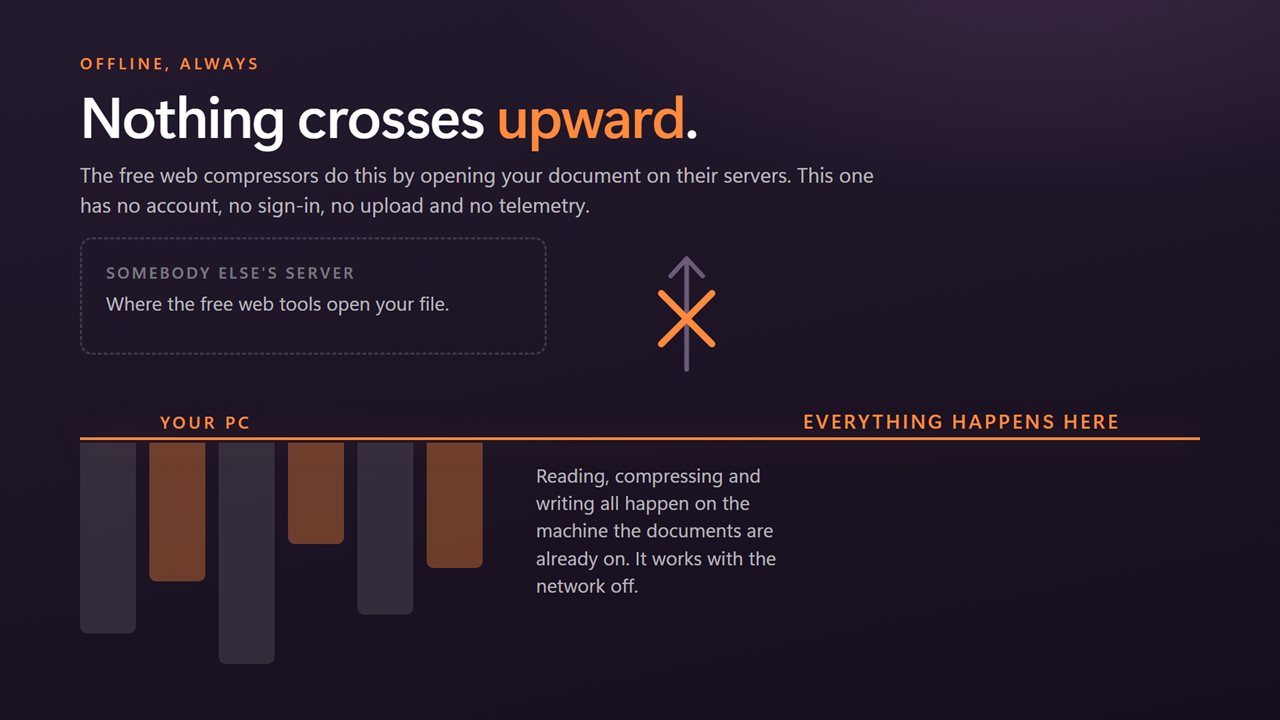
The free web tools do this on their servers. This one never uploads anything.

You were not given a quality number. You were given a limit. Start there.

190,000+downloads of EvlarSoft apps
Signed by EvlarSoftVerified US publisher
14-day money-backNo questions asked
Updates includedNo upgrade fees

Compress a PDF to 2MB without guessing at quality settings

You rarely need a PDF to be "smaller". You need it to compress to 2MB because a job portal says so, or to slip under the 10MB attachment cap on an email. Most compressors still ask for a quality level or a choice of low, medium and high, and you find out afterward whether it worked.

Quick PDF Compressor starts from the number. Under What it has to fit, choose Email attachment for under 10 MB, Upload form for under 5 MB, or Chat or message for under 2 MB. Press Compress and each document is tried at gentle settings first, then at progressively stronger ones, stopping at the first attempt that comes in under the limit. You spend no more image quality than the target actually requires.

If no one has given you a limit, pick As small as it goes. That runs one pass over every document, re-encoding its pictures at JPEG quality 70 at their full resolution, with no target to meet.

How to make a PDF smaller for a size limit, step by step

Select a document to see a bar comparing its new size with its old one, with a marker showing where the limit falls. The command bar totals what the batch saved, and the figures are measured from the files actually written, not estimated.

  • Drag your PDFs or a folder onto the window, or select Add PDFs.
  • Pick a target under What it has to fit. Documents that are over it get a flag in the queue straight away.
  • Choose where to save: Beside the originals, Into a folder, or Replace the originals.
  • Press Compress. Each row then reads old size, arrow, new size and the percentage taken off.

What happens when a PDF is too big to email

The size of most oversized PDFs is in photographs and scans. The app re-encodes only those pictures. It begins at JPEG quality 85 at full resolution, and each further step lowers quality by ten points and caps the long edge of each picture, from 2200 pixels down to 800 on the sixth and final step. Text, vector drawings and fonts are not re-rendered, so words stay crisp at any zoom. Page content that was stored uncompressed is also repacked losslessly.

A few documents will not fit even at the last step, usually because their weight is in fonts or in images the app cannot re-encode. Those keep the result of the strongest step, and the summary counts how many would not go under the limit, so you know to split the file instead of sending it and having it bounce.

Files already under 5MB or 10MB are left alone

Run a mixed folder against a 5MB target and only the documents over 5MB are compressed. The rest are written out as exact copies, because compressing something that already fits would cost quality and gain nothing. The pane tells you how many are over the limit before you start, and says All under already when none are.

Every document it compresses also loses its document information dictionary and XMP packet, which takes the author name and the creating software out of a file you are about to send to strangers. The exact copies of files that already fit are left byte for byte as they were.

What Quick PDF Compressor does

  • Targets of under 10 MB, under 5 MB and under 2 MB, plus a no-limit option
  • Six compression steps, tried mildest first, stopping as soon as a document fits
  • Re-encodes pictures only, so text and line art are not degraded
  • Copies documents already under the limit without changing them
  • Before and after sizes for each document and a saved total for the batch
  • Marks any document that could not reach the limit
  • Removes the document information and XMP metadata from every PDF it compresses
  • Saves copies with (smaller) in the name, into a folder, or over the originals after confirming

Common size limits it is built for

Job and college applications

Upload portals often cap a resume, transcript or portfolio at 2MB or 5MB. Compress the whole application set in one run.

Email attachments

Scanned contracts and photo-heavy reports routinely exceed a 10MB mailbox limit. Bring them under before you hit Send.

Government and insurance forms

Claim and filing sites reject oversized scans. Get every page of a claim under the limit without rescanning at a lower setting.

What's new in 2.0.5

  • The quality slider is gone. Give it the limit you were actually handed — under 10 MB, 5 MB or 2 MB — and it works the quality down until the document meets it
  • Added "as small as it goes" for when there is no particular limit
  • Documents already under the limit are now marked and left alone rather than recompressed for nothing
  • Now takes a whole folder in one pass, with before and after sizes against the target
  • A redesigned interface that follows your Windows light or dark theme

Questions

Anything else? Ask us

Can it compress a PDF to under 10 MB, 5 MB or 2 MB?

Yes. Pick Email attachment (under 10 MB), Upload form (under 5 MB) or Chat or message (under 2 MB), and each document is compressed in steps, getting stronger each time, until it comes in under that size. It stops at the first step that fits, so it takes no more quality than the limit needs.

What if a PDF still won't fit under the limit?

After six steps, the last one at low picture quality with pictures capped at 800 pixels, it keeps the result of that last step and marks the document "still over the limit". This mostly happens when the size is in text, fonts or pictures the app cannot re-encode rather than in ordinary photos.

What happens to PDFs that are already under the limit?

They are not recompressed, so they lose no quality. The queue marks which documents are over the limit before you start, and a document already under it is saved as an exact copy.

Will the text in my PDF get blurry?

No. Only pictures are re-encoded. Text and drawings stay as they were, and the other change to the page contents is lossless repacking.

Does it remove the author and other document details?

Yes, always. The document information (author, title, the software that made it) and the XMP metadata are removed from every file it writes, and there is no setting to keep them.

Can it compress password-protected PDFs?

No. A protected document is reported as "Password protected, unlock it first", and the rest of the batch carries on.

Why is my PDF file size so large?

Almost always because of pictures: scanned pages and photographs stored at full camera or scanner resolution. Text and vector drawings take very little room, which is why this app re-encodes only the images.

Can I compress a PDF to under 1MB?

There is no 1 MB target. The tightest preset is under 2 MB, which works down to quality 35 with pictures capped at 800 pixels if it has to. A picture-heavy document often lands well below 1 MB at those steps, but the app only promises the limit you chose.

Can I compress several PDFs at once?

Yes. Drop a folder or any number of PDFs into the queue, and they are all compressed against the same target in one run.

Which versions of Windows does it run on?

Windows 10 (version 1809 or later) and Windows 11.

Is it a subscription?

No. Quick PDF Compressor is a one-time purchase of $2.99, and updates are included.

How do I get it?

Buy it on this page and your license key arrives by email. If the button says Notify me, Quick PDF Compressor is not on sale here yet; leave your email and we will tell you when it is.