EEvlarSoft

XPS Viewer

oxps files Windows no longer can, then prints them, saves a PDF, or turns the pages back into an editable Word file.

Buy for $4.99
One payment. No subscription.
14-day money-back guarantee.
Open XPS and OXPS files again, every page.
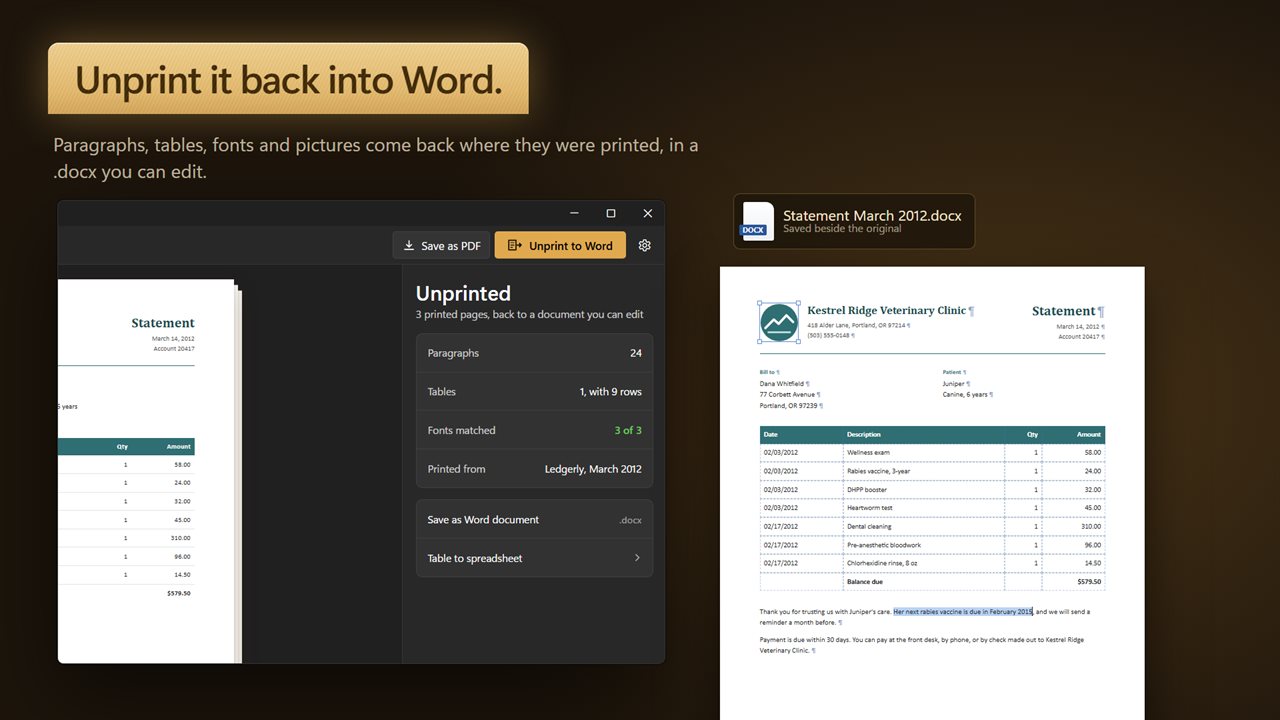
Unprint the pages back into a Word document you can edit.
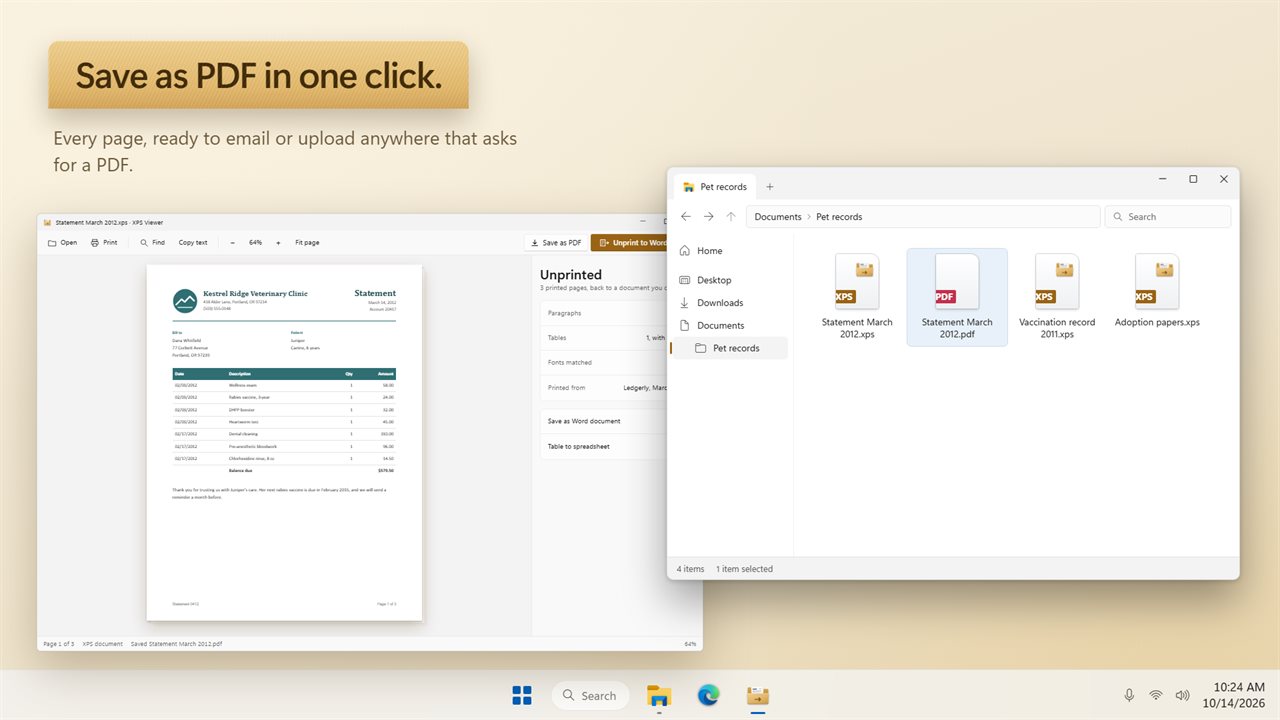
Save as PDF, right beside the original.
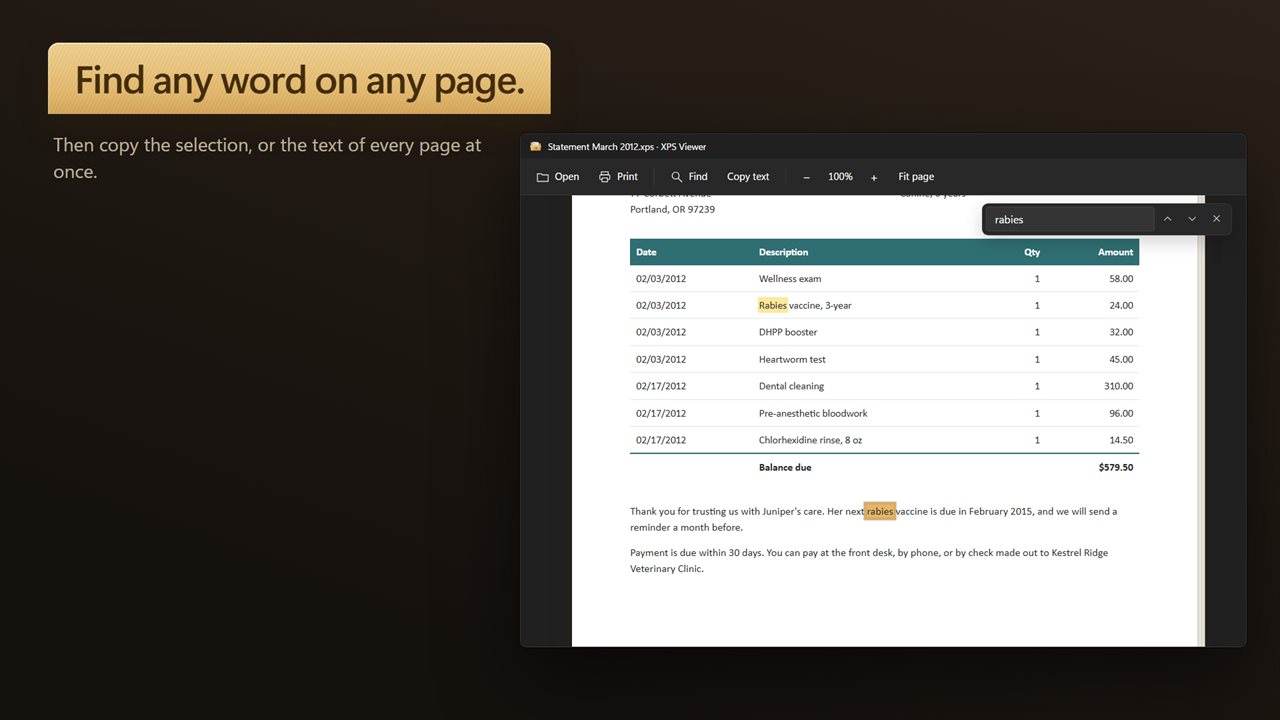
Find any word, then copy the text out.
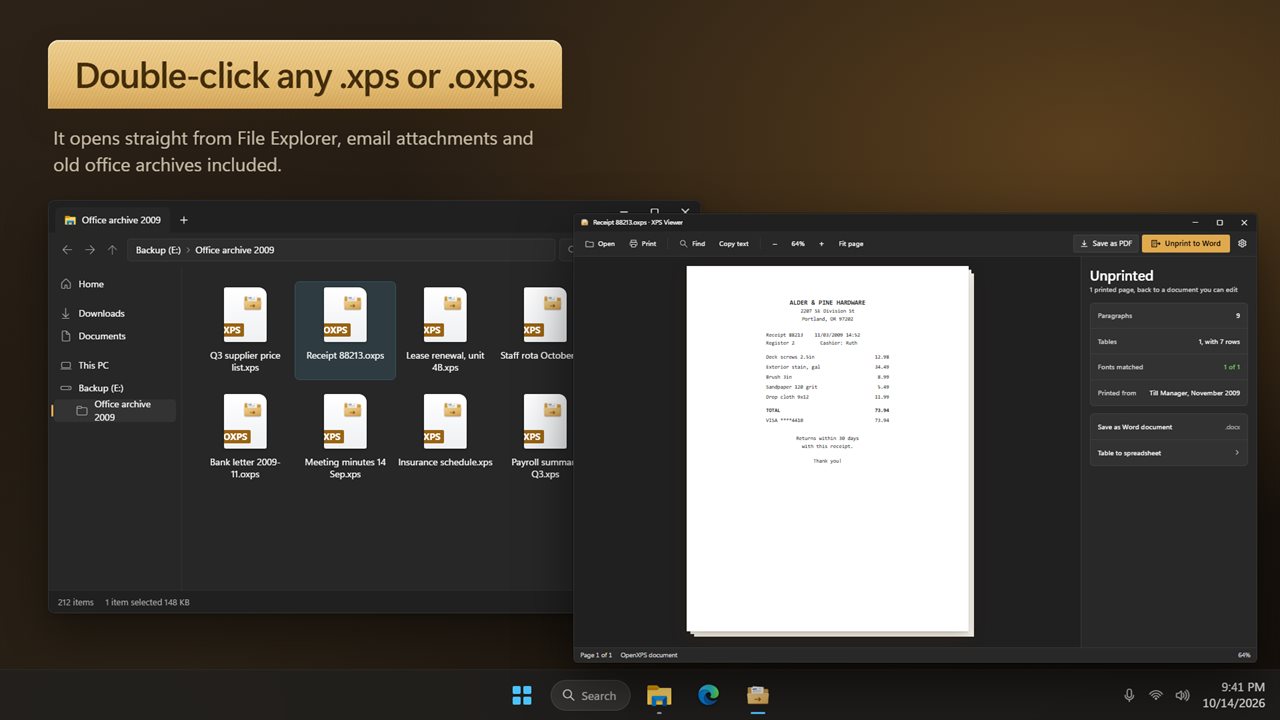
Double-click any .xps or .oxps in File Explorer.
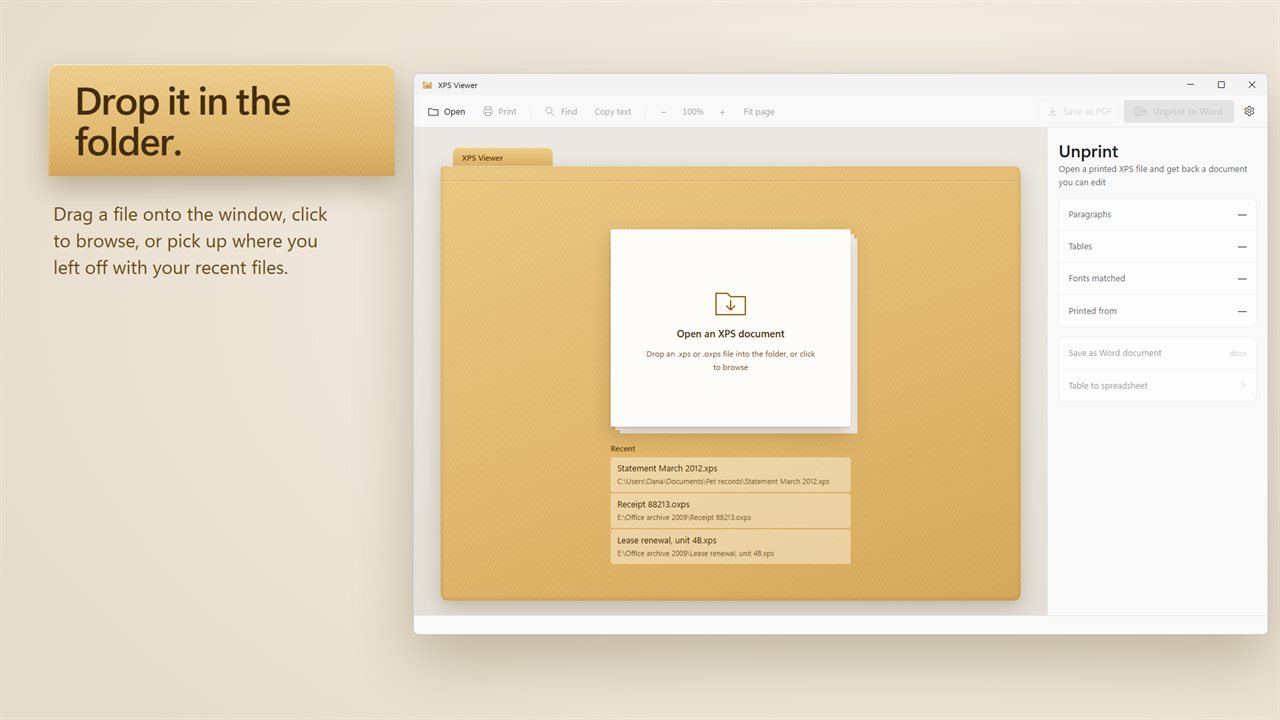
Drop a file in the folder, or pick a recent one.

Open XPS and OXPS files again, every page.

190,000+downloads of EvlarSoft apps
Signed by EvlarSoftVerified US publisher
14-day money-backNo questions asked
Updates includedNo upgrade fees

An XPS viewer for files Windows stopped opening

Windows used to ship an XPS viewer as standard. Since 2018 it has been an optional feature that most new PCs never get, so an .xps receipt or an .oxps printout often arrives with no program to show it. The usual fix involves digging through Optional features, or uploading the file to a converter site.

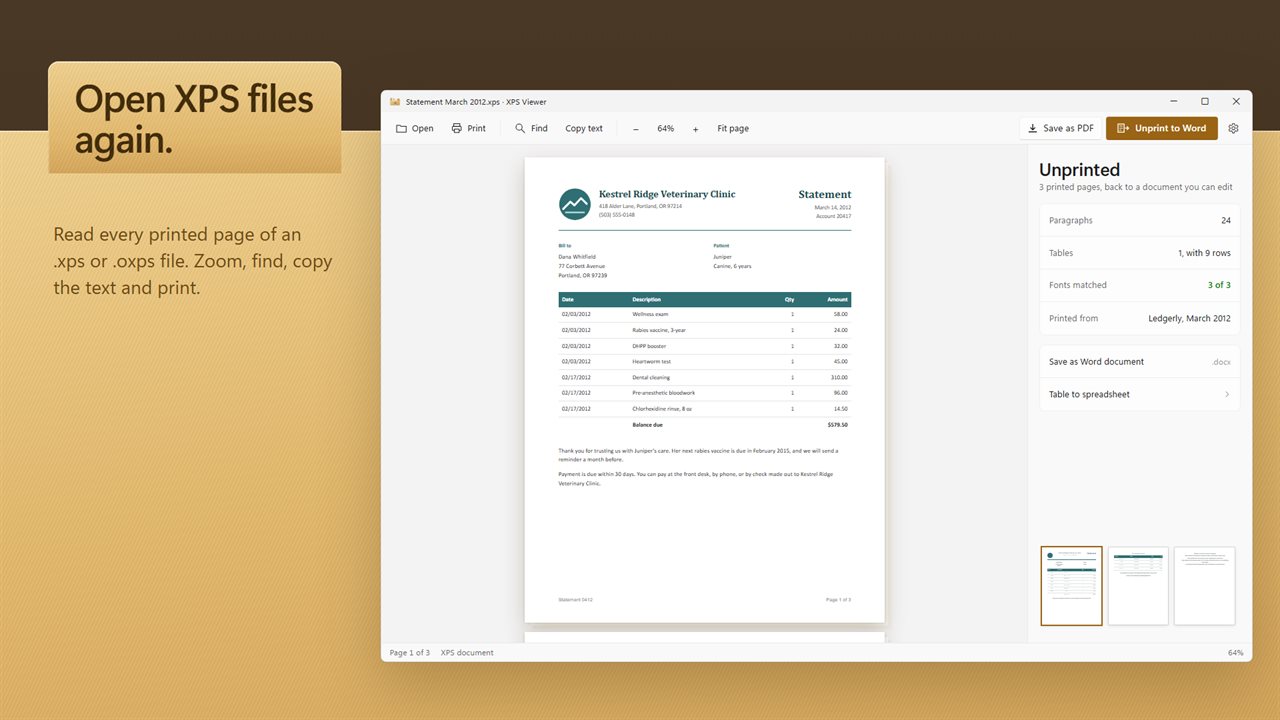
XPS Viewer is a regular app you install once. After that a double-click in File Explorer opens either format, and you can also drag a file onto the window or use Open an XPS document. Pages appear with thumbnails down the side, Fit page to see each page whole, and zoom with Ctrl+plus and Ctrl+minus.

If the file only needs reading, that is the whole job. If it needs sending on, the next two sections cover a PDF for people and a Word file or spreadsheet for editing.

What is an XPS file, and where do they come from?

XPS is a fixed-layout document format, comparable to PDF, that Windows introduced alongside Vista. OXPS, or OpenXPS, is its standardized successor, and Windows 8 and later produce it by default. Most of these files are created by the Microsoft XPS Document Writer, a virtual printer that saves whatever you print to disk instead of paper.

That is why they turn up as bank statements, order confirmations and archived reports: someone pressed Print, picked the wrong printer, and saved a file nobody else can open. Once the file is open, Printed from in the Unprint panel names the program that produced it and the month it was made.

Convert XPS to PDF or to an editable Word document

For most people a PDF is the answer, because every phone, browser and upload form accepts one. Save as PDF turns the whole XPS document into a single PDF in one step.

When the text has to change, a PDF does not help, and copying out of a printout gives you a line break at the end of every printed line. Unprint rebuilds the document instead of copying it. Its panel reports what it found before you commit: how many Paragraphs and Tables, and Fonts matched as a count such as 4 of 5. Hover that count to see which typeface is missing from your PC, so you know in advance where the Word file will substitute a similar one.

Save as Word document writes a .docx. Rich Text is offered for older editors, and Open in Write Pad hands the result straight to that editor when it is installed.

Copy tables from XPS into a spreadsheet

Statements and price lists are mostly tables, and tables are what suffer worst when copied out of a printout: the columns collapse into one long run of text. Table to spreadsheet skips that step and writes every table in the document into one .xlsx workbook, with figures you can total and sort straight away.

Check the Tables count in the Unprint panel first. If it reads zero, Unprint found no tables, often because the pages were printed as pictures.

What it can do with an XPS document

  • Opens .xps and .oxps, including XPS Document Writer output
  • Page thumbnails, Fit page and zoom from the keyboard
  • Ctrl+F to find a word anywhere in the document
  • Copy text from a selection, or from every page at once
  • Print with Ctrl+P
  • Save as PDF with Ctrl+S
  • Unprint to .docx or .rtf, with paragraphs, tables and pictures rebuilt
  • Table to spreadsheet exports every table to .xlsx with numbers kept as numbers
  • Open in Write Pad hands the rebuilt document straight to the editor if it is installed

Typical XPS files people need to open

A statement saved to the wrong printer

Open it, check it, and save a PDF that the bank, the accountant or an upload form will accept.

An old report that needs updating

Unprint the archived .xps into a Word document and edit the text instead of retyping it from scratch.

A price list trapped in a printout

Send every table to a spreadsheet and sort or total the figures without copying cells by hand.

Questions

Anything else? Ask us

Can it open .oxps files as well as .xps?

Yes. It opens both .xps and .oxps, including files made with the Microsoft XPS Document Writer printer. Double-click one in File Explorer, drag it onto the window, or use Open.

How do I convert an XPS file to PDF?

Click Save as PDF or press Ctrl+S. The whole document is saved as one PDF, and the suggested location is beside the original file.

Can I turn an XPS file back into a Word document I can edit?

Yes. Unprint rebuilds the pages as a .docx or .rtf file, joining wrapped lines back into paragraphs, rejoining words split by a hyphen at the end of a line, and turning tables into real tables. It needs text in the file, so pages that were printed as pictures cannot be unprinted, because it does not read text from images.

Can it copy tables from an XPS file into Excel?

Yes. Every table it finds goes into one .xlsx workbook, each on its own sheet named Table 1, Table 2 and so on. Amounts, percentages and figures in parentheses are stored as numbers, not text.

Can I edit the XPS file itself?

No. It shows, prints and converts XPS documents but never writes back to them. Any edits are made in the Word, Rich Text, PDF or Excel copy it saves.

What keyboard shortcuts does it have?

Ctrl+O opens a file, Ctrl+P prints, Ctrl+F finds a word and Ctrl+S saves as PDF. Ctrl+plus and Ctrl+minus zoom, and Ctrl+0 fits the whole page.

Why can't Windows 11 open my XPS file?

The built-in viewer is no longer installed by default, so .xps and .oxps files have no program attached. Installing a viewer such as this one restores the double-click.

What is the difference between XPS and OXPS?

OXPS is the standardized OpenXPS version that newer Windows versions create when you print to the XPS Document Writer. The content is the same kind of fixed-layout page; this app reads both.

Can I copy the text out of an XPS file?

Yes. Select text and use Copy text, or copy the text of every page in one go. For text with paragraphs intact, Unprint it to Word instead.

Which versions of Windows does it run on?

Windows 10 (version 1809 or later) and Windows 11.

Is it a subscription?

No. XPS Viewer is a one-time purchase of $4.99, and updates are included.

How do I get it?

Buy it on this page and your license key arrives by email. If the button says Notify me, XPS Viewer is not on sale here yet; leave your email and we will tell you when it is.