Why the prompter goes under the webcam
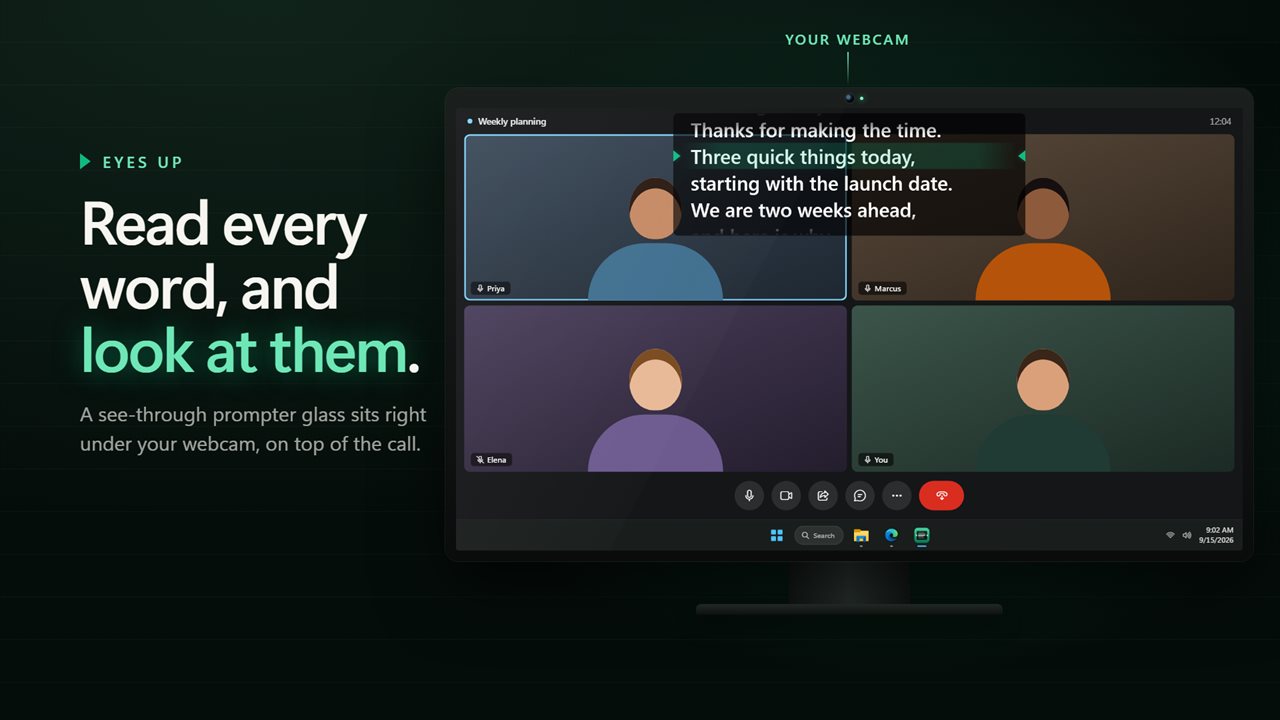
On a video call, people notice when your eyes drop to the corner of the screen to read notes. The closer the text is to the camera, the more it looks like you are talking to them.
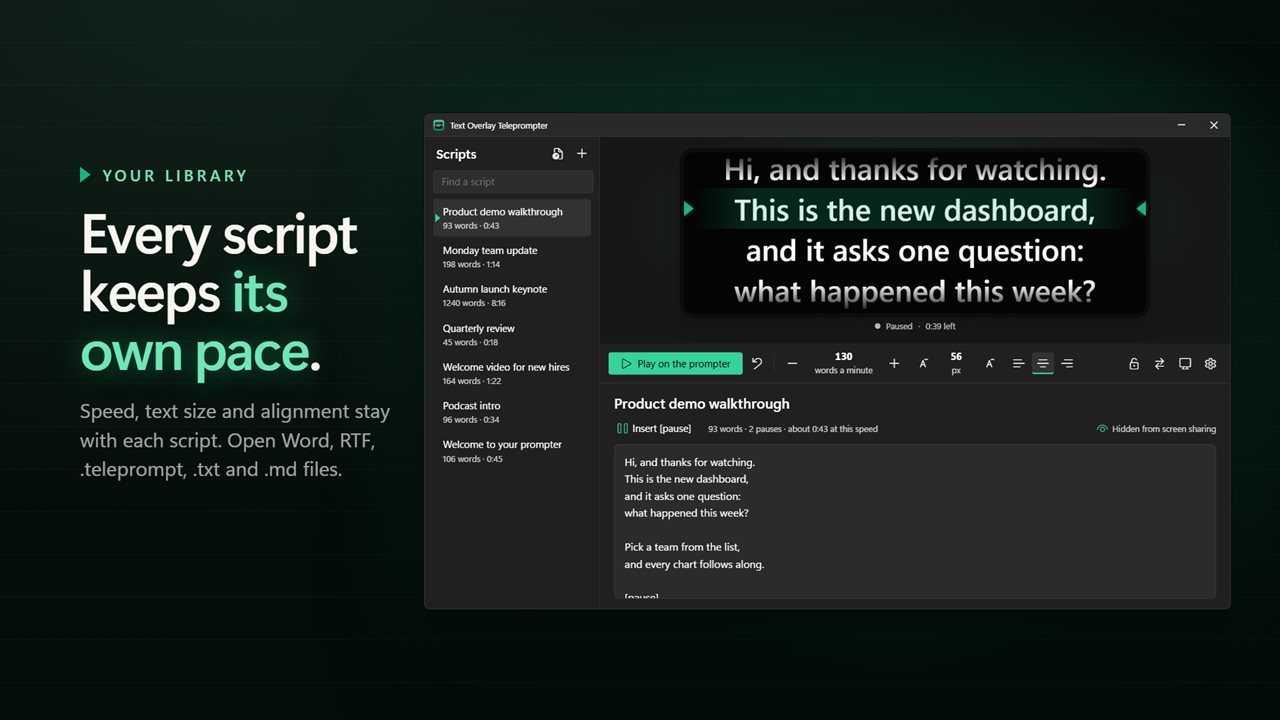
This app places a see-through glass right below the webcam, on top of the call window. The line you should be reading sits on a fixed green band, so your eyes stay in one spot while the words come to you.
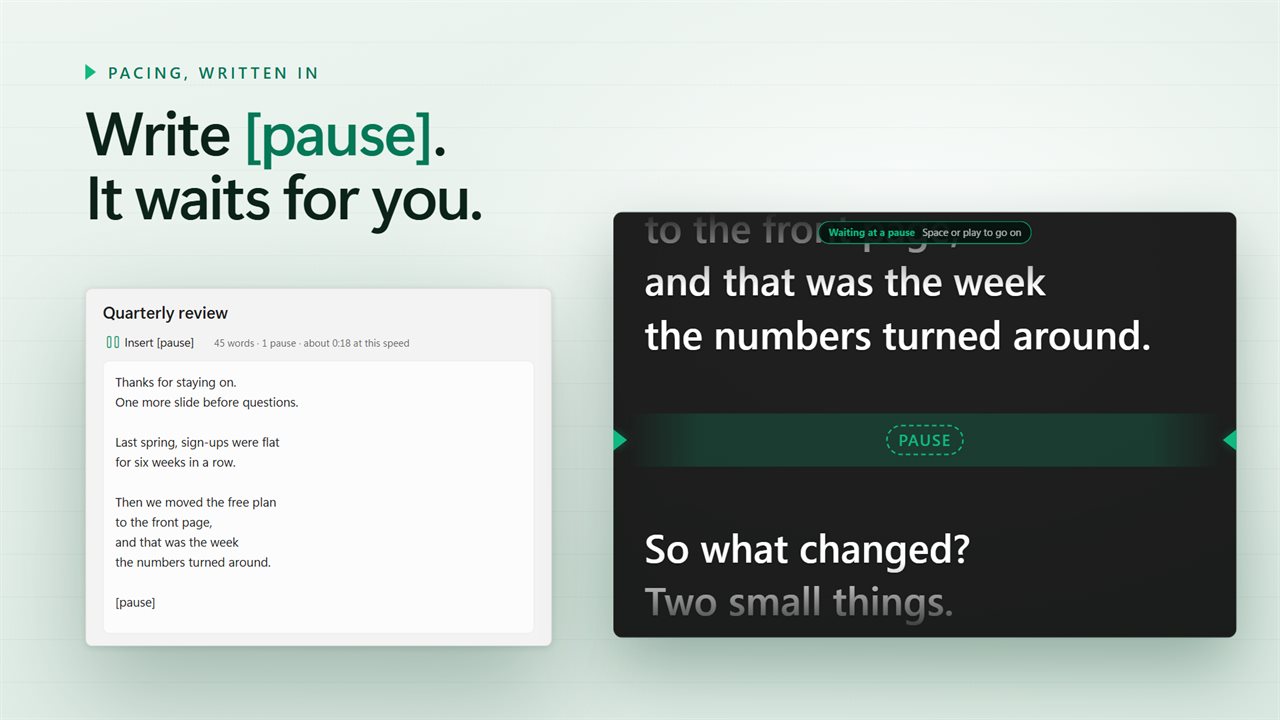
Pacing is built into the script. A blank line gives you a breath, [pause] stops the roll until you press play, and a 3 or 5 second count-in gives you time to look up before it starts.
How to use a teleprompter overlay on a video call
Text Overlay Teleprompter puts a see-through glass on top of your call, right under the webcam, and rolls your script past a green reading line. Getting it ready before a call takes a few steps.
- Write your script in the app, or open a Word document, an RTF file, a .teleprompt file, or a .txt or .md file.
- Move the glass just under your webcam and make it as dark or as clear as you need to keep the call in view.
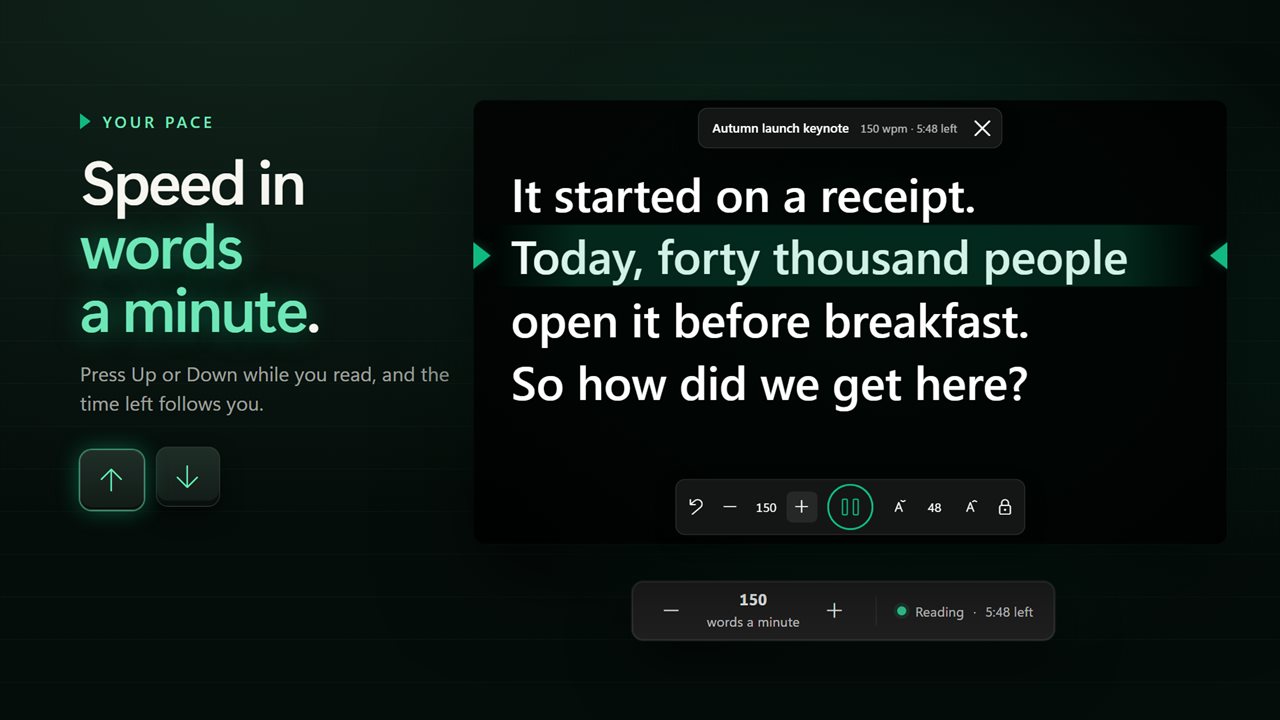
- Set the speed in words a minute, anywhere from 60 to 300, and pick a 3 or 5 second count-in.
- Lock the glass so your clicks pass straight through to the meeting underneath.
- Press play, and use Up or Down, a shortcut or your phone to speed up or slow down while you read.
Keeping your teleprompter hidden from screen sharing
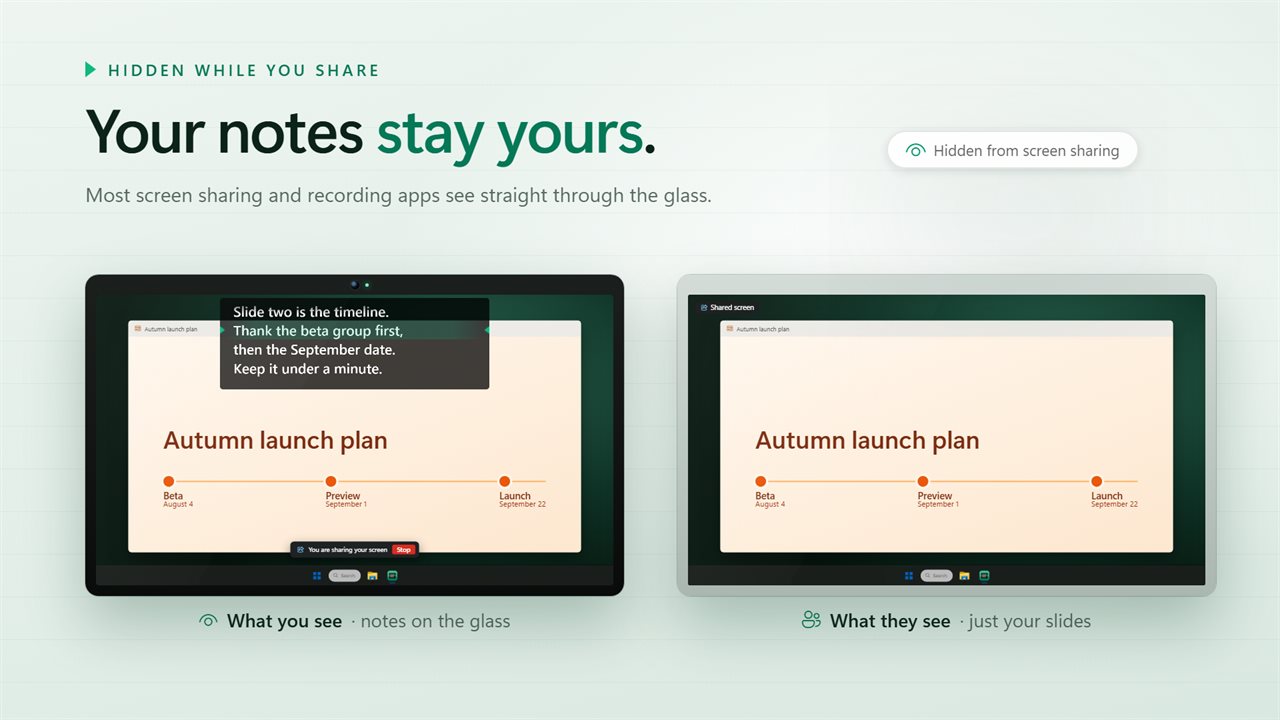
When you share your screen or record it, most sharing and recording apps see straight through the glass. The people on the call see your slides or your window, and the script on top of it stays on your side.
That covers what the computer sends, not what a camera can see. If a camera is pointed at your monitor, it will pick up the glass like anything else on the screen, so keep that in mind on a recorded set.
Using your phone as a teleprompter remote
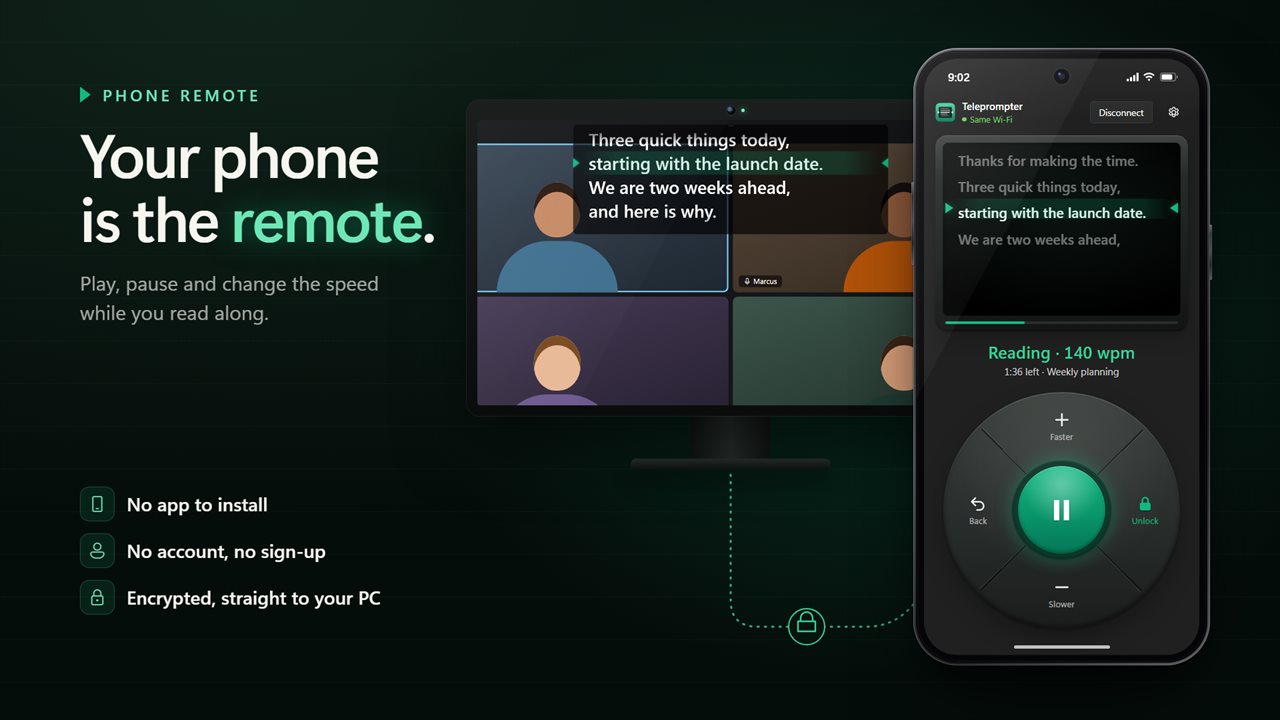
Scan the code in the app with your phone's camera and the phone becomes a remote. It shows the lines you are reading and lets you play, pause, go faster or slower, jump back a line and lock the glass.
There is no app to install on the phone, no account and no sign-up. The phone talks straight to your PC over an encrypted connection, so it needs a network, while the prompter itself works offline.
A teleprompter app for Windows and beam-splitter glass
On a real teleprompter rig, the text reflects off angled glass in front of the lens, so it has to be reversed on the screen. Flip the text left to right or upside down and it reads the right way round on the glass.
Away from the keyboard, five shortcuts of your own handle the run from any app: play or pause, faster, slower, back a line, and click-through. Pick the font, colors, line spacing, text width and where the reading line sits so it stays readable from where you stand.