EEvlarSoft
No upload, no sign-in

Evlar DOCX Editor

Open a DOCX someone sent you, edit it on a familiar ribbon, compare it with an older copy and save it back as DOCX, PDF or another format.

Buy for $5.99
One payment. No subscription.
14-day money-back guarantee.
5.0
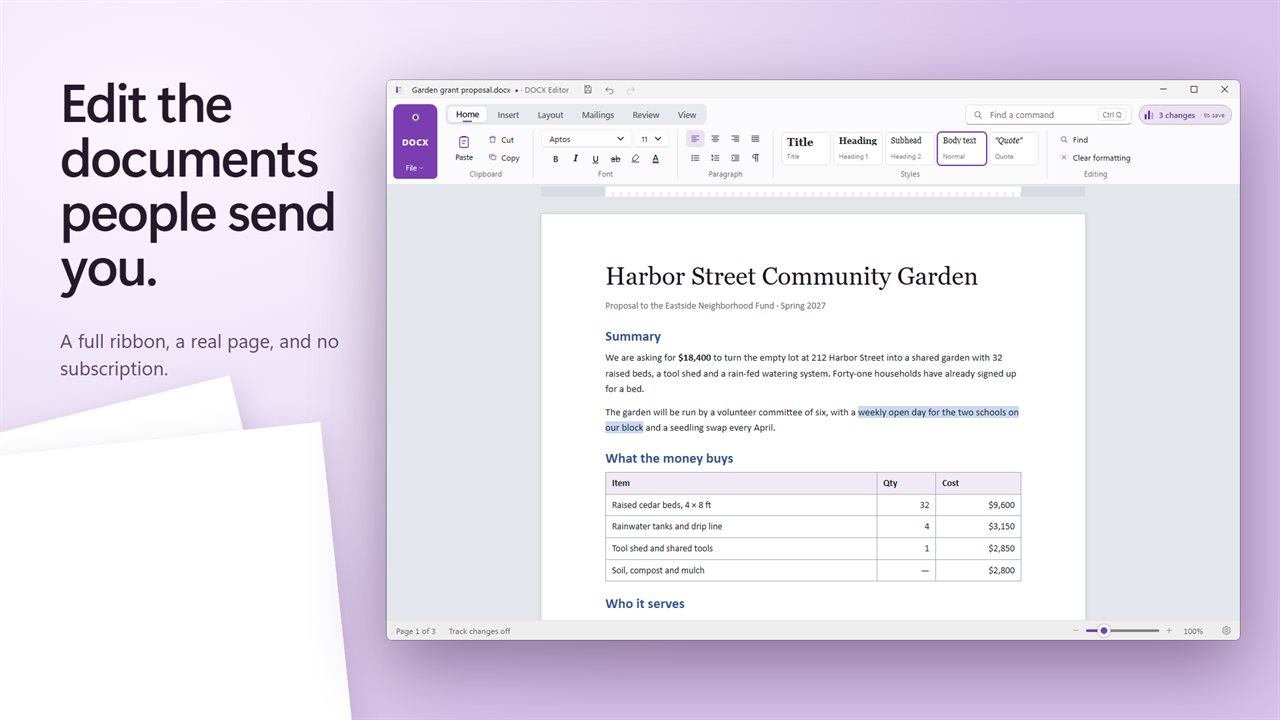
Open, edit and save documents with a full ribbon and a real page.
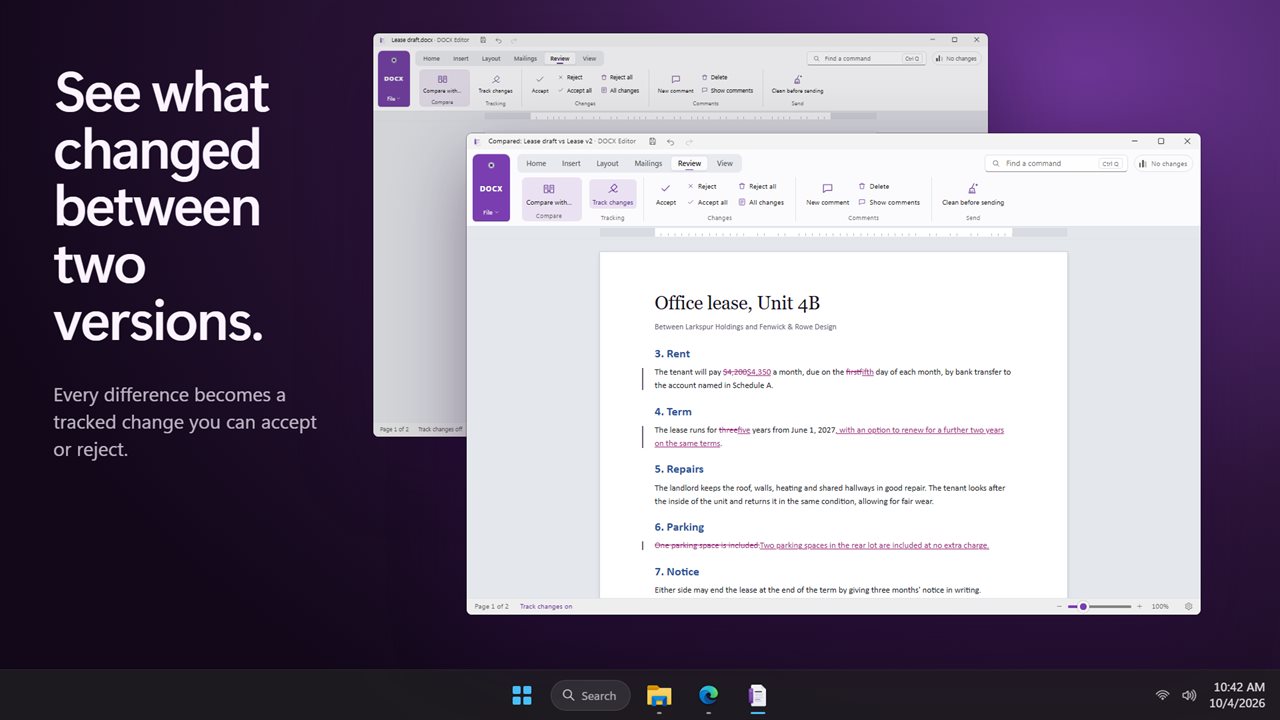
Compare two versions and see every difference as a tracked change.
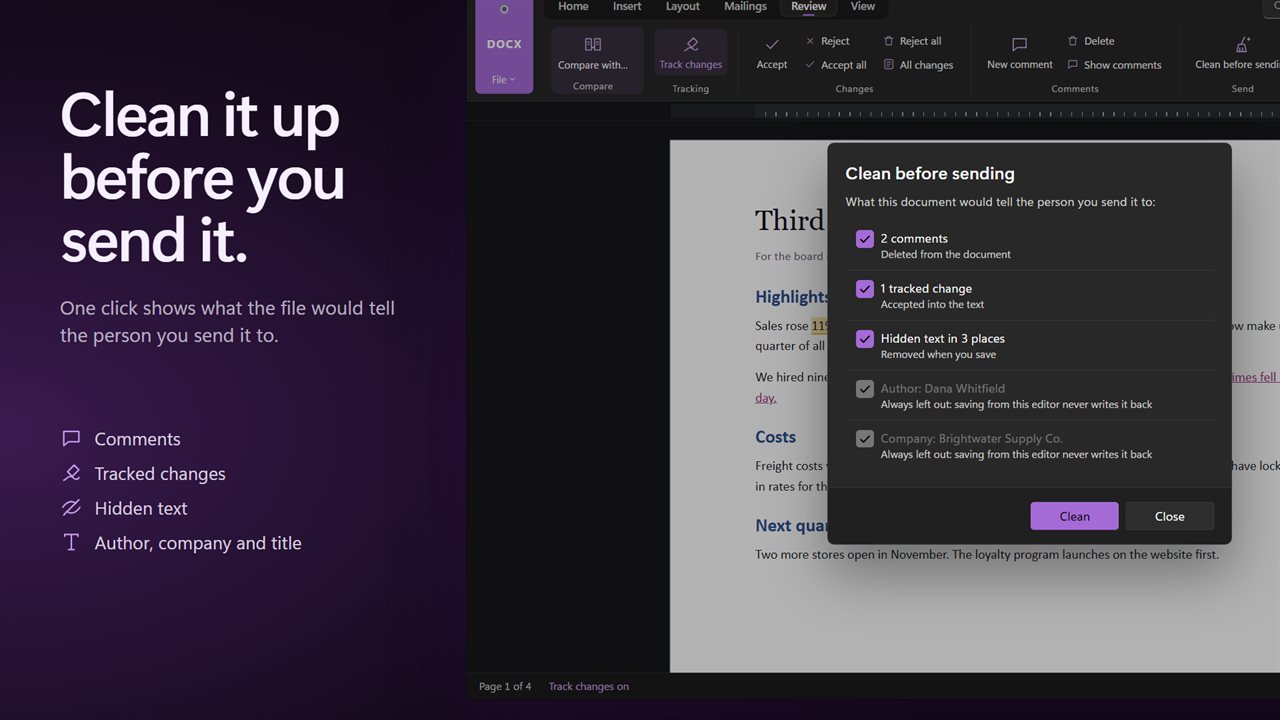
Clean before sending: comments, tracked changes, hidden text and author details.
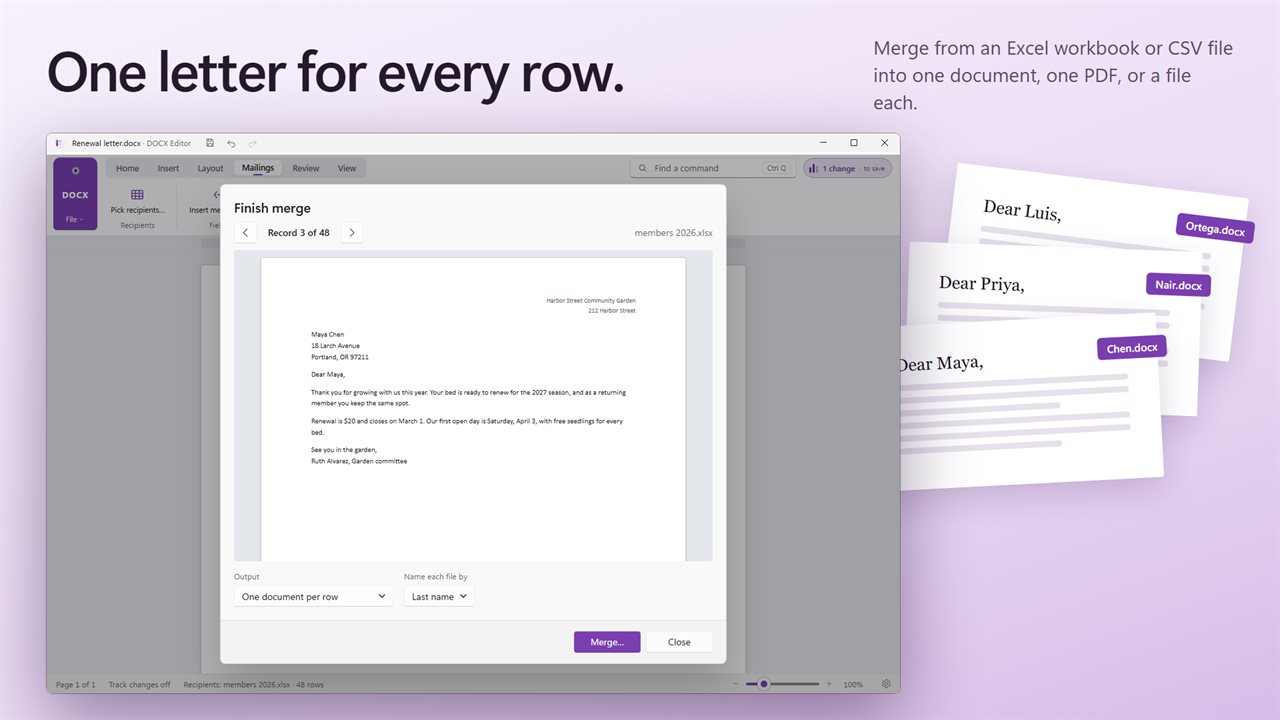
Mail merge from Excel or CSV into one document, one PDF, or a file per row.
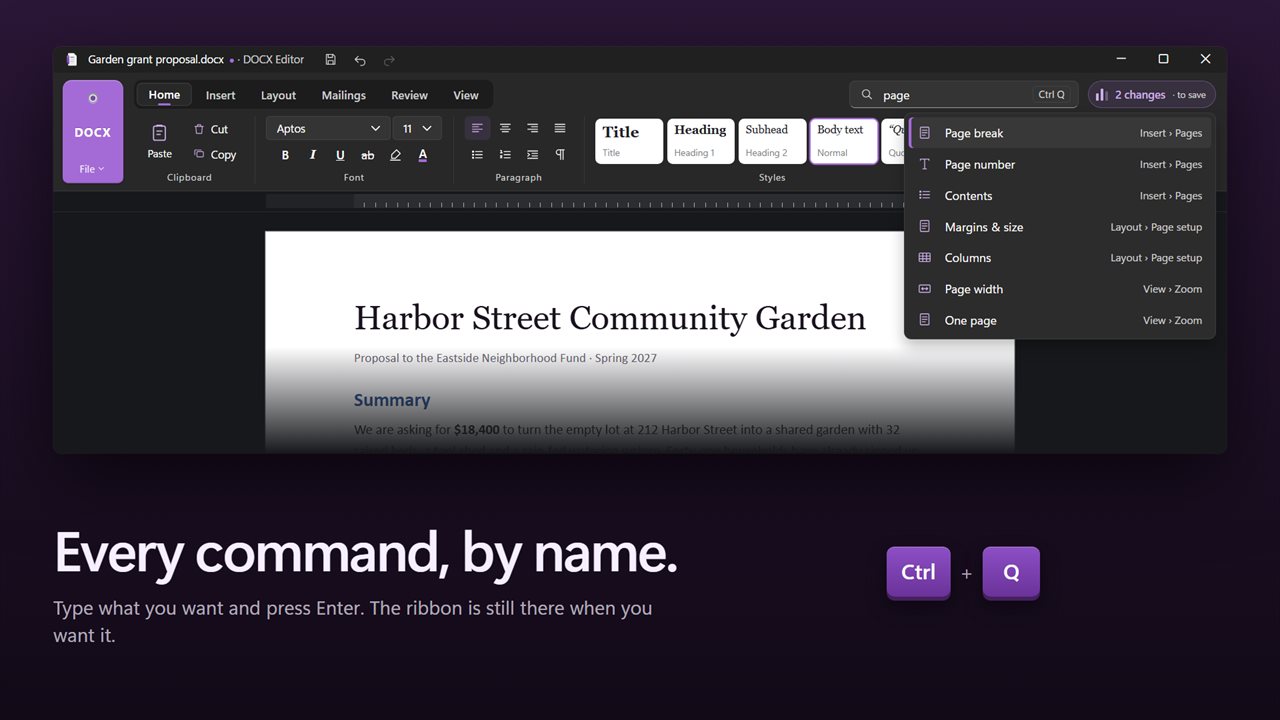
Press Ctrl+Q to find any command by name.
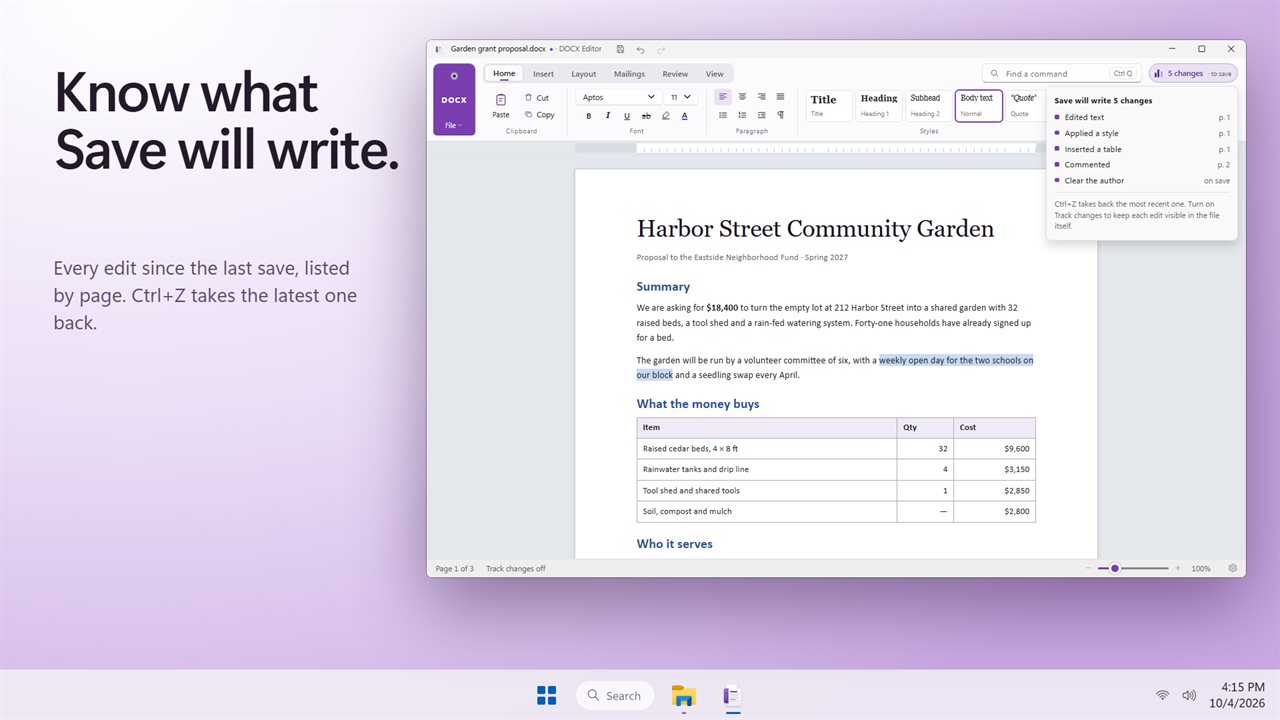
The Changes list shows exactly what Save will write.

Open, edit and save documents with a full ribbon and a real page.

190,000+downloads of EvlarSoft apps
Signed by EvlarSoftVerified US publisher
14-day money-backNo questions asked
Updates includedNo upgrade fees

A DOCX editor for the documents that land in your inbox

Most people looking for a DOCX editor have a Word file in hand and no office suite to open it with, or they only need one or two jobs done: fix a paragraph, check what a colleague changed, send a clean copy. DOCX Editor is a Windows word processor built around exactly those jobs, using its own document engine.

It opens DOCX along with DOC, DOCM, DOTX, DOT, RTF, plain text, HTML and Word XML. The ribbon has the tabs you would expect, Home, Insert, Layout, Mailings, Review and View, with headers and footers, footnotes and endnotes, tables, pictures, bookmarks, page numbers, columns, borders and shading, and a table of contents.

Above the page sits a running count of your edits. Click it and a list headed Save will write lists each change since the last save, so nothing goes into the file that you did not mean to put there.

How to open a DOCX file and save it in another format

Choose Open… (Ctrl+O) and pick the file. Edit as normal, then pick where it goes next:

  • Save (Ctrl+S) keeps it as DOCX.
  • Save as… (Ctrl+Shift+S) writes DOCX, DOC, RTF, TXT or HTML.
  • Export as PDF… makes a fixed copy for sending or printing.
  • Export to another format… adds ODT, Markdown and Word XML.

Compare two Word documents and review every change

Got back a file with no tracked changes and no idea what moved? On the Review tab, choose Compare with… and pick the other version. The differences come back as ordinary tracked changes: insertions, deletions and reworded passages, which you step through with Accept and Reject, or settle with Accept all and Reject all.

For your own edits, turn on Track changes and add comments with New comment. Enter Your name in Settings and it appears on each comment and revision you make.

Remove metadata from a Word document before you send it

A file can carry more than its visible text: leftover comments, unresolved revisions, hidden text and properties such as author, last saved by, company, title and manager. Clean before sending, on the Review tab, lists what this document contains and lets you choose what to take out before a contract or proposal leaves your hands.

Mail merge from Excel into letters or PDFs

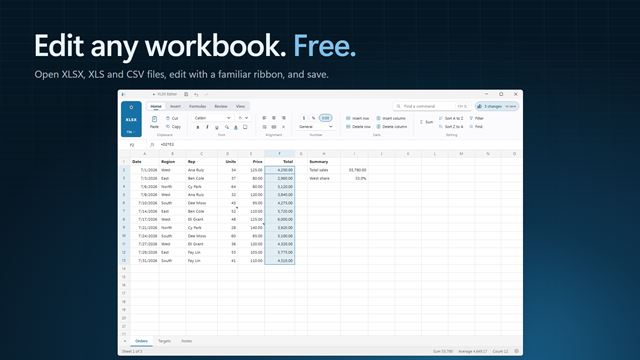
On the Mailings tab, Pick recipients… takes an XLSX, XLS or CSV file. Insert merge field drops a column into the text, a preview steps through each record, and Finish merge produces one combined document, a single PDF, or one file for every row named from a column you pick.
Everyday tools in the editor

  • Spelling checked against an English dictionary as you type, with F7 to walk through each word
  • Add to dictionary keeps names and jargon from being flagged again
  • Find a command box that searches the ribbon by name
  • Print layout and web layout, with 100%, Page width and One page zoom
  • A ruler you can show or hide
  • Style gallery with Title, Heading 1, Heading 2, Normal and Quote, plus Manage styles
  • Ctrl+N, Ctrl+O, Ctrl+S and Ctrl+P for the file basics
  • Light, dark or Match Windows, with the page itself kept white as it prints

Who it suits

Freelancers and consultants

Open a client's DOCX, answer their comments with tracked edits, then run Clean before sending so your name and stray notes do not travel with the final copy.

Legal and HR paperwork

Compare the version you sent with the one that came back and accept or reject each change, instead of reading two drafts side by side.

Office mailings

Merge a spreadsheet of names and addresses into one letter template and finish with a single PDF ready to print, or one file per person.

Questions

Anything else? Ask us

Do I need Microsoft Word installed to use Evlar DOCX Editor?

No. It opens, edits and saves documents with its own document engine and does not use Word at all.

Which file types can it open and save?

It opens DOCX, DOCM, DOTX, DOC, DOT, RTF, TXT, HTML and Word XML files. Save As writes DOCX, DOC, RTF, TXT or HTML, and Export writes PDF, ODT, Markdown, RTF, TXT, HTML or Word XML.

Can it compare two versions of a Word document?

Yes. Pick the other version, which can be DOCX, DOCM, DOTX, DOC, DOT or RTF, and every difference is shown as a tracked change. You can accept or reject each change, or all of them at once.

Can it remove the author name and comments before I send a document?

Yes. Clean before sending finds comments, tracked changes, hidden text and the author, last saved by, company, title and manager properties. Comments are deleted, tracked changes are accepted into the text, and hidden text is removed when you save.

Can I do a mail merge from an Excel spreadsheet?

Yes. Pick an XLSX, XLS or CSV file, insert its columns as merge fields and preview each record. Finish as one combined DOCX, one PDF, or a separate file for every row named from a column you choose.

What happens to my document if the app crashes?

While a document has unsaved changes, a recovery copy is set aside once a minute. The next time you open the app, it offers to restore that copy.

Does it have a spell checker?

Yes. Check spelling as you type underlines words the English dictionary does not know, Spelling (F7) goes through them one at a time with suggestions, and Add to dictionary remembers a word for next time.

How do I turn on track changes in a DOCX file?

On the Review tab, click Track changes. From then on your insertions and deletions are kept in the file as revisions, marked with the name you entered under Your name in Settings, so the other person can accept or reject each one.

How do I see what I changed before saving?

Click the change count next to the document. It opens a list of every edit since your last save; Ctrl+Z takes back the most recent one.

Which versions of Windows does it run on?

Windows 10 (version 1809 or later) and Windows 11.

Is it a subscription?

No. Evlar DOCX Editor is a one-time purchase of $5.99, and updates are included.

How do I get it?

Buy it on this page and your license key arrives by email. If the button says Notify me, Evlar DOCX Editor is not on sale here yet; leave your email and we will tell you when it is.