Verify a digital signature and answer the question that matters
When you verify a digital signature on a PDF, there are really two questions. Has the document changed since it was signed? And can the person who signed it be trusted? PDF readers bundle both into one badge, which is why so many people meet the message signature validity is unknown and cannot tell whether the file is fine or forged.
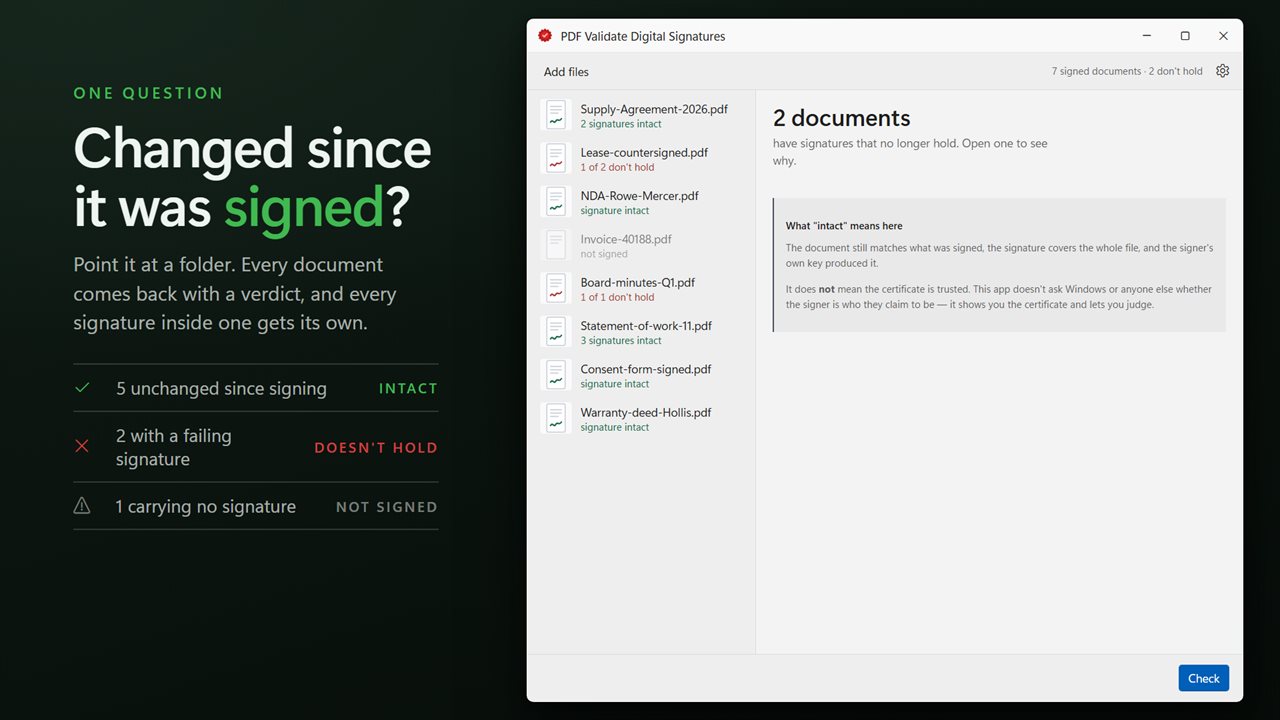
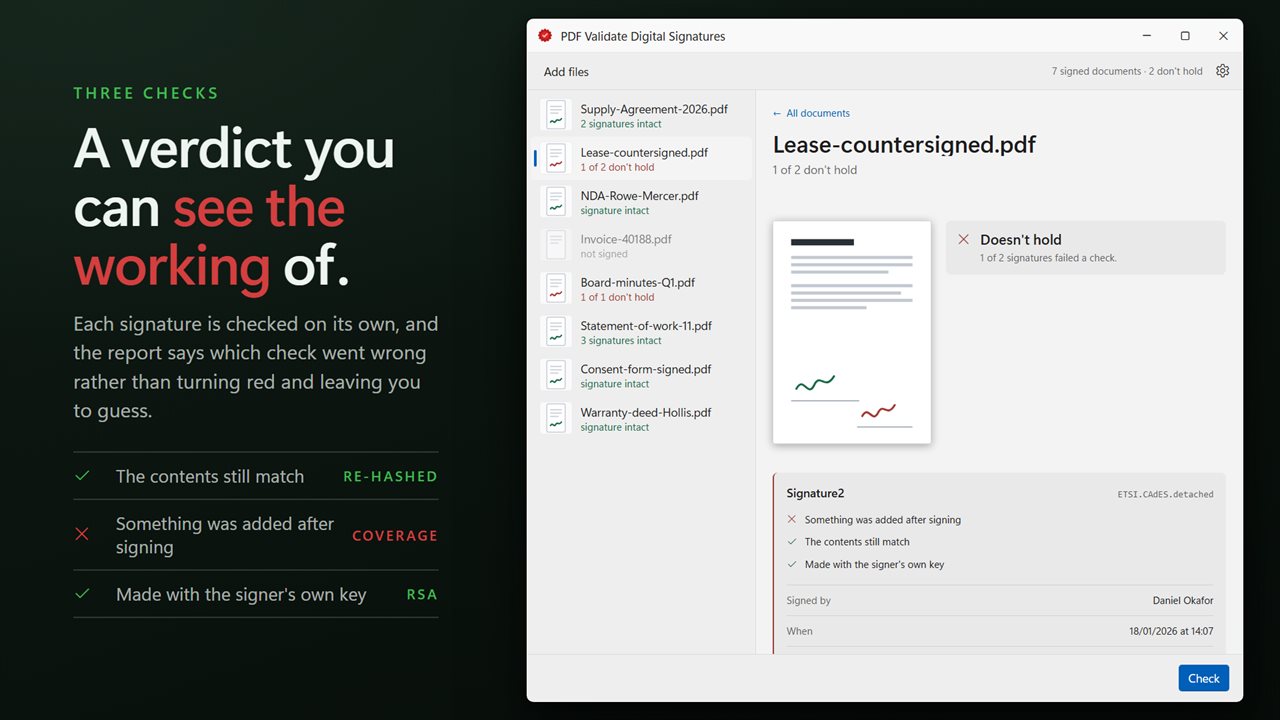
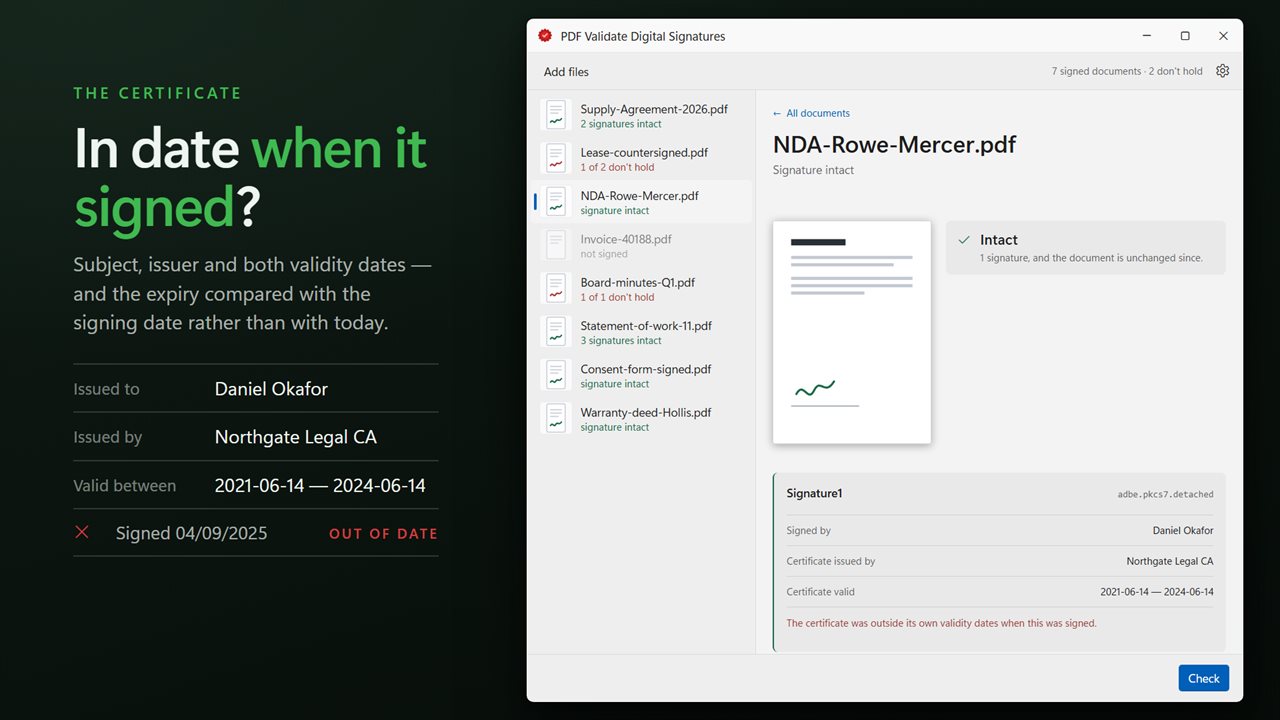
PDF Validate Digital Signatures separates them, and answers the first one directly. For every signature in every document, it reports three checks in plain words: The contents still match, Covers the whole document, and Made with the signer's own key. If all three pass, the document reads Signature intact. If any fails, it reads Doesn't hold, and the failed line tells you why, for example The contents have changed or Something was added after signing.
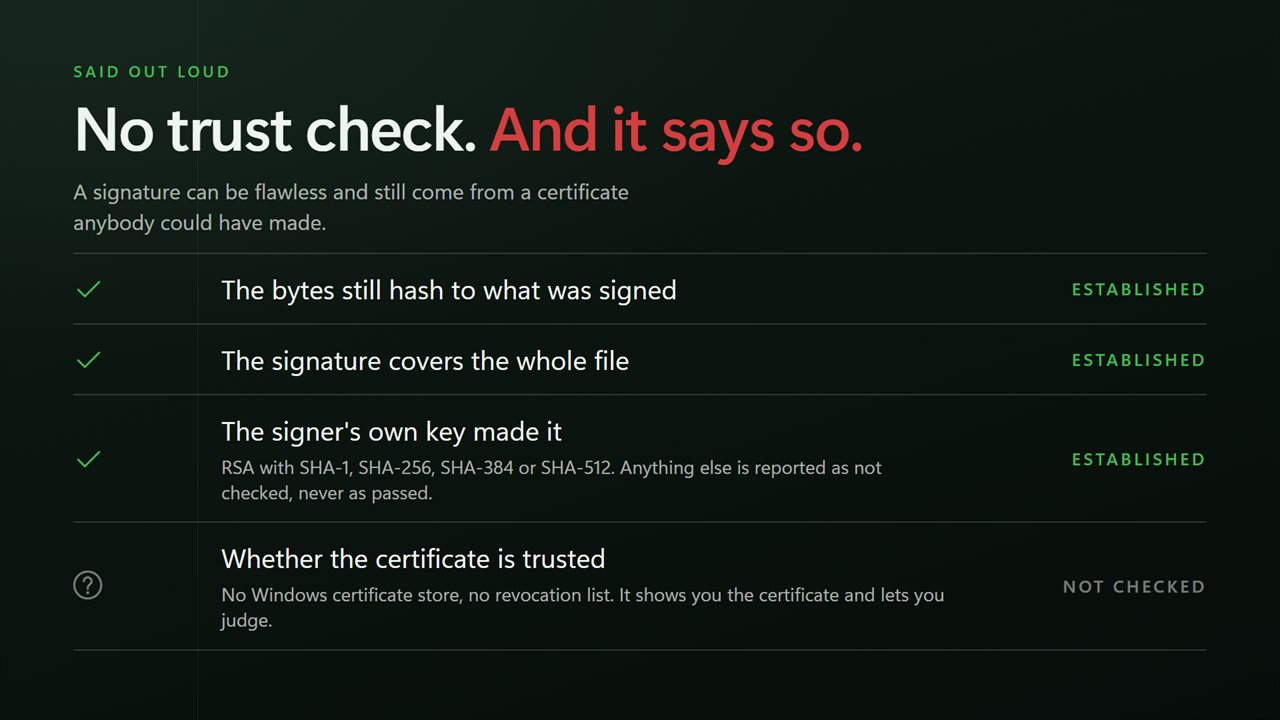
The second question, trust, it leaves to you on purpose. It does not consult the Windows certificate store or revocation lists, so it never shows a green tick that implies more than it checked. Instead it puts the certificate details in front of you so you can judge the signer yourself.
How to check if a PDF has been edited after it was signed
A digital signature stores a hash of the exact bytes it covers. Change a word, a number or an image inside that range, and the hash no longer matches. That is the check behind The contents still match.
The subtler trick is to leave the signed bytes alone and append new content after them. PDF allows incremental updates, so a document can be signed and then extended with a new page or a replaced field, and some viewers will happily display the extended version. The Covers the whole document check catches this: if the signature's byte range stops short of the end of the file, the line reads Something was added after signing.
The third check confirms the signature value was produced by the private key matching the certificate embedded in the signature. RSA signatures using SHA-1, SHA-256, SHA-384 or SHA-512 are verified. Other algorithms are reported as Signed with an algorithm this app can't check yet, not as a failure.
PDF signature validation for a whole folder
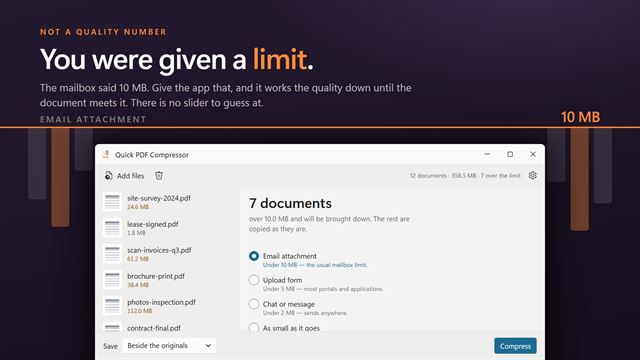
Drop a folder of signed contracts, invoices or certificates onto the window, or send a selection from File Explorer with Open with. Each document gets its own verdict in the queue, and the side pane summarizes the batch: All intact, None signed, or how many documents have signatures that no longer hold.
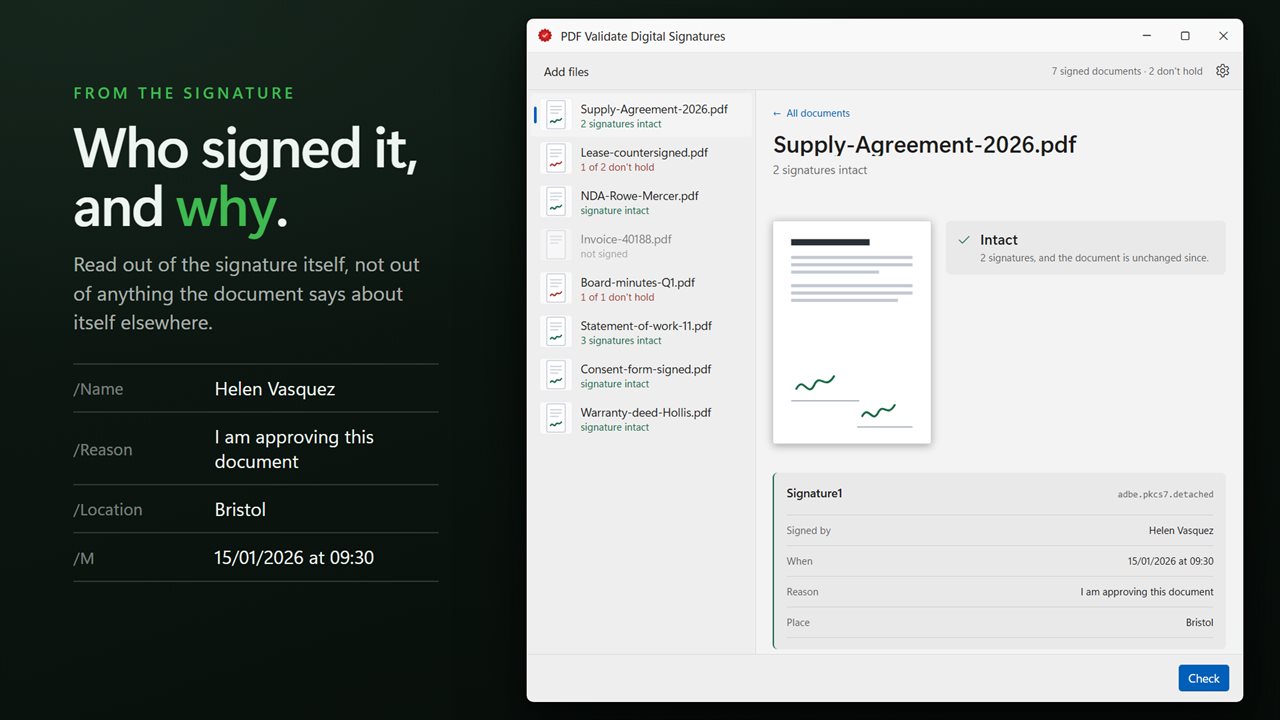
Open a document to see one card per signature. Each card lists who it was Signed by, When, the Reason and Place the signer gave, the authority named under Certificate issued by, and the dates under Certificate valid, so you can compare the signing time against the window the certificate covered. A document whose signature field was never signed is flagged as unsigned, which is worth knowing on a form that looks complete.
What signature validity is unknown usually means
That message nearly always concerns trust, not tampering. The reader could not link the signer's certificate to an authority it already trusts, often because the certificate is self-signed or issued by a company's internal authority. Running the file through this app tells you whether the document itself is intact; the certificate details then help you decide whether that signer is someone you recognize.