A mind map maker that keeps pace with your typing
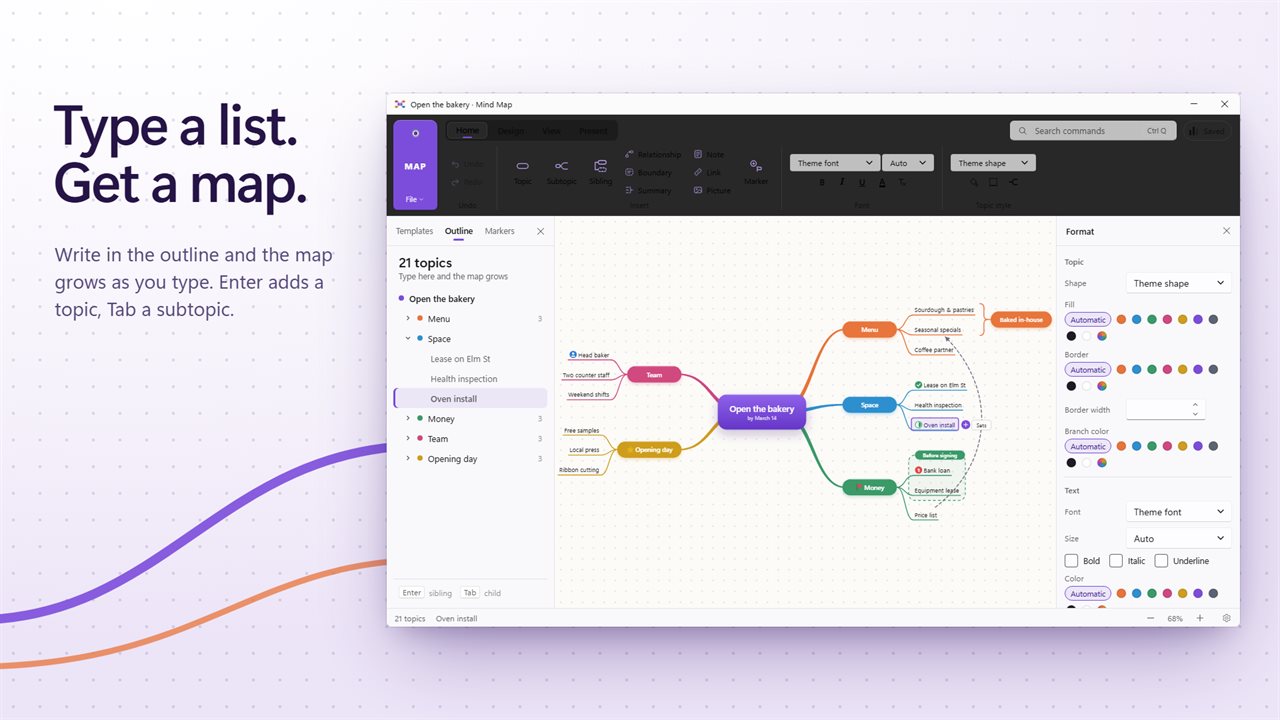
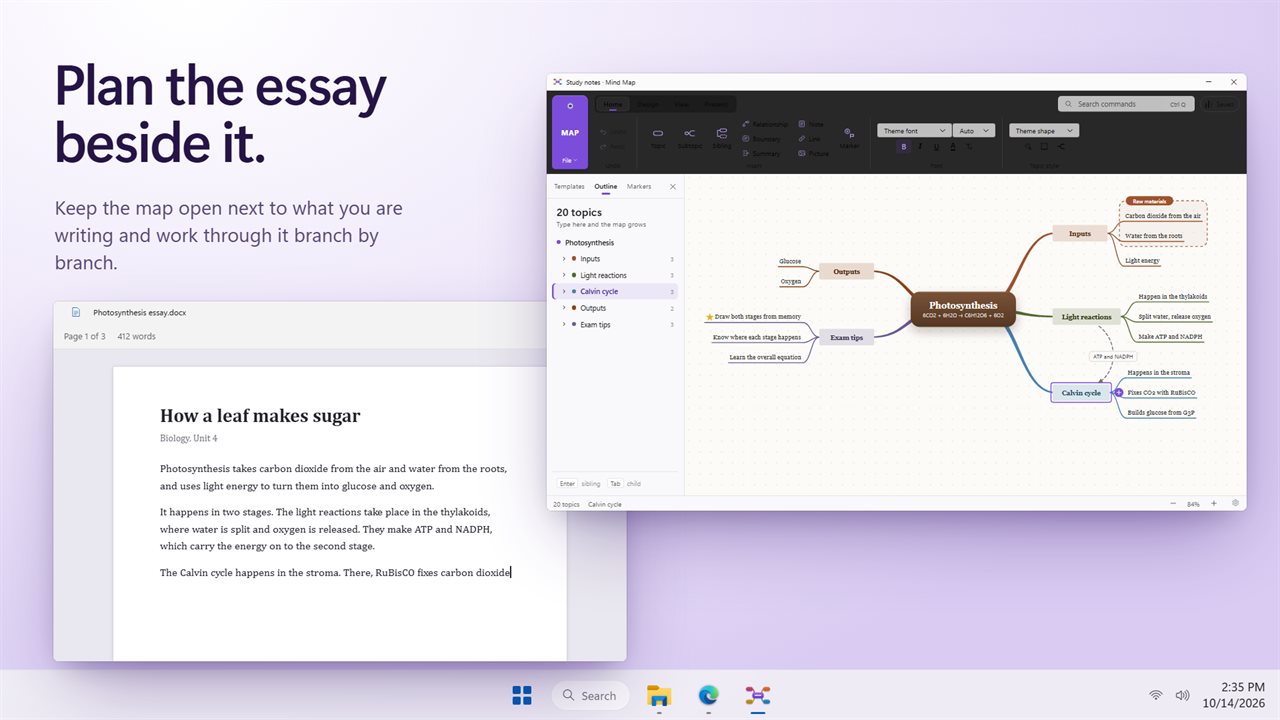
Most mind map makers ask you to drag boxes around before you have finished a thought. This one starts from the keyboard. The Outline in the sidebar is a plain list you type into, and every line becomes a topic on the map next to it. Enter adds the next topic, Tab pushes it one level down, Shift+Tab pulls it back up, and Alt+Up or Alt+Down moves a topic among its siblings.
Because the list and the map are the same document, you can brainstorm at full speed in the outline and tidy up visually afterwards, or click straight onto the canvas and use the same keys there.
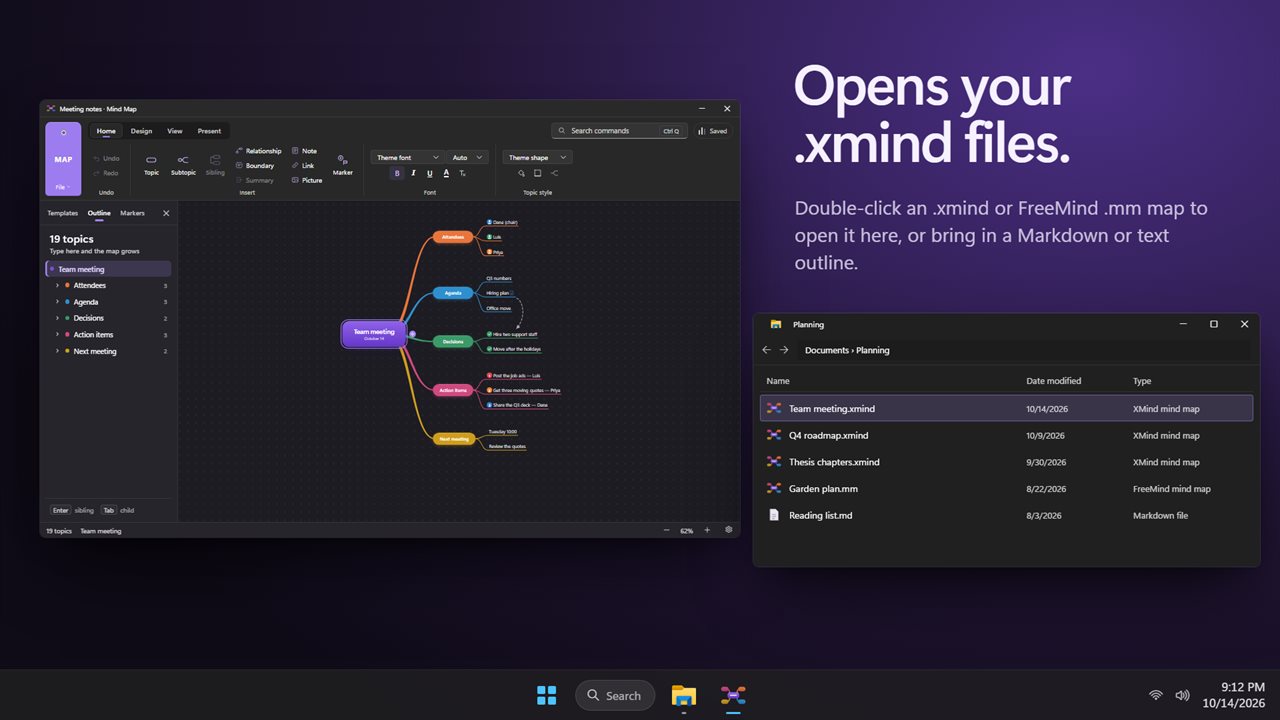
It is a desktop program, so maps live in files on your own disk. Save to .xmind, keep working when the network drops, and reopen a recent map from the File menu.
How to make a mind map in five steps
If you have never built one, the method is simple: one central idea, a handful of main branches, then detail under each branch.
- Choose New map (Ctrl+N), or Templates… if you want a filled-in starting point.
- Type the central topic, then press Tab to begin the first main branch.
- Keep typing. Enter starts a sibling, Tab goes one level deeper, Backspace on an empty line with nothing under it removes it.
- Open the Design tab and pick a Layout, a Theme and a branch style: Curved, Straight or Elbow. Rainbow gives every main branch its own color.
- Use Fit Map (Ctrl+0) to see the whole thing, then Save (Ctrl+S).
More than a mind map: fishbone, org chart, timeline and concept maps
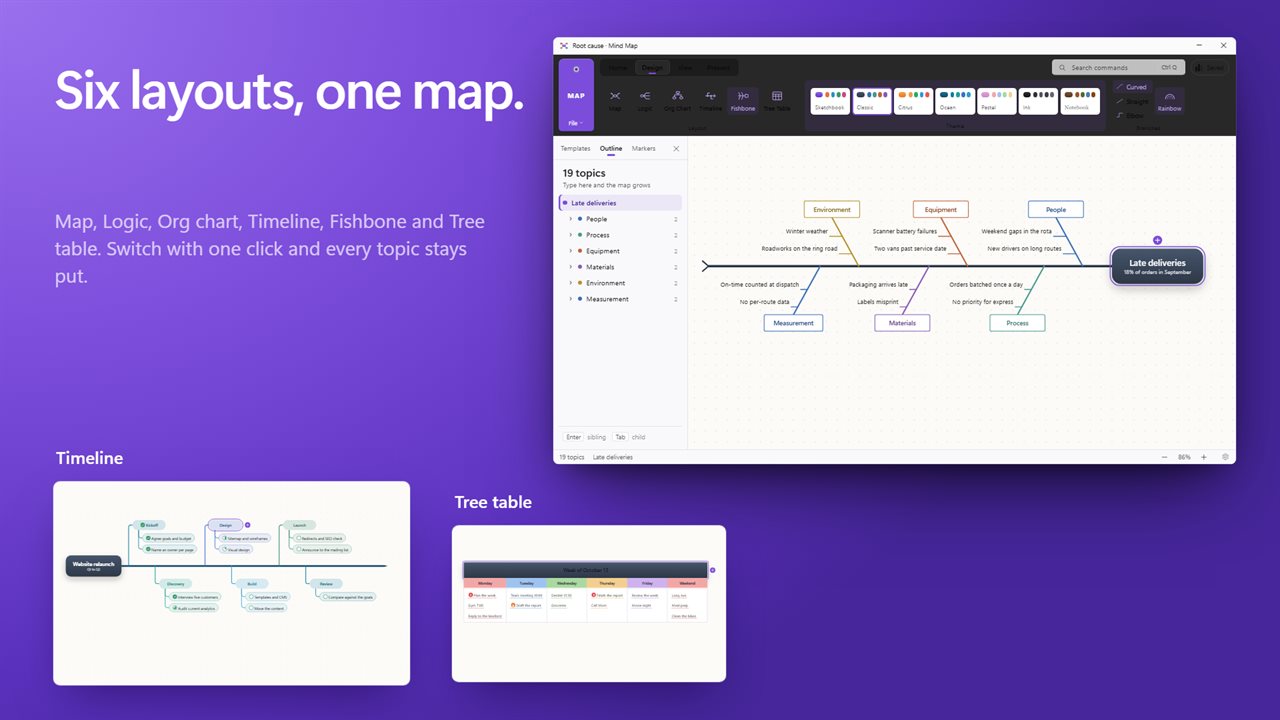
The same set of topics can be drawn six ways from Design > Layout. Map spreads topics on both sides of the center. Logic runs everything to the right, which reads well for arguments and step-by-step plans. Org Chart hangs topics down from the top, Timeline lines main topics up in order, Fishbone sets causes along a spine toward a problem, and Tree Table gives each main topic its own column.
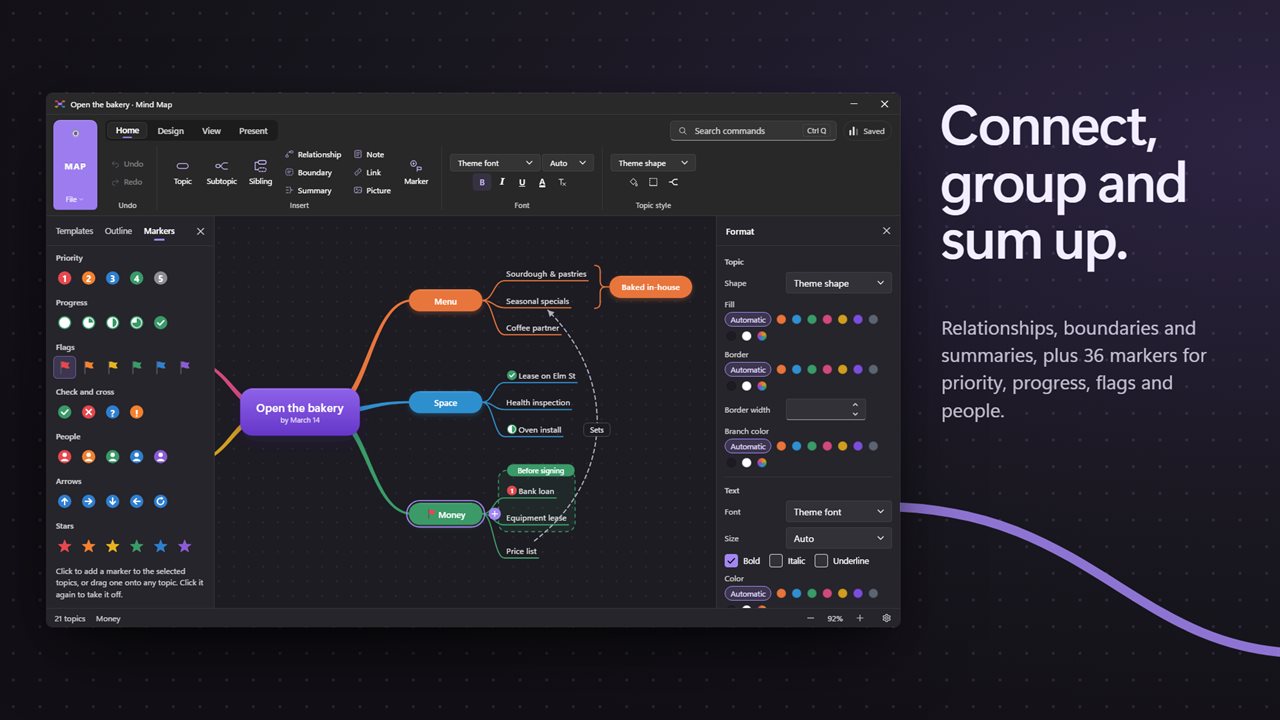
Switching is instant and nothing is lost, so you can draft a root-cause analysis as a quick list and only then turn it into a fishbone diagram for the meeting. For concept maps, where ideas link across branches, Relationship (Ctrl+R) draws a curved arrow between any two topics, Boundary (Ctrl+B) rings a branch, and Summary (Ctrl+]) brackets several topics under one conclusion.
Mind map templates you can start from
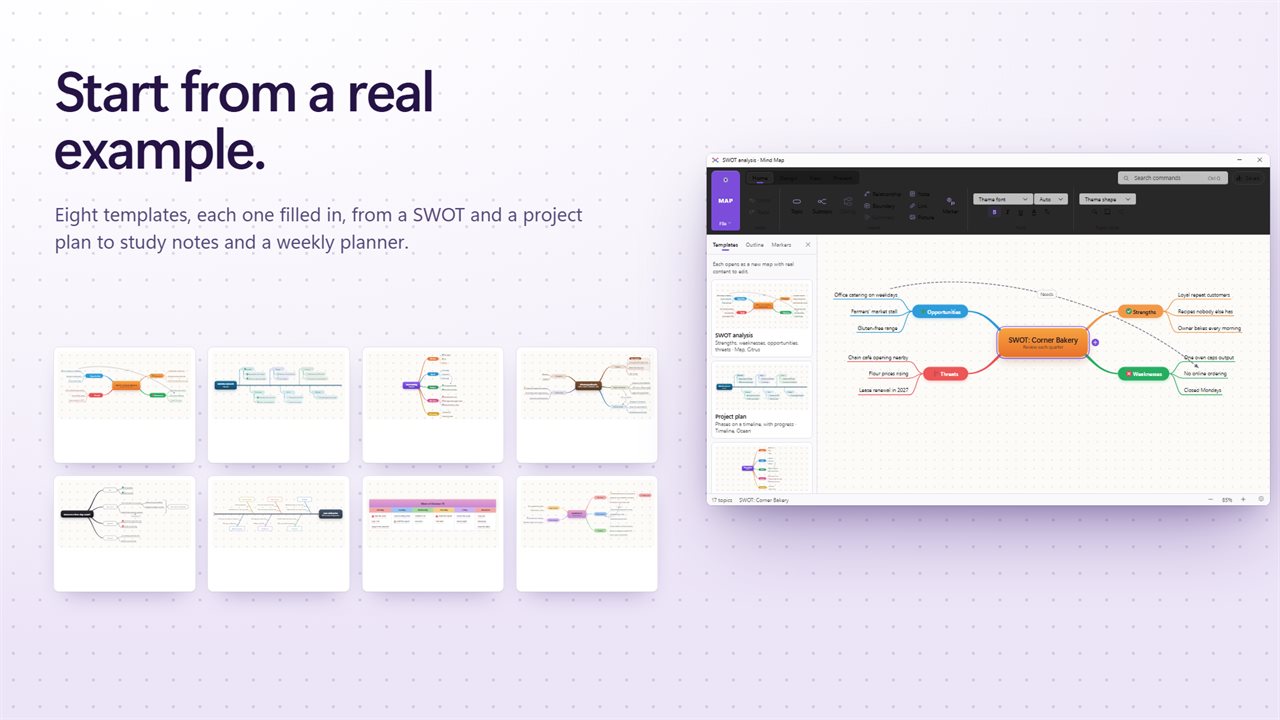
A blank page is the hardest part. The template gallery has eight maps that already contain sensible headings and sample entries, so you replace text rather than invent structure: a SWOT grid, a project plan, meeting notes, study notes, a decision tree, a root-cause map, a weekly plan and a book summary.
Students tend to reach for study notes and book summary; managers for the project plan and meeting notes. Each one is an ordinary map once opened, so add, delete or re-layout anything.
Turn a mind map into slides, a PDF or an image
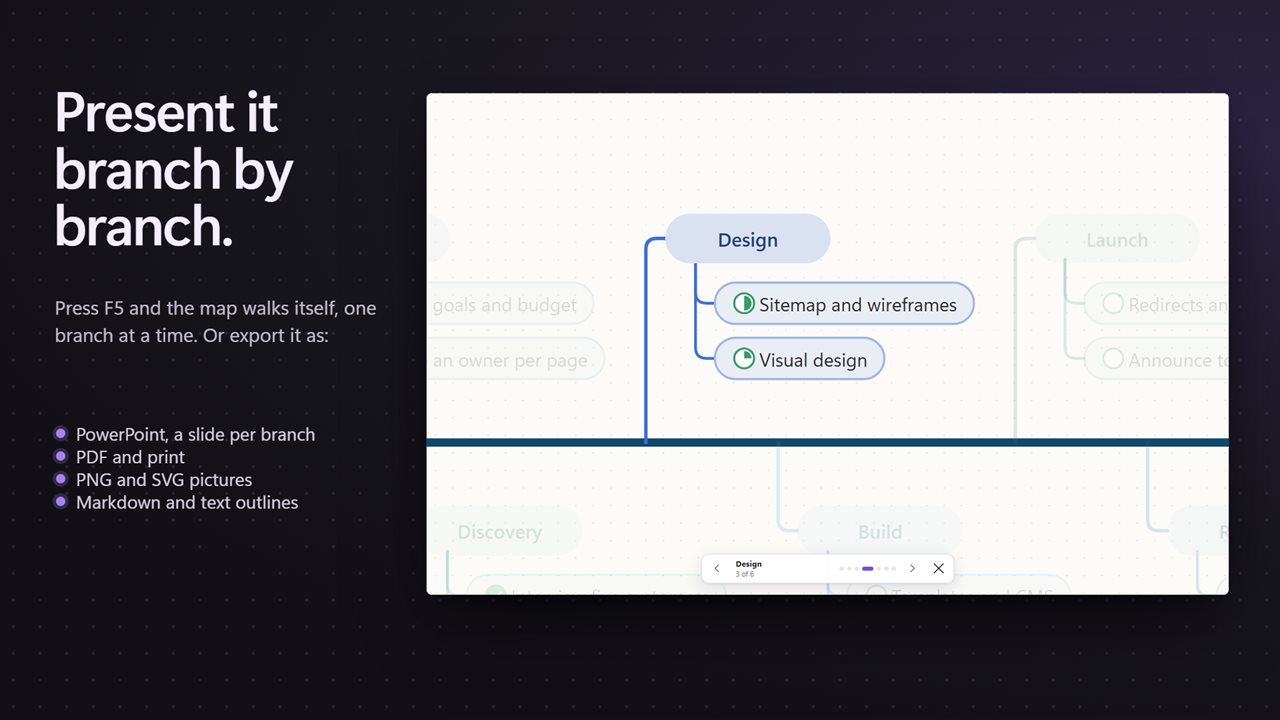
Press F5 and the map fills the screen and reveals one branch at a time. Arrow keys, Space, Enter or Page Down move forward and Escape ends the show, which is handy for walking a group through a plan without building a separate deck.
When you do need a deck, Export to PowerPoint… writes a .pptx. Other File menu exports give you a PNG for chat or documents, an SVG that stays crisp at any size, a PDF, a Markdown outline or a plain text outline, and Print… (Ctrl+P) sends the map to paper.