EEvlarSoft

Scratch Paper Quick Notes

A quick notes pad that lives next to the clock: open it with one click or Ctrl+Alt+N, type, and close it again without ever pressing save.

Buy for $1.99
One payment. No subscription.
14-day money-back guarantee.
4.0
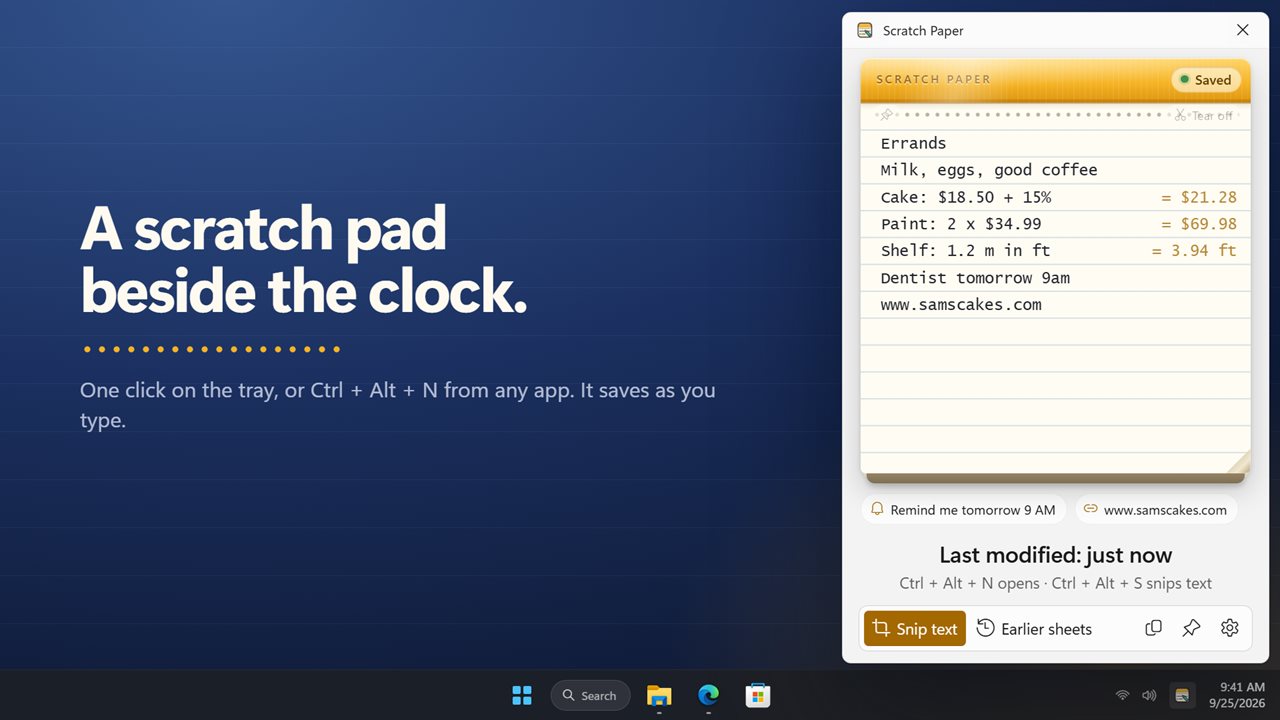
A quick notepad beside the clock, saved as you type.
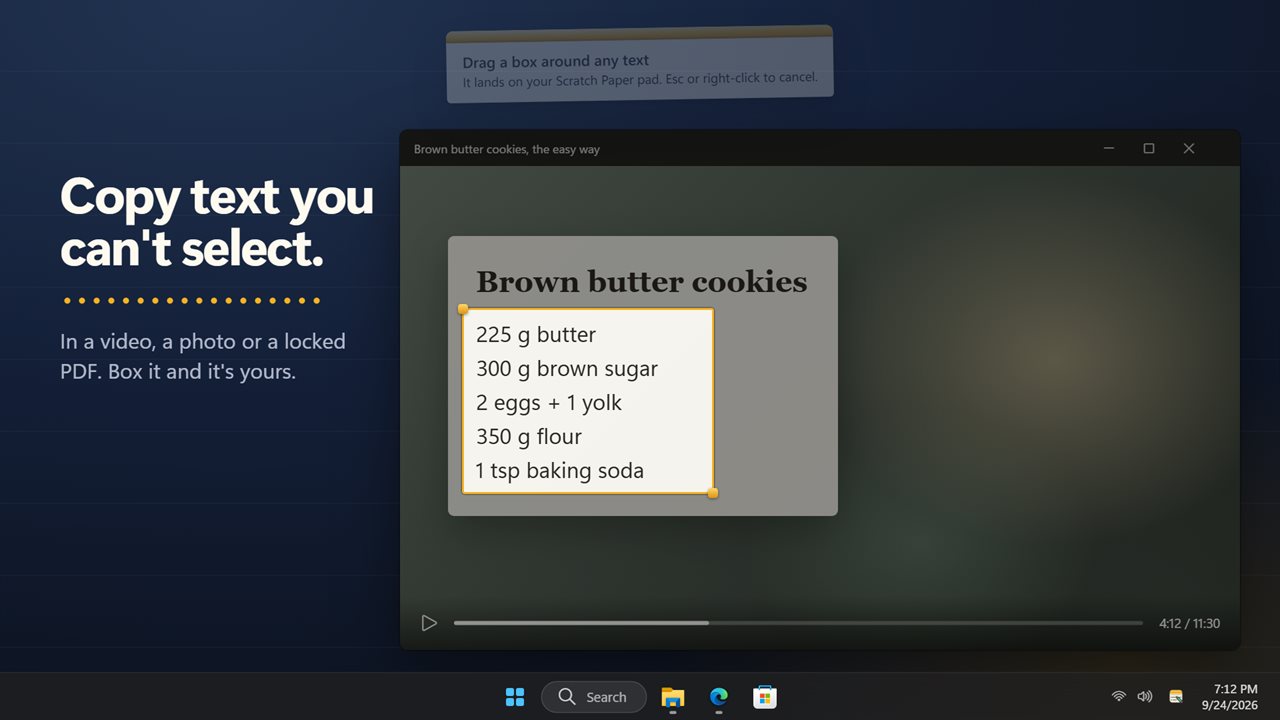
Drag a box around text you can't copy, even in a video.
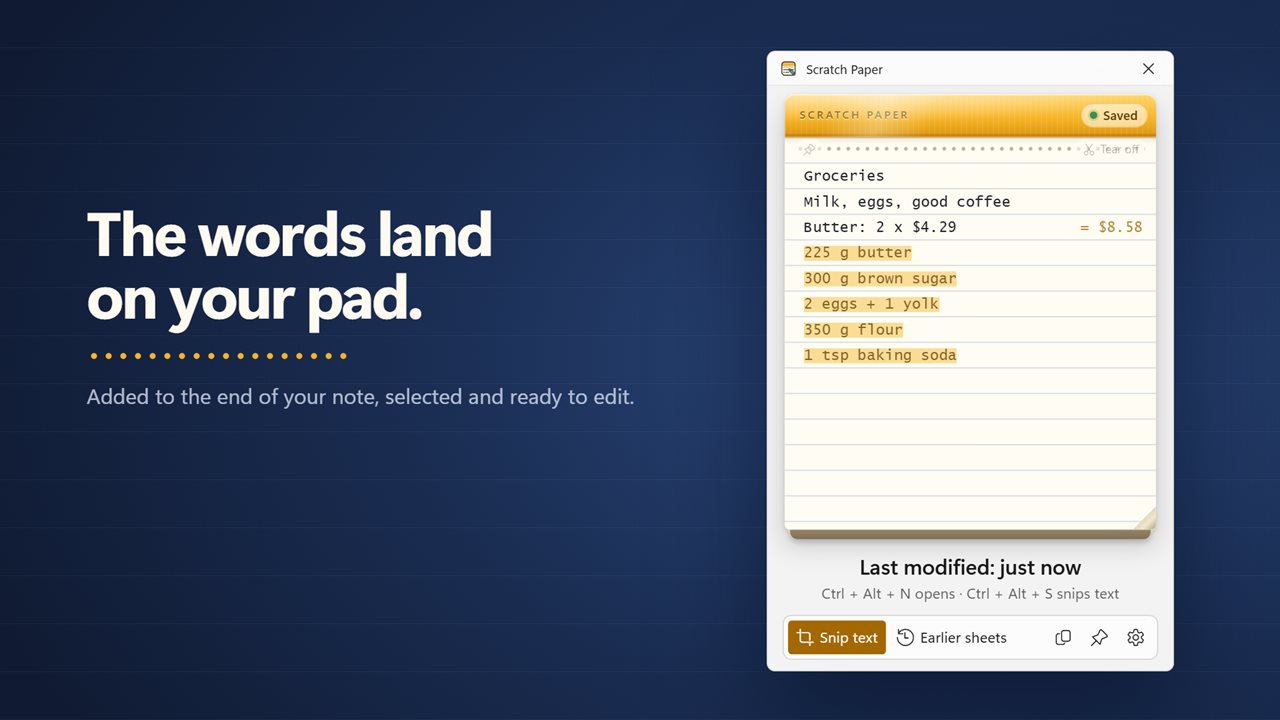
The words are typed onto your pad.
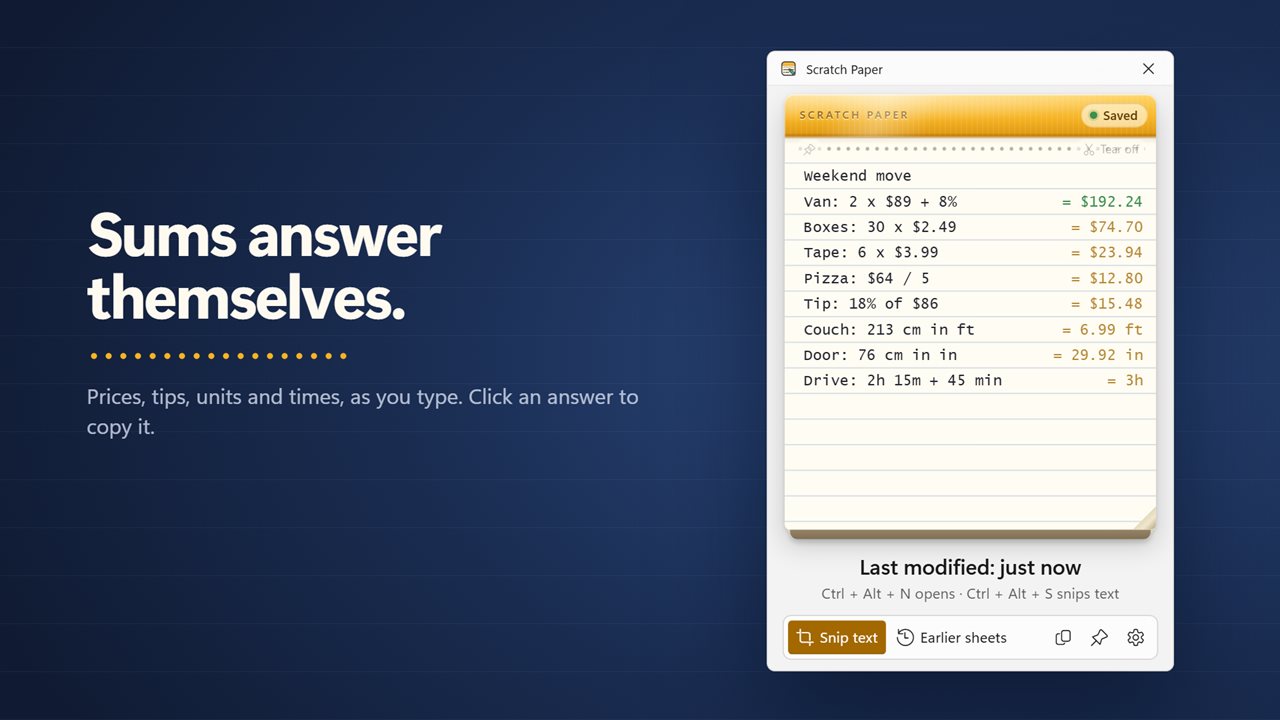
Sums answer themselves as you write.
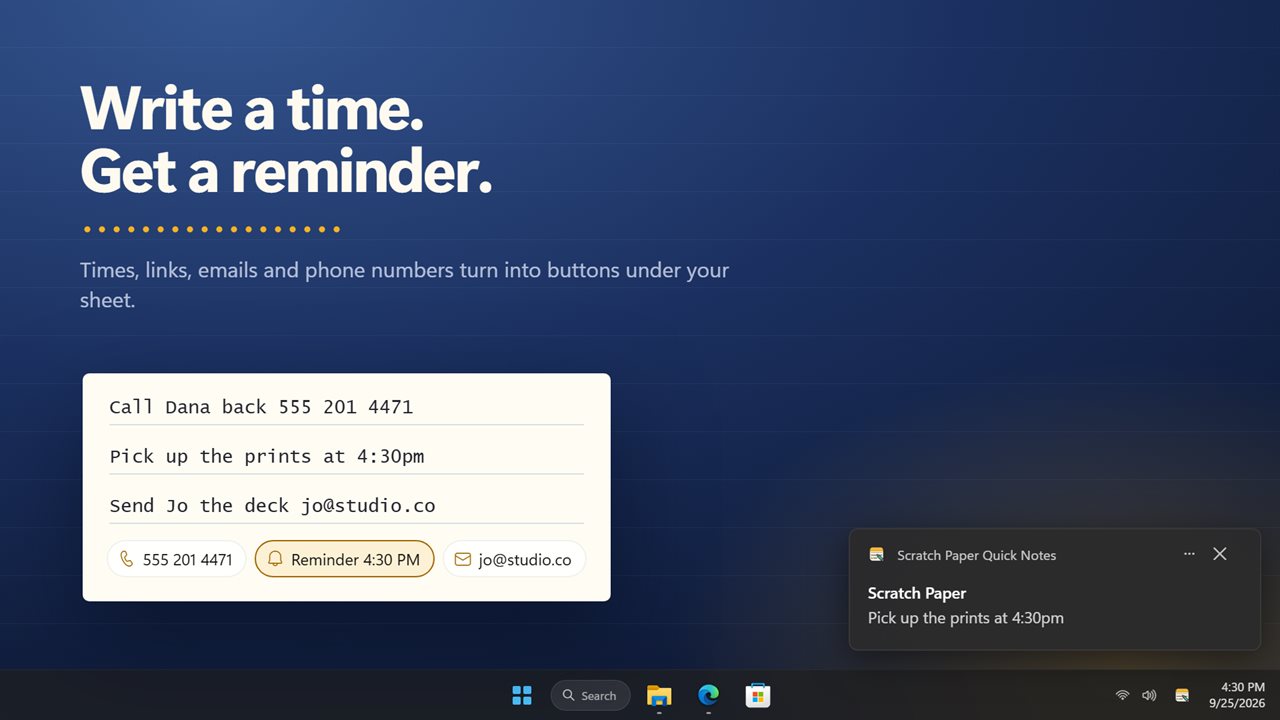
Write a time, get a Windows reminder.
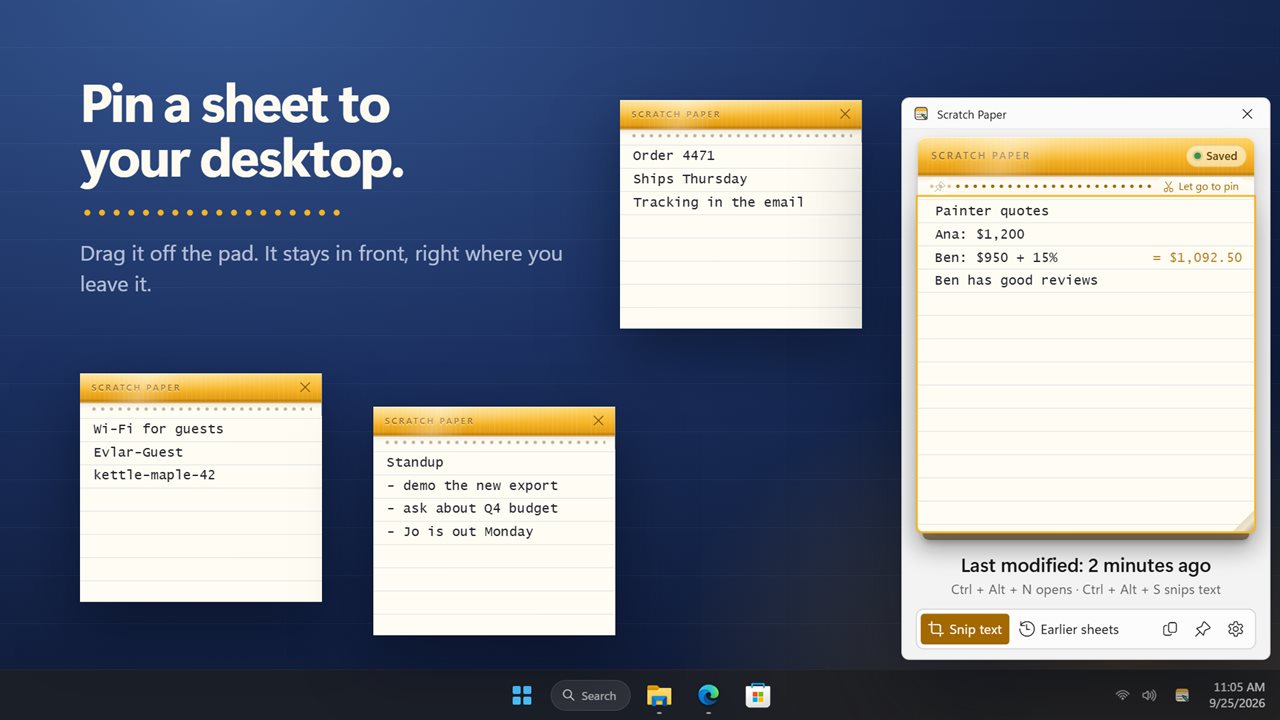
Drag a sheet off the pad to pin it to your desktop.
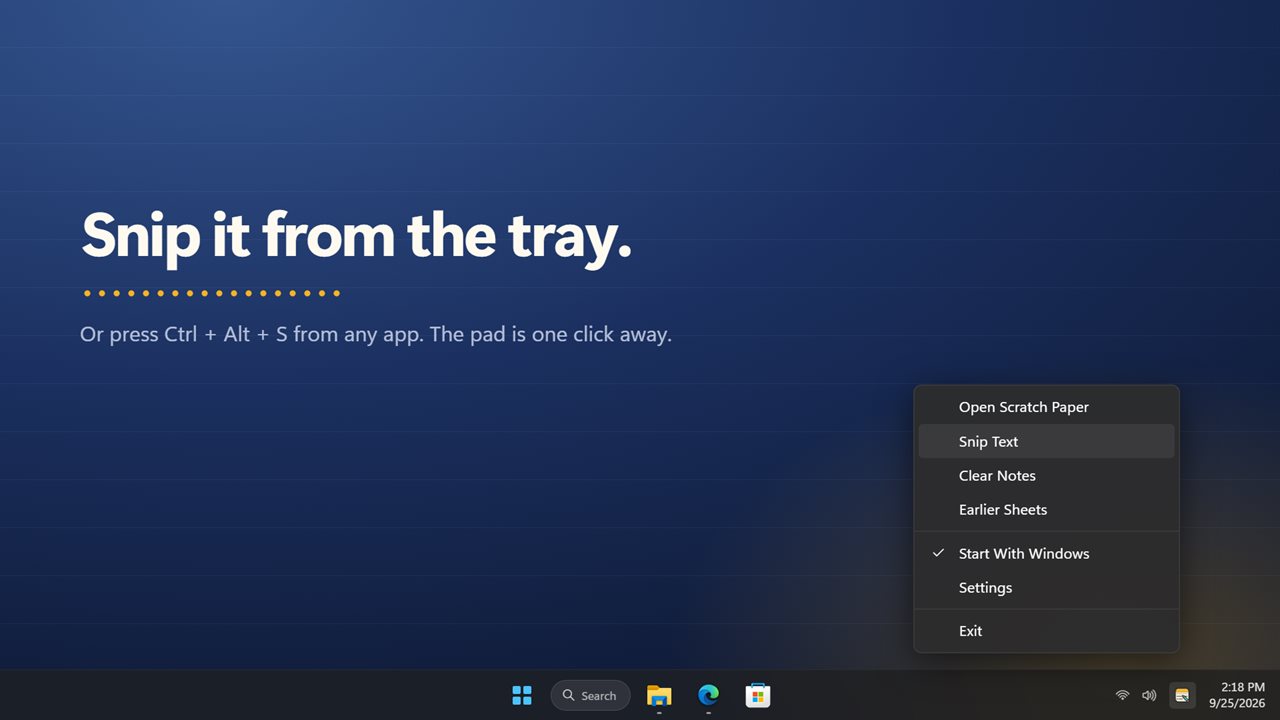
Snip or open the pad right from the tray.
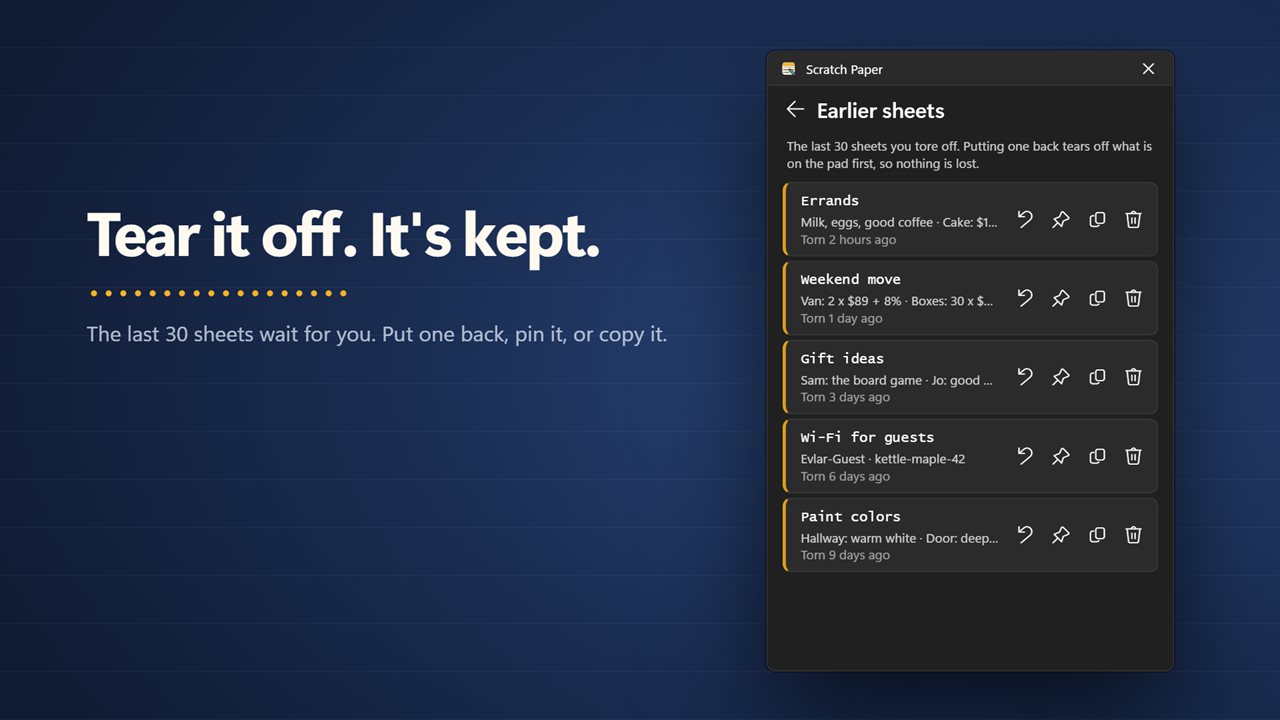
Tear off a sheet. The last 30 are kept.

A quick notepad beside the clock, saved as you type.

190,000+downloads of EvlarSoft apps
Signed by EvlarSoftVerified US publisher
14-day money-backNo questions asked
Updates includedNo upgrade fees

A quick notes app for the thing you need to write down right now

A phone number read out on a call. A tracking code. Three measurements for the shelf you are about to buy. These need a quick notes app, not a document, and opening a full editor for them is slower than the moment allows. Scratch Paper is a single sheet that waits in the notification area and appears above the taskbar the instant you click its icon.

Whatever you type is stored as you go, so there is no save button and no file name to think up. Press Esc or click into another window and the pad tucks itself away, or switch on Keep the pad open when you want it to stay.

Under that plain sheet sit three helpers: a way to copy text from the screen that you cannot select, sums that finish themselves, and buttons for the links, phone numbers and times you write.

Copy text from the screen, even when it will not select

Error dialogs, a slide in a video call, a scanned page, a photo of a menu: the words are right there and Ctrl+C does nothing. Press Ctrl+Alt+S, or press Snip text on the pad, then drag a box around the words. The app reads the box with the text recognition that ships with Windows and types the result onto your current sheet.

If the snip picked up more than you wanted, Undo puts the sheet back exactly as it was. If the box held no readable words, the pad says so instead of pasting noise.

A notepad calculator that answers as you type

Write a line with numbers in it, such as Carpet: 4.2 x 3.6 or Tip: 20% of $64, and the total appears at the right-hand end of that line. Click the answer to copy it. You never switch to a calculator, and your working stays on the page above the result.

Temperatures, data sizes, times, volumes, weights and lengths are all understood, so a line such as 12 inches in cm or 350 f to c converts in place. If you would rather keep the sheet plain, turn off Answer sums as I write in Settings.

Tear off sheets, and pin notes to the desktop

When a sheet has done its job, press Tear off for a clean one. Torn sheets are not deleted; the last 30 sit under Earlier sheets, where each can be put back on the pad, copied whole or thrown away.

Some notes need to stay in view, like a Wi-Fi password for a guest or the steps of a task in progress. Drag the sheet off the pad, or use Pin to the desktop, and it becomes a small note of its own that sits in front of other windows. You can have 12 of these at once, and each reopens where you left it.

  • Paper: Ruled, Graph paper or Plain
  • Text size: Small, Medium, Large or Extra large
  • Theme: Light, Dark or Match Windows
  • Shortcuts for opening the pad and for snipping are both your choice
What is on the pad

  • Opens from the tray icon or a global shortcut, Ctrl+Alt+N by default
  • Saves every keystroke automatically; no files to manage
  • Snip text reads words from any part of the screen and types them in
  • Lines with arithmetic, percentages or unit conversions show their answer; click to copy
  • Web links, email addresses and phone numbers become buttons below the sheet
  • A time of day written on a line can be turned into a Windows reminder
  • Earlier sheets holds the last 30 pages you tore off
  • Up to 12 sheets pinned to the desktop, kept in front of other windows
  • Optional EvlarSoft ONE sign-in that backs up your notes and settings, so another PC can restore them

Where a desktop scratch pad earns its place

On the phone

Hit the shortcut mid-call and take down the name, the reference number and the callback time without leaving the window you were in.

Shopping and planning

Price up three options line by line and watch each total and the percentage difference work themselves out.

Support and IT work

Snip the error code out of a dialog that refuses to copy and paste it straight into the ticket.

What's new in 2.0.5

  • New: snip the text from anything on screen, even a video or a locked PDF, straight onto your pad
  • New: sums answer themselves as you type. Click an answer to copy it
  • New: links, emails and phone numbers become buttons, and a time on your sheet can become a Windows reminder
  • New: tear off a sheet for a fresh one. The last 30 are kept
  • New: pin a sheet to your desktop as its own note
  • New: Ctrl+Alt+N opens the pad from anywhere, and Ctrl+Alt+S snips text
  • New: ruled, graph or plain paper, and a dark theme
  • Your note is still on the pad

Questions

Anything else? Ask us

How does it copy text from a video, a picture or a locked PDF?

Press Ctrl+Alt+S, or click Snip text, and drag a box around the words on screen. The app reads them with the text recognition built into Windows, on your PC, and types them onto your pad. It needs a Windows language with text recognition installed, and a snip covers the monitor your pointer is on.

Can I change the Ctrl+Alt+N and Ctrl+Alt+S shortcuts?

Yes. Both are set in Settings. If another app already holds the combination, Windows refuses it and the pad tells you to pick another.

What kind of sums can it work out, and does it convert currencies?

It handles arithmetic, percentages and conversions between lengths, weights, volumes, times, data sizes and Celsius and Fahrenheit, such as 5 km in mi. Currency symbols are kept on the answer, but there are no exchange rates, so it does not convert one currency into another.

Will a reminder go off if Scratch Paper is closed?

No. Reminders are shown by the app while it runs in the notification area, so turn on Start with Windows if you rely on them. Only a line with a time of day still ahead can become a reminder, and up to 50 can be set at once.

What happens to a sheet when I tear it off?

It goes to Earlier sheets, which keeps the last 30. From there you can put one back on the pad, copy it, pin it to the desktop or throw it away. Putting one back tears off what is on the pad first, so nothing is lost.

How many notes can I pin to the desktop?

Up to 12. Each stays in front of other windows and opens again where you left it. A note left on a monitor that is no longer connected comes back beside the pad.

Do I need to save my notes?

No. The sheet is written to disk as you type, so closing the pad, quitting the app or restarting the PC keeps what you wrote.

Can I use it as a calculator without writing anything else?

Yes. A line can be just a sum, like 128 / 3 + 12, and its answer shows at the end of the line. Clicking the answer copies it to the clipboard.

Can I make links and phone numbers clickable?

They are by default. Links, email addresses and phone numbers on the sheet appear as buttons under it that open your browser, email or phone app. Turn off Offer links, numbers and times to hide them.

Which versions of Windows does it run on?

Windows 10 (version 1809 or later) and Windows 11.

Is it a subscription?

No. Scratch Paper Quick Notes is a one-time purchase of $1.99, and updates are included.

How do I get it?

Buy it on this page and your license key arrives by email. If the button says Notify me, Scratch Paper Quick Notes is not on sale here yet; leave your email and we will tell you when it is.

Prefer widgets? The Taskbar Notes widget on WidgetSpark does a similar job, alongside over 100 other desktop widgets in one app.