A scoreboard app everyone in the room can see
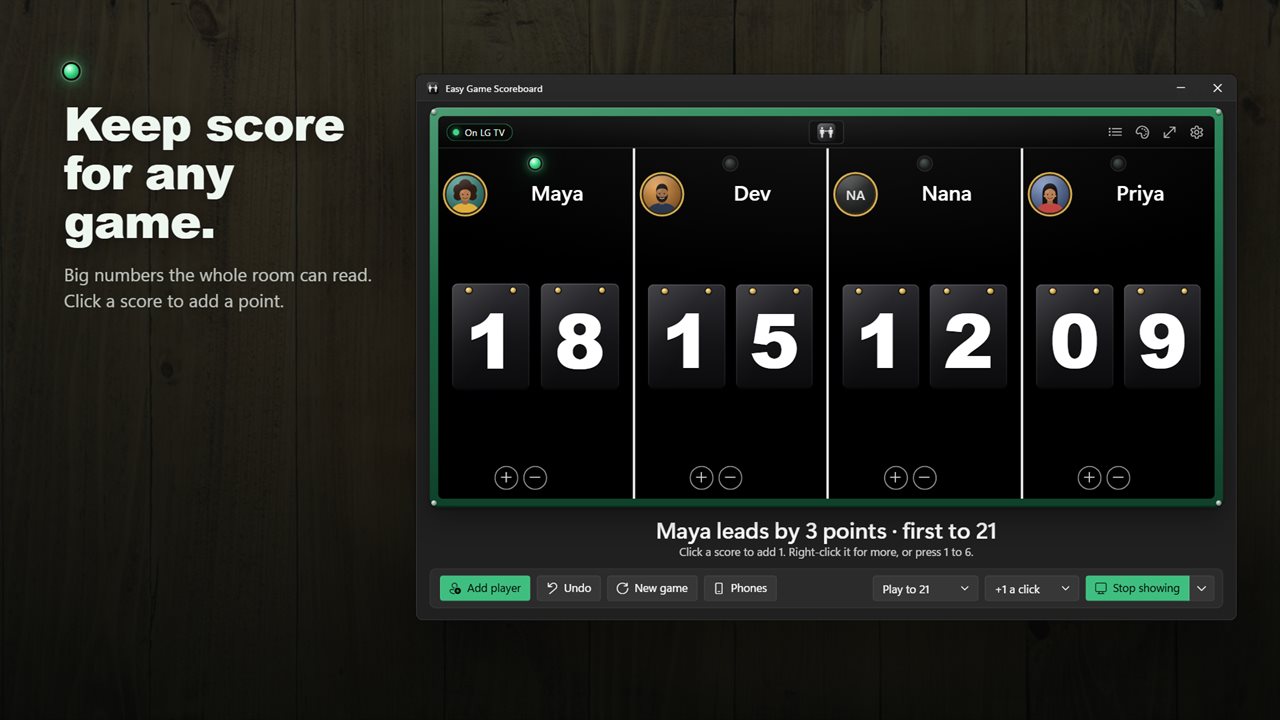
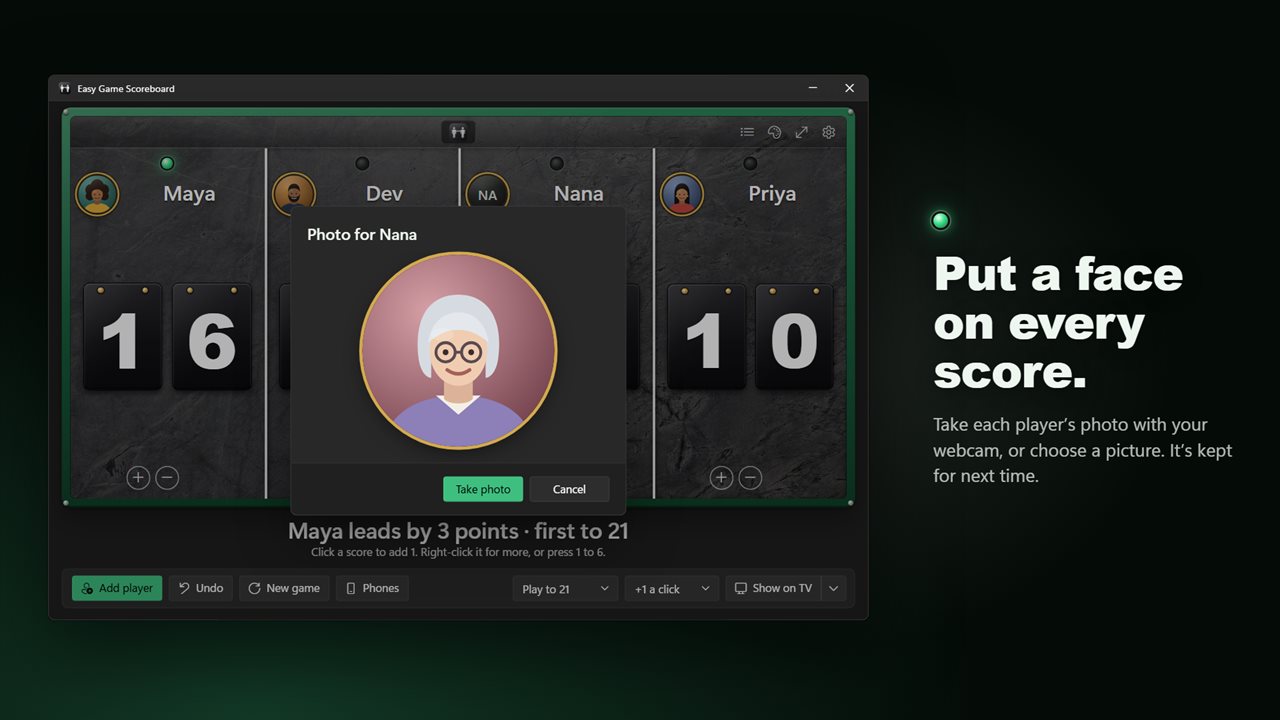
Paper score sheets get lost and phone counters are too small for anyone but the person holding them. Easy Game Scoreboard is a scoreboard app for Windows that gives each player or team a tall column with a hanging score big enough to read from the sofa, and a lamp that lights over whoever is ahead.
Add up to six players with Add player, give them names, and start. A click on a score adds a point; right-clicking offers +5, +10, Take 1 point away and Clear score. On the keyboard, keys 1 to 6 score for each column and Shift with the same key subtracts. Ctrl+Z steps back through up to 100 changes, so a mis-tap in the middle of a heated round is never a problem.
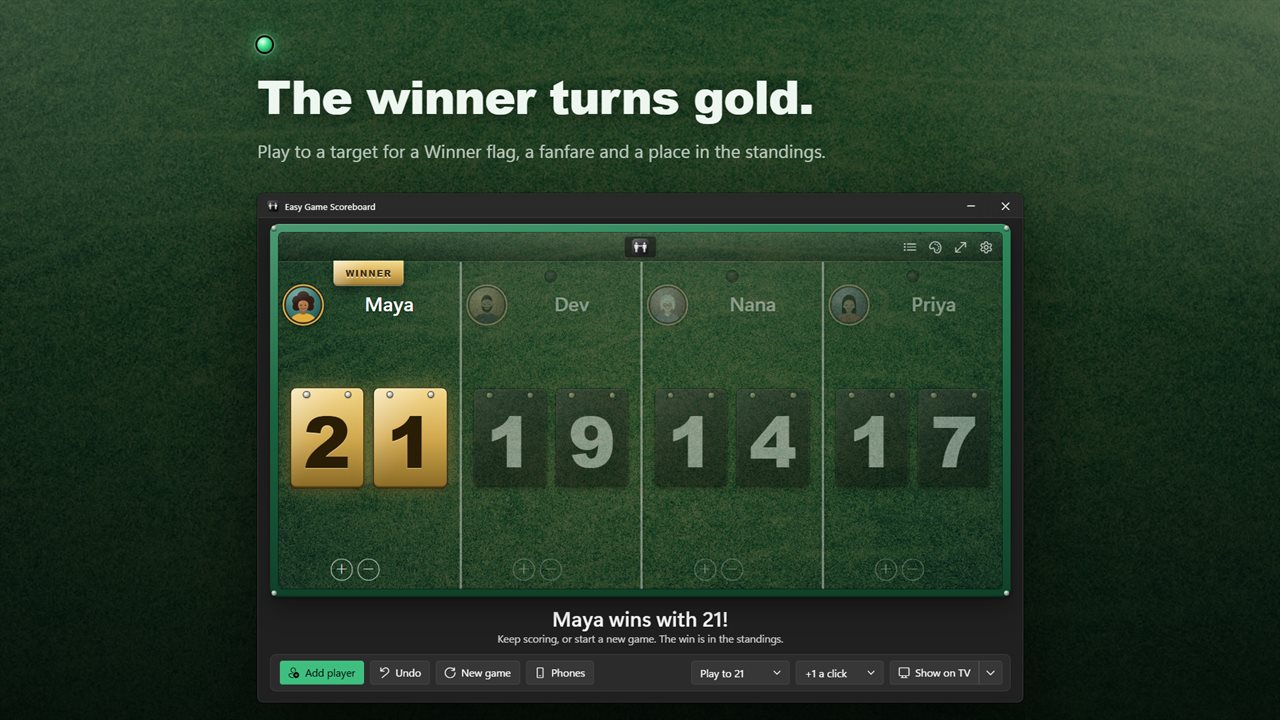
Set a target under Play to and the board calls the winner for you. Nine presets run from 10 up to 500, including 11 and 21 for table tennis and 121 for cribbage, or pick no target at all. The first to reach it gets a Winner banner and a short fanfare, the result goes into the standings, and you can keep scoring if the game runs on.
Put the scoreboard on a television or projector screen
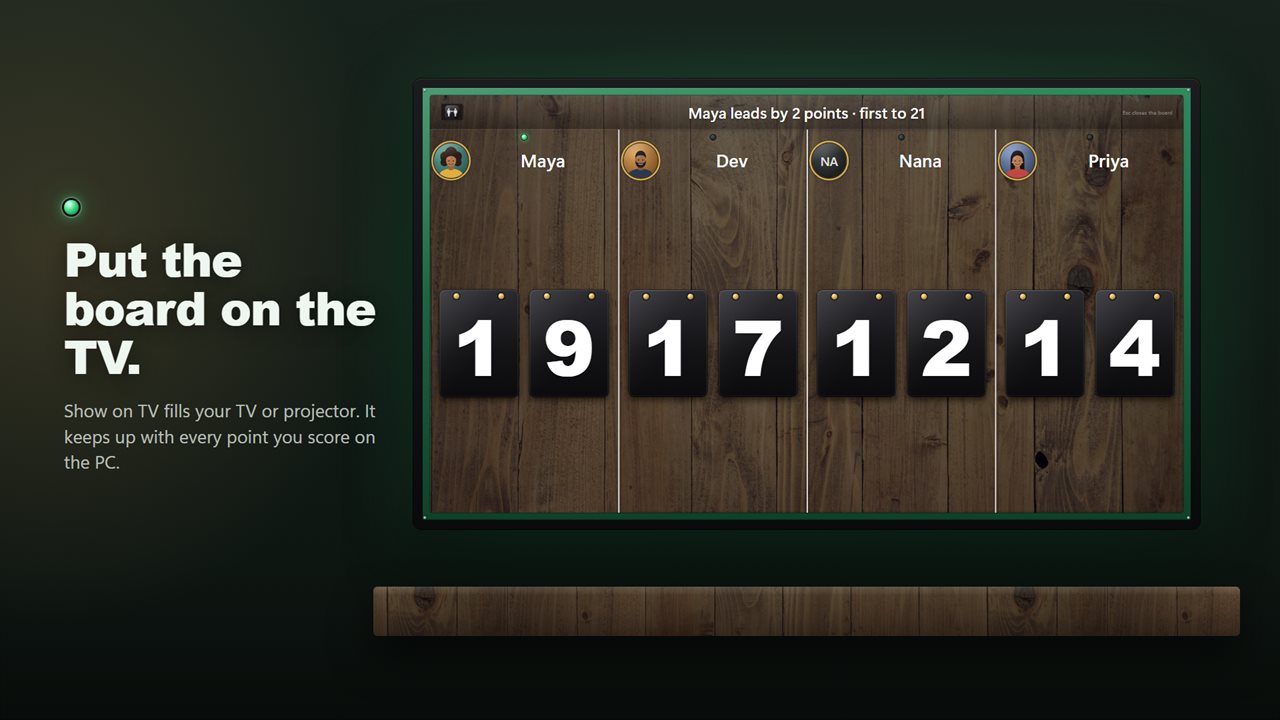
Connect a TV with HDMI or extend your display, then select Show on TV. A full-screen copy of the board opens on the other screen, while the laptop in front of you stays the control desk. With more than one extra display, Choose a screen lets you pick. If only one screen is connected, the board appears In its own window instead, which you can drag to wherever it needs to be and press F11. Esc closes it.
A score keeper app on every player's phone
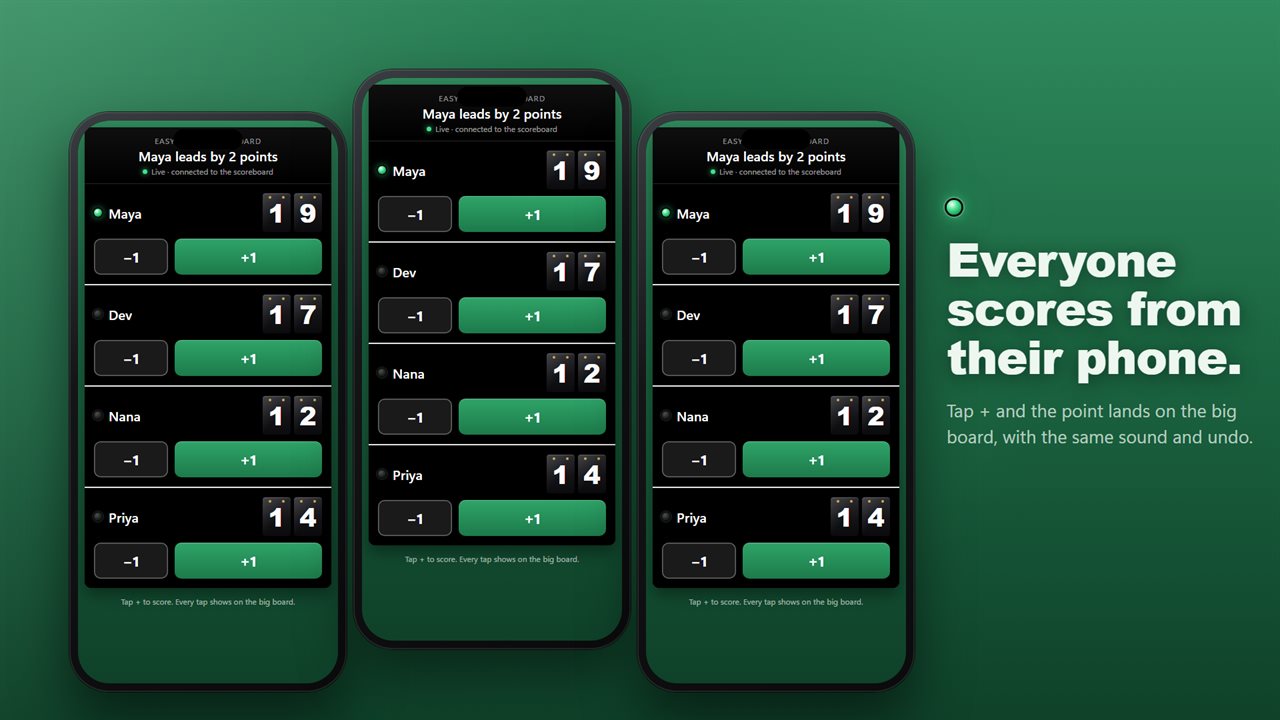
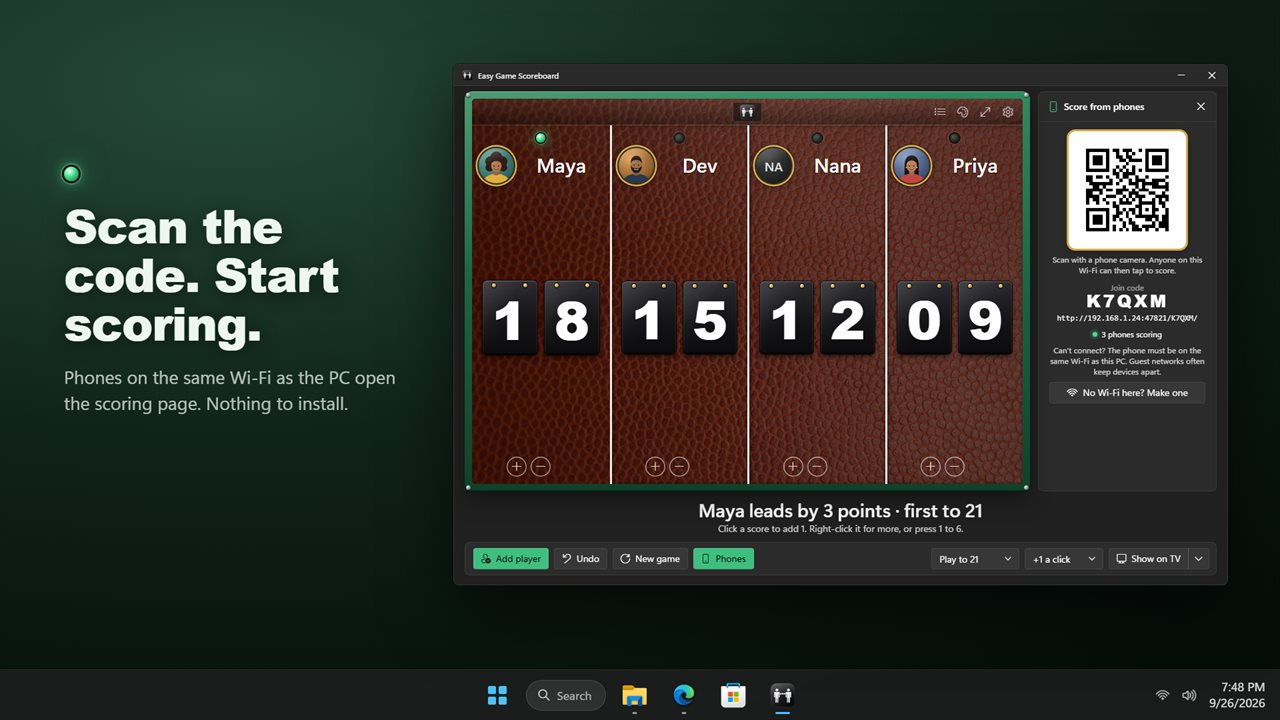
For darts, cornhole or a pub quiz where people are spread around the room, select Phones. A QR code and Join code appear; anyone connected to that Wi-Fi scans it with the phone camera and gets a scoring page in the browser, with + and − buttons for each player. Nothing is installed on the phone and nobody signs up. Every tap lands on the big board immediately, with the same chime and the same undo history.
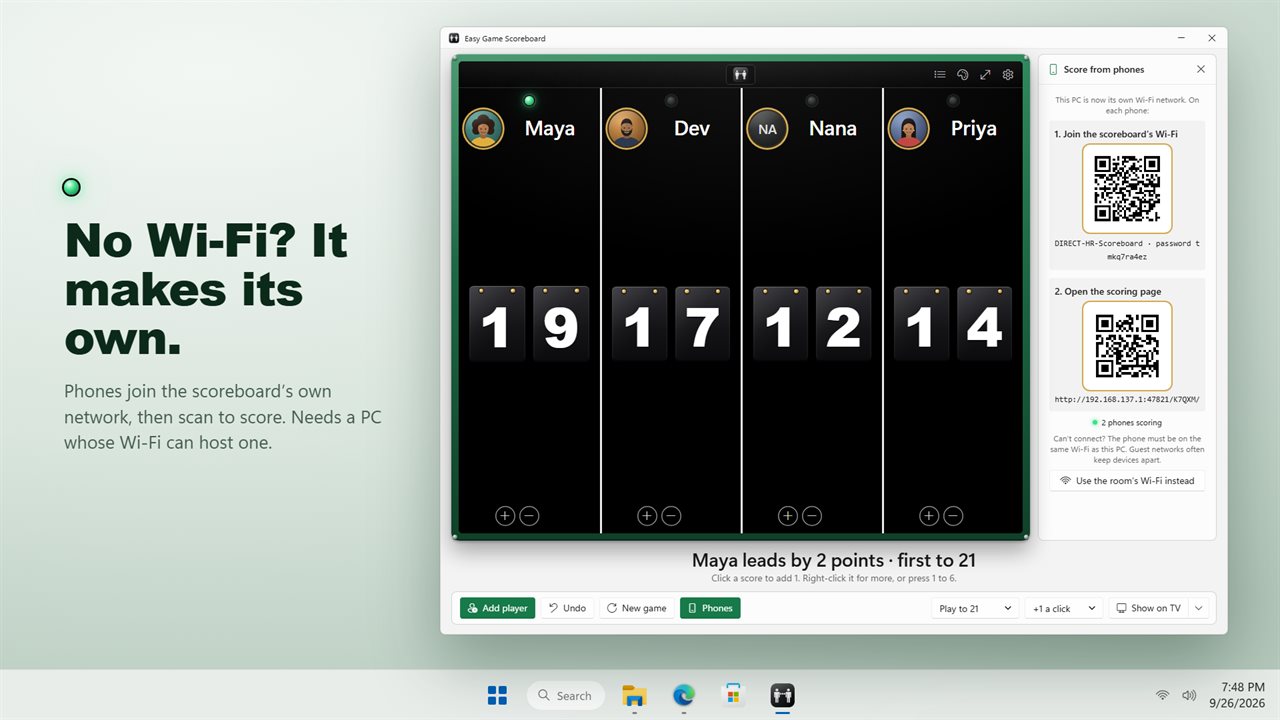
At a campsite, a garage or a hall with no Wi-Fi, choose No Wi-Fi here? Make one. If the PC's wireless adapter supports hosting, the app starts a private network; each phone scans a first code to connect and another to open the scoring page. If Windows Firewall or a network marked Public blocks the phones, the panel tells you exactly which setting to change.
Track scores and standings across game nights
Each finished game is filed under the players' names. A game counts when someone reaches the target, or when you start a New game with a clear leader. Standings then shows, for every name, games Played, games Won, Win rate, current Streak, best streak and best score, so the long-running family rivalry finally has numbers behind it.
Give everyone a face, too. Photo… lets you Take a photo with the webcam or Choose a picture…, and the image tops their column on both the laptop and the TV. Names, photos and the game in progress are all still there when you reopen the app.