A key remapper you set up by pressing keys
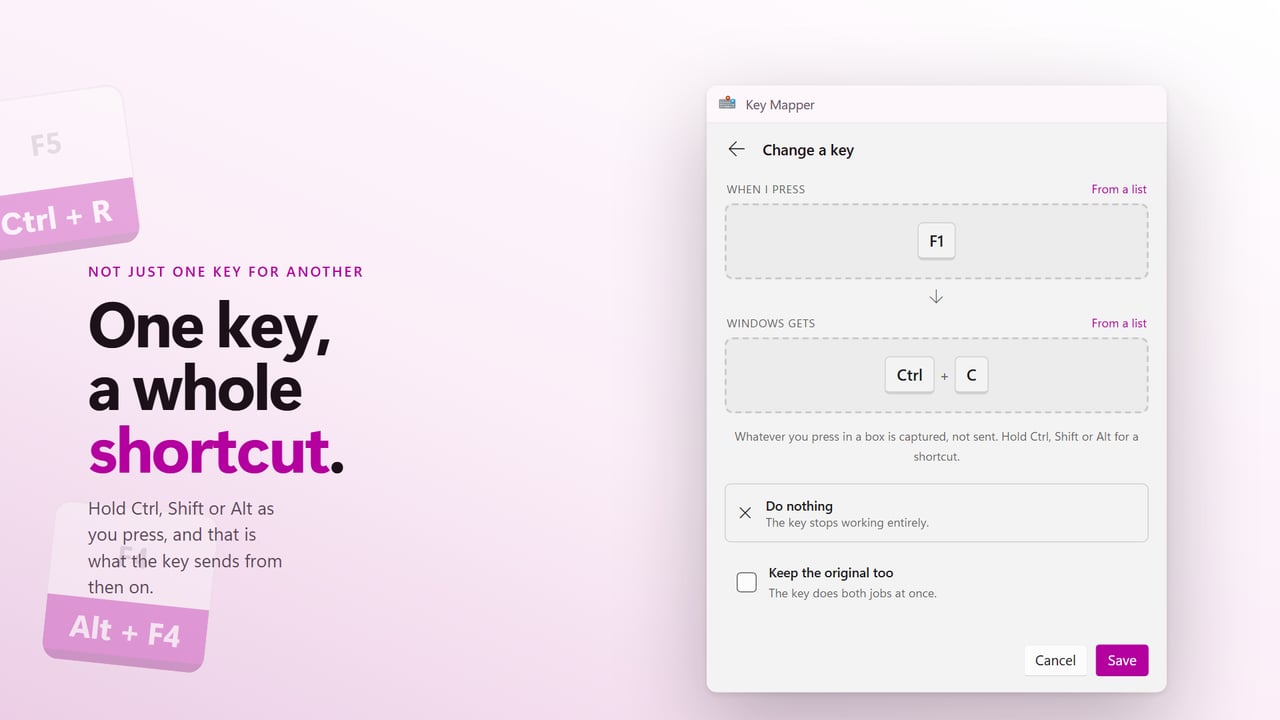
The Settings app in Windows has no page for changing what a key does, so remapping one means installing a key remapper. Key Mapper is one built around two boxes. In When I press you tap the physical key you want to change, and in Windows gets you tap what it should become. There is no list of cryptic key names to search, although From a list is there for keys you cannot press, such as the Copilot key.
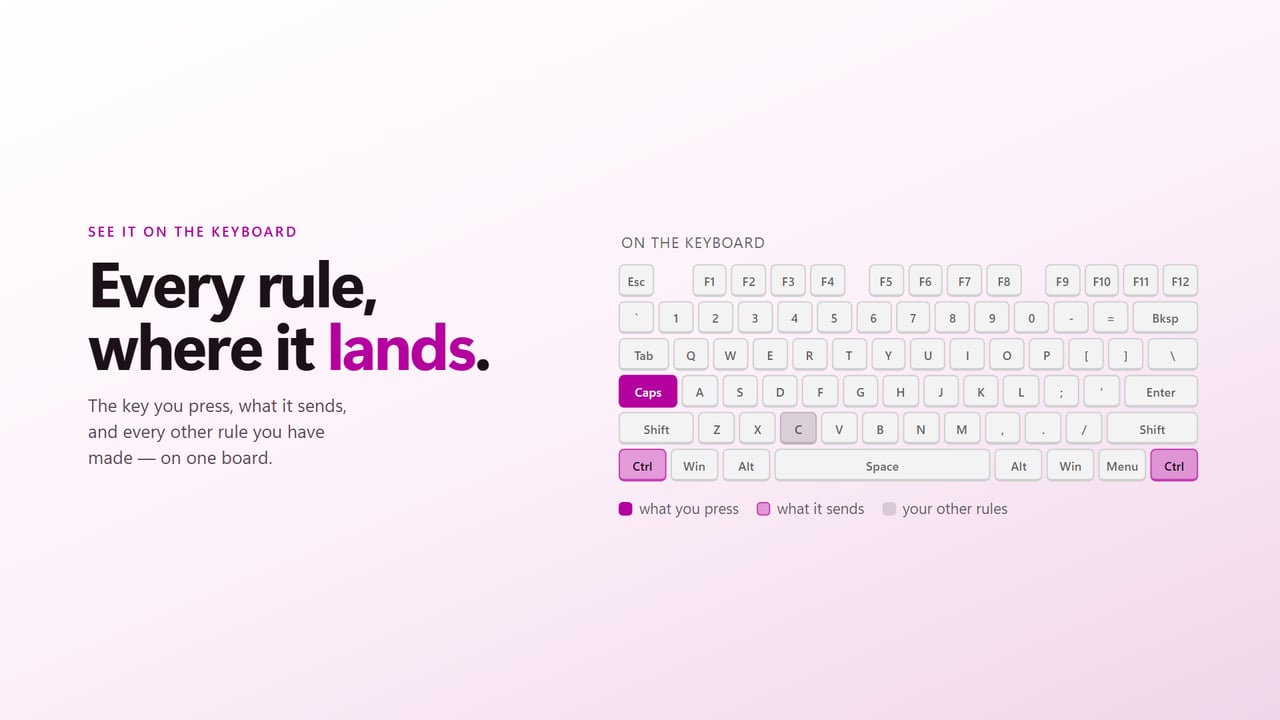
Before you save, the rule is drawn On the keyboard, next to every other change you have already made, so two rules fighting over one key are obvious. Once mapping is switched on, the change applies in every program: browsers, editors, chat windows and games alike.
Nothing is written to the registry or the keyboard driver, and there is no reboot. Keys are changed only while the app runs with mapping on. Quit it and the keyboard is back to stock.
How to remap keyboard keys on Windows 11
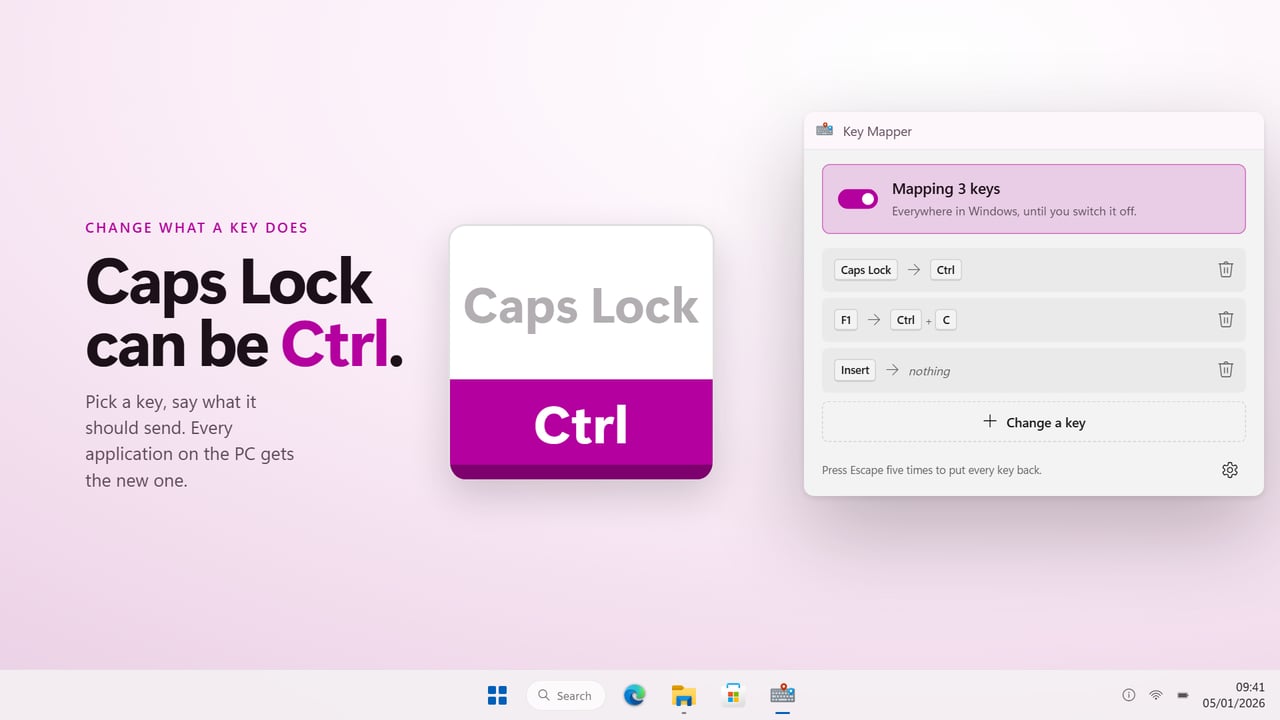
A typical first rule is turning Caps Lock into Ctrl. The steps are the same for any key:
- Choose Change a key. Under When I press, press Caps Lock.
- Under Windows gets, press Ctrl. To send a combination instead, hold the modifiers while you press, for example Ctrl and C together.
- Turn on Keep the original too if the key should do both jobs at once, or choose Do nothing instead of a key to silence it entirely.
- Select Save, then turn mapping on. The heading changes to Mapping 1 key, or however many rules you have.
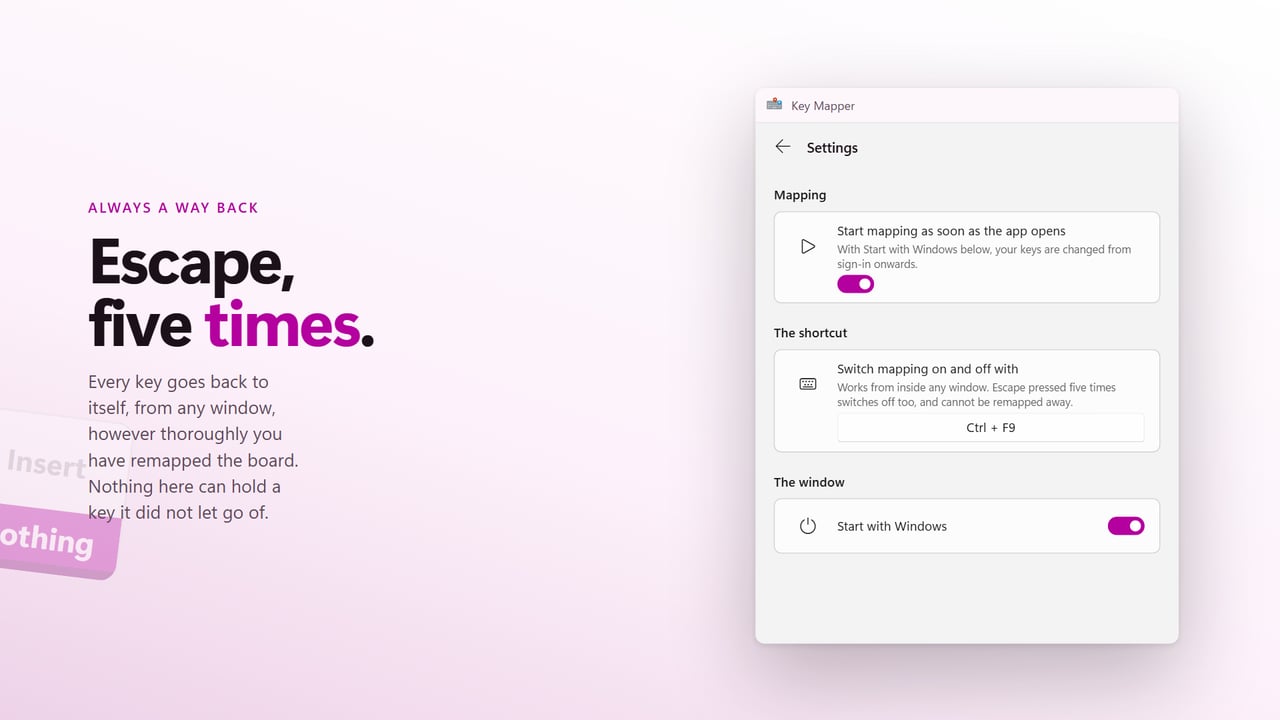
- Switch it all off and on later with the shortcut under Switch mapping on and off with, Ctrl+F9 unless you set another.
Remap the Copilot key, or any key, to a shortcut
One key can stand in for a shortcut of up to six keys. Hold Ctrl, Shift, Alt or Win while you choose what it sends and the whole chord goes out: one key for Copy, one for closing a window with Alt+F4, one for Save As. Modifiers are pressed in order and released in reverse, the way your fingers would do it, so applications recognize a genuine shortcut.
The Copilot key on newer laptops is a special case, because the keyboard reports it as Win+Shift+F23. Pick Copilot (F23) from the list and Key Mapper strips the Win and Shift part, so the key can become Right Ctrl, a media key or a shortcut of your own.
A keyboard remapper that games can see
Many remappers send virtual key codes, which a lot of games never read. Key Mapper sends hardware scancodes, with the extended-key flag on the keys that need it, which is what titles reading DirectInput or Raw Input expect. Media and browser keys have no scancode and go out as virtual keys.
If a set of rules ever leaves you stuck, press Escape five times within two seconds. Every key goes back to normal from any window, even when Escape itself is one of the keys you changed.