An auto key holder for when one key has to stay down
Some jobs need a key held, not tapped. Walking forward across a big map, charging an action in a game, keeping a push-to-talk or a tool active, or getting past a screen that waits while a key is down. An auto key holder does the holding so your finger does not have to.
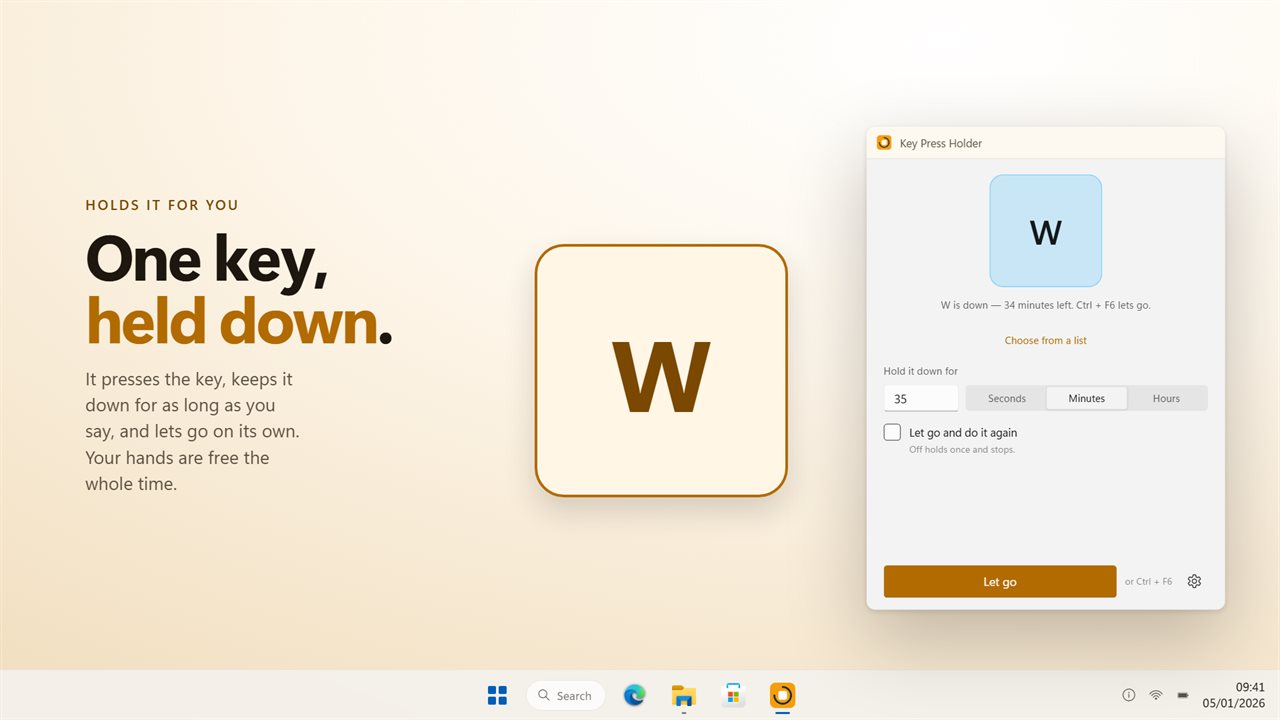
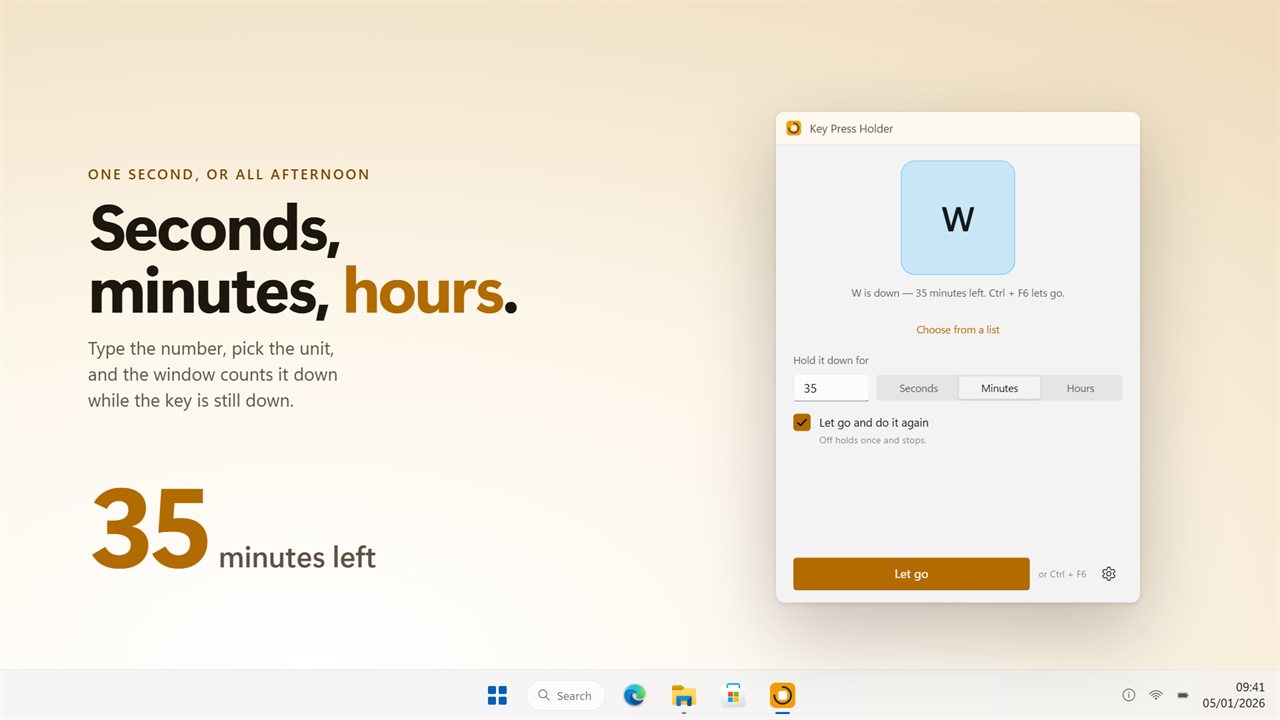
Key Press Holder sends one press, keeps the key down for the time you set, and then releases it. The big keycap in the window sinks for the length of the hold and rises again at release, while a countdown ticks off the remaining time.
That is the difference from an auto key presser, which taps a key again and again. Holding sends a single key-down and a single key-up. A game that asks whether W is down sees W down the whole time, exactly as if you were leaning on it.
How to hold down a key without pressing it
Setup takes four steps, and the shortcut matters most: while the key is held it goes to the window you are working in, not to this one.
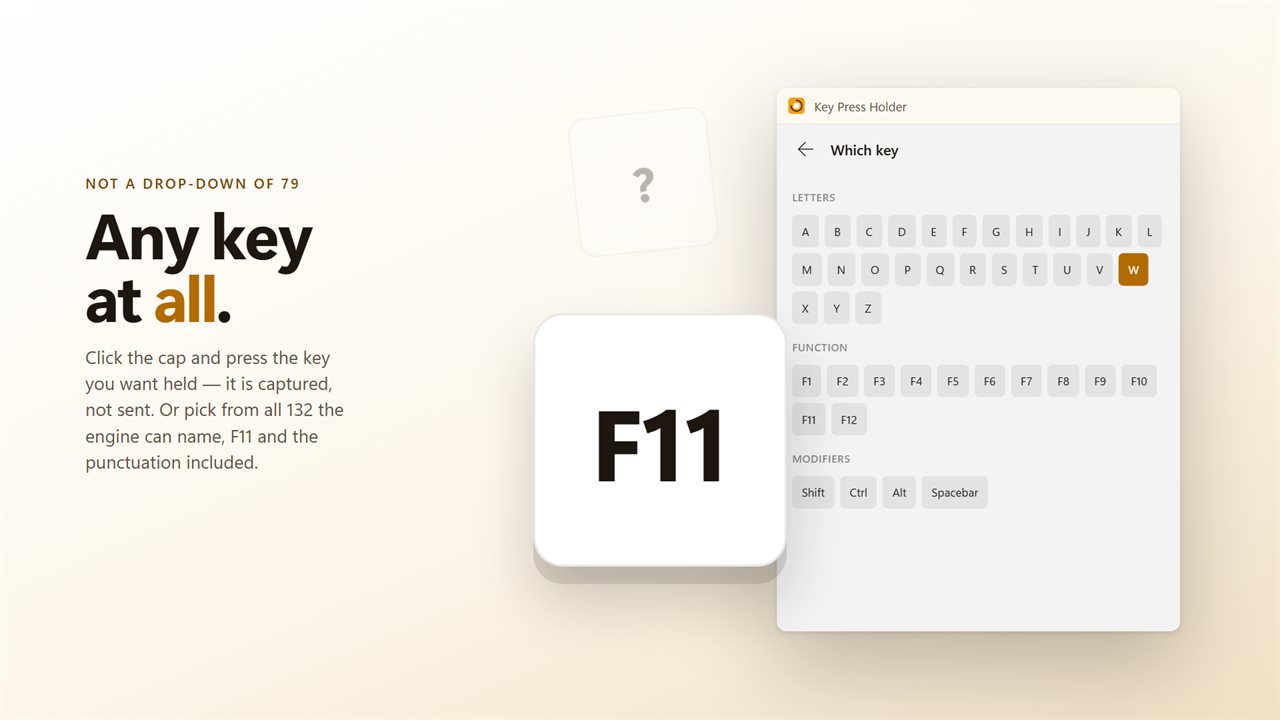
- Click the keycap, then tap whichever key should be held, or choose it from the list. W is chosen out of the box.
- Under "Hold it down for", type a number from 1 to 999 and pick seconds, minutes or hours.
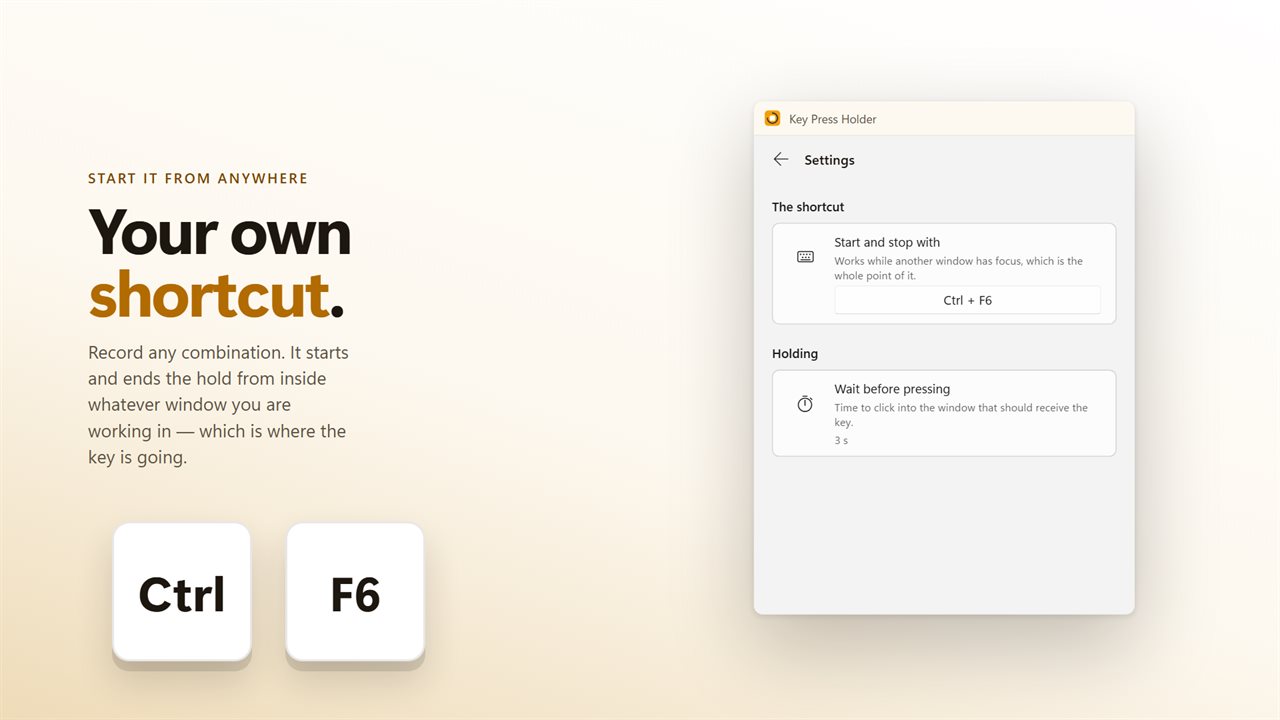
- Set "Wait before pressing" to give yourself a moment to focus the game or document that will receive the key.
- Press Hold, or the start and stop shortcut from anywhere. It is Ctrl+F6 until you record another under "Start and stop with".
Holding a key in games
Auto-run, holding a sprint, keeping a shield up or a menu open: these are the requests that bring most people to a key holder. Keys go out as hardware scancodes, which is what games that read DirectInput or Raw Input expect, so the hold looks like a real finger on the key.
When you need control back, press your shortcut and the key releases at once, even halfway through a long hold. Nothing has to be clicked in this window first.
A repeating hold on a timer
Turn on "Let go and do it again" and the cycle runs on its own: hold for your set time, release, pause, and go round again until you end it. The wait between rounds is the same "Wait before pressing" value, anything from 0 to 60 seconds.
This suits games or apps that time out a key held too long, and long idle stretches where a key needs to go down every so often instead of staying down for hours.