EEvlarSoft

Key Press Counter

A keystroke counter that runs from the tray, counts every key you press on the PC, and shows which keys make up the total.

Buy for $1.99
One payment. No subscription.
14-day money-back guarantee.
The lifetime total, and the keys that made it.
Every keystroke grouped by what kind of key it was.
It lives in the notification area and starts with Windows.

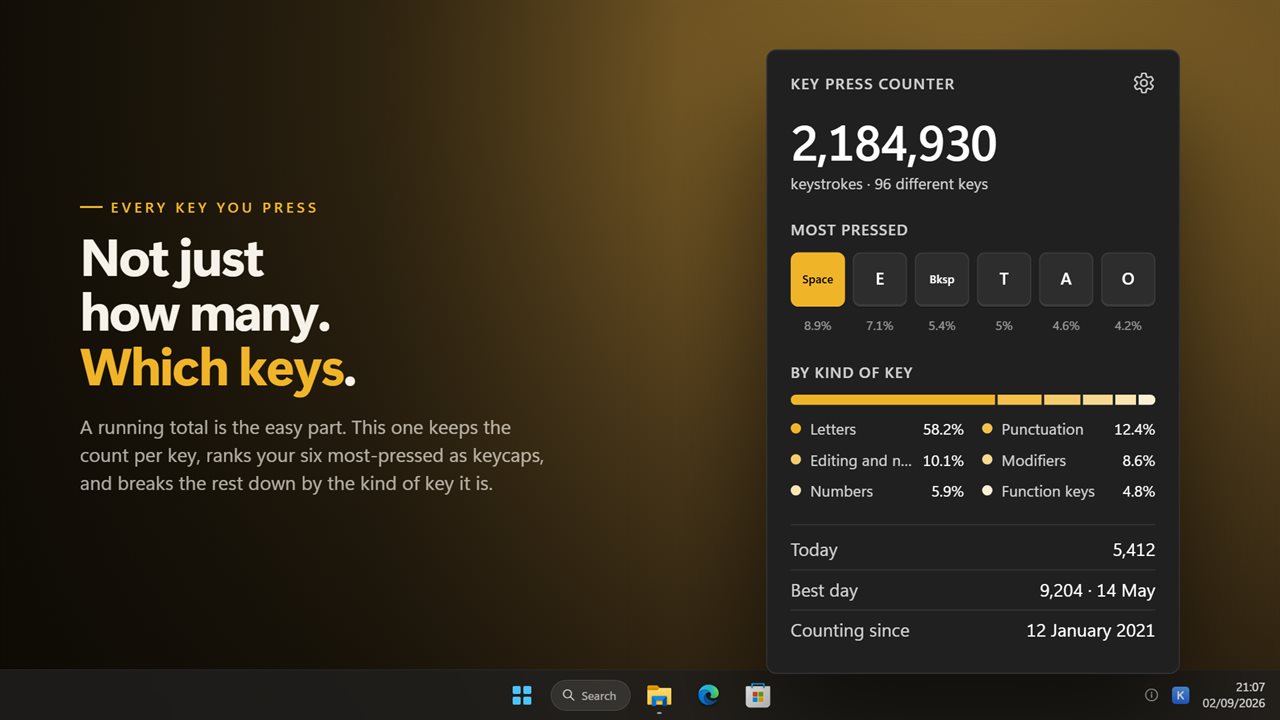
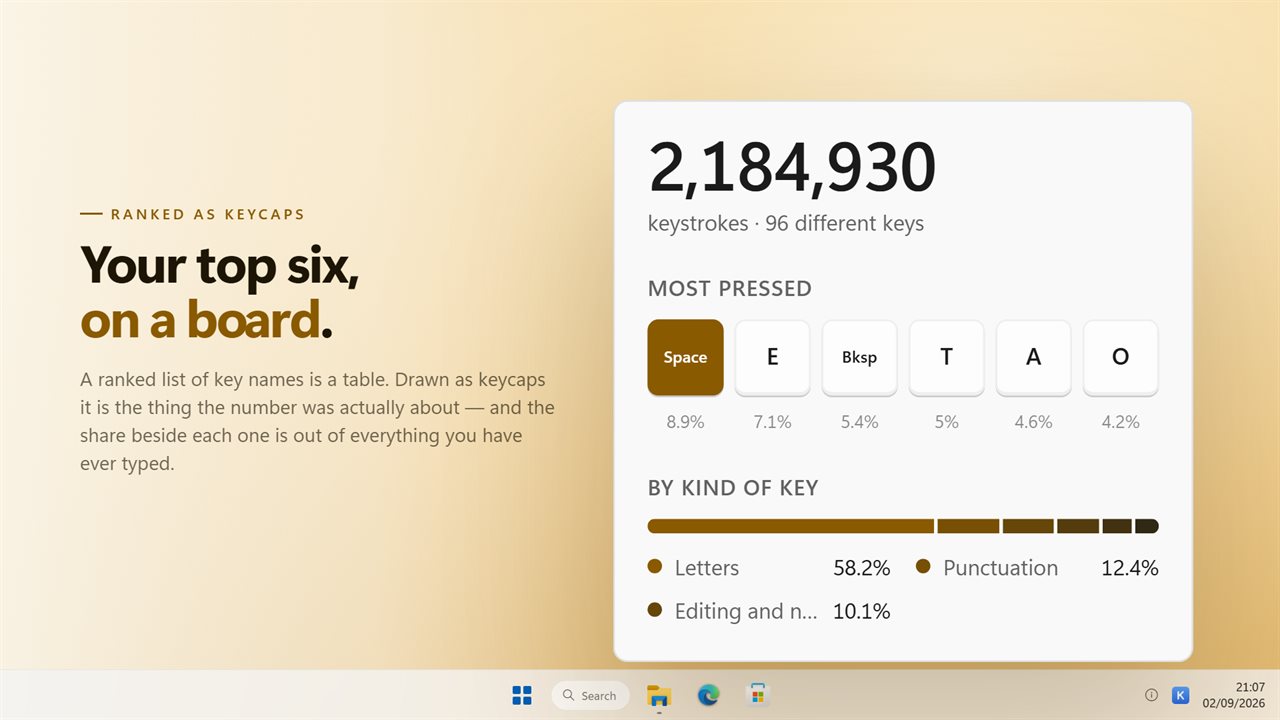
The lifetime total, and the keys that made it.

190,000+downloads of EvlarSoft apps
Signed by EvlarSoftVerified US publisher
14-day money-backNo questions asked
Updates includedNo upgrade fees

A keystroke counter that tells you what the number is made of

Key Press Counter is a keystroke counter for Windows. It sits in the notification area and adds one to a running total each time a key goes down, in whatever window has focus, including full-screen games. Left-click the tray icon and a small panel opens with the lifetime count, the date counting began, today's keystrokes and your best day so far.

The total is only the first line. Below it are your six most-pressed keys, drawn as keycaps with each one's share of everything you have typed, plus a count of how many different keys you have used at all. A bar then splits the whole tally into groups such as letters, modifiers and the numpad, largest first.

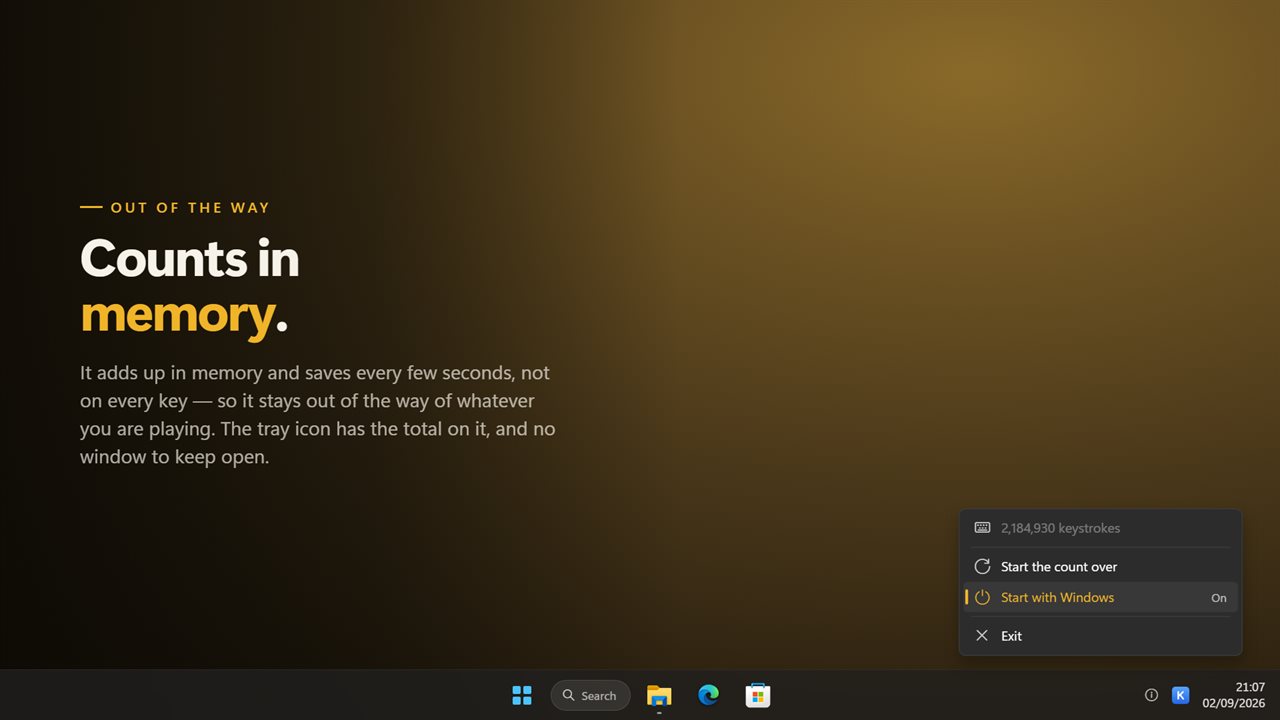
Keystrokes are read through Windows Raw Input and counted in memory. The tally is written to disk every 10 seconds and again when you exit, rather than on each press, so typing and games feel exactly as they did before.

How to count keystrokes on Windows

Windows keeps no running record of how many keys you press, so counting takes a small program that watches the keyboard in the background. Here is the whole routine with this one:

  • Install it and launch it once. Its icon appears in the notification area; there is no taskbar button.
  • Right-click the icon and turn on Start with Windows so counting resumes every time you sign in.
  • Type as usual. Left-click the icon whenever you want to see the numbers.
  • To keep the panel open beside your work, choose Keep the count on top. Pinned, it refreshes once a second and can be dragged by its title.
  • To begin again from zero, pick Start the count over from the same menu and confirm with Reset count.

What is the most used key on a keyboard?

For most people writing English it is the spacebar, by a wide margin, followed by E and then Backspace or one of the vowels. Programmers and gamers break that pattern quickly: Ctrl, Shift and the arrow keys climb, and WASD players often see W outrank every letter.

Your own answer is in the Most pressed row. Keys with long names are engraved short, so Backspace reads Bksp and the arrows are shown as arrows; hover over a cap for its full name and exact count. If Windows has no name for a key, it appears by its code instead of being dropped.

Typing statistics by kind of key

The By kind of key bar answers questions the total cannot. A high share of Editing and navigation means a lot of Backspace, Delete and cursor movement, which is often a sign of correcting rather than composing. A large Modifiers slice points to shortcut-heavy work. Function keys and the numpad tell you how much of your day happens in spreadsheets or specialist software.

Groups you have never touched are left out, so the bar only shows what you actually use.
What it tracks

  • A lifetime keystroke total, with the date the count started
  • Today's keystrokes and your single busiest day, with its date
  • The six keys you press most, each with its percentage of the total
  • How many distinct keys you have ever pressed
  • A breakdown into eight key groups, ranked largest first
  • Counting in every program, focused or not, including full-screen games
  • An optional always-on-top panel for keeping the count in view
  • Light, Dark or Auto theme, plus a Start with Windows switch
  • An upgrade from the previous KeyStrokes version keeps its existing count

Who counts their keystrokes

Writers and transcriptionists

Daily figures make output visible. Compare today against your best day and see how much of the work was Backspace.

Keyboard enthusiasts

Before you swap switches or buy a new board, find out which keys take the most presses and how lopsided your typing really is.

Anyone watching for strain

A rising daily count is an honest prompt to take breaks, and the modifier share shows how hard your hands lean on Ctrl and Shift.

What's new in 2.0.8

  • New: a real window. Click the tray icon and the numbers are there. The old version had no window at all
  • New: the keys you press most, by name and ranked
  • New: a breakdown by letters, numbers, punctuation, modifiers, function keys and the rest — the "more complex numbers" a review asked for
  • New: today's count and your busiest day
  • Fixed: it no longer writes to disk on every keystroke, which is what slowed things down
  • Start with Windows is one switch in the menu
  • Your existing count is carried over
  • Redesigned to match Windows 11, and follows the light and dark themes

Questions

Anything else? Ask us

Does it record what I type?

No. It stores how many times each key was pressed and a total for each day. It keeps no text and no record of the order the keys were pressed in.

Can it show which keys I press the most?

Yes. The panel lists your six most-pressed keys by name with their share of the total, and how many different keys you have used. A key Windows has no name for is shown by its code, such as Key 254, rather than dropped.

What groups does it break the total into?

Letters, Numbers, Punctuation, Function keys, Editing and navigation, Modifiers, Numpad, and Media and browser keys. Groups you have never pressed are left out, and the rest are ranked largest first.

Does holding a key down count as one press?

No. While a key is held Windows repeats it, and each repeat is counted as a press.

Does it count keys typed in games and other apps?

Yes. It counts every keystroke on the PC whichever window has focus, including full-screen games.

Will I lose my count if the PC loses power?

Only the last few seconds. The count is saved every 10 seconds and again when you exit the app.

Can I check my keystroke count without opening the panel?

Yes. Right-click the tray icon and the first line of the menu shows your running total, such as 48,210 keystrokes.

How do I reset my keystroke count?

Right-click the tray icon, choose Start the count over, then Reset count. The same option is in Settings. Resetting clears the total, the key rankings and the daily history, and cannot be undone.

Does it slow down typing or games?

It should not. Presses are counted in memory and the count is written to disk every 10 seconds and on exit, not on every key.

Which versions of Windows does it run on?

Windows 10 (version 1809 or later) and Windows 11.

Is it a subscription?

No. Key Press Counter is a one-time purchase of $1.99, and updates are included.

How do I get it?

Buy it on this page and your license key arrives by email. If the button says Notify me, Key Press Counter is not on sale here yet; leave your email and we will tell you when it is.