EEvlarSoft

Auto Mouse Mover

An automatic mouse mover for Windows that nudges the pointer in random, human-looking loops while you step away, then puts it back exactly where you left it.

Buy for $3.29
One payment. No subscription.
14-day money-back guarantee.
5.0
Moves like you, only while you're away, on the hours you choose.
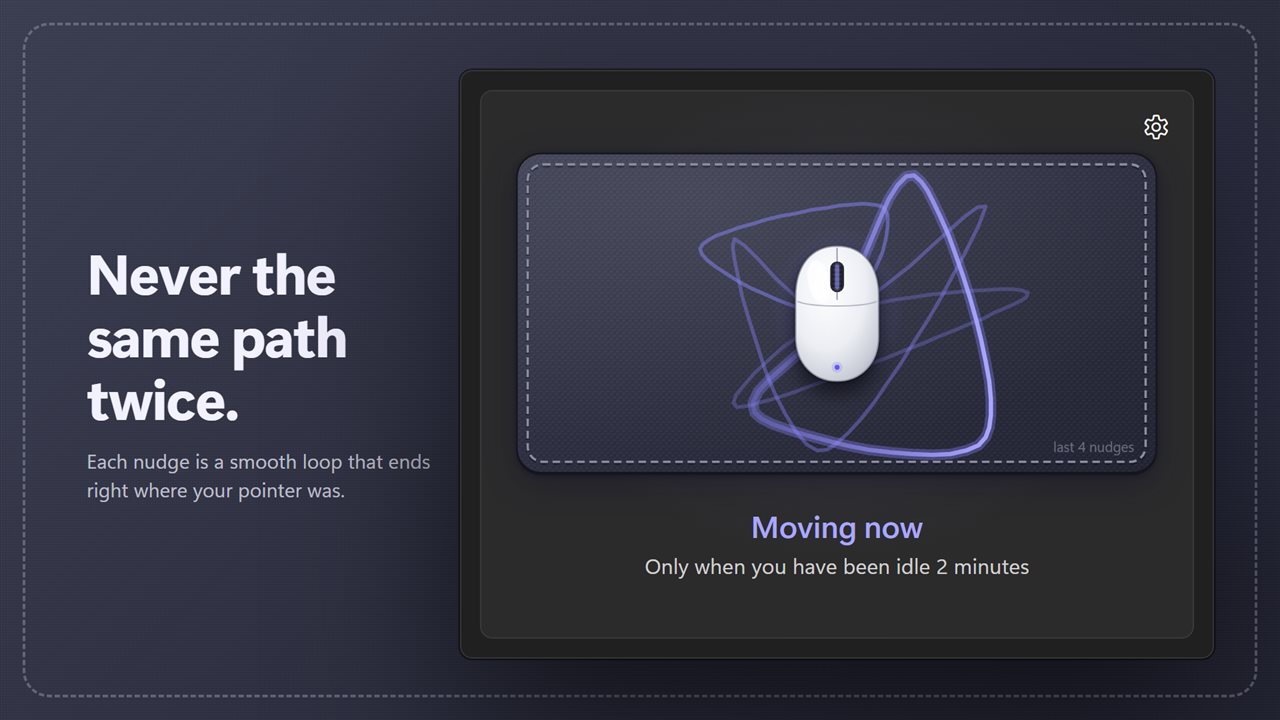
Natural curves that end where your pointer was. Never the same path twice.
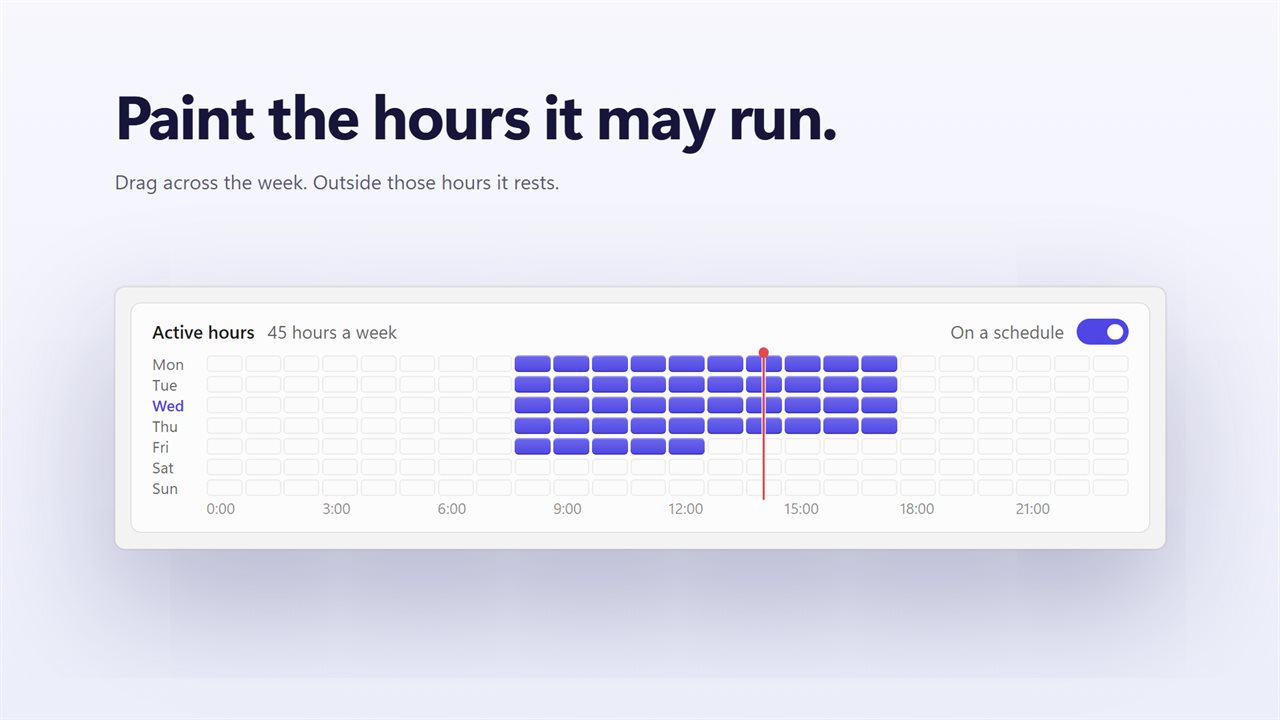
Paint the hours it may run on a weekly grid.
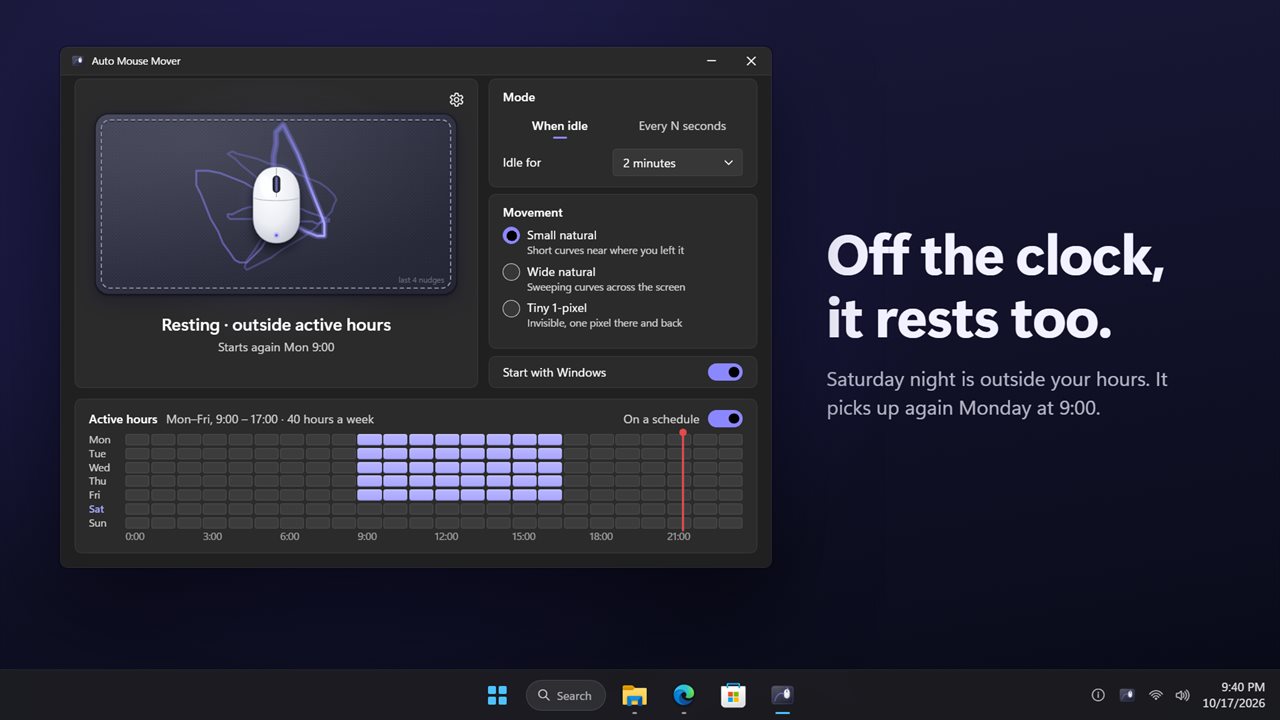
Outside your hours it rests, and says when it starts again.
Move when you're idle or every few seconds, in three sizes.
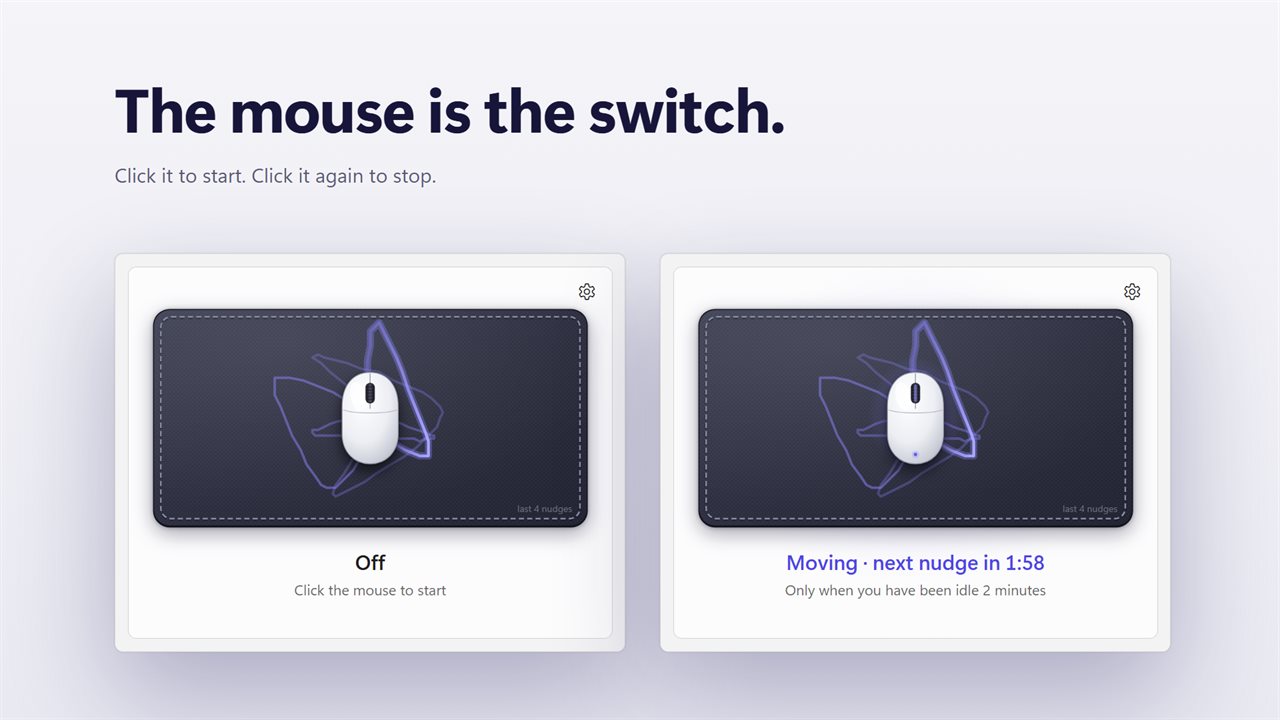
Click the mouse to turn it on or off.
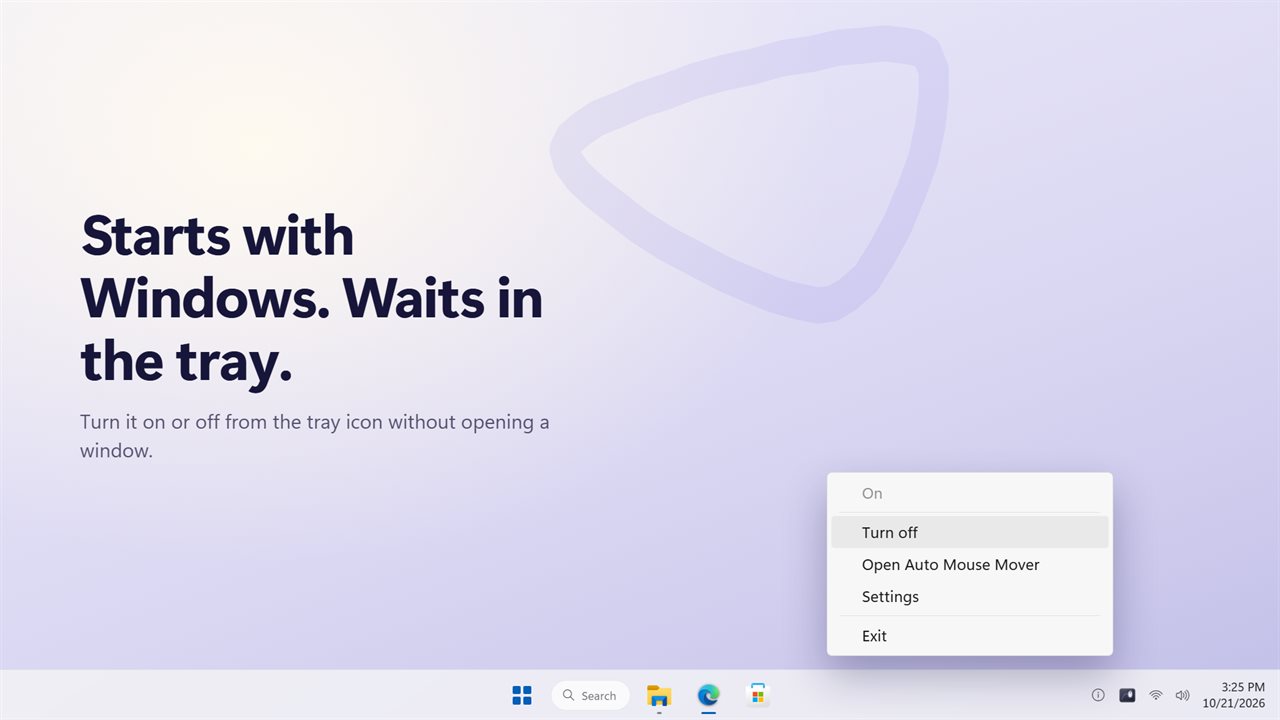
Starts with Windows and waits in the tray.

Moves like you, only while you're away, on the hours you choose.

190,000+downloads of EvlarSoft apps
Signed by EvlarSoftVerified US publisher
14-day money-backNo questions asked
Updates includedNo upgrade fees

A mouse mover app that moves like a hand, not a metronome

A mouse mover app keeps your PC from deciding you have gone: no screen lock, no sleep, no away status in a chat app, no remote session timing out. The simplest ones shove the pointer a few pixels left and right on a fixed beat, which is easy to spot and annoying the moment you sit back down.

Auto Mouse Mover plots every nudge through a handful of random points as one continuous bend and closes the loop on the very pixel it started from, so the pointer is where you left it when you return. No two paths repeat. It uses genuine mouse input, which resets the idle timer Windows keeps, and it never presses a key.

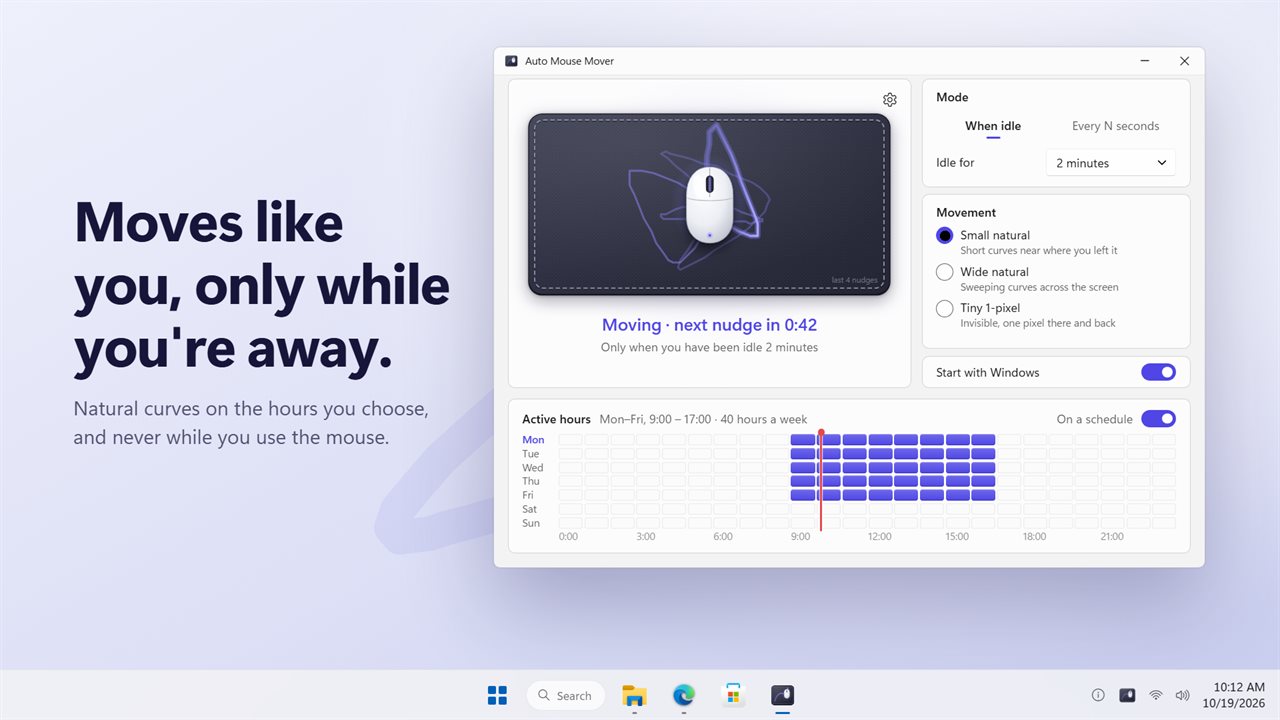
Its window shows a drawn computer mouse resting on a pad, where recent paths linger and fade, plus a status line with a countdown to the next movement. The drawn mouse doubles as the on/off button.

Move the mouse automatically only when you are idle

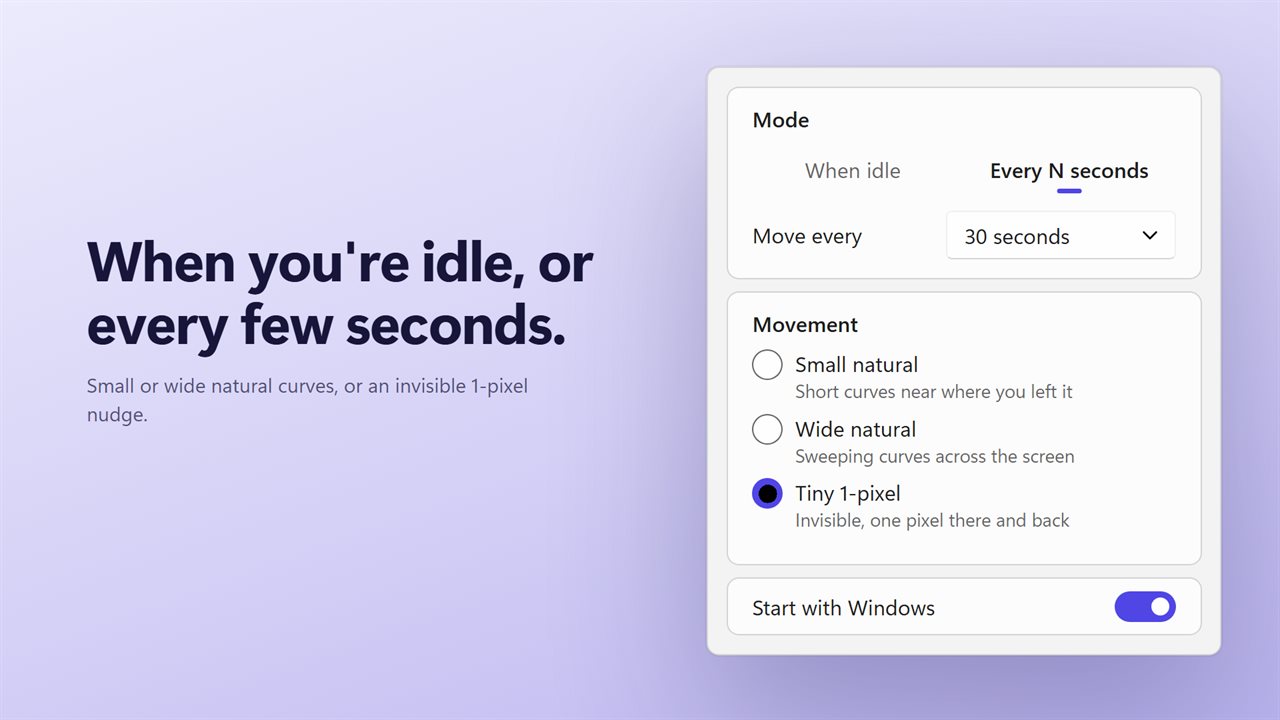
Choose a Mode. When idle waits until neither mouse nor keyboard has been touched for a set time, anywhere from 5 seconds to 10 minutes. Every N seconds moves on a steady interval from 5 seconds up to 5 minutes, but still holds back whenever your hand is on the mouse. Grab the mouse in the middle of a nudge and it stops immediately, leaving the pointer under your hand.

Then pick a Movement:

  • Small natural: short loops close to the pointer.
  • Wide natural: larger sweeps of a few hundred pixels across the screen.
  • Tiny 1-pixel: one pixel out and straight back, for when you want no visible motion at all.

Run the mouse mover on a work-hours schedule

Under Active hours, switch On a schedule on and fill in the allowed slots, one hour per cell, across a full week. Out of the box the weekday office block from 9 a.m. to 5 p.m. is already filled. Outside the painted hours it moves nothing and stops holding the PC awake, so a desktop left on over the weekend can sleep as usual. The status line reads Resting · outside active hours and shows when the next block begins.

Keep the computer awake with or without the screen

While it is running and inside your hours, the PC is kept awake as well. Leave Keep the screen on enabled to keep the display lit, or turn it off so the monitor can go dark while the machine itself stays up.

With Start with Windows enabled, plus Start in the tray, it is ready every morning without a window in the way. Right-click the tray icon to switch it on or off, open the window or reach Settings. Closing the window only hides it, and whether it was on is remembered across restarts. If you used the earlier MouseShaker, your mode and movement choice carry across.

Auto Mouse Mover at a glance

  • Randomized closed-loop curves that return the pointer to its start pixel
  • Small natural, Wide natural and Tiny 1-pixel movement styles
  • When idle mode with thresholds from 5 seconds to 10 minutes
  • Every N seconds mode from 5 seconds to 5 minutes
  • Stops mid-nudge the instant you move the mouse
  • Weekly 7 × 24 schedule grid you paint by the hour
  • Keeps the PC awake while active, with an option to let the screen sleep
  • Pad display that traces recent movements before they fade
  • Tray icon control and launch at sign-in

What's new in 2.0.0

  • New: natural movement. Smooth curves that end where your pointer was, never the same path twice
  • New: a weekly schedule. Paint the hours it may run
  • New: Small natural, Wide natural and Tiny 1-pixel movement
  • New: the mouse pad shows your last four nudges, and clicking the mouse turns it on or off
  • New: Every N seconds mode now waits while you are using the mouse
  • New: keep the screen on, or let it sleep while your PC stays awake
  • Your mode and movement setting carry over from MouseShaker

Questions

Anything else? Ask us

Will Auto Mouse Mover move the pointer while I am using it?

No. In When idle mode it waits until you have not touched the mouse or keyboard for 5 seconds to 10 minutes, and in Every N seconds mode it waits for at least 2 seconds of stillness. If you move the mouse during a nudge, it stops and leaves the pointer where you put it.

Does the pointer end up somewhere else after each move?

No. Every nudge is a closed curve that finishes on the pixel it started from. Small natural makes short loops near the pointer, Wide natural makes larger ones of a few hundred pixels, and Tiny 1-pixel moves one pixel and straight back.

Can I make it run only during work hours?

Yes. Turn on On a schedule and paint hours on a grid of seven days by 24 one-hour slots; it starts out with Monday to Friday, 9:00 to 17:00. Outside those hours it moves nothing and stops holding the PC awake, and the window shows when it starts again.

Does it stop my PC from sleeping?

Yes, while it is on and inside your hours. By default it keeps the screen on as well; turn off Keep the screen on to let the display sleep while the PC stays awake.

Does it press any keys?

No. It only moves the pointer, using real mouse input, which resets the idle timer Windows keeps for how long you have been away.

Does it stay on after I close the window or restart?

Yes. Closing the window hides it to the tray and it keeps moving, and whether it is on is saved, so it comes back in the same state. It can start with Windows and start in the tray.

Is a software mouse mover better than a USB mouse jiggler?

Each has a place. A USB device needs no install, but it moves all the time and cannot follow a schedule. Auto Mouse Mover moves only when you are idle, keeps to the hours you set and returns the pointer to where it was.

Will moving the mouse stop my screen saver and lock screen?

Yes, because the movement is real input that resets Windows' idle timer, so screen savers and inactivity locks tied to that timer do not start while it runs. Company policies enforced another way may still apply.

Does the invisible Tiny 1-pixel movement still count as activity?

Yes. A one-pixel step out and back is the same kind of real mouse input as the larger curves, so it resets the idle timer just as well. Pick it when you want the PC to stay active with no motion anyone would notice on screen.

Which versions of Windows does it run on?

Windows 10 (version 1809 or later) and Windows 11.

Is it a subscription?

No. Auto Mouse Mover is a one-time purchase of $3.29, and updates are included.

How do I get it?

Buy it on this page and your license key arrives by email. If the button says Notify me, Auto Mouse Mover is not on sale here yet; leave your email and we will tell you when it is.