A typing tutor that takes you from the home row to 35 WPM
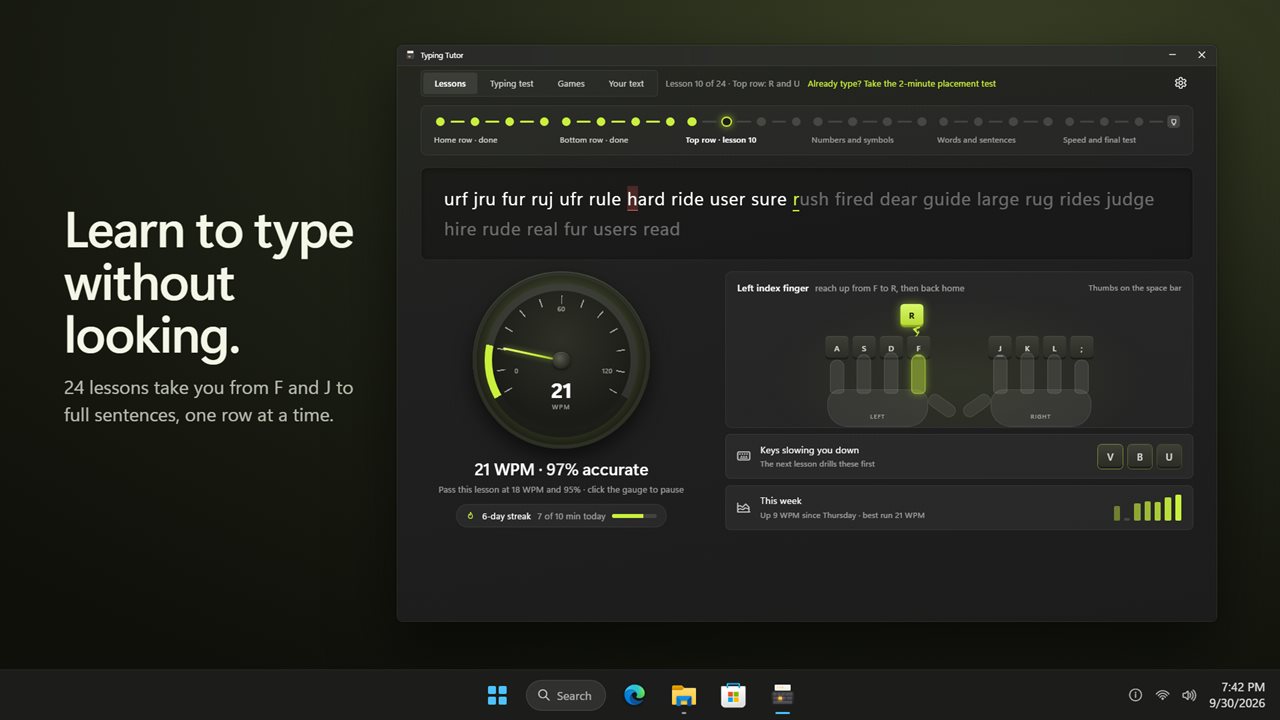
A good typing tutor does three jobs: teaches the keys in a sensible order, makes you prove each step before moving on, and keeps you practicing long enough to stop looking down. Typing Tutor is built around that sequence, with four sections across the top: Lessons, Typing test, Games and Your text.
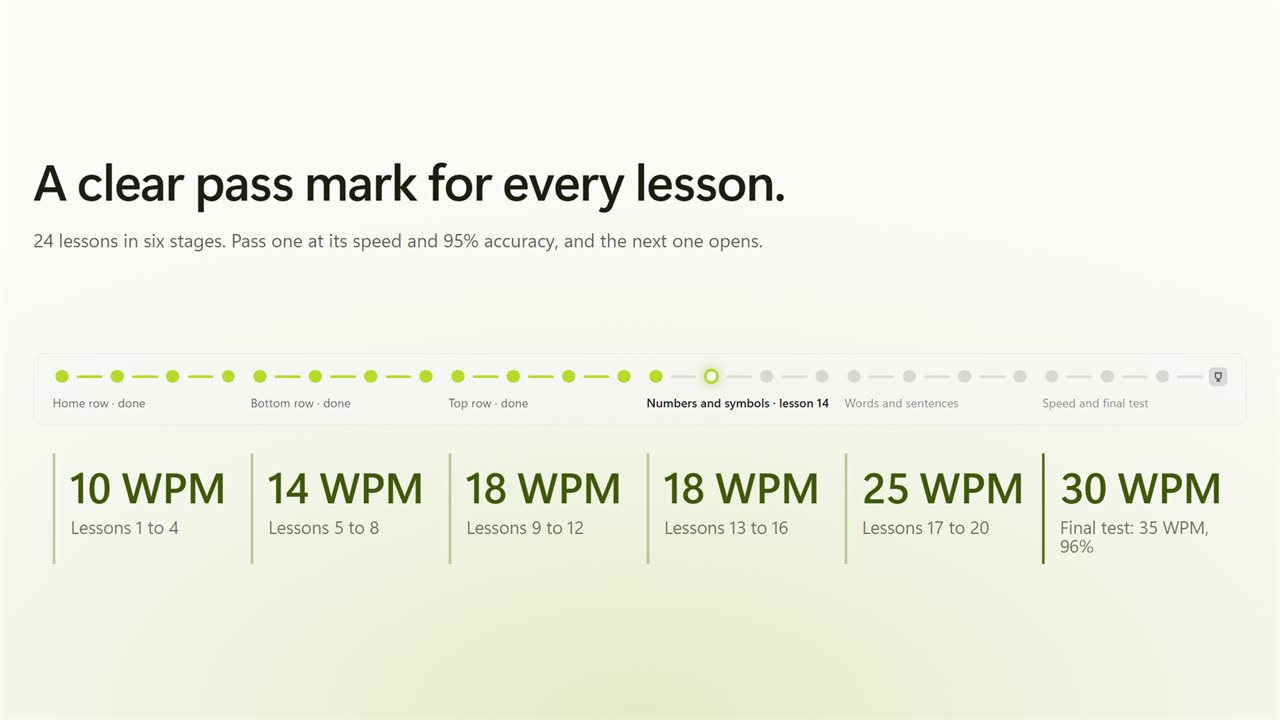
The course is six stages of four lessons each. You begin with F and J, the two keys with raised bumps, add two or three keys per lesson across the middle row, move down to the bottom row and up to the top, then take on digits, symbols, capitals, real words, paragraphs and finally speed work. Each lesson carries its own pass mark: 10 WPM in the opening stage, climbing to 30 WPM by the last, with accuracy held at 95%. Finishing the course takes 35 WPM and 96% accuracy.
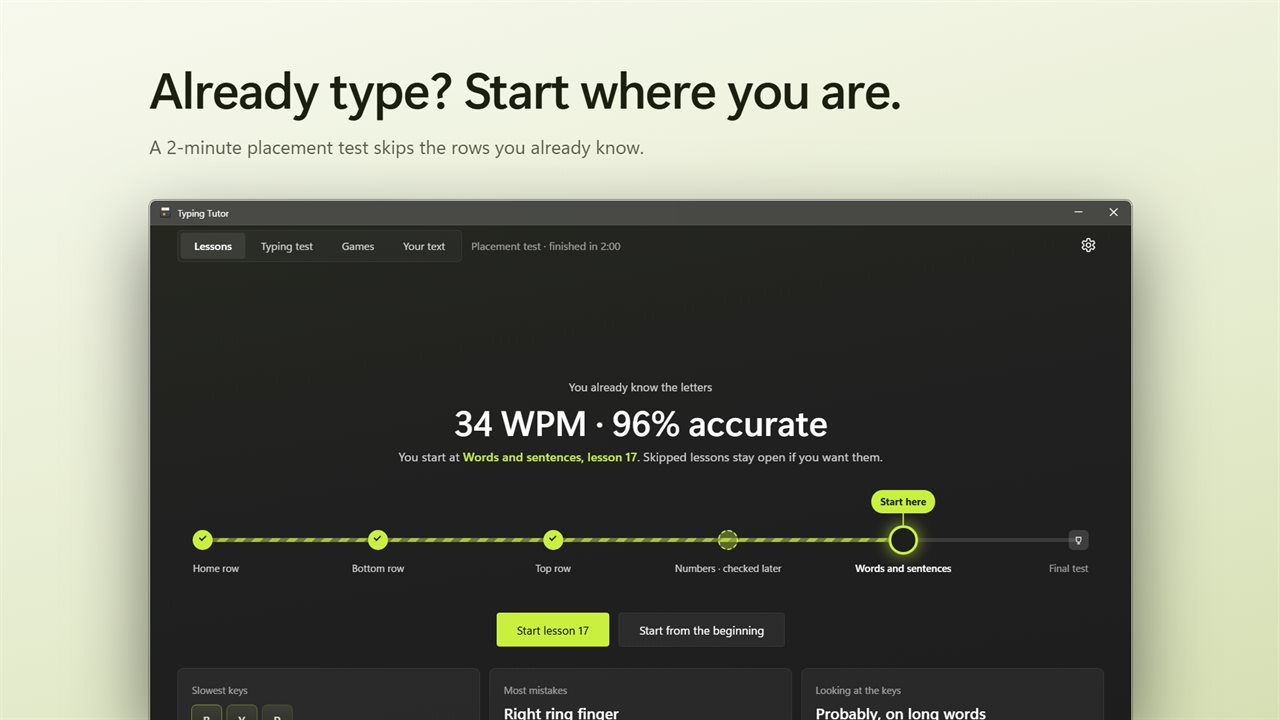
If you already type a bit, a two-minute placement run measures each row and drops you into the right lesson, so nobody has to spend an afternoon on F and J.
How to learn touch typing without looking down
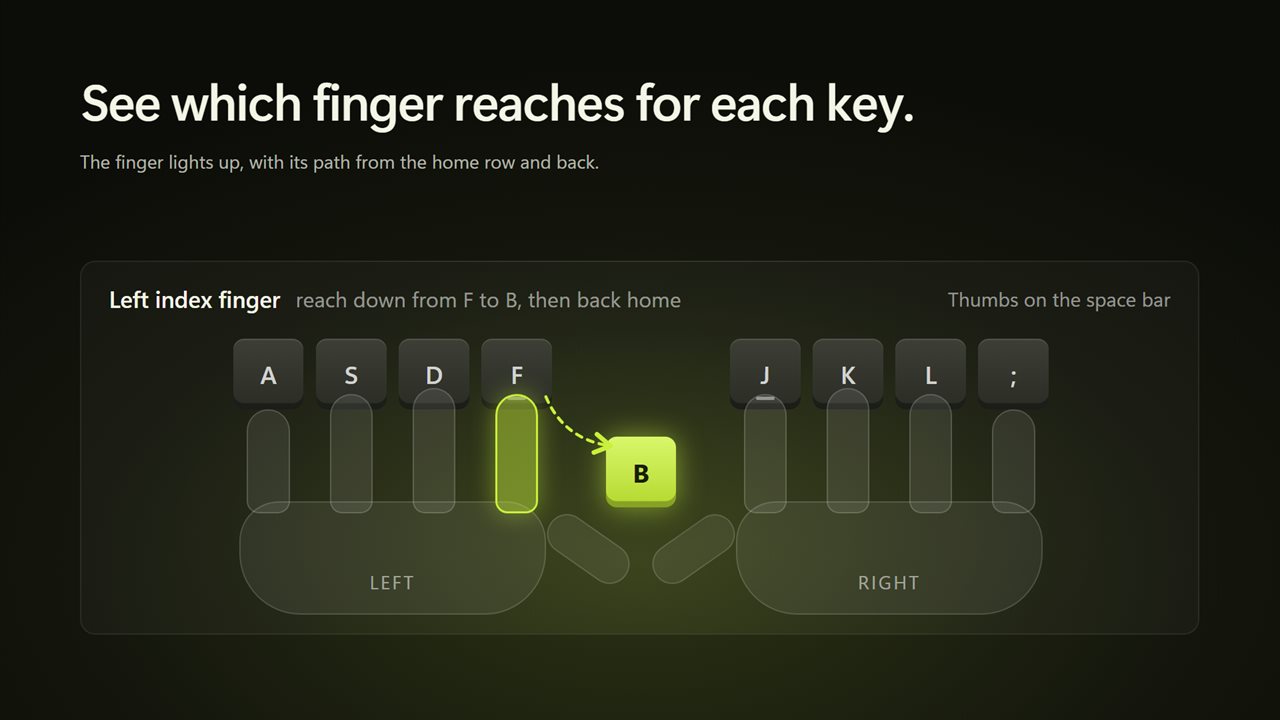
Touch typing means every key belongs to one finger, and each finger returns to the home row (A S D F for the left hand, J K L ; for the right) after every stroke. The hard part is breaking the habit of glancing down.
Turn on Show which finger to use and two hands are drawn resting on the home row. Before each key, the finger that owns it lights up and its route out and back is traced, so your eyes stay on the screen. With Wait for the right key on, a lesson pauses until the correct key is struck, which builds accuracy before speed; turn it off to type through mistakes and fix them with Backspace.
As you type, the app records which keys are slow and which finger errs most. Later lessons put those keys first, and two lessons near the end, Your weak keys and Tricky pairs, are built from that record. The placement report even notes when you hesitate before words over eight letters.
Timed typing test for jobs and exams
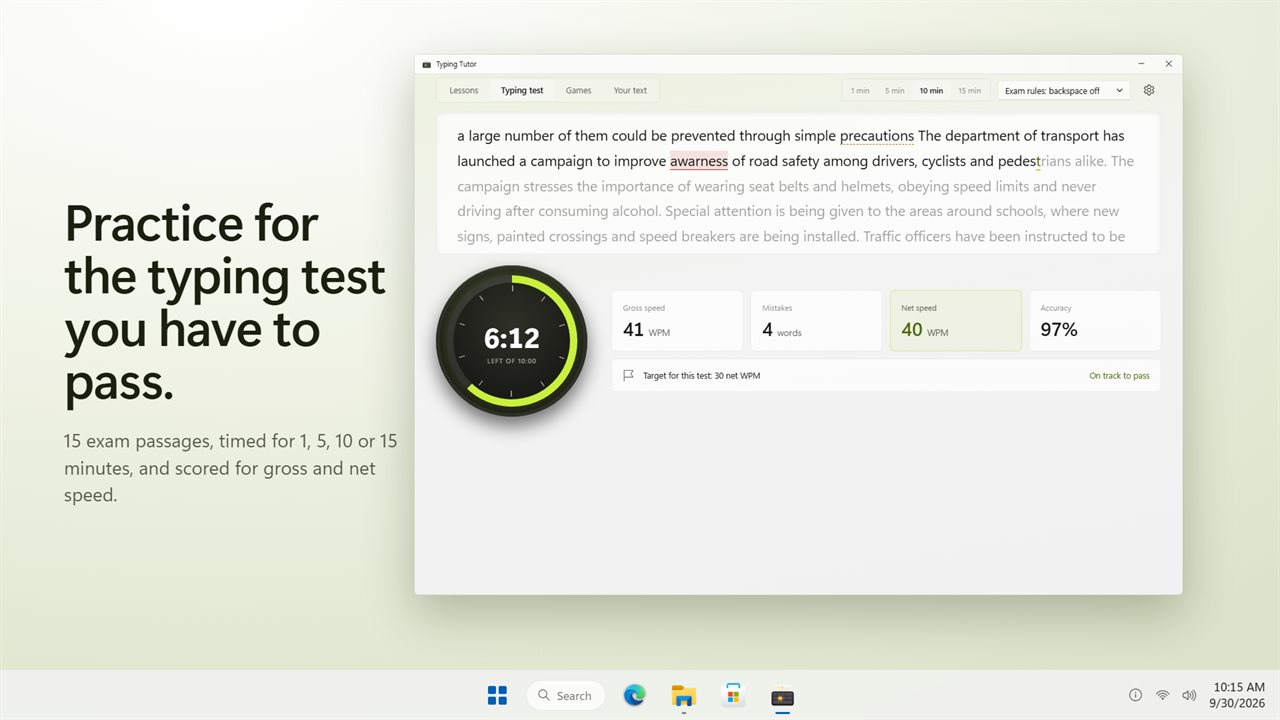
Many job applications and civil-service exams ask for a typing test of five or ten minutes on a formal passage. The Typing test section offers those lengths, plus 1 and 15 minutes, on 15 built-in exam-style passages. Exam rules disable Backspace, as most real tests do; practice rules allow it.
Scoring set to Exam style counts a wrong, missing or extra word as a full mistake and an error in spacing, capitals or punctuation as a half mistake. Every slip counts treats them all as full mistakes. Choose a Target speed from 10 to 80 net WPM, and a countdown dial tracks gross speed, net speed, mistakes and accuracy, telling you whether you are on track to pass or how many WPM short you are.
Gross WPM vs net WPM
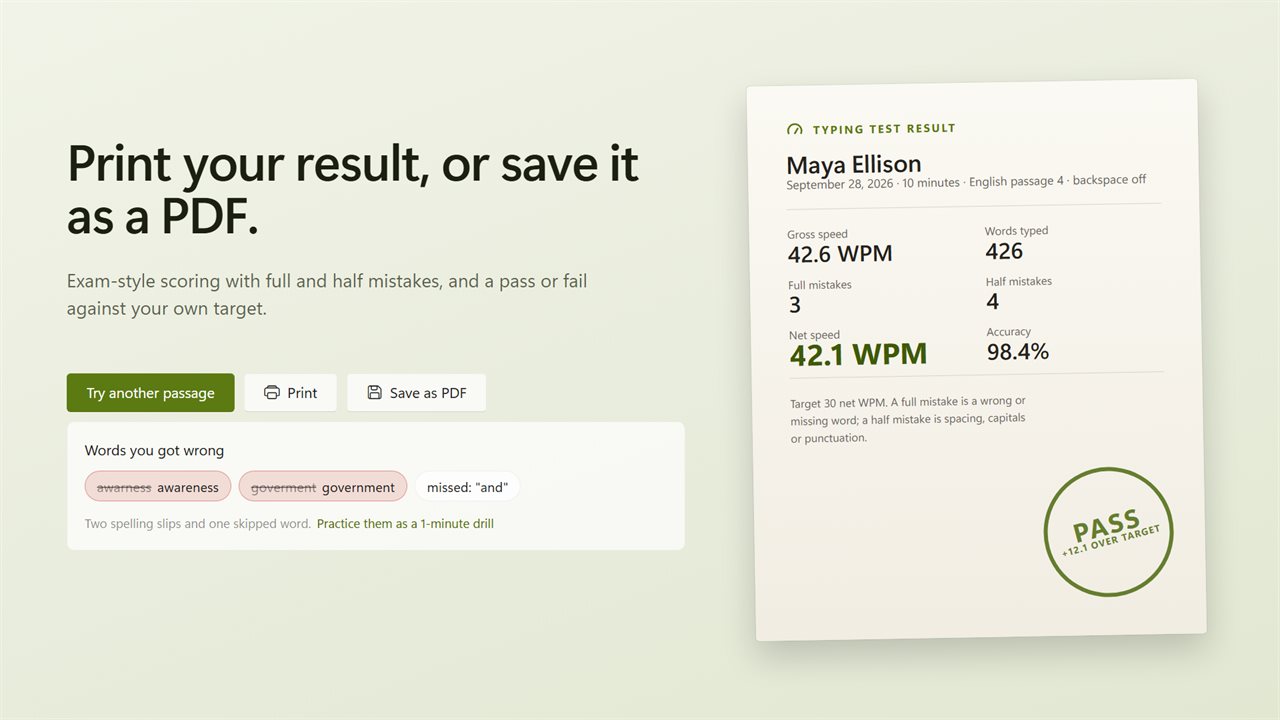
Both figures count five characters as one word. Gross WPM is simply how many of those words you typed per minute. Net WPM subtracts your errors: each full mistake removes one word and each half mistake half a word, before dividing by the minutes. Employers almost always mean net WPM, which is why the pass or fail stamp is judged on it.
Each test finishes on a result slip carrying your name (set under Your name in Settings), the date, both speeds, mistakes, accuracy and a pass or fail stamp. Print it or save it to PDF. The slip also lists the words you got wrong, which you can practice as a 1-minute drill, and your last 8 tests appear side by side.
Typing games and practice on your own text
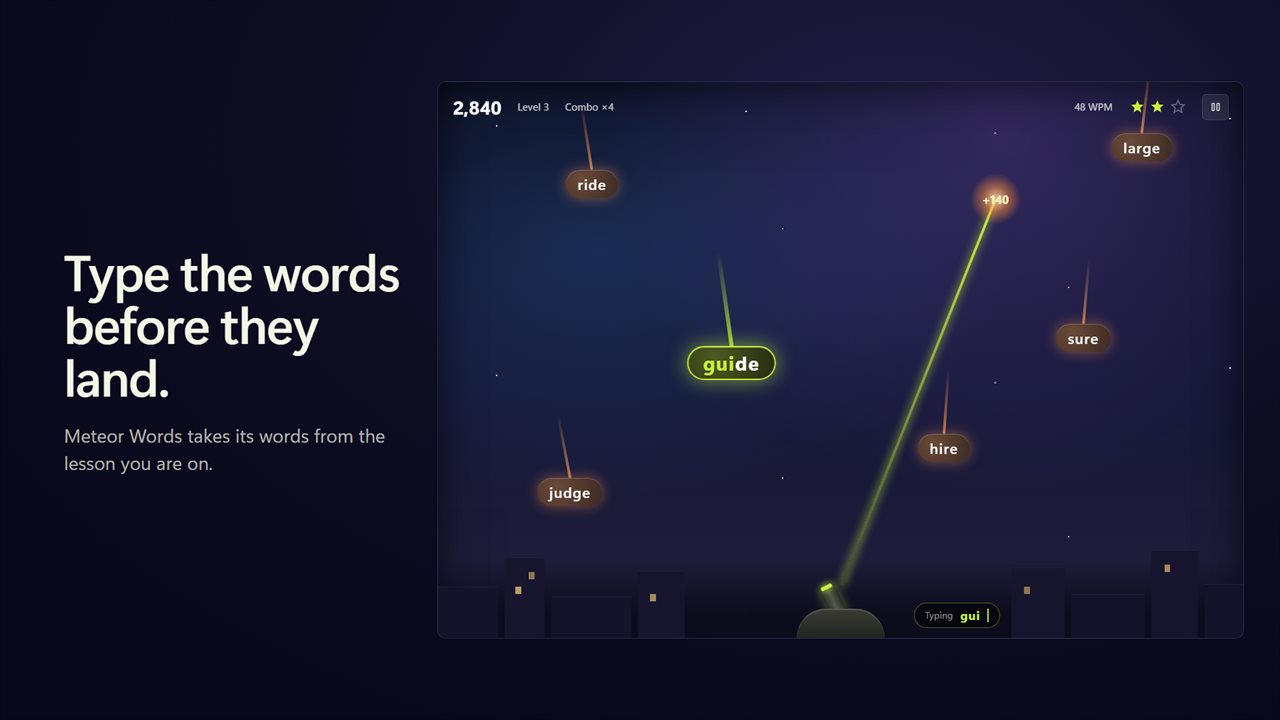
Under Games, Meteor Words drops words toward a city; type a word to destroy it before it lands. Longer words and combos score more, the pace rises with each level, and from level 5 some meteors carry three words. The vocabulary comes from the lesson you are on, so the game drills the keys you just learned.
Your text lets you paste an email or article, or open a .txt or .md file, and practice on vocabulary you actually use at work.