EEvlarSoft

Keyboard Disabler

A keyboard locker for Windows: press one button and every key goes dead, while the mouse keeps working and three separate ways back stay open.

Buy for $1.99
One payment. No subscription.
14-day money-back guarantee.
3.0
One button. Every key stops working, everywhere in Windows.
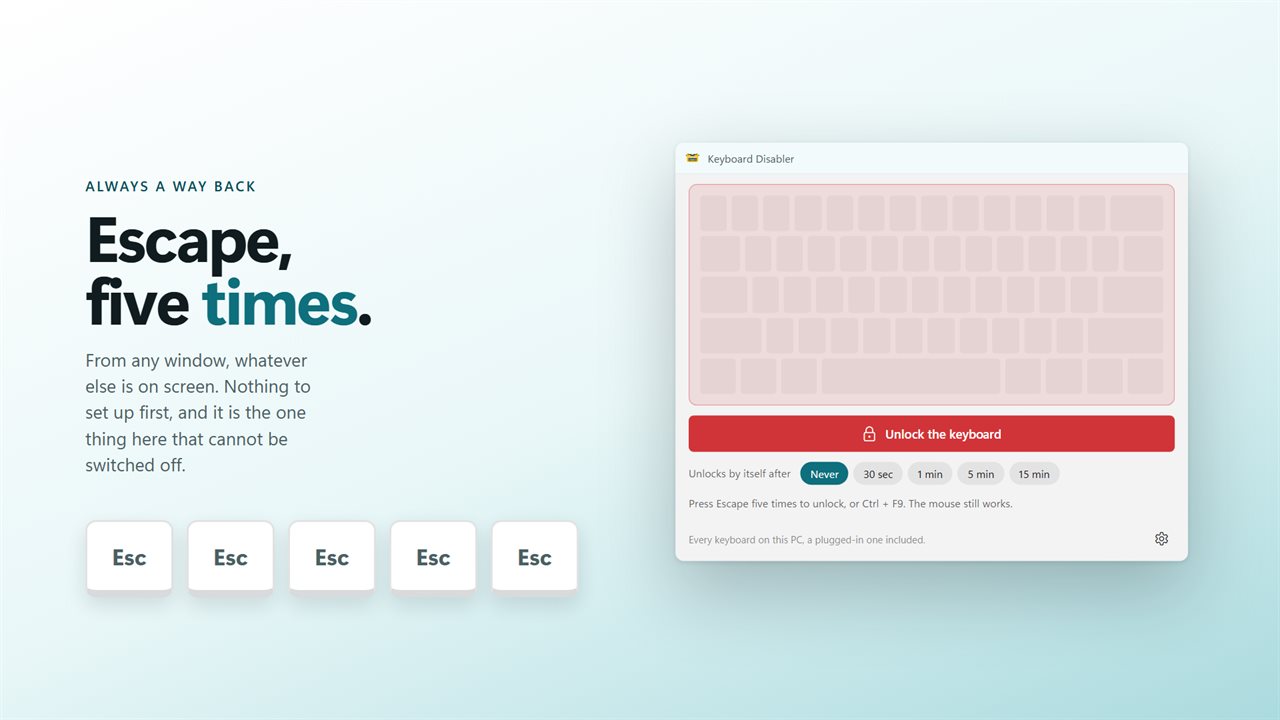
Escape five times unlocks it, from any window. That cannot be switched off.
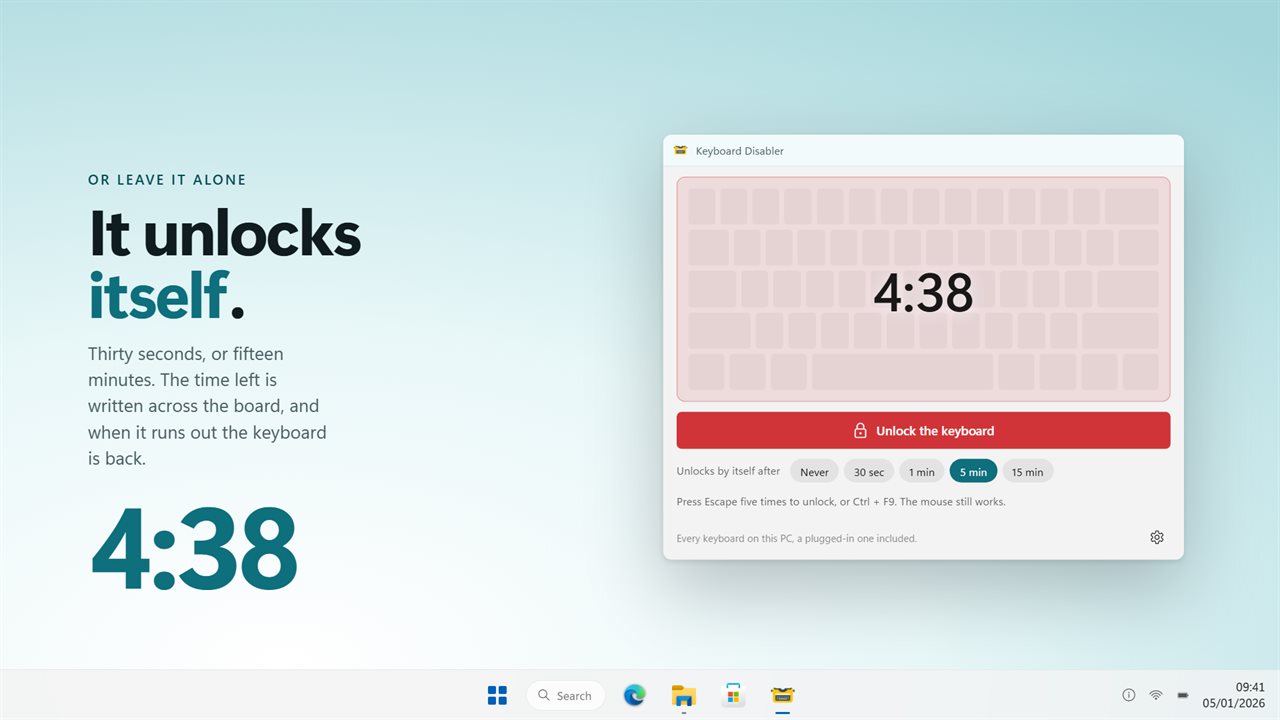
Or set a countdown and it unlocks by itself, up to 15 minutes.
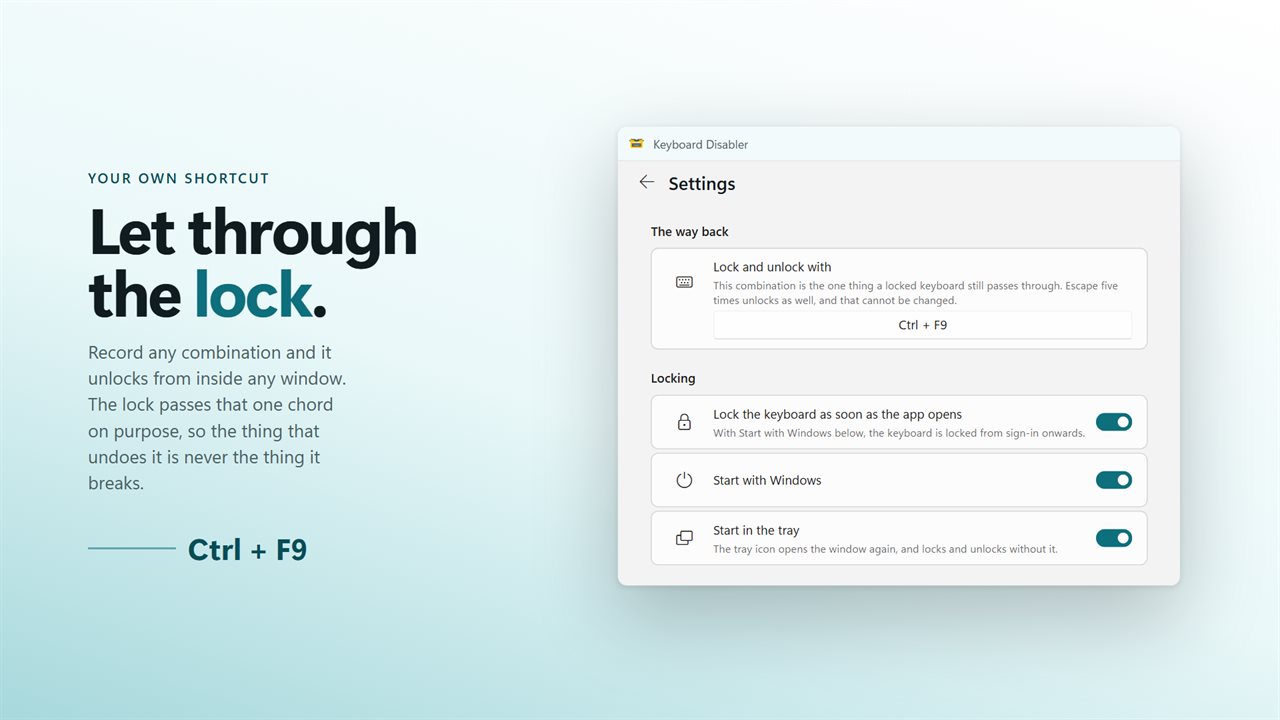
Your own shortcut is let through the lock, so it always still works.

One button. Every key stops working, everywhere in Windows.

190,000+downloads of EvlarSoft apps
Signed by EvlarSoftVerified US publisher
14-day money-backNo questions asked
Updates includedNo upgrade fees

How to lock your keyboard without unplugging it

If you want to lock your keyboard for a few minutes, Windows gives you poor options. Win+L locks the session, but the sign-in screen still takes every key you press. Turning the keyboard off in Device Manager works, yet you then need a working keyboard to find your way back, and a laptop's built-in one cannot simply be unplugged.

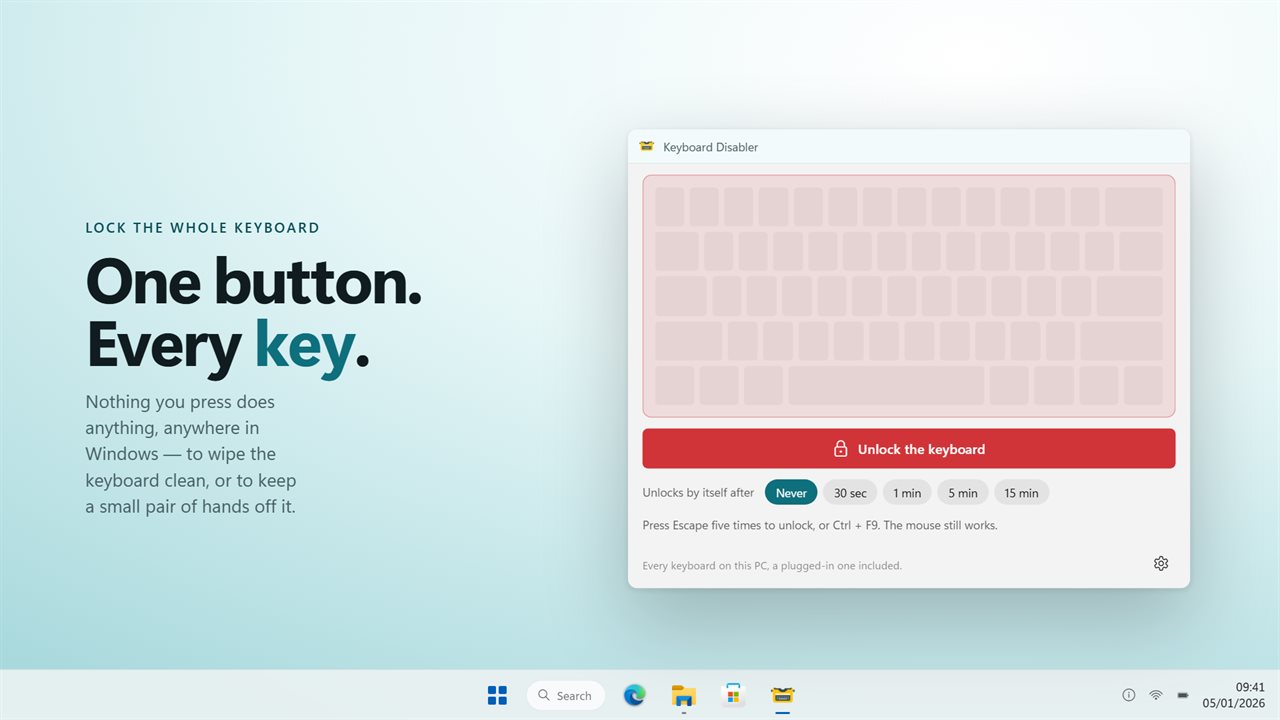
Keyboard Disabler is a single button. Once Lock the keyboard is pressed, nothing you type reaches any program: not the browser, not a game, not a password field. The keyboard drawn in the window turns dark so you can see at a glance that the lock took. Press Unlock the keyboard and every key is live again.

The pointer is never locked. Because the mouse keeps moving and clicking, the unlock button is always one click away, which is the point of doing this in software rather than pulling a cable.

Lock the keyboard for cleaning

Wiping a keyboard with the PC on usually means a burst of random letters, a few opened windows and maybe a shortcut you did not want. Pick a countdown first, then lock: the chips under the button read Never, 30 sec, 1 min, 5 min and 15 min. The remaining time is shown across the darkened board, and when it hits zero the keyboard comes back on its own.

Five minutes is usually plenty for a cloth and some compressed air, and you never have to reach for a key you have just cleaned to undo anything.

A keyboard lock for kids, pets and shared desks

A toddler watching a video, a cat that chooses the warmest spot in the room, or a display machine left running in public: each one is an accidental keypress waiting to happen. Lock the keyboard and the film keeps playing while the keys do nothing.

For a PC that should come up locked, turn on Start with Windows and "Lock the keyboard as soon as the app opens" in Settings. The tray icon toggles the lock with the window hidden.

Three exits from a locked keyboard, all live together

Any tool that blocks the whole keyboard has to make getting out of it certain. This one never relies on a single exit.

  • Escape pressed five times in quick succession, wherever focus is. No setting removes it.
  • Your own combination, set under "Lock and unlock with". It starts as Ctrl+F9, and the lock deliberately passes that one chord.
  • The countdown, if you chose one, plus the on-screen Unlock button, which the mouse can always reach.

Can you disable just the laptop keyboard?

Not with this app, and it is better to know before you rely on it. Windows hands keys from every attached keyboard down one shared path without saying which device sent them, so the lock applies to the built-in keyboard and any plugged-in one alike. If your goal is to type on an external keyboard while ignoring the laptop's own, this is the wrong tool; if your goal is no keyboard input at all for a while, it is exactly the right one.
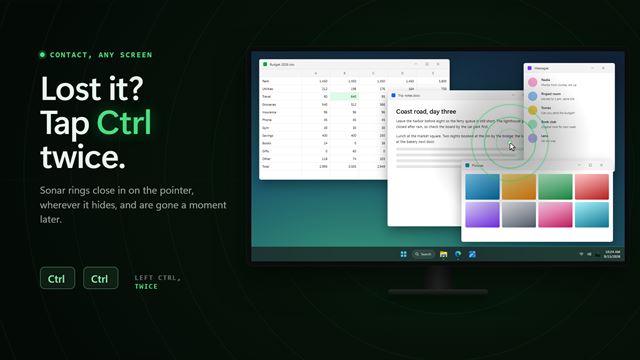

What Keyboard Disabler does

  • Blocks every key on every connected keyboard with one button, across all of Windows
  • Leaves the mouse fully working, so the window stays reachable
  • Optional auto-unlock after 30 seconds, 1, 5 or 15 minutes, with the time left on screen
  • Five presses of Escape always unlock, and that exit cannot be removed
  • Recordable lock and unlock chord, Ctrl+F9 by default, passed through while locked
  • Can lock at launch and start with Windows for a keyboard that is locked from sign-in
  • Tray icon that locks and unlocks without opening the window
  • Quitting the app ends the lock; no driver, device or registry change to undo

What's new in 2.0.1

  • Three ways to unlock, all live at once: Escape five times from any window, a shortcut of your own, and a countdown that unlocks on its own after up to 15 minutes
  • The unlock shortcut is deliberately let through the lock. This is what the review saying the keyboard could not be re-enabled ran into
  • The board on screen goes dark while the keyboard is locked, so you can see the app is doing something
  • It sits in the tray, starts with Windows, and can lock the moment it opens
  • To be clear about what it locks: every keyboard attached to the PC, including an external one on a laptop. A Windows keyboard hook sees one keyboard, not several, and cannot tell them apart

Questions

Anything else? Ask us

How do I unlock the keyboard if I cannot type?

Press Escape five times within two seconds, from any window. That cannot be switched off. Your lock shortcut, Ctrl+F9 by default, also unlocks, and you can always click Unlock in the window or the tray icon because the mouse is never locked.

Can it unlock by itself after a while?

Yes. Choose 30 seconds, 1 minute, 5 minutes or 15 minutes and the keyboard unlocks when the time runs out, with the time left shown on the window. Never keeps it locked until you unlock it.

Can I lock only an external keyboard and keep the laptop keyboard working?

No. It locks every keyboard on the PC at once, because Windows passes keys from all keyboards down one path without saying which one they came from.

Does it disable the keyboard driver or need a restart to undo?

No. It intercepts keys while the app is running and lets them through again when you unlock or exit. Closing the app ends the lock.

Can the keyboard be locked as soon as I sign in?

Yes. Turn on Start with Windows and Lock the keyboard as soon as the app opens in Settings. Escape five times and the shortcut still unlock it.

Why do keys work while the Settings page is open?

The lock pauses while Settings is open so you can record a new shortcut. It comes back on when you return to the main page.

Does Win+L lock the keyboard?

No. Win+L locks your Windows session, but the sign-in screen still accepts typing. To stop key input while you stay signed in, use Lock the keyboard instead.

Can I lock the keyboard and mouse together?

No. Only the keyboard is locked; the mouse is left working on purpose so you can always click Unlock the keyboard.

Does Ctrl+Alt+Delete still work while the keyboard is locked?

Yes. Windows reserves Ctrl+Alt+Delete for itself and no app can intercept it, so it still opens the security screen. The rest of the keyboard stays locked.

Which versions of Windows does it run on?

Windows 10 (version 1809 or later) and Windows 11.

Is it a subscription?

No. Keyboard Disabler is a one-time purchase of $1.99, and updates are included.

How do I get it?

Buy it on this page and your license key arrives by email. If the button says Notify me, Keyboard Disabler is not on sale here yet; leave your email and we will tell you when it is.