EEvlarSoft

MechanicalKeys

Get mechanical keyboard sound from a laptop or membrane keyboard: every key you press clicks, in any app, with ten sounds to choose from.

Buy for $2.99
One payment. No subscription.
14-day money-back guarantee.
A click under every key you press, in every app.
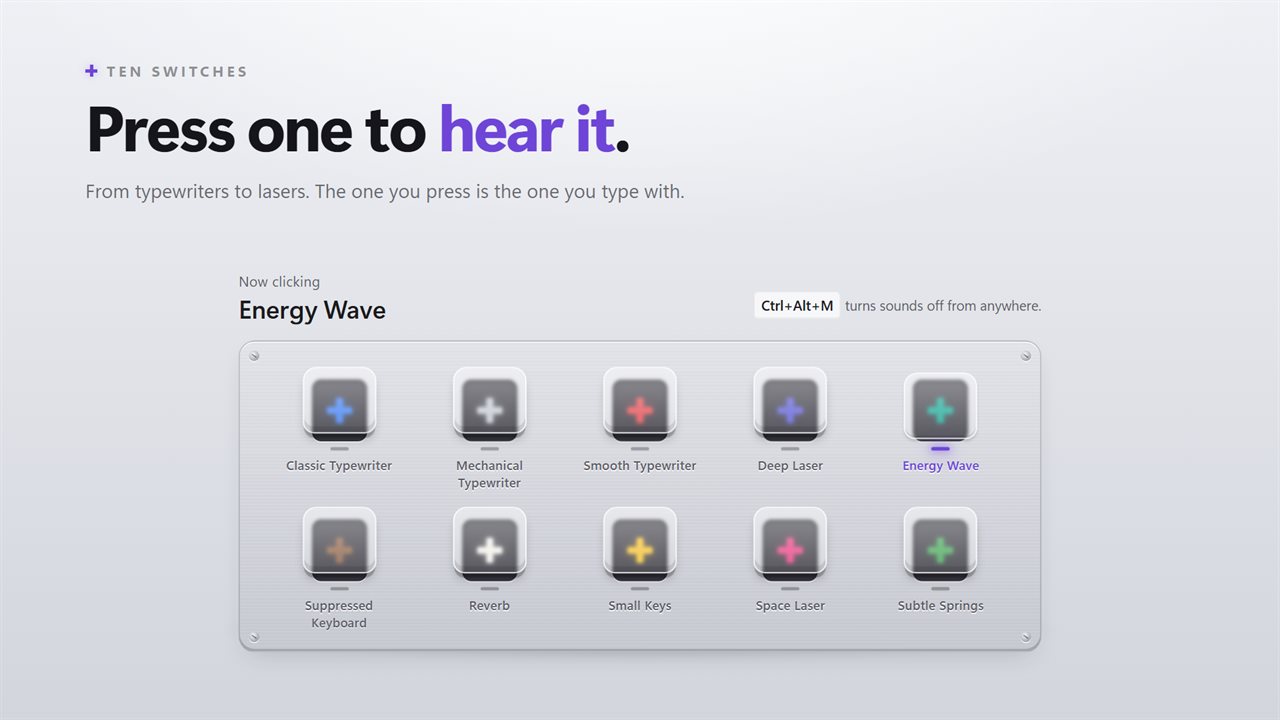
Ten switches. Click one to hear it and type with it.
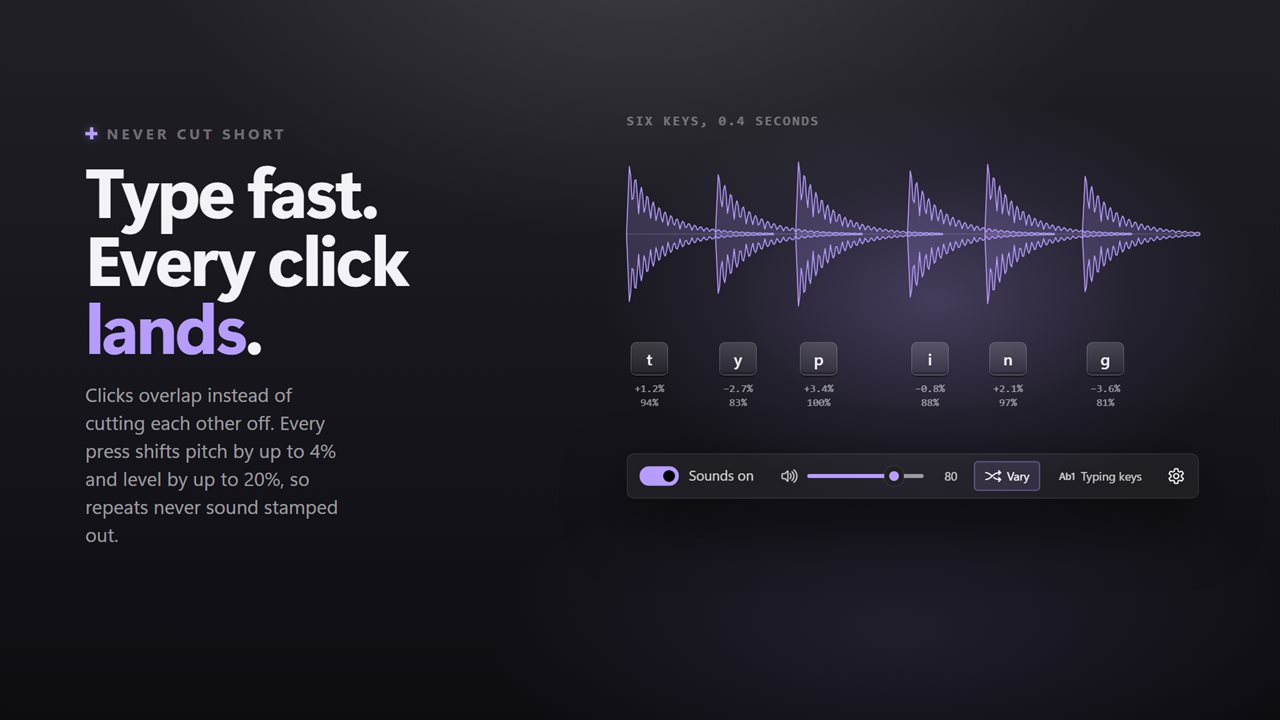
Fast typing overlaps cleanly, with a little variation on every press.
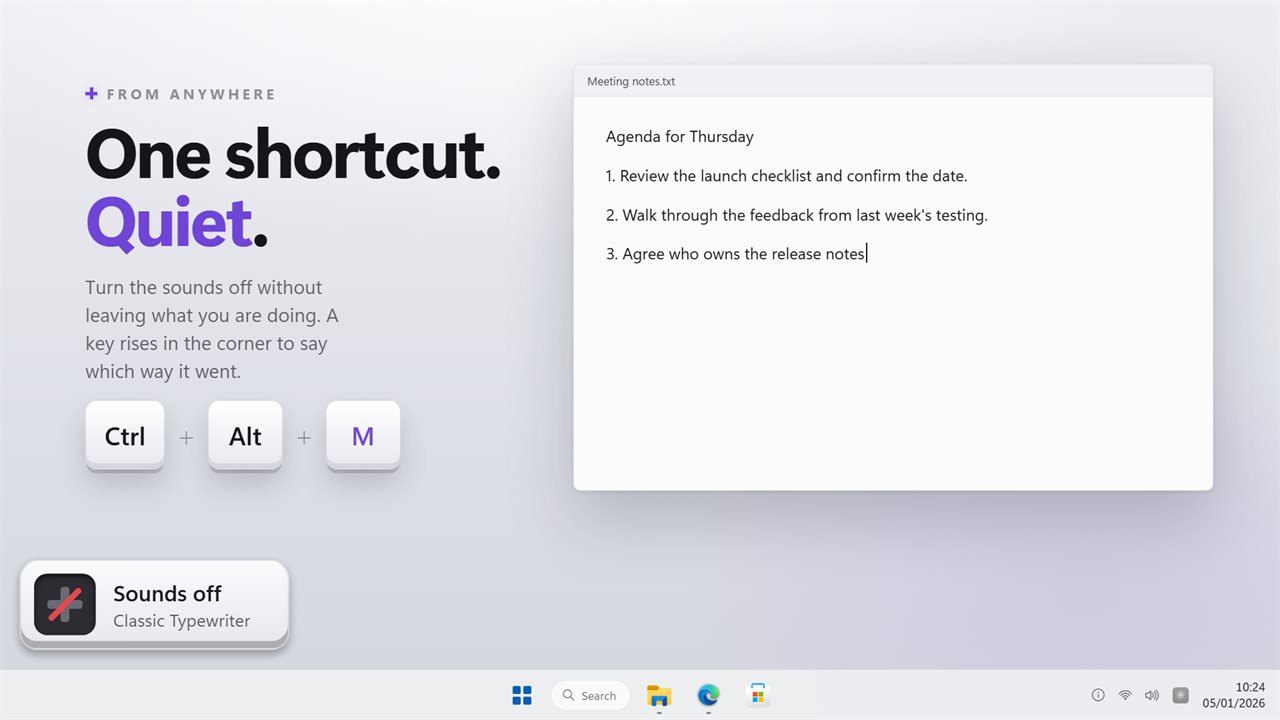
One shortcut turns the sounds off from anywhere.
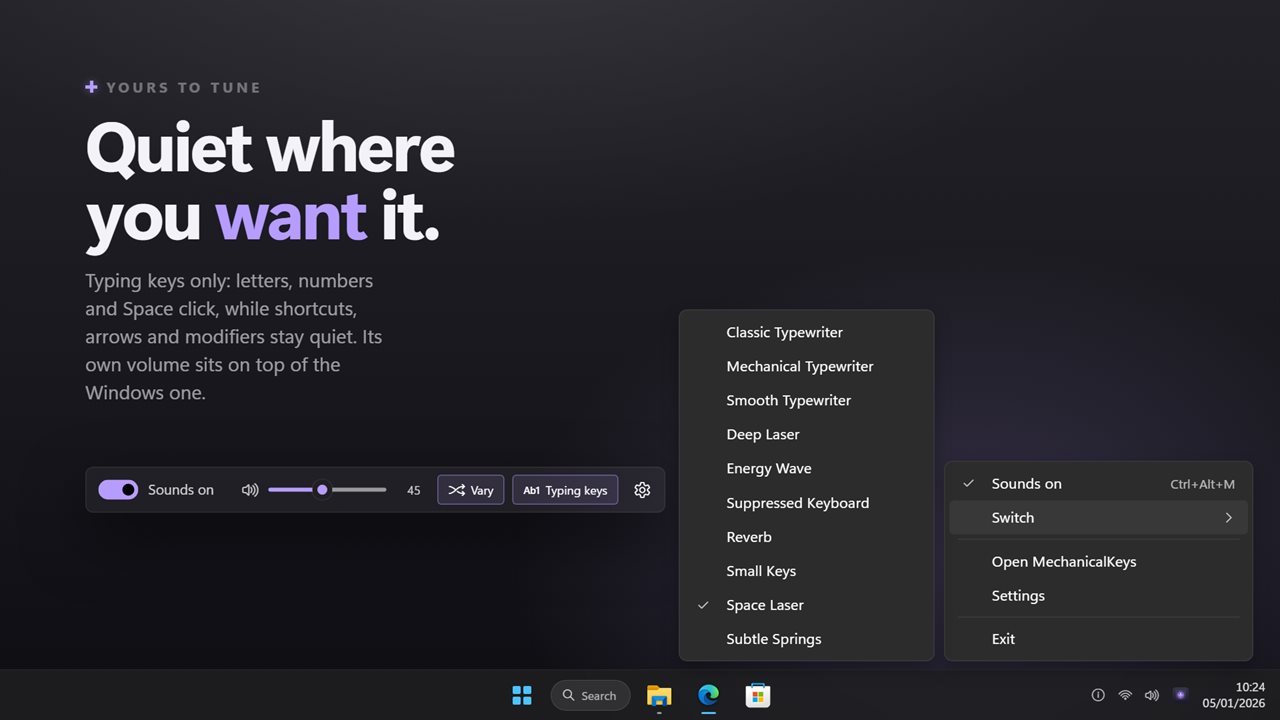
Typing keys only, its own volume, and every switch in the notification area.

A click under every key you press, in every app.

190,000+downloads of EvlarSoft apps
Signed by EvlarSoftVerified US publisher
14-day money-backNo questions asked
Updates includedNo upgrade fees

A mechanical keyboard simulator for the keyboard you have

A mechanical keyboard simulator gives you the audible part of a clicky board without buying one. MechanicalKeys runs in the background and plays a sound out of your speakers or headset the moment a key goes down, whether you are in a browser, a game launcher, a code editor or a chat window.

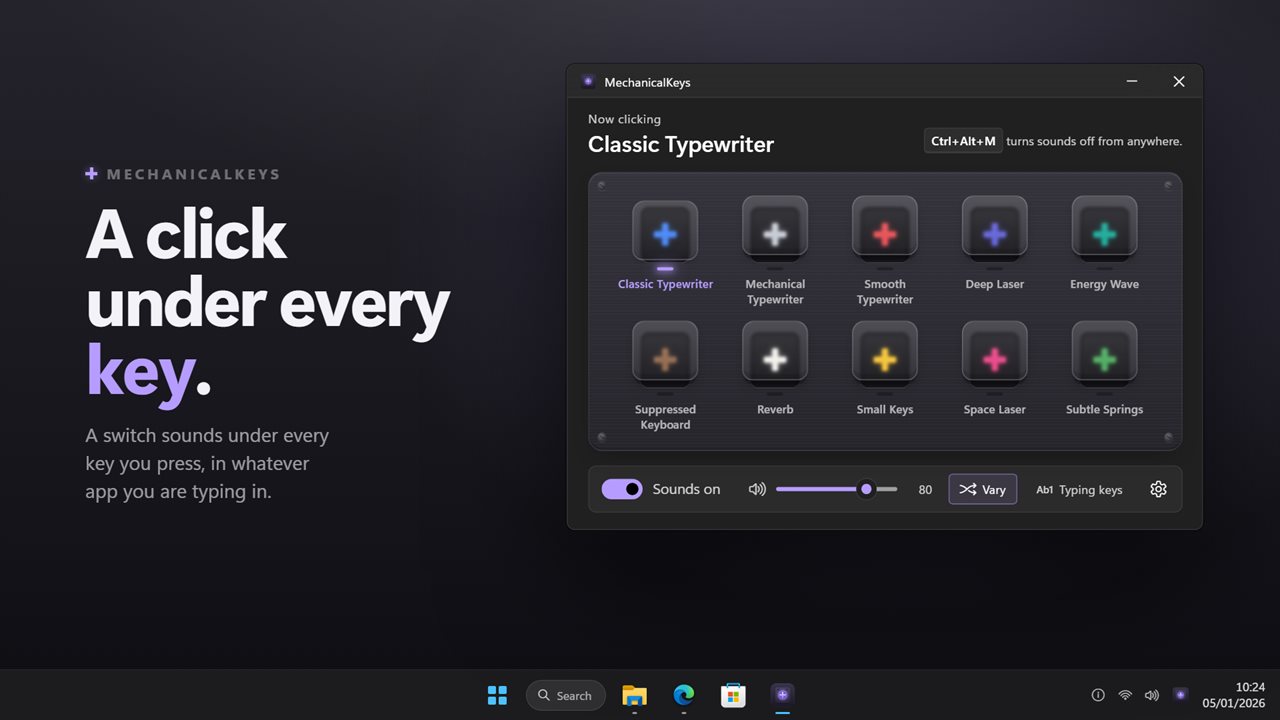
The main window looks like a switch tester on a desk: a slab of switches, each one a button. Click a switch and you hear it immediately; that same click makes it the sound you type with. There is nothing to save or apply.

Below the slab sits a short rail with the on/off switch, the volume slider, the variation toggle, the typing-keys toggle and the settings gear. Most people set it once, close the window and forget it is there until they want silence.

The ten keyboard switch sounds

The sounds are bundled with the app and leveled against each other, so moving from a soft one to a loud one does not blast your ears. They fall into three groups:

  • Typewriters: Classic Typewriter, Mechanical Typewriter and Smooth Typewriter.
  • Keyboards: Suppressed Keyboard, Small Keys, Reverb and Subtle Springs.
  • Sci-fi: Deep Laser, Energy Wave and Space Laser, for when an ordinary click is too tame.

Why a keyboard sound simulator should not sound like a loop

The giveaway of a cheap keyboard sound app is repetition. Play one clip identically on every key and a fast sentence turns into a drum machine. With Vary each press switched on, each keystroke gets a slightly different pitch and level, small enough to stay the same switch and large enough to sound like a hand on real keys.

Every press also gets a playback channel of its own. When you type quickly the clicks pile up over each other rather than one chopping off the previous one. Auto-repeat is ignored: hold a key down and it sounds once when it goes down, and nothing plays on release.

Clicky keyboard sound for words, not every key

Some people only want to hear words being typed. With Typing keys only on, the letters, both sets of digits and Space keep clicking, while arrow keys, function keys, Enter, punctuation and the Ctrl, Alt, Shift and Windows keys make no sound at all.

For a call or a recording, the Turn sounds on or off shortcut silences everything from any app. It starts as Ctrl+Alt+M and you can record a different combination in Settings; Windows rejects one another program already owns. With Show it on screen enabled, a little key pops up at the lower left of the screen to confirm the new state.

Volume, start-up and the notification area

The app keeps a volume level separate from the system mixer; turn the clicks down beneath music or a game and nothing else changes. Close the window and the app carries on from the notification area, whose icon tells you at a glance if sounds are live, with all ten switches in its right-click menu.

Start with Windows launches it hidden, icon only, each time you sign in. Theme follows Windows by default, or can be set to Light or Dark, and the on-screen key follows the same choice.

Features

  • Key sounds in every app, from any keyboard
  • Ten bundled sounds, auditioned with one click
  • Sounds leveled so loud and quiet switches sit close together
  • Optional pitch and level variation on each press
  • Overlapping playback for fast typing
  • One sound per press, with auto-repeat ignored
  • Typing keys only mode for letters, digits and Space
  • Global mute shortcut, Ctrl+Alt+M by default, with an on-screen indicator
  • Independent volume slider
  • Notification-area menu with every switch, plus optional start with Windows

Where it fits

Trying the clicky feel before buying

Spend a week typing with a loud sound and a week with a muffled one to find out whether you actually want a clicky board on your desk.

Gaming laptops

Get the audible click of a full-size mechanical board from a thin laptop keyboard, through your headset so nobody else hears it.

Streams and fun

Switch to Space Laser or Energy Wave and every keystroke becomes a sound effect, then mute it with one shortcut when you need to talk.

What's new in 2.0.5

  • New: the window is a switch tester. Click a switch to hear it and pick it
  • Fixed: fast typing no longer cuts each click short; presses overlap
  • Fixed: typing keys only now saves, includes the number row, and works without changing the sound first
  • New: volume, and a small variation on every press
  • New: set the on/off shortcut by pressing it, with a key that rises on screen to confirm
  • New: lives in the notification area and can start with Windows

Questions

Anything else? Ask us

Which keyboard sounds does it come with?

Ten: Classic Typewriter, Mechanical Typewriter, Smooth Typewriter, Suppressed Keyboard, Small Keys, Reverb, Subtle Springs, Deep Laser, Energy Wave and Space Laser. Click one in the window to hear it and type with it.

Can I add my own key sounds?

No. The ten sounds are built into the app, and there is no way to load a sound file.

Does holding a key down make it click over and over?

No. A held key clicks once when it goes down, not once for every repeat, and nothing plays when it comes up.

Can I make only the typing keys click?

Yes. Turn on Typing keys only and the letters, the number row, the numpad digits and Space click, while arrows, function keys, Enter, punctuation and modifiers stay quiet.

How do I mute it quickly?

Press Ctrl+Alt+M from any app to turn the sounds off or on, or record your own shortcut in Settings. A small key rises in the bottom-left corner of the screen to show which way it went.

Is the click volume separate from the Windows volume?

Yes. The app has its own volume slider that works on top of the Windows volume, so the clicks can sit lower than your music.

Does clicking a switch in the window play even when sounds are muted?

Yes. Clicking a switch always plays it so you can audition sounds while typing sounds are off. Your real key presses stay silent until you turn sounds back on.

Can I make every key press sound identical?

Yes. Turn off Vary each press, in the window or in Settings, and every key plays one fixed sound, unchanged from press to press.

Will a mute shortcut that another app uses work?

No. Windows refuses a combination that another program has already registered, so choose a different one in Settings.

Which versions of Windows does it run on?

Windows 10 (version 1809 or later) and Windows 11.

Is it a subscription?

No. MechanicalKeys is a one-time purchase of $2.99, and updates are included.

How do I get it?

Buy it on this page and your license key arrives by email. If the button says Notify me, MechanicalKeys is not on sale here yet; leave your email and we will tell you when it is.