
EEvlarSoft

Mouse Disabler

Disable the mouse for a while without touching Device Manager: clicks, scrolling and optionally the pointer stop, and your keyboard always brings it back.

Buy for $1.99
One payment. No subscription.
14-day money-back guarantee.
4.3
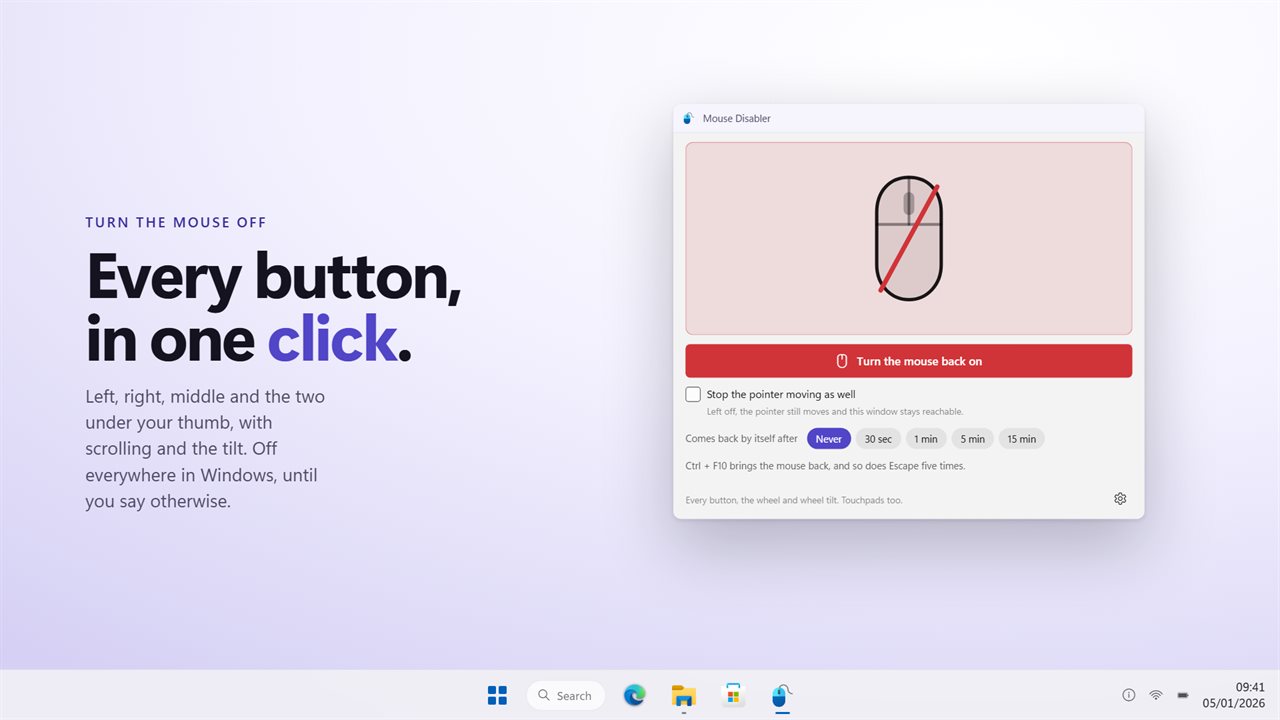
One button. Every mouse button, the wheel and the tilt stop at once.
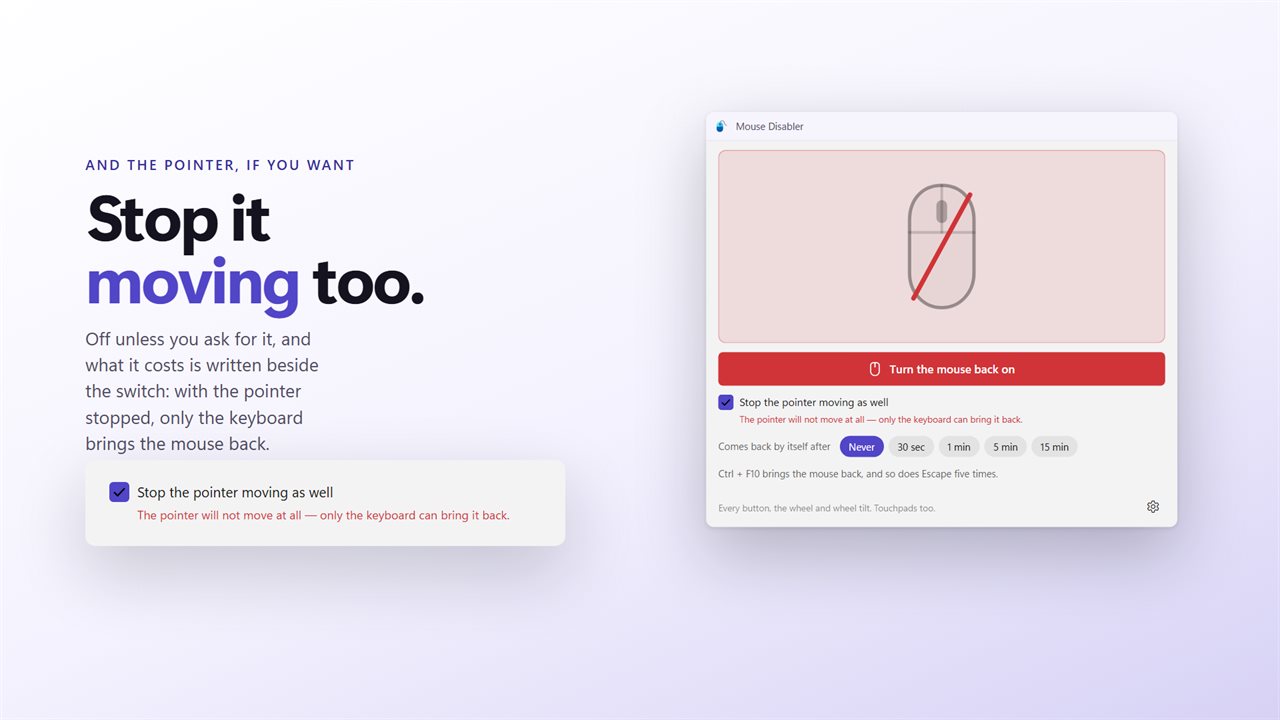
Stopping the pointer too is a separate switch, and it says what that costs.
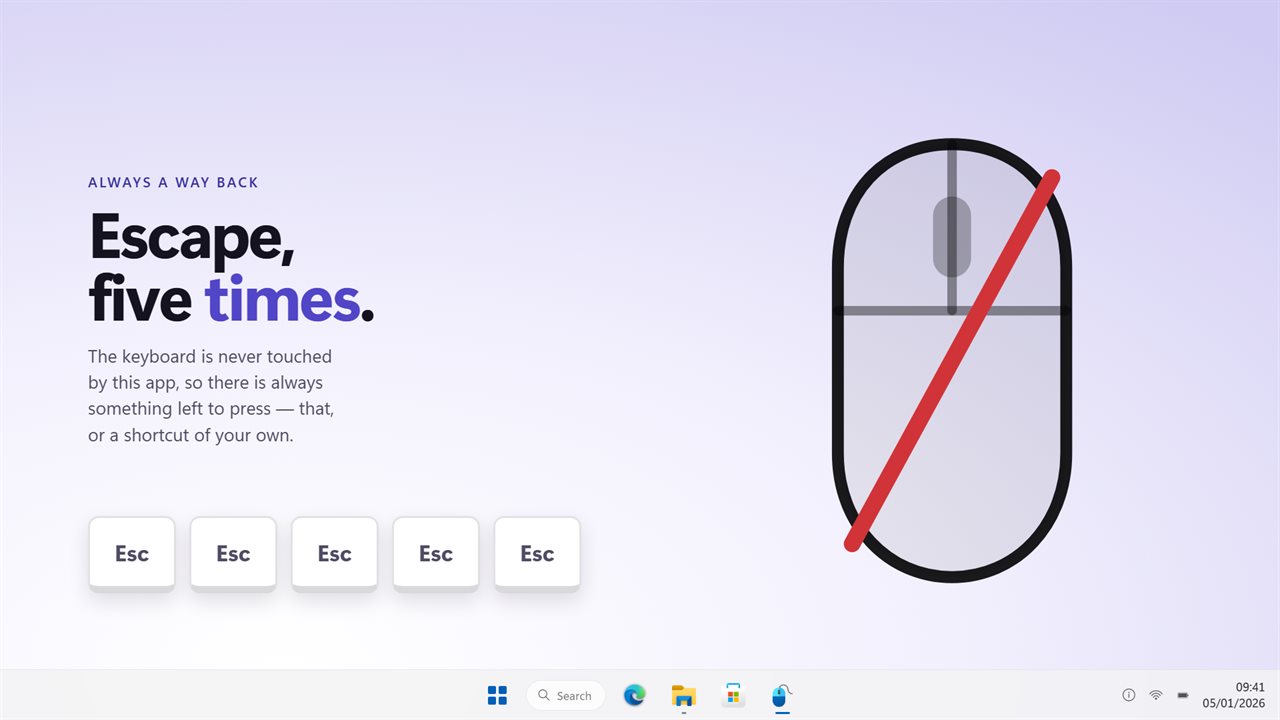
Escape five times gives the mouse back. The keyboard is never touched.
Or set a countdown and it comes back on its own, up to 15 minutes.

One button. Every mouse button, the wheel and the tilt stop at once.

190,000+downloads of EvlarSoft apps
Signed by EvlarSoftVerified US publisher
14-day money-backNo questions asked
Updates includedNo upgrade fees

How to disable the mouse in Windows without getting stuck

If you want to disable the mouse for a few minutes, Windows gives you two poor options: unplug it, or disable the device in Device Manager and hope you can find your way back with the keyboard alone. Neither helps with a laptop touchpad, a wireless mouse in a drawer, or a toddler who has found the cursor.

Mouse Disabler turns pointing input off at the press of one button, Turn the mouse off, and leaves the keyboard alone so you can always undo it. Every click stops, left, right, middle and both thumb buttons, along with scrolling and sideways wheel tilt. The mouse drawn in the window is crossed out so you can tell at a glance that it took.

Nothing is uninstalled or switched off at the device level. When you turn the mouse back on, or simply quit the app, everything works the way it did a moment before.

Lock the mouse pointer in place as well

Out of the box the pointer keeps moving while the buttons are dead. That is deliberate: you can still see where it is, and the window stays on screen, but nothing gets clicked, dragged or scrolled.

If you need the cursor frozen too, turn on Stop the pointer moving as well. The window spells out the trade-off next to the switch: with it on, the only way back is from the keyboard. That suits wiping a screen, cleaning a mouse, or running a slideshow you do not want nudged.

Three ways to turn the mouse back on

Since this is an app whose job is to stop clicks, none of its exits needs one. All three are active together, whether or not the pointer is frozen:

  • Your own shortcut, set under Turn off and on with in Settings. It starts as Ctrl+F10 and works from inside any window.
  • Escape pressed five times in quick succession. This one is fixed and cannot be removed.
  • A countdown. Under Comes back by itself after, pick 30 sec, 1 min, 5 min or 15 min, or Never to keep it off until you say so. The time left is shown in the window.

Does it disable the touchpad too?

Yes. Windows treats a laptop touchpad as a mouse, so it stops along with any external mouse, and a second mouse plugged in at the same time stops as well. It is all pointing devices or none.

That makes it a good fit for cleaning a laptop, or for typing a long document with a palm that keeps brushing the pad. It is not the tool for keeping a USB mouse while switching off only the touchpad; Windows has its own touchpad switch for that under Bluetooth & devices.


What Mouse Disabler does

  • One button blocks all five mouse buttons, the wheel and wheel tilt
  • Optional pointer freeze, off by default and clearly labeled
  • Covers touchpads and every connected mouse at once
  • Keyboard shortcut to toggle, Ctrl+F10 by default and changeable
  • Escape five times always restores the mouse
  • Automatic return after 30 seconds, 1, 5 or 15 minutes
  • Turn the mouse off as soon as the app opens, with Start with Windows
  • Stays in the tray; the tray icon toggles the mouse without opening the window
  • No device is disabled, so closing the app leaves nothing to repair

When people turn the mouse off

Cleaning the desk

Wipe the mouse, the pad and the screen without dragging a folder into the wrong place or clicking an ad.

Kids and pets

Start a film, freeze the pointer, set a 15 minute return, and small hands or paws cannot close it.

Typing on a laptop

Stop a sensitive touchpad from moving the caret mid-sentence, then press your shortcut when you need to point again.

What's new in 2.0.1

  • Three ways to get the mouse back, all live at once: a keyboard shortcut, Escape five times from any window, and a countdown that ends it on its own after up to 15 minutes
  • Stopping the pointer moving is now a switch of its own, off unless you ask for it, with what it costs written next to it
  • Back and Forward — the two under your thumb — go off with the rest, alongside scrolling and wheel-tilt
  • The drawing of the mouse shows the state, so it is obvious the app is doing something
  • It sits in the tray, starts with Windows, and can turn the mouse off the moment it opens

Questions

Anything else? Ask us

Does the pointer still move when the mouse is turned off?

Yes, by default. Every button, scrolling and wheel tilt stop, but the pointer still moves. Stop the pointer moving as well is a separate switch, and with it on only the keyboard can bring the mouse back.

How do I turn the mouse back on without clicking?

Press your shortcut, Ctrl+F10 by default, or press Escape five times within two seconds. The Escape route cannot be switched off, and both work whether or not the pointer is stopped.

Can the mouse come back on by itself after a while?

Yes. Choose 30 seconds, 1 minute, 5 minutes or 15 minutes and the mouse returns when the countdown runs out. Never keeps it off until you turn it back on.

Can I disable only one mouse and keep another one working?

No. It turns off mouse input as a whole, so a second mouse stops too. It cannot pick out one device.

Does it disable the keyboard as well?

No. Keys pass through untouched. The app only watches the keyboard for its shortcut and the Escape presses that bring the mouse back.

Why does the mouse work while the Settings page is open?

The block pauses while Settings is open so you can use its controls. It comes back on when you return to the main page.

Is it safer than disabling the mouse in Device Manager?

It avoids the risk of a disabled device you cannot re-enable. Nothing is switched off in Device Manager; input is only blocked while the app runs, and a shortcut, Escape five times or the countdown always undoes it.

Does the mouse stay disabled after I restart the PC?

Only if you ask for it. A restart brings the mouse back, because nothing is changed at the device level. To keep it off from sign-in, turn on both Turn the mouse off as soon as the app opens and Start with Windows in Settings.

Which versions of Windows does it run on?

Windows 10 (version 1809 or later) and Windows 11.

Is it a subscription?

No. Mouse Disabler is a one-time purchase of $1.99, and updates are included.

How do I get it?

Buy it on this page and your license key arrives by email. If the button says Notify me, Mouse Disabler is not on sale here yet; leave your email and we will tell you when it is.