EEvlarSoft

Mouse Mapper

Remap mouse buttons to the keys you actually use: turn the thumb button into Ctrl+C, the wheel click into Enter, or a stray click into nothing at all.

Buy for $2.99
One payment. No subscription.
14-day money-back guarantee.
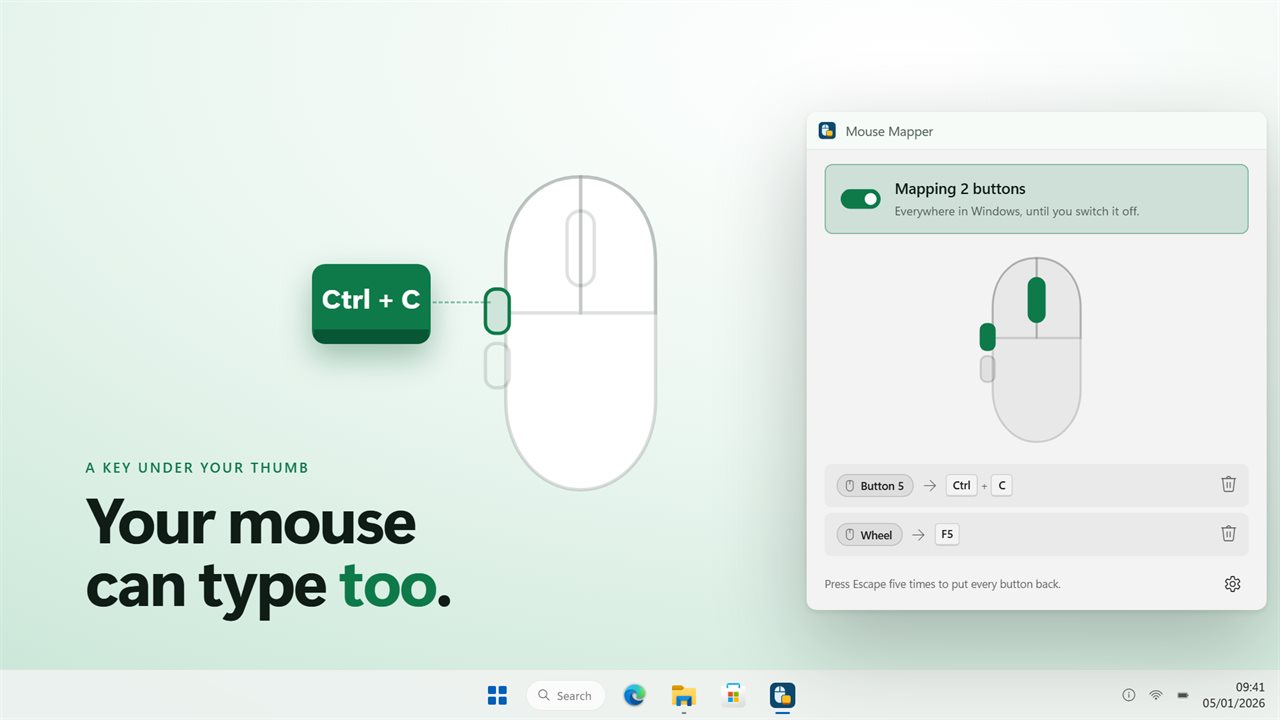
Your mouse can type too. Give a button a key to send.
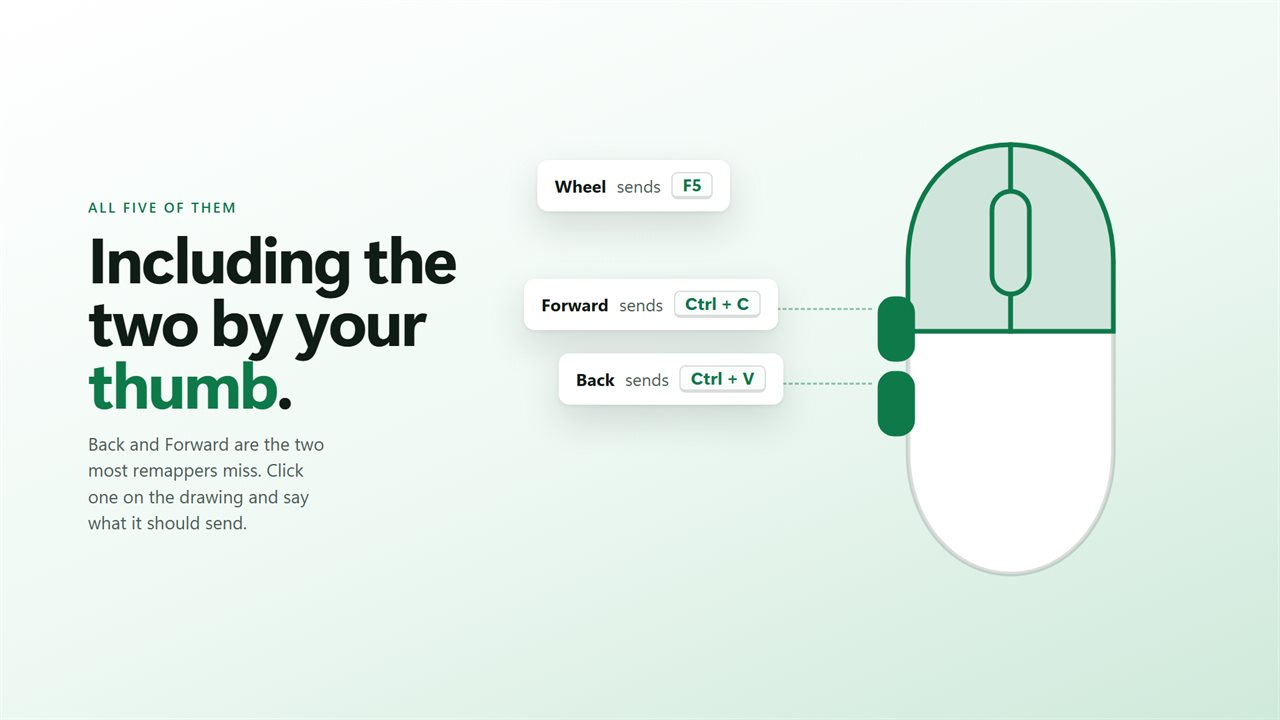
All five buttons, including the two by your thumb.
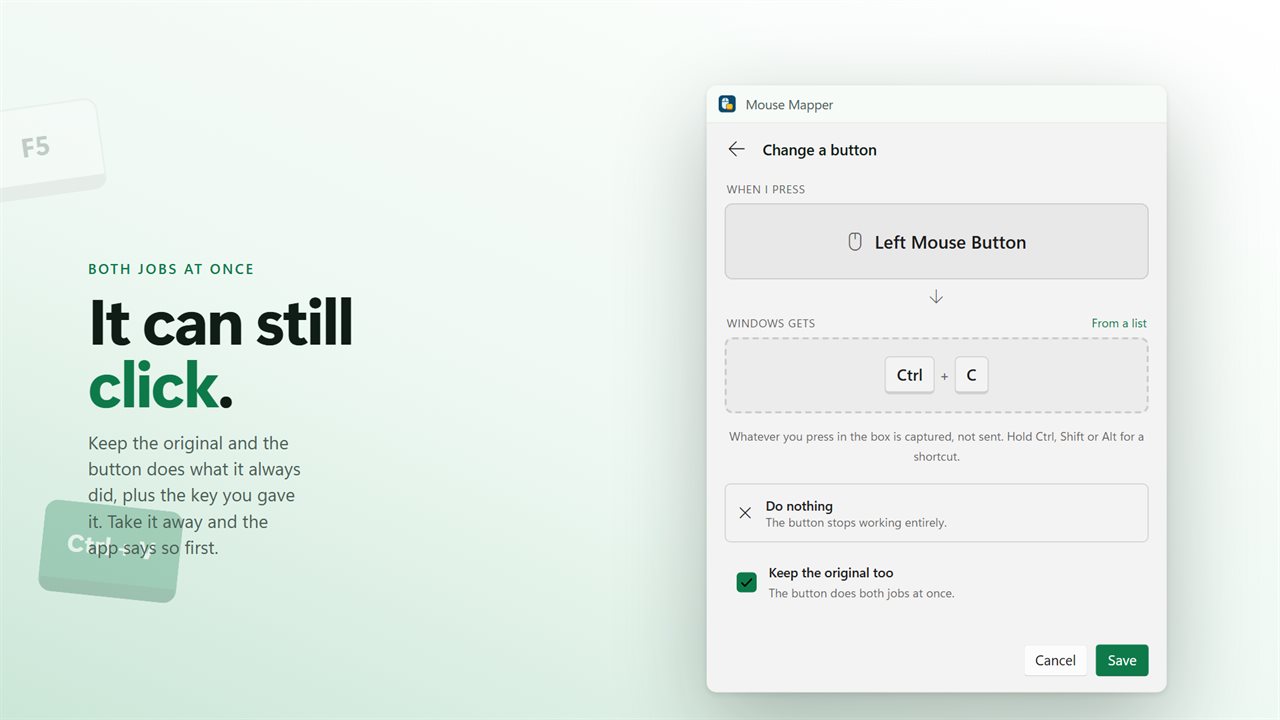
Keep the original and the button still clicks as well.
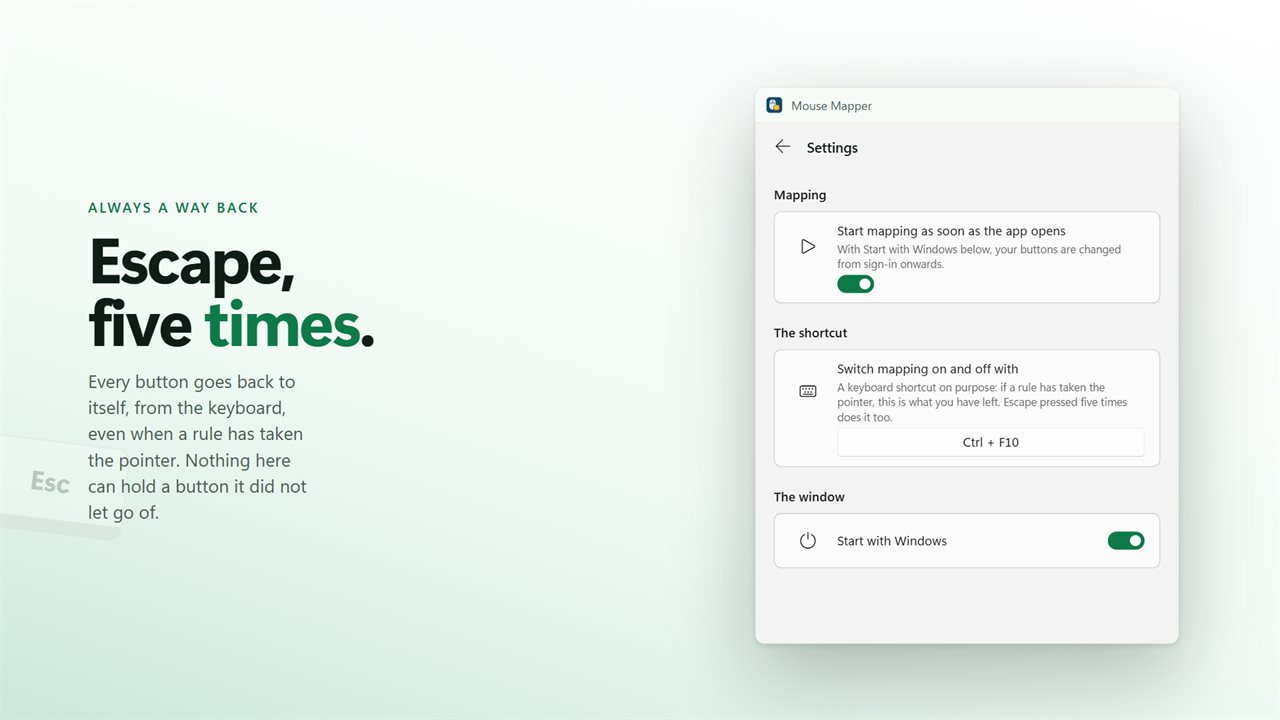
Escape five times puts every button back, from the keyboard.

Your mouse can type too. Give a button a key to send.

190,000+downloads of EvlarSoft apps
Signed by EvlarSoftVerified US publisher
14-day money-backNo questions asked
Updates includedNo upgrade fees

How to remap mouse buttons when Windows won't

To remap mouse buttons in Windows 11 you get one built-in option: swapping the primary button from left to right. The wheel click and the two side buttons cannot be changed there, and the brand software that can change them only knows its own mice.

Mouse Mapper works with whatever mouse you have plugged in. Pick a button on the drawing in its window, press the key or shortcut it should produce, and save. From then on that button types that key in every program, until you switch mapping off.

All five standard buttons are available: left, right, the wheel button, and Back and Forward on the side. The two thumb buttons are handled separately, so one can be Copy and the other Paste.

Map a mouse button to a key, step by step

Each change happens in one small panel, titled Change a button, with what you press on the left and what Windows receives on the right.

  • Click the button you want to change on the mouse drawing. It appears under When I press.
  • With Windows gets waiting for input, press the key you want. Hold Ctrl, Shift, Alt or the Windows key at the same time to record a full shortcut.
  • If the key is hard to press, such as a media key, use From a list instead.
  • Check the keyboard picture under On the keyboard, which highlights where your choice sits.
  • Tick Keep the original too if the button should still click as well, then press Save.

Program mouse buttons for games

A game reading DirectInput or Raw Input looks for the hardware code a physical key produces, not the higher-level message most desktop programs use. That is what Mouse Mapper emits when a button fires, with arrow keys, Insert, Home and the like marked as extended just as a real keyboard marks them.

That makes it handy for push-to-talk on a thumb button, a reload or melee key, or a crouch you would rather not hold with your little finger. One limit is worth knowing: titles protected by kernel-level anti-cheat block simulated input from every tool, this one included.

Reassign or silence a mouse button

Sometimes the right job for a button is none. Choose Do nothing in the same panel and that button stops working entirely, which is the quick fix for a middle click that keeps opening tabs.

If a rule ever takes away the click you would need to undo it, press Escape five times and mapping switches off, so every button goes back to normal. Before you save a rule that takes over left click without Keep the original too, the panel warns you. Leave it alone clears the rule from a single button.

What you can set up

  • Left, right, wheel, Back and Forward buttons, each with its own rule
  • Any single key, or a shortcut built with Ctrl, Shift, Alt or the Windows key
  • Record by pressing the key, or choose it From a list
  • Do nothing, to block a button you hit by accident
  • Keep the original too, so a button clicks and sends a key
  • Scancode output that games and emulators register
  • Switch mapping on and off with a shortcut, Ctrl+F10 by default
  • Starts with Windows and runs from the tray
  • Brings over mappings from the earlier version on first launch

Popular mappings

Copy and paste on the thumb

Back sends Ctrl+C, Forward sends Ctrl+V, and spreadsheet or code work loses a lot of hand travel.

Push-to-talk

Give a side button the key your voice app listens for, so you never reach for the keyboard mid-game or mid-call.

One-handed editing

Put Undo, Delete or Enter under a finger for photo culling, transcription or reviewing documents.

What's new in 2.0.7

  • The side buttons work. Back and Forward are told apart properly, which the old build could not do
  • A button can send a whole shortcut now, not just one key. Ctrl+C, Ctrl+V, Alt+F4
  • Keep the original too, so the button still clicks and sends a key as well. Asked for by name in a review
  • A mapped left button no longer traps you: it keeps clicking by default, and the app warns you before it stops
  • Keys are sent as scancodes, so games and emulators see them. The old build sent virtual keys and most games ignored them
  • Escape five times puts every button back, from the keyboard, even when the pointer is gone
  • Your old mappings are carried across on the first launch

Questions

Anything else? Ask us

Can I remap the Back and Forward side buttons?

Yes. Left, right, the wheel button and both thumb buttons can each be given a key, and the two side buttons are told apart. If a side button does nothing, check whether your mouse's own software has already bound it to something.

Can a mouse button send a shortcut like Ctrl+C?

Yes. Hold Ctrl, Shift or Alt while you choose the key and the button sends the whole combination, up to six keys. The modifiers go down first and come up in reverse order.

Will games see the key a mouse button sends?

Keys are sent as hardware scancodes, with the extended-key flag where a key needs it, which is what games reading DirectInput or Raw Input look at.

Can the button still click and send the key as well?

Yes. Keep the original makes the button do both. It is on by default for the left button, and the app warns you before you save a rule that takes left click away.

Can I remap the scroll wheel, or make one mouse button act as another?

No. Rules apply to the five buttons, and a button can send a key, a shortcut or nothing at all. Scrolling and mouse clicks are not offered as outputs.

How do I undo a rule that took away my left click?

Press Escape five times within two seconds and mapping switches off, giving every button back. Your shortcut, Ctrl+F10 by default, also switches mapping on and off.

Can you remap mouse buttons without the manufacturer's software?

Yes. Mouse Mapper changes buttons as Windows receives them, so it works with any mouse and does not need the brand's own app installed.

Do the remapped buttons work when the app is closed?

No. Rules apply while Mouse Mapper is running and mapping is switched on. Closing the window sends it to the tray by default, and Start with Windows brings it back at sign-in.

Which versions of Windows does it run on?

Windows 10 (version 1809 or later) and Windows 11.

Is it a subscription?

No. Mouse Mapper is a one-time purchase of $2.99, and updates are included.

How do I get it?

Buy it on this page and your license key arrives by email. If the button says Notify me, Mouse Mapper is not on sale here yet; leave your email and we will tell you when it is.