EEvlarSoft

Random File Generator

Create dummy files of an exact size for testing uploads, storage and backups, as random data or as real PDF, PNG, ZIP, DOCX and MP4 files that open.

Buy for $1.99
One payment. No subscription.
14-day money-back guarantee.
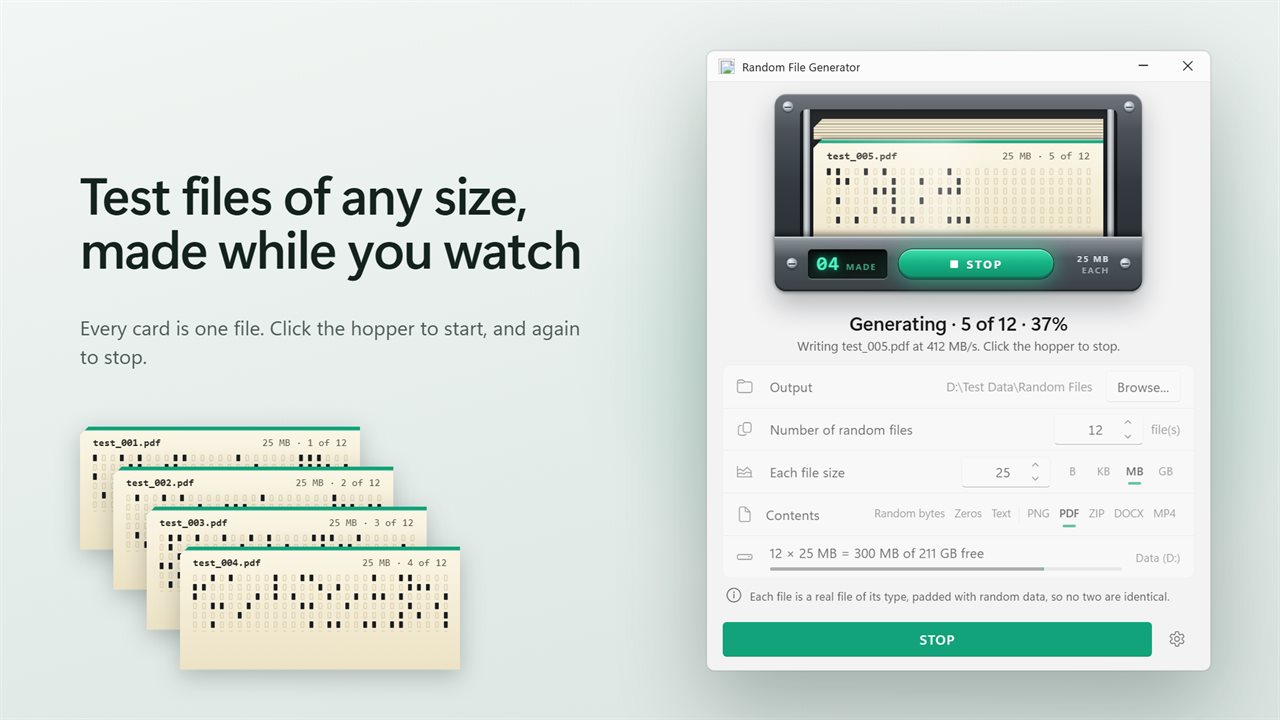
Every card is one file. Click the hopper and watch them punch.
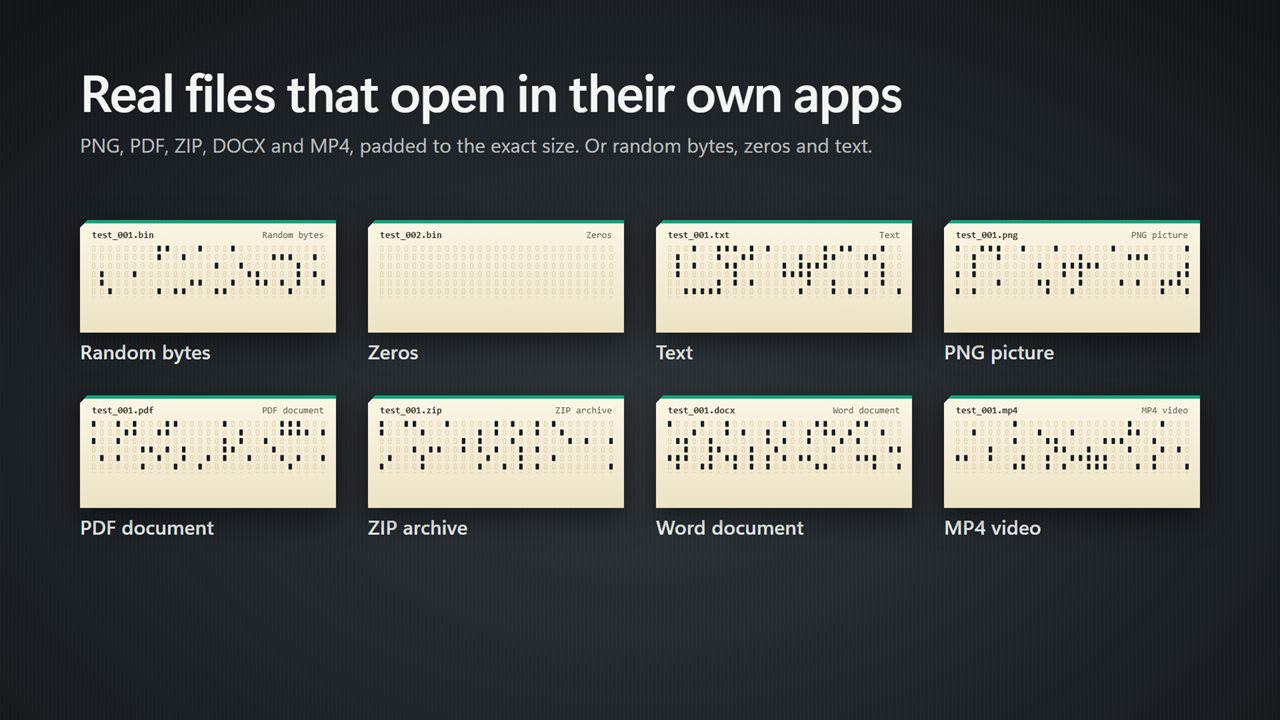
Real PNG, PDF, ZIP, DOCX and MP4 files that open in their own apps.
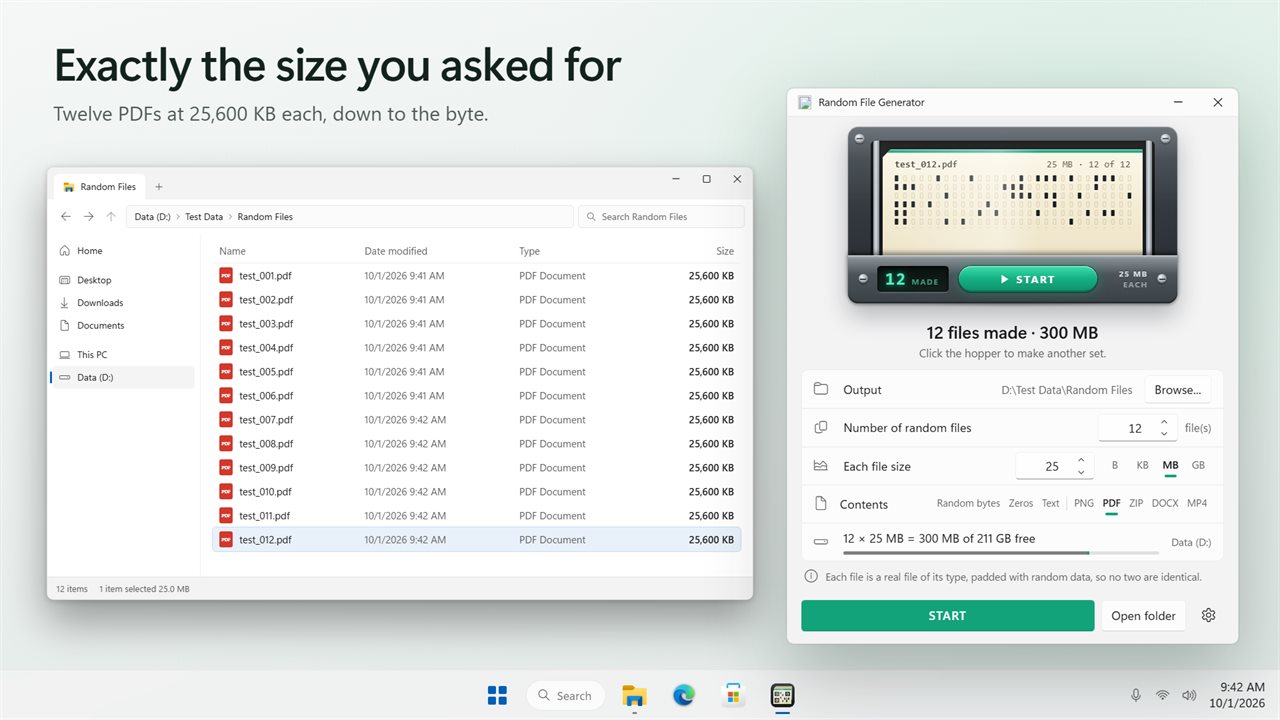
Every file exactly the size you asked for.
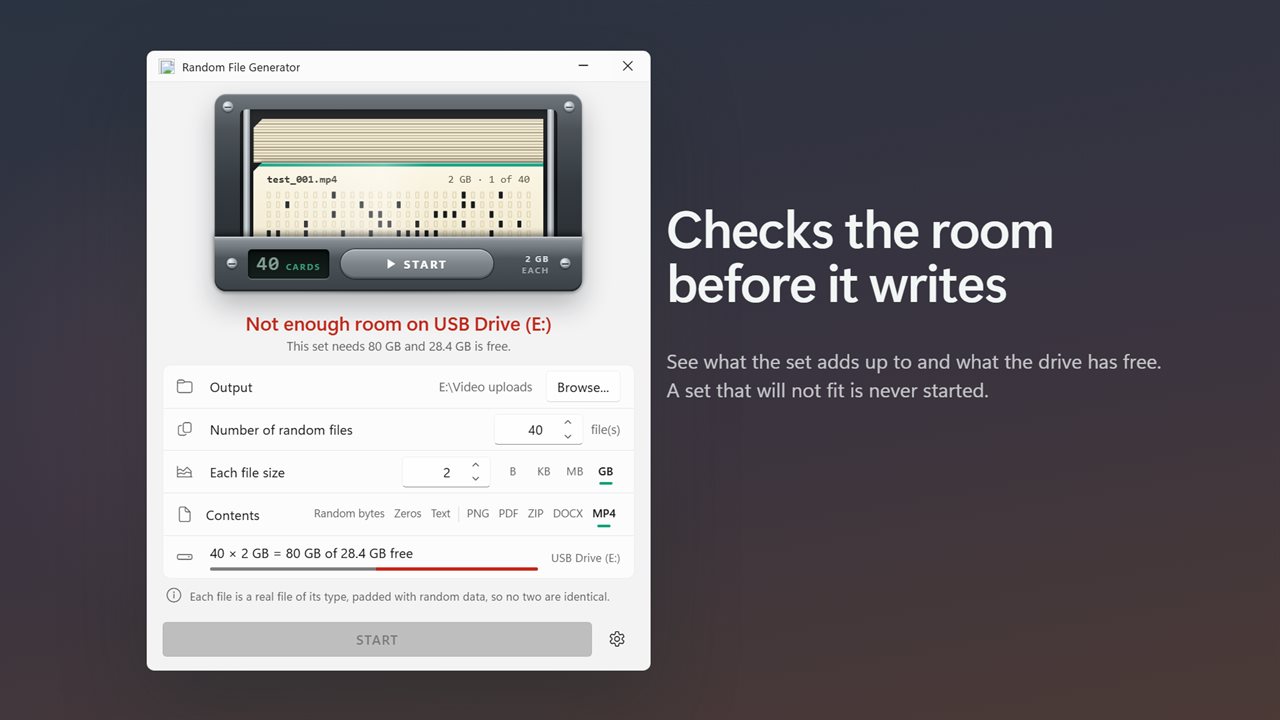
A set that will not fit is never started.
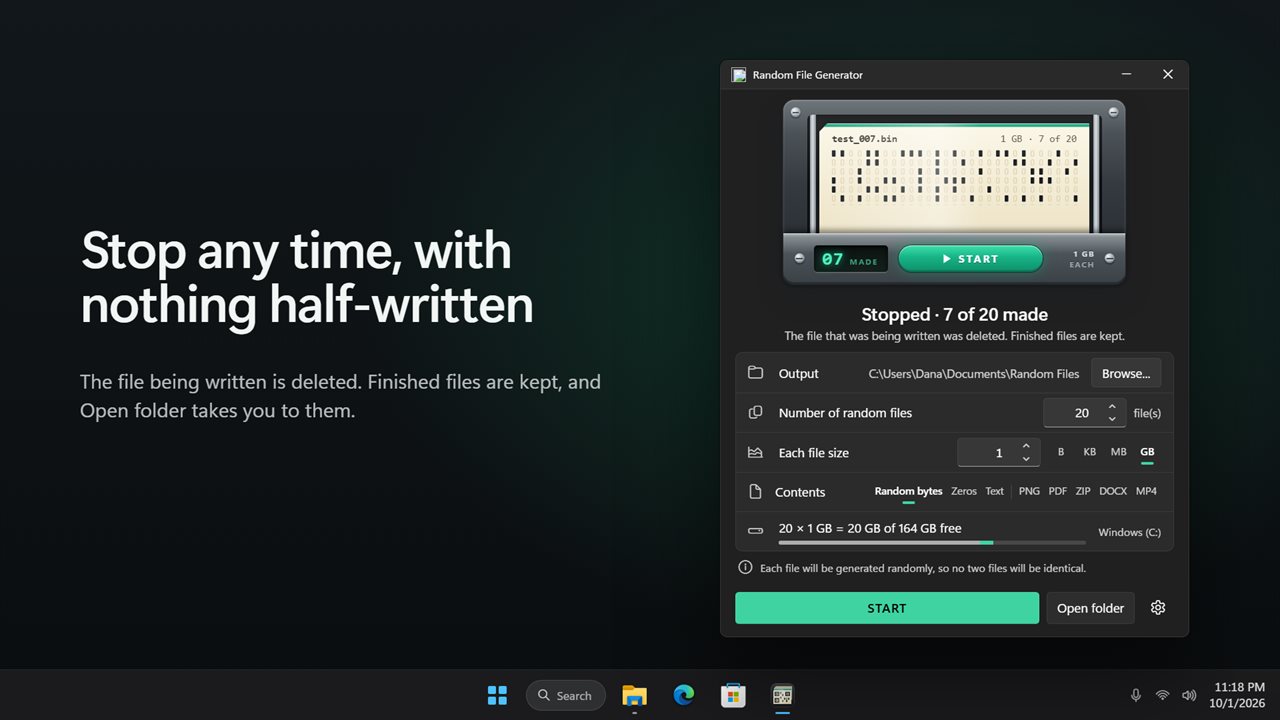
Stop at any time. Finished files are kept, half-written ones are not.
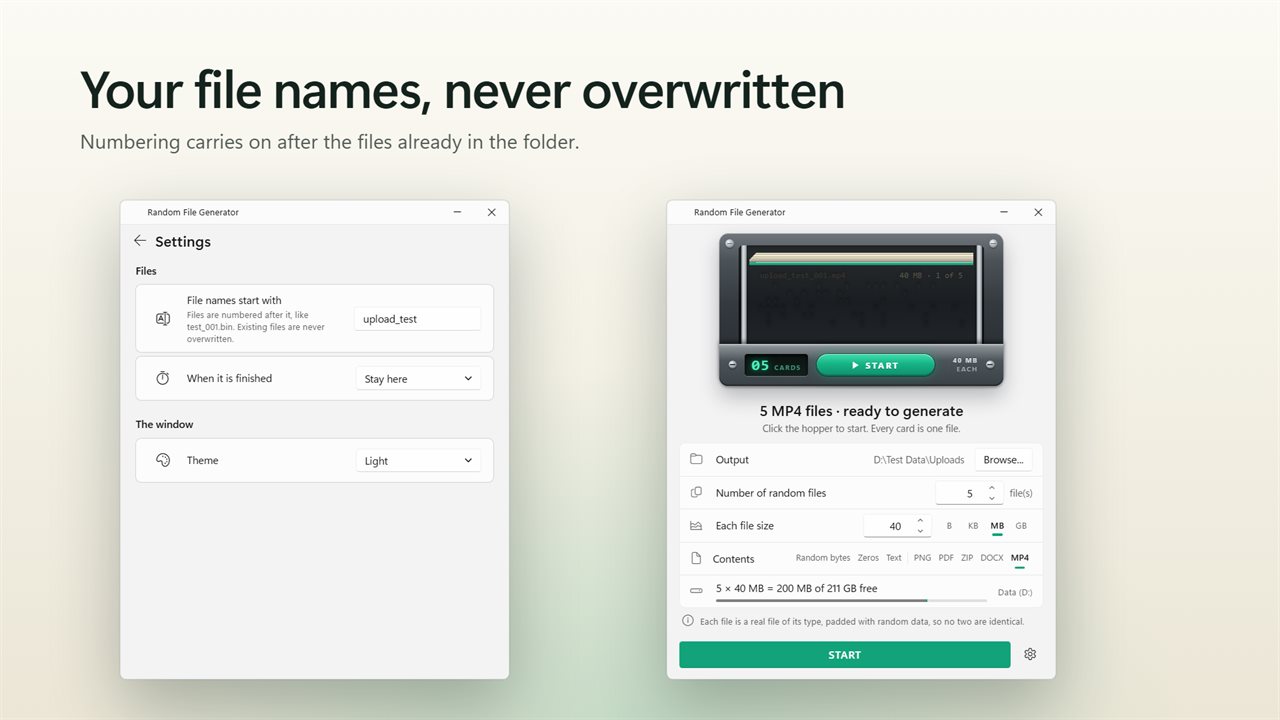
Name the files your way. Existing files are never overwritten.

Every card is one file. Click the hopper and watch them punch.

190,000+downloads of EvlarSoft apps
Signed by EvlarSoftVerified US publisher
14-day money-backNo questions asked
Updates includedNo upgrade fees

A dummy file generator for upload limits, quotas and transfer tests

Testers, developers and IT staff need files of a known size constantly: does the form reject a 26 MB attachment, how fast does a 2 GB copy go over the VPN, what happens when a share hits its quota. A dummy file generator saves you from hunting for a video or a disk image that happens to be roughly the right size.

Set Number of random files, set Each file size in B, KB, MB or GB, pick the Contents, and click the hopper. Sizes use binary units, so 1 MB is 1,048,576 bytes and the file on disk matches to the byte. One run makes as many as 10,000 files.

Before starting, the window shows the arithmetic, for example "12 × 25 MB = 300 MB of 41.2 GB free", and it refuses to begin a set that the chosen drive cannot hold.

Test files that open, not just random bytes

An upload validator that sniffs file types will reject a renamed .bin, so the Contents setting offers eight choices. Five produce genuine files of their format, padded internally with random filler to reach the size you set:

  • PNG: a picture of static that opens in Photos. The smallest possible is 84 bytes.
  • PDF: a one-page document reading "Test file made by Random File Generator", good for testing a PDF upload of a precise size.
  • ZIP: an archive containing a readme that File Explorer can open.
  • DOCX: a Word document with the same one-line text.
  • MP4: a short clip that plays in Media Player, from about 12.5 KB upward.
  • Random bytes (.bin), Zeros (.bin) and Text (.txt, lines of lorem ipsum) start at a single byte.

How to create a large file of a specific size in Windows

The built-in command fsutil file createnew will make a file of a chosen size, but only one at a time and only filled with zeros. Zeros compress to almost nothing, so they give misleading results for anything that compresses or deduplicates in transit, such as cloud sync, backup software or HTTP compression.

With Random File Generator, choose Random bytes for data that cannot be compressed: every byte is drawn from the full 0 to 255 range and every file is seeded separately, so no two in a set are identical and deduplication cannot collapse them. Choose Zeros when you want the opposite: on NTFS those files are written sparse, reporting their full size while occupying almost no disk space.

Naming, stopping and keeping existing files safe

Pick the destination with Browse... under Output. Files are named from the prefix in Settings (File names start with, default test) plus a counter padded to at least three digits and the right extension, so a PDF run produces test_001.pdf, test_002.pdf and onward. If those names already exist in the folder, numbering continues past them; nothing is overwritten.

Each file is shown as a punched card feeding through the hopper, with a live percentage and write speed. Click the hopper again to stop: the half-written file is removed and completed ones stay. Set When it is finished to Open the folder they went to if you want File Explorer to pop up at the end.

Capabilities

  • Exact sizes in B, KB, MB or GB, binary units
  • Up to 10,000 files per run
  • Eight content types, five of them valid PNG, PDF, ZIP, DOCX and MP4 files
  • Separately seeded random data in every file
  • Sparse zero-filled files on drives that support it
  • Free-space check before writing, with the total shown
  • Live progress with current file name and write rate
  • Stop at any time without leaving a partial file
  • Custom file name prefix and automatic numbering that never overwrites
  • Optional folder reveal on completion; Light, Dark or Match Windows theme

Typical jobs

Upload limit testing

Make one PDF just under the limit and one just over it, and confirm the form accepts the first and rejects the second with a useful message.

Network and disk throughput

Generate a few gigabytes of random bytes and time the copy; incompressible data keeps compression from inflating the numbers.

Quota and cleanup scripts

Fill a test folder with thousands of small files to see how a retention job, sync client or antivirus scan copes with volume.

What's new in 2.0.2

  • New: make real PNG, PDF, ZIP, DOCX and MP4 files that open in their own apps
  • New: zeros and text, alongside random bytes
  • New: every file is exactly the size you ask for, and no two are alike
  • New: a free-space check before anything is written
  • New: watch progress and stop at any time. A half-written file is never left behind
  • Fixed: files are named test_001.bin rather than file.bin_0.bin, and existing files are never overwritten
  • Fixed: errors are now reported instead of being silently ignored
  • Your file count and size carry over

Questions

Anything else? Ask us

Are the PDF, PNG, ZIP, DOCX and MP4 files real files that open?

Yes. The PNG is a picture of static, the PDF a one-page document, the ZIP an archive with a readme, the DOCX a Word document and the MP4 a short clip. Each is padded with random filler inside the format so it reaches the exact size you set.

What is the smallest file of each kind it can make?

Random bytes, zeros and text start at 1 byte. A PNG needs at least 84 bytes and an MP4 a little over 12 KB, and PDF, ZIP and DOCX files need a small amount of room for their own structure, which the app checks before starting.

Is there a size limit?

ZIP and DOCX files stop just under 4 GB, because larger archives need an extension that File Explorer handles poorly. The other kinds have no limit of their own beyond the free space on the drive, and one set can hold up to 10,000 files.

Will it overwrite files already in the folder?

No. Files are named like test_001.bin, and if a name is taken the numbering skips past it. If you stop a run, the file being written is deleted and finished files are kept.

Are the generated files all different?

Yes, except zero-filled files, which are all zeros by design. Every other file gets its own freshly seeded random content, so no two match even within the same set.

Do zero-filled files take up disk space?

Usually not. They are written as sparse files where the drive supports it, such as NTFS, so they report their full size but use almost no room. The free-space check still counts their full size before starting.

Does 1 MB mean 1,000,000 or 1,048,576 bytes here?

1,048,576. KB, MB and GB are multiples of 1,024, which matches the sizes File Explorer shows.

What file extension do the generated files get?

Random bytes and Zeros are saved as .bin, Text as .txt, and the other kinds as .png, .pdf, .zip, .docx and .mp4.

Which versions of Windows does it run on?

Windows 10 (version 1809 or later) and Windows 11.

Is it a subscription?

No. Random File Generator is a one-time purchase of $1.99, and updates are included.

How do I get it?

Buy it on this page and your license key arrives by email. If the button says Notify me, Random File Generator is not on sale here yet; leave your email and we will tell you when it is.