EEvlarSoft

File Shredder for Windows

Drop in the files you want gone, press Shred, and they are overwritten and removed so recovery tools have nothing left to find.

Buy for $1.99
One payment. No subscription.
14-day money-back guarantee.
4.0
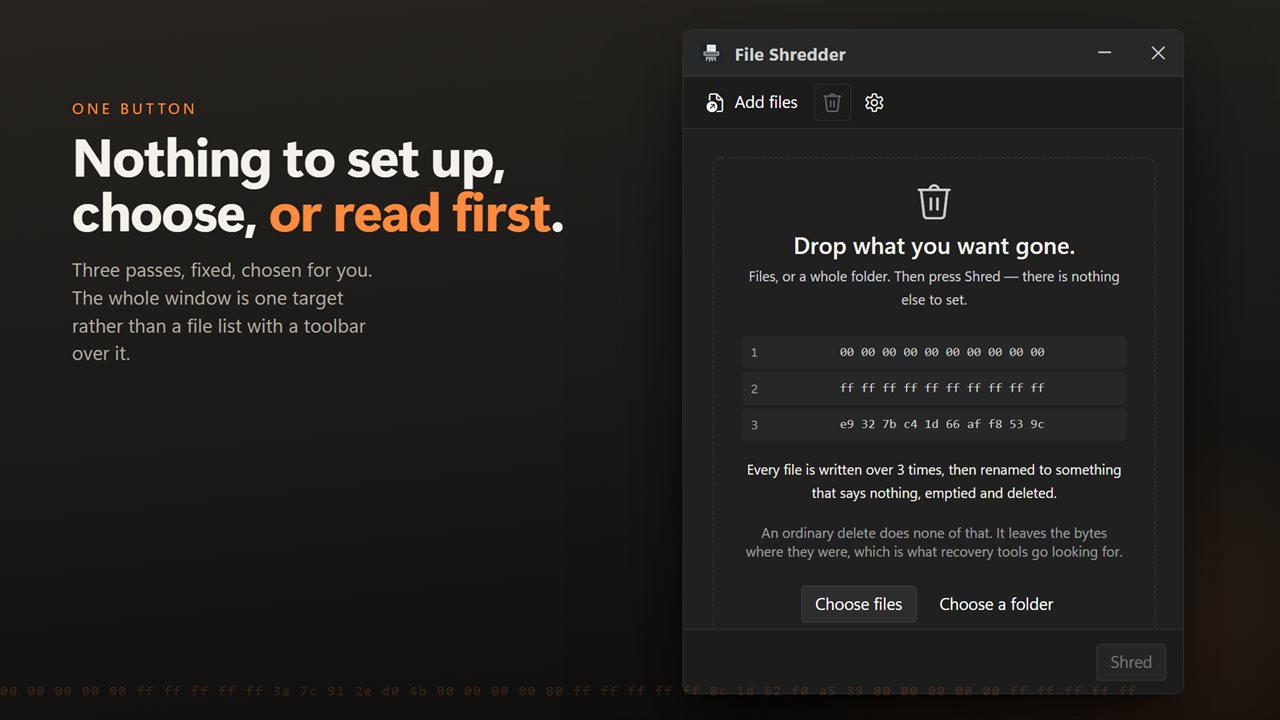
One button. Nothing to set up, choose, or read first.
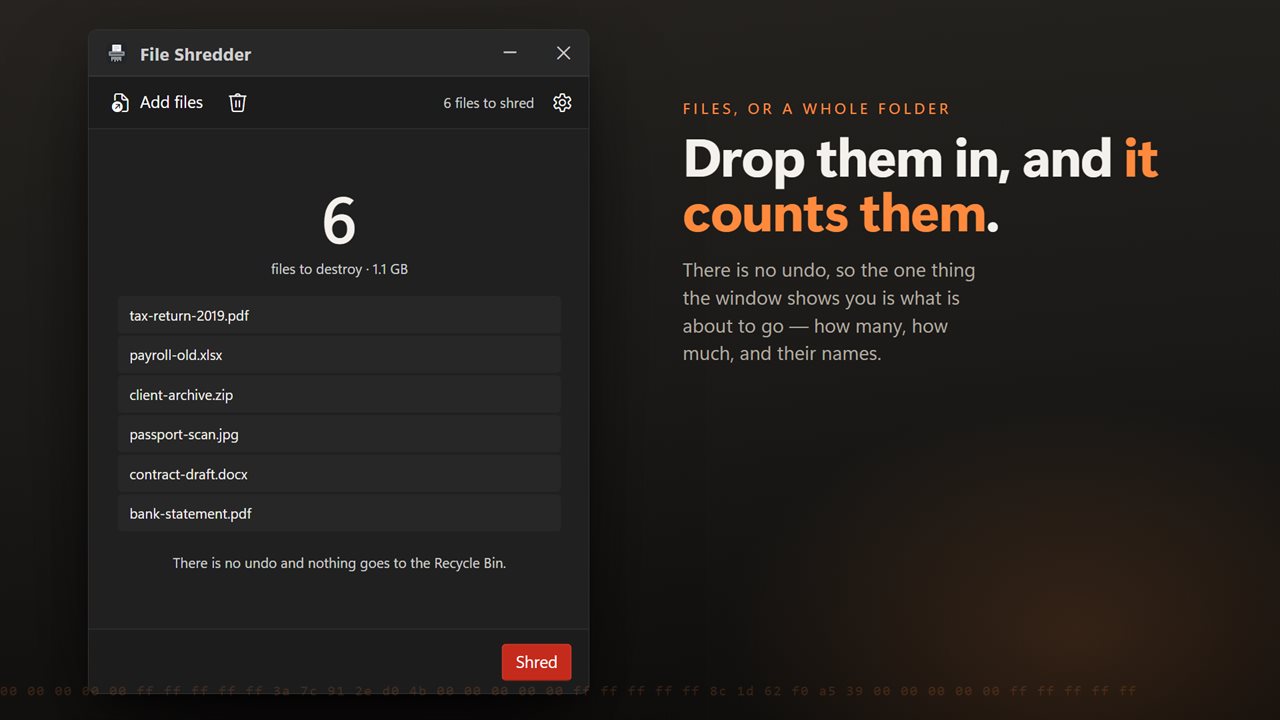
Drop in files, or a folder and everything inside it.
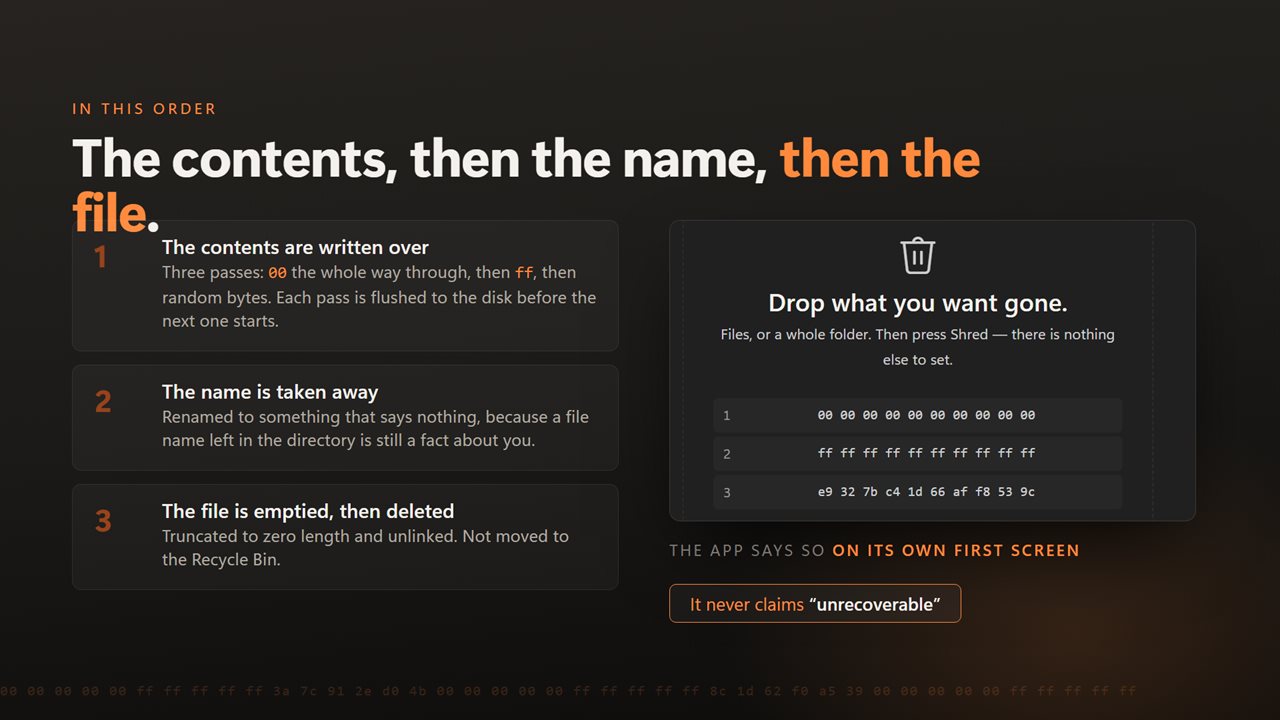
The contents are overwritten, then the name, then the file.
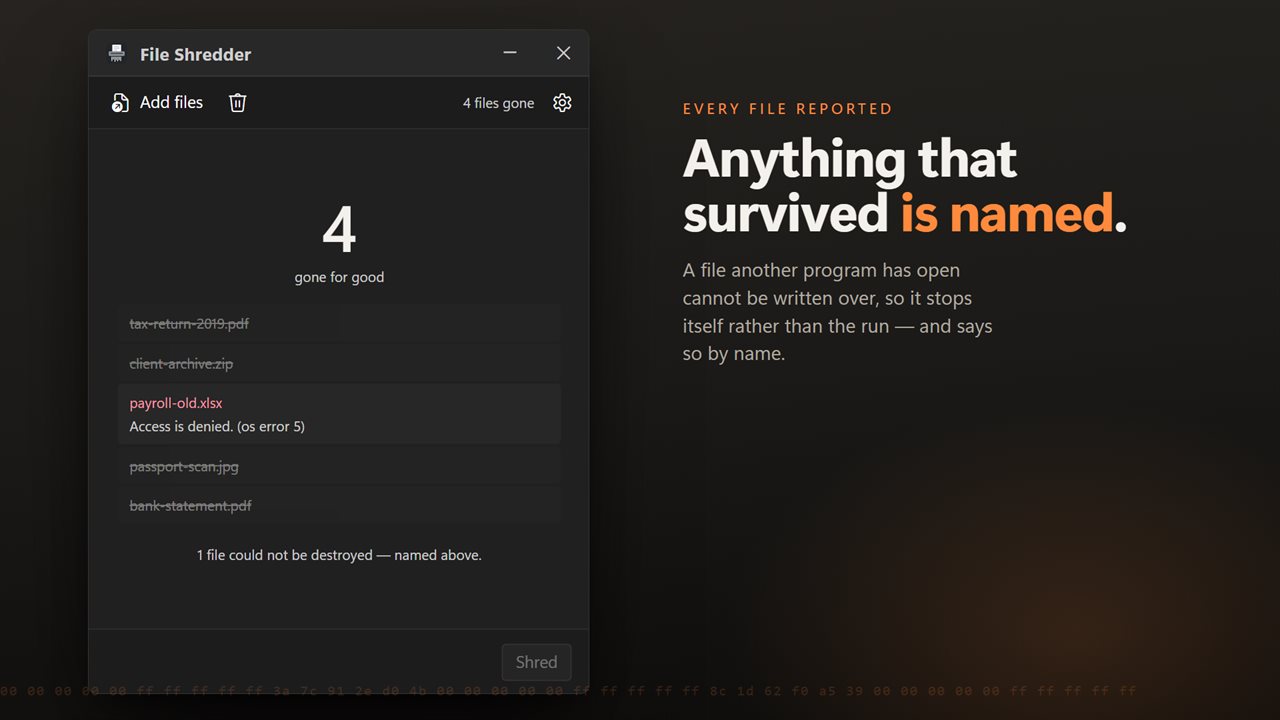
Every file reported — and anything that could not be destroyed is named.
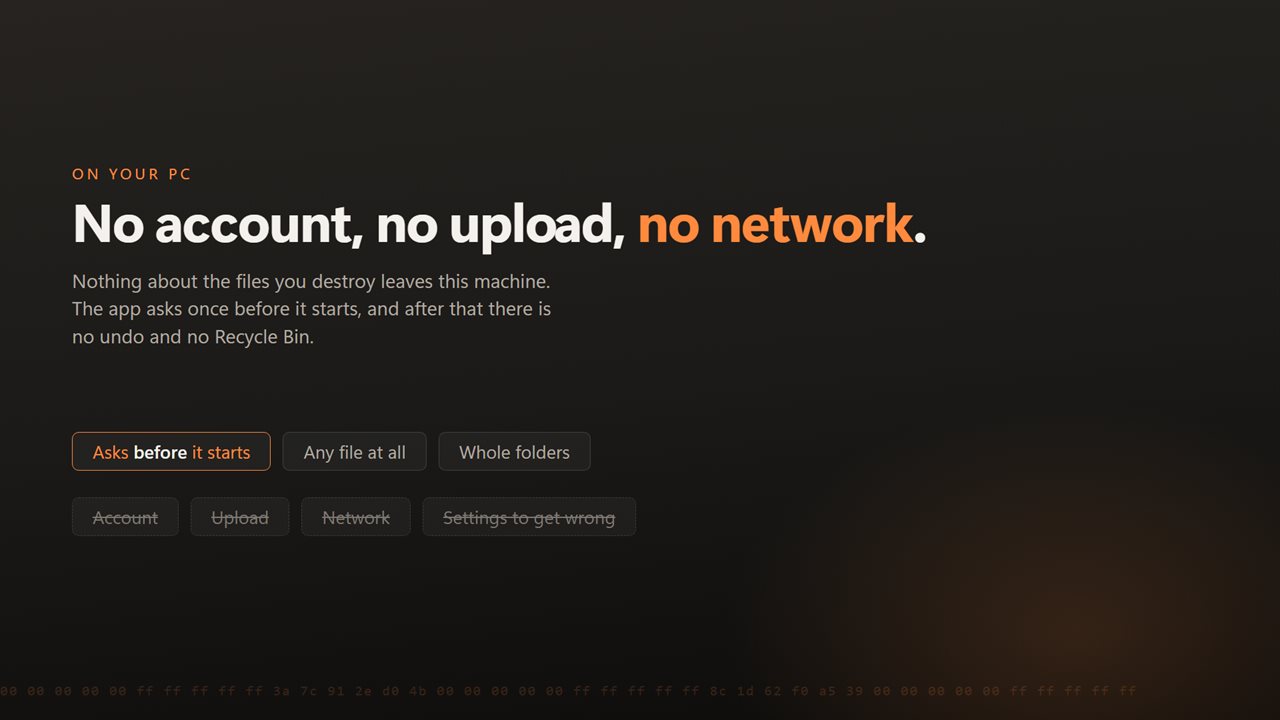
No account, no upload, no server processing. It all happens on your PC.

One button. Nothing to set up, choose, or read first.

190,000+downloads of EvlarSoft apps
Signed by EvlarSoftVerified US publisher
14-day money-backNo questions asked
Updates includedNo upgrade fees

How to permanently delete files, not just hide them

If you are searching for how to permanently delete files, you have probably learned that emptying the Recycle Bin is not enough. Neither is Shift+Delete. Both tell Windows the space is free and drop the entry pointing to it, but the bytes stay where they were until something new happens to land on top. Recovery software reads those leftovers, which is why a deleted file can come back weeks later.

The only way to defeat that is to overwrite the contents before the file is removed. File Shredder does exactly that and nothing else. There are no wipe methods to compare and no pass counts to pick. Drop the files, press Shred, confirm once, and they are destroyed.

Shred files in three steps

  • Drag files or folders onto the window, or use Choose files or Choose a folder. A folder brings in everything inside it, subfolders included.
  • Check the count and total size the app shows, along with the reminder that nothing goes to the Recycle Bin.
  • Press Shred and confirm. Each file is reported as it goes, and the count turns to gone for good when the batch is done.

What happens to a shredded file

Every file gets three overwrite passes: all zeros, then all ones, then random data. Each pass is flushed to the disk before the next begins, so the passes really reach the drive rather than sitting in a cache.

The file is then cut to zero length and given a random 12-letter name before it is deleted. That last part matters more than people expect: a leftover directory entry called Tax return 2025.pdf gives away what was there even when the contents are gone.

Read-only files have the flag cleared and are shredded like any other. A file that another program holds open cannot be written to, so it is left alone and listed with the reason, never skipped in silence.

Can permanently deleted files be recovered from an SSD?

On a traditional hard drive, overwriting a file in place replaces the old data. Solid-state drives work differently: the drive's controller spreads writes around to save wear, so an older copy of a block may survive somewhere that no Windows program can address. File Shredder overwrites the file as Windows presents it, which is as far as any software can reach, and it does not promise more than that on an SSD.

For an SSD you are retiring or giving away, pair shredding with full-disk encryption or with the drive maker's own secure-erase tool.

What it does

  • Three fixed overwrite passesZeros, ones, random
  • Each pass flushed to the drive before the next
  • File emptied and renamed to a random name before deletion
  • Whole folders, including subfolders, in one batch
  • Running count and total size before you start
  • One confirmation, then no Recycle Bin and no undo
  • Locked files named with the reason they were not destroyed
  • Folders are emptied but left in place

When to shred instead of delete

Before selling or lending a PC

Destroy scans of IDs, tax returns and statements rather than trusting the Recycle Bin.

After finishing with sensitive work

Remove exported client data, contracts or payroll files once a job is closed.

Clearing a shared family computer

Get rid of private photos or documents so another account cannot dig them back up.

What's new in 2.0.4

  • Now takes a batch. Drop in as many files as you like, or a folder and everything in it, and they all go in one pass
  • Drag and drop from Explorer, and a right-click selection of many files opens one window instead of one each
  • Files are overwritten in place rather than through a temporary copy, so nothing readable is left behind if the run is interrupted
  • Anything that could not be destroyed is now named with the reason instead of being skipped silently
  • Progress for each file and for the batch, and a long run can be cancelled
  • Still one button and no pass count to choose, which was the point of it
  • A redesigned interface, in light or dark, and it can follow Windows instead if you prefer

Questions

Anything else? Ask us

How many times does it overwrite a file?

Three times: a pass of zeros, a pass of ones, then a pass of random data, with each pass flushed to the disk before the next. The number is fixed and there is no setting to change it.

What happens to the file name?

After the overwrite the file is emptied, renamed to a random 12-letter name and then deleted. That way the leftover directory entry does not show what the file was called.

Can shredded files be restored from the Recycle Bin?

No. Files are deleted directly and never go to the Recycle Bin, and there is no undo. The app asks for confirmation before it starts.

Can I shred a whole folder?

Yes. Choose or drop a folder and every file inside it, including files in subfolders, is queued. The files are shredded, but the folders themselves are left in place, empty.

Does shredding work on an SSD?

It overwrites the file as Windows presents it. On an SSD the drive itself may keep older copies of the data in places no program can reach, so the app does not claim the data is unrecoverable there.

What if a file is open in another program or read-only?

A read-only file has that flag cleared and is shredded normally. A file that cannot be opened for writing, such as one another program has locked, is listed with the reason it could not be destroyed.

Is Shift+Delete the same as permanently deleting a file?

No. Shift+Delete skips the Recycle Bin but leaves the contents on the disk, where recovery software can often still find them. Shredding overwrites the contents first.

Can I stop a shred once it has started?

Yes, Cancel stops it at once, but files already finished are gone for good. The file being worked on at that moment stays on disk under its own name, though it may already be partly overwritten, so treat it as damaged.

Which versions of Windows does it run on?

Windows 10 (version 1809 or later) and Windows 11.

Is it a subscription?

No. File Shredder is a one-time purchase of $1.99, and updates are included.

How do I get it?

Buy it on this page and your license key arrives by email. If the button says Notify me, File Shredder is not on sale here yet; leave your email and we will tell you when it is.

Prefer widgets? The File Shredder widget on WidgetSpark does a similar job, alongside over 100 other desktop widgets in one app.