EEvlarSoft

Any File Splitter

Split any large file into pieces that fit the limit you are up against, a 25 MB attachment, a 4 GB FAT32 stick or a DVD, and join them later.

Buy for $2.99
One payment. No subscription.
14-day money-back guarantee.
3.0
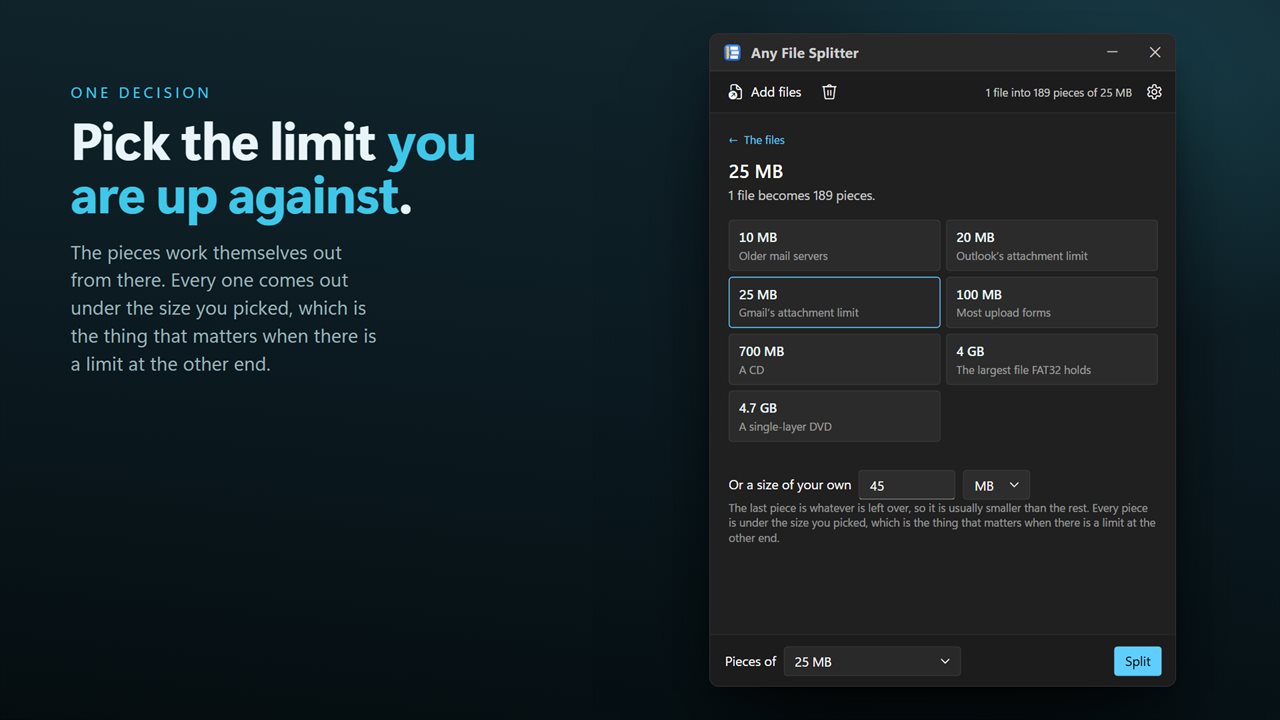
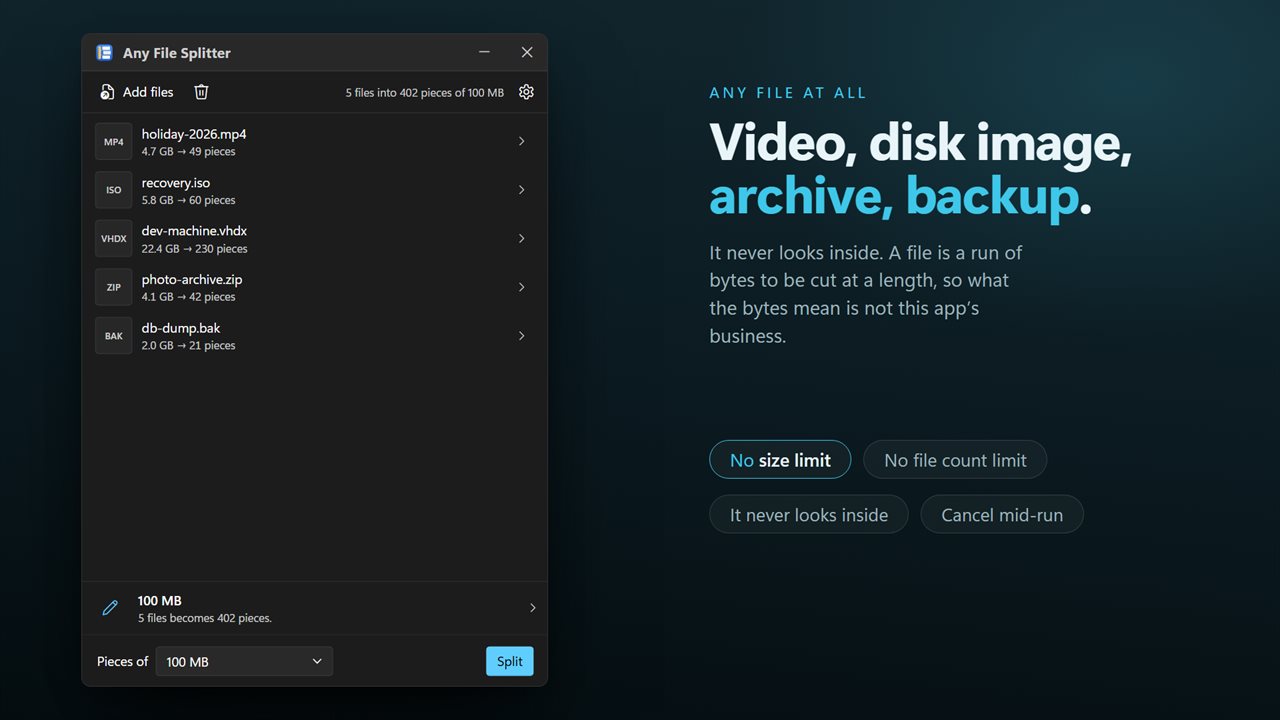
Pick the limit you are up against. The pieces work themselves out.
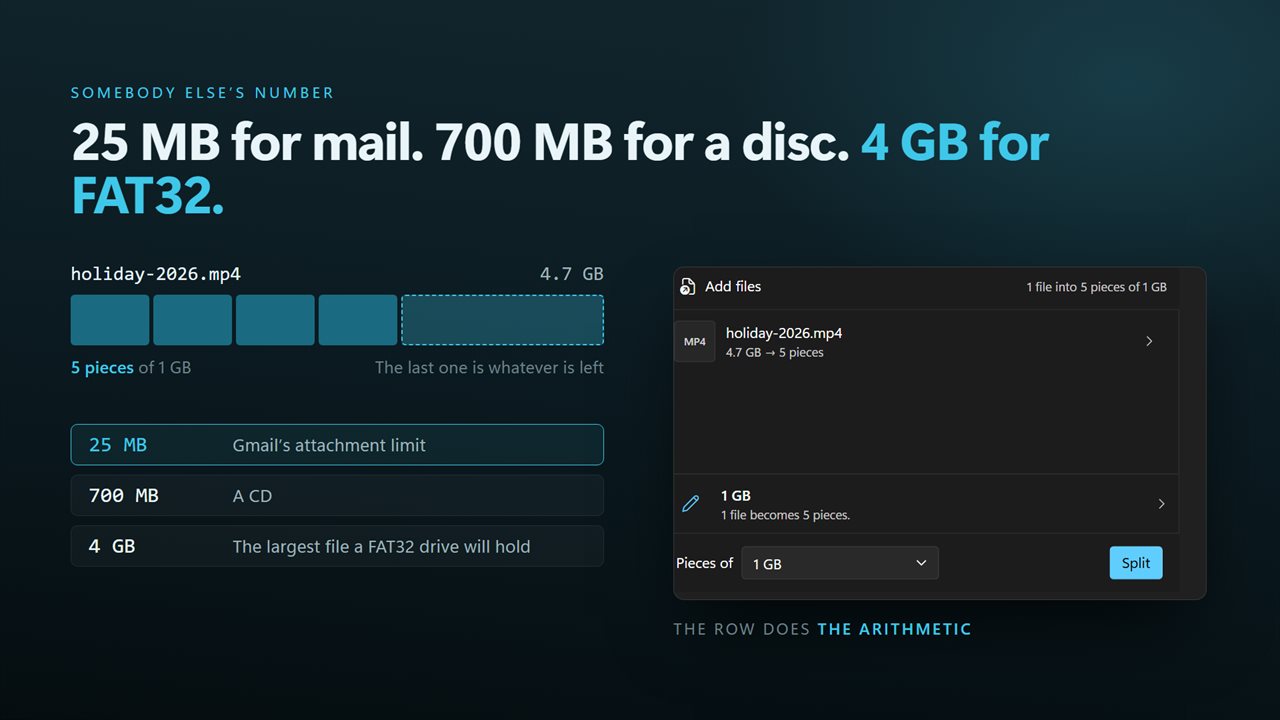
25 MB for mail, 700 MB for a disc, 4 GB for a FAT32 drive.
Any file at all — video, disk image, archive, backup.
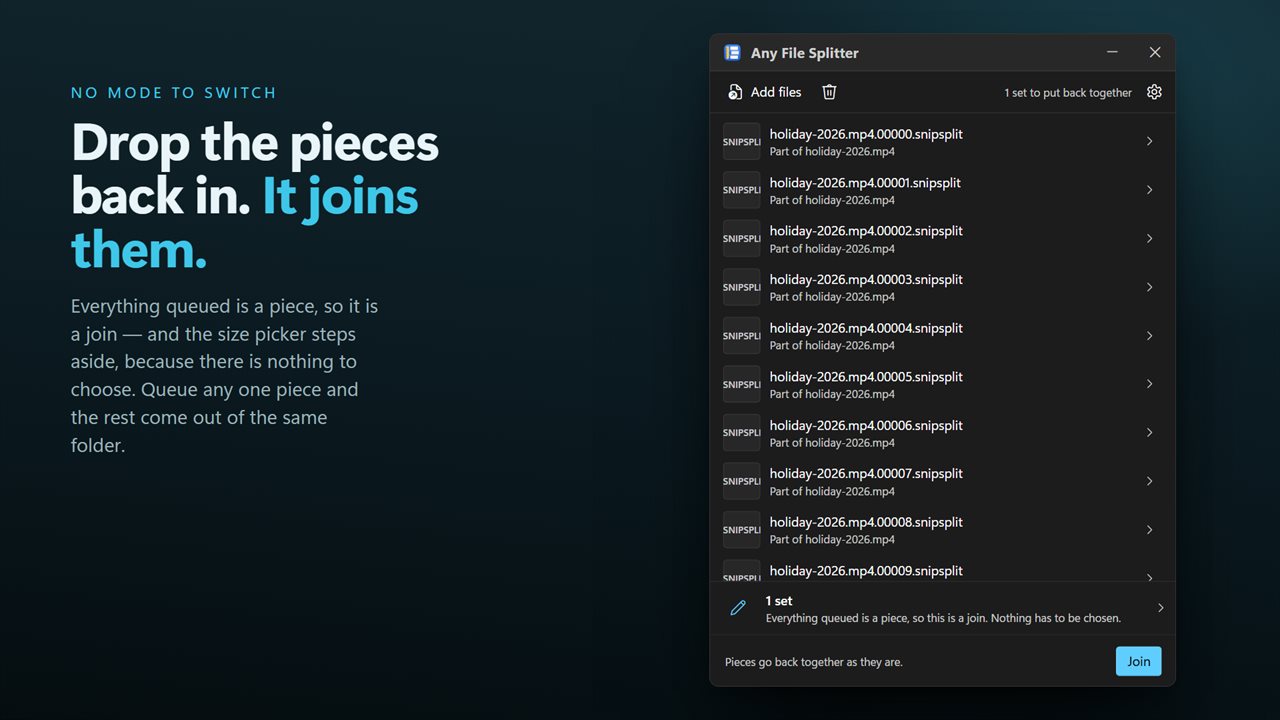
Drop the parts back in and it joins them. No mode to switch.
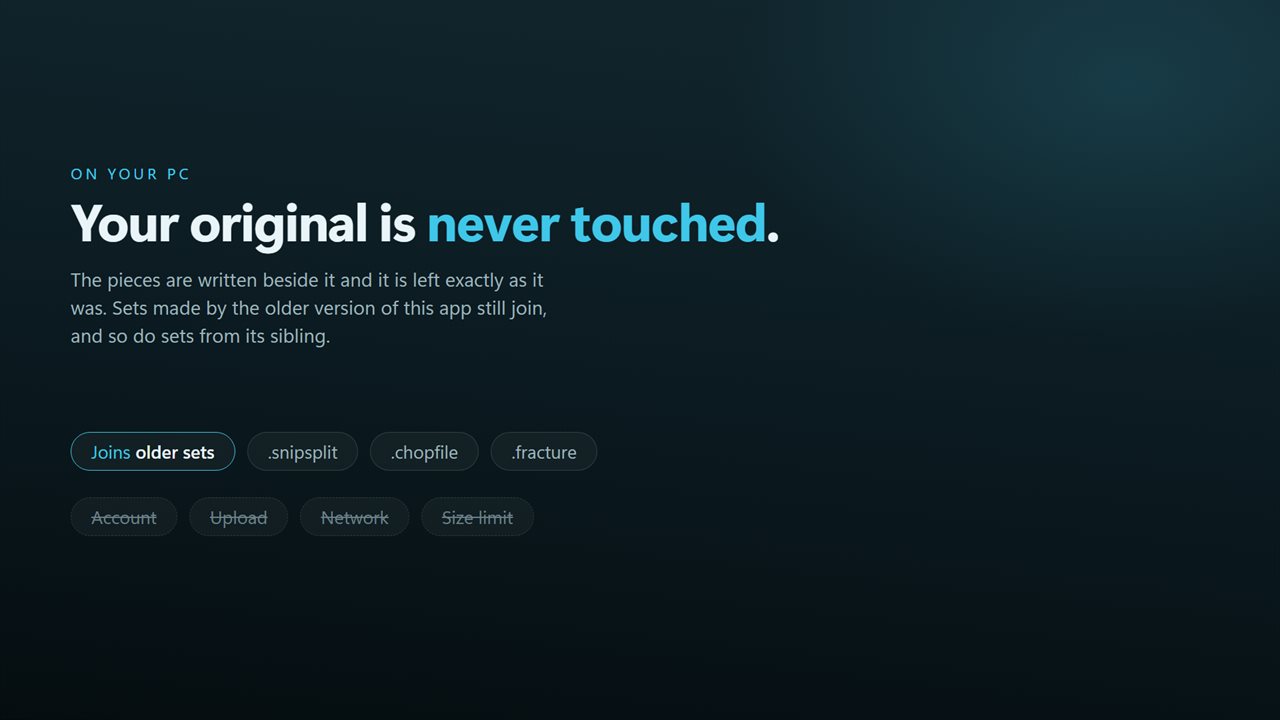
Nothing is uploaded. Your original is never touched.

Pick the limit you are up against. The pieces work themselves out.

190,000+downloads of EvlarSoft apps
Signed by EvlarSoftVerified US publisher
14-day money-backNo questions asked
Updates includedNo upgrade fees

A file splitter that starts from the limit, not the piece count

Nobody needs a file in exactly five pieces. What you need is for each piece to clear a specific limit: the attachment cap on your mail account, the 4 GB ceiling on a FAT32 USB stick, the capacity of a blank disc. This app asks for that size and works out the number of pieces for you, so an 11 GB disk image headed for a FAT32 stick comes out as three parts.

It treats every file as raw bytes. Videos, ISO disk images, virtual machine disks, ZIP and 7z archives, database exports and backup files all split the same way, and nothing inside them is compressed, converted or opened. Every piece except the last is exactly the size you chose; the last holds the remainder.

The parts are written beside the original, numbered in order, such as video.mp4.00000.snipsplit, video.mp4.00001.snipsplit and so on. The original file is only read, never altered.

How to split a file into multiple files

The window is small and has one decision in it.

  • Click Choose a file or drag one or more files onto the window.
  • Under Pieces of, choose a size. The pane named What size the pieces are explains each choice.
  • To use your own size, type any number from 1 to 99,999 and pick KB, MB or GB.
  • Press Split. The summary reports how many files were split into how many pieces.

File too large for the destination file system? Split it to fit FAT32

Windows shows that error when you copy a file over 4 GB to a drive formatted as FAT32, which many USB sticks, SD cards, older external drives, car stereos and game consoles still use. Reformatting the drive as NTFS or exFAT fixes it, but erases what is on it and may not be readable by the device that needs it.

Splitting is the alternative that leaves the drive alone. Choose the 4 GB preset, which is set one byte under the FAT32 ceiling, and each piece copies without complaint. On the other side, drop the pieces back into the app to rebuild the original.

The same approach works for discs. The 700 MB preset fits a standard CD-R. The 4.7 GB preset is 4,700 binary megabytes, which is more than a single-layer DVD really holds, so for DVDs type a custom size of 4,400 MB instead and every piece will burn.

Getting past an email attachment size limit

Mail services cap attachments, commonly at 20 or 25 MB and at 10 MB on some older servers. The cap counts the message after encoding, which adds about a third, so a 25 MB piece will bounce off a 25 MB limit. Leave room: type a custom 18 MB for a 25 MB cap, 14 MB for a 20 MB cap, or use the 10 MB preset, then send the pieces as separate messages. The 100 MB preset suits upload forms that refuse anything larger, where no encoding overhead applies.

The recipient needs the complete set in one folder to rebuild the file. With this app, dropping in any one part is enough, because it gathers the rest of the set from the same folder. Without it, the pieces are plain slices with no header, so the standard copy /b command in Command Prompt joins them in number order.

Joining has no separate mode. When everything you drop is a part, the button changes from Split to Join, and the rebuilt file is identical to the original down to the last byte. A gap in the middle of the numbering is reported by name before anything is written.

What Any File Splitter does

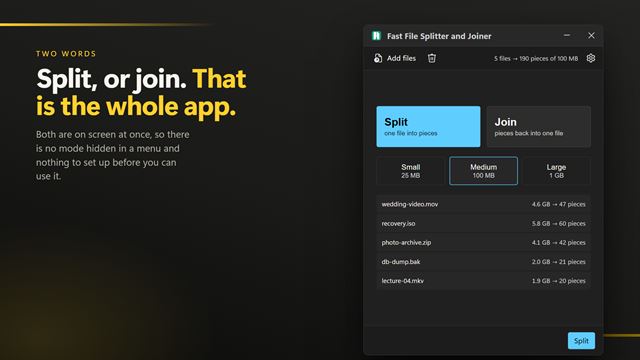
  • Splits any file type by part size rather than by number of pieces
  • Presets for 10, 20, 25 and 100 MB, 700 MB, 4 GB and 4.7 GB
  • Custom sizes from 1 to 99,999 KB, MB or GB
  • Batch splittingEvery queued file is cut to the same size in one pass
  • Joins automatically when you drop in parts, from just one part of the set
  • Reads .snipsplit, .chopfile and .fracture parts
  • Checks free disk space before splitting and removes partial output if a split is cancelled
  • Leaves the original file untouched

Where splitting a file helps

Moving big files on a FAT32 stick

Carry a 10 GB video or disk image on a drive that rejects anything over 4 GB, without reformatting it.

Sending files by email

Break a recording or archive into pieces small enough to clear the attachment cap once the mail system has encoded them.

Archiving to disc

Spread a large backup across CDs or DVDs, then rebuild it from the discs when you need it.

What's new in 2.0.6

  • Split by size, which is the thing this app could not do before. Pick a mail limit, a disc, the FAT32 ceiling, or type any size — no working out the piece count yourself
  • Added joining. Earlier versions could only split; drop the parts back in and the original is rebuilt byte for byte
  • Now takes a whole batch instead of one file per run
  • Drag and drop from Explorer, and a right-click selection of many files opens one window rather than one each
  • A missing part is named before anything is written, instead of producing an incomplete file
  • A redesigned interface, in light or dark, and it can follow Windows instead if you prefer

Questions

Anything else? Ask us

What part sizes can I split a file into?

You pick a size rather than a number of pieces: 10 MB, 20 MB, 25 MB, 100 MB, 700 MB (a CD), 4 GB (just under the FAT32 file limit) or 4.7 GB (a single-layer DVD). You can also type your own size from 1 to 99,999 in KB, MB or GB. Every piece is that size except the last, which holds whatever is left.

How do I join the parts back into the original file?

Drop the parts into the window. When everything queued is a part, the app joins instead of splitting, and one part from a set is enough because it collects the rest from the same folder. The rebuilt file is written in that folder under its original name, and a file already there with that name is replaced.

What happens if one of the parts is missing?

If a part from the middle of the set is missing, the app names it and writes nothing. The parts carry no record of how many there should be, so a missing last part cannot be detected, and the joined file would come out short.

Can it join parts made by the older version of the app?

Yes. It joins parts named like video.mp4.00000.snipsplit, which is what the earlier Any File Splitter wrote, as well as .chopfile and .fracture parts from EvlarSoft's other two splitters. New splits are always written as .snipsplit.

Can someone join the parts without this app?

Yes. Each part is a plain slice of the original with no header added, so joining the parts in number order, for example with copy /b in Command Prompt, gives back the original file.

What happens to the original file and my disk space while splitting?

The original is only read, and the parts are written in the same folder. Before it starts, the app checks that the drive has room for the whole file, and if a split is cancelled or fails, the parts it already wrote are deleted.

What is the maximum file size on FAT32?

4 GB minus one byte. Any File Splitter's 4 GB preset is set to exactly that, so every piece fits on a FAT32 drive.

Does splitting a file compress or damage it?

Neither. The pieces are exact slices of the original bytes, and joining them gives back an identical file. Nothing is compressed, so the pieces together take the same space as the original.

Can I split several files at once?

Yes. Queue as many as you like and each is split to the same piece size in a single run.

Which versions of Windows does it run on?

Windows 10 (version 1809 or later) and Windows 11.

Is it a subscription?

No. Any File Splitter is a one-time purchase of $2.99, and updates are included.

How do I get it?

Buy it on this page and your license key arrives by email. If the button says Notify me, Any File Splitter is not on sale here yet; leave your email and we will tell you when it is.