EEvlarSoft

File Hash Generator

Get the MD5 or SHA-256 of every file in a folder in one go, then copy the full list with a single button, already formatted the way checkers expect.

Buy for $1.99
One payment. No subscription.
14-day money-back guarantee.
5.0
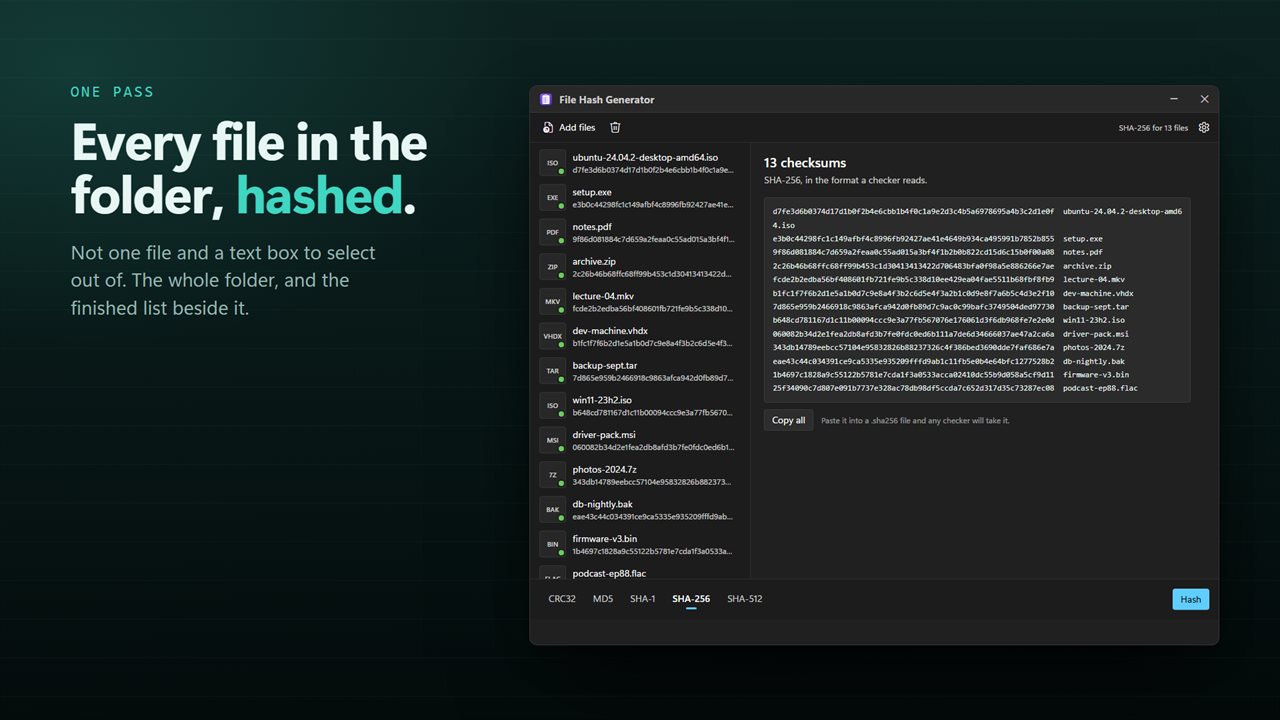
Every file in the folder, hashed in one pass.
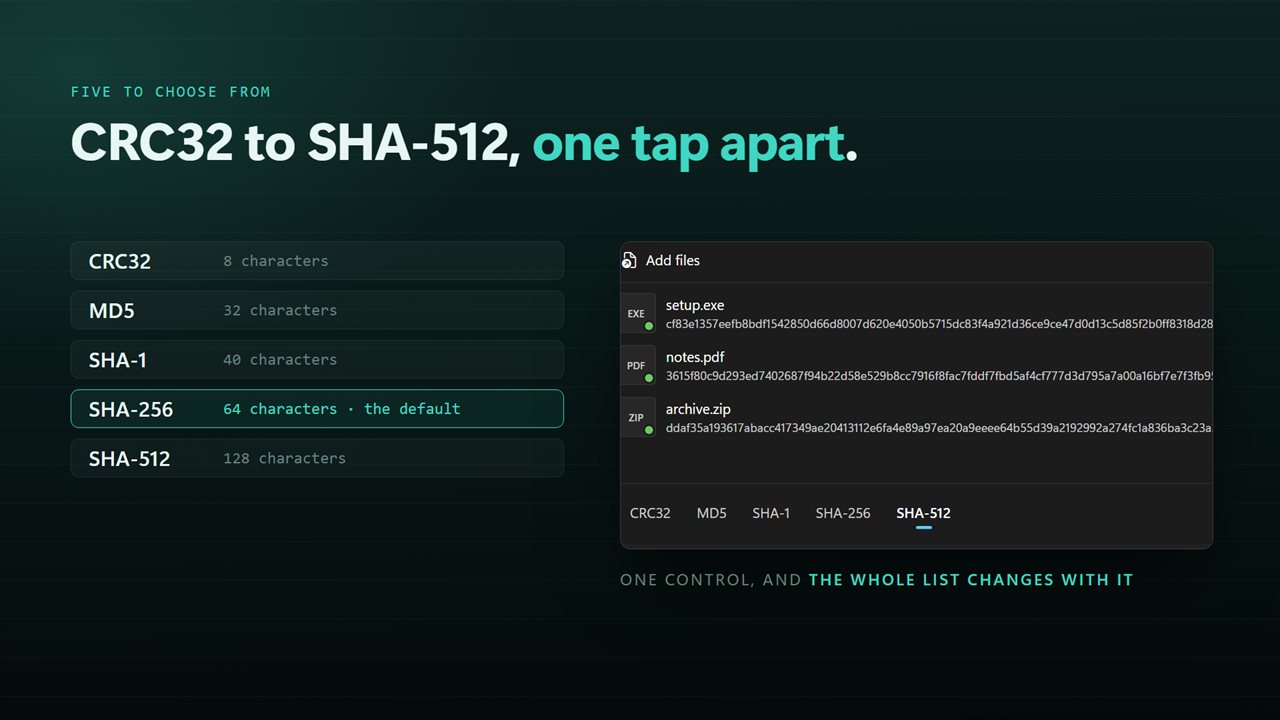
CRC32, MD5, SHA-1, SHA-256 and SHA-512.
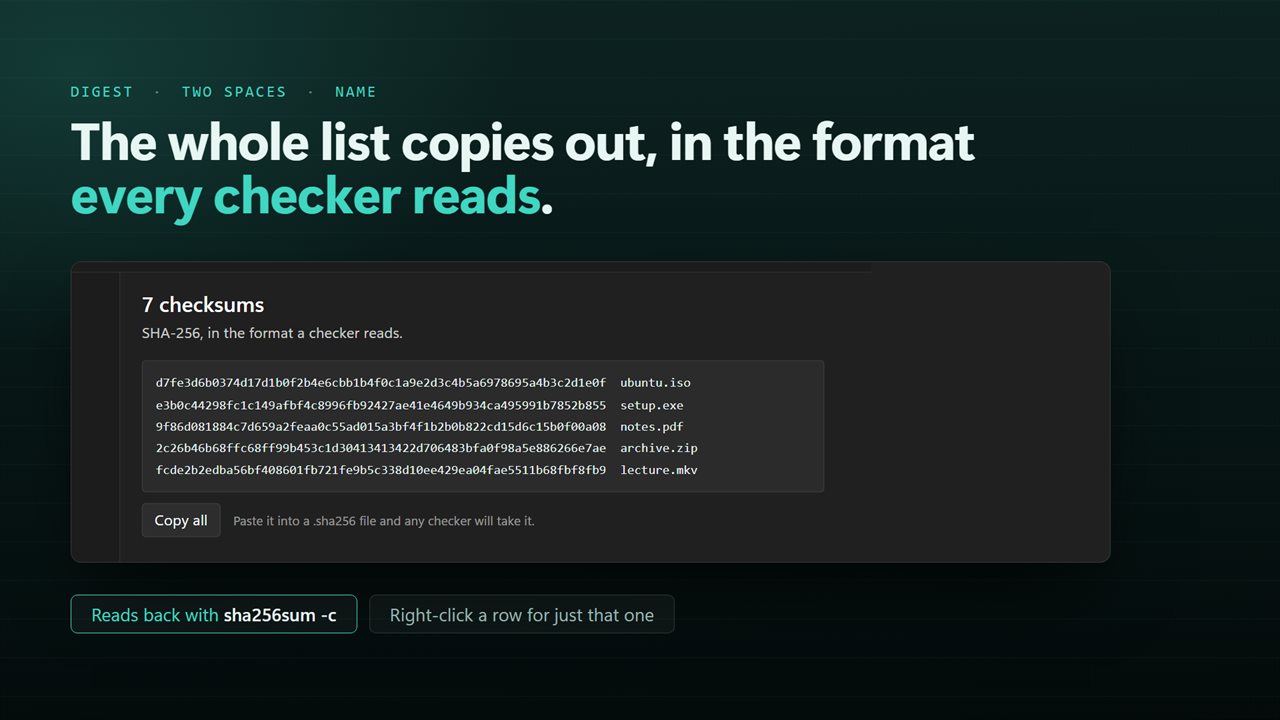
The whole list copies out in the format every checker reads.
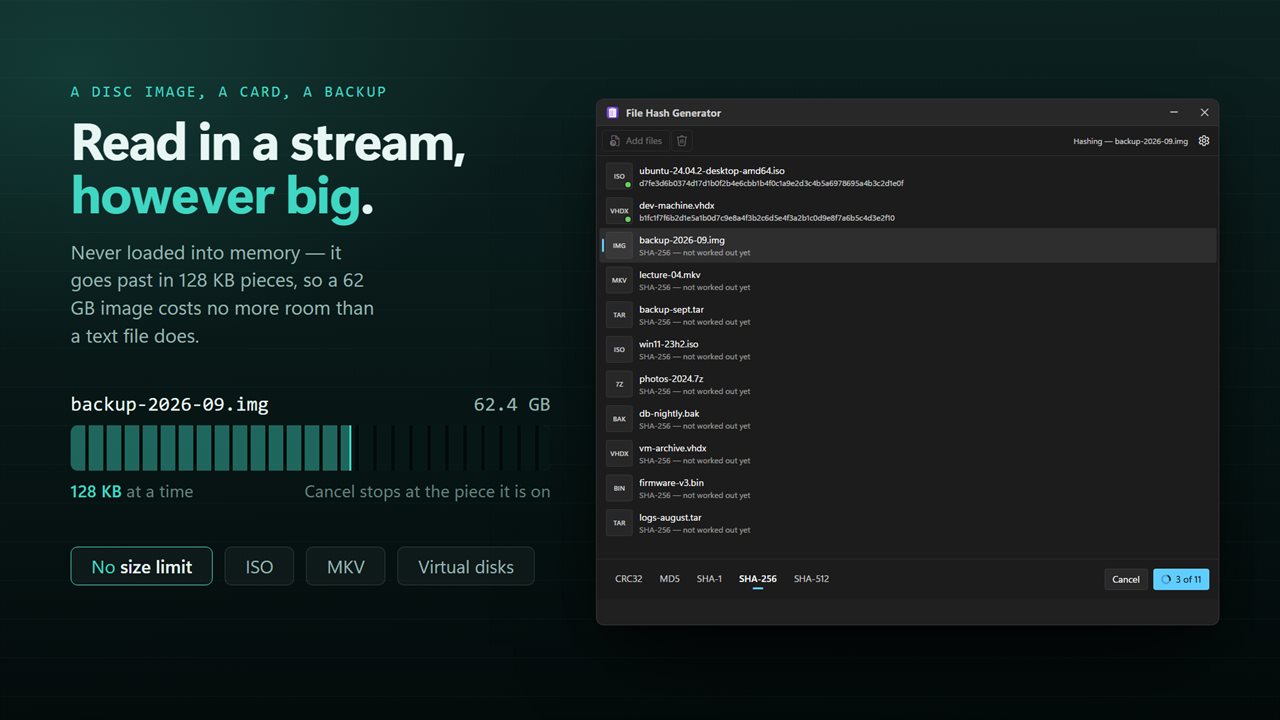
Disc images and videos are read in a stream, however big they are.
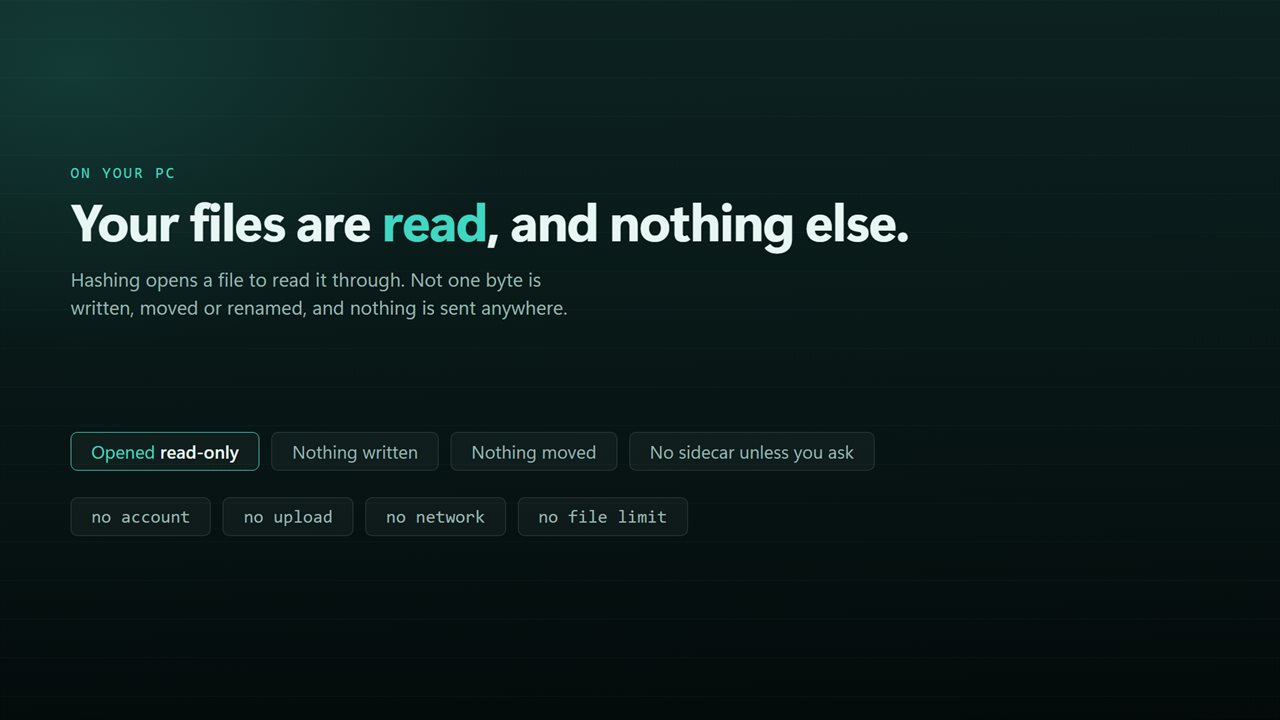
Nothing is uploaded, and nothing about your files is changed.

Every file in the folder, hashed in one pass.

190,000+downloads of EvlarSoft apps
Signed by EvlarSoftVerified US publisher
14-day money-backNo questions asked
Updates includedNo upgrade fees

A checksum calculator for a folder, not a single file

A checksum calculator turns a file's contents into a short fingerprint. Change a single byte and the fingerprint changes completely, which is why it is the standard way to prove a backup, a copy or an upload arrived intact.

Windows can already do this from a terminal, one command and one file at a time, and the answer comes back as a table you then have to tidy up. File Hash Generator does the same arithmetic for as many files as you drop in and gives you the result as text you can use straight away: each line is the digest, two spaces and the file name.

That layout is the one sha256sum and md5sum read with their check option, so the list can be pasted into a .sha256 or .md5 file and handed to someone on another computer to confirm their copies.

How to get the MD5 or SHA-256 checksum of many files

  • Click Choose files, or Or a folder to take every file directly inside one folder. Dragging files onto the window works too.
  • Pick the algorithm under Which checksum: CRC32, MD5, SHA-1, SHA-256 or SHA-512. SHA-256 is preselected.
  • Click Hash. Each row fills in with its digest as the run goes, and Cancel halts a long batch.
  • When it finishes, press Copy all for the complete list, or right-click any one file for Copy the SHA-256 or Copy SHA-256 and name.

MD5, SHA-1 or SHA-256: which hash to choose

Use whatever the other side published. If a download page lists an MD5, you need an MD5 to compare against it; computing a SHA-256 instead gives you nothing to match.

When the choice is yours, SHA-256 is the safe default and SHA-512 is fine where it is expected. MD5 and SHA-1 are no longer trusted against deliberate tampering, but they still catch accidental corruption and are what a lot of older sites list. CRC32 is the quickest of the five and is best kept for checking that a copy between your own drives went through cleanly.

Hashing ISO images and other very large files

Files are read in small chunks from start to finish, never loaded whole into memory. A 40 GB virtual disk or a multi-gigabyte ISO is hashed with the same memory as a small document; the only thing that grows is the time, which depends on your drive's read speed.

Nothing is written beside your files and nothing is modified. The checksums live in the window until you copy them somewhere.

Features

  • Five algorithmsCRC32, MD5, SHA-1, SHA-256 and SHA-512
  • Batch hashing of individual files or a whole folder
  • Copy all writes the list as digest, two spaces, file name
  • Each row shows its digest in the queue as soon as it is worked out
  • Right-click a file to copy just its digest, or the digest with its name
  • Streams large files instead of loading them into memory
  • Cancel halts a big batch partway through
  • Read-onlyNothing is written beside your files and they are never changed

Where a checksum list helps

Proving a backup copy is identical

Hash the source folder and the copy, paste both lists side by side, and any file that differs stands out.

Sending files to a client

Include the list in your email so the recipient can confirm every file arrived exactly as you sent it.

Recording evidence or archives

Store a SHA-256 list alongside an archive today, and you can show later that nothing in it has changed.

What's new in 2.0.4

  • Now hashes a whole batch. Earlier versions did one file at a time; drop in a folder and every file in it is done in one pass
  • Copy the entire list in one press, in the standard two-space checksum format — it pastes straight into a .sha256 file that any checker will read
  • Added SHA-512 and CRC32 alongside MD5, SHA-1 and SHA-256
  • Files are read in a stream instead of being loaded into memory, so disk images and videos no longer depend on how much RAM is free
  • A long run can be cancelled part-way through
  • Drag and drop from Explorer, and a right-click selection of many files opens one window instead of one each
  • A redesigned interface, in light or dark, and it can follow Windows instead if you prefer

Questions

Anything else? Ask us

Which checksums can it calculate?

CRC32, MD5, SHA-1, SHA-256 and SHA-512. You pick one for each run, and SHA-256 is selected at first.

Can I copy all the checksums at once?

Yes. Copy all puts the whole list on the clipboard, one line per file: the checksum, two spaces, then the file name. That is the format sha256sum -c and similar checkers read, so the list can be saved as a .sha256 or .md5 file. You can also right-click a single file to copy its checksum alone or with its name.

Can it check a file against a checksum from a download page?

No. It calculates checksums and does not have a box to paste the expected value into, so you compare the two yourself.

Does it work on very large files like ISO images?

Yes. Files are read in small chunks rather than loaded into memory, so file size does not depend on how much RAM you have. A long run can be stopped at any point.

Does it save checksum files next to my files?

No. The checksums stay in the app until you copy them, and nothing is written beside your files. The files themselves are only read.

Does adding a folder include its subfolders?

No. Add folder takes the files directly inside the folder. Files in subfolders have to be added separately.

Do two files with the same checksum have the same contents?

With SHA-256 or SHA-512, in practice yes. With CRC32 or MD5 a match is very likely to mean identical contents, but these are weak enough that someone can craft two different files with the same value on purpose.

Does the file name affect the checksum?

No. Only the bytes inside the file are hashed, so a renamed copy gives the same digest as the original.

Which versions of Windows does it run on?

Windows 10 (version 1809 or later) and Windows 11.

Is it a subscription?

No. File Hash Generator is a one-time purchase of $1.99, and updates are included.

How do I get it?

Buy it on this page and your license key arrives by email. If the button says Notify me, File Hash Generator is not on sale here yet; leave your email and we will tell you when it is.