EEvlarSoft

Email Backup

Copy your whole mailbox to your PC, every folder included, then search and read it whether you are online or not.

Buy for $2.99
One payment. No subscription.
14-day money-back guarantee.
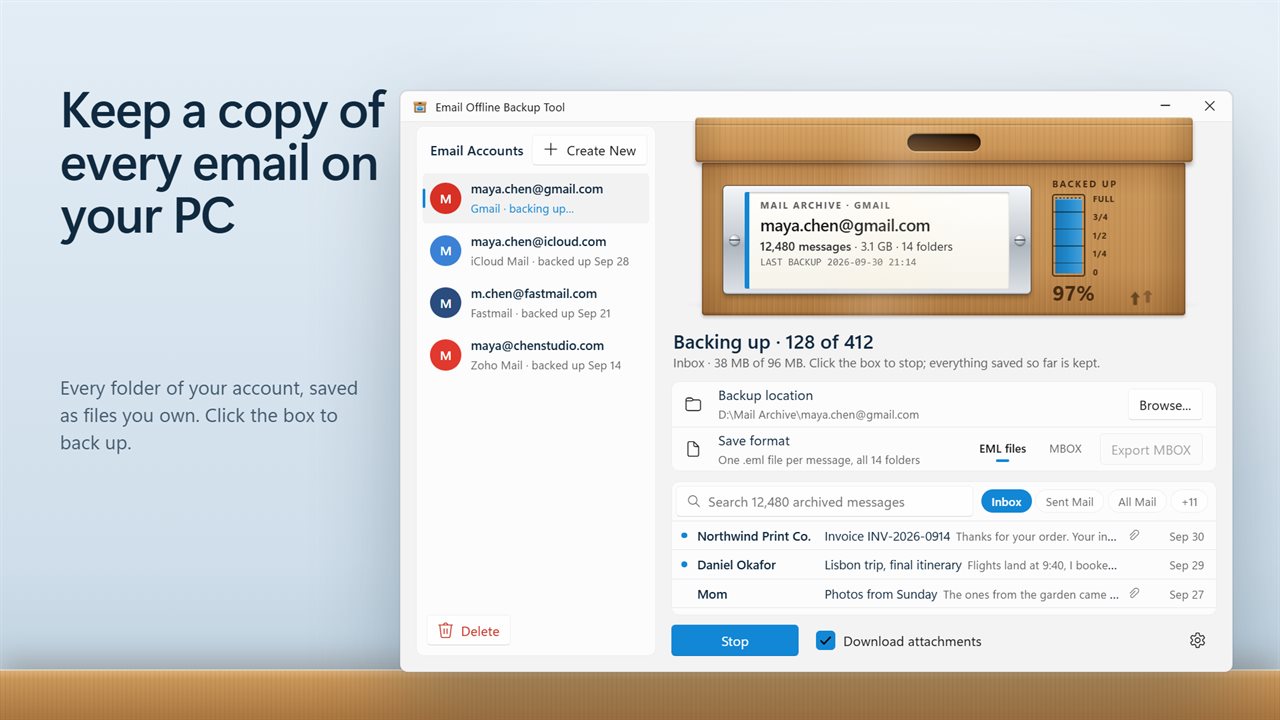
Keep a copy of every email on your PC.
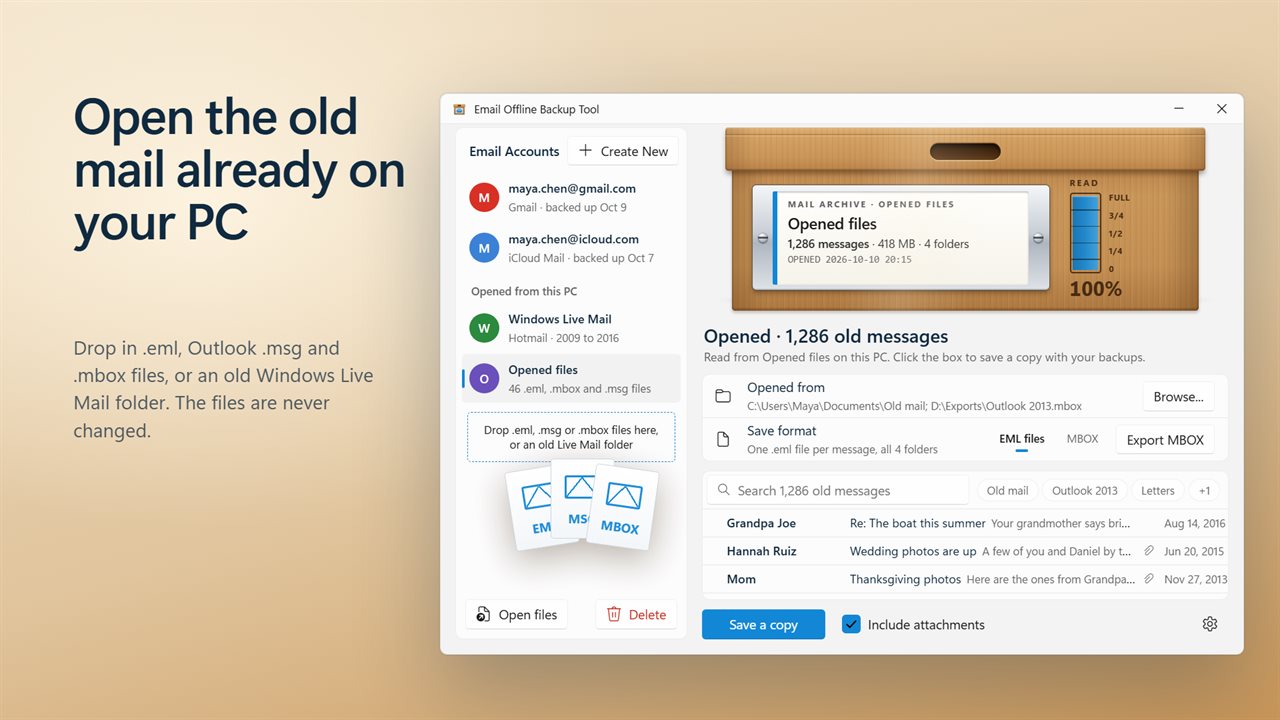
Open old .eml, Outlook .msg and .mbox files, and Windows Live Mail.
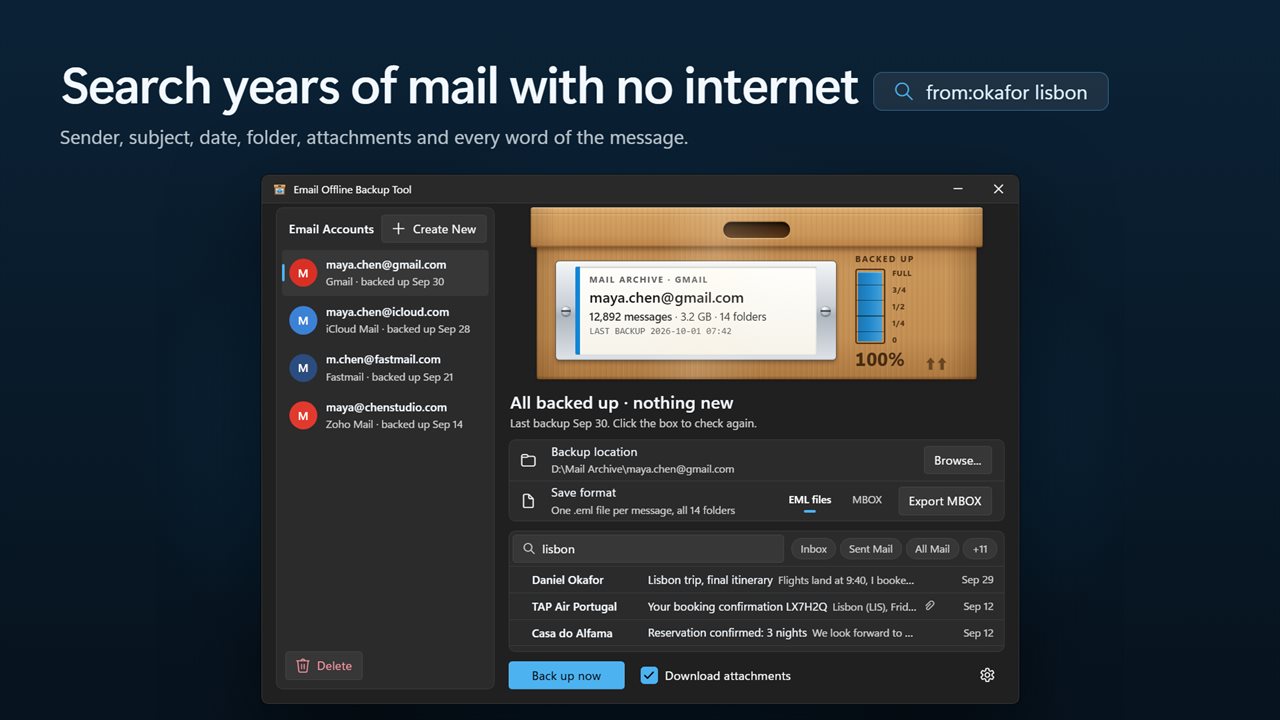
Search years of mail with no internet.
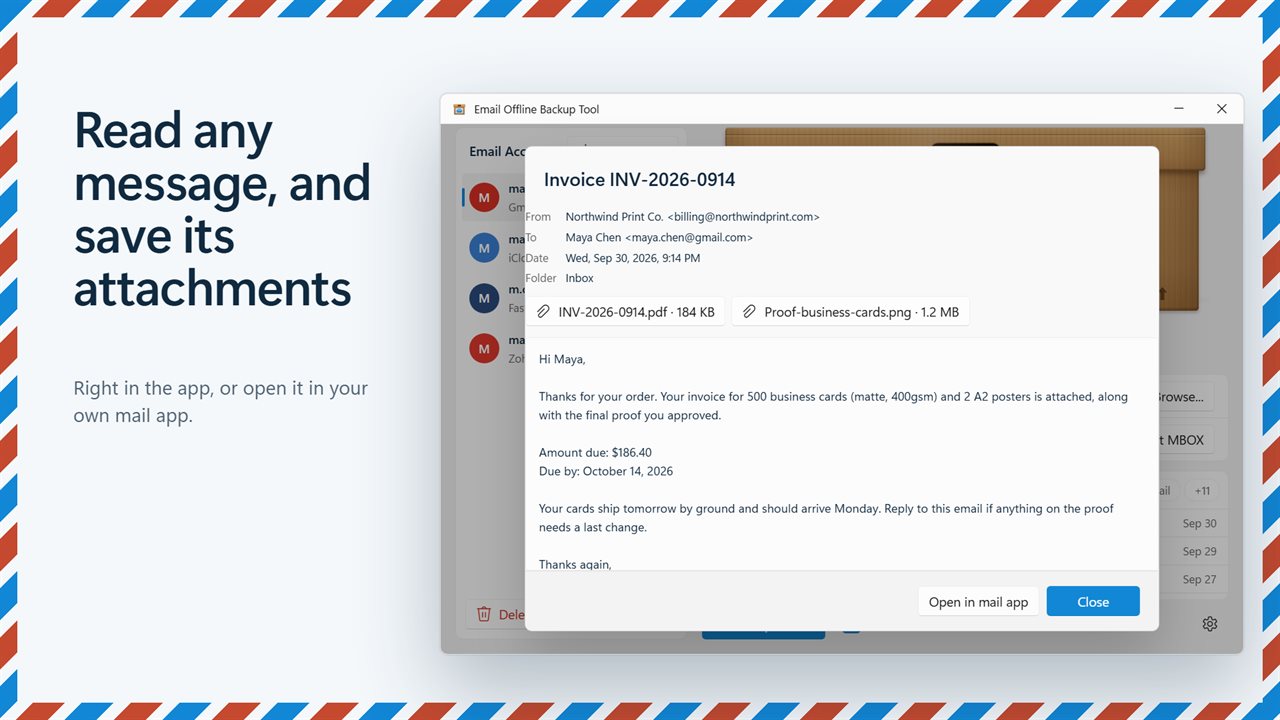
Read any message and save its attachments.
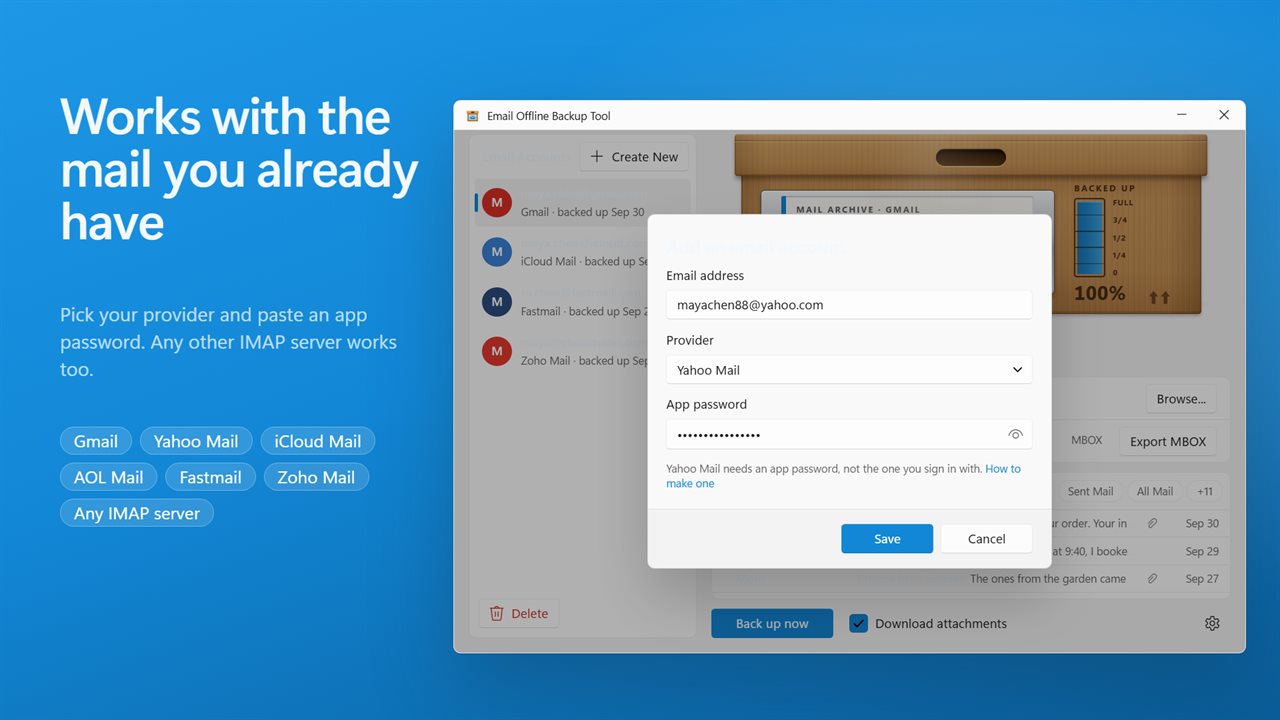
Gmail, Yahoo, iCloud, AOL, Fastmail, Zoho or any IMAP server.
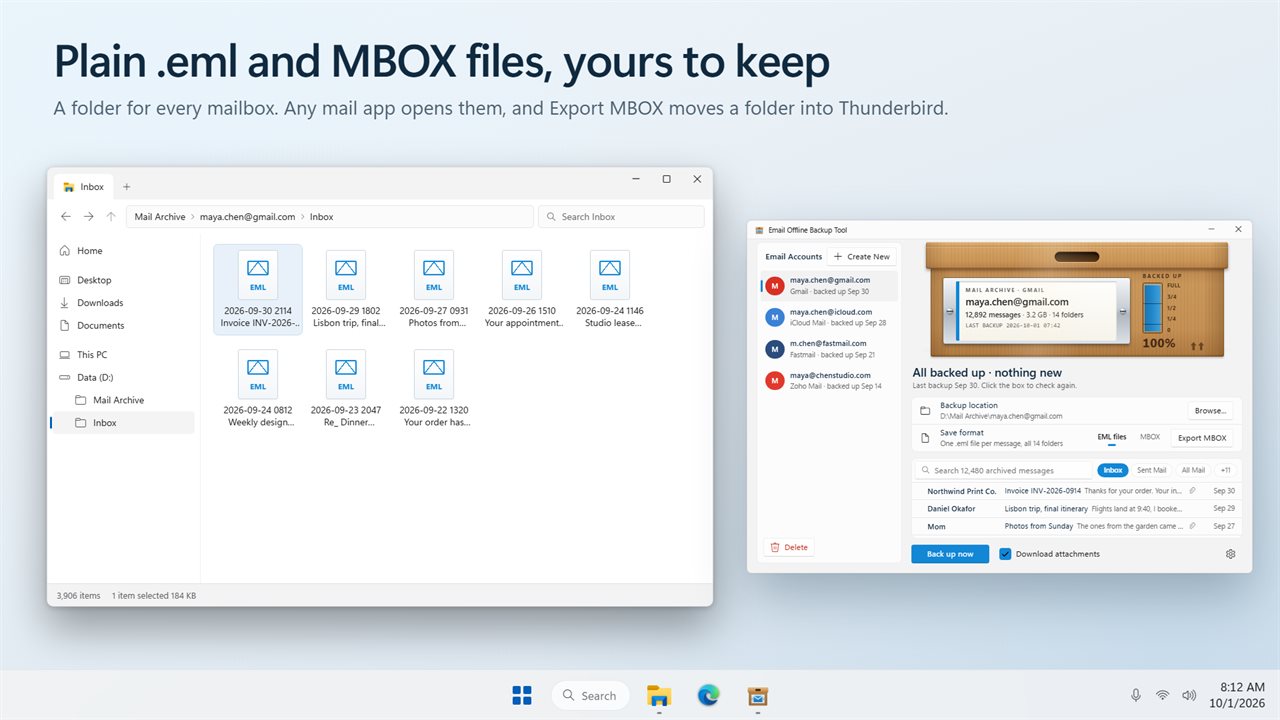
Plain .eml and MBOX files that any mail app opens.
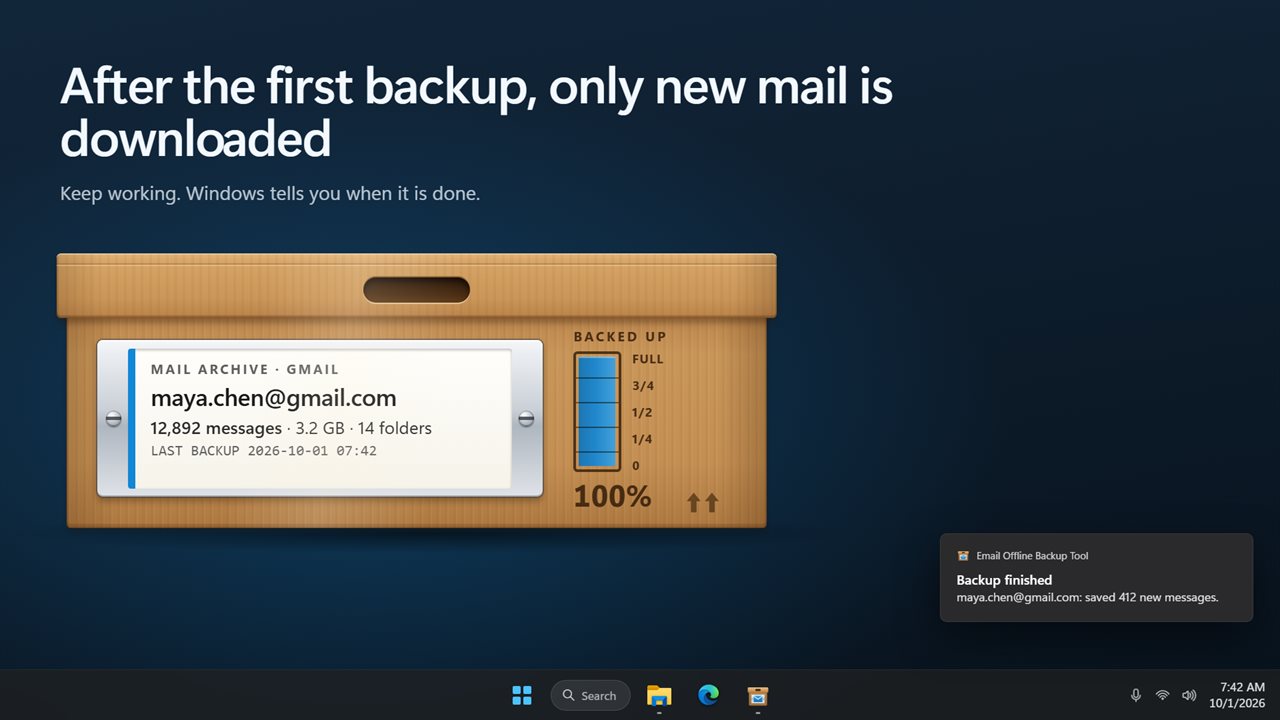
After the first backup, only new mail is downloaded.

Keep a copy of every email on your PC.

190,000+downloads of EvlarSoft apps
Signed by EvlarSoftVerified US publisher
14-day money-backNo questions asked
Updates includedNo upgrade fees

Email backup you can actually open and search

A one-off export from a webmail account gives you a zip file you will probably never open. Syncing the account to a desktop mail app gives you a copy that disappears when you delete the message on the server. Email backup, done properly, sits between the two: a copy that grows each time you run it, stays put when the server changes, and can still be searched years later.

Email Offline Backup Tool works that way. Add an account under Email Accounts, click the archive box, and it downloads every folder, from Inbox and Sent to Drafts, Archive and any you created. Spam and Trash are skipped unless you switch them on. Before it starts, the headline tells you how many messages are waiting, such as 18,402 messages · ready for the first backup.

The first pass takes as long as your mailbox needs. After that, each run asks the server only for messages newer than the previous run, so a routine backup is usually over in seconds. Click the box mid-run to stop; whatever was already written stays, and the following run resumes.

How to back up Gmail and other IMAP email to your computer

Six common providers are preset, including Gmail, iCloud Mail and Yahoo Mail; pick Another provider (IMAP) for anything else and fill in the IMAP server, Port and Security (SSL/TLS or STARTTLS).

  • Create an app password with your provider. The add-account dialog has a How to make one link for each preset.
  • Click Create New, enter the Email address and App password, and press Save.
  • Choose a Backup location with Browse... and a Save format: a separate .eml for each message, or a single .mbox for each folder.
  • Turn off Download attachments if you only need the text and want a smaller archive.
  • Click the box, or Back up now, and repeat whenever you want the copy brought up to date.

Search archived emails offline by sender, subject or folder

The archive is listed under the box, newest first, and the search field matches words anywhere in a message, from the sender, recipients and subject to attachment names, the folder, the date and the body text. Add from:, to:, subject:, folder: or has:attachment to narrow it, or click a folder chip to see only that folder.

Open a message to read it with its From, To, Cc, Date and Folder, save any attachment, or hand it to your default mail app with Open in mail app. Messages saved in the latest run are marked, so it is easy to see what a backup brought in.

An EML, MSG and MBOX viewer for mail already on your PC

Old mail rarely lives in one place. Drop loose .eml files, .msg files, .mbox mailboxes or a folder left by Windows Live Mail onto the window, or use Open files, and every message is indexed for search. Folders are read all the way down, and the files themselves are left exactly as they were.

If Windows Live Mail data is still on the machine, the app finds it and offers to open it. Anything opened this way appears under Opened from this PC, where Save a copy adds it to your backups and Export MBOX writes the current folder or search out as one mailbox file for another mail program.

What the backup keeps

  • Every IMAP folder, with Spam and Trash optional
  • A message filed under several Gmail labels stored once and found under each
  • Incremental runs that download only mail newer than the last backup
  • Standard .eml or .mbox files that other mail software opens
  • Several accounts, each with its own backup location
  • App passwords sealed by Windows to your user account
  • A plain report when the server refuses some messages, with everything else saved
  • Light, dark or Match Windows theme

What's new in 2.0.3

  • New: every folder is backed up, not only the inbox
  • New: only new mail is downloaded after the first backup
  • New: search and read your whole backup offline, and save attachments
  • New: save as .eml files or MBOX, and export any folder or search as MBOX
  • New: Yahoo Mail, iCloud Mail, AOL Mail, Fastmail and Zoho Mail are set up for you
  • Fixed: messages with the same subject no longer overwrite each other
  • Your accounts carry over

Questions

Anything else? Ask us

Can it back up Outlook.com or Hotmail email?

No. Outlook.com, Hotmail, Live and MSN addresses need a Microsoft sign-in that the app does not support yet.

Which email providers does it work with?

Gmail, Yahoo Mail, iCloud Mail, AOL Mail, Fastmail and Zoho Mail are set up for you, and any other provider works if you enter its IMAP server. The connection is always encrypted, over TLS or STARTTLS, and these providers need an app password rather than your normal one.

Does it download all my email again every time?

No. Each folder remembers the last message it saved, so later backups fetch only newer mail. You can stop a backup at any time; what was saved is kept and the next one carries on.

What format are the backed-up emails saved in?

Either one .eml file per message in a folder per mailbox, or one MBOX file per folder. You can also choose to leave attachments out to save space, and export a folder or a search as a single MBOX file for Thunderbird or another mail app.

Does it back up every folder or only the inbox?

Every folder, including Sent, Drafts, Archive and your own folders. Spam and Trash are left out unless you include them. A Gmail message filed under several labels is saved once and listed under each of them.

Can it open old Outlook .msg files or Windows Live Mail mail?

Yes. It opens .eml files, Outlook .msg files, .mbox mailboxes and a Windows Live Mail folder, and searches folders all the way down. The original files are only read, never changed or moved.

Is downloading a data export from my webmail the same as a backup?

Not quite. An export is a single snapshot you have to request and download again each time. This app keeps a growing archive on your PC and fetches only new messages on each run, and you can search it in the app.

If I delete an email on the server, does the backup lose it too?

No. Later runs only add new messages; nothing already saved on your PC is removed when it disappears from the mailbox.

What is an EML file?

An EML file is one email message saved as plain text in the standard internet mail format, with its headers, body and attachments. Most mail programs can open it, and this app can read and search a folder of them.

Which versions of Windows does it run on?

Windows 10 (version 1809 or later) and Windows 11.

Is it a subscription?

No. Email Backup is a one-time purchase of $2.99, and updates are included.

How do I get it?

Buy it on this page and your license key arrives by email. If the button says Notify me, Email Backup is not on sale here yet; leave your email and we will tell you when it is.