EEvlarSoft

File Hash Extractor

Drop in the files you are about to publish and get a ready-to-upload checksum file next to each one, in the format every checker already understands.

Buy for $1.99
One payment. No subscription.
14-day money-back guarantee.
5.0
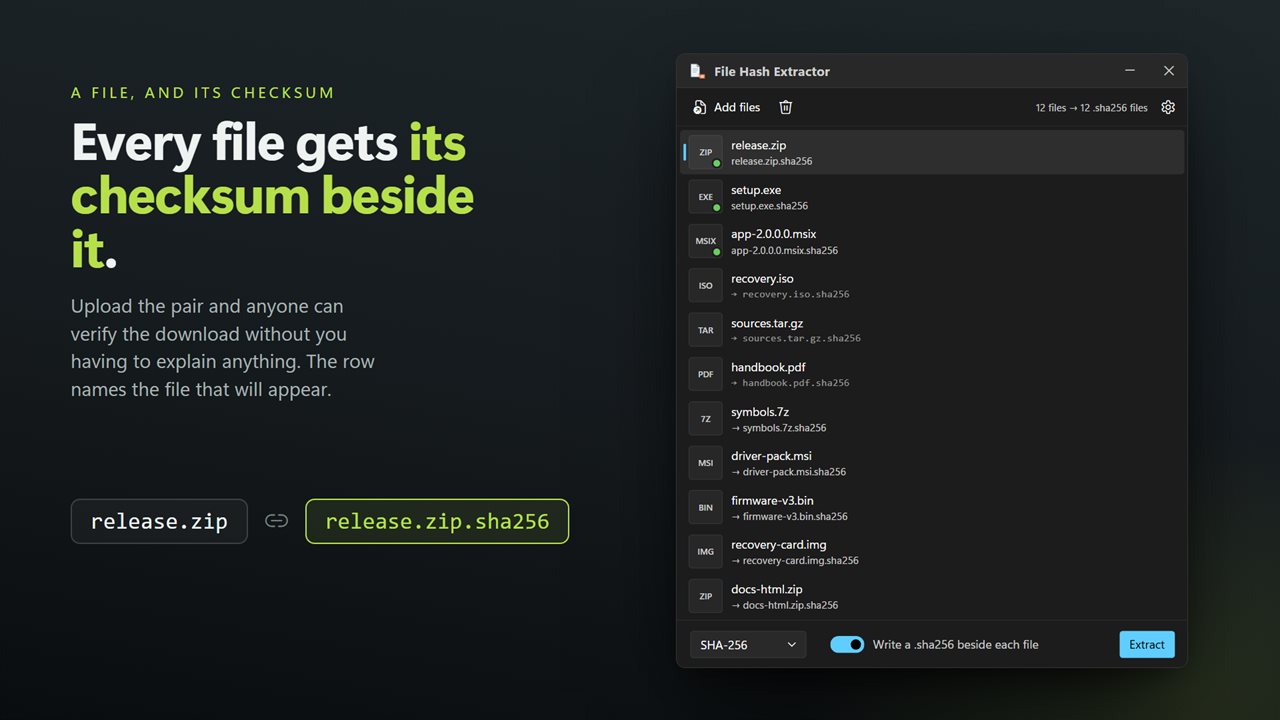
Every file comes out with its checksum written beside it.
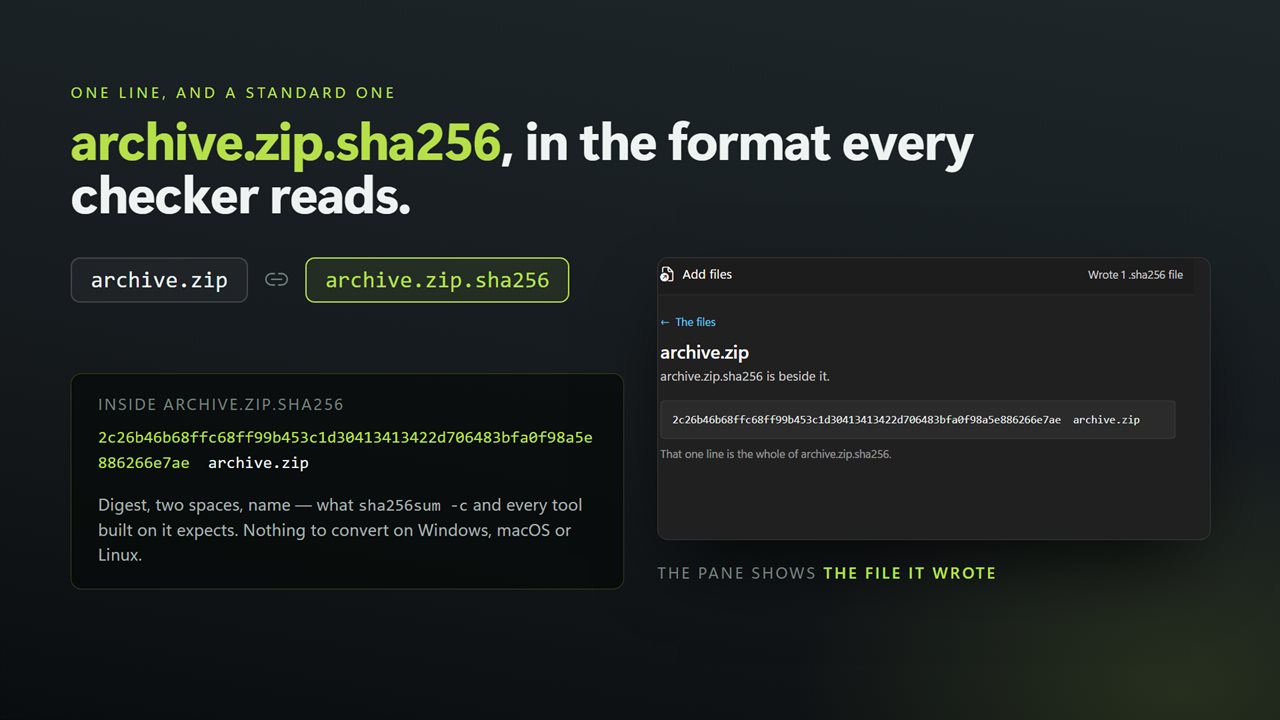
archive.zip.sha256, in the format every checker already reads.
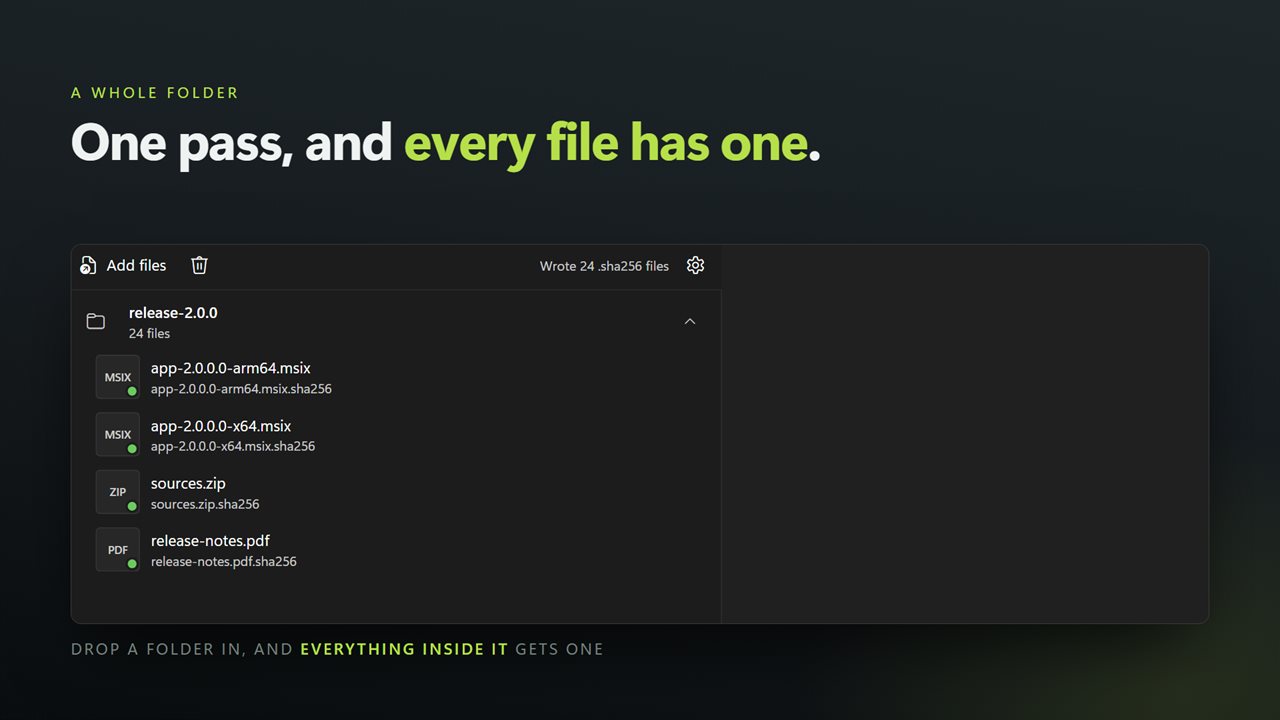
A whole folder in one pass.
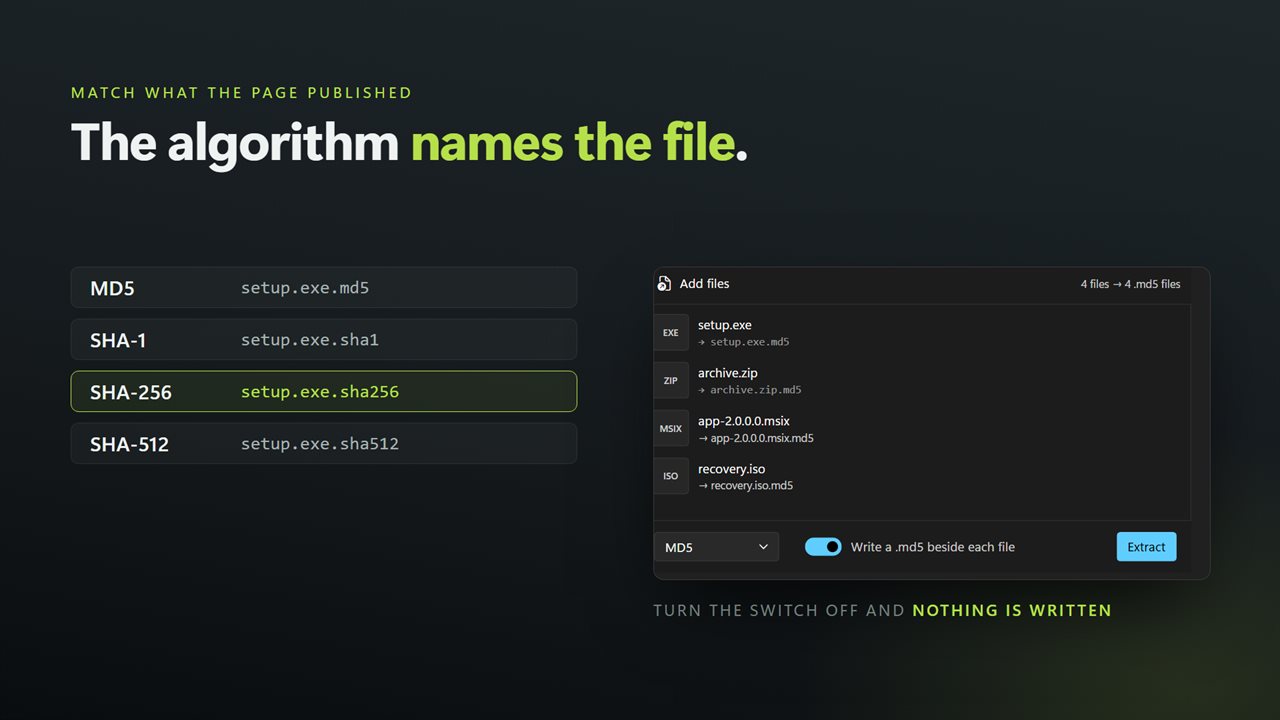
MD5, SHA-1, SHA-256 and SHA-512.
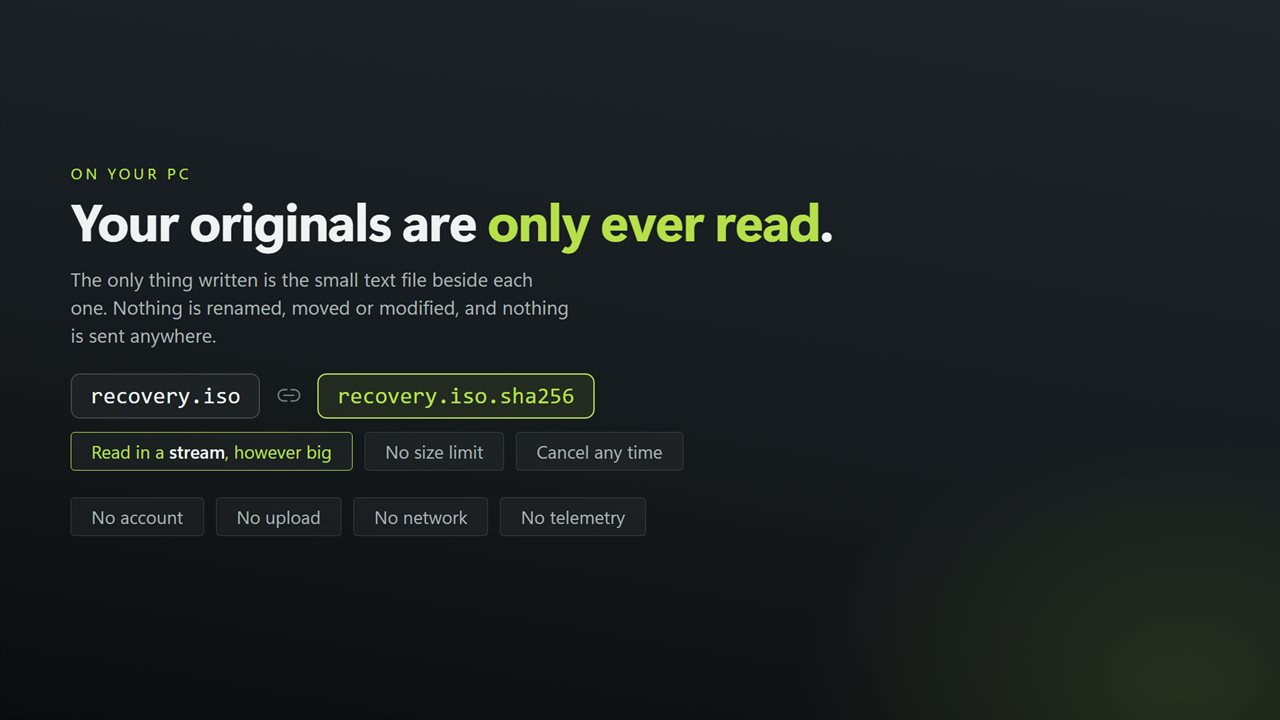
Nothing is uploaded, and your originals are never touched.

Every file comes out with its checksum written beside it.

190,000+downloads of EvlarSoft apps
Signed by EvlarSoftVerified US publisher
14-day money-backNo questions asked
Updates includedNo upgrade fees

What a checksum file is, and why it travels with the download

A checksum file is a tiny text file that sits next to something you share, such as setup.exe and setup.exe.sha256. Inside is one line: the file's hash, two spaces and its name. Whoever downloads both can run a checker against them and know within seconds whether their copy matches yours.

Making one on Windows is fiddlier than it should be. There is no sha256sum command out of the box, and the built-in certutil prints header and footer lines around the hash, so redirecting its output into a file gives you something a strict checker will reject. You end up trimming text by hand for every file.

File Hash Extractor writes the files for you. Add a folder of release builds, pick the algorithm, press Extract, and each one gets its own sidecar in the same folder, named after it and formatted exactly as the Linux and macOS tools expect.

How to create a SHA-256 checksum file for each file

  • Click Choose files, or Or a folder to queue everything directly inside one folder.
  • Pick MD5, SHA-1, SHA-256 or SHA-512 in the drop-down. The extension of the files written follows it: .md5, .sha1, .sha256 or .sha512.
  • Make sure the switch reads Write a .sha256 beside each file (the extension shown changes with your choice).
  • Click Extract. Each row shows the name of the sidecar it wrote, and selecting a file shows the single line inside it.

A sha256sum alternative for Windows that others can verify

Because every sidecar uses the two-space layout, the person downloading can check it with the tool they already have: sha256sum -c setup.exe.sha256 on Linux or in Git Bash, shasum on macOS, or md5sum -c for an .md5 file. Hash checkers on Windows that understand sha256sum files read it too.

That is the point of writing a separate file per download rather than one long list: each pair can be uploaded, mirrored or attached to an email together, and the checksum never has to be retyped into a web page where a stray space could break it.

Just want to read the hashes, not write files?

Turn the Write switch off and the app becomes a plain reader. The checksums appear in the list and nothing is saved to disk, which is handy for a quick look before you commit to publishing.

Switch it back on when you are ready and run Extract again. A sidecar that is already there is replaced with the fresh value, so re-running after a rebuild never leaves an old hash next to a new file.

What it does

  • Writes one sidecar checksum file beside every input file
  • MD5, SHA-1, SHA-256 and SHA-512, with matching file extensions
  • One line per sidecarHash, two spaces, file name
  • Works on a selection of files or the top level of a folder
  • Existing sidecars are overwritten with fresh values
  • Write switch turns sidecar output off for a read-only pass
  • Streams big installers and disc images through in chunks
  • Original files are read, never renamed, moved or edited

Who uses it

Developers shipping a release

Generate .sha256 files for every build artifact and upload them to the release page alongside the binaries.

Admins sharing ISO images

Put a checksum file next to each image on the network share so technicians can confirm a copy before installing from it.

Anyone posting files on a forum or site

Give downloaders a way to spot a corrupted or tampered copy without having to trust the mirror it came from.

What's new in 2.0.4

  • Writes a checksum file beside each input — archive.zip.sha256 next to archive.zip — in the standard format any checker reads. This is the thing the app could not do before
  • Now takes a whole batch. Earlier versions did one file at a time; drop in a folder and every file gets its own checksum file in one pass
  • Added SHA-512 alongside MD5, SHA-1 and SHA-256
  • Files are read in a stream instead of being loaded into memory, so disc images and installers no longer depend on free RAM
  • The sidecar can be turned off, leaving the digests on screen and nothing written to disk
  • Drag and drop from Explorer, and a right-click selection of many files opens one window instead of one each
  • A redesigned interface, in light or dark, and it can follow Windows instead if you prefer

Questions

Anything else? Ask us

What exactly does it write?

One small text file beside each file you add, named after it: release.zip gets release.zip.sha256. It holds a single line with the checksum, two spaces and the file name, which sha256sum -c, md5sum -c and similar checkers on Windows, macOS and Linux read as it is.

Which checksum types does it support?

MD5, SHA-1, SHA-256 and SHA-512, and the checksum file's extension follows your choice: .md5, .sha1, .sha256 or .sha512. SHA-256 is selected at first. CRC32 is not offered.

What if a checksum file already exists?

It is replaced with the new one without asking. If the folder cannot be written to, that file is marked as failed with the reason.

Can I see the checksums without writing any files?

Yes. Turn off the Write switch and the checksums are shown in the app only, with nothing saved to disk.

Are my original files changed?

No. They are only read, in chunks, so large installers and disc images do not have to fit in memory. Nothing is renamed or moved.

Does adding a folder include its subfolders?

No. Add folder takes the files directly inside it, and each gets its checksum file in that same folder. Files in subfolders have to be added separately.

What is the difference between a .sha256 file and a SHA256SUMS file?

A .sha256 sidecar covers one file. SHA256SUMS is a single list covering a whole folder. This app writes sidecars; each line uses the same layout, so the contents can be combined into one list if you prefer.

Which algorithm should I publish?

SHA-256 is the usual choice for releases. Offer MD5 or SHA-1 only when a mirror or older system asks for them, since neither resists deliberate forgery.

Which versions of Windows does it run on?

Windows 10 (version 1809 or later) and Windows 11.

Is it a subscription?

No. File Hash Extractor is a one-time purchase of $1.99, and updates are included.

How do I get it?

Buy it on this page and your license key arrives by email. If the button says Notify me, File Hash Extractor is not on sale here yet; leave your email and we will tell you when it is.