EEvlarSoft

Fast File Splitter and Joiner

Cut a file that is too big into equal pieces, or put the pieces back together, with one choice of size and nothing else to set up.

Buy for $2.99
One payment. No subscription.
14-day money-back guarantee.
3.0
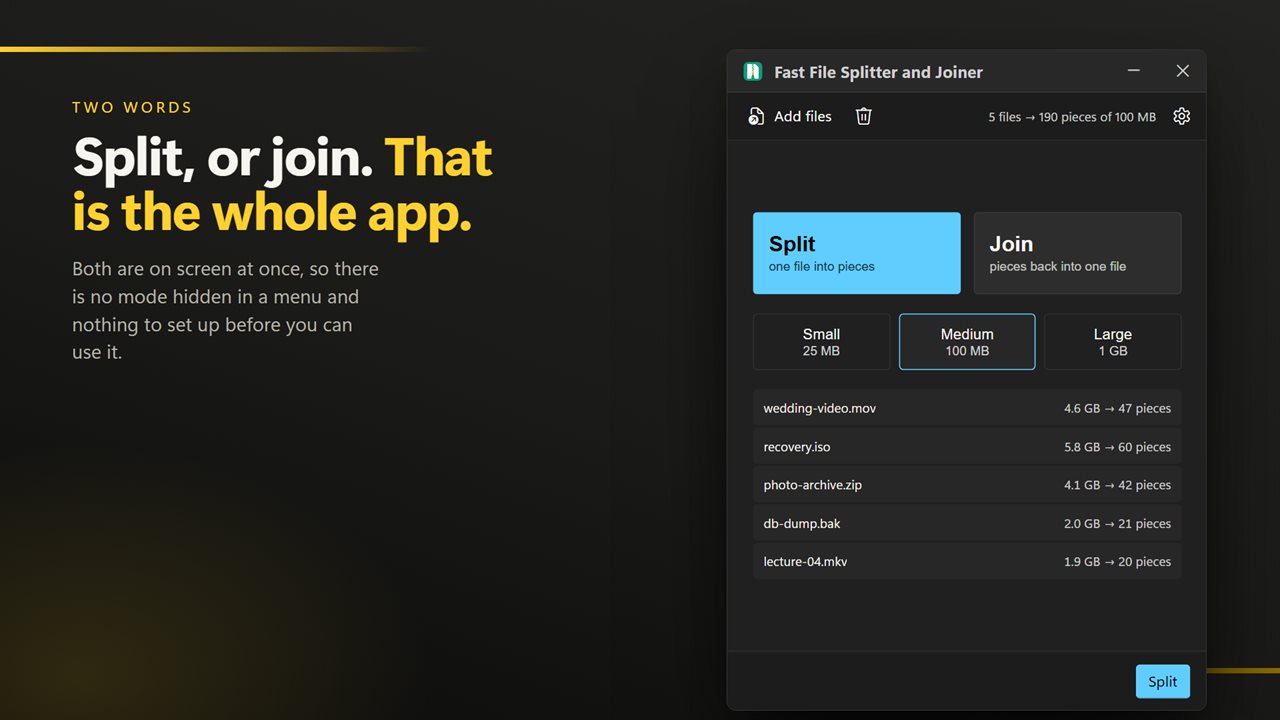
Split, or join. That is the whole app.
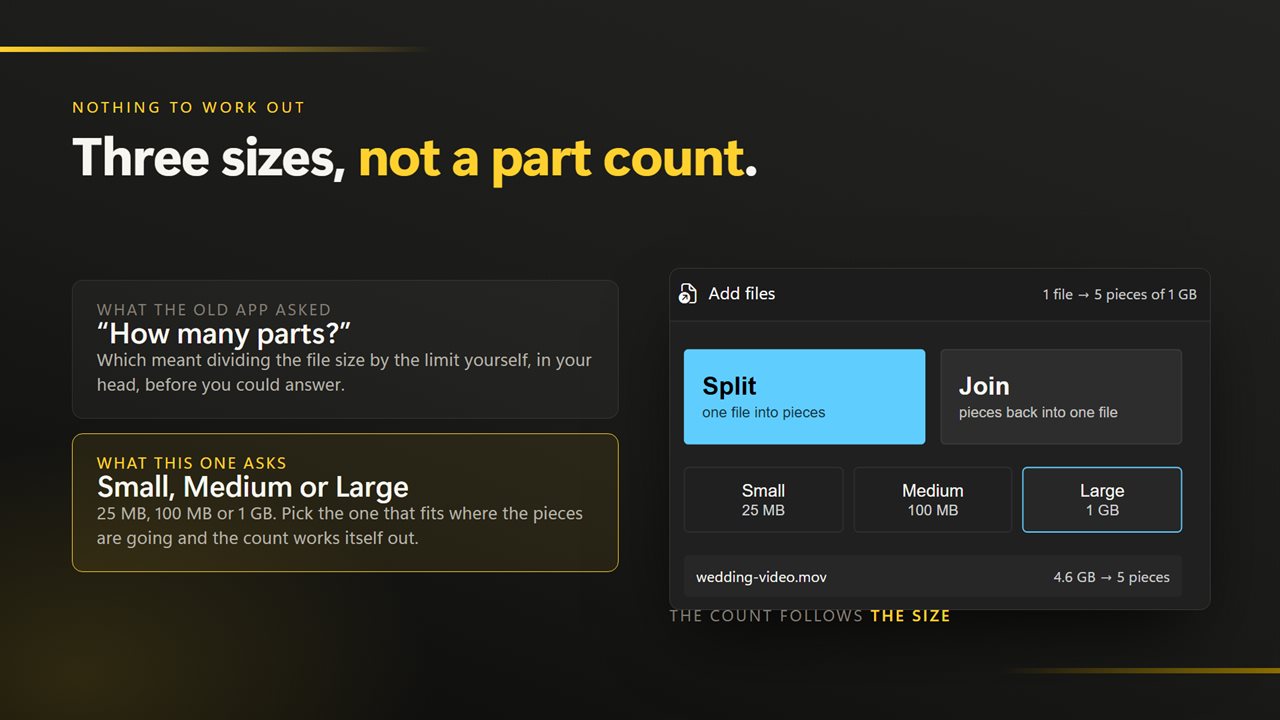
Three sizes instead of a part count to work out.
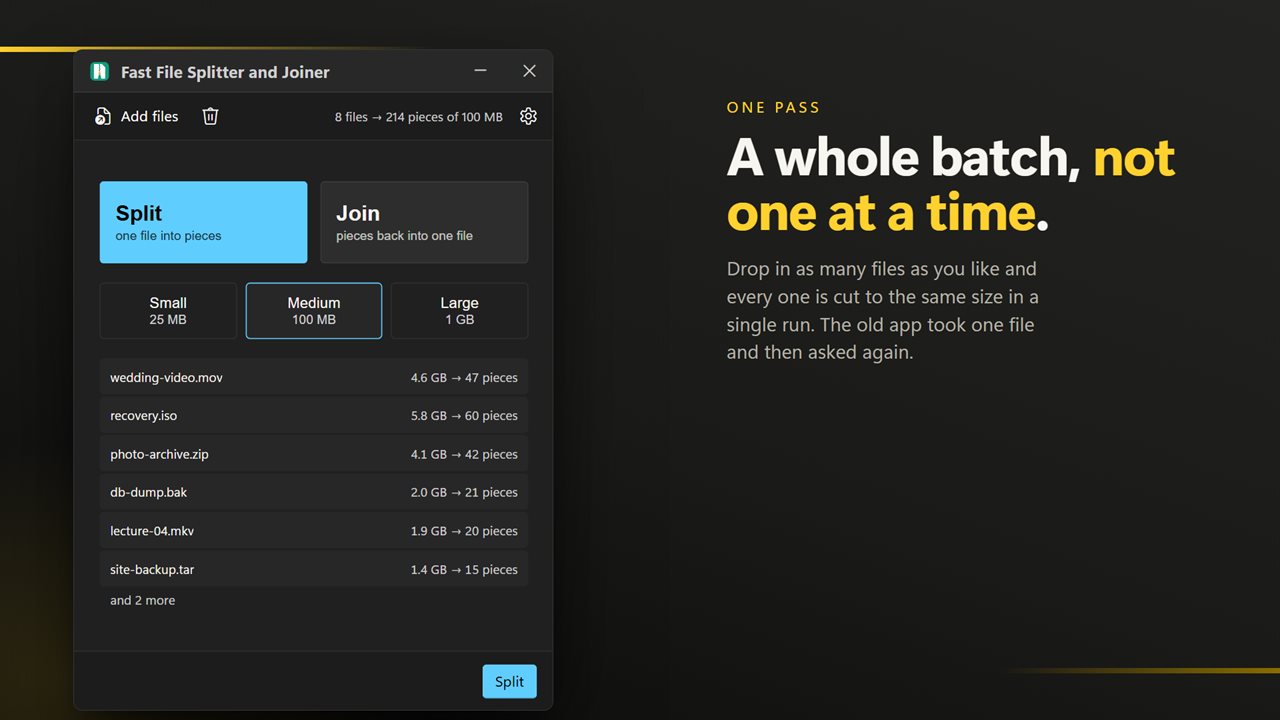
A whole batch in one pass, not one file at a time.
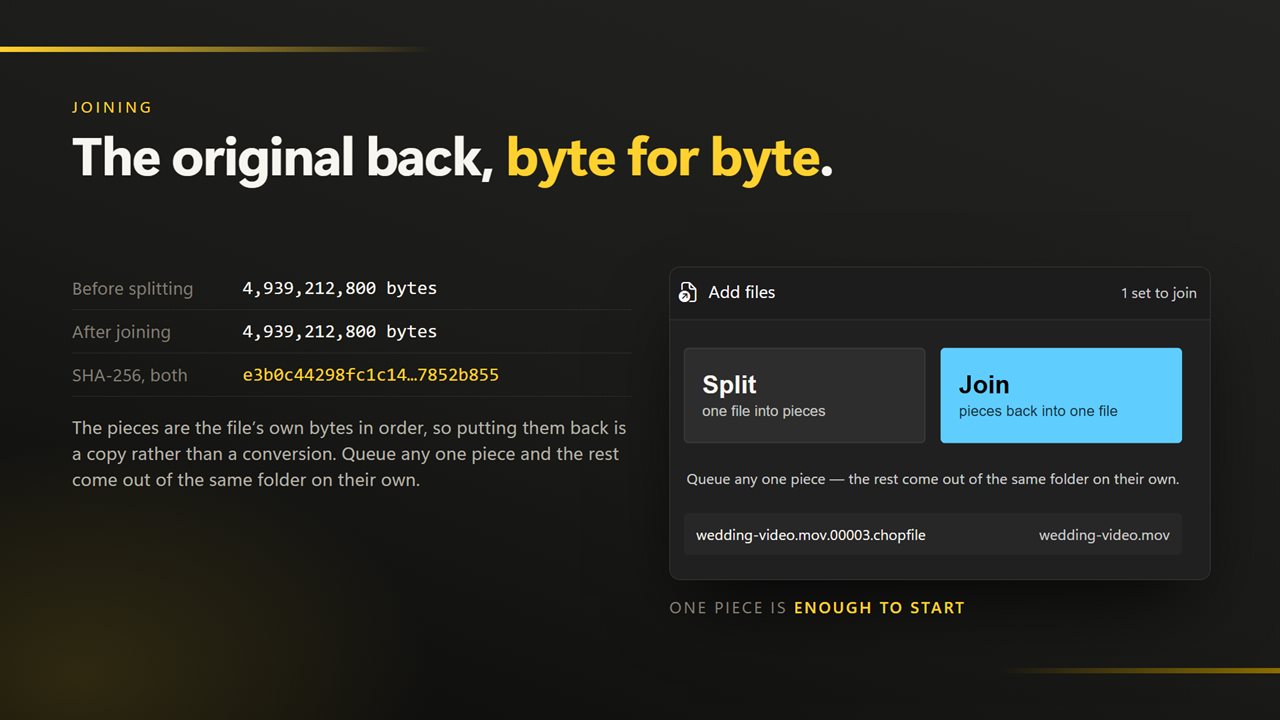
Joining rebuilds the original byte for byte.
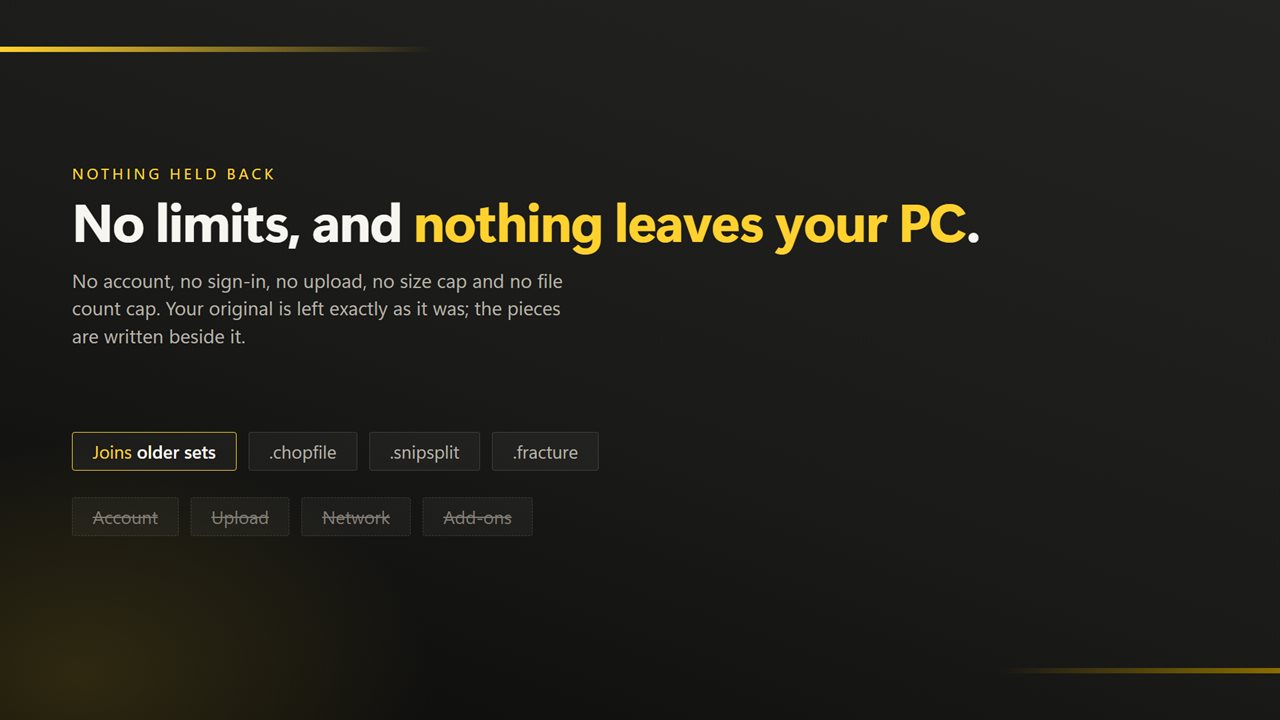
Bought once, and nothing ever leaves your PC unless you choose to send feedback.

Split, or join. That is the whole app.

190,000+downloads of EvlarSoft apps
Signed by EvlarSoftVerified US publisher
14-day money-backNo questions asked
Updates includedNo upgrade fees

A file splitter and joiner with nothing to configure

Most file splitter and joiner programs open on a form: part size in bytes, number of chunks, output folder, naming scheme, batch file options. If all you want is to get a 3 GB video onto a FAT32 stick or past an upload limit, that form is the slow part.

Fast File Splitter and Joiner opens on two big tiles, Split and Join, and three size chips under them: Small (25 MB), Medium (100 MB) and Large (1 GB). Pick one, drop a file on the window, and the pieces are written next to it. Before you start, the list already tells you how many pieces each file will make.

Joining is just as short. Choose Join, drop any single piece of a set, and the app finds the others in the same folder and writes the original file back under its old name.

How to split a large file into smaller pieces

Every piece is exactly the chosen size apart from the last, which carries the remainder. The original stays where it was, untouched.

Pieces are named after the whole original file name, extension included, so a folder holding several split sets keeps them apart, and each set joins back on its own.

  • Click the Split tile.
  • Choose Small, Medium or Large. Medium, 100 MB, is selected when the app opens.
  • Drop the file onto the window, or click choose one. You can drop several files and they all go in one run.
  • Click Split. Pieces appear in the same folder, numbered from 00000, for example backup.zip.00000.chopfile, then 00001 and so on.

How to join split files back into the original

Click the Join tile and queue one piece from the set; it does not matter which. The rest are collected from that folder automatically, then copied end to end, so the rebuilt file is the same as the one you split, byte for byte.

If the numbering has a hole in it, say piece 00003 never arrived, the join stops, names the missing piece and writes nothing. The pieces carry no count of how many there should be, so a set missing its final piece cannot be caught this way; check that the highest number made the trip. Files in the queue that are not pieces are counted as ignored rather than causing an error.

Pieces with the .snipsplit and .fracture endings, written by EvlarSoft's other splitters, join here too.

Picking a size: which piece fits where

The size never changes how the join works, so choose by where the pieces are going. If you are unsure, Medium is a sensible default for most uploads.

  • Small, 25 MB: sized for email attachments and chat apps with tight upload caps.
  • Medium, 100 MB: a middle ground for web forms and cloud uploads that reject big single files.
  • Large, 1 GB: comfortably under the 4 GB per-file ceiling of FAT32 drives and older USB sticks, with few pieces to keep track of.

What it does

  • Two modes on one screenSplit and Join
  • Three fixed piece sizes25 MB, 100 MB and 1 GB
  • Works on any file type, from ZIP archives to disk images and videos
  • Shows the piece count per file before you run
  • Handles a batch of files in a single pass
  • Joins from any one piece and finds the rest itself
  • Refuses to join when a piece in the middle is missing
  • Checks free disk space first and keeps the PC awake during long jobs
  • Cancelling removes pieces already written; the original is only read

What's new in 2.0.6

  • Now takes a whole batch. Earlier versions handled one file per run; drop in a folder and all of it goes through in one pass
  • Three preset sizes replace typing a part count, so there is nothing to work out before pressing a button
  • Drag and drop from Explorer, and a right-click selection of many files opens one window instead of one each
  • A missing part is named before joining writes anything, rather than producing an incomplete file
  • Progress for each file and for the batch, and a run can be cancelled cleanly
  • A redesigned interface, in light or dark, and it can follow Windows instead if you prefer

Questions

Anything else? Ask us

What sizes are the pieces?

There are three: Small is 25 MB, Medium is 100 MB and Large is 1 GB, with Medium selected at first. Every piece is that size except the last, which holds whatever is left.

Can I type my own part size or choose the number of pieces?

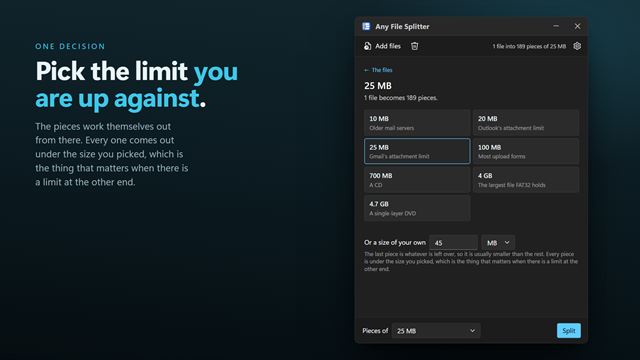
No. The three preset sizes are the only choice, and the number of pieces follows from the file's size. If you need a specific size limit, this app is not the right fit.

How do I join a split file?

Click Join, then drop in any one piece of the set; the app finds the rest in the same folder. The joined file is written in that folder under its original name, and a file already there with that name is replaced.

Will it join pieces made by the old version of this app?

Yes. It joins .chopfile pieces, which the earlier version wrote, and also .snipsplit and .fracture pieces from EvlarSoft's other splitters. New splits are written as .chopfile, named like backup.zip.00000.chopfile.

Does it check that no piece is missing before joining?

Yes, for gaps. If a piece from the middle of the numbering is missing, it names that piece and writes nothing. The pieces do not record how many there should be, so a missing last piece cannot be detected.

Is a long split safe to leave running?

Yes. It checks for enough free space before it starts and keeps the PC from going to sleep while it works. If you cancel or the split fails, the pieces already written are deleted, and the original file is only read.

Does the person I send the pieces to need the same app?

Not necessarily. Each piece is a plain slice of the original with no header or checksum added, so joining is simply putting them back in number order. This app does that for you, and any tool that concatenates files in order works too.

How many pieces will a 4 GB file make?

A file of exactly 4 GB as Windows counts it (4,096 MB) makes 4 pieces at Large, 41 at Medium and 164 at Small, the last one smaller than the rest. The queue shows the count for each file before you click Split.

Which versions of Windows does it run on?

Windows 10 (version 1809 or later) and Windows 11.

Is it a subscription?

No. Fast File Splitter and Joiner is a one-time purchase of $2.99, and updates are included.

How do I get it?

Buy it on this page and your license key arrives by email. If the button says Notify me, Fast File Splitter and Joiner is not on sale here yet; leave your email and we will tell you when it is.