EEvlarSoft

File List Exporter

Turn the contents of any folder into a tidy list you can open in a spreadsheet, print, or paste somewhere else, with only the details you want.

Buy for $2.99
One payment. No subscription.
14-day money-back guarantee.
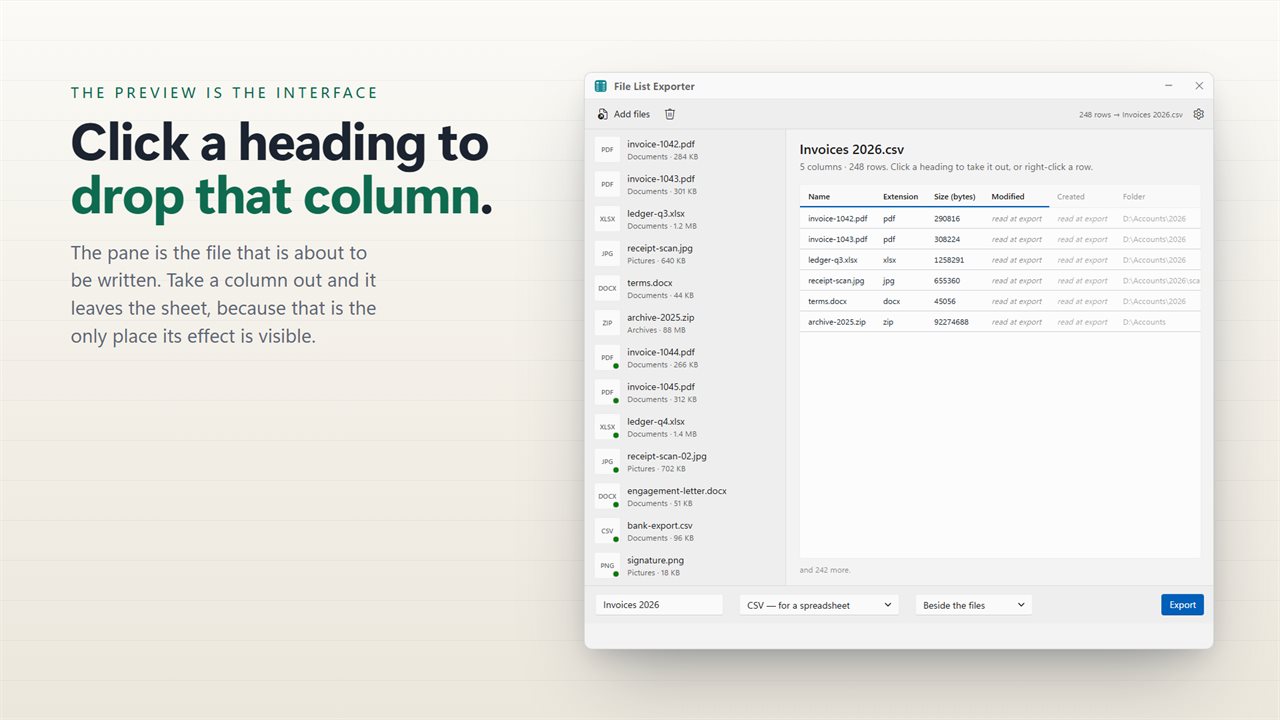
The export preview is the interface — click a heading to drop a column.
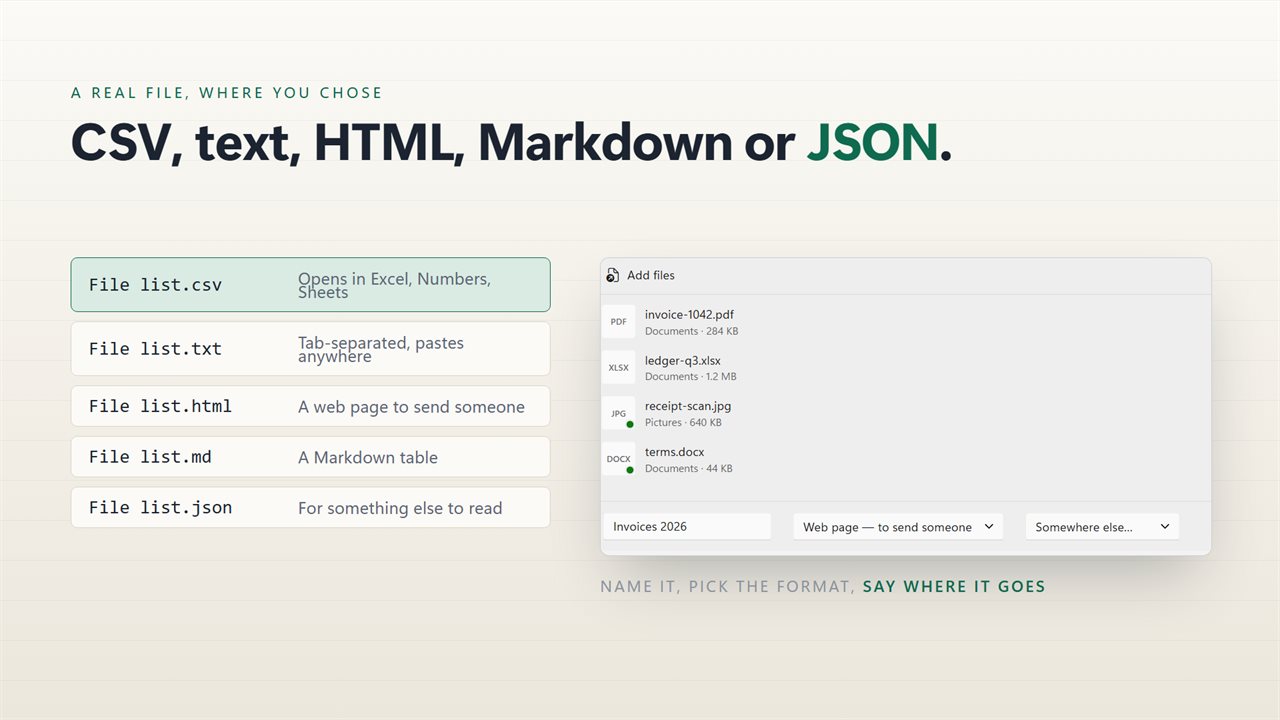
CSV, plain text, HTML, Markdown or JSON. A real file, where you chose.
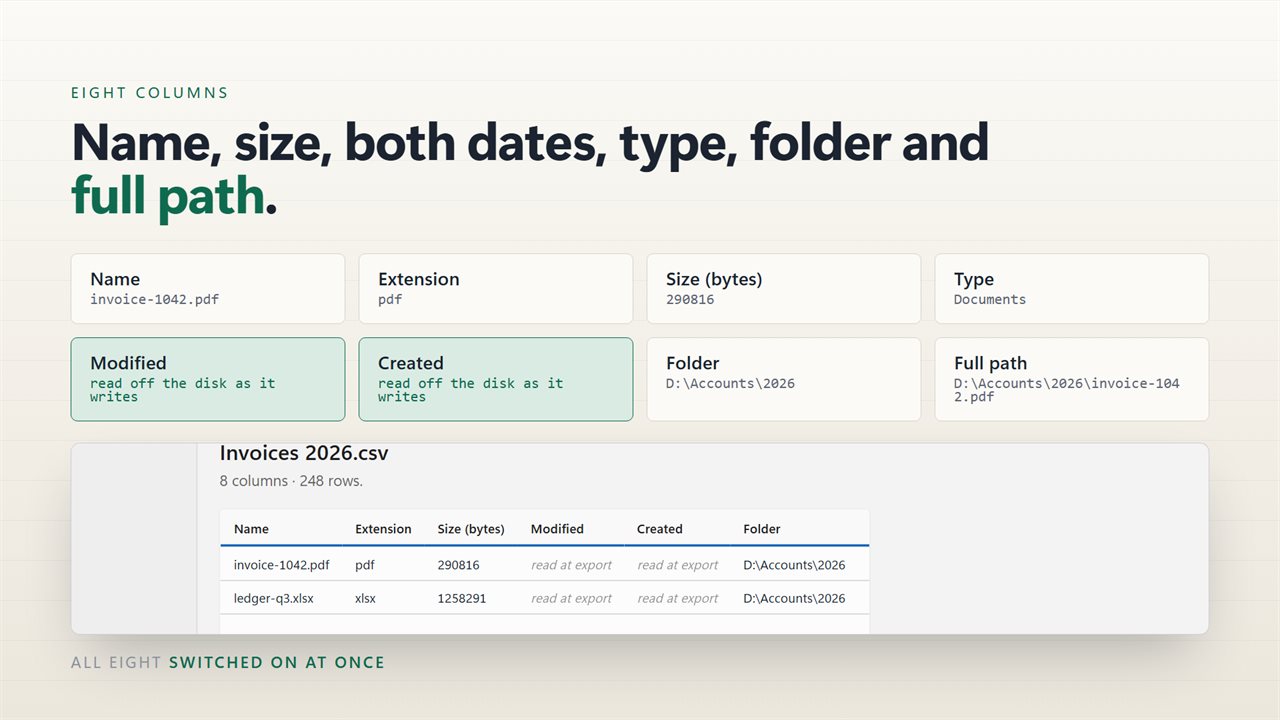
Eight columns: name, size, dates, type, folder and full path.
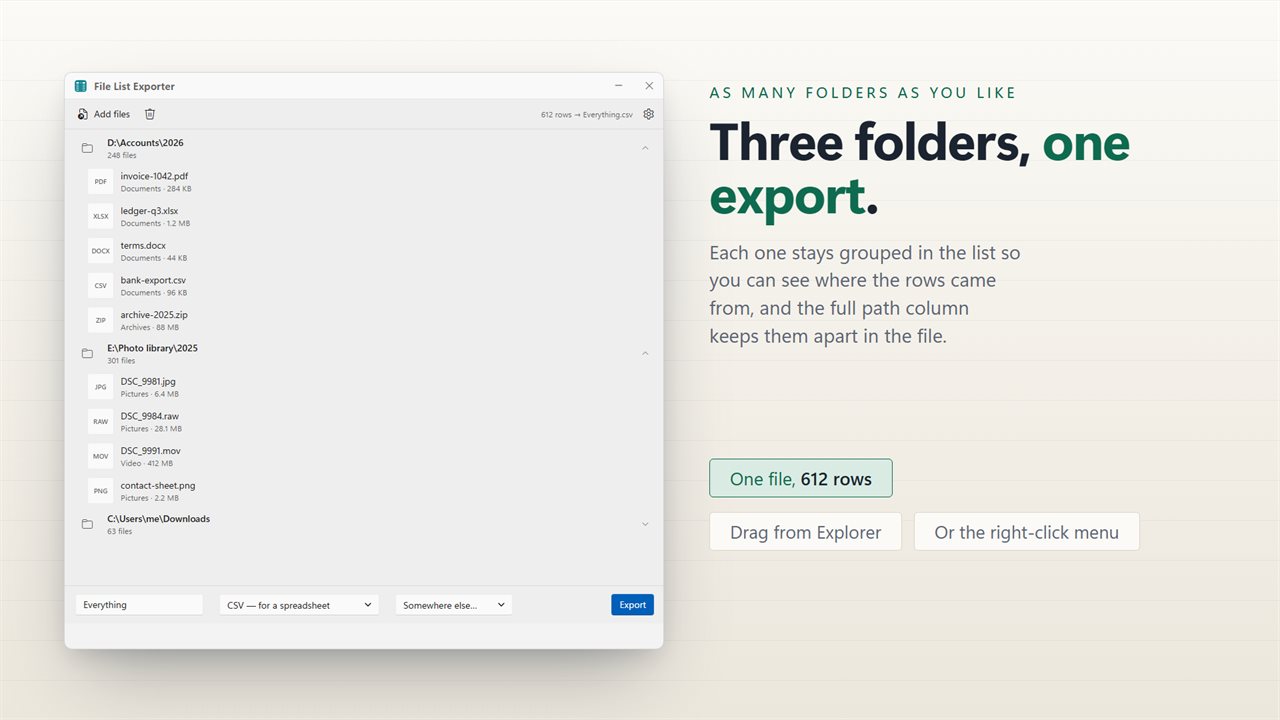
Files from any number of folders become one export.
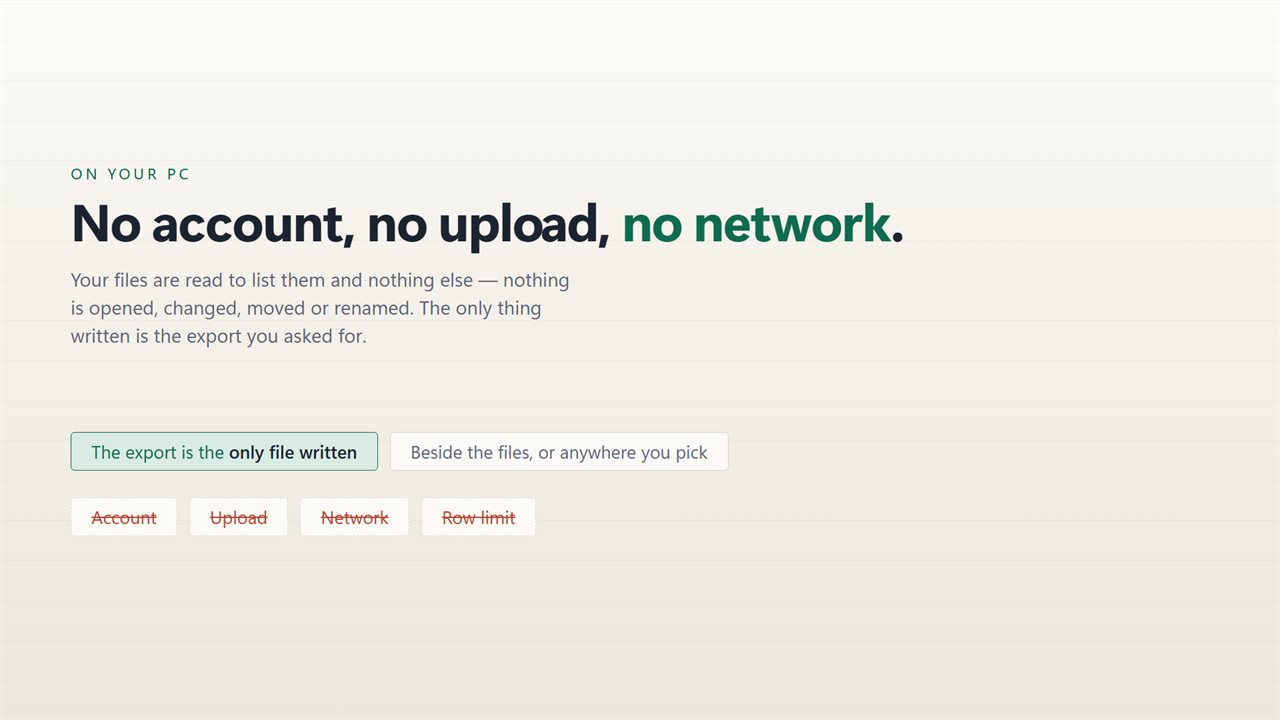
No account, no upload, no server processing. It all happens on your PC.

The export preview is the interface — click a heading to drop a column.

190,000+downloads of EvlarSoft apps
Signed by EvlarSoftVerified US publisher
14-day money-backNo questions asked
Updates includedNo upgrade fees

The easy way to list files in a folder on Windows

Sooner or later you need to list files in a folder for someone who is not at your screen: an inventory of project documents, the tracks on a backup drive, every photo sent to a client. File Explorer can show the folder but has no export button, and the usual workarounds are a dir command redirected to a text file, or Copy as path pasted into Excel. Both give you a wall of full paths and headers you then have to clean up.

File List Exporter skips the cleanup. Pick a folder and every file inside it, subfolders included, becomes a row in a live preview. The preview has the same columns your export will have, so what you see is exactly what you get.

Give the export a name, choose a format and a destination, and click Export. One run makes one file, however many folders the rows came from.

How to print a list of files in a folder

  • Click Choose a folder, or Or pick files for a hand-picked selection. Dragging folders onto the window works too.
  • Click a column heading in the preview to drop a detail you do not need. Name, Extension, Size (bytes) and Modified are on to begin with.
  • In the format menu choose Web page — to send someone.
  • Type a name in the box (File list is the default), leave Beside the files or pick another folder, and click Export.
  • Open the HTML file in your browser and print it. It is a formatted table with the file count at the top.

Export a file list to Excel

Choose CSV — for a spreadsheet and the export opens in Excel with one file per row and each detail in its own column. It is saved as UTF-8 with the marker Excel looks for, so names with accents, apostrophes or commas arrive intact instead of as garbled symbols. Dates use the sortable 2026-03-14 09:30:00 form, and sizes are in bytes so you can total or filter them.

Prefer tabs? Tab-separated text pastes cleanly into almost any spreadsheet or database tool.

Choose the details: path, folder, dates and type

Eight columns are available: Name, Extension, Size (bytes), Modified, Created, Folder, Full path and Type. Type sorts each file into a plain category such as Images or Documents based on its extension, which makes a mixed folder much easier to scan.

Right-click any row for Show in folder, Copy full path, Copy this row, or Leave this file out, which removes it from the export without touching the file.


Features

  • Five export formatsCSV, tab-separated text, HTML, Markdown table and JSON
  • Includes subfolders, up to 24 levels deep
  • Click column headings to switch any of eight details on or off
  • Preview of the real export before anything is written
  • Combine files from many folders into one list
  • Excel-friendly UTF-8 CSV with proper quoting
  • Never overwrites an earlier export; a new one gets (2), (3) and so on
  • Per-row menu to copy a path, copy a row or drop a file

What people make with it

An inventory for a handover

Send a colleague an HTML page listing every file in a project folder, with sizes and dates.

A catalogue of a media drive

Export a music or video drive to CSV, then sort and filter it in a spreadsheet.

Docs for a code repository

Paste a Markdown table of a folder's contents straight into a README or wiki page.

What's new in 2.0.6

  • The export writes a real file. This was the main complaint about the old version, and it is the reason for this release: press the button and a CSV, TXT, HTML, Markdown or JSON file is written where you chose, ready to open
  • The window resizes. Earlier versions could be left at a size where the controls at the bottom were unreachable; this one can be resized, maximized and moved, and every control stays available
  • Four more formats. It used to export one; it now writes CSV, plain text, HTML, Markdown and JSON
  • The columns are chosen on the export preview itself by clicking a heading, instead of on a separate page
  • CSV is written so Excel reads accented names correctly
  • Files from any number of different folders can go into one export
  • A redesigned interface, in light or dark, and it can follow Windows instead if you prefer

Questions

Anything else? Ask us

Which formats can it export a file list to?

CSV, tab-separated text (TXT), HTML, Markdown and JSON. The HTML export is a formatted table page with the file count at the top.

Will the CSV open in Excel with accented file names intact?

Yes. CSV and TXT exports are written as UTF-8 with a byte order mark so Excel reads accented characters correctly, and names containing commas or quotes are quoted properly.

Which details can the list include?

Up to eight columns: name, extension, size, date modified, date created, containing folder, full path and file type. Click a column heading in the preview to leave it out; name, extension, size and modified are on by default.

Does it include files in subfolders?

Yes. Adding or dropping a folder brings in every file inside it, including subfolders up to 24 levels deep. Folders themselves do not get rows, so an empty folder does not appear in the list.

How are sizes and dates written in the export?

Size is written in bytes. Dates are in your PC's local time in the form 2026-03-14 09:30:00. The Type column is a category such as Images, Documents or Other, worked out from the file extension.

Where is the export saved, and will it overwrite an earlier one?

It is saved beside the files, in the folder of the first file listed, or in another folder you pick. If a file with that name already exists, the new one is saved as "File list (2)" and so on, so nothing is overwritten.

Can I copy a list of file names without the full path?

Yes. Leave the Full path and Folder columns off and the export holds just the names and whichever other details you keep.

Can I make one list from several different folders?

Yes. Add as many folders or files as you like before clicking Export; they all go into a single file.

Which versions of Windows does it run on?

Windows 10 (version 1809 or later) and Windows 11.

Is it a subscription?

No. File List Exporter is a one-time purchase of $2.99, and updates are included.

How do I get it?

Buy it on this page and your license key arrives by email. If the button says Notify me, File List Exporter is not on sale here yet; leave your email and we will tell you when it is.