EEvlarSoft

Downloads Organizer

A file sorter that keeps an eye on Downloads and puts each new file into Images, Documents, Programs or one of thirteen other folders as it lands.

Buy for $3.89
One payment. No subscription.
14-day money-back guarantee.
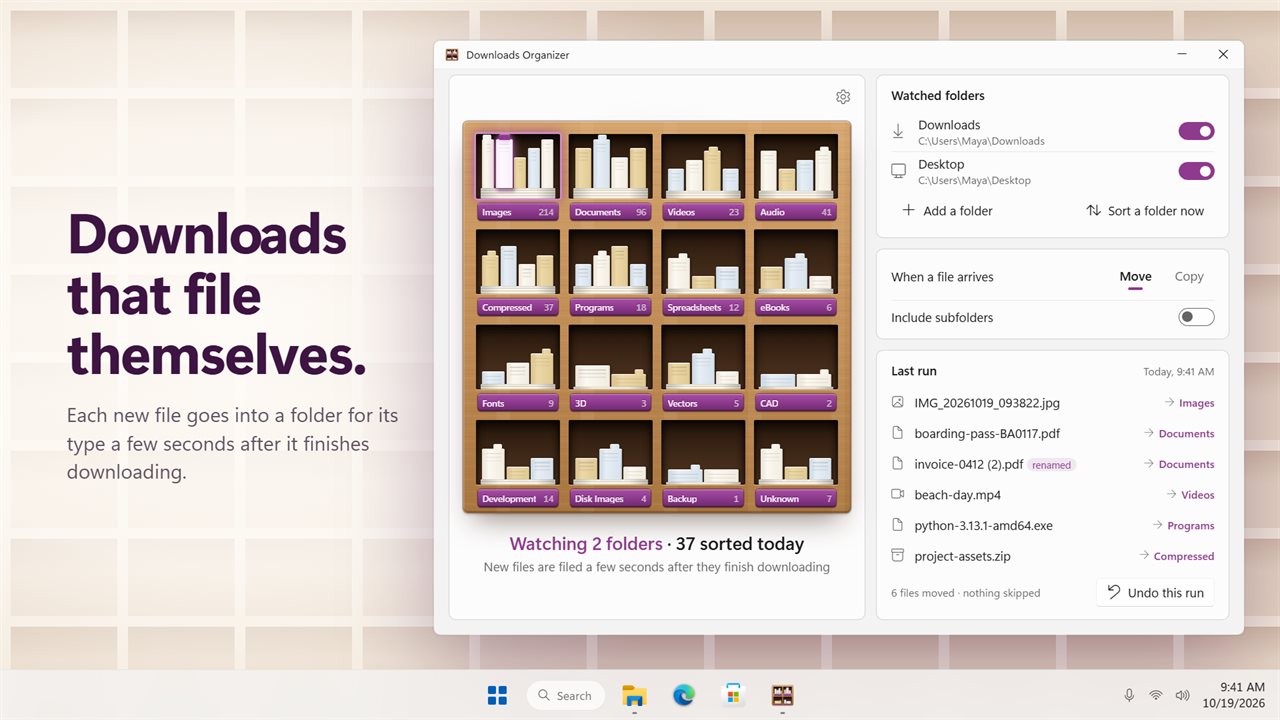
Downloads sorts itself. Each new file goes into a folder for its type.
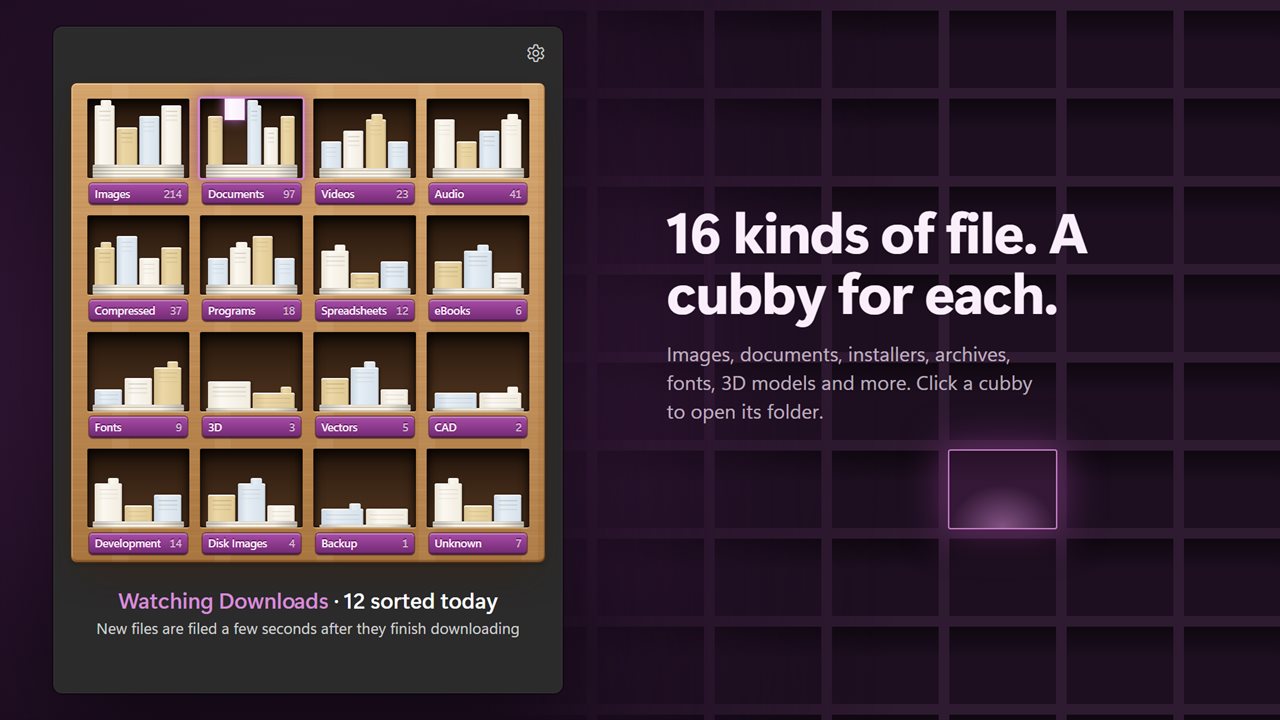
16 kinds of file, each with its own cubby. Click one to open its folder.
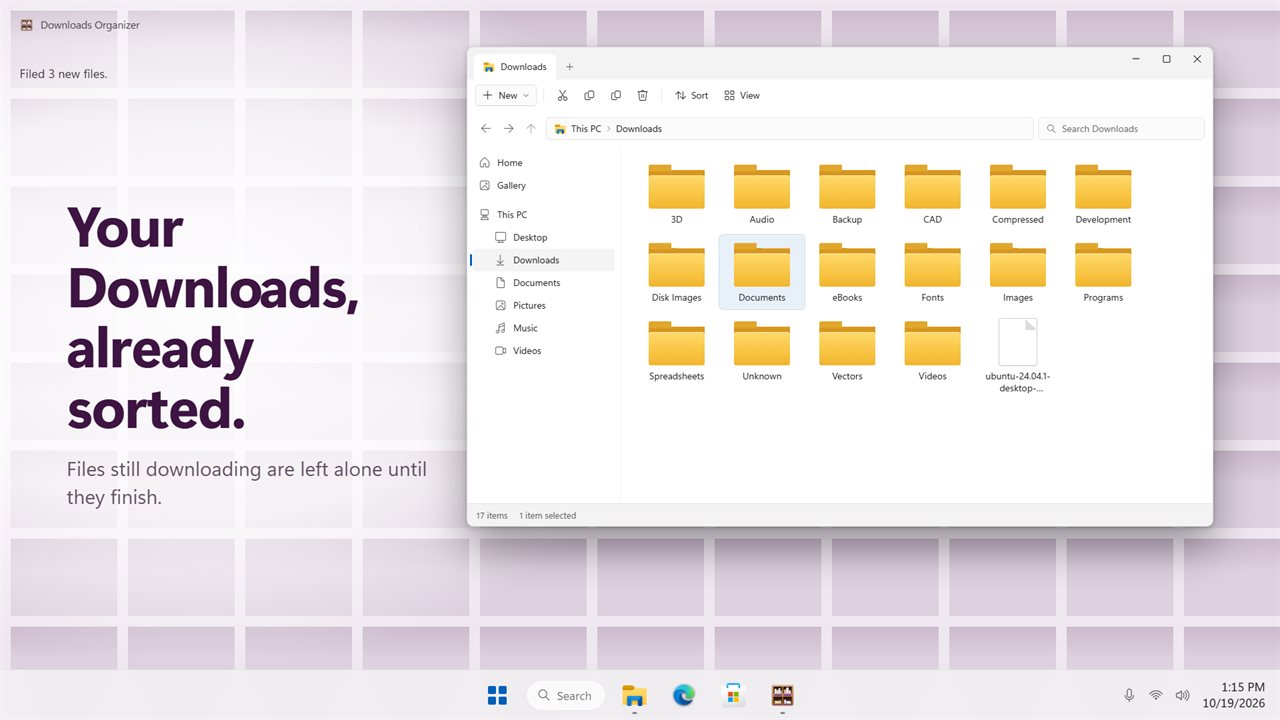
Your Downloads, already sorted. Files still downloading are left alone.
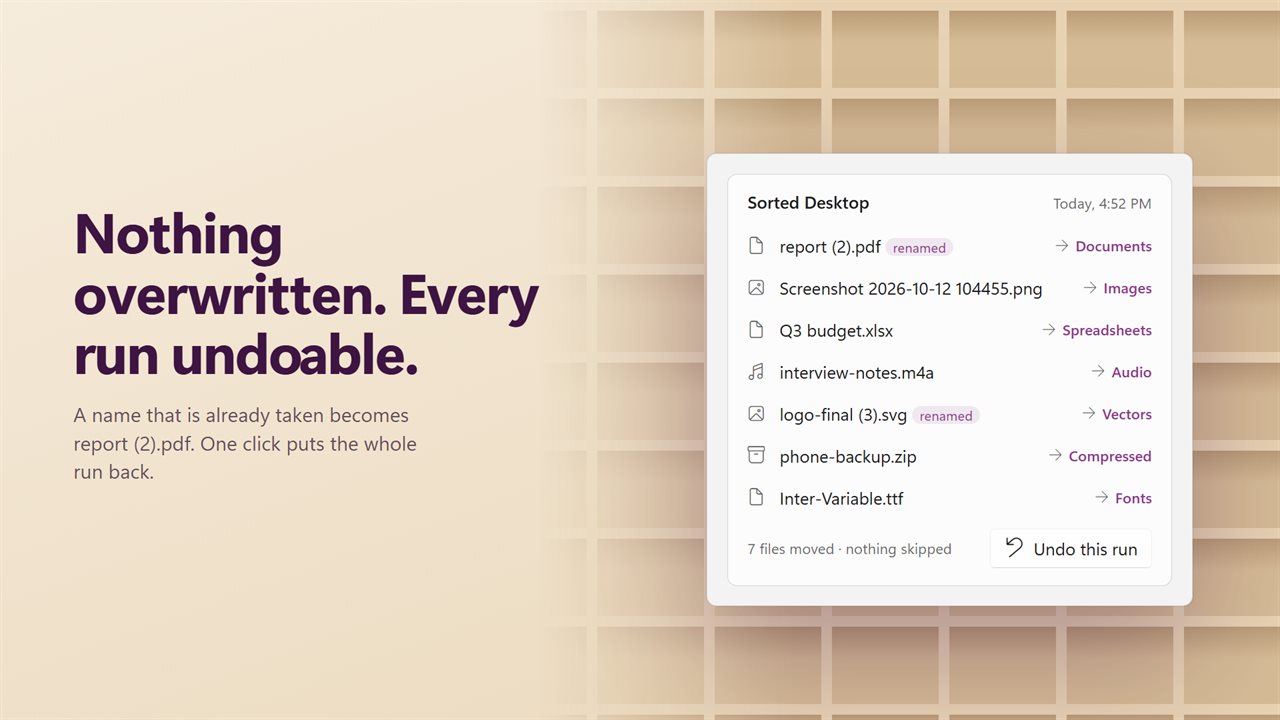
Nothing is overwritten, and any run can be undone in one click.
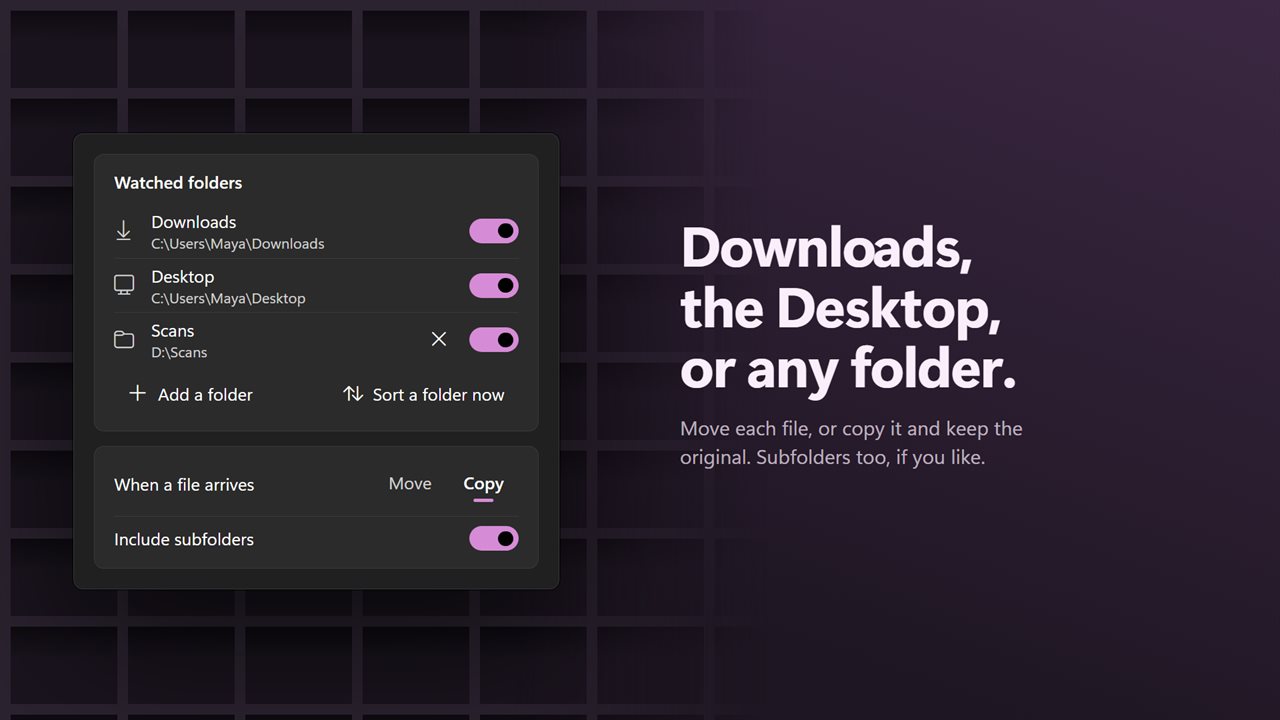
Watch Downloads, the Desktop or any folder. Move or copy, subfolders too.
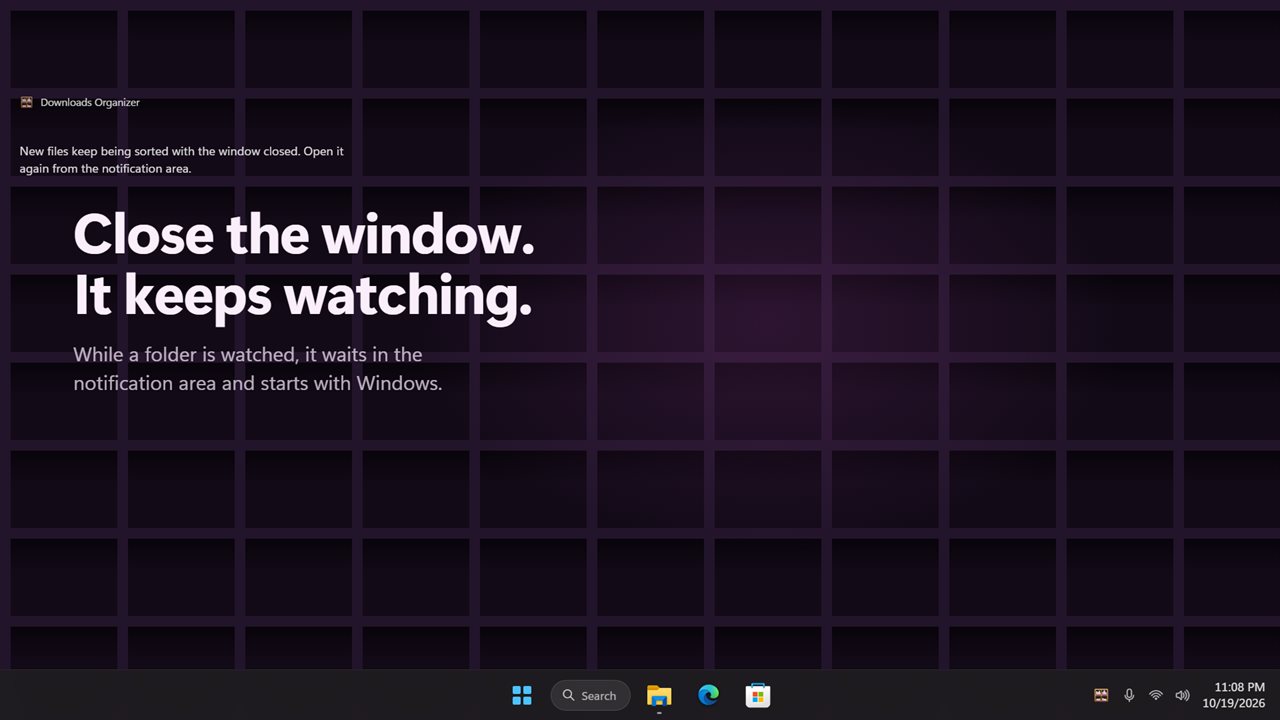
Close the window and it keeps watching from the notification area.
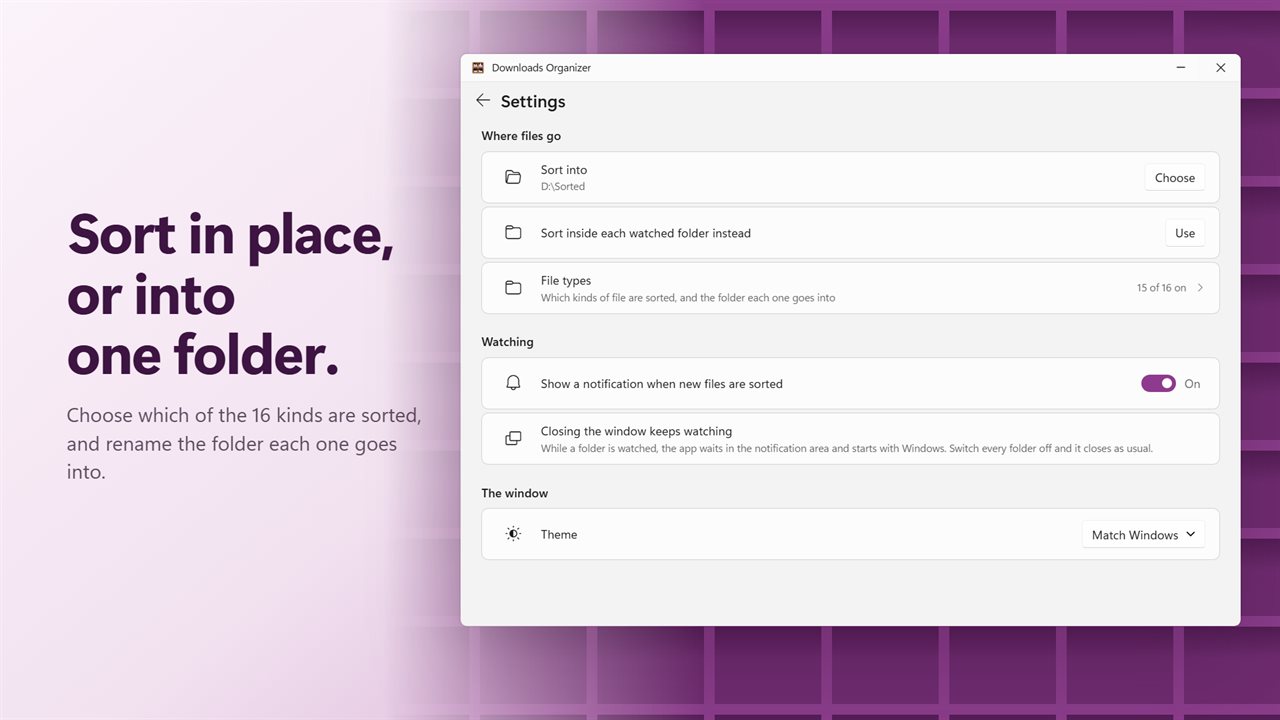
Sort in place or into one folder, and choose which kinds are sorted.

Downloads sorts itself. Each new file goes into a folder for its type.

190,000+downloads of EvlarSoft apps
Signed by EvlarSoftVerified US publisher
14-day money-backNo questions asked
Updates includedNo upgrade fees

An automatic file sorter for the folder that fills up fastest

Every browser, chat app and email client drops its files in the same place, and after a few months the Downloads folder is hundreds of installers, PDFs and photos in one long list. Windows has no setting that sorts it for you. The usual fixes are a script run from Task Scheduler, or a browser extension that only sees files from that one browser.

Downloads Organizer is a file sorter that watches the folder itself, so it does not matter where a file came from. Shortly after a download completes, the file moves into a folder named for its kind: a receipt into Documents, a setup file into Programs, a zip into Compressed. Partial downloads such as .crdownload and .part files are left alone, and a file is only moved once its size has stopped changing.

The main window draws the result as a rack of pigeonholes with a running count on each. Whichever one received the latest file glows, and clicking a pigeonhole opens its folder in File Explorer.

How to organize the Downloads folder automatically

Setup is a handful of switches in one window, and nothing moves until a folder is being watched.

  • Under Watched folders, leave Downloads switched on. Switch on Desktop too, or click Add a folder for any other location.
  • Under When a file arrives, choose Move, or Copy to leave the original where it was. Tick Include subfolders if files land in folders of their own.
  • Close the window. It keeps working from the notification area and starts with Windows for as long as at least one folder is watched.
  • To tidy the files that were there before you started, click Sort a folder now and pick the folder.

Sixteen file types, each with a folder name you choose

Photos land in Images and PDFs in Documents, while the less obvious kinds get folders too: CAD drawings, 3D models, Vector art, Fonts, Code, Disk images and Backups, alongside Videos, Spreadsheets, eBooks, Archives, Installers and programs, and Music and audio. Anything unrecognized goes to Everything else. The list behind it covers more than 3,000 extensions.

Open Settings, then File types, to switch off any kind you would rather leave in place, and to rename its folder under Folder names. By default each kind gets a folder inside the watched folder. Sort into sends everything to one folder of your own instead, such as a sorted area on a second drive.

A desktop file organizer you can trust with real files

Moving files without asking only works if nothing can be lost. Two rules make that true here. First, nothing is overwritten: if the destination has a file by that name already, the arrival gets a number added instead, such as invoice (2).pdf, and the Last run list marks it renamed.

Second, every run can be reversed. Last run lists each file and where it went. Undo this run puts every one back in its original place, and when the run was a copy, its duplicates are sent to the Recycle Bin rather than deleted outright.

Features

  • Watches Downloads, Desktop or any folder you add, with subfolders optional
  • Waits until a download is complete before touching it
  • Sorts by extension into 16 kinds using a list of over 3,000 extensions
  • Each kind can be switched off or given its own folder name
  • Move or Copy, into each watched folder or one destination you pick
  • Renames instead of overwriting when a name is taken
  • Undo this run returns the latest run's files to where they were
  • Sort a folder now for a one-off cleanup of any folder
  • A notification after each batch, if you want one
  • Runs from the notification area and starts with Windows while watching

Where it helps

A Downloads folder nobody has opened in a year

Run Sort a folder now once to break the backlog into sixteen folders, then leave watching on so it never builds up again.

A desktop used as an inbox

Switch on Desktop under Watched folders and screenshots, saved attachments and quick exports are filed away instead of piling up across the wallpaper.

Shared or family PCs

Installers end up in Programs where they are easy to find and clear out, and photos and documents are separated without anyone keeping on top of it.

What's new in 2.0.0

  • New: keeps watching Downloads and sorts each file as it arrives, once it has finished downloading
  • New: watch the Desktop or any other folder too
  • New: undo the last run in one click
  • New: a rack that shows what each folder holds. Click a cubby to open it
  • New: keeps watching from the notification area with the window closed
  • Fixed: a file whose name was already taken was skipped. It is now kept as "name (2)"
  • Fixed: videos follow their own switch, not the music one
  • Fixed: PDFs are sorted as documents, and STL files as 3D models
  • Your file types, folder names and Move or Copy choice carry over

Questions

Anything else? Ask us

Will Downloads Organizer sort the files already in my Downloads folder?

Not automatically. Watching only sorts files that arrive after you switch a folder on. To tidy what is already there, use Sort a folder now and pick the folder.

Does it move files that are still downloading?

No. Files with in-progress extensions such as .crdownload, .part, .partial and .tmp are skipped, and a file is filed only once its size and date have stopped changing between checks two seconds apart.

What happens if a file with the same name is already in the destination folder?

Nothing is overwritten. The new file is kept beside the old one with a number added, such as report (2).pdf.

Can I undo a sort?

Yes. Undo this run puts every moved file from the most recent run back where it was. If that run copied files instead, the copies are sent to the Recycle Bin.

Which folders does it sort files into?

Sixteen kinds, each with its own folder: images, documents, videos, audio, compressed archives, programs, spreadsheets, eBooks, fonts, 3D models, vectors, CAD, development, disk images, backups, and unknown for everything else. More than 3,000 extensions are recognized, and you can switch any kind off or rename its folder.

Does it keep running when I close the window?

Yes, while at least one folder is being watched. It stays in the notification area and starts with Windows, and when every folder is switched off it removes the tray icon and the startup entry.

Can I send sorted files to another drive?

Yes. In Settings, under Where files go, use Sort into and pick a folder anywhere, including another drive. Each kind then gets its own folder inside it. Sort inside each watched folder instead returns to the default.

Can it sort files by date or by name instead of type?

No. Downloads Organizer decides where a file goes by its extension alone, into one of the sixteen kinds. What you control is which kinds are sorted, what each folder is called, and whether the folders sit inside the watched folder or under one destination.

Which versions of Windows does it run on?

Windows 10 (version 1809 or later) and Windows 11.

Is it a subscription?

No. Downloads Organizer is a one-time purchase of $3.89, and updates are included.

How do I get it?

Buy it on this page and your license key arrives by email. If the button says Notify me, Downloads Organizer is not on sale here yet; leave your email and we will tell you when it is.