An ISO maker that measures first
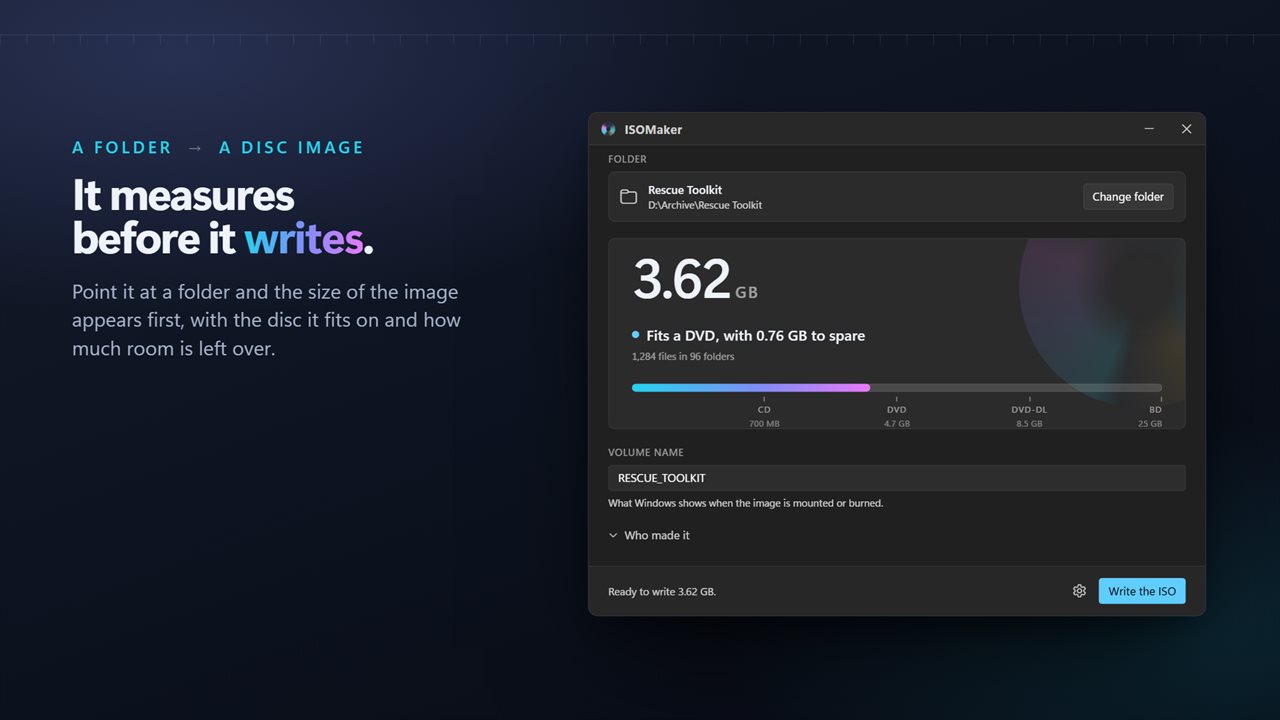
Most ISO maker tools do one thing: take a folder, write a disc image, and leave you to find out later whether it fits the disc or boots. ISOMaker reverses the order. The moment you choose a folder it works out how large the finished image will be and which of the four common disc sizes it suits.
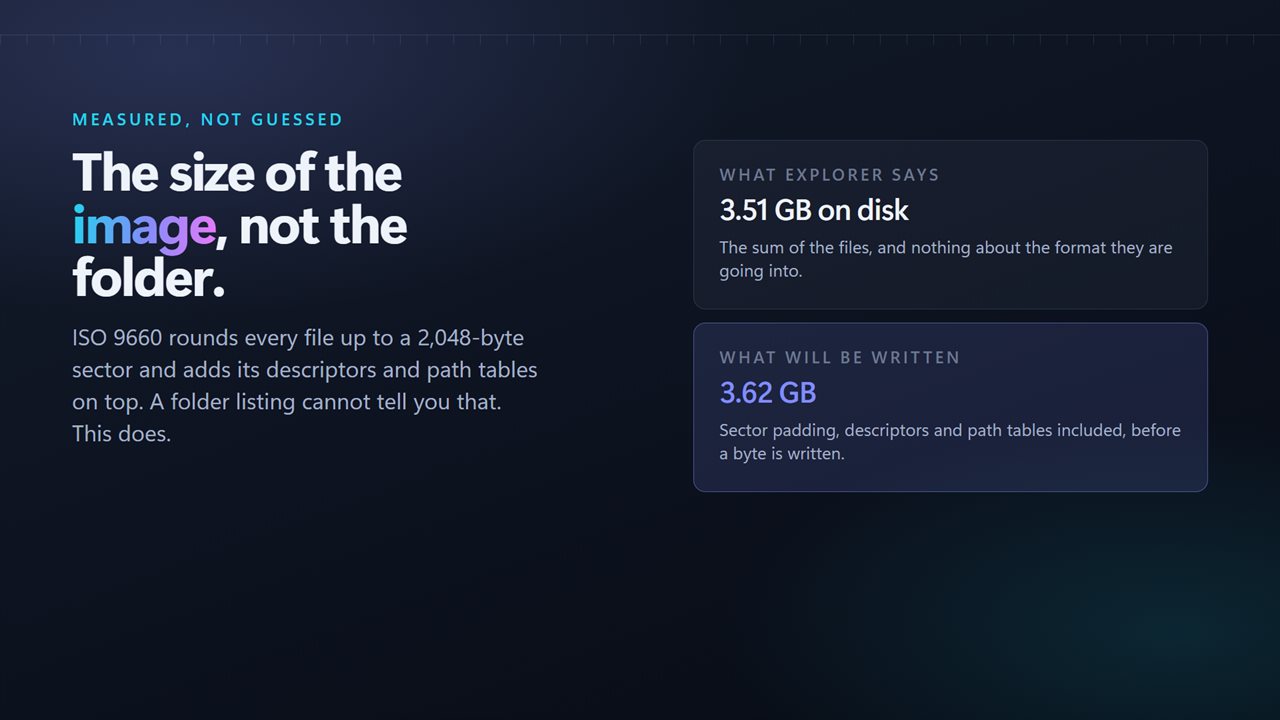
That number is not the folder size Explorer shows. An ISO 9660 image pads each file out to whole sectors of 2 KB and carries its own directory structures, so the image always comes out larger than the files. On a folder of thousands of small files the difference can push you over the edge of a disc, and you want to learn that before twenty minutes of writing, not after.
After writing, the image is opened again and its file count and total bytes are compared with the source folder, so you finish with a statement that it holds what you gave it, or a note of what differs.
How to make an ISO file from a folder
When an image is finished you can have the window Show what was written or Open the folder it went to; choose which in Settings.
- Drop a folder on the window, or click the drop area to browse for one. Change folder swaps it later.
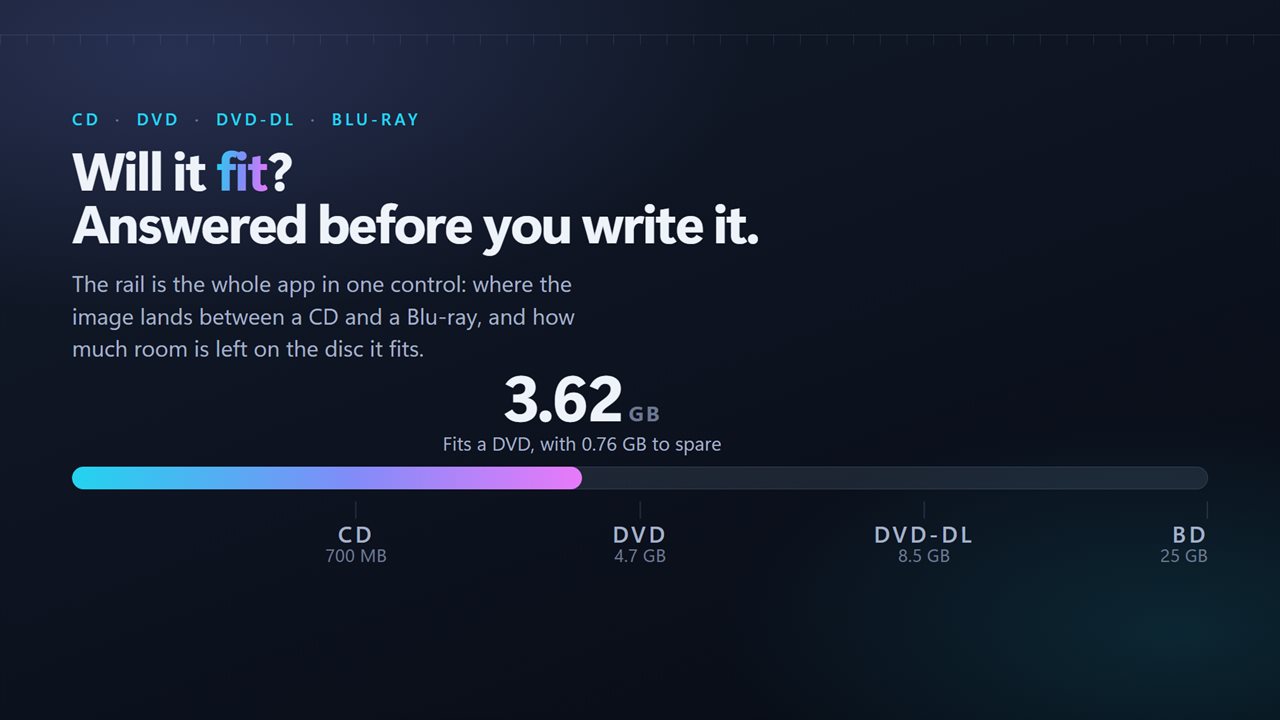
- Read the scale. A sentence under it names the disc and the space remaining, all before anything is written.
- Check the Volume name. A valid one is suggested from the folder name, and you can fill in Publisher and Application if you want them.
- If a boot file was found, decide whether to Make it bootable.
- Press Write the ISO. Progress shows as Writing the image with a real percentage, and the window reports Image written and checked when the read-back passes.
Bootable ISO creator for Windows and Linux installers
Rebuilding an extracted install folder into a bootable image normally means installing the deployment kit and getting a long oscdimg command line right. Here the folder is searched for boot files at the paths those trees use: boot/etfsboot.com and efi/microsoft/boot/efisys.bin on Windows media, and isolinux or GRUB files on Linux media.
Whatever is found is listed by name, and you pick one image for BIOS and one for UEFI. With both registered, the same ISO starts on a legacy-boot machine and on a current UEFI machine or virtual machine. A folder that contains no boot file never shows the option, so you cannot produce an image that claims to boot and does not.
Will it fit on a DVD? Disc sizes in GB
The scale is marked at 700 MB for a CD, 4.7 GB for a single-layer DVD, 8.5 GB for a dual-layer DVD and 25 GB for a single-layer Blu-ray. The app names the smallest disc that will hold the image and the margin. Past 25 GB it says the image is Larger than a Blu-ray and suggests mounting it or putting it on a USB drive instead.
ISO 9660 with Joliet, so names survive
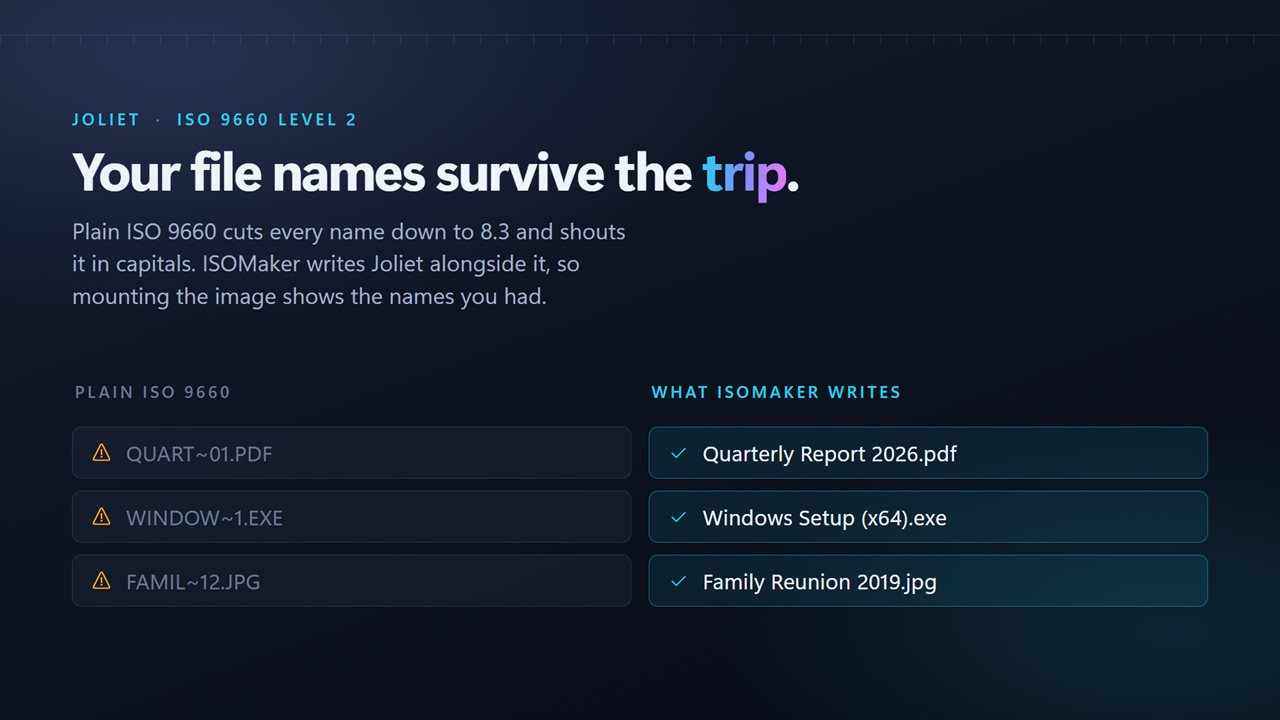
Every image uses ISO 9660 Level 2, paired with a Joliet name table. Without Joliet, a file called Quarterly Report 2026.pdf would be shortened to an eight-plus-three capitalized stub. With it, long names arrive intact, and Windows, macOS and Linux all read the result. The image does not include UDF.
The volume label follows the format's own rule: capitals, digits and the underscore, 32 characters at most, and the suggested name already follows it, so nothing is silently rewritten later.