Where does this link go? Expand it before you click
A shortened link hides its destination by design. That is fine from a friend and less fine in an unexpected text, a social post or a marketing email that routes you through three click trackers first. A URL expander answers the question before your browser ever touches the page.
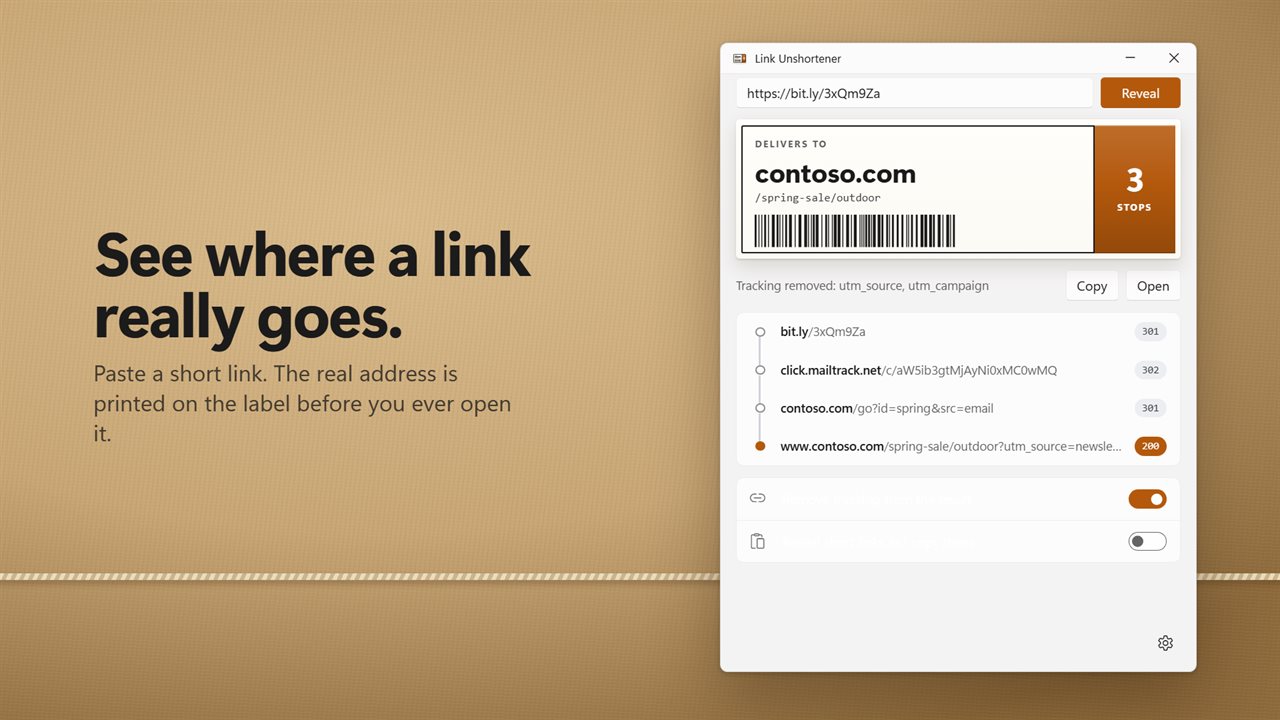
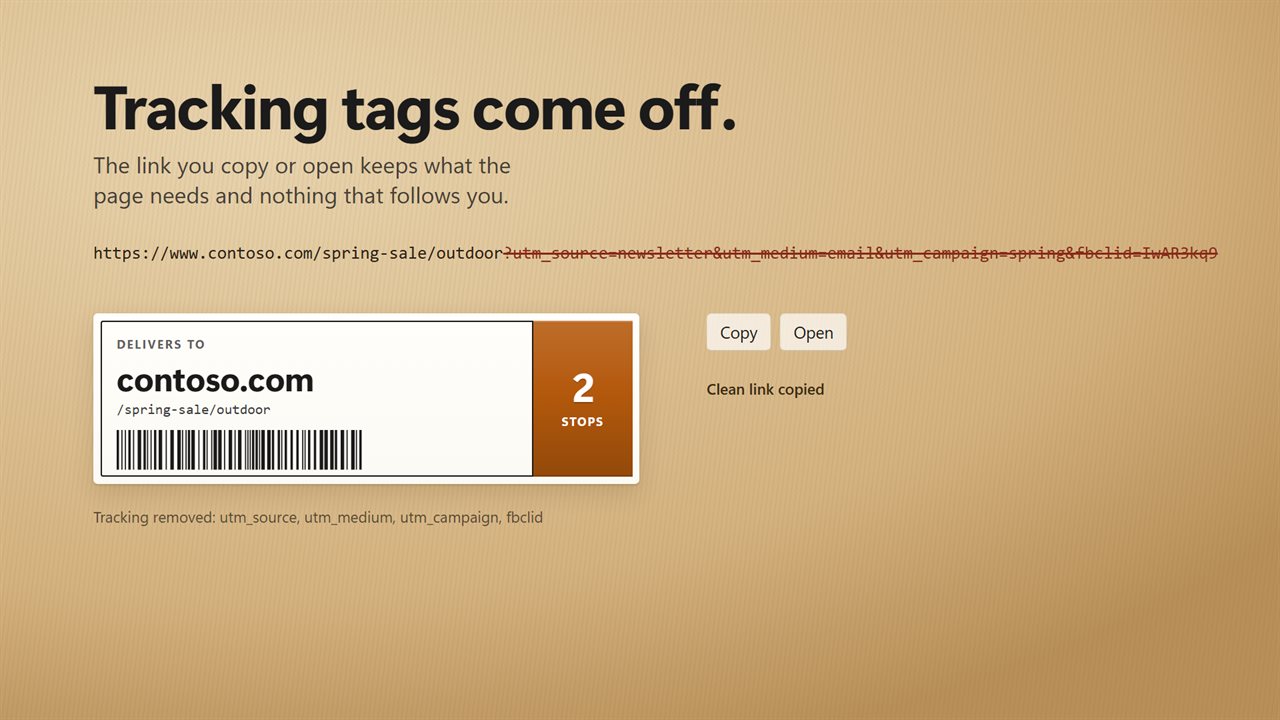
Link Unshortener traces the link hop by hop and prints the final address in large type on a shipping-style label, marked DELIVERS TO, with the path below it and a count of the stops it made. Underneath, the hops appear one after another alongside the code each server returned, so you see exactly which services the link bounced through on its way.
The trace happens without a browser. Each server is only asked for its next address; page scripts never execute, and cookies are discarded between hops. The servers along the way still see a request, so a click tracker may count your check, but your browser never loads the page.
How to check a short URL before opening it
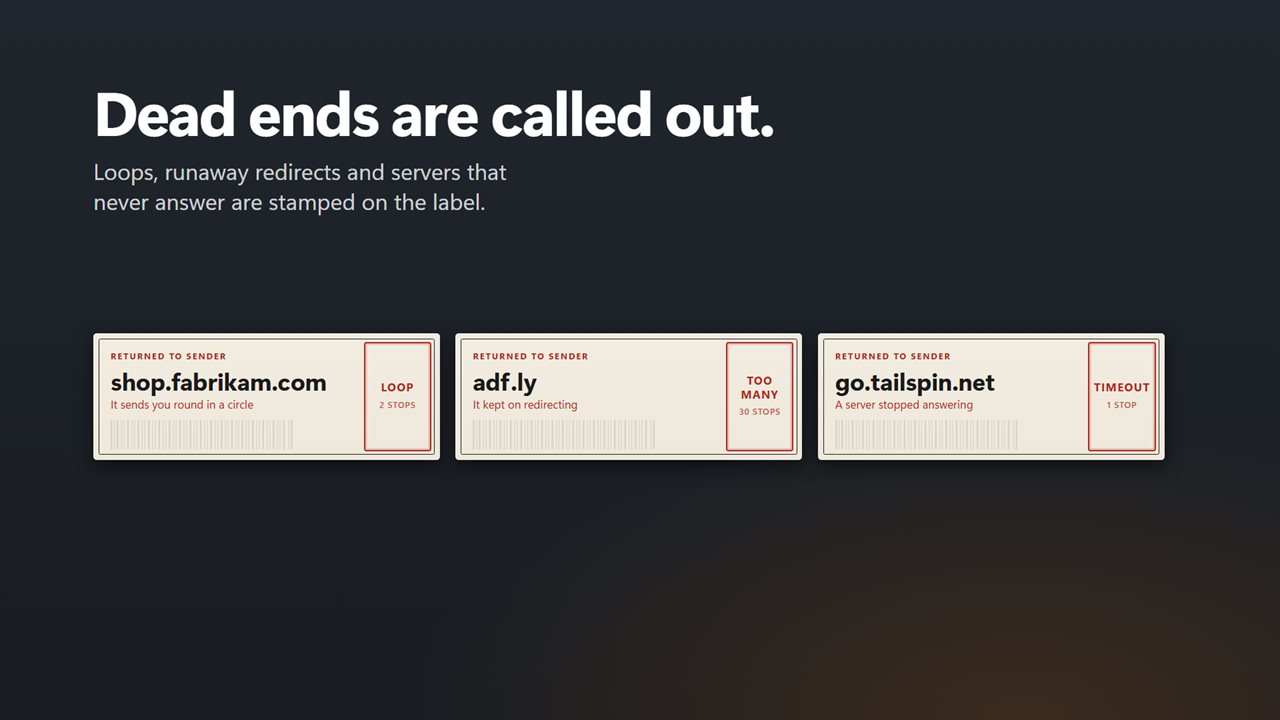
When a trace cannot finish, the label says why instead of failing silently: TIMEOUT for a server that gave no answer in 10 seconds, LOOP for a link that circles back to an earlier stop, TOO MANY when it exceeds your redirect limit, and NO LINE when the server cannot be reached at all.
- Drop the link into the input box at the top, or type it in.
- Press Reveal or Enter. The label shows IN TRANSIT and counts stops as they come in.
- Read the destination host and path, and the list of hops beneath them.
- Click anywhere on the label for a clean copy, or use the Copy and Open buttons.
A redirect checker that shows every hop
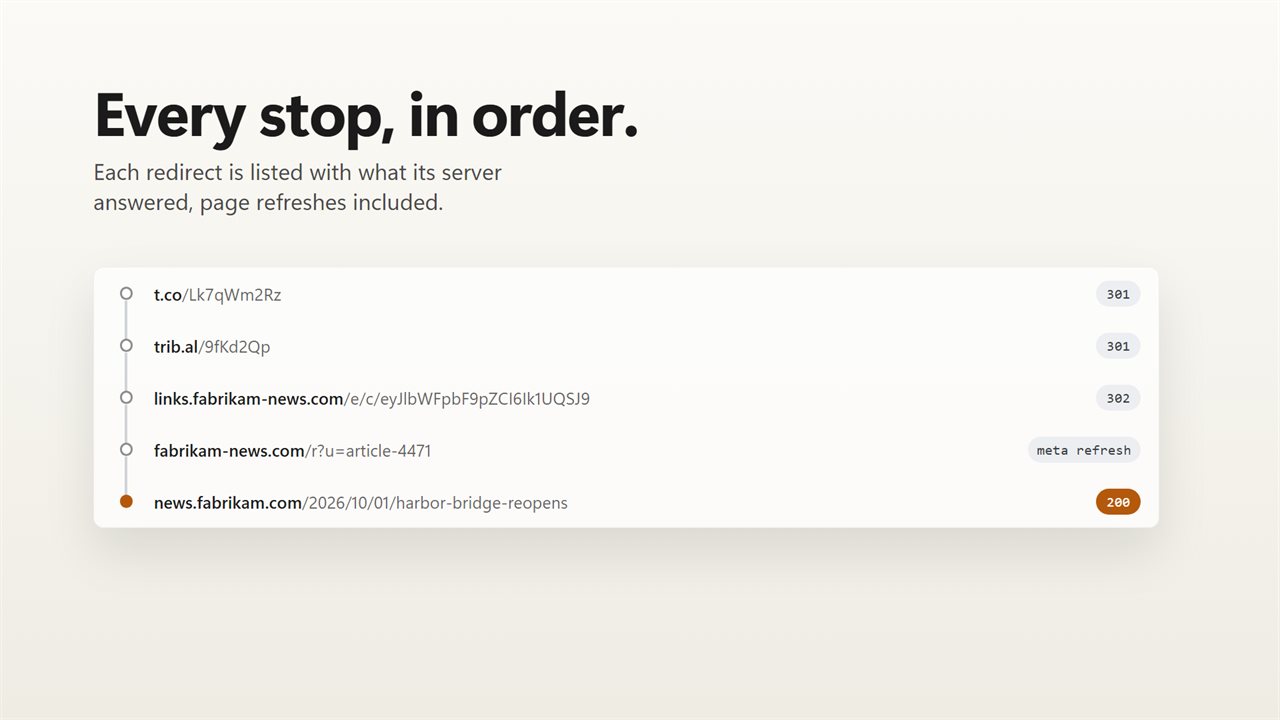
Each stop carries its status code, so the chain reads like a route map: 301 and 308 for permanent moves, 302, 303 and 307 for temporary ones, meta refresh for a page that forwards you itself, and the final 200 for the page you actually reach.
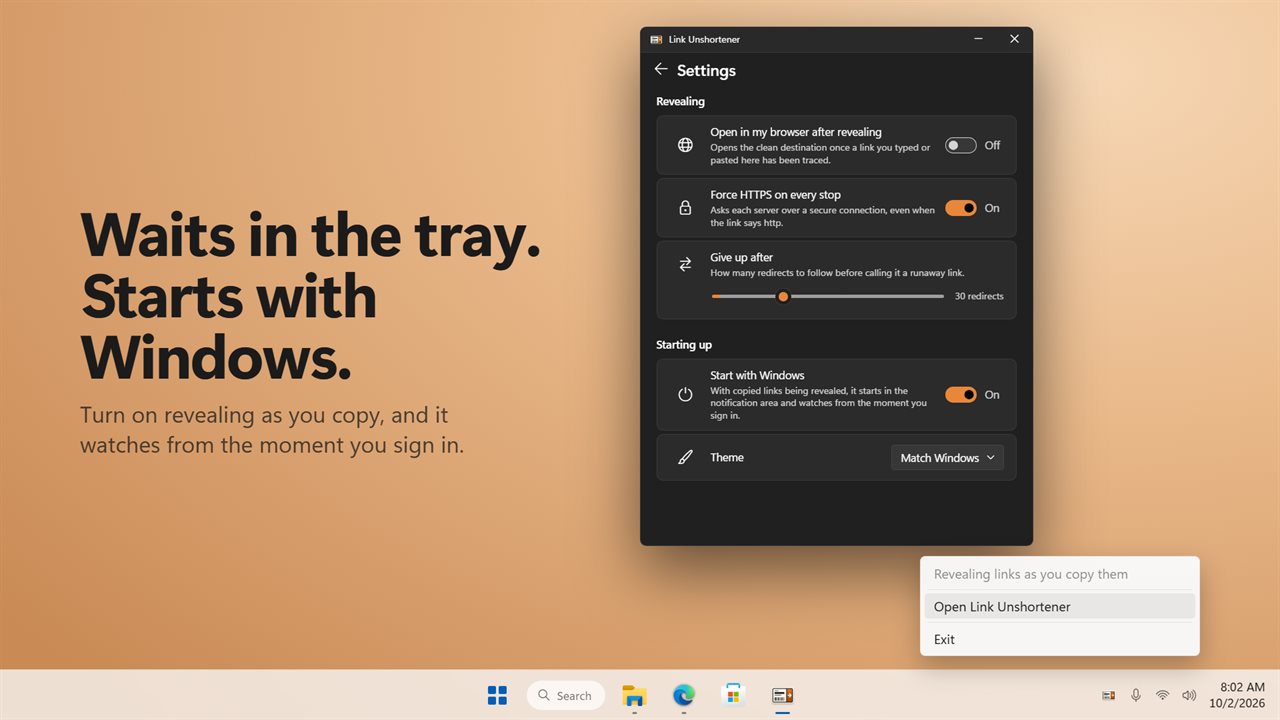
That makes the app useful well beyond suspicious links. Marketers can confirm a campaign link resolves where it should, and site owners can spot a chain that redirects four times where one would do. "Give up after" in Settings caps the chain length, and "Force HTTPS on every stop" asks each server over a secure connection even when the link says http.
Remove tracking from a URL and unwrap Safe Links
With "Remove tracking from the result" ticked, the clean link drops tags like utm_campaign, fbclid and gclid, and a line under the label names each one that came off. Parts of the address the page needs are left in place. Untick it to copy the link exactly as it arrived.
Links wrapped by Outlook Safe Links, Google's /url redirector, or Facebook and Instagram's outbound link pages are opened up to the address inside, and the label notes the wrapper it removed.
Automatic reveal from the clipboard
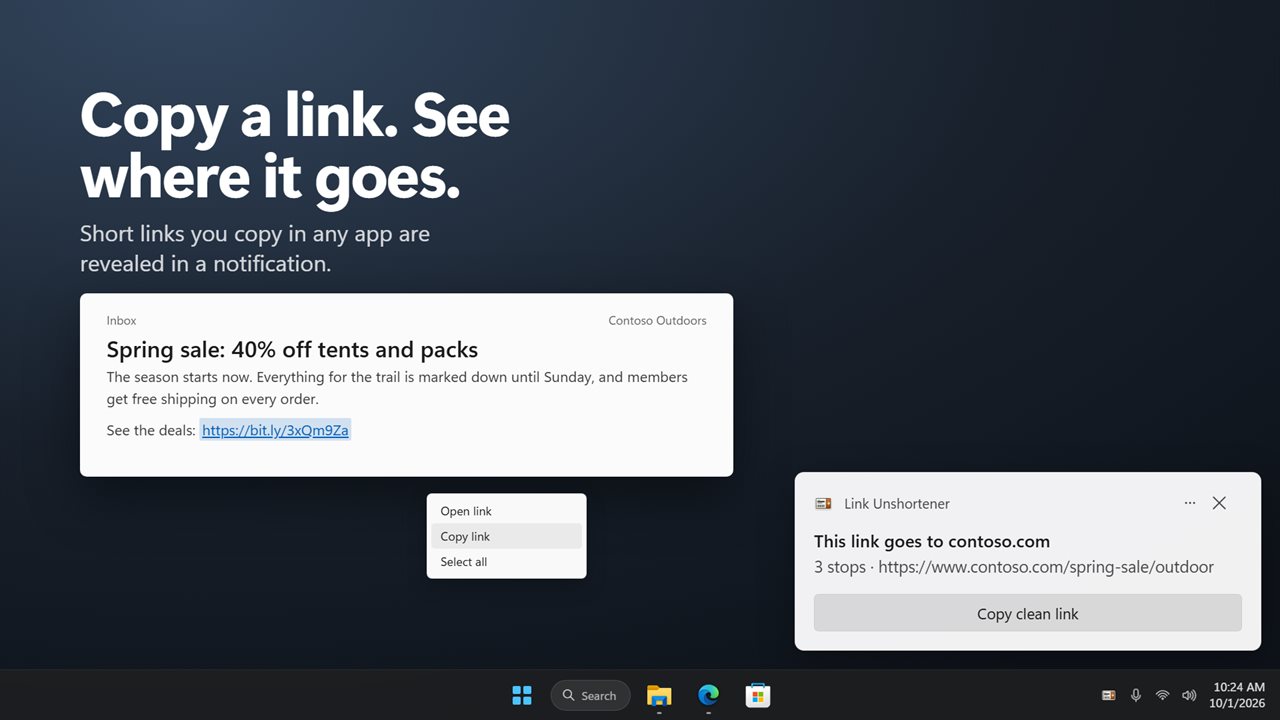
Tick "Reveal short links as I copy them" and you no longer need to paste anything. Whenever a shortened or tracker-laden link lands on your clipboard from any app, a notification appears saying where it goes, with the number of stops and a Copy clean link button that swaps your clipboard for the real address. While this is on, the app keeps running in the notification area, and Start with Windows has it watching from sign-in.