A subnet calculator that answers as you type
A subnet calculator gets opened for one of a handful of questions. How many devices will this range hold? Where does the network start and end? What mask goes in the router? Easy Subnet Calculator puts all of those on one screen and works them out on every keystroke.
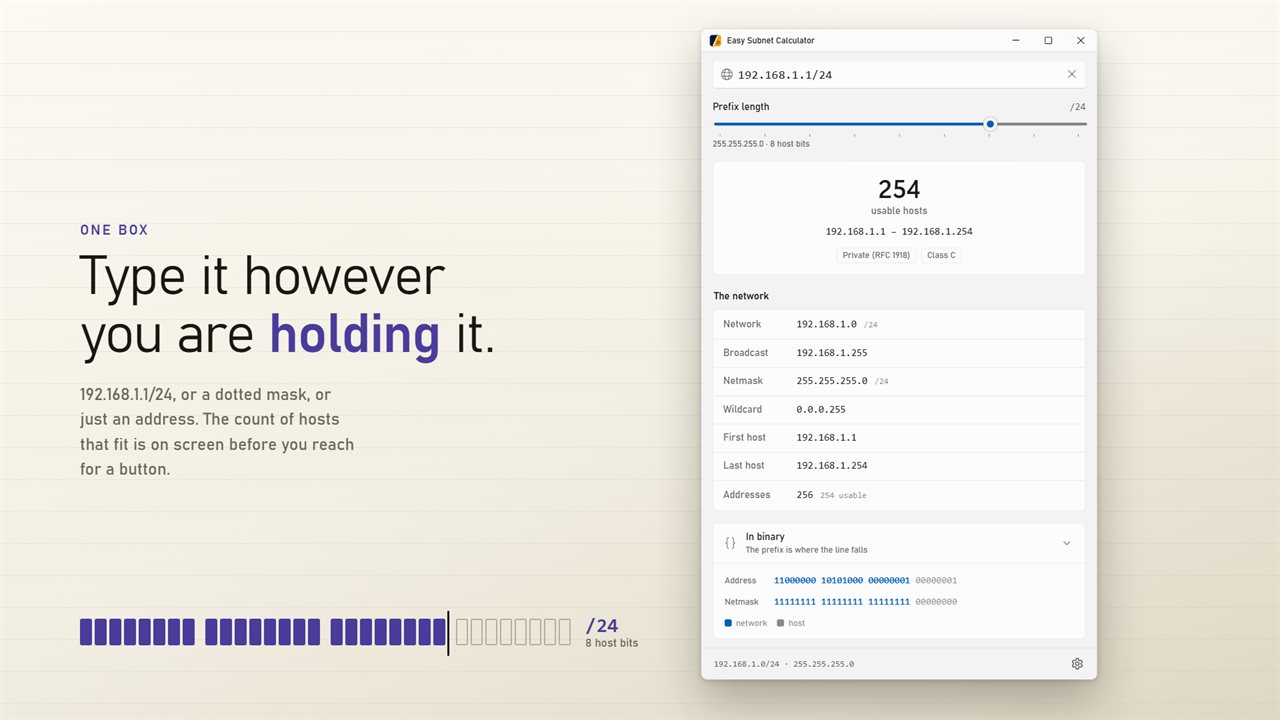
There is a single input. It takes 10.0.4.17/22, 10.0.4.17 255.255.252.0, 10.0.4.17/255.255.252.0, or a bare address that keeps the prefix already showing. The first figure under it is the usable host count in large type, followed by the host range and what kind of address you typed.
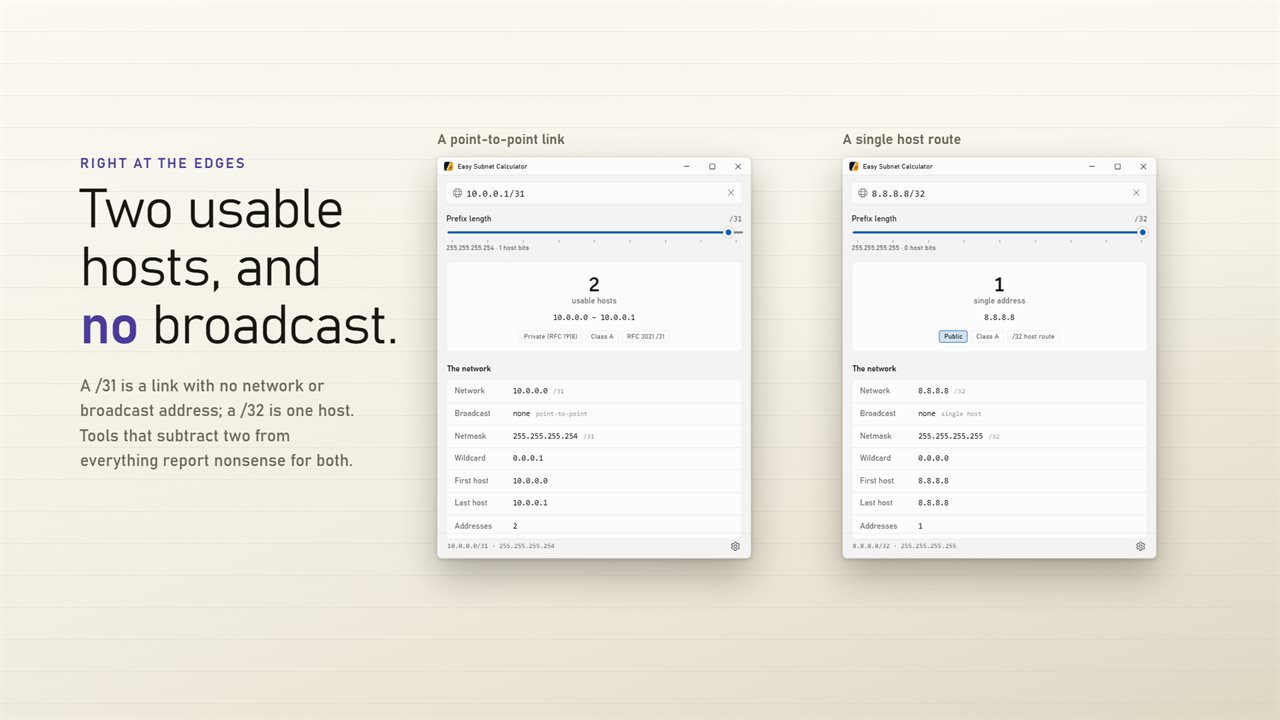
The rows below give Network, Broadcast, Netmask, Wildcard, First host, Last host and the total number of Addresses, each with its own copy button for pasting into a config or a ticket.
Everything is IPv4. An entry it cannot read gets a plain error message in place of results rather than a guess, and whatever you last typed is back in the box the next time you open the window.
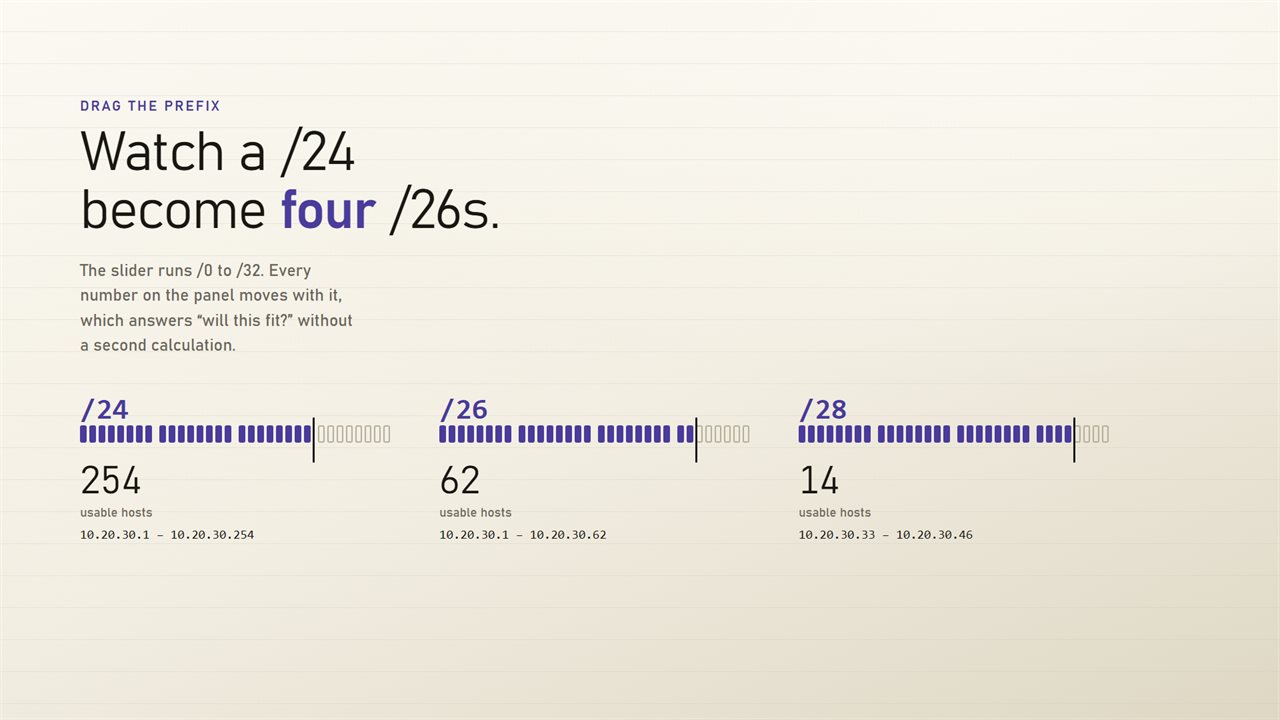
Subnet mask calculator with a prefix length slider
The Prefix length slider runs from /0 to /32. Drag a /24 to /26 and every row moves with it: 254 usable hosts become 62, the broadcast drops from .255 to .63, and the mask changes to 255.255.255.192. It turns the common sizing question, will 40 machines fit in this block, into a glance rather than a sum.
Under Written as in Settings you choose how the mask is shown: 255.255.255.0 and /24, the dotted form only, or the /24 form only. Switch on Show hexadecimal for hex values beside the network, broadcast, netmask and wildcard, the form an access list or router config often wants.
How to calculate a subnet by hand, and check it
Working a subnet out on paper takes four steps, and the app shows the result of each one, so it doubles as a way to check homework or an exam answer:
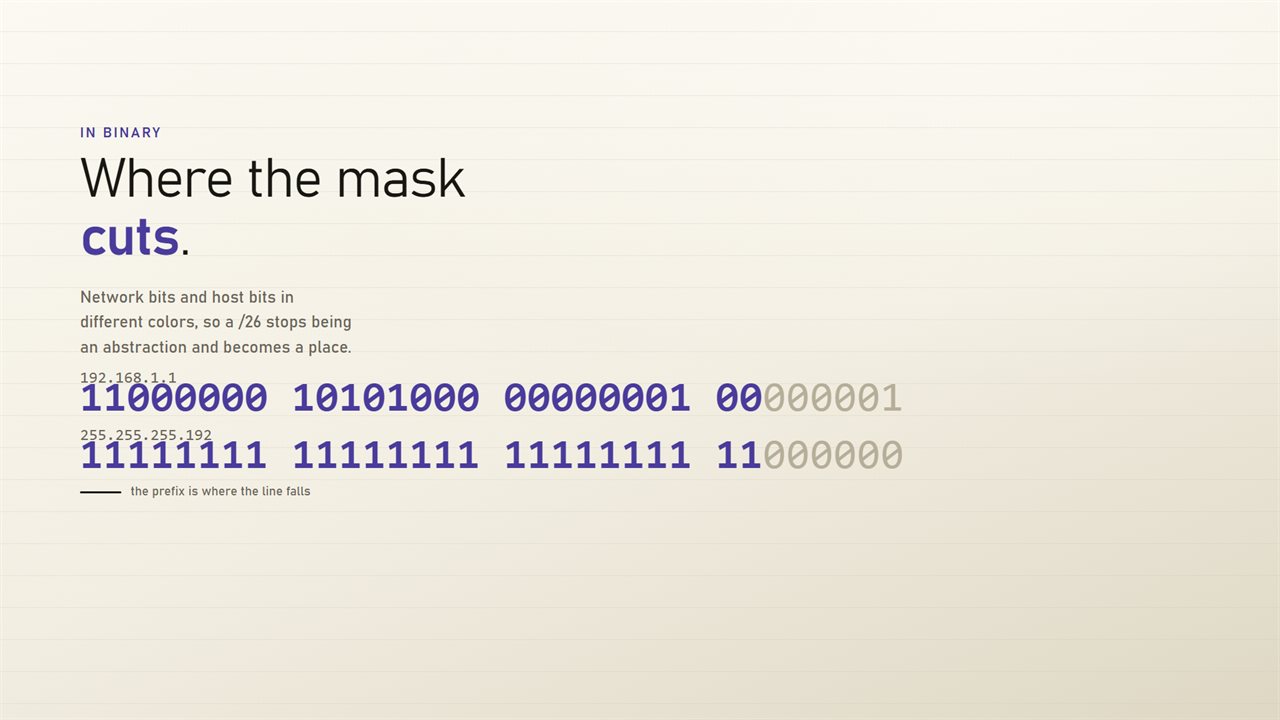
- Write the mask as 32 bits: the prefix length in 1s, then 0s. A /26 is 26 ones and 6 zeros, or 255.255.255.192.
- AND the address with the mask to find the network address.
- Set every host bit to 1 to find the broadcast address.
- Raise 2 to the number of host bits and subtract 2 for the usable hosts: 2 to the 6th is 64, so a /26 holds 62.
CIDR notation in binary: where the prefix cuts
With Show the address in binary on, the address and the netmask are written out bit by bit, with the network bits and the host bits colored apart. That is the diagram a networking course draws to explain CIDR, and seeing a /27 split the last octet three bits in makes subnetting easier to reason about than a cheat sheet.
Private IP address ranges and other special blocks
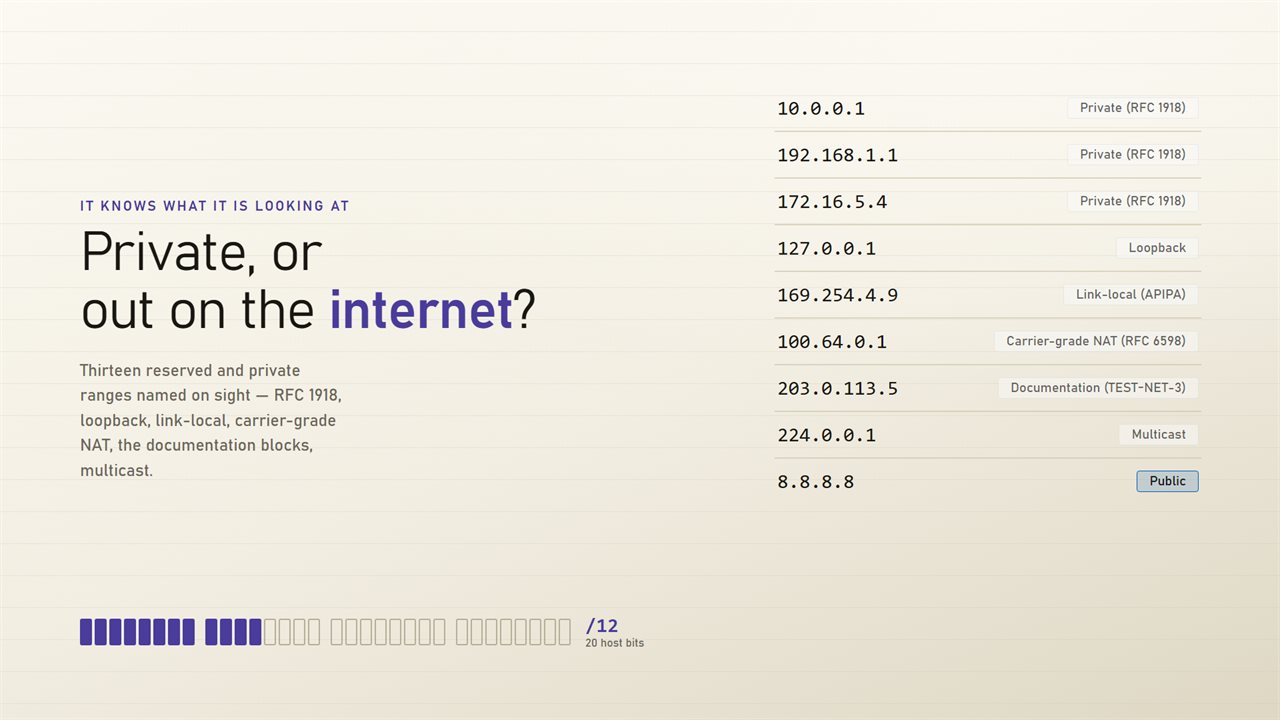
Say what kind of address it is labels the input on sight, so an unfamiliar address explains itself:
- Private (RFC 1918): 10.0.0.0/8, 172.16.0.0/12 and 192.168.0.0/16
- Carrier-grade NAT (RFC 6598): 100.64.0.0/10
- Loopback 127.0.0.0/8 and Link-local (APIPA) 169.254.0.0/16
- Documentation TEST-NET-1, -2 and -3, and Benchmarking (RFC 2544)
- Multicast, Reserved for future use, This network and Limited broadcast
- Anything else is marked Public, with its historical class beside it